Advanced Sheet Metal Design Using NX Cad Challenge_1_Casing Design
DESIGNING A SHEET METAL CASING
OBJECTIVE :
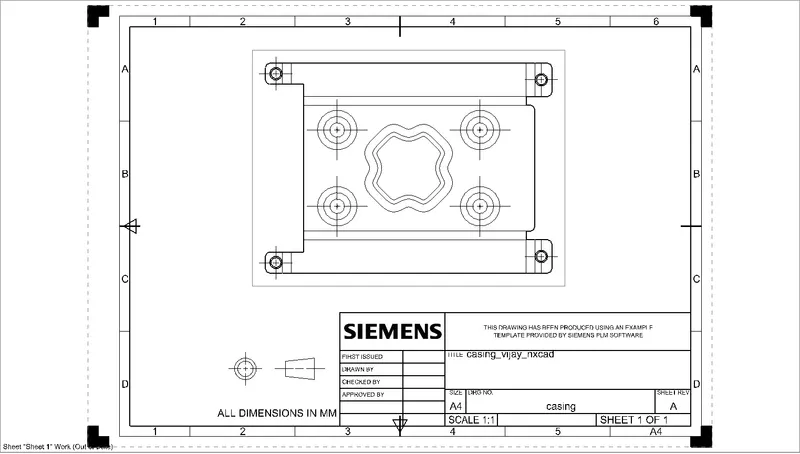
The objective of the project is to design a sheet metal casing using nx cad sheet metal application also the drawing sheet should be created for the casing
INTRODUCTION :
Sheet metal is metal formed by an industrial process into thin, flat pieces. sheet metal is one of the fundamental forms used in metalworking and it can be cut and bent into various shapes
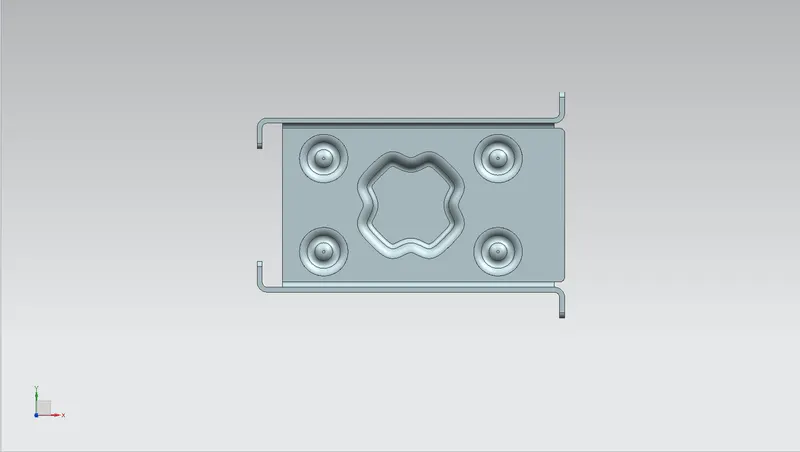
CASING: it is a part that can be an outer sheet for various components or products which has various flanges, dimples, cutouts, and other feature
DESIGN METHODOLOGY
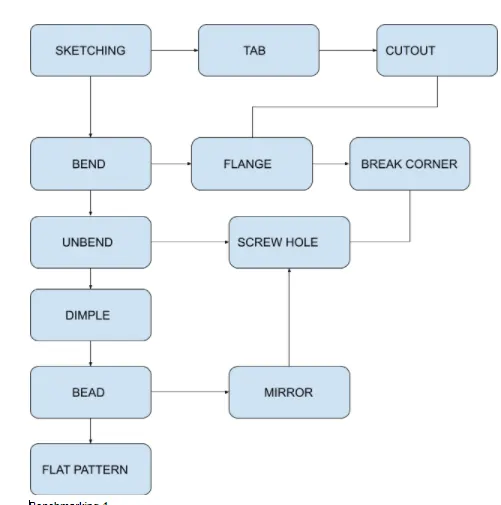
DESCRIPTION
Design requirements :
- sheet size = 60mm x 50mm x 1mm
- bend angle = 90 degree
- dimple depth = 1mm
- screw clerance hole = Normal H13 , M2
- break corner = 1mm
- bead depth = 1
- flange length = 1mm
FEATURE USED FOR CREATING THE CASING :
- TAB: Creates a base feature by extruding a sketch along a vector by thickness value or adds material to a planer face. An additional planer section can be added to generate bends as part of the feature.
- NORMAL CUTOUT: cuts material by projecting a sketch onto the model and then cutting perpendicular to the faces intersected by the projection
- BEND: modifies the model by bending material on one side of the sketch line, adding a bend between the two sides.
- FLANGE: adds a flat flange at an angle to a planer face and adds a bend between the two
- BREAK CORNER: Rounds or chamfer a sharp corner of Tab or flange
- UNBEND: Flattens a bend and the material adjacent to bend
- MIRROR: copies a feature or body and mirrors it across a selected plane
- HOLE: adds a hole to one or multiple positions on a solid body
- DIMPLE : it simulates a stamping tool by lifting an area of the model
- BEAD: it stimulates a stamping tool by lifting material along a contour of sketch
- REBEND: restores an unbend feature to its previous state
- FLAT PATTERN: creates a flat pattern from the formed sheet metal part
FEATURES USED FOR DRAFTING
- NEW SHEET: creates a new drawing sheet
- BASE VIEW: creates a model-based view on the drawing sheet
STANDARD VIEWS OF MODELLING
FRONT VIEW
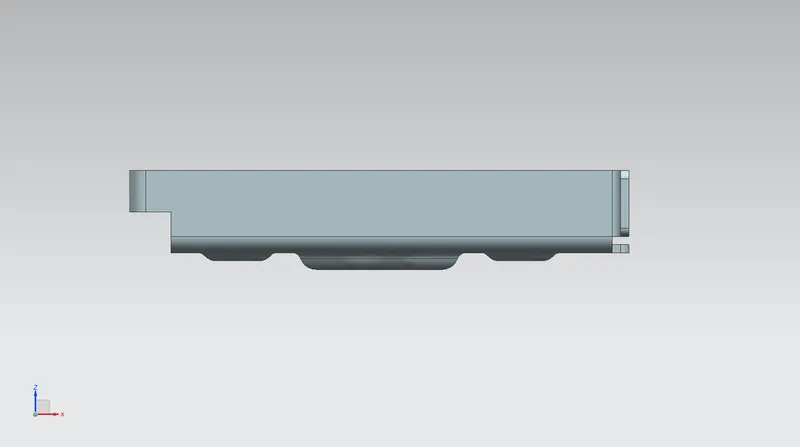
SIDE VIEW
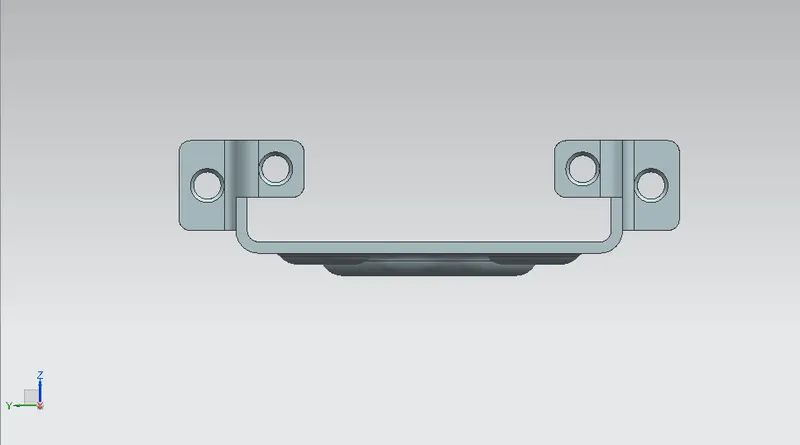
ISOMETRIC VIEW
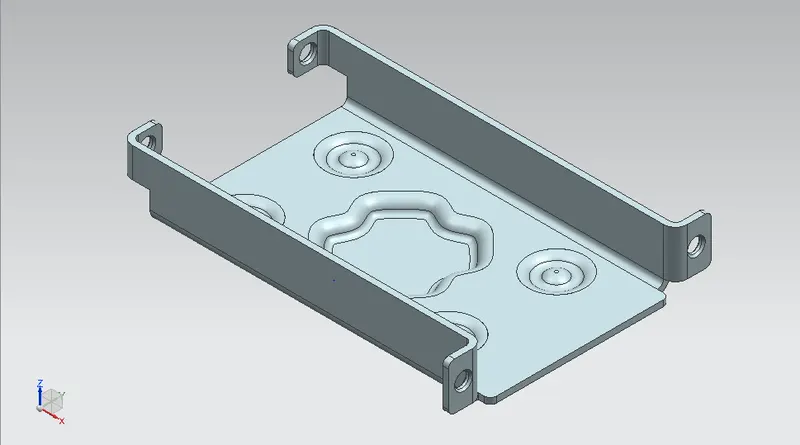
TOP VIEW
DRAWING SHEET OF CASING
CONCLUSION :
PROJECT HAS BEEN COMPLETED BY DESIGNING AND DRAFTING THE CASING USING NX -SHEET METAL APPLICATION