Advanced Sheet Metal Design Using NX Cad Challenge_1_Casing Design
Objective
- Learning the Sheetmetal and associative workbench of NX CAD interface
- Learning about basic sheet metal features and its application to design casing
Introduction
When molten metal is hot rolled into flat sheet which ranges from 0.5mm to 6mm thickness uniformly across the length termed as sheet metal. Below 0.5mm thickness termed as foil and above 6mm thickness categorised as steel plate. Application of sheet metal is vey vast from industrial fabrication to aerospace industry. Various profile and increasing the local strength of structure is achieved by accommodating following sheet metal feature like flange, beads, coining, blanking, dimple, reliefs etc.
Here we are designing a simple case housing considering sheet metal parameter for 1mm sheet.
Design Methodology
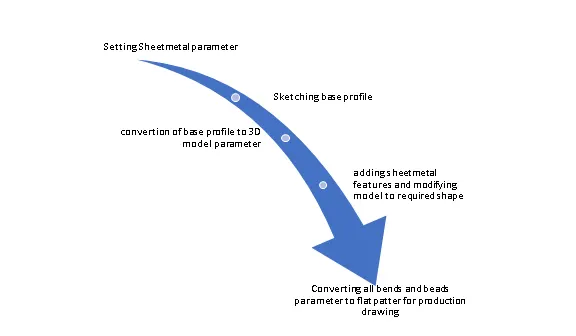
Description of tools used
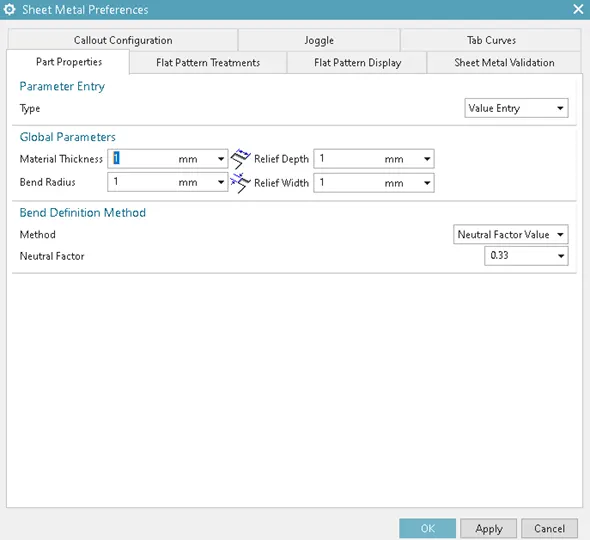
Setting Parameter:
In this section basic sheet metal parameter are set to obtain uniformity is design as per the material selection. Here all parameter are set as per the 1mm sheet metal.
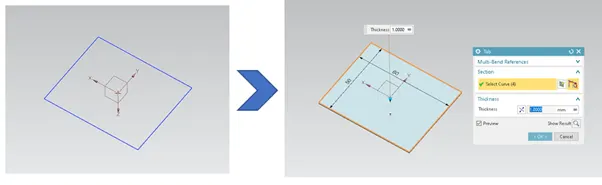
Tab Feature:
It is similar feature to the extrude function but the extrude value limit to the global value set in parameters and can be edited local settings. Base sketch is required to execute this function.
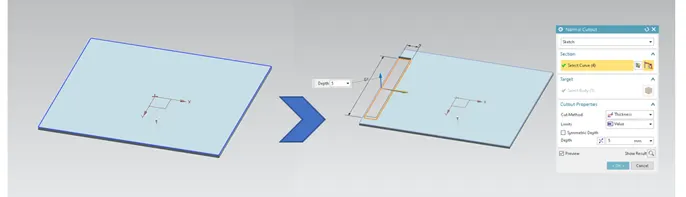
Normal cut-out:
This feature help to cut or remove undesired profile from the base model.
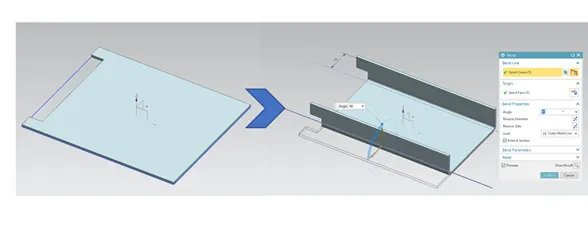
Bend:
This feature help to bend the sheet from the particular edge with reference to the bending line to different angle measuring from the fixed surface. Bending radius are taken automatically as defined in global setting.
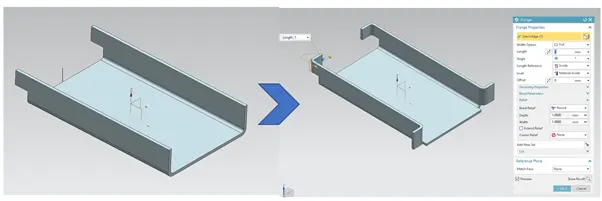
Flange:
This feature used to add a flat flange at angle to planar face . Different type of flanges type are available in option to control the profile of flange. It require edge to finish command.
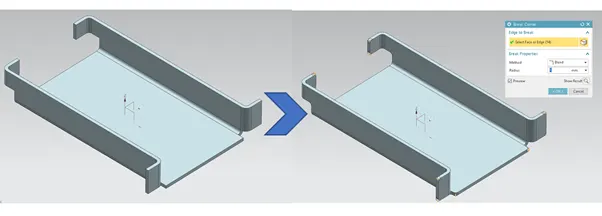
Break Corner:
This feature help to smooth out the sharp edges on the corner by rounding the edge or creating chamfer shape.
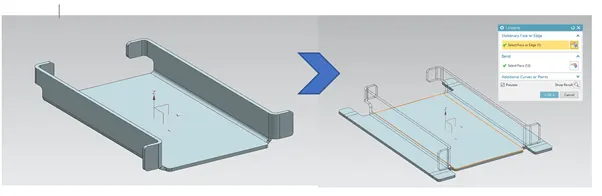
Unbend:
This feature help to unbend all flanges and bended area into flat surface. This function help to create extra feature on the bend surface like holes emboss etc which are applied to normal to flat surface. also help to visualise to before and after shape of bended sheet.
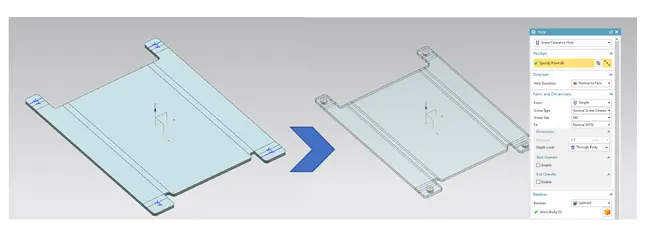
Hole feature:
To create hole feature with screw parameter, points has to be defined on the unbended surface and in hole parameter desired specification to be selected in order to create the pattern. Here M2 screwed holes are selected.
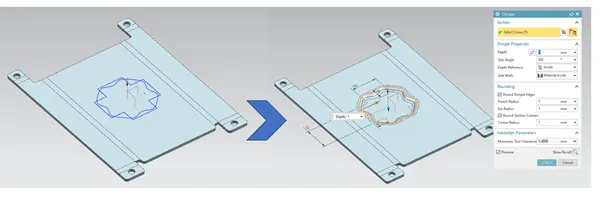
Dimple:
This command create emboss feature inside the sketch that stimulate a stamping tool. It provide over the length to increase the local strength and rigidity of the cross section and structure.
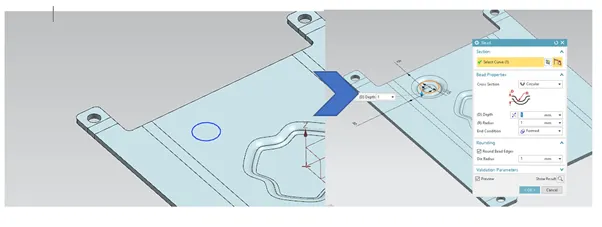
Beads:
This feature lifts the material along the counter of sketch that stimulates stamping tool. It also adds strength and rigidity into structure.
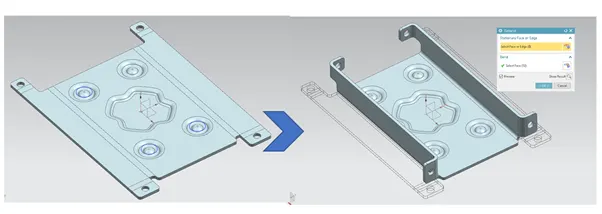
Rebend:
It is undo the unbending command with all the features added to the flanges and associated surface and resemble final shape of the sheet metal.
Flat Pattern:
It is the representation of entire sheet metal model in 2D format with all the feature applied over the surface. This feature help to import the information to drafting workbench to label details and dimensioning the profile for shop floor manufacturing drawing. This feature is similar to unbending but it is applied after complete modelling of component in order to call out in drafting.
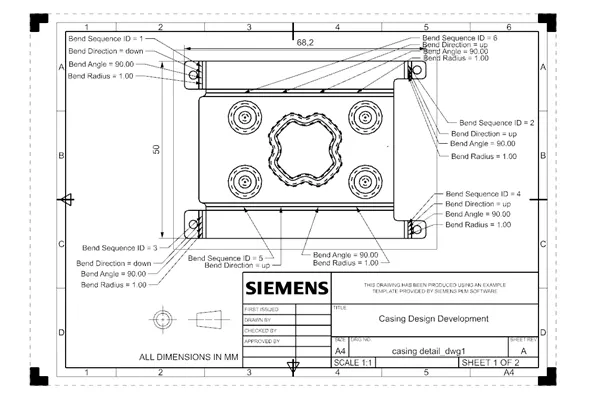
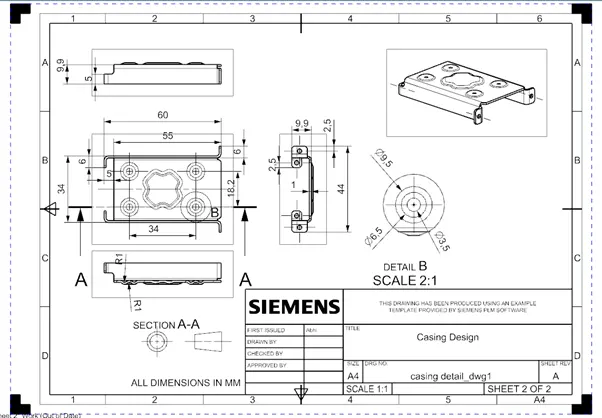
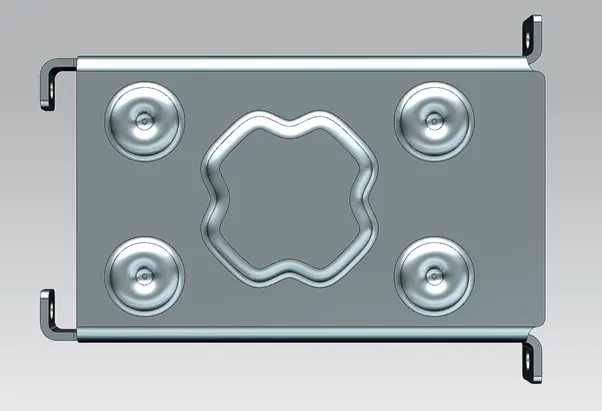
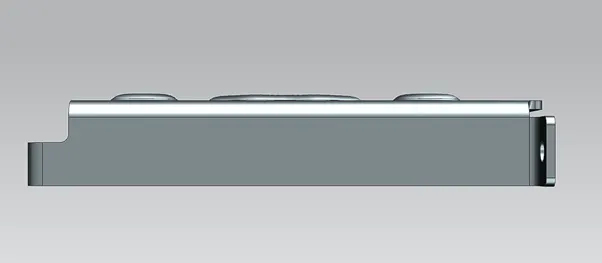
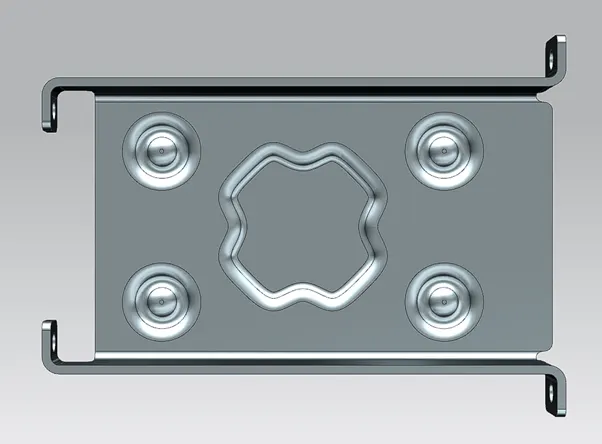
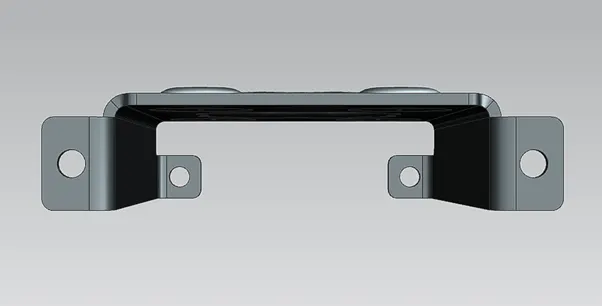
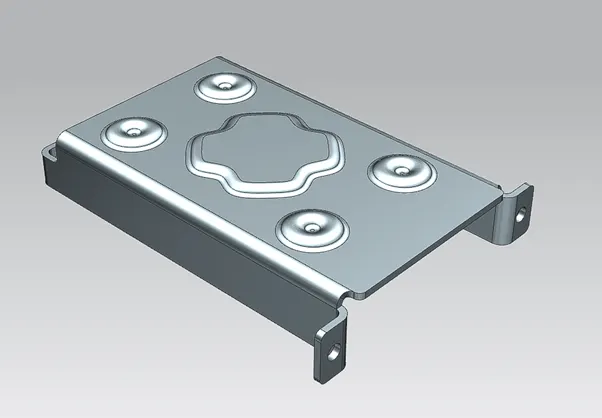
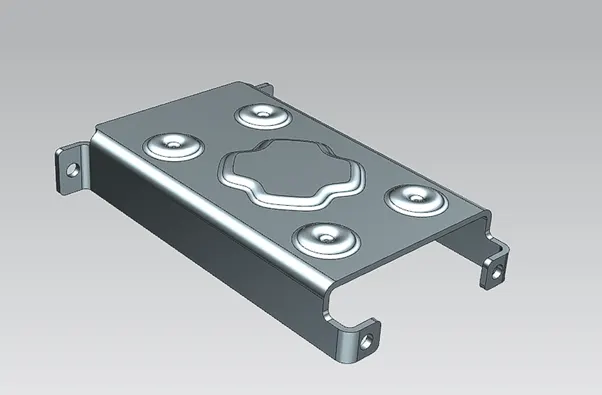
Casing Views
Conclusion:
Thus casing design is completed using sheet metal workbench in NX cad applying the sheet metal parameter considering the manufacturing parameters as provided in input data.