Advanced Sheet Metal Design Using NX Cad - Casing Design
AIM :
To perform the given Sheet Metal design using NX CAD
OBJECTIVE :
- To design a Casing Design
ABOUT :
Siemens NX :
Siemens NX software is a flexible and powerful integrated solution that helps you deliver better products faster and more efficiently.
NX delivers the next generation of design, simulation, and manufacturing solutions that enable companies to realize the value of the digital twin.
Sheet Metal :
Sheet metal is metal formed by an industrial process into thin, flat pieces. Sheet metal is one of the fundamental forms used in metalworking, and it can be cut and bent into a variety of shapes. Countless everyday objects are fabricated from sheet metal. Thicknesses can vary significantly; extremely thin sheets are considered foil or leaf, and pieces thicker than 6 mm (0.25 in) are considered plate steel or "structural steel".
Sheet metal is used in automobile and truck (lorry) bodies, airplane fuselages and wings, medical tables, roofs for buildings (architecture), and many other applications. Sheet metal of iron and other materials with high magnetic permeability, also known as laminated steel cores, has applications in transformers and electric machines.
Historically, an important use of sheet metal was in plate armor worn by cavalry, and sheet metal continues to have many decorative uses, including in horse tack.
Sheet metal is available in flat pieces or coiled strips. The coils are formed by running a continuous sheet of metal through a roll slitter.
DESIGN METHODOLOGY :
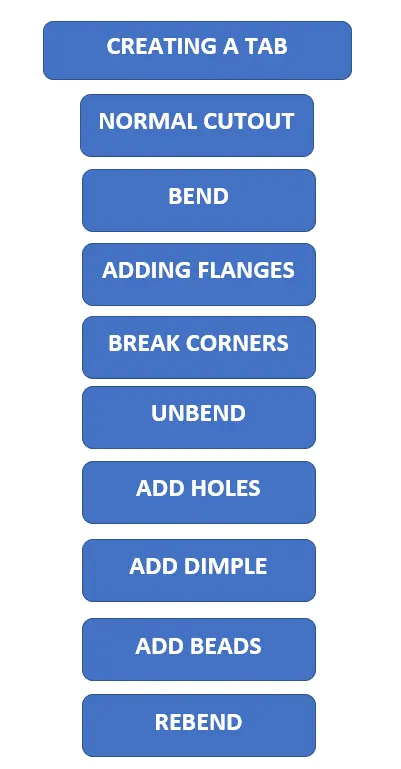
DESCRIPTION :
Sketch : The 2D representation of the given profiles are obtained using sketch.
Tab : This feature is used to create a base with some thickness.
Normal cutout : It is used to cut the object with a given profile normally.
Bend : It is used to bend the sheet metal at required areas.
Flange : It is used to create an extended part from the sheet metal at required angles.
Breaking corners : It is used to make rounded edges instead of flat ones.
Holes : It is used to make holes of necessary types and dimension on the sheet metal.
Unbend : It is used to unbend the entire sheet metal into a flat surface.
Dimple : It is used to embed a profile onto the sheet metal with certain depth either in or out.
Studio spline : It is a sketch tool used to create spline profiles through poles and reference points
Move curve : It is used to move or align a sketch from its original position.
Bead : This feature is used to lift the material based on a certain profile on the sheetmetal which strengthens the sheet metal.
Mirror feature : It is used to mirror any feature or sketch based on references.
Rebend : It is used to bend all the features of a sheet metal after an unbend.
Flat pattern : It is used to convert the sheet metal into a flat pattern.
MODEL :
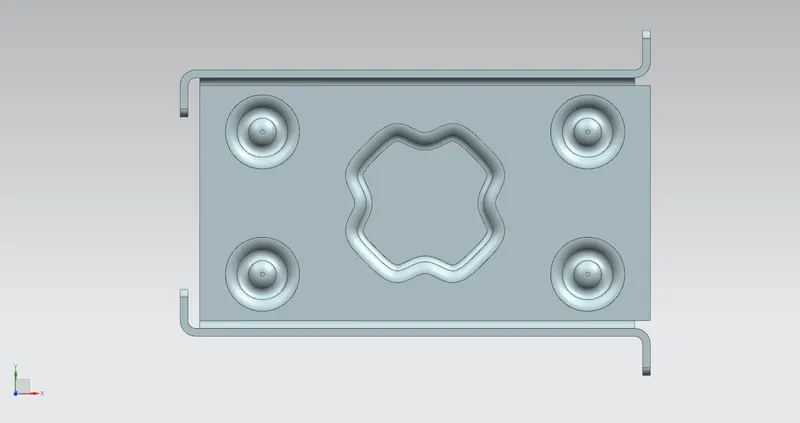
Top view
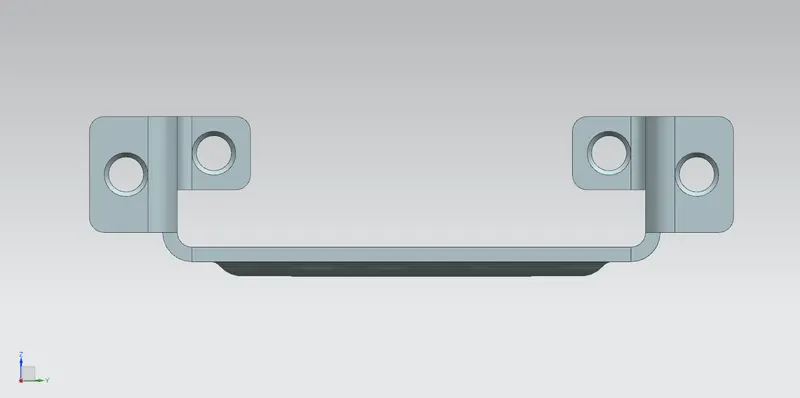
Front view
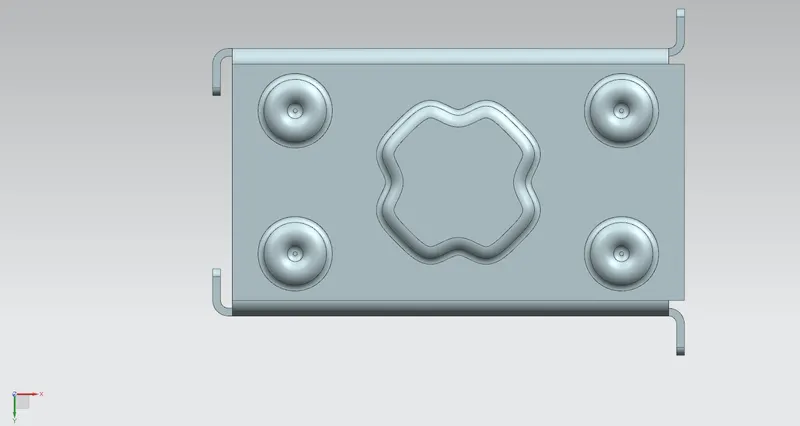
Bottom view
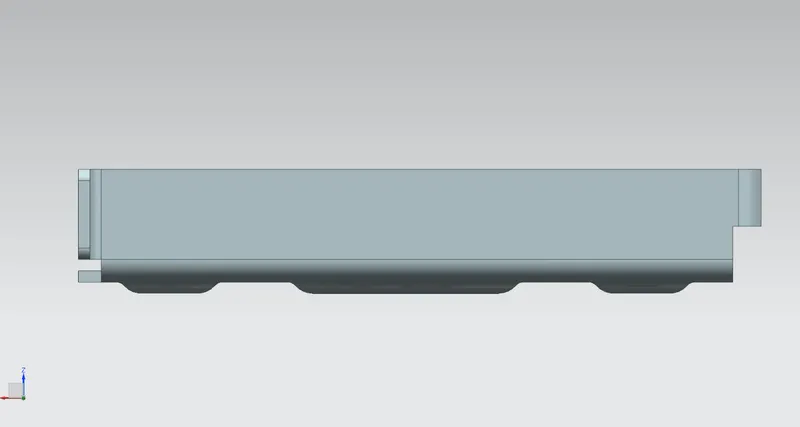
Side view
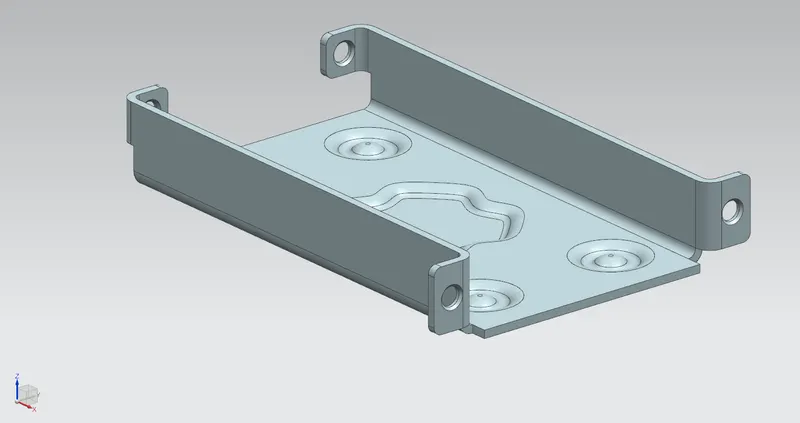
Isormetric view
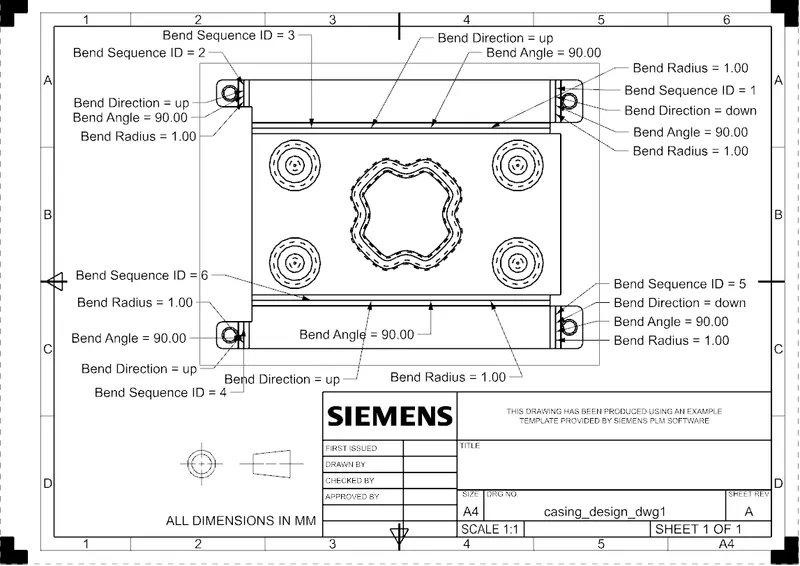
DRAFTING :
CONCLUSION :
- The model was designed as per the given dimensions.
- Images were attached representing various views.
- The model file was attached.