01
Smart Home
Develop a Smart Home application on your own
Black FridayUpgrade your career this Black Friday. Get up to ₹60,000 Scholarship on IIT programsUp to ₹60K Black Friday Scholarship63 seats leftOffer ends Fri, 27 Nov, 11:59 pm IST.
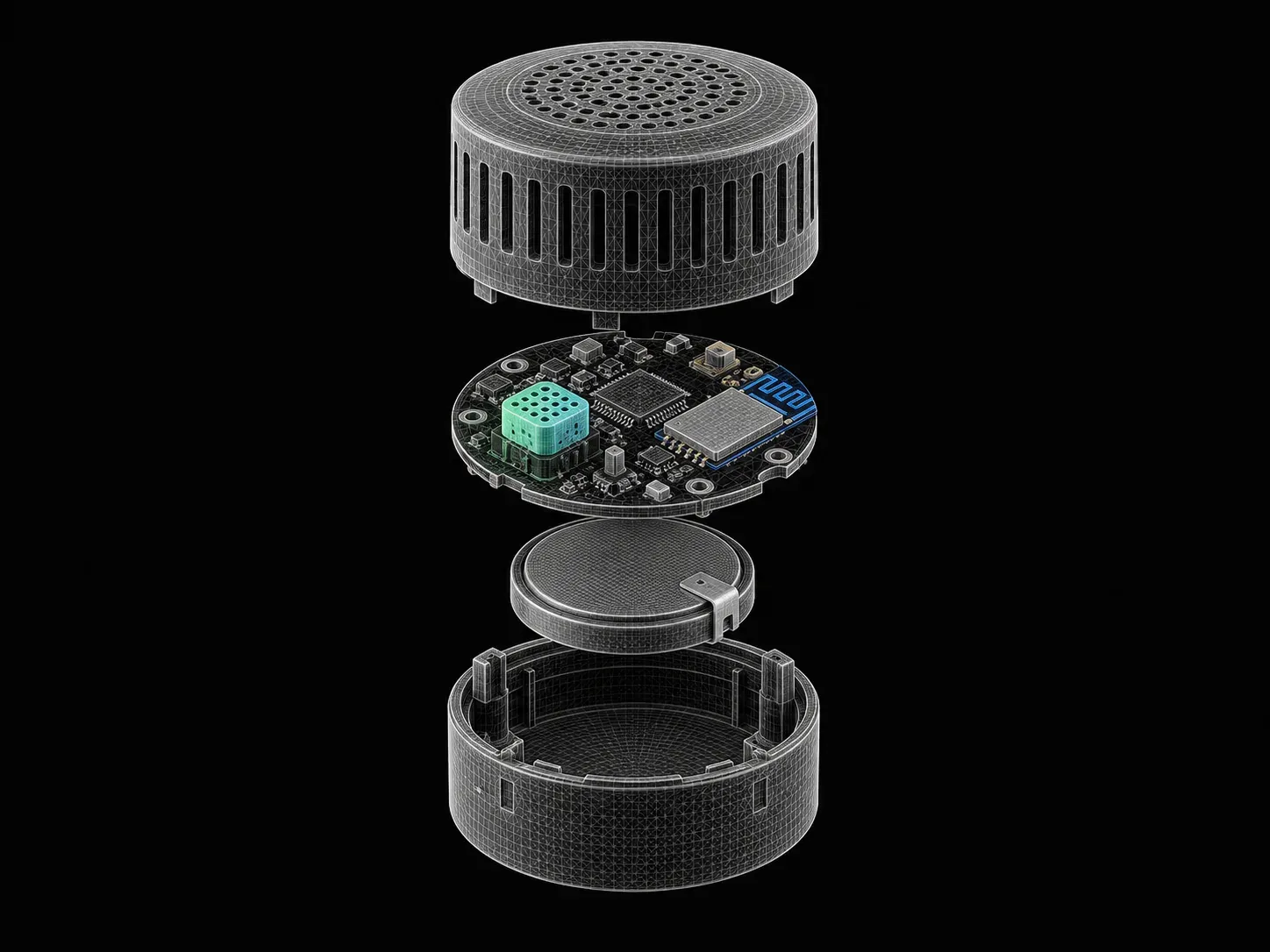
Master advanced skills by working on industry-relevant IoT courses. Get trained in building smart IoT home devices with our expert-curated IoT certificate course. Our expert-curated IoT course syllabus will help you gain experience in building IoT devices that resolve real-world problems.
Developing IoT Applications is an online course from Skill-Lync: 12 weeks, 21 hours of content and 2 industry projects.
41 min of this course's own recorded sessions, with transcripts, on Grow by Skill-Lync:
Compare all 3 Skill-Lync IoT courses · Compare all 25 Skill-Lync Python courses
The following topics are covered in this week:
The following topics are covered in this week:
The following topics are covered in this week:
The following topics are covered in this week:
The following topics are covered in this week:
The following topics are covered in this week:
The following topics are covered in this week:
The following topics are covered in this week:
The following topics are covered in this week:
The following topics are covered in this week:
The following topics are covered in this week:
The following topics are covered in this week:
Our projects are designed by experts in the industry to reflect industry standards. By working through our projects, Learners will gain a practical understanding of what they will take on at a larger-scale in the industry. In total, there are 2 Projects that are available in this program.
Develop a Smart Home application on your own
Develop a mobile application using Web or Thunkable
by the Skill-Lync team
It builds IoT applications from the ground up over 12 weeks, online: what IoT is, sensors and microcontrollers, then Arduino, the Wi-Fi NodeMCU (ESP8266) board, BLE and LoRa, MQTT, the Raspberry Pi, the ThingSpeak cloud and a mobile dashboard. It ends with two projects, a smart home and a weather station.
IoT, the Internet of Things, means everyday objects that measure something, send it over a network and can be controlled from a screen. The syllabus, in order:
The recorded course is 90 lessons, about 21 hours of video, in the Arduino IDE, the Thonny editor and Python. The projects: a smart home application you develop on your own, and a weather station with a web or Thunkable mobile app. The first three lessons, about 41 minutes, are free on Grow: the course roadmap and what counts as IoT, trends such as big data, edge computing and blockchain, and the layers of an IoT system.
Through the same chain in every IoT product: a sensor, a microcontroller acting as the gateway, a network link, an application protocol such as HTTP or MQTT, a cloud platform, and a screen. In this course that is a sensor wired to an Arduino, NodeMCU or Raspberry Pi, sending over Wi-Fi to ThingSpeak or thinger.io, read on a phone.
The third free lesson splits it into layers. Think of a postal system: the sensor writes the letter, the gateway is the post box, the protocol is the envelope format and the cloud is the sorting office.
The first free lesson adds a six-part test for whether a product is really IoT: sensors, actuators, local data collection, a cloud service, a consumer interface, and an API or SDK (the code library a device uses to talk to the platform). Actuators are optional. Without the interface and the API it is "automation"; without the cloud as well, just "hardware".
Use an Arduino to learn to read sensors and drive pins, a NodeMCU when the sensor node itself must reach Wi-Fi, and a Raspberry Pi when you need a full Linux computer for Python, a database or a web server. The course uses all three in that order, and they differ most in how they read analog sensors.
An analog sensor gives a voltage that varies smoothly, like a dimmer switch. A digital pin only sees on or off. An ADC (analog-to-digital converter) turns the voltage into a number.
Turning an ADC count into volts, and why integer maths matters on a microcontroller, is worked through on the PG program in embedded systems page; reading a thermistor through a divider is on Fundamentals of Embedded Systems.
Divide the battery's capacity by the node's average current. With Espressif's figures for the ESP8266, about 80 mA awake and 20 µA in deep sleep, plus an assumed 2,000 mAh battery and 2 s awake per reading, a node that reports every 10 minutes lasts about 291 days. Reporting every 15 seconds, about 8 days.
Deep sleep switches off everything but the chip's real-time clock (RTC), which wakes it up again. The node works like a night watchman who sleeps, wakes, glances round, shouts a report and sleeps again. The battery drains mostly in the few seconds it is awake.
and are the awake current and time, the sleep current, the time between readings and the battery capacity. The inputs:
C = 2000  # battery, mAh (assumed)
Ia, ta, Is = 80, 2, 0.020  # awake mA, awake s, asleep mA
life = lambda T, x=0: C / ((Ia * ta + (Is + x) * (T - ta)) / T) / 24
print(f"{life(15):.1f} {life(600):.0f} {life(600, 1.0):.0f}")
# 7.8 291 65
Every 15 seconds the average is 10.684 mA, because the node is awake 2 s in every 15. Every 10 minutes it falls to 0.287 mA, and 93% of that is still the awake time. So at long intervals, shave the awake time: a fixed IP address instead of asking the router for one, or fewer retries.
The catch is the board. The 20 µA is the bare chip. A battery rarely stays inside the chip's 2.5 to 3.6 V supply range for its whole life, so a node adds a regulator, and development boards add a USB chip and LEDs. Add just 1 mA of such idle draw and the average rises to 1.283 mA: 65 days instead of 291. Measure your board's sleep current with a multimeter before you trust any battery estimate.
A free ThingSpeak account takes up to 3 million messages a year, and each channel accepts at most one write every 15 seconds. One channel writing at that limit sends 5,760 messages a day, about 2.1 million a year: 70% of the cap. A second channel at the same rate uses up the year's messages in about 260 days.
ThingSpeak is MathWorks' IoT cloud, the platform of week 11. A channel is one device's data table, usually one per device. A message is one write of up to 8 fields, so temperature, humidity and light sent together count once. Each message can be up to 3,000 bytes. The limits, from ThingSpeak's licensing pages:
cap = 3_000_000  # free messages a year
day = 24 * 3600 // 15  # one channel at the 15 s limit
year = day * 365
print(day, year, f"{year / cap:.0%}", f"{cap / (2 * day):.0f}")
# 5760 2102400 70% 260
Spread evenly across the account, 3 million a year is one message every 10.5 seconds. Four channels sharing it can each write about every 42 seconds, on average. A weather station that reports every minute uses 525,600 messages a year, so the free account holds five such stations by message count, though only 4 channels.
The design lesson: pack all your readings into one message, and send only as often as the reading changes. A room's temperature rarely needs a value every 15 seconds. A slower rate also saves battery, as the answer above shows.
For one reading sent to ThingSpeak, the MQTT message is half the size of the HTTP request: 49 bytes against 97 for two fields. The bigger gap is the reply. At the lowest quality of service, QoS 0, an MQTT broker sends nothing back; the HTTP server's reply headers came to 902 bytes when we tested.
HTTP is request and reply, like posting a letter and waiting for an answer every time. MQTT is publish and subscribe, like a notice board: a device publishes a message under a topic to a broker, and every client subscribed to that topic receives it. The broker is the server in the middle.
Counting the bytes, from the OASIS MQTT 3.1.1 standard:
topic = b"channels/1234567/publish"
payload = b"field1=23.5&field2=61"
var = len(topic).to_bytes(2, "big") + topic  # QoS 0: no packet id
mqtt = bytes([0x30, len(var) + len(payload)]) + var + payload
http = (b"GET /update?api_key=XXXXXXXXXXXXXXXX&" + payload
+ b" HTTP/1.1\r\nHost: api.thingspeak.com\r\n\r\n")
print(len(mqtt), len(http), f"{len(http) / len(mqtt):.1f}")
# 49 97 2.0
The HTTP line is ThingSpeak's documented write request, with its 16-character placeholder key, and only the Host header that HTTP/1.1 requires. Real libraries add a few more. When we sent this request with a dummy key on 20 Nov 2026, the server answered with 902 bytes of headers around a 1-byte body, "0", meaning the write failed. A good write gets its entry number back instead. So one HTTP reading moves about 1,000 bytes, 20 times the MQTT message. Neither count includes TCP and IP, or the TLS handshake if you encrypt.
The catch: MQTT saves the most on a connection that stays open. A node that deep-sleeps between readings must reconnect each time: a CONNECT packet (a 10-byte header, then the client ID, username and password, each with a 2-byte length), a 4-byte CONNACK back, and a 2-byte DISCONNECT. For a sleepy node sending one reading every 10 minutes, the gap narrows, and battery life depends more on time awake than on bytes. MQTT in more depth, with APIs and the AWS cloud, is the subject of Programming the Internet of Things.
Not under an IoT job title, in our records. As of 20 Nov 2026, none of Skill-Lync's 3,905 placement records has IoT, Arduino, Raspberry Pi, ESP or MQTT in its role or job title. The nearest route is embedded work: 184 records have embedded or firmware in the role, with a median disclosed pay of ₹4.0 LPA (180 disclosed).
How we counted: no record names this course or any IoT program, so we searched the role and job-title fields. For the embedded group we used the role field, matching "embedded" or "firmware". In those 184 records:
These come from Skill-Lync's placement records (n = 3,905 across all programs): a self-reported learner sample, mostly 2021 to 2023 starting offers, so treat them as a starting point, not a promise. Those embedded hires came mostly through the 24-week embedded and 48-week EV PG programs, not a 12-week IoT course. Read this course as a way to build working prototypes, a portfolio and a feel for the whole stack. See embedded engineer salaries for a wider view.
| Course | Length | Projects | Tools | Fee |
|---|---|---|---|---|
| Developing IoT Applications (this page)12 weeks: Arduino, NodeMCU, Pi, MQTT, ThingSpeak, apps | 12 weeks, 21 h | 2 | Ardunio IDE Editor, Thonny Editor, Python | ₹40,000 |
| Programming the Internet of Things (IOT)12 weeks: MQTT, APIs and IoT on AWS in Python | 12 weeks, 18 h | 4 | Pycharm IDE | ₹40,000 |
| Medical Embedded Systems6 weeks: embedded design and RTOS, then the ESP32 | 6 weeks, 9 h | 1 | C/C++, Eclipse IDE, Arduino IDE, MicroPython, Espruino ESP-IDF Programming Tool | ₹40,000 |
| Internet of Things (IoT) in Healthcare4 weeks: wearables, body-area networks, IoMT | 4 weeks, 9 h | 1 | Python | ₹40,000 |
| Fundamentals of Embedded SystemsECUs, ARM Cortex-M and sensors, in simulators | 12 weeks, 13 h | 2 | Mbed Simulator, SimulIDE | ₹40,000 |
| PG Program in Embedded Systems for EV Applications24-week PG program: embedded systems for EVs | 24 weeks, 198 h | 23 | Simulink, MATLAB, C Programming, STM32CubeIDE, Embedded Linux, AVR ATmega328, SimulIDE, Microchip Studio, Arm Cortex M4 - STM32, Mbed Simulator, CAN Protocol, LRDA Tool Suite | ₹2,75,000 |
Lengths, projects and fees are taken from each course page on 20 Nov 2026; fees are the Premium plan in INR, including all charges.
Become job ready with our comprehensive industry focused curriculum for freshers & early career professionals
12 weeks, online. The recorded course is 90 lessons, about 21 hours of video, and the plan includes 1 year of access to the learning platform.
Yes. You program in the Arduino IDE, and in Python with the Thonny editor. You also use the thinger.io and ThingSpeak IoT platforms, MQTT, and React Native and Ionic for mobile apps.
Yes, on completion of the IoT online course, students can get a certificate, and deserving students who fall in the top 5% of the class shall also get a merit certificate.
Yes. The course is 100% online: recorded lessons, with live sessions for queries and support by mail and telephone.
Yes, students can get a one-on-one demo session to understand if they want to enrol for the complete program.
This is a beginner-level IoT certificate course for which you may enrol without any prior degree. However, knowledge of programming languages will be helpful for students to understand the course.
The course is taught in the English language for the convenience of students.
You can contact us directly or enrol yourself for a free course demo to get complete IoT course details.
Developing IoT Applications is a 12-week online course in building IoT systems end to end: sensors and boards (Arduino, NodeMCU and Raspberry Pi), wireless links such as BLE, LoRa and Wi-Fi, MQTT and HTTP, the thinger.io and ThingSpeak clouds, and mobile dashboards. It ends with two projects, a smart home and a weather station.
Skill-Lync is among India's leading EdTech platforms dedicated to transforming engineering education. We equip young engineers with the latest skill sets and cutting-edge tools in new-age technologies.
The brainchild of two engineers from Chennai, Skill-Lync, is on a mission to bridge the skill gap between aspiring professionals and the industry's demands through job-oriented courses.
A counsellor will walk you through the syllabus, projects and fee options — and tell you honestly if another course suits you better.