Work done by a cutting tool, Plotting the equation using a script file, analyzing the spring mass and damper system.
AIM:
- To calculate the work done by a cutting tool when it covers a certain distance in a certain period of time.
- To plot a function in a Simulink, by creating a script file and connect that file to the model saving the results in a separate file.
- Analysis of the spring, mass, and damper system model in Simscape and Simulink model and answer the questions.
1. Calculating the work done by a cutting tool
The force applied on the cutting tool for the length of 100 mm is
| Force (N) | 0 | 20 | 40 | 60 | 80 | 100 |
| DISTANCE (mm) | 60 | 72 | 65 | 53 | 44 | 50 |
These values of force and distance are shown in the table to find the work done first we need to plot the function that will be generated using these values. To generate this function we will be using the signal builder.
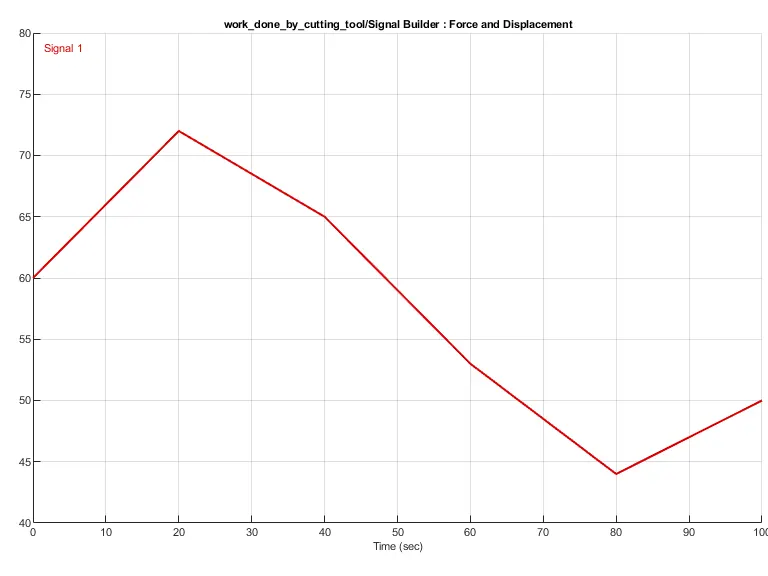
The input signal was constructed using the signal builder block and this signal was provided to the model as input for calculating the work done by the tool. The work done can be interpreted by the relation
`Wd = int f . dt`
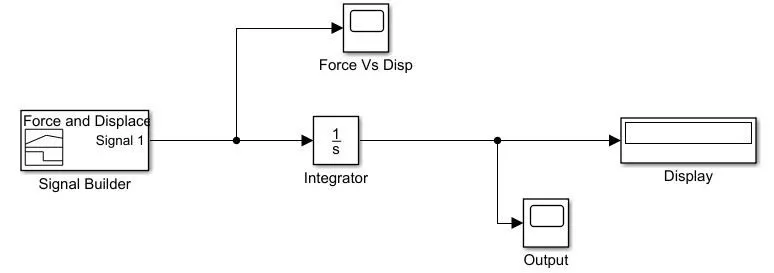
Using this relation and the input signal is given to the model we can calculate the work done by the tool, creating a Simulink model.
SIMULINK MODEL FOR THE CUTTING TOOL
EXPLANATION:
- The input signal provided to the model was build in the signal builder block, as the force and the distance values are given in the table we can easily construct a signal that can be feed to the model.
- This signal is then integrated as the relation to find the work done is by force X displacement, but in our case, as we have the distance over the length of 100 mm was have to integrate the function of getting a curve for the work done.
- These operations output was taken out at the display and the output scope. The display will be showing us the maximum value of the work done and the curve can be obtained from the scope.
OUTPUT:
The graph that was plotted for the input signal is given below,
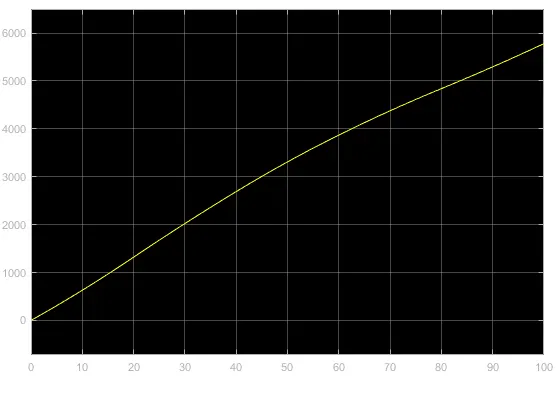
As the distance is increasing the work done is also increasing, the maximum work done by the cutting tool was recorded to be 5780 Nmm or 5.78 J.
2. Solving the equation by writing a Matlab script.
The two arrays that are given
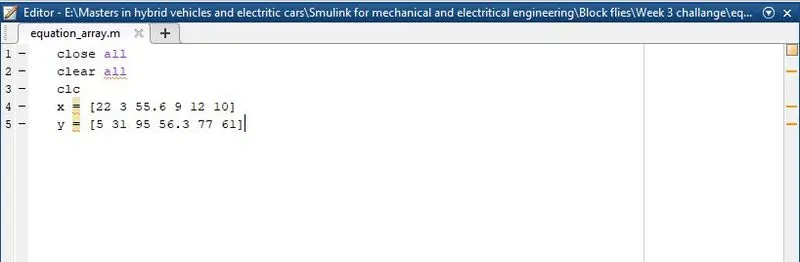
x = [ 22 3 55.6 9 12 10]
y = [ 5 31 95 56.3 77 61]
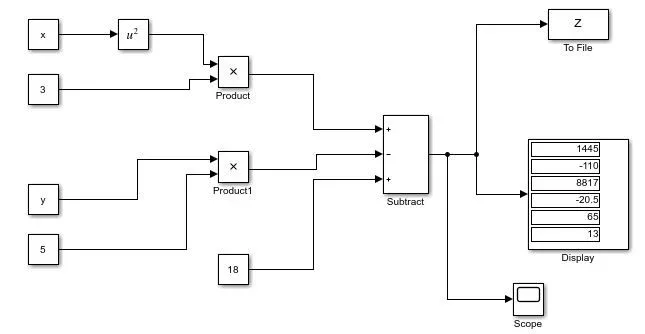
The equation that needs to be solved is `z=3x^2-5y+18`, the values of x and y are to be taken from the array in a script file and the script file must be connected to the model for further calculations. The array is written in the script file must be executed so that the output must be stored in the workspace of Matlab.
Script file for the array.
Model for the equation
EXPLANATION:
- The model was made using the constant and the x and y values are taken from the script file that we created first. The equation was later formulated using the respective operations required.
- The display block is for the results of the equations, as we have multiple X and Y values we will be having an equal number of Z values.
- To create a file for storing the Z values we will be using the To file block, which will write the file for all the outputs that are generated for the set time.
OUTPUT:
The output is given by the model is
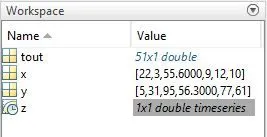
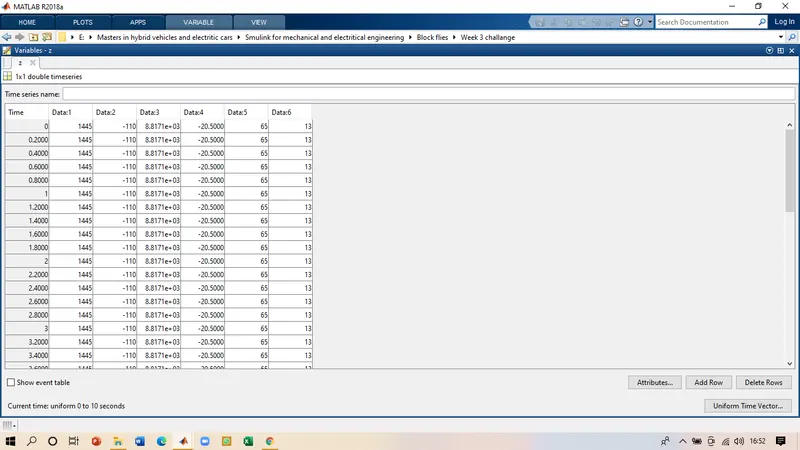
The Z values are solved and can be seen on the display block, the "to file" block was able to generate the file which can be open in the command window and the values can be seen in the table form.
3. Sparing mass and damper system
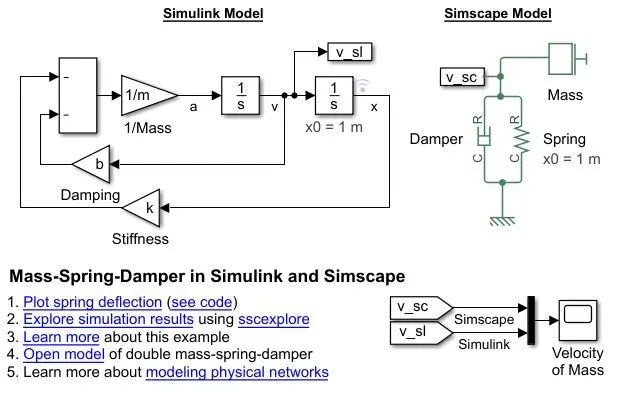
1. Derive the governing equation for the model?
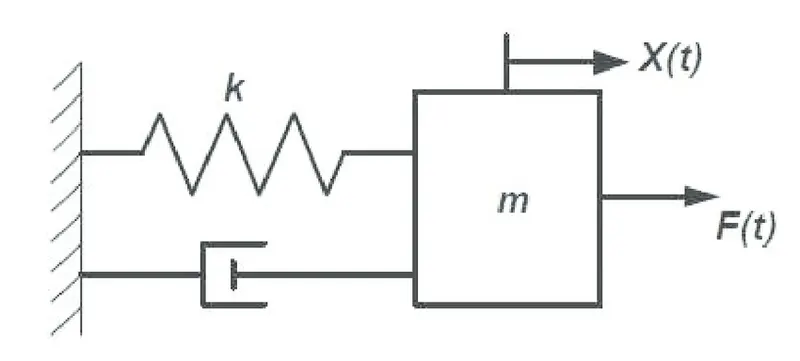
Summing up all the forces in the system.
`mddotx = sum Fx`
`= F - kx-bdotx`
`:. mddotx + kx +bdotx = 0`
the final equation is the equation for a standard mass spring and damper system the canbe use for solving the system related problems.
System output
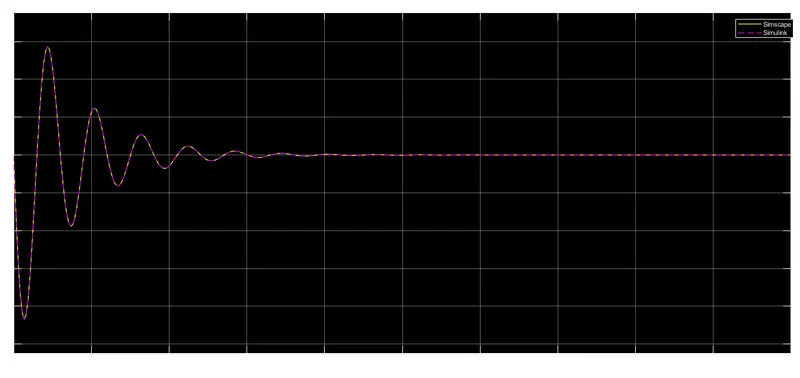
2. Change the value of mass, damper, and spring for the Simscape model and plot the result. Change the value of Mass x0=2 in the Simulink model and plot the results?
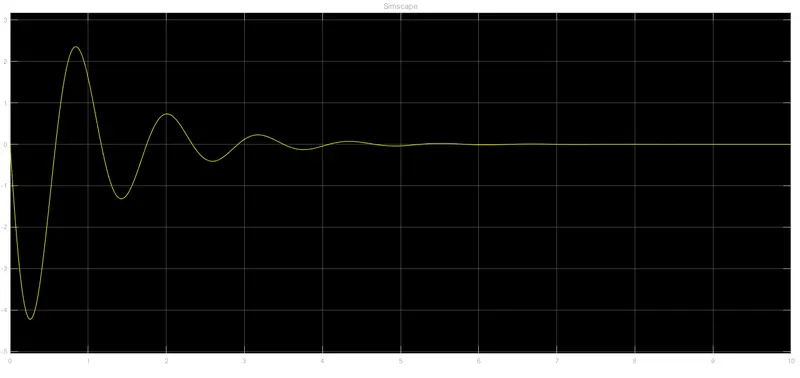
Case 1
Mass = 10 kg, Spring constant = 300 N/m Damper = 20 (N/(m/s))
Case 2
Mass = 50 kg, Spring constant = 200 N/m Damper = 35 (N/(m/s))
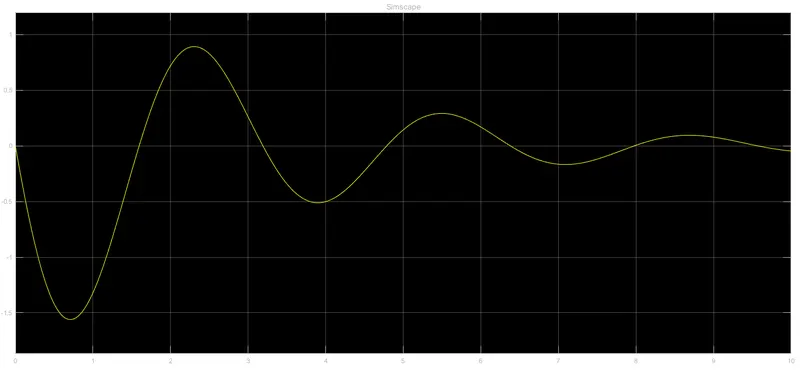
Changing the value of Mass x0=2 in the Simulink model
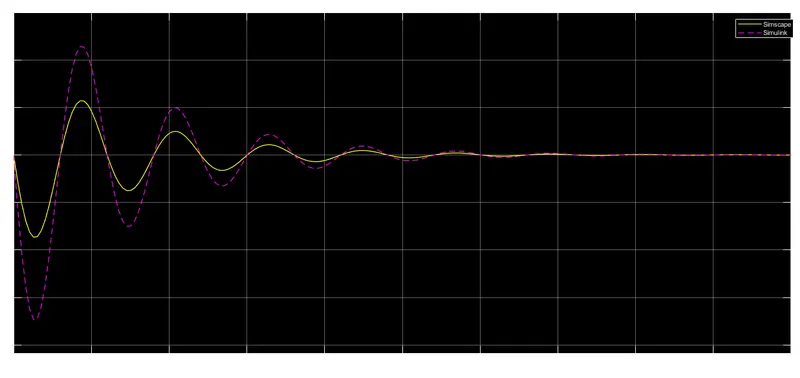
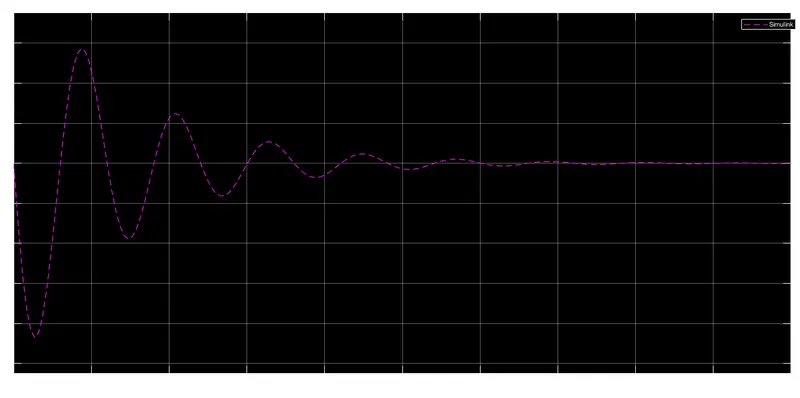
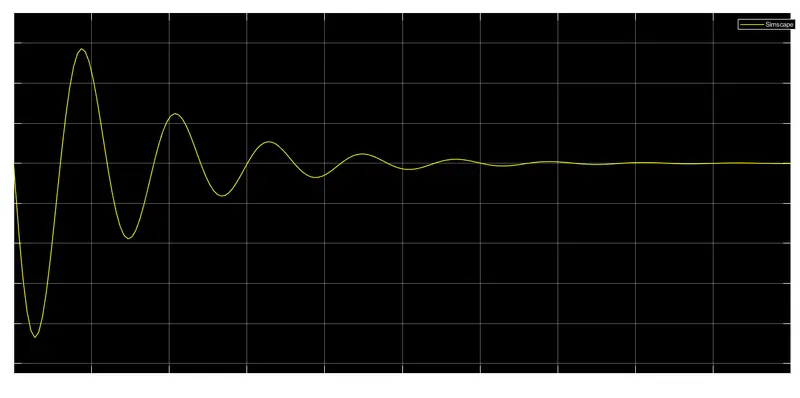
3. Make the response from Simscape and Simulink as two separate displays.
CONCLUSION:
From the above exercise, we can conclude that the work done by the cutting tool was successfully calculated, the equation for the value of Z was also calculated and the mass spring and damper system was also analyzed foe all the questions asked.