Wiring harness routing & packaging Rules Week 3 Challenge
Q1. Download the following cad data & define it as Electrical support using Electrical Part Design Workbench. Define all the necessary properties.
Procedure:
- Create two points in the middle of P Clamb one as entry and another as exit point.
- create planes at two points and another at the base.
- Switch to Electric part design
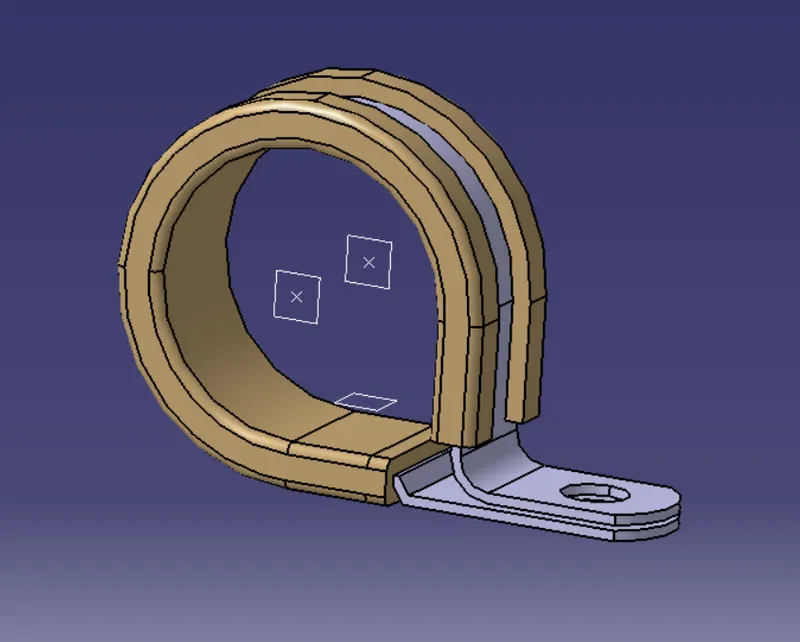
- Click on Define Support Part

- select part -> select entry point - select entry plane & exit plane, and base plane.
- Again Click on Define Support Part - select part - select exit point - select exit plane and base plane as the second plane is automatically taken.
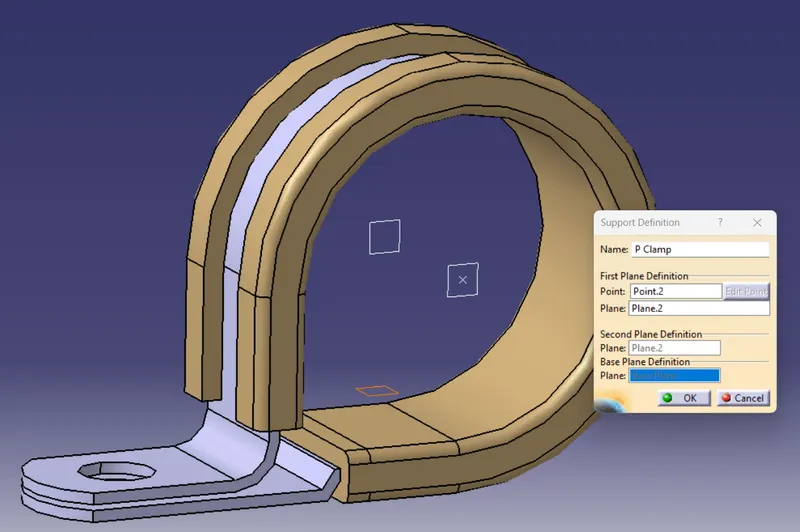
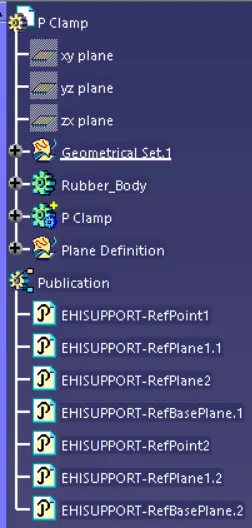
After Electrically Define the Support part New Publication will be added
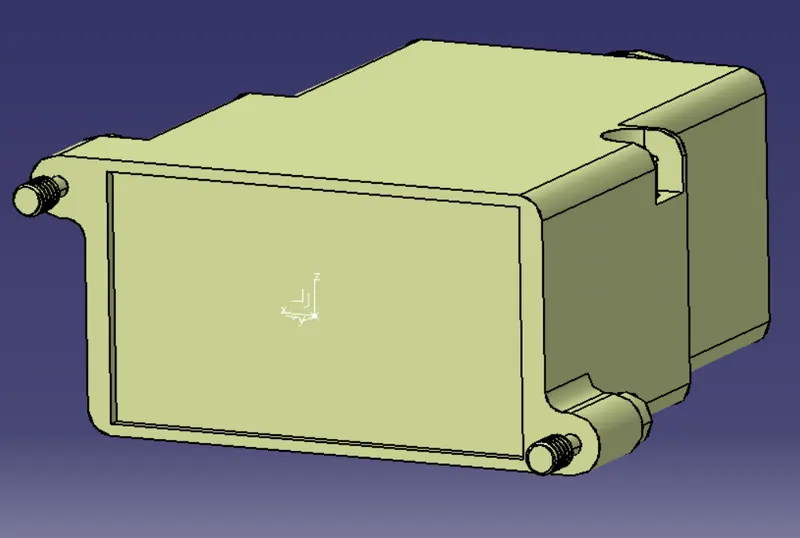
Q2. Download following Back shell cad data & define it as Electrical back shell using Electrical Part design Workbench. Define all the necessary properties. Tyco 1738312-1 https://www.te.com/usa-en/product-1738312-1.html
Procedure:
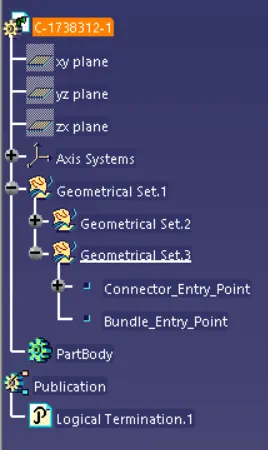
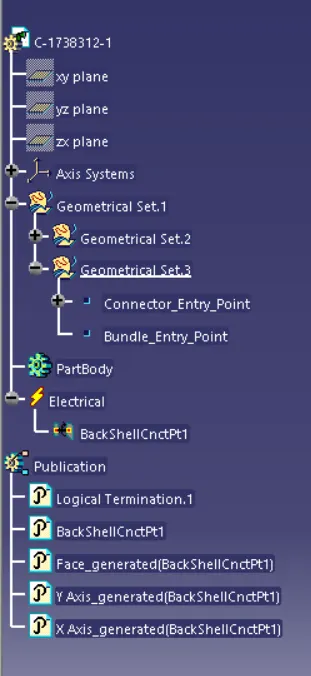
- Create Connector Entry Axis
- Create Bundle Entry Point
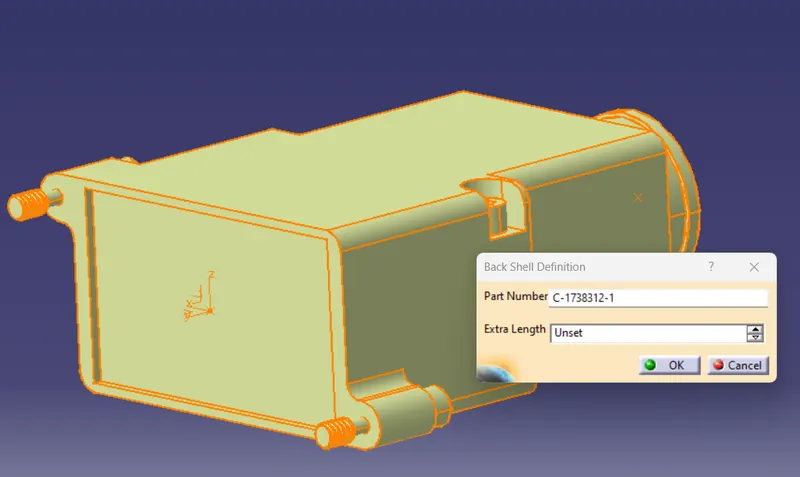
- Define Back Shell

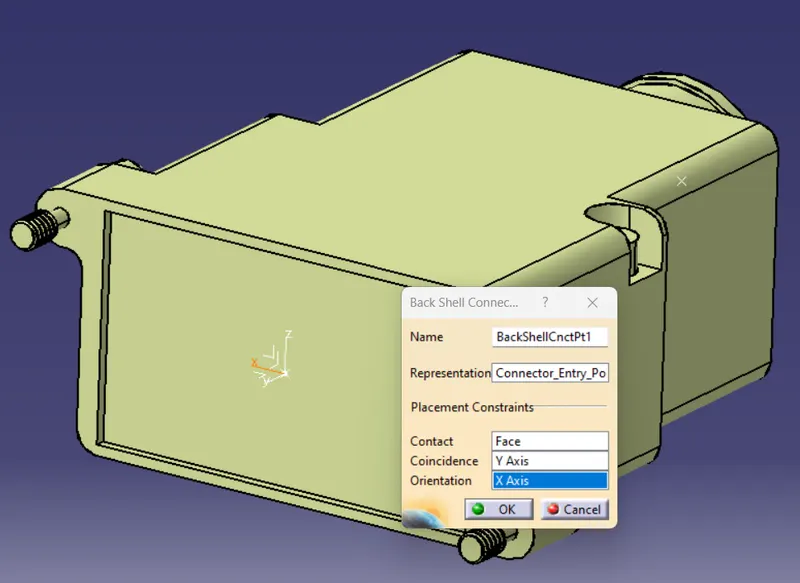
- Define Back Shell Connection Point

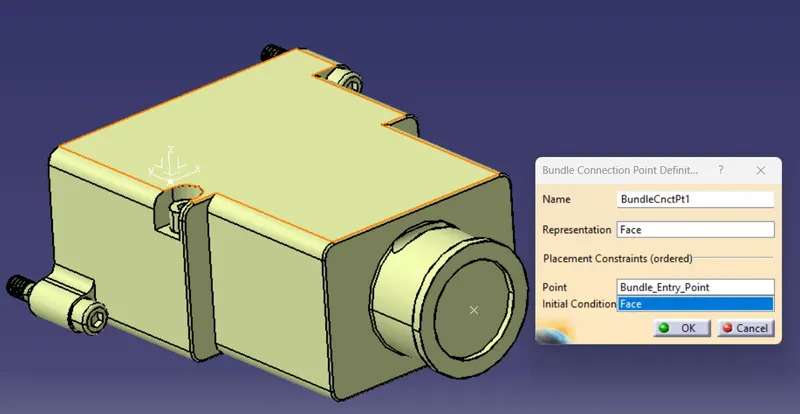
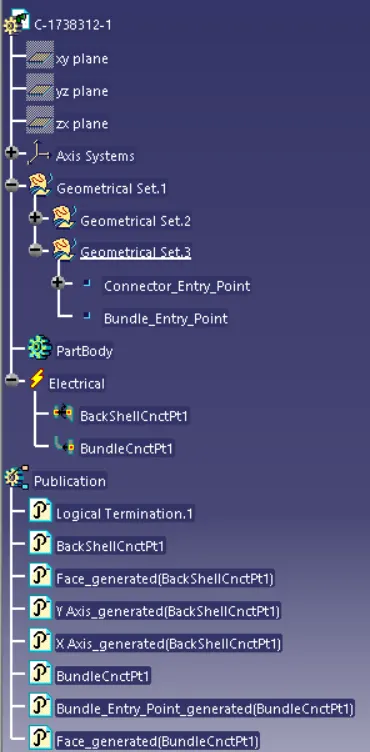
- Define Bundle Connection Point

Connector Entry Axis
Bundle Entry Point
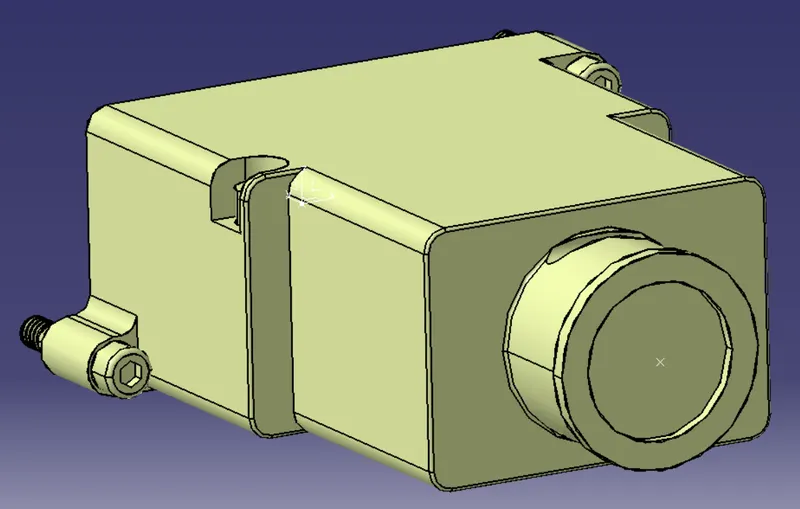
Define Back Shell
Define Back Shell Connection Point
Define Bundle Connection Point
Q3. Create Following Corrugated tubes & Add them in Catalogue under “Slit COT” family.
|
Name |
ID (mm) |
OD (mm) |
Thickness (mm) |
|
15mm COT |
12 |
15 |
1.5 |
|
20mm COT |
17 |
20 |
1.5 |
|
35mm COT |
32 |
35 |
1.5 |
|
10mm COT |
7 |
10 |
1.5 |
|
5mm COT |
3 |
5 |
1 |
Procedure:
- Open New Part File ( File -> New -> Select Part -> Ok
- Click Define Production Part

- After Click on Icone It asks to select the Part

- Select the File
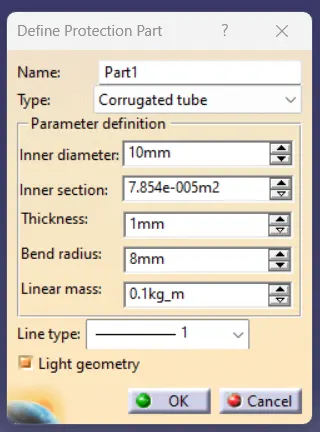
- Give Require Details on Define Production Part Window
- The Bend radius Should equal 1.5 x Outer Dia. Ex: If OD is 15mm Then Bend Radius is 1.5 x 15mm = 22.5mm
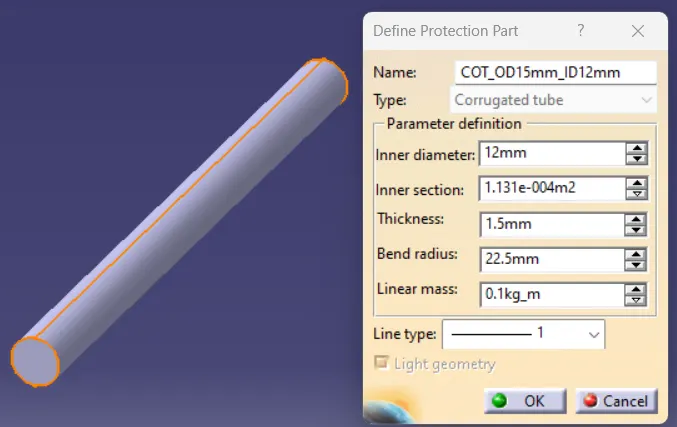
Save the File in the Respective Location.
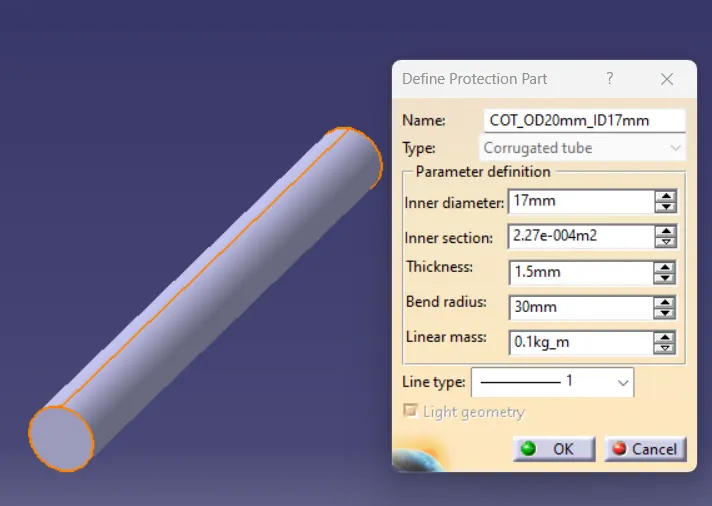
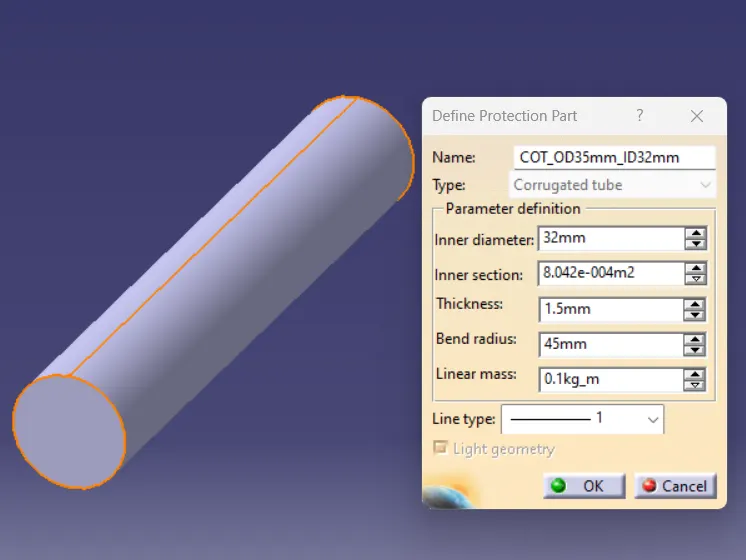
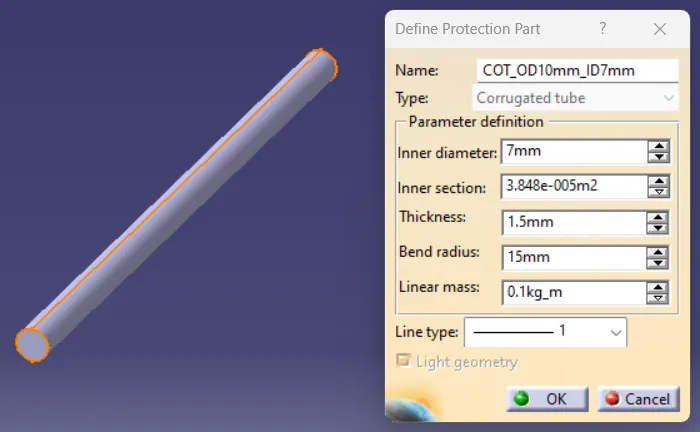
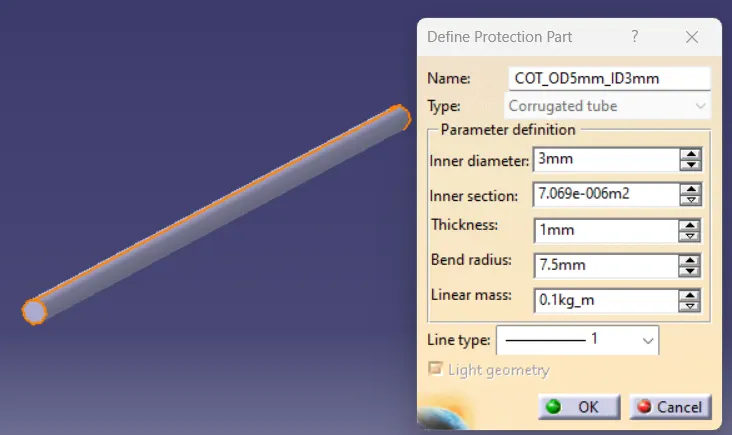
After Save all CotTube in the Respective Location
Create New Catalog File ( File -> New -> Select CatalogeDocument -> Ok
Create New Family Using Add Family  Command
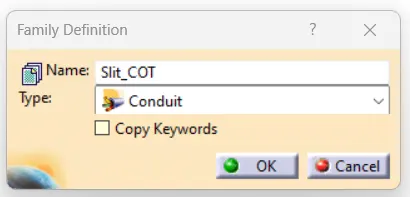
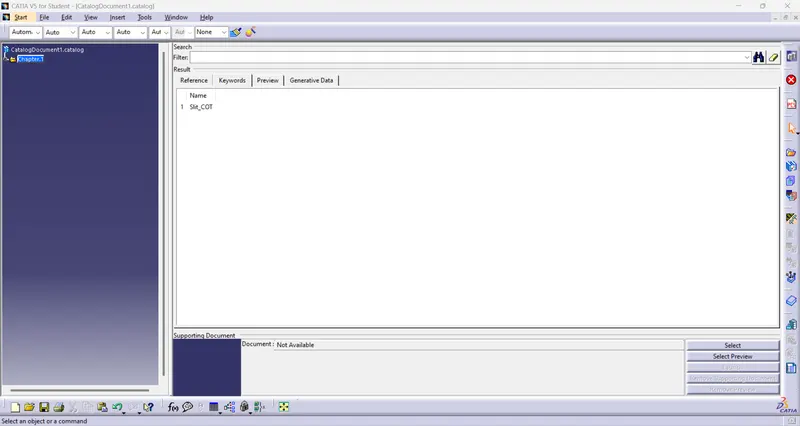
SAVE the Catalog in the Same Location Where are Cot_Tubes are Stored.
Open Cot Tube Files Use Store Device  Command
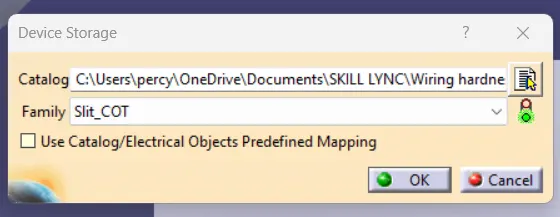
Select the Catalog Document in the saved Location and Select the Family
and Store Cot Tubes in the Catalog.