Wiring harness routing & packaging Rules Week 3 Challenge
P CLAMP
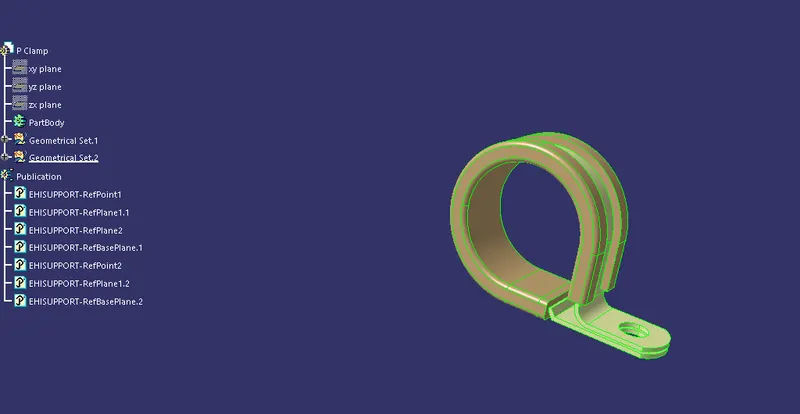
P clamp is an important component of wiring haress which should be defined before wiring harness routing. To define clamps as an electrical part following parameters are requied :-
- Entry point and plane
- Base plane
- Exit plane
After providing all neccesary points and planes at proper places we need to define mechanical part as an electric part , for defining we need the first to click on define support part as shown in image below:-

Define support part
Now after selecting this command click on the part then one window will open as shown in the image below:-
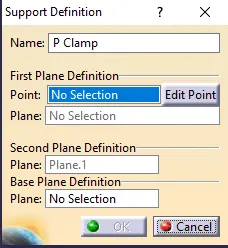
In this dialogue box first is the name of the part which we can change. Entry Point need to be selected and after that entry plane then second plane then we need to select the base plane.
Then for second entry point need to be selected for two entry clamp and second plane will be selected automatically we just need to select the base plane.
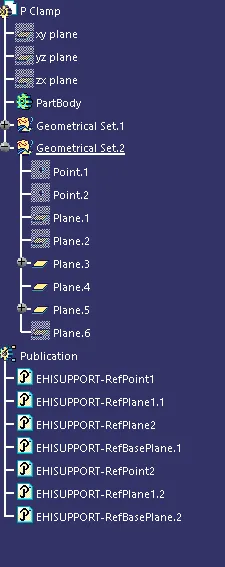
Tree structure
********************************************************************************************************************************************
Back shell
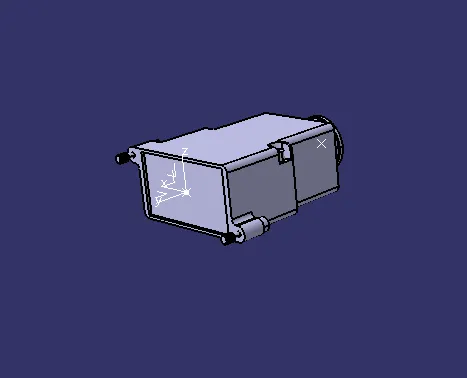
Backshell are plastic molded parts used at wire entry side of connectors either for protection or to improve aesthetics/ appearance of harness.
These are not mandatory parts of wiring harness. Are always optional and driven by cost.
To define Backshells as an electric part we have to use this option first

This command is used to define the mechanical part to electrical part after selecting this option below dialogue box opens:-
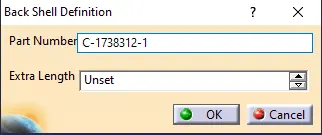
After this we need to define backshell connection point for that the command we use is shown below:-

After selecting this one dialogue box opens as shown in the image below:-
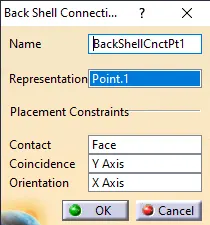
At top it showns the name of the component and below that representation in which we need to select the point which is created on the face of the backshell, after that in contact we need to select face which will contact the face of the connector then in coincidence we need to select Y axis and in orientation we need to select X axis.
Tree sturture
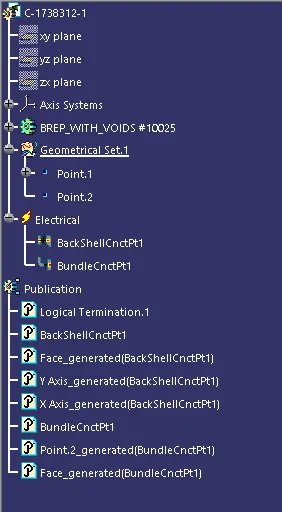
********************************************************************************************************************************************
Corrugated tubes, Convolutes, sleeves and many other types of coverings are used to protect the wiring harness.
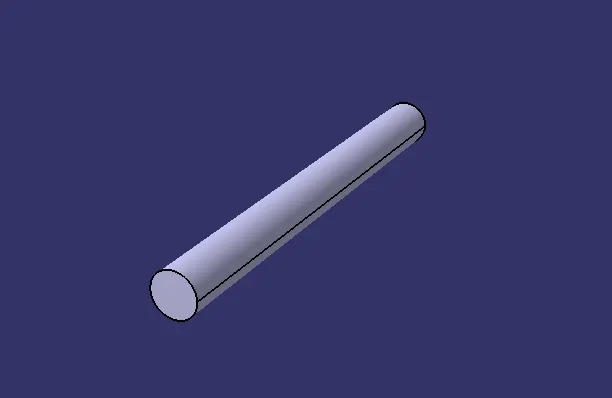
For creating COT tubes we need to go in electrical part design and select the optioin Define protection covering icon shown in the image below

After selecting this icon one dialouge box which is shown in the image below:-
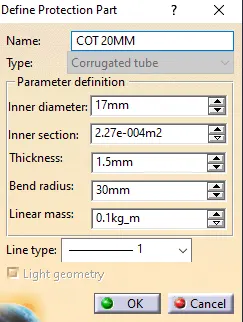
In this dialouge box first option is to select the name of the COT tube after that inner diameter is need to be selected (data for ID will be given ) and inner section will be calculated automatically according to ID (inner diameter) Thickenss data will also provided and the bending dia is said that if the flexibily is less then we need bending dia is more and vice versa or bending dia is calculated as 1.5* outer diameter.
In challenge data and COT tubes are shown below
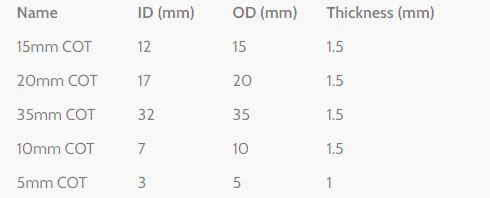
Data need to follow to prepare COT tubes
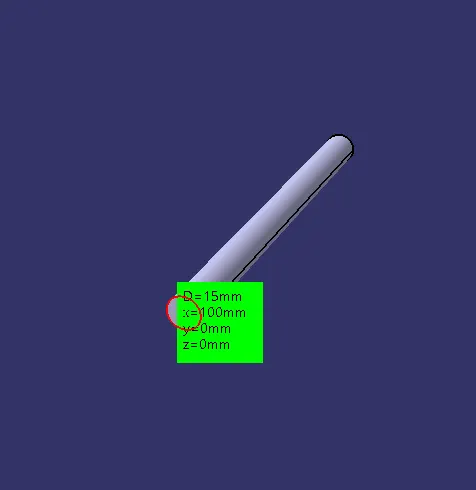
15mm COT
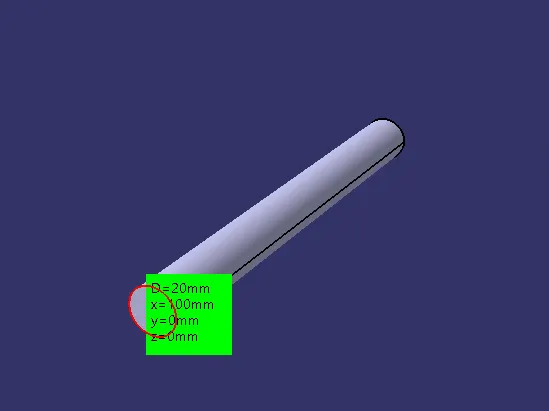
20mm COT
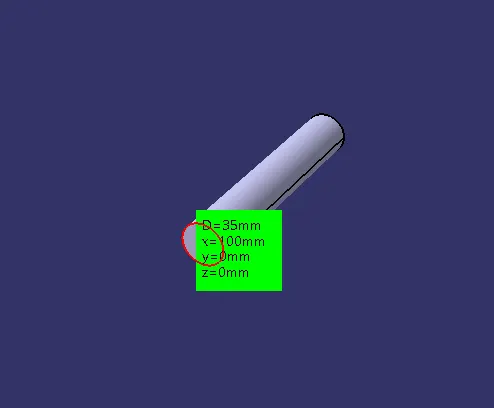
35mm COT
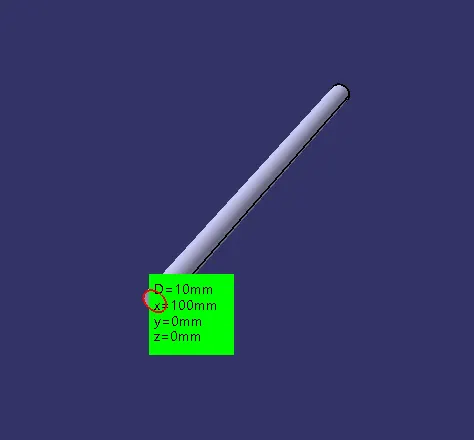
10mm COT
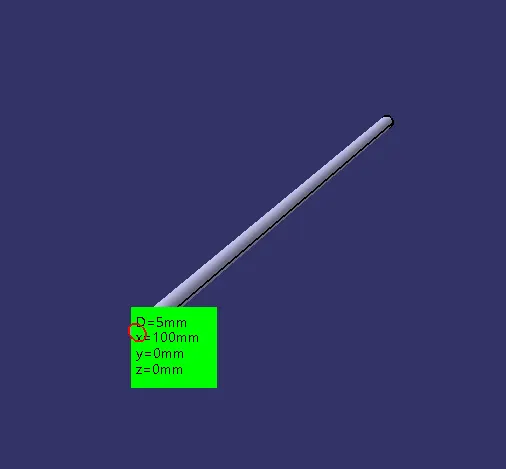
5mm COT
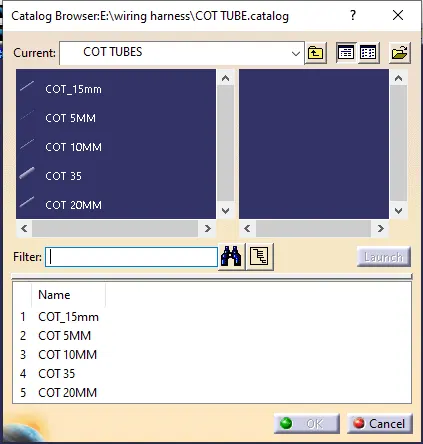
COT tubes in catalogue