Wiring harness routing & packaging Rules Week 3 Challenge
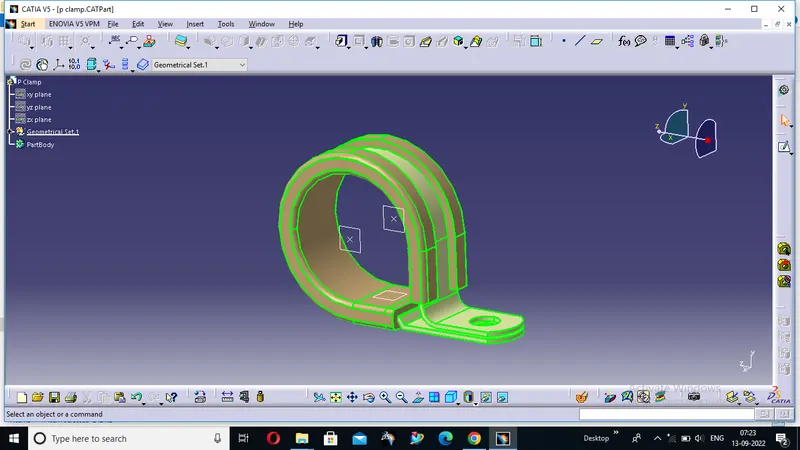
Q1. Download following clip cad data & define it as Electrical support using Electrical Part design Workbench. Define all the necessary properties.
P-clamps lock cables and hoses in place and help ensure that machinery, vehicles and equipment keep running. They bracket wires, cables or hoses together mechanically and are fastened securely to an anchor point – usually with a screw or a bolt.
process:
- Create two points one as entry and another as exit point.
- create planes at two points and another at base.
- Switch to Electric part desgn
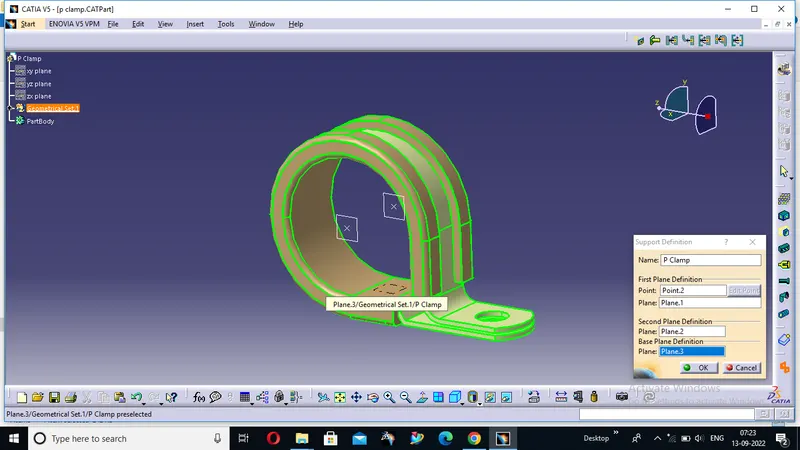
- Click on support defination - select part - select entry point - select entry plane, exit and base plane.
- Again Click on support defination - select part - select exit point - select exit plane and base plane as secondary plane is automatically taken.
Q2. Download following Back shell cad data & define it as Electrical back shell using Electrical Part design Workbench. Define all the necessary properties.
Tyco 1738312-1 https://www.te.com/usa-en/product-1738312-1.html
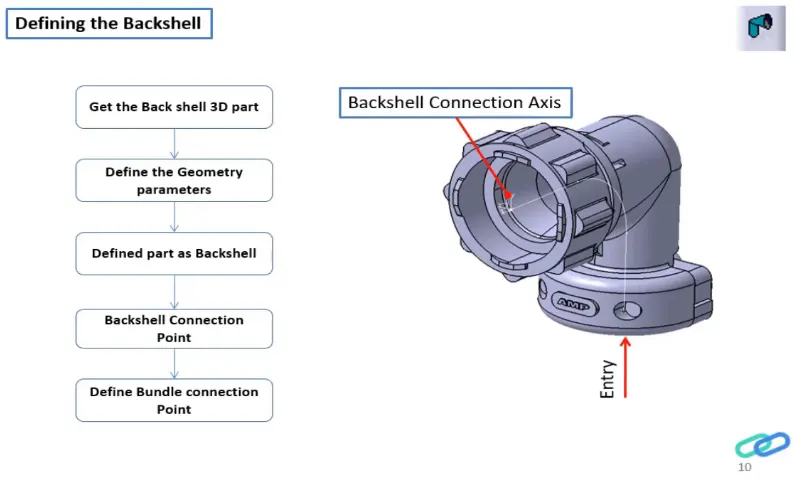
Backshell (plural backshells) (mechanical) Part of an electrical conductor or other electrical device, such as a cable clamp or adapter, that is threaded onto the rear connector accessory threads of plug or receptacle connectors to make up the total connector assembly.
Process:
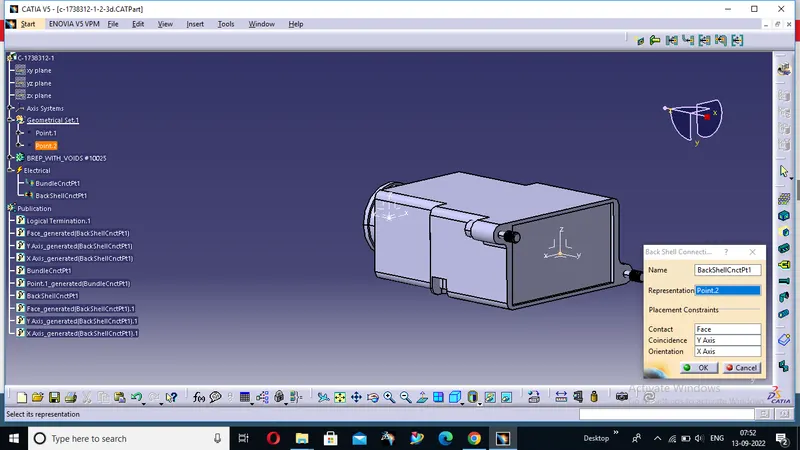
- create Back shell entry point.
- create axis system for back shell entry.
- create bundle connection point.
- switch to Electrical part design.
- Define part electricaly as back shell.
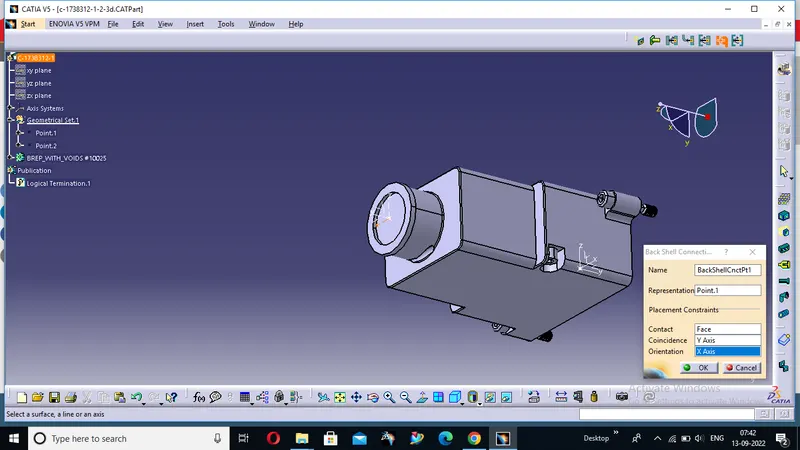
- Then define Back shell connection point.
- Define bundle connection point.
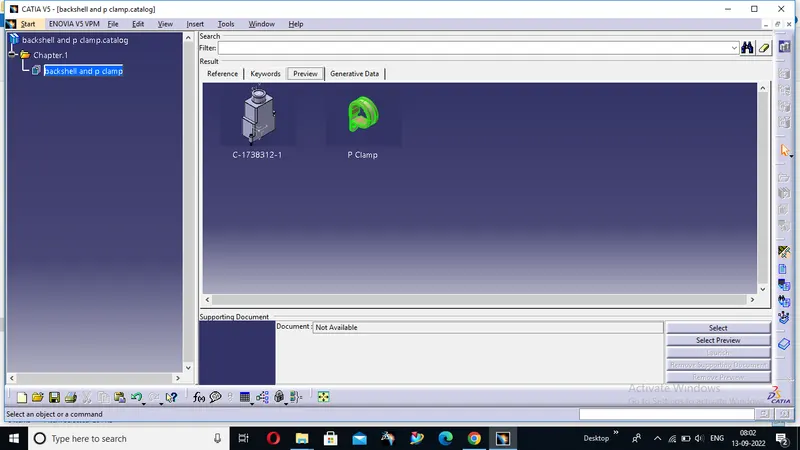
Creating Catalogue under “Electrical Equipment” family.
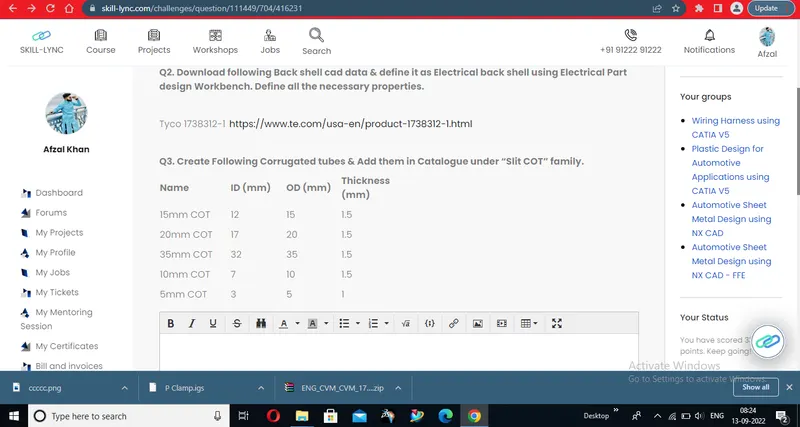
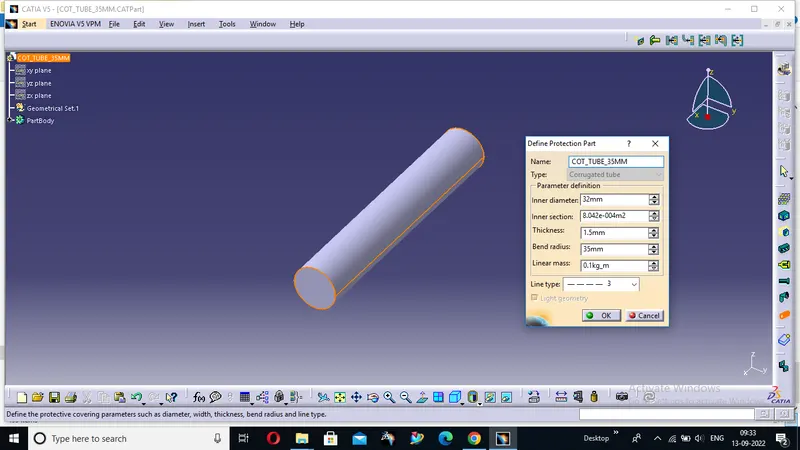
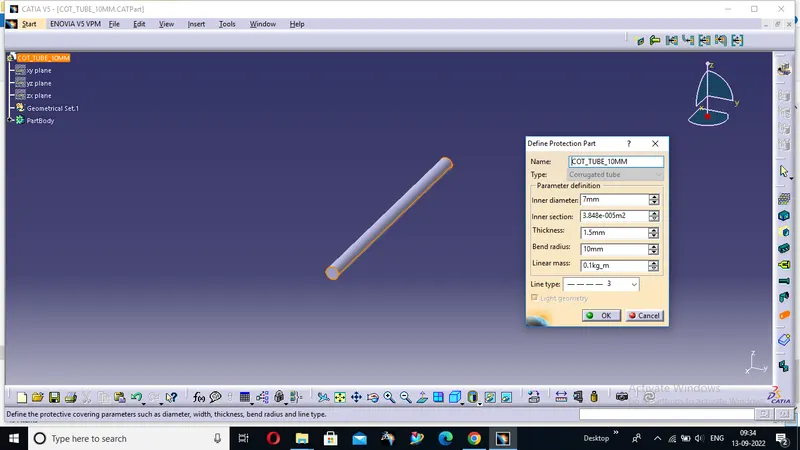
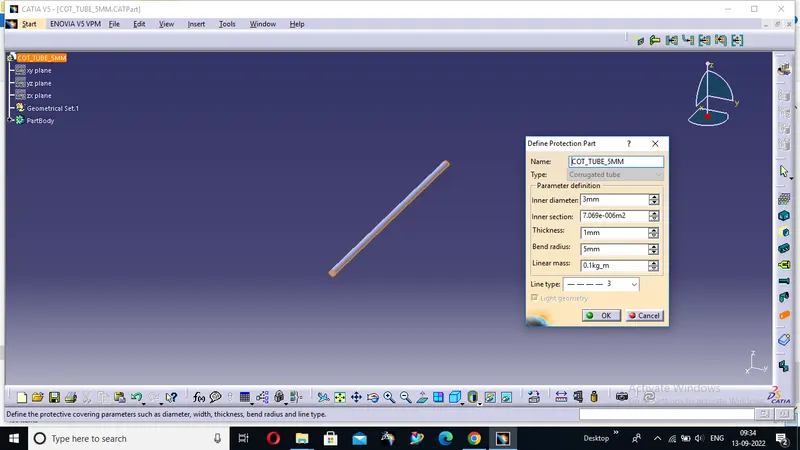
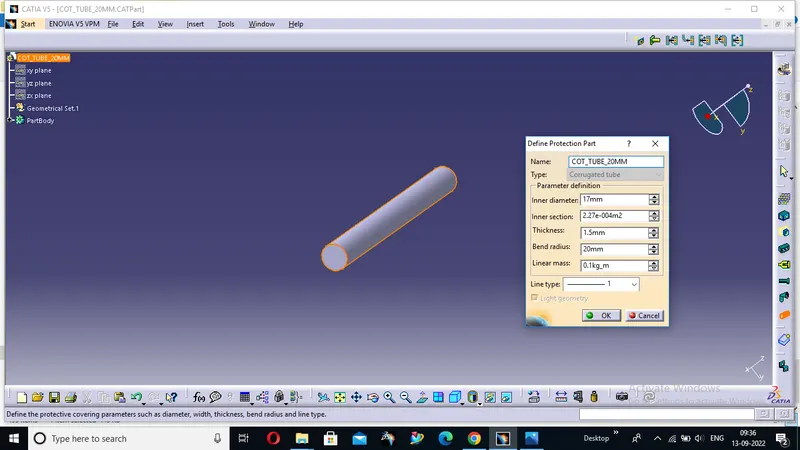
Q3. Create Following Corrugated tubes & Add them in Catalogue under “Slit COT” family.
|
Name |
ID (mm) |
OD (mm) |
Thickness (mm) |
|
15mm COT |
12 |
15 |
1.5 |
|
20mm COT |
17 |
20 |
1.5 |
|
35mm COT |
32 |
35 |
1.5 |
|
10mm COT |
7 |
10 |
1.5 |
|
5mm COT |
3 |
5 |
1 |
Process:
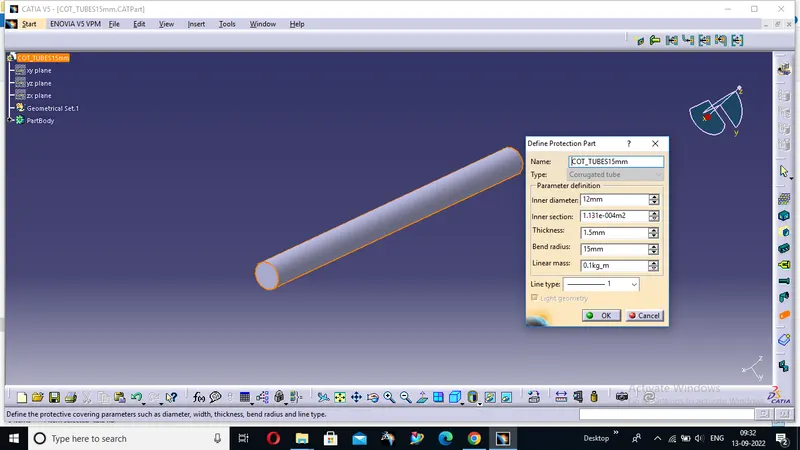
- Switch to Electrical part design
- Select Define protection Part
- Click on part (on file name in specification tree)
- Provide given parameters and bend radius as '1.5 x Outer Dia'.
Catalogue Cretation:
- new part - catalogue document - add family - give name(Slit_COT) - type - select Conduit - save.
- Open part to add catalogue - store device command - select catalogue - family - Slit_COT - ok
NOW WE WILL FORM THE CATALOUGE OF THE FOLLOWING COT TUBES :--
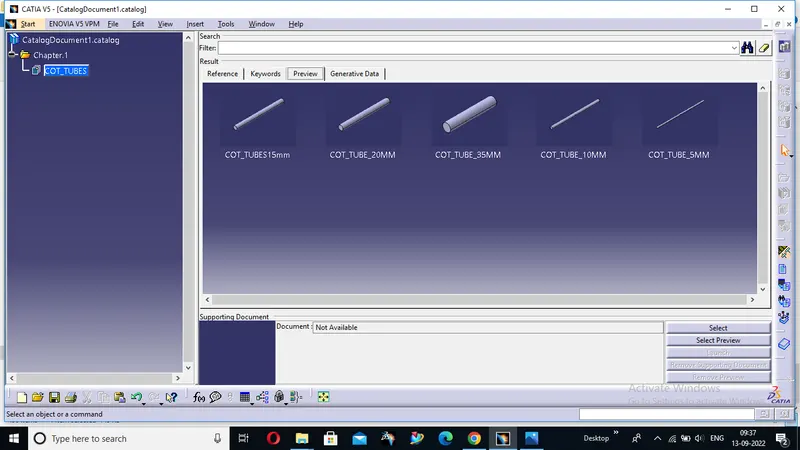
THE ZIP OF THE ABOVE CREATION IS GIVEN BELOW