Wiring harness routing & packaging Rules Week 3 Challenge
AIM:
- To define the clip Hellarmann Tyton-21160129 and backshell 1738312 geometrically and electrically.
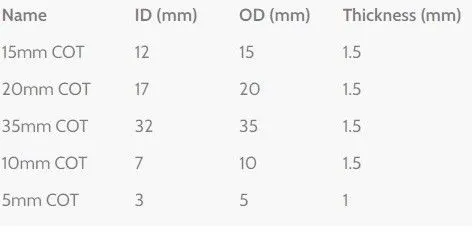
- To create the given corrugated tubes under the catalogue "Slit COT" family.
Steps:
Defining the clip Hellarmann Tyton-21160129 (Fig 1-2)
- Firstly, the clip is geometrically defined by creating entry point, entry plane, exit point, exit plane and base plane.
- Using the Electrical Part design workbench, the clip is defined as Electrical support on both sides. First in the entry side and then in the exit side.
Defing the Backshell 1738312 (Fig 3-4)
- The clip is defined geometrically first, by creating the backshell connection point and bundle entry point.
- In the Electrical part design workbench, the backshell is defined as electrical by defining the part as backshell, and defining the backshell connection point and bundle connection point.
Create Corrugated Tubes (Fig 5-6)
- To create a COT, define protection part and enter the ID(mm), thickness(mm) and bend radius as 1.4
- Create a catalogue using File->New->select Catalogue->Add Family->Enter name of the Catalogue as "Slit COT"->select Type as Conduit->Save.
- Add the COT into the catalogue using command Store Device->Select the created Catalogue "Slit COT".
The results are as shown:
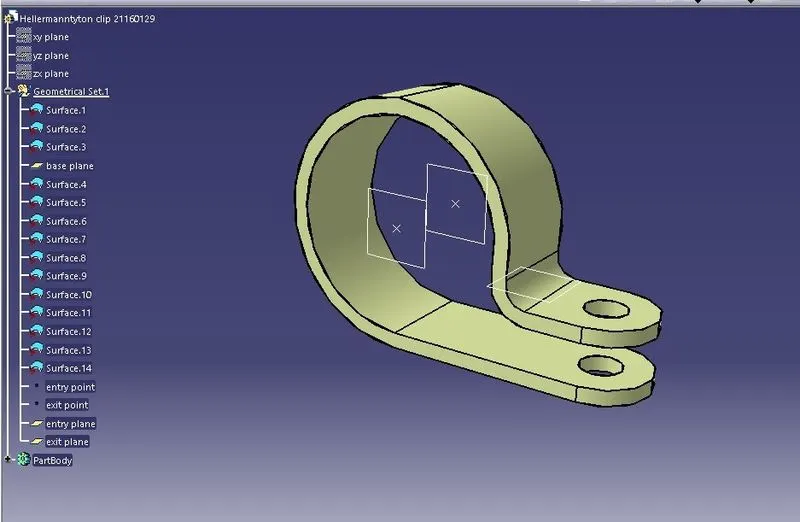
| FIG 1 Geometrically Defined P clamp |
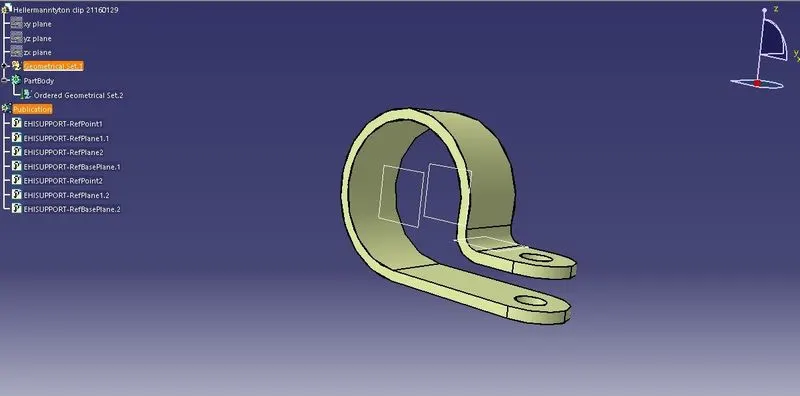
| FIG 2 Defined as Electrical Support |
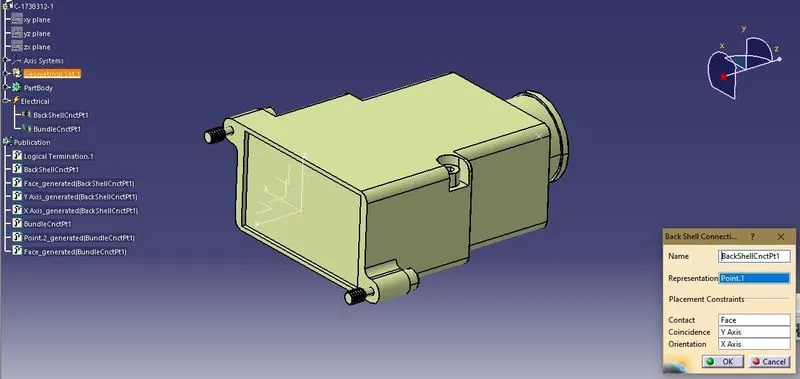
| FIG 3 PClamp Bckhell Connection Definition |
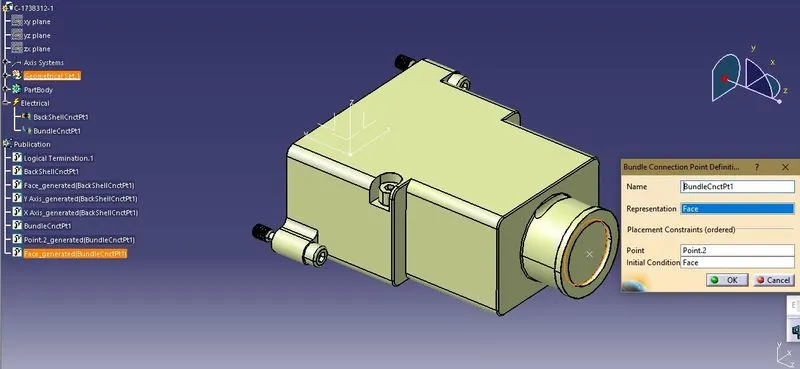
| FIG 4 PClamp Bundle Connection Point Definition |
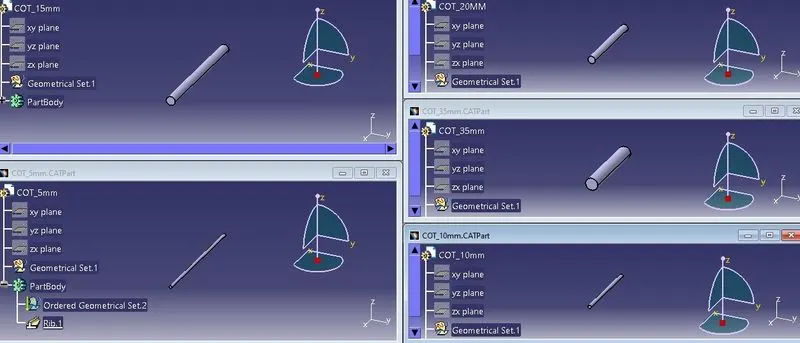
| FIG 5 Corrugated Tubes |
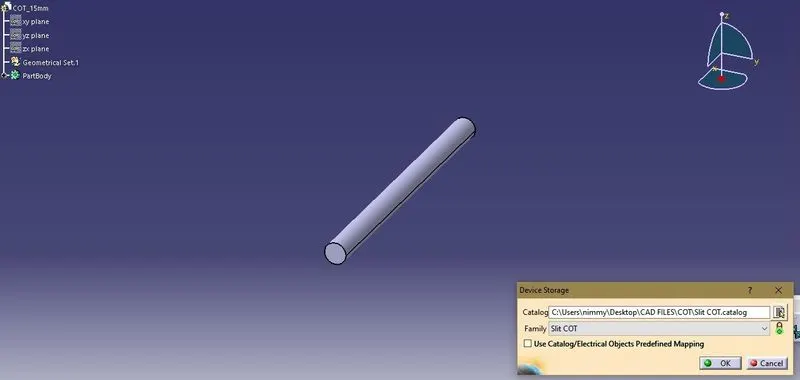
| FIG 6 Catalogue Created |