Wiring harness design in CATIA V5 - 3D modeling Week 7 Challenge
Report:
Objective:
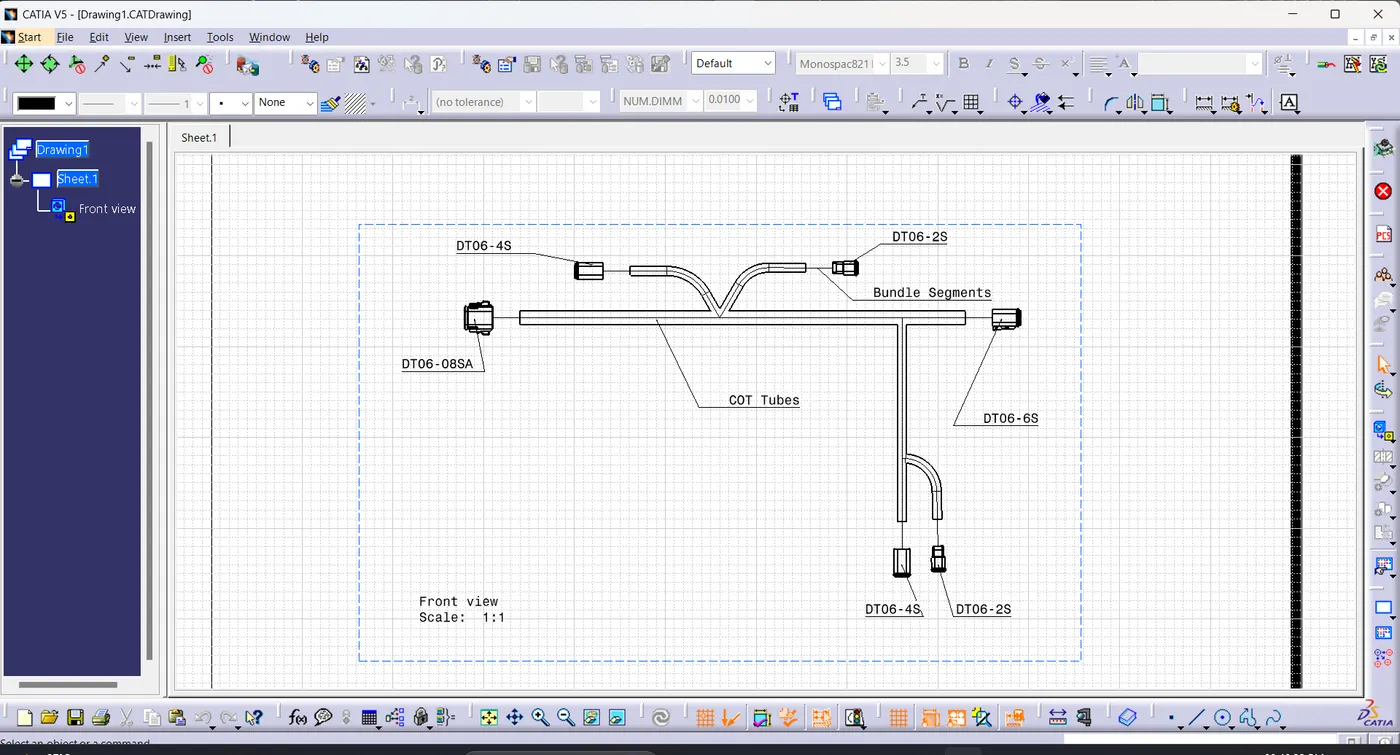
- To flatten the following harness assembly. Place the flattened view on drawing sheet. Ensure bundles with protective coverings has different visuals on drawing view.
Harness Layout:
Harness Assembly:
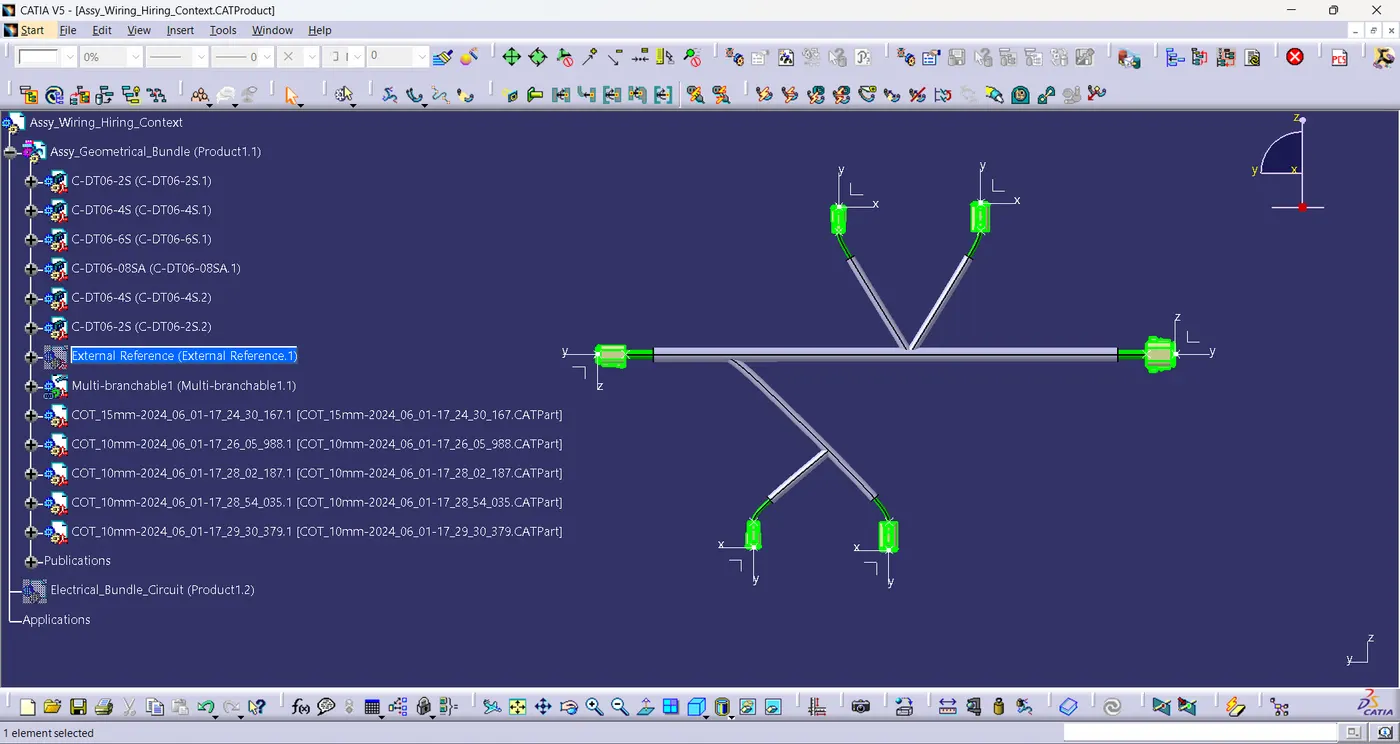
- Create a new product file and switch to electrical harness flattening.
- Activate the flatness parameters.
- Extract the harness model into the flatness assembly and flatten the bundles using flatten command.
- Adjust the Bundles position & orientation using manipulator, length, synchronise commands.
Flattened Assembly:
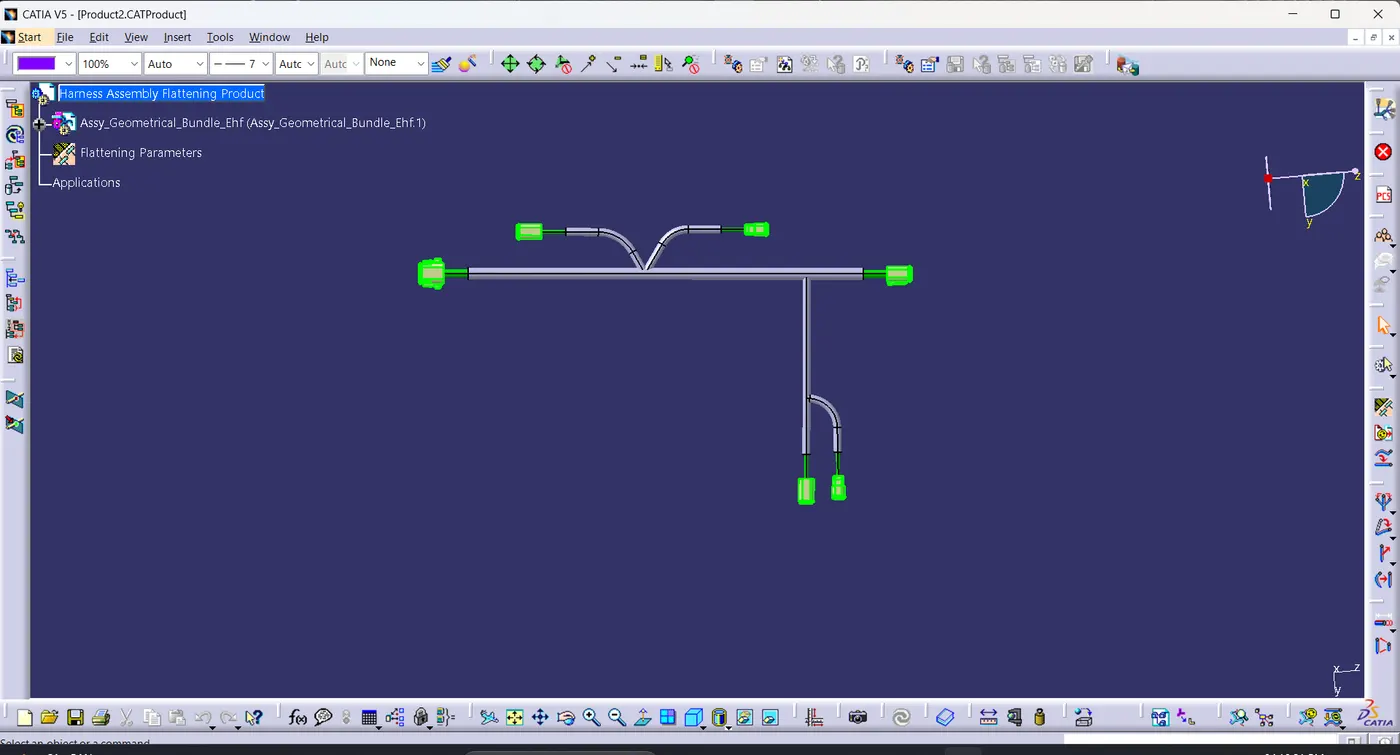
- After obtaining the flatten product convert the model into 2D drawing.
- Ensure bundles with protective coverings has different visuals on drawing view.
Drafting View Of Harness Assembly:
Conclusion:
- Harness Assembly is Flattened and flattened view is placed on the drawing sheet.
- Bundles with protective coverings has different visuals on drawing view.