Wiring harness design in CATIA V5 - 3D modeling Week 7 Challenge
Week 7 Challenge
AIM:
Flatten the harness assembly completed in “ week 4 challenge”. Place the flattened view on drawing sheet. Ensure bundles with protective coverings has different visuals on drawing view.
PROCEDURE:
- The assembly of the wiring harness is constructed in accordance with the specified layout, ensuring that all connectors are electrically defined and that corrugated tubes are incorporated into the necessary bundles.
- Following this process, the CAT product file of the harness assembly is extracted to the flattening workbench, where all relevant flattening properties are established. Once the CAT product extraction is complete, the file is saved with the .EHF extension, denoting it as an Electrical Harness Flattening Assembly.
- This flattening file is then stored in the same location as the original wiring harness assembly.
- Subsequently, the harness assembly is flattened using the Flatten command, as illustrated in the accompanying image.
- Upon obtaining the flattened product, all required modifications—including scaling, rolling, rotating, and straightening—must be performed.
- The flattened assembly is then transferred to a 2D drawing sheet by creating a new drawing sheet, which is saved in the same location as the previously stored files.
- Next, the front view option is selected, and the plane of the flattened assembly, as designated in the flattening properties, is chosen.
- The 2D diagram of the flattened model is then presented on the drawing sheet.
- It is essential to access the drawing properties and ensure that a 3D wireframe is consistently visible to represent the bundles.
- Moreover, the graphic representation of the device should utilize a 3D projection for enhanced identification and understanding.
- A single line should be employed to denote bundles, while a double line signifies protective coverings. Additionally, incorporating 3D colors can enhance the visual appeal, as indicated in the image provided.
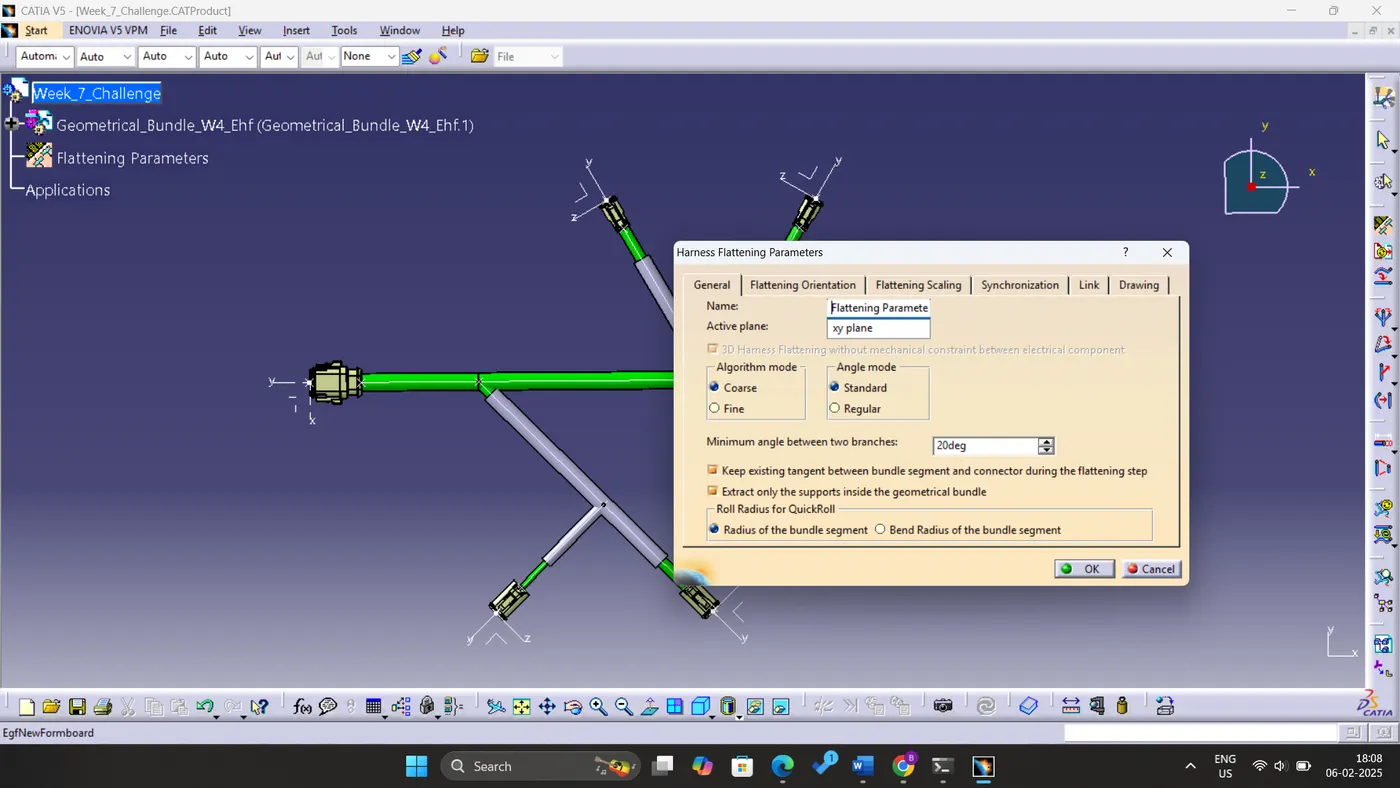
Figure: Flattening Parameters
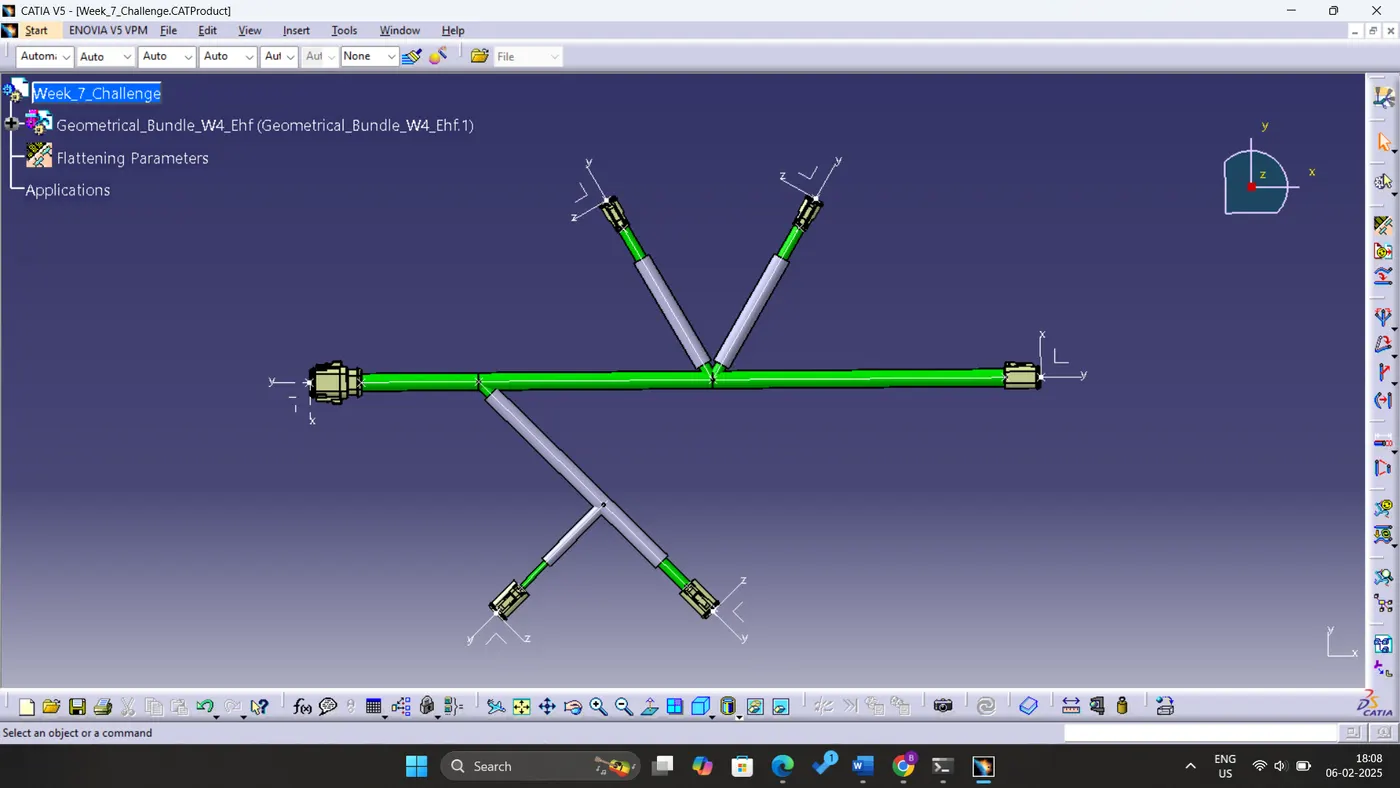
Figure: Flattened View
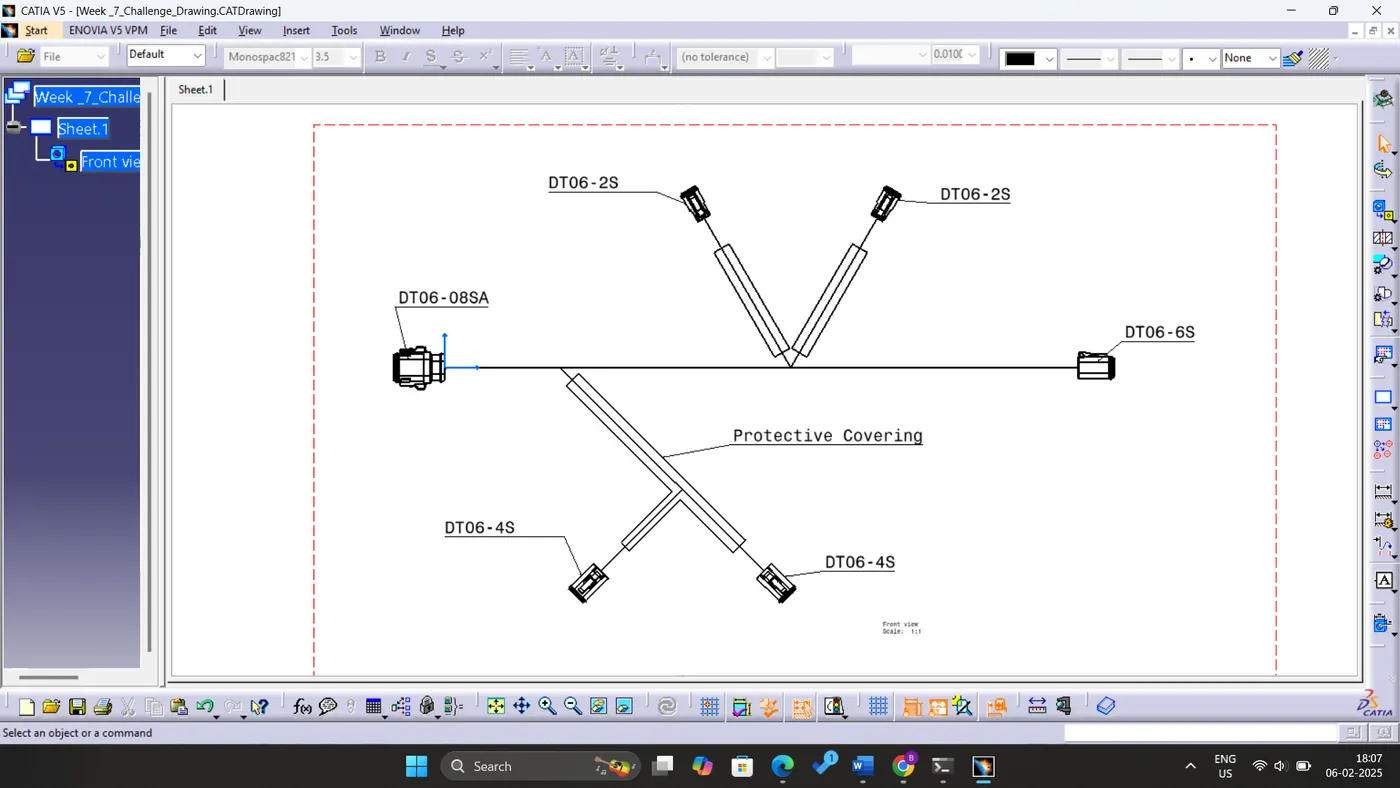
Figure: Flattened Drawing