Wiring harness design in CATIA V5 - 3D modeling Week 7 Challenge
A Report on wire harness flattening
Objective -
1. Define The mechanical connectors as a electrical connectors
2. Create a wire harness drawing
Procedure -
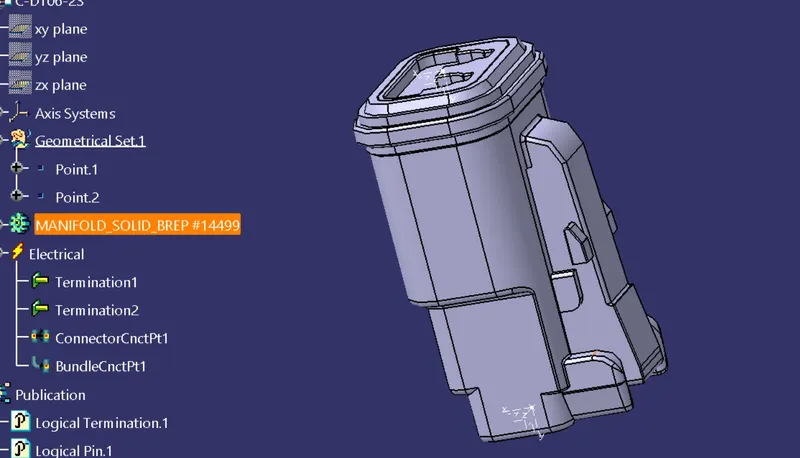
- define the connectors as electrical connectors
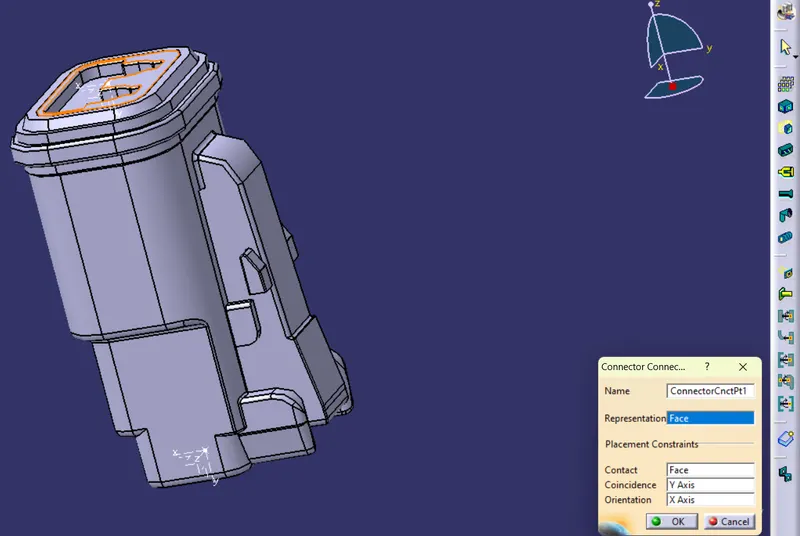
- Create a conector connection point
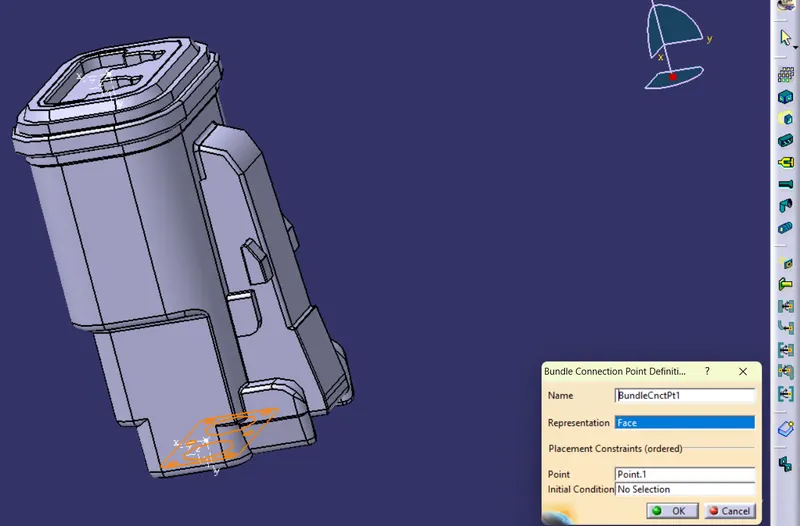
- Define bundle connection point
Arrange all the connectors withe refrence to the master section provided
- Define the assembly file as geometric bundle
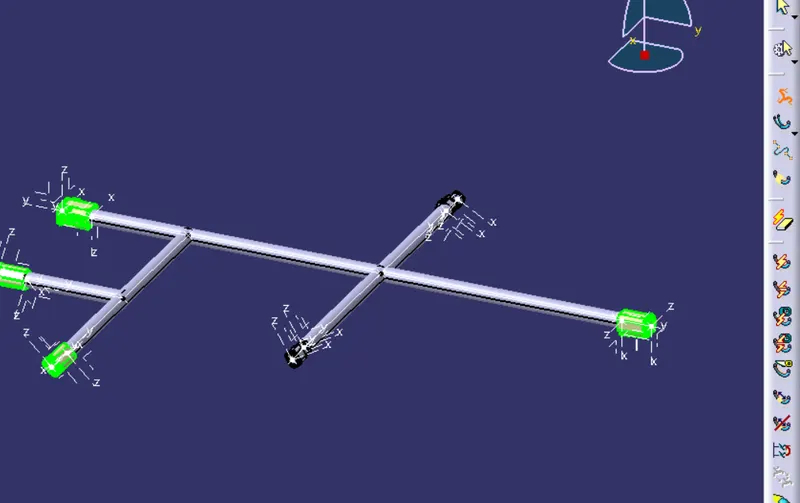
- click on multi branchable tool and define the parameters as shown in the figure below
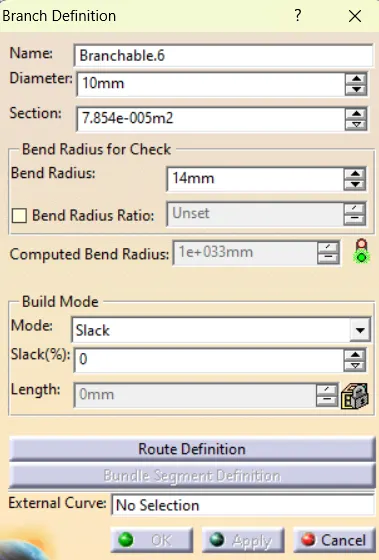 this creates the bundles from connectors
 - apply protective coverings to the bundles
- Check the bundle continuity
- Save the product file as Wire harness file
- Create new Product file
- IN the electrical harness Decepline open the electrical harness flattening work bench
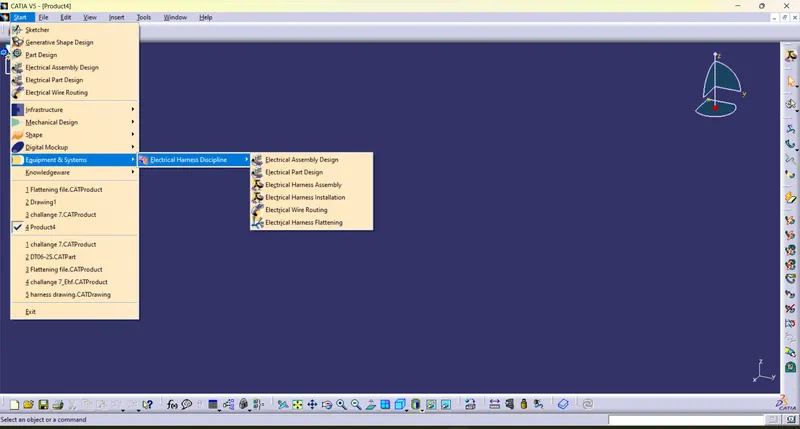
- Click on Flattening parameters tool

- Keep the minimum angle between two branches more than 15 degress, keep other parameters as shown below
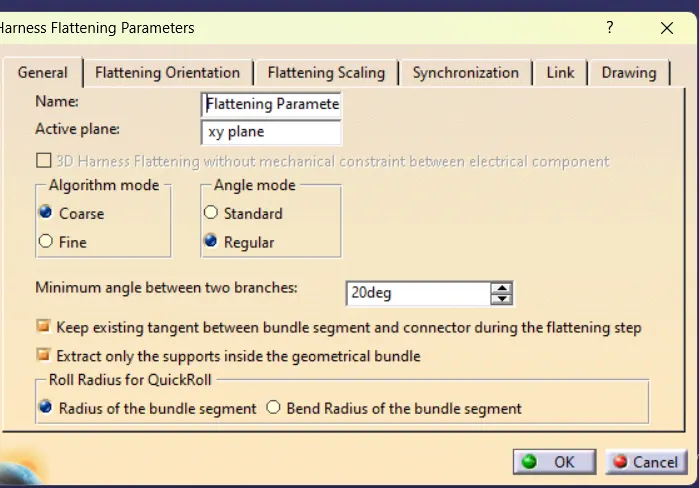
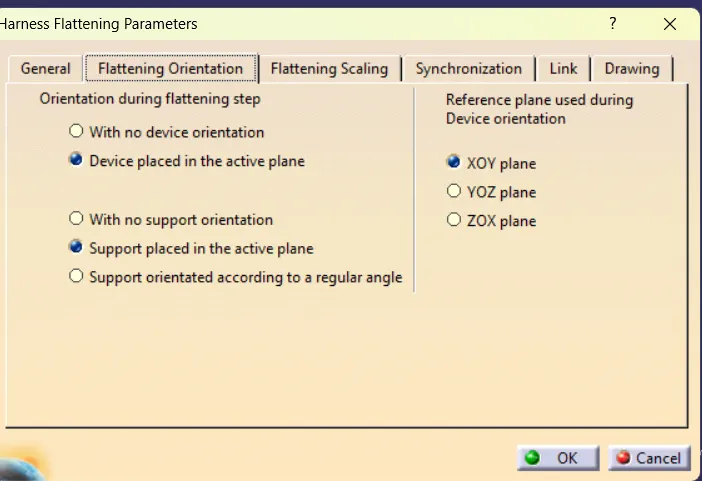
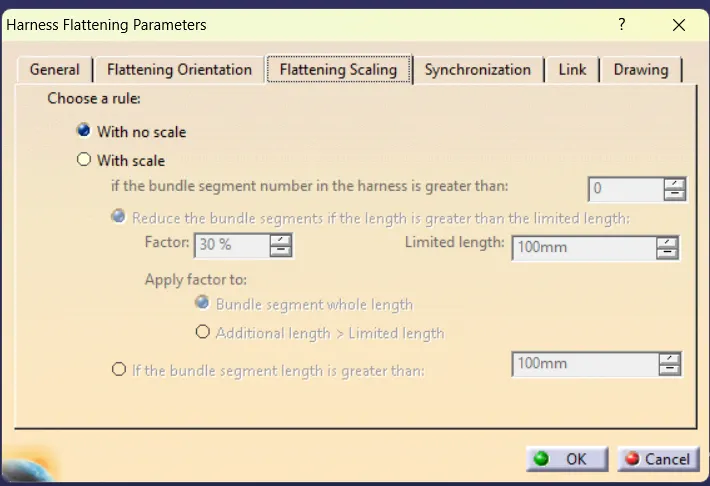
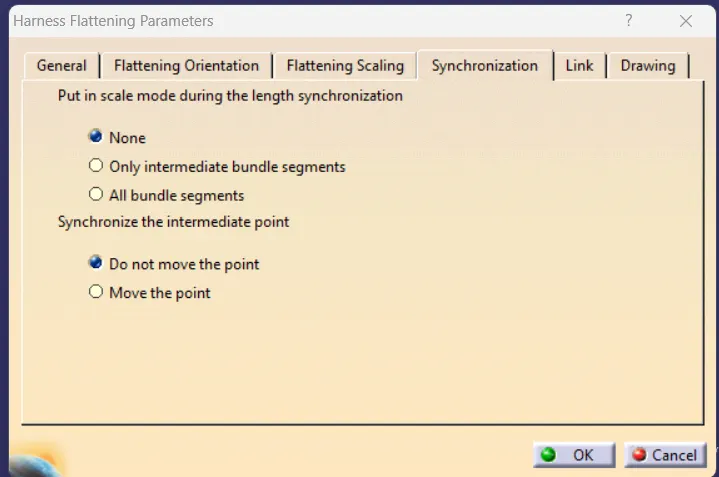
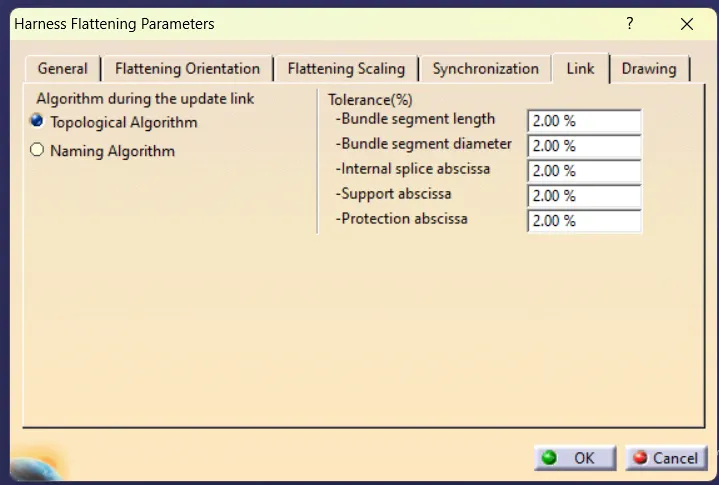
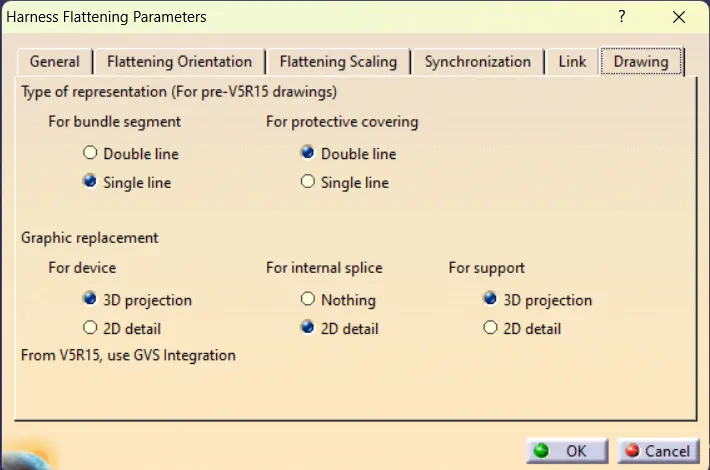
Creating a drawing file
- Create a Drawing file
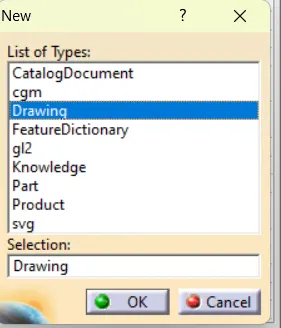
- Click on Add view

- click on window and open the flattened file
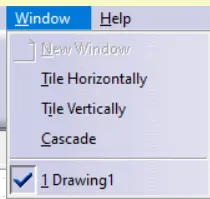
- select the view
- drawing is created
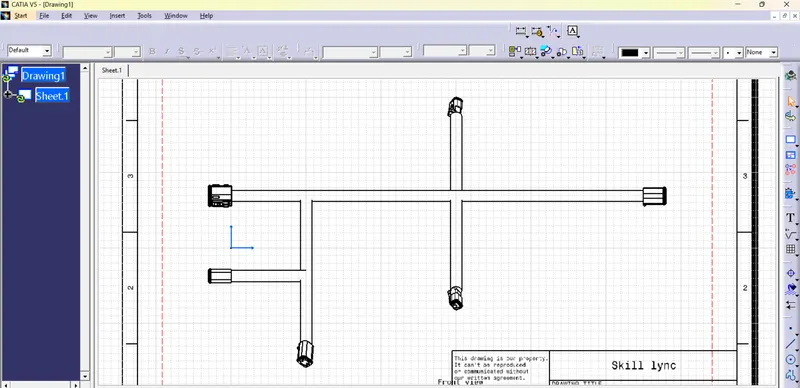
Conclusion
Thus we have defined mechanical connectors into electrial connectors the created the flattening file and its drawing.