Wiring harness design in CATIA V5 - 3D modeling Week 7 Challenge
Objective :
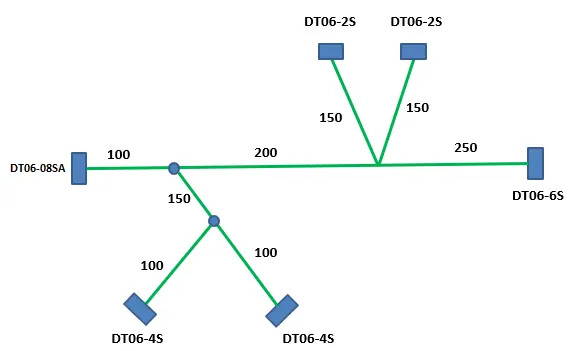
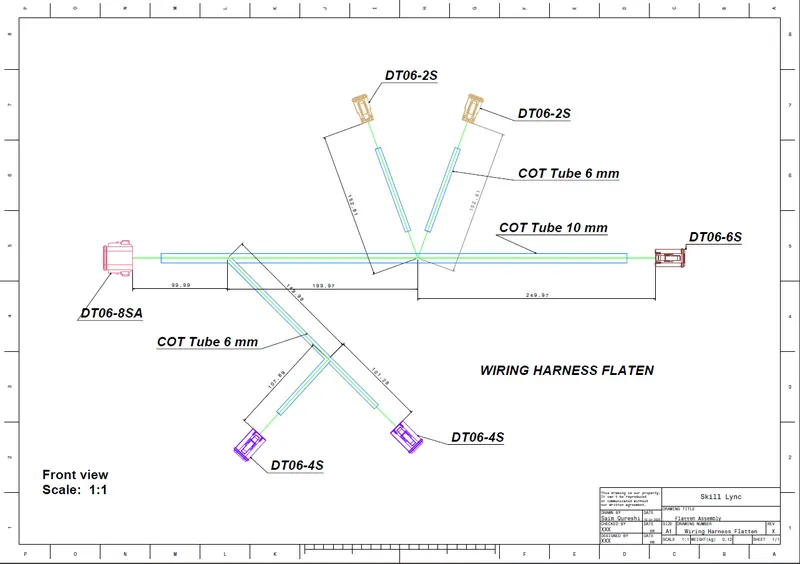
Flatten the harness assembly. Place the flattened view on drawing sheet. Ensure bundles with protective coverings has different visuals on drawing view.
Procedure :
Open the harness assembly
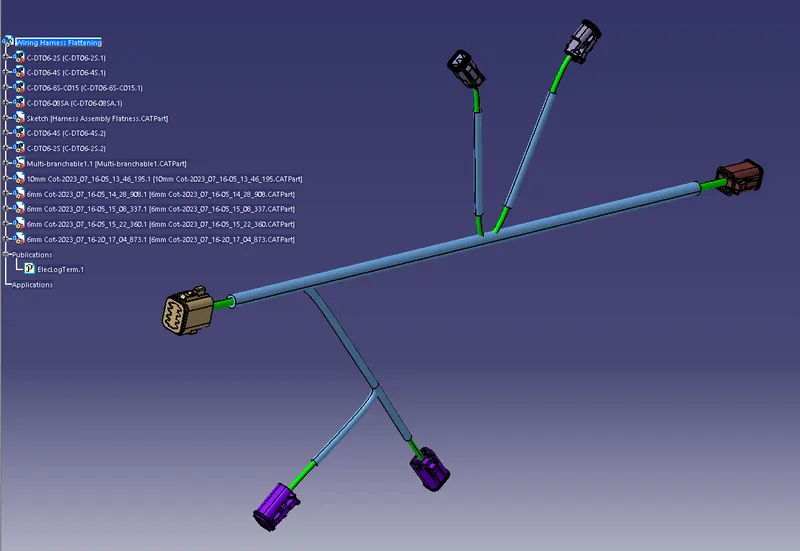
HARNESS FLATTENING:
- WE GO TO THE HARNESS FLATTENING WORKBENCH AND DEFINE THE FLATTENING PARAMETERS.
- WE USE THE EXTRACT COMMAND TO BRING THE HARNESS ASSEMBLY TO THE FLATTENING WORKBENCH HERE.
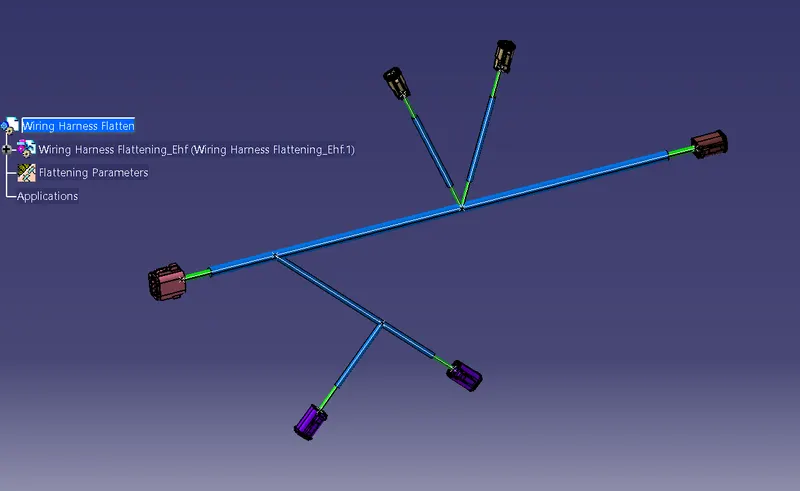
- CHOOSING A SUITABLE PLANE WE FLATTEN THE HARNESS ASSEMBLY.
- BUNDLE SEGMENTS ARE ROTATED AT THE REQUIRED ANGLES. THE HARNESS ASSEMBLY IS THEN DRAFTED.
- FLATTENING PARAMETERS ARE DEFINED IN ORDER TO MAKE THE BUNDLE AND THE CORRUGATED TUBES VISIBLE IN THE 3D DRAWINGS.
DRAFTING REPRESENTATION :
Conclusion :
- Defined the mechanical parts electrically and the prepared bundle flattening in the CATIA flattening workbech.
- 2D drawing of the bundle with connector representation and diffrent colour coding for bundle with protective covering.