Wiring harness design in CATIA V5 - 3D modeling Week 7 Challenge
Report for Wiring harness design in CATIA V5 - 3D modeling Week 7 Challenge
This is the reference image of the Wiring Harness that was created back for the Week-4 challenge
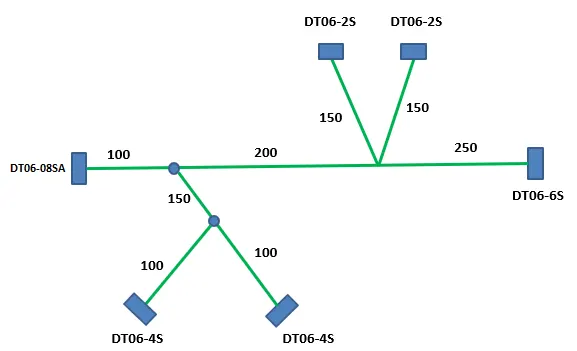
Note: Using the same Wiring Harness Assembly that we created in CATIA V5 for Week-4 Challenge.
Steps that are to follow to make the Wiring Harness Assembly Flattening and Creating Drawing sheet using CATIA V5
- Open the Harness product file in CATIA V5 that we have created for the Week-4 challenge.
- Now Open a new Product file and launch the Electrical Harness Flattening(EHF) workbench.
- Then click on Harness Flattening Parameters and give the Name and Active plane that we want to Flatten.
- And also provide all the other information that we needed.
- Now Extract the Geometrical bundle into the Flattening Product and ensure that the active plane in flattening parameters is the same plane as we need.
- Click on Flatten option, it asks us to select the bundle segment which we wanna flatten. As we want all the branches, select any bundle segment and click the Select All Branches option. (Connectivity between the branches is so essential.)
- By using the Rotate option in the Manipulator toolbar adjust the Harness flattening as we need.
- After completion of the Flattening file, save it. The best option is to save the file by using the Save Management option and save the file.
- After saving click on Propagate Directory for saving all the files in the same folder. Then click OK.
- Create a New Drawing File by selecting the sheet size we need.
- Now Front view option and select the flattening product and adjust it as we need.
- Click on the properties of the diagram and select the info that we wanna represent.
- Select the Protective Covering and give the graphical representation as we need.
- Provide all the details that we wanna represent and go to the Sheet Background option.
- Give Frame and Title Block and adjust the data. Now go back to Working View and check all the annotations and save the file.
- After saving the file make a PDF using the Save As option for feature purposes.
Images of Wiring Harness Assembly File, Wiring Harness Flattening File & Drawing Sheet of it.
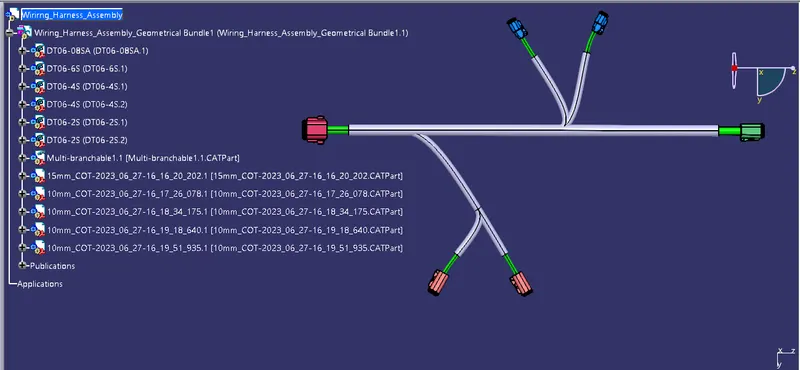
Image of Wiring Harness Assembly
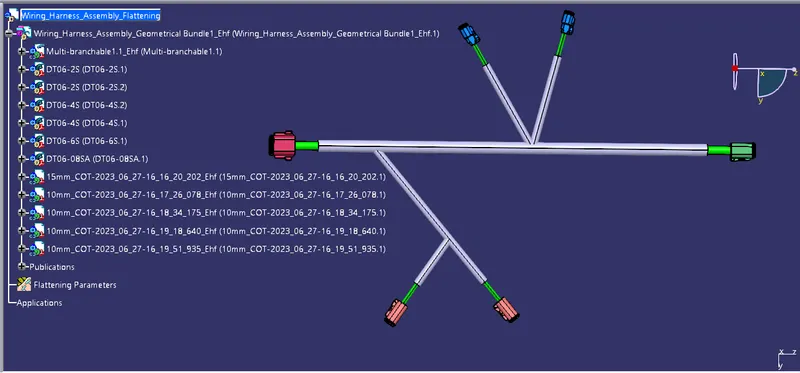
Image of Wiring Harness Flattening File
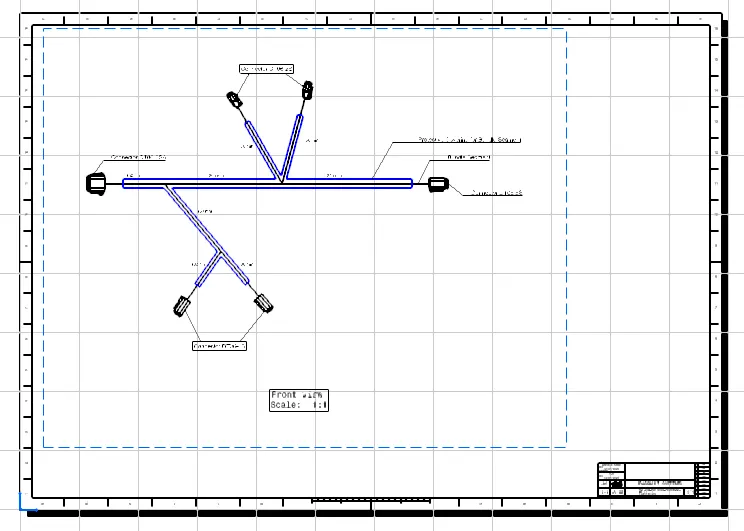
Image of Drawing Sheet of the Wiring Harness Flattening
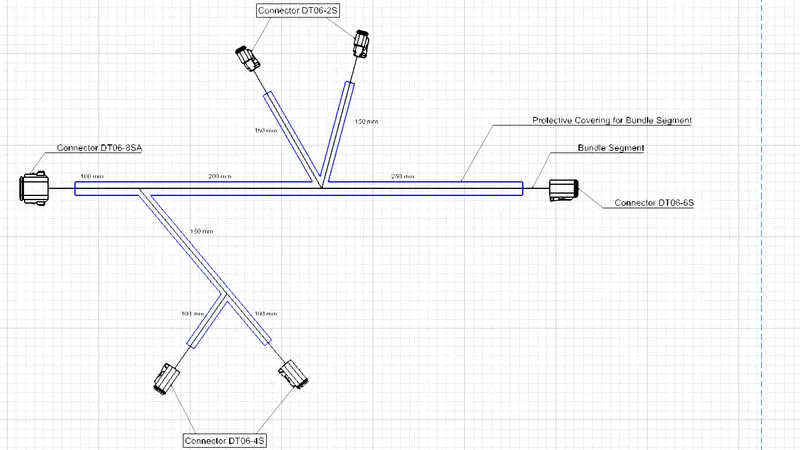
Zoomed Image of the Drawing sheet
.....................
Note: All the files are uploaded in a Single ZIP file & attached.