Wiring harness design in CATIA V5 - 3D modeling Week 7 Challenge
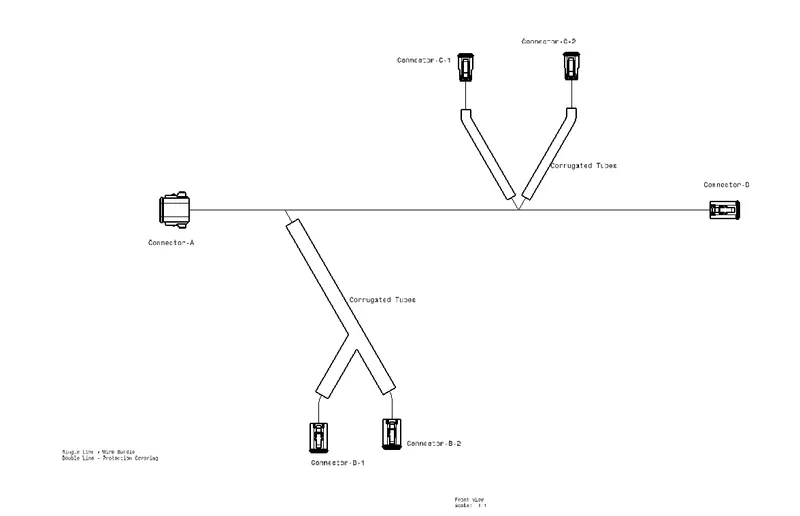
Flatten the harness assembly completed in “ week 4 challenge”. Place the flattened view on drawing sheet. Ensure bundles with protective coverings has different visuals on drawing view.
To Flaten the Harness assembly:
- Create a new Product file and name it Wiring Harness Flattening.
- Set the flattening parameters, this is an important step.
- Now, save the product file in a desired folder, open the assembly file, and save it in the same file.
- Now import the assembly file into the flattening file using the extract command.
- Now the assembly file will be visible in the newly created product file.
- using the flattening command the wiring harness bundle will be flattened in the selected plane.
- using different commands like straighten, rotate, roll, bend, etc. shape the wiring harness as desired.
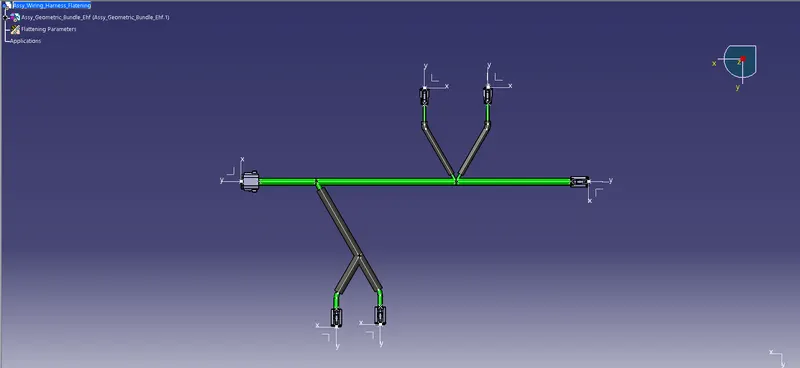
- Once the Flattening is completed open a new drawing file, select the desired sheet settings, and save it.
- Using the Front view option import the 3D wiring harness to the sheet.
- Save all the progress.