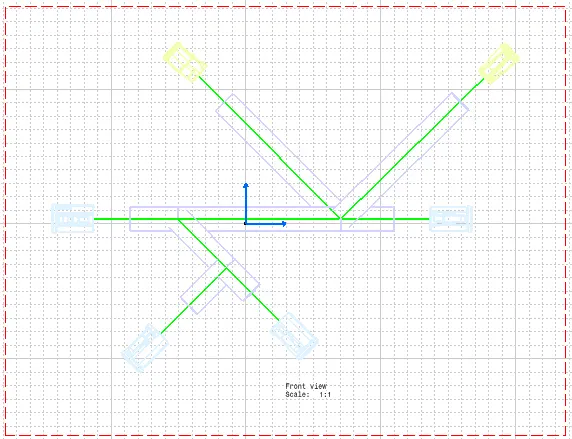
Wiring harness design in CATIA V5 - 3D modeling Week 7 Challenge
Steps:
1) Define all the connectors electrically.
2)Place the connectors as per required layout & route the bundle then add protective covering.
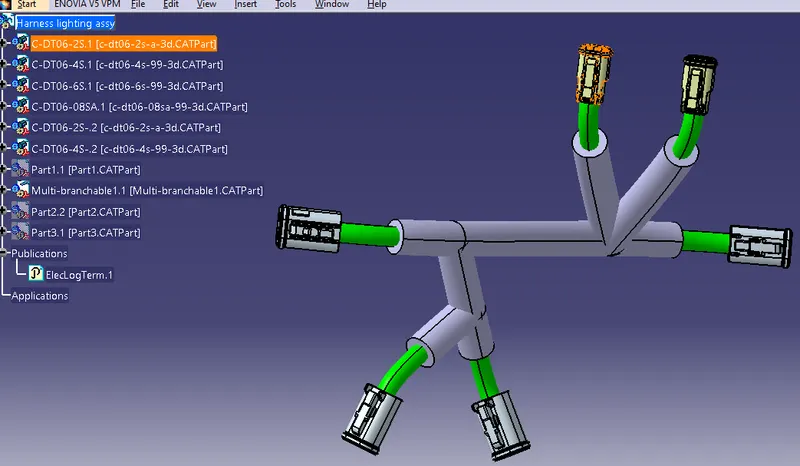
3) Harness Flattening
Go to electrical harness flattening workbench -> File ->New product -> OK.
Click on harness flattening parameters & keep the settings as shown below.
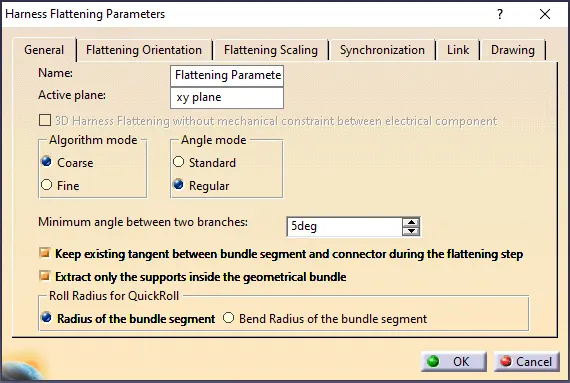
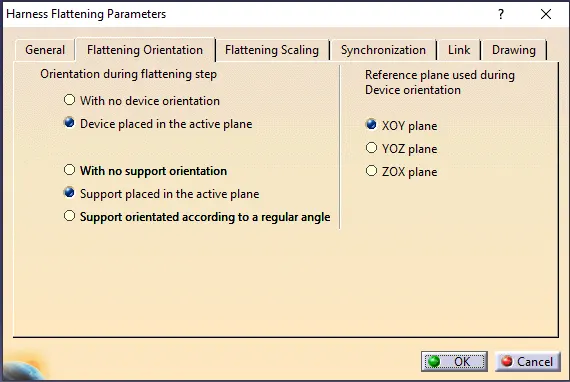
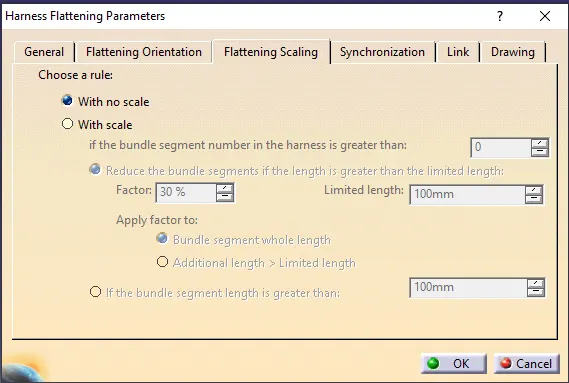
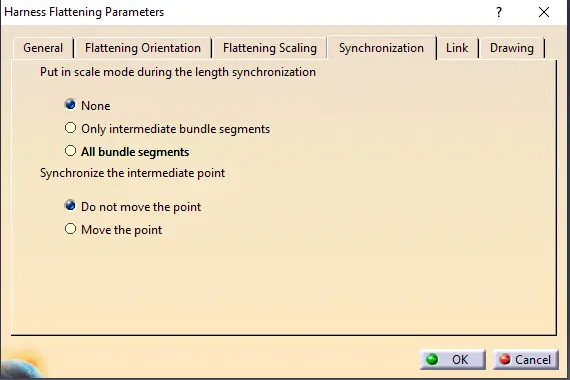
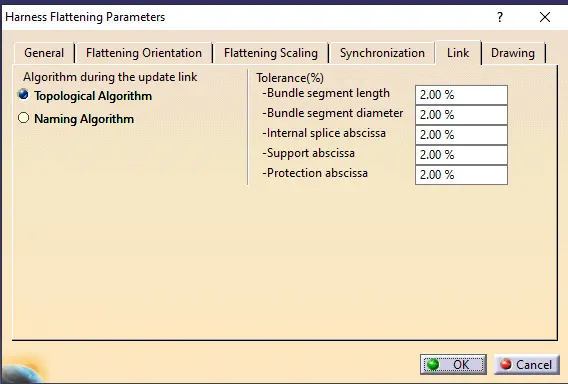
For connector & bundle you can chooose the view from drawing.
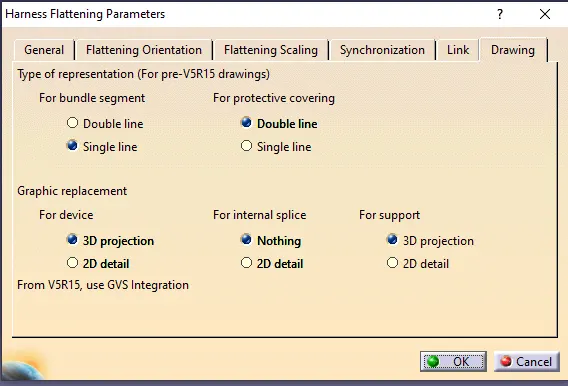
Click OK to apply the setting.
-> Go to window -> Tile vertically
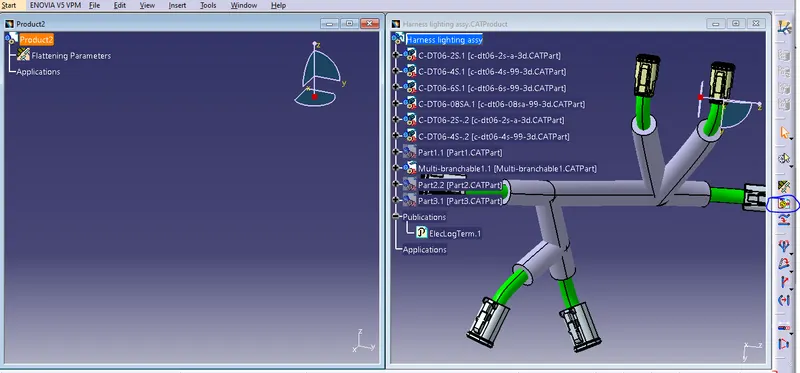
click on extract command & then on Harness light assembly to import into flattening product
Go to product2 (Flattening) window
click on Flatten command -> select all the branches -> click on plane surface of the connector -> click OK
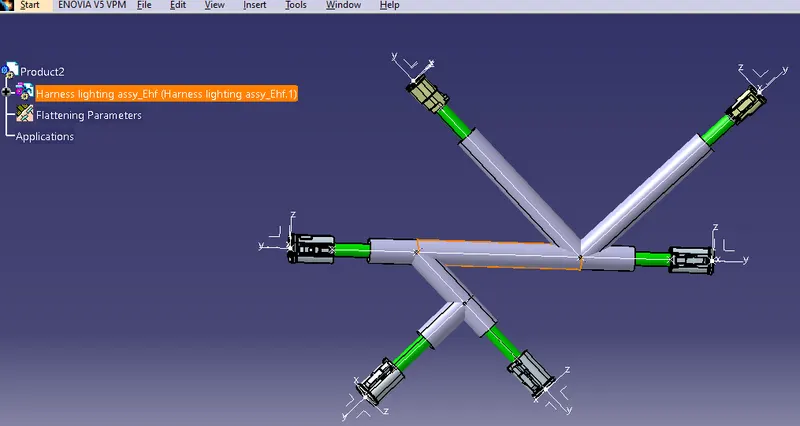
FOR 2D DRAWING :
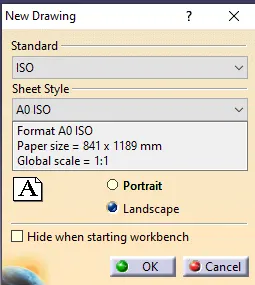
Go to File-> New -> Drawing ->
Go to window tile vertically
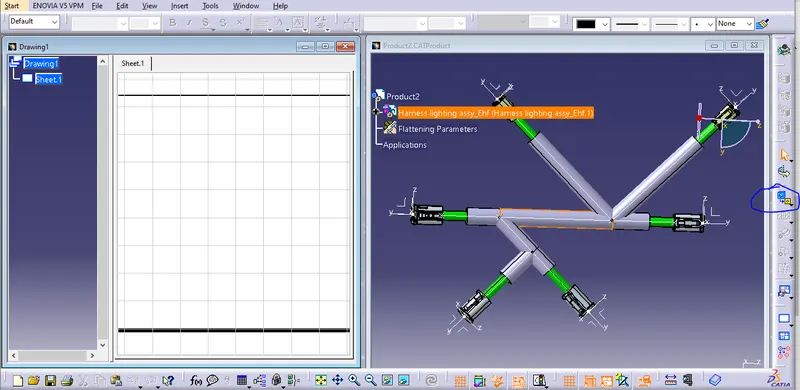
Click on Front view -> click on plane surface of connector -> Rotate as per required assembly view.
click on outer surface of the drawing
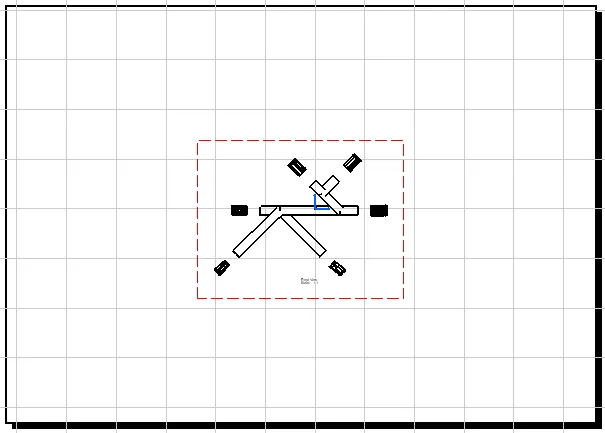
Right click on red highlighted area -> Properties->
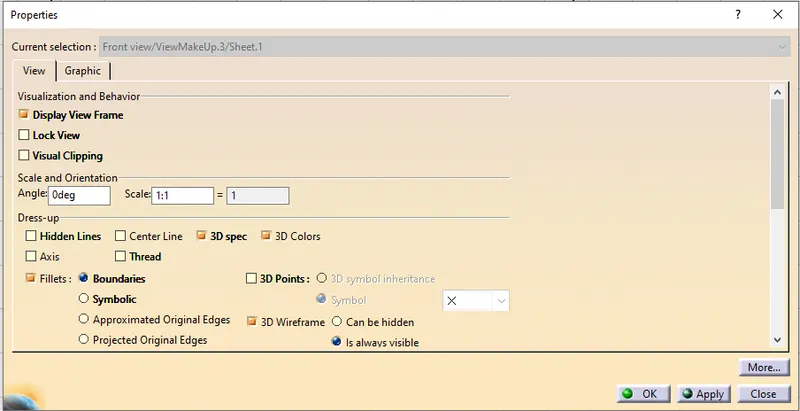
apply ->OK
Result :