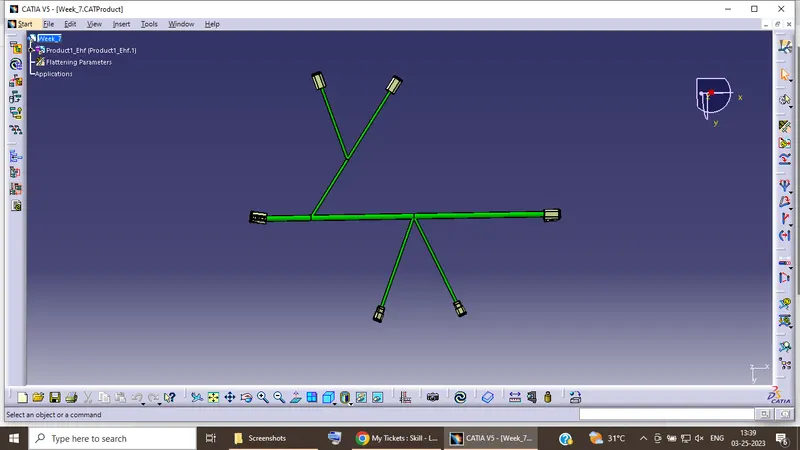
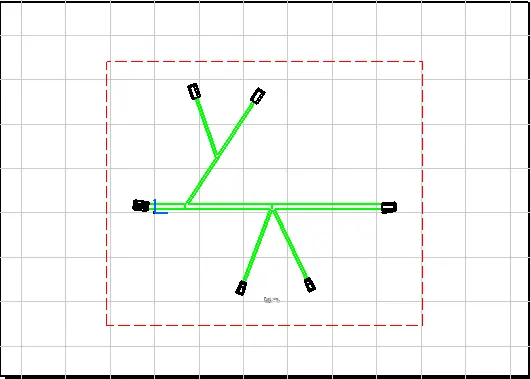
Wiring harness design in CATIA V5 - 3D modeling Week 7 Challenge
Q1. Flatten the harness assembly completed in “ week 4 challenge”. Place the flattened view on drawing sheet. Ensure bundles with protective coverings has different visuals on drawing view.
AIM- To prepare a flattened view of a previously created harness assembly
OBJECTIVE- The objective of this project is to create a flattened view for a harness assembly and then place it on the drawing sheet. It is desired that the bundles with protective coverings are represented with different visuals on the drawing sheet.
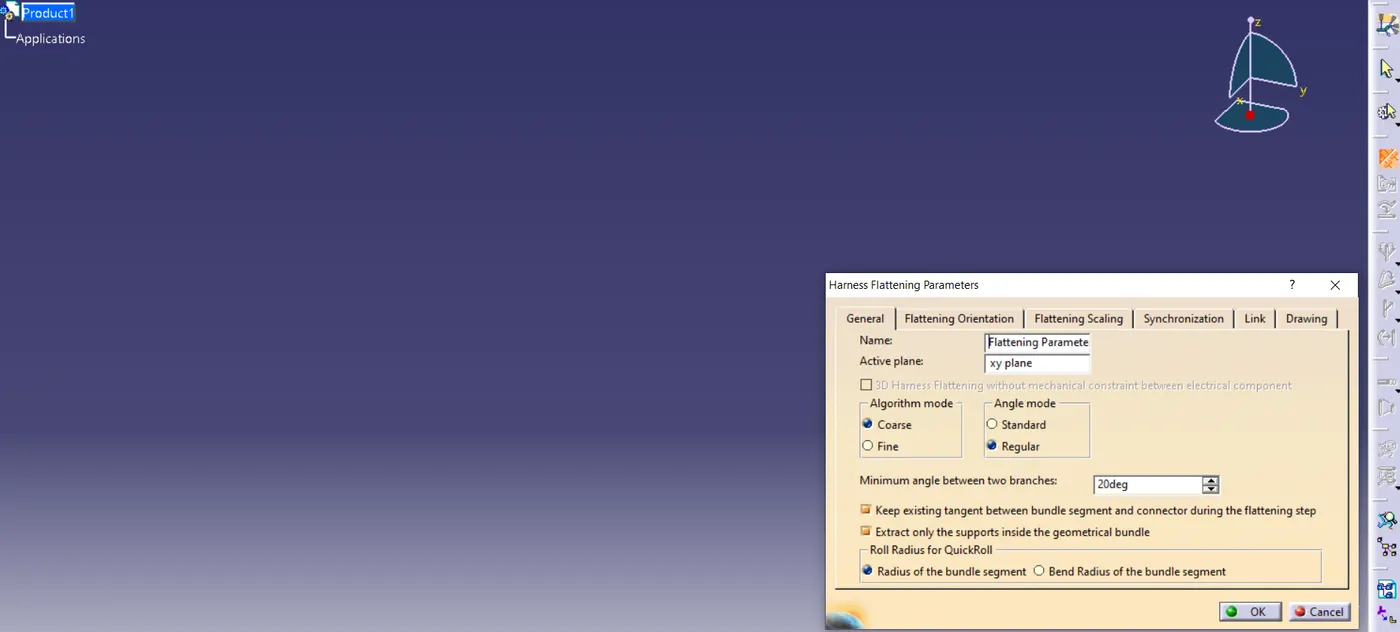
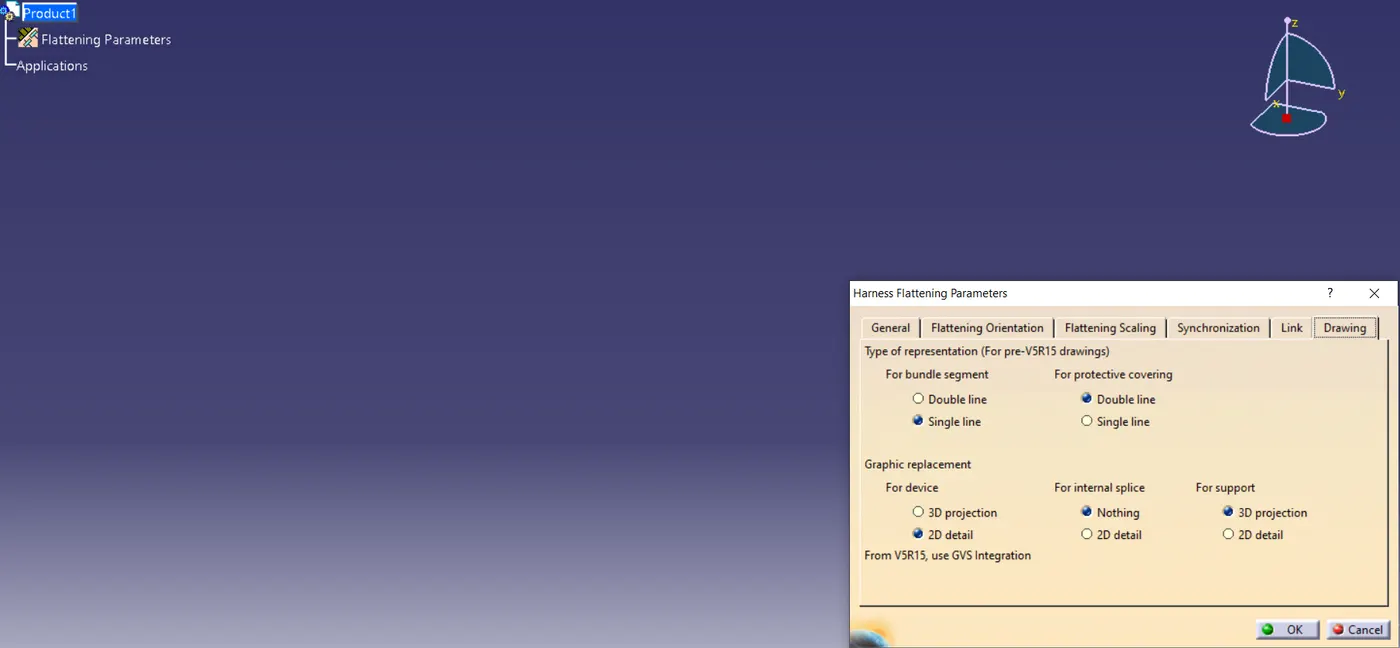
First, we should make a new product file inside the Electrical Harness Flattening workbench. Second, we should define the harness flattening parameters by clicking on its icon as shown above. In the general tab, we should select the settings as shown above. After the general tab settings are complete we should define the settings for the drawing tab as shown below.
It should be noticed that the types of representation for the bundle segment and protective covering are different from each other. Also for devices, "3D projection" can be used if the connectors are added to the electrical drawing catalog.
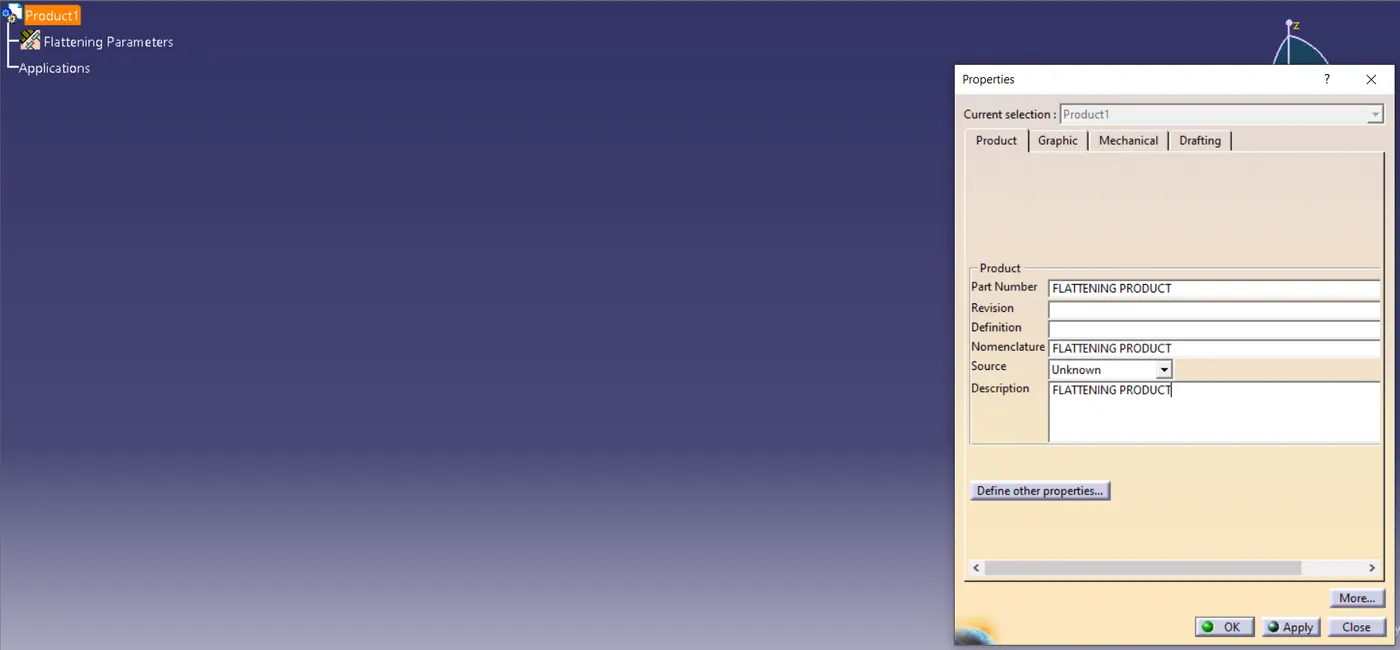
then Bring the harness assembly into the newly created Flattening Product by using the "Extract" feature.
First, we should align the Flattening Product and Harness Bundle tabs vertically. Now, as shown below, we should use the "EXTRACT" feature in the electrical harness flattening workbench to bring the harness assembly into the Flattening product.
It should be noted that our geometrical bundle assembly or harness assembly file is now changed to an "EHF" file which stands for "Electrical Harness Flattening".
To flatten the harness we should select the flatten plane and then select all the branches present in the harness assembly as shown below.
All the bundle segments if needed should be rotated in the desired direction as needed by using the "Rotate" feature in the flattening workbench. It should be noted, that as we have "XY-plane" as the flattening plane so we should make sure that we rotate the bundle segment only along the "XY-plane