Wiring harness design in CATIA V5 - 3D modeling Week 7 Challenge
I select the File from week4 challenge:
- start with making a bundle point & connector connection at each connector.
- then create new product in new page (change the product name), then create another product make a change in product1.1
- now open the catalog and select the connectors from your catalog.
- then place a connectors by given instructions.
- after that check the view of the connectors using front, side & back view is that facing through parallel line or not.
- well then start the routing using multi-branchable tool give the diameter of the router, after that bend radius ratio at 1.4 , then router definition select the starting point and point2 we got the router point.
- then add the branch points between the router then create our branches for routing.
- after finishing routing make sure that all the routings are placed correctly.
- then save the file at file manager.
Flattening Method:
- Before we start Flattening, create new Product File.
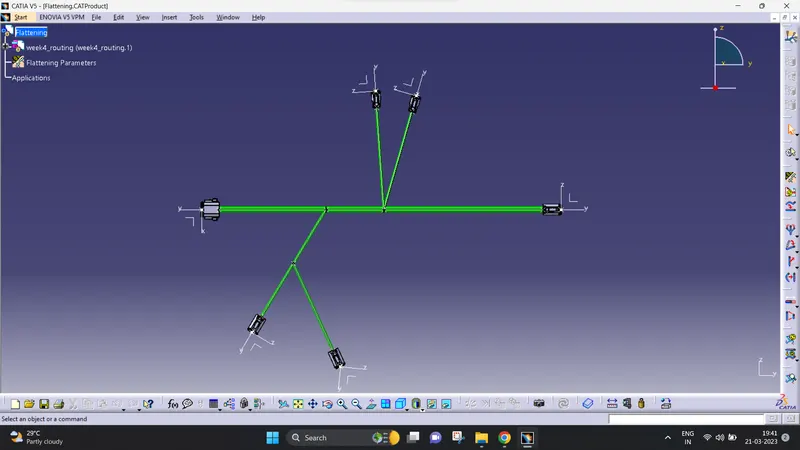
- then i use the flattening tool to create a tree.
- now i'm going to flattening it.
- click the product file then click the extract and choose one face in the connector.
- then it will flattened.
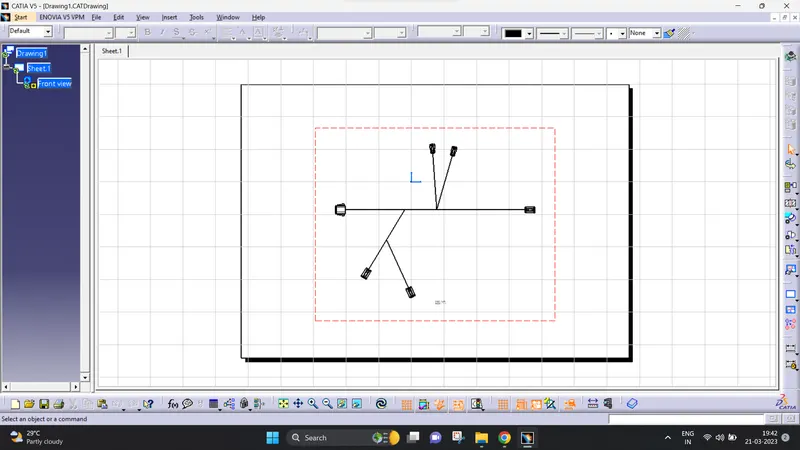
- after that i create an new drawing file (A0)paper.
- then i choose one face of the connector to paste it in drawing page.
- after that i save the drwaing file save management.
This are the steps in given above & i attach the images below: