Project 2
PROJECT2:
BACKDOOR ASSEMBLY:
Procedure:
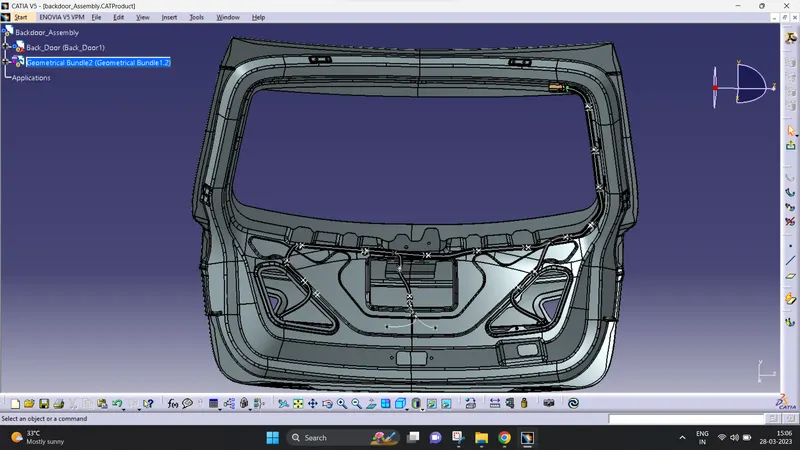
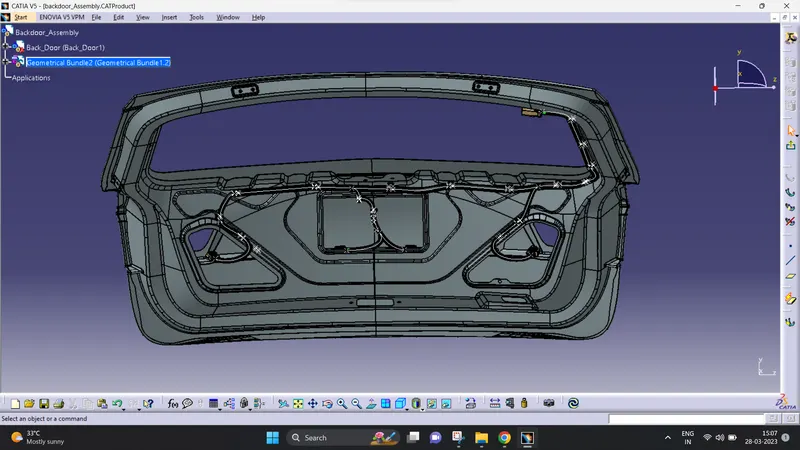
- In backdoorassembly, i stared to choose the connector and clips for the given backdoor.
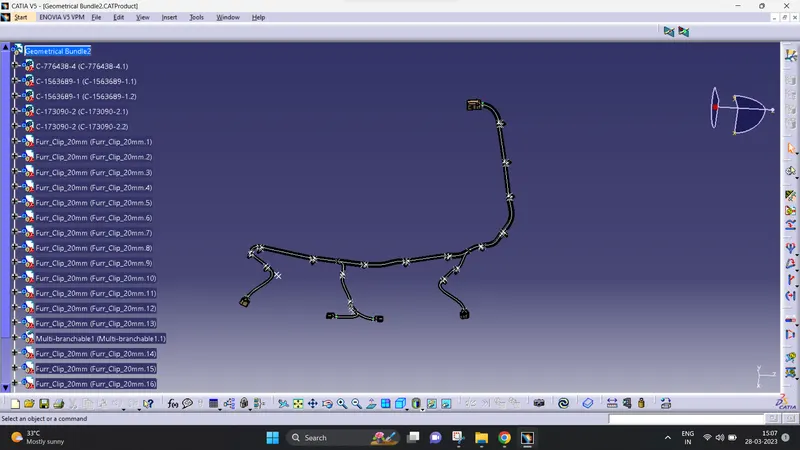
- I have select the 5connectors and 1Furr tree clip for place the connector and bundle segments.
- after that i give the bundle entry and connector connection for the selected connectors.
- then i placed the connectors, 12pol connector is for main connector to start the routing.
- 4pol connector is for back lamp, 2pol connector is for viper and rear no plate LED.
- now i place some furr tree clips for passing the bundle through connectors.
- after compliting my routing i check all the bundle are connected properly are not.
- for checking this process (edit>seach>advance>electrical>bundle segment>fully connected(False)).
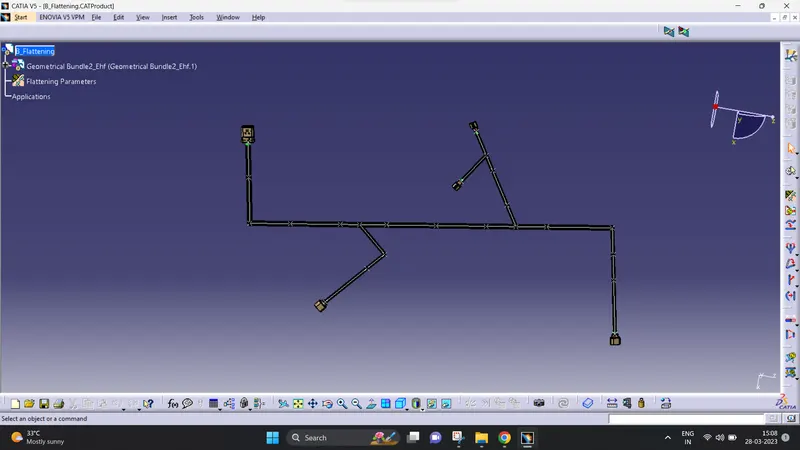
- then i create another product file for flattening.
- now, i open my backdoor Geometry bundle then open my flattening page in windows vertical .
- then choose our geomentry file for extract it into flattening page.
- then i choose the flatten toolbar for flatten my assembly.
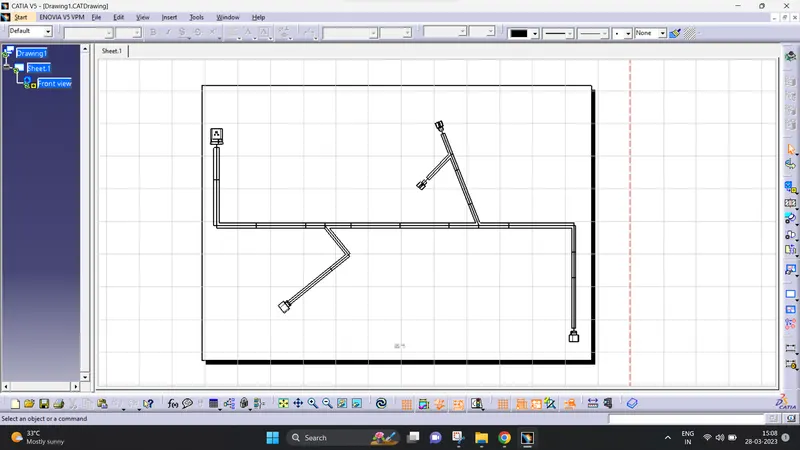
- actually the flatten process is for convert our 3D routing is convert it into 2Dmodel.
- after flattening, open drawing page and i choose A0 size paper for place my flattening file place inside the drawing page.
- above procedures are done by myself.
Screenshots: