Wiring harness design in CATIA V5 - 3D modeling Week 7 Challenge
Flatten the Harness Assembly
Aim :
To create the harness assembly file for the given map and create the flatten by using Electrical Harness Workbench and create the Drawing file for it.
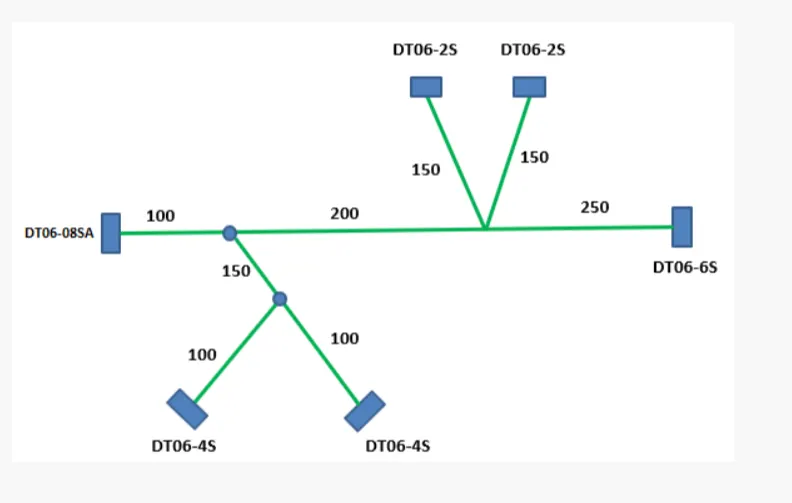
Objective :
- Create the electrical assembly as shown in figure using the mutiple connectors and bundles and corrgated tubes.
- Flatten the assembly in the Electrical Harness Workbench.
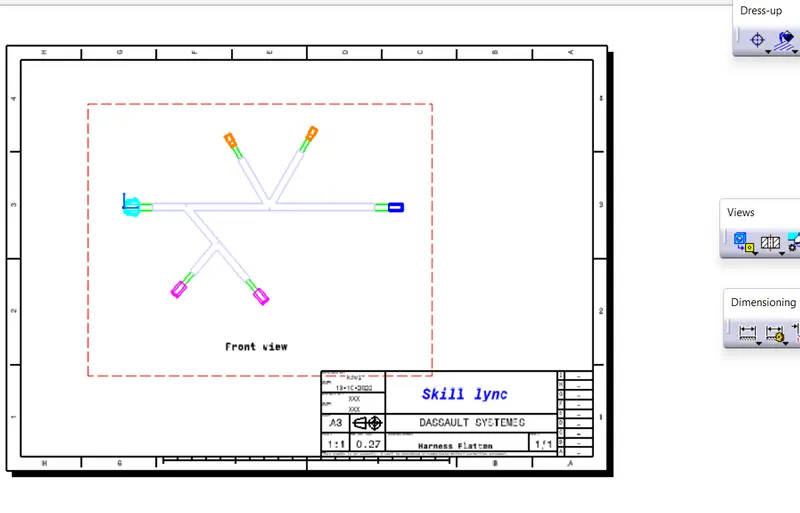
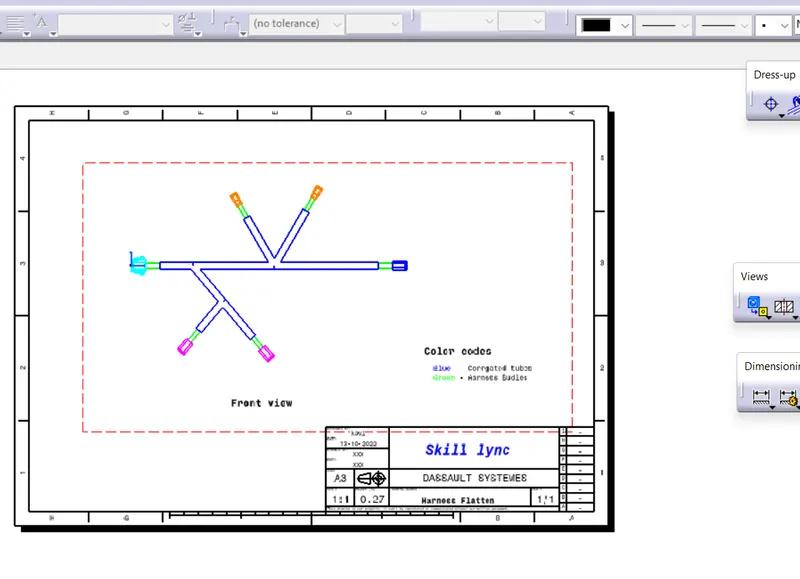
- Create the Drawing file for it with clear repersentation of the bundles and corrgated tubes.
Procedure :
The first step is to get the required 3D CAD files from the te.com website and Define them as electrical part using the Electrical design workbench. And create the assembly file and route the bundles using electrical harness assembly workbench.
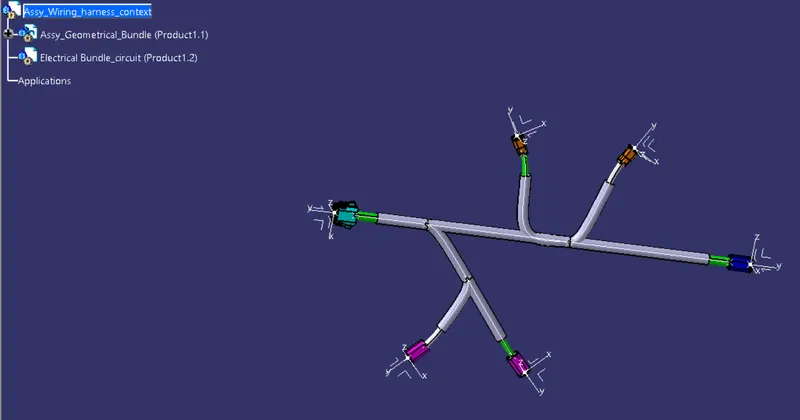
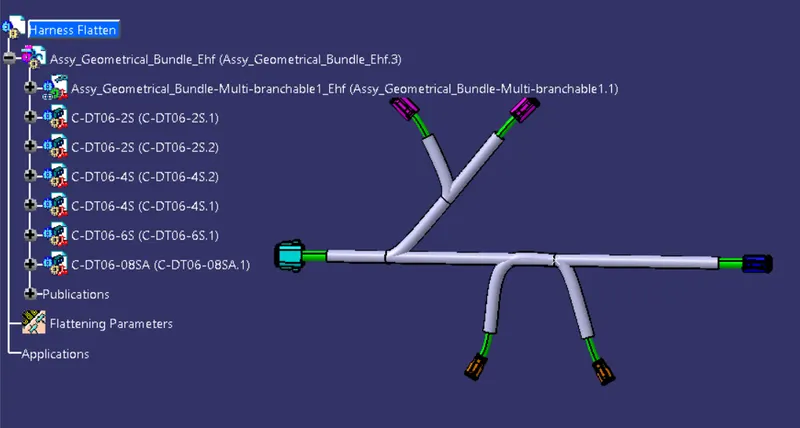
And next step is to create new product file and save that file as Flatten harness and move the Electrical harness flattening workbench. And fill the Harness flattening parameters as shown in figure.
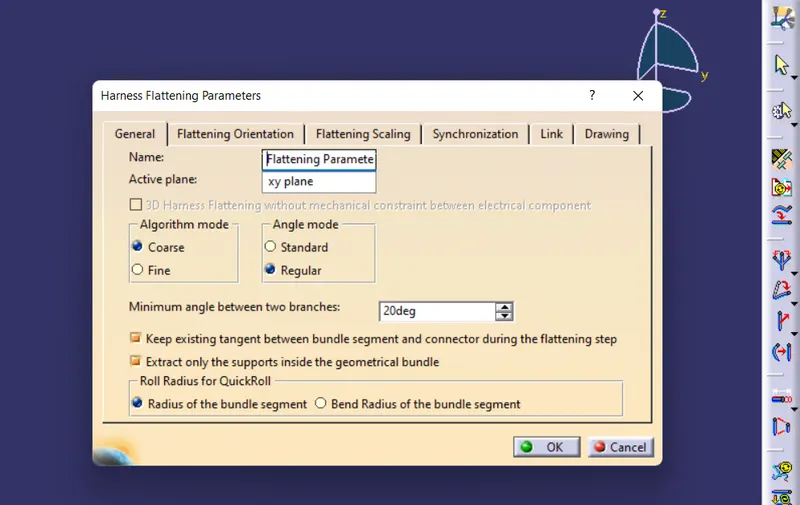
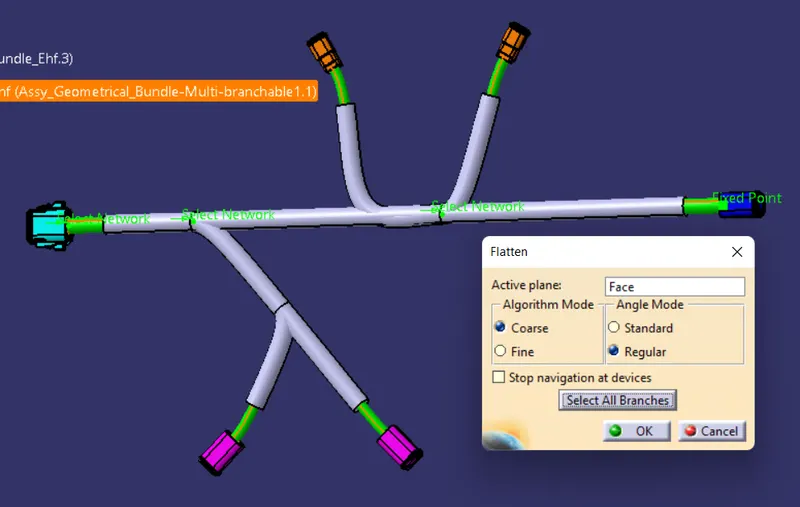
And add the created harness file into this flatten file by using the Extract option provide in the electrical Harness flattening. And for flatten the bundle use the flatten option and in that select the plane or face for flatten the bundle and select the all branch of the bundle and click ok as shown in figure.
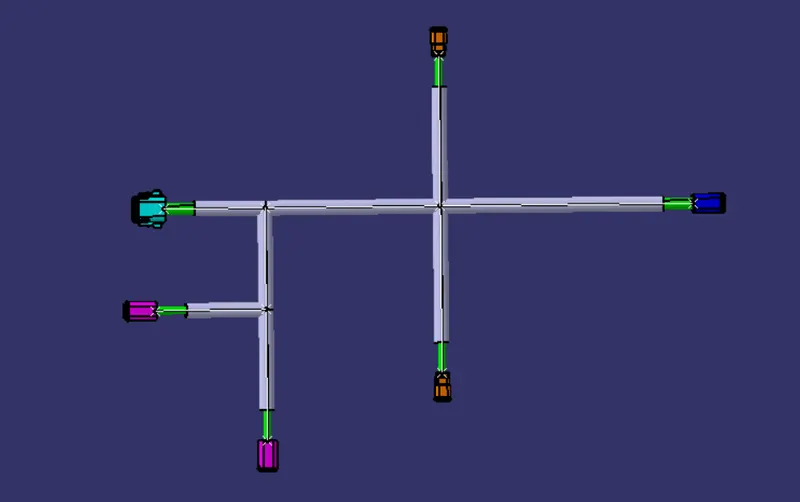
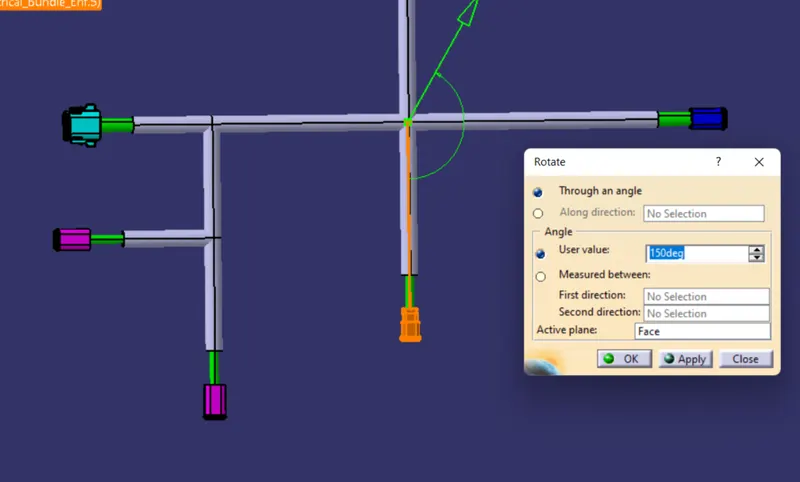
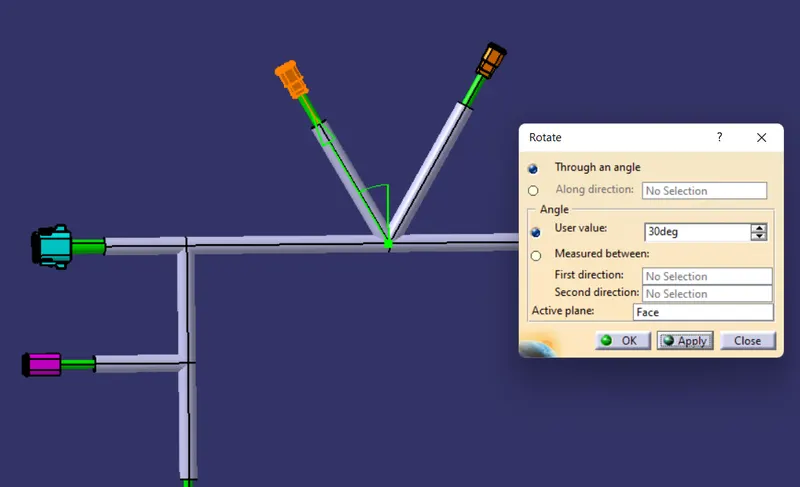
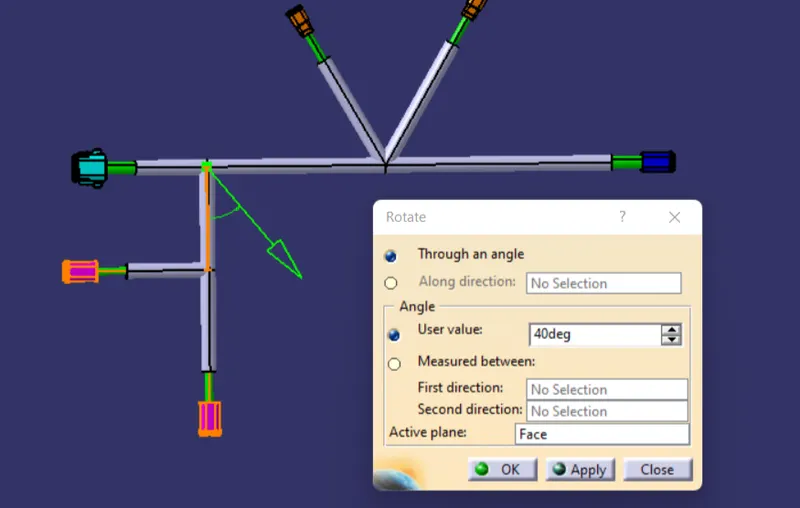
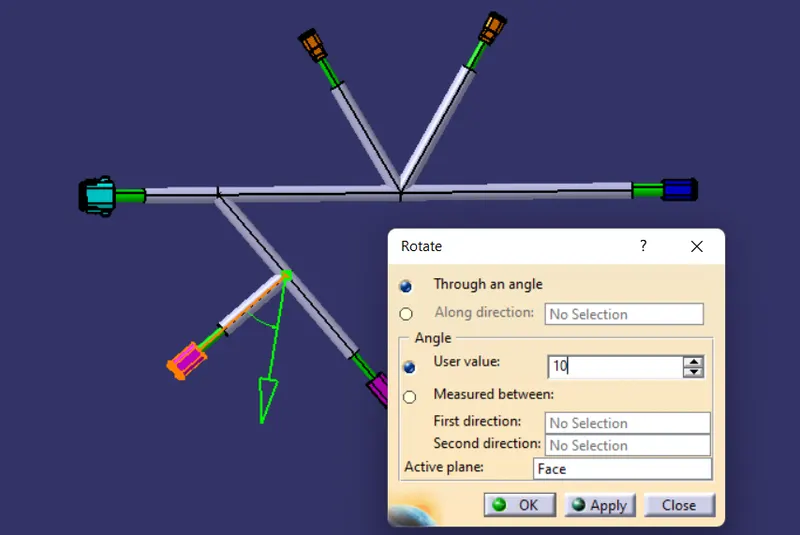
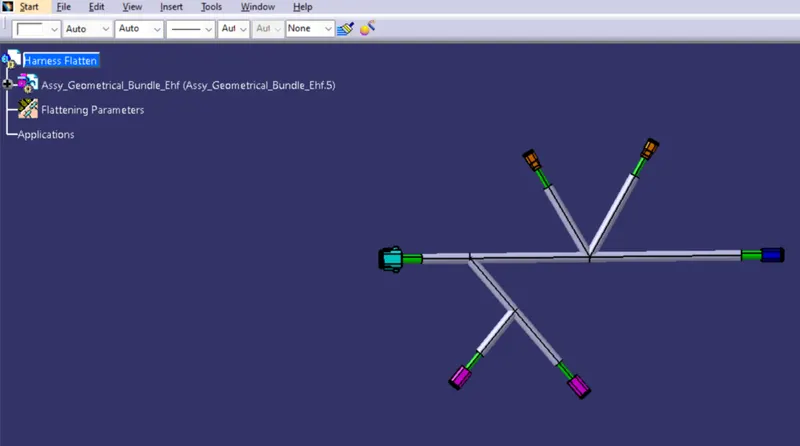
Next step is make the flaten view as similar to the given map view as possible for that we use the rotate tool in the Electrical Harness Flatten workbench as shown in figure.
Create Drawing for Flattening :
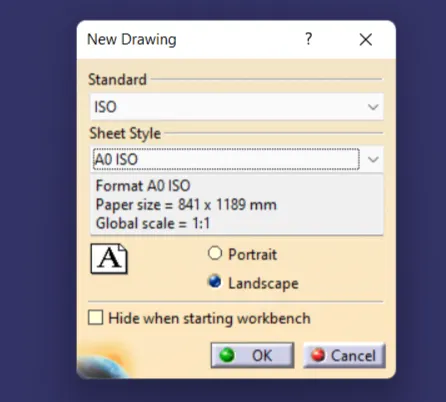
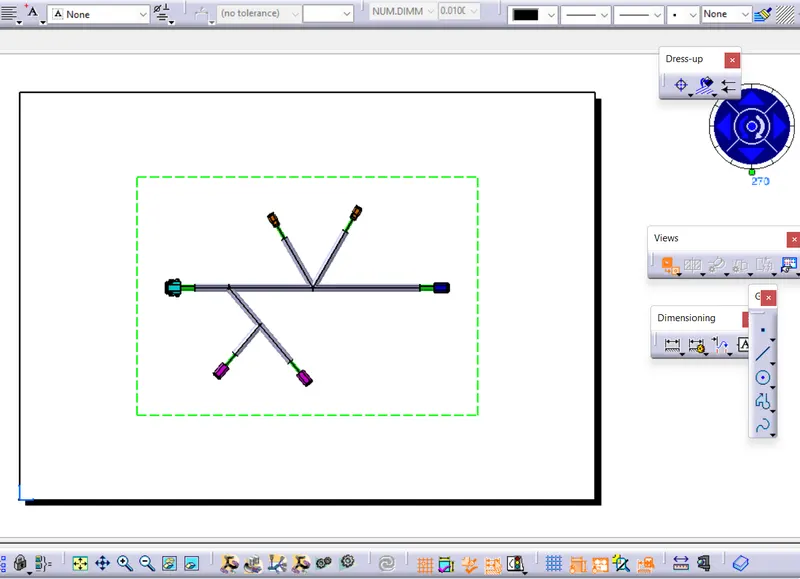
To create the drawing file for the flattening harness we need to open a new Drawing file as shown in figure. And add the front view for the drawing and click where the flatten face is used. And now we have the Drawing for the harness flatten file and make some changes in the parameter box in the flatten workbench if required. And the required tiltle box and notes as shown in figure.
Final Drawing file :
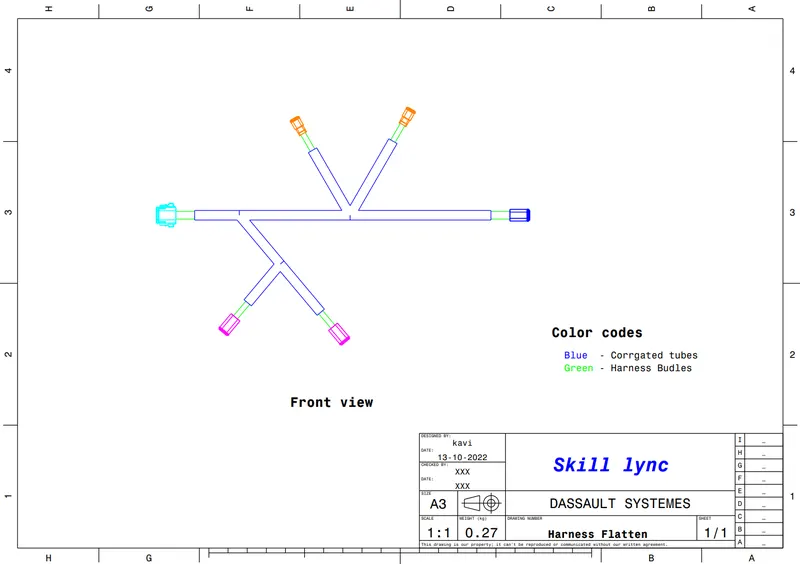
Conclusion :
Hence the harness assembly file for the given map is created and flatten by using Electrical Harness Workbench and create the Drawing file for it successfully done by using the Electrical Harness Flattening and Drawing workbench.