Wiring harness design in CATIA V5 - 3D modeling Week 7 Challenge
Week-7 Wiring Harness Challenge
1. Introduction-: In this challenge we need to flatten the wiring harness for creation of wiring harness drawing.
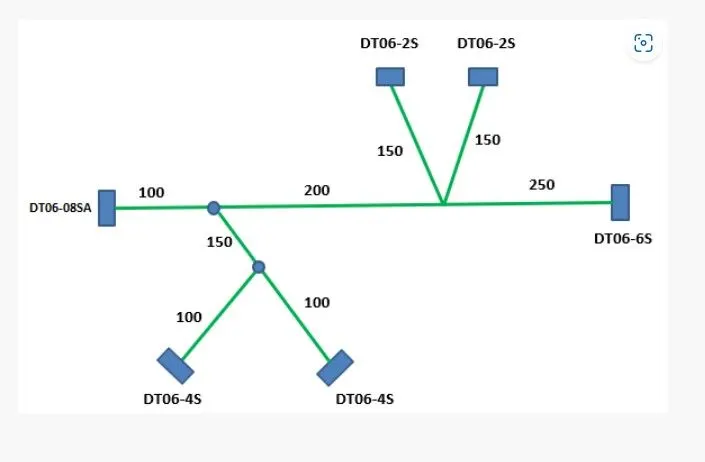
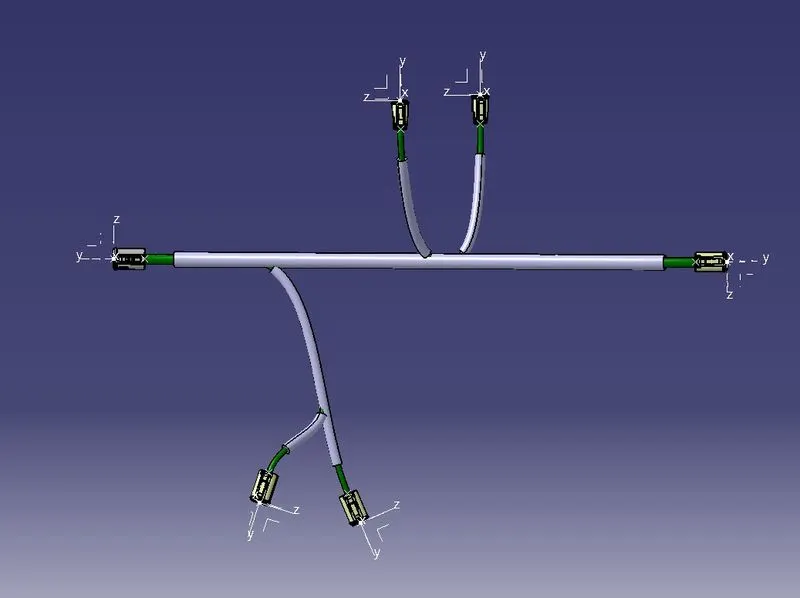
2. Inputs-:
3. Procedure-:
- Open a new product file and switch to Electrical Harness Flattening workbench.
- Now click on the Harness flatening paramters icon & change the parameters as per requirement.
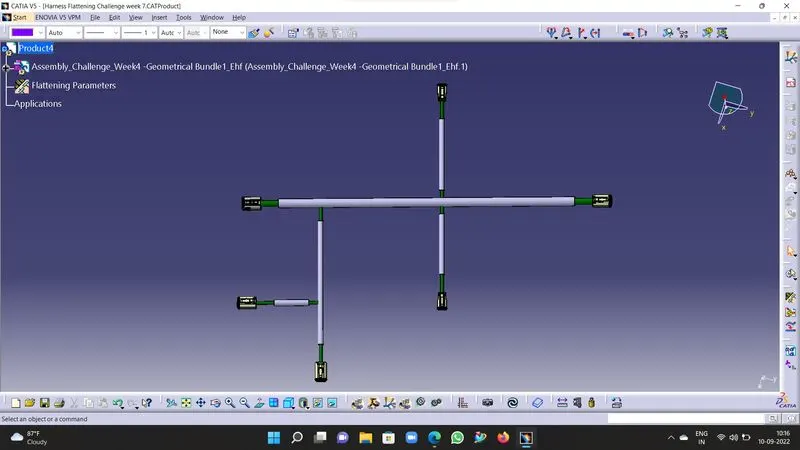
- Now extract the harness into the flattening workbench using the extract command.
- Once the harness is extracted, choose the flattening option in the workbench.
- It will display a dialog box choose the required paramters such as in algorithm choose coarse, in angle choose regular and active plane choose the flat plane from the harness.
- Once click ok your harness will be flattened, if required yiu can roll & rotate the branches of the harness in required orientation.
- Save the file.
- Now create the drawing file in new window, save it with the required name.
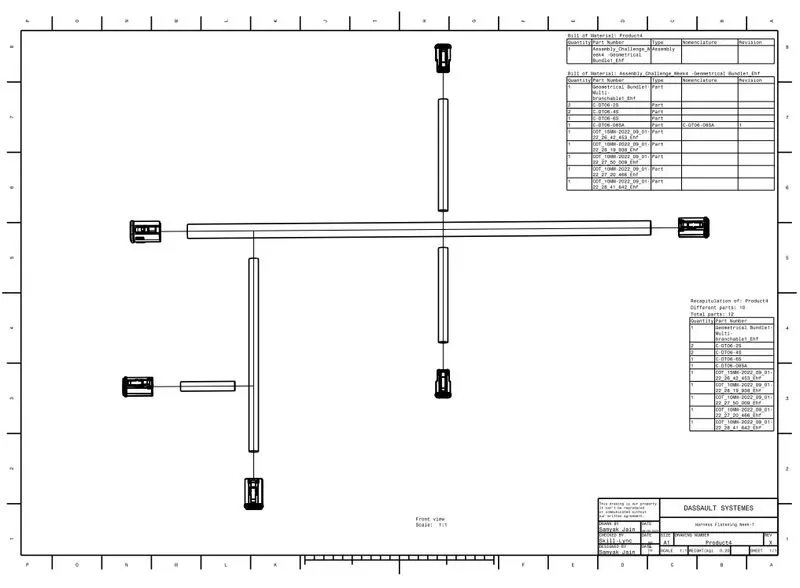
- Now choose the front view option and click on the flat surface of the flattened wiring harness.
- Front view will get generated in the drawing sheet, adjust the orientation, click on the screen to fix the view.
- Now right click on the view to go to properties.
- In properties choose 3D wireframe always on, this will highlight the bundles in the single line and protection coverings in double line.
- Now you can insert the bill of material from the insert menu.
- Insert the title box by clicking on edit menu and choosing sheet background.
- Then go to insert and insert the title box.
- Make the change in the title box covering all the essential info about the drawing.
- Now, drawing file is completed you can save the drawing.