Wiring harness design in CATIA V5 - 3D modeling Week 7 Challenge
REPORT ON WIRE HARNESS FLATTENING CHALLENGE
OBJECTIVE :
- Flatten the harness assembly completed in “ Week 4 Challenge”.
- Place the flattened view on drawing sheet.
- Ensure bundles with protective coverings has different visuals on drawing view.
STEPS TO CREATE FLATTENING HARNESS DRAWING :
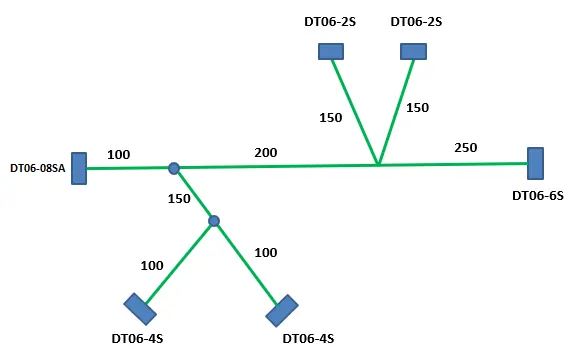
- HARNESS LAYOUT :
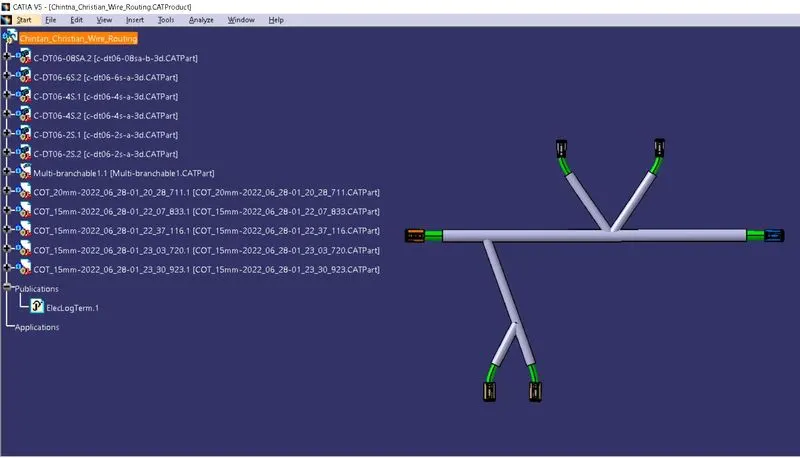
- HARNESS ASSEMBLY :
- HARNESS FLATTENING :
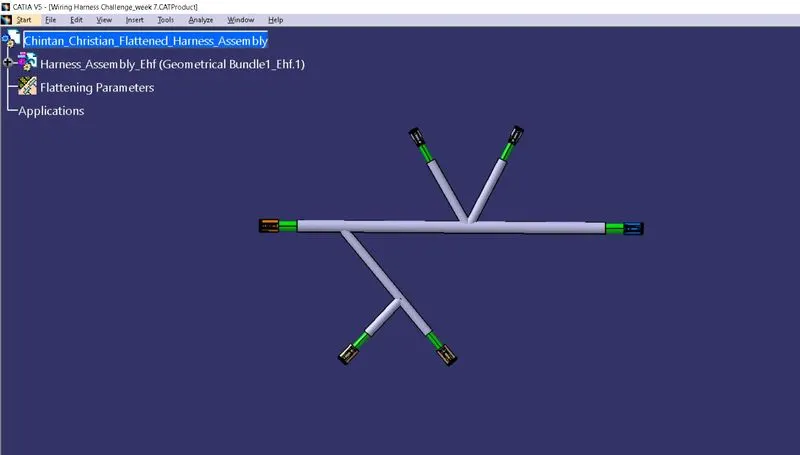
- Go to ”Electrical Harness Flattening” workbench.
- Define Flattening Parameters.
- Import Harness Assembly file using Extract
- Use Flatten option to arrange Harness Assembly in a single plane.
- Use different options such as ‘Rotate’ to properly orient bundle segment and parts.
- HARNESS ASSEMBLY DRAFTING :
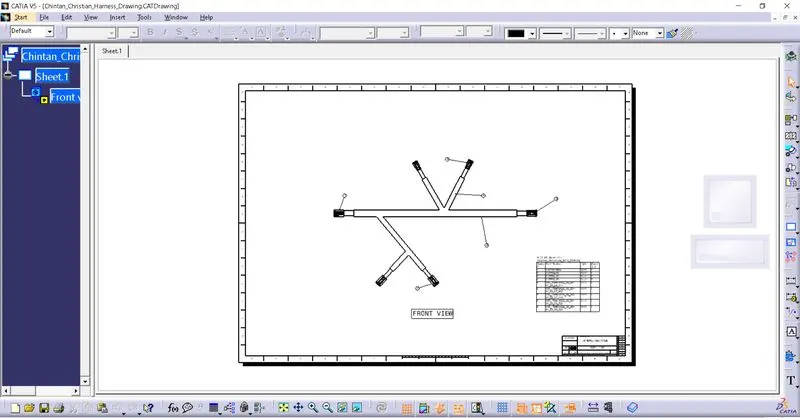
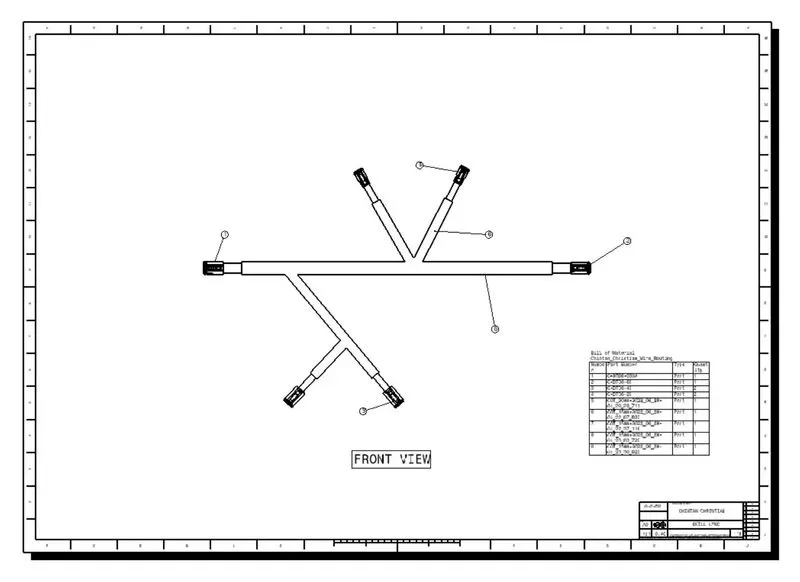
- Create a new Drawing file with ISI A0 size and in landscape orientation.
- Now, make a front view by selecting Flattened Harness file and import it into Drawing file. Edit proper parameters according to requirement.
- Add title block, balloons and Bill of Materials & define them.