Wiring harness design in CATIA V5 - 3D modeling Week 7 Challenge
Mayur Vispute-
Harness Routing Flattening & Drawing Project Report
Abstract- In this project we work on flatten the harness assemble in electrical harness flattening workbench and after this we create a drawing of that flatten object.
Step-1- 1st we convert the wiring harness assembly into flatten, Following steps we have to follow-
- Go to File-New-Product-Ok. (Give name as Flattening Product)
- Switch into Electrical Harness Flattening.
- Use command Harness Flattening Parameter and we have to set some parameters.
- Use command Extract to import wire harness file into our Flattening Product.
- Then automatically our product name change to ( _EHF ) .
- Finally use Flatten Command and select all branches.
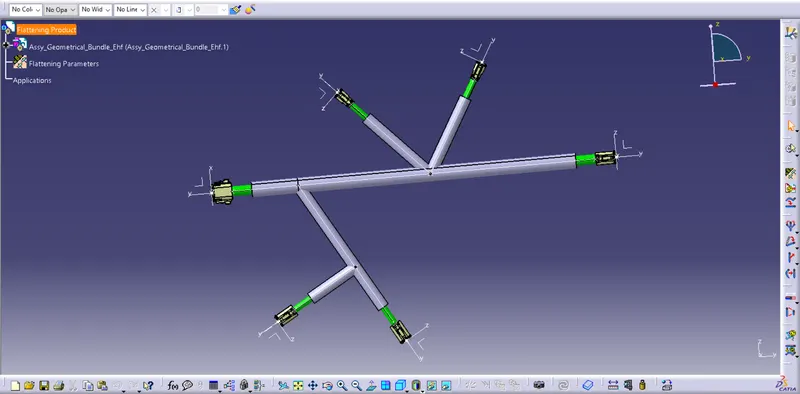
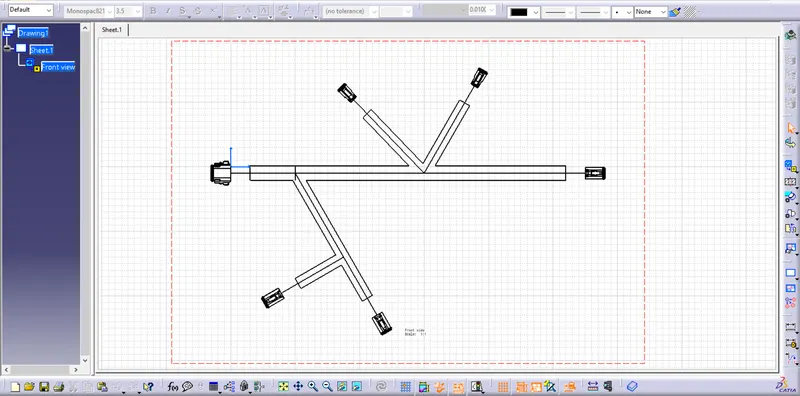
Step-2- Create Drawing of flatten object, Following steps we have to follow-
- Go to File-New-Drawing-Ok.
- Set standard as ISO, Sheet style as -A0ISO, Landscape view- Ok.
- Click on Front View Command and then click on Flatten surface which we have already flatten in Flattenning product file.
- Now Drawing is Created , Save Ok.
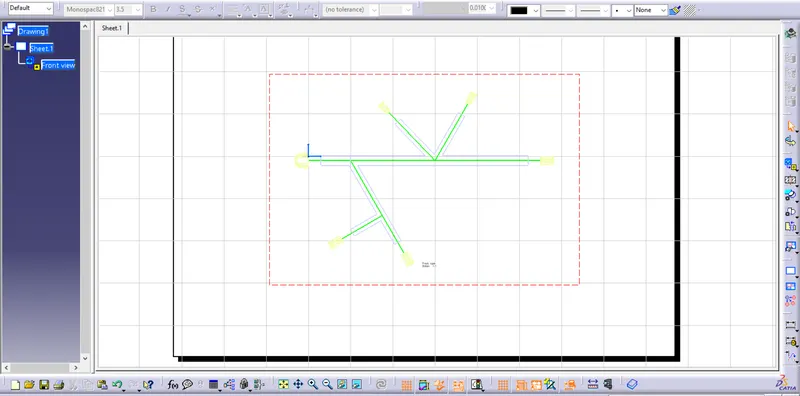
Colour Drawing-
Thank You