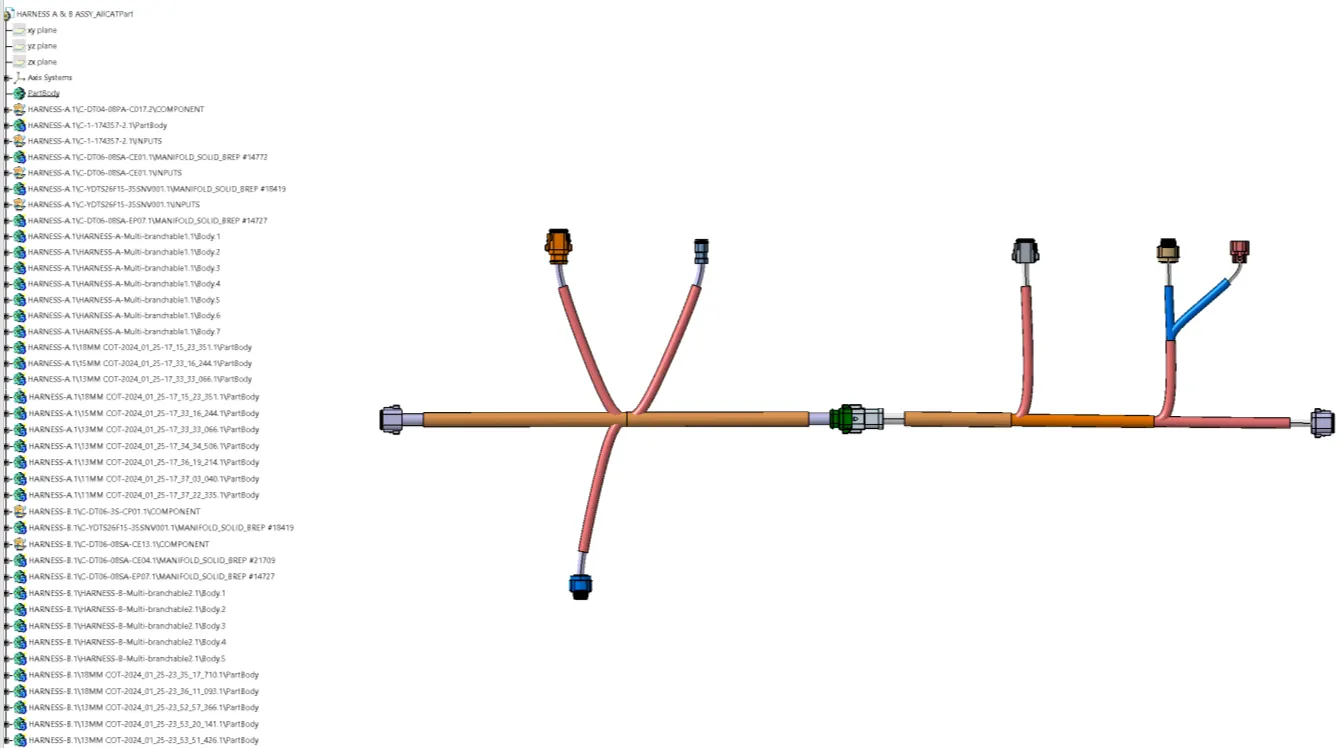
Wiring harness design in CATIA V5 - 3D modeling Week 5 & 6 Challenge
Wiring harness design in catia V5-3d modeling Week 5-6 challange
Objective:
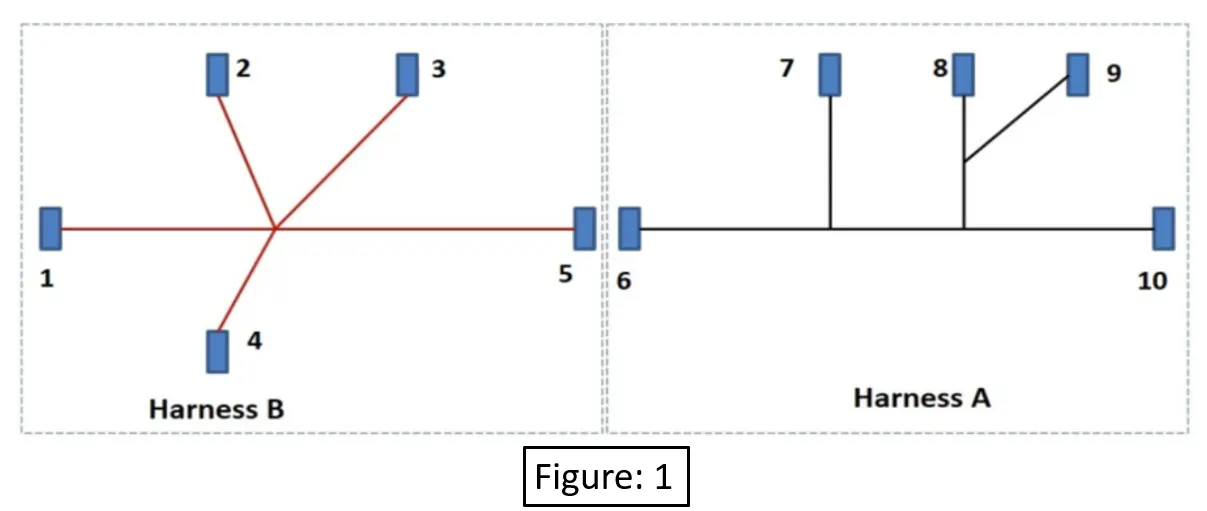
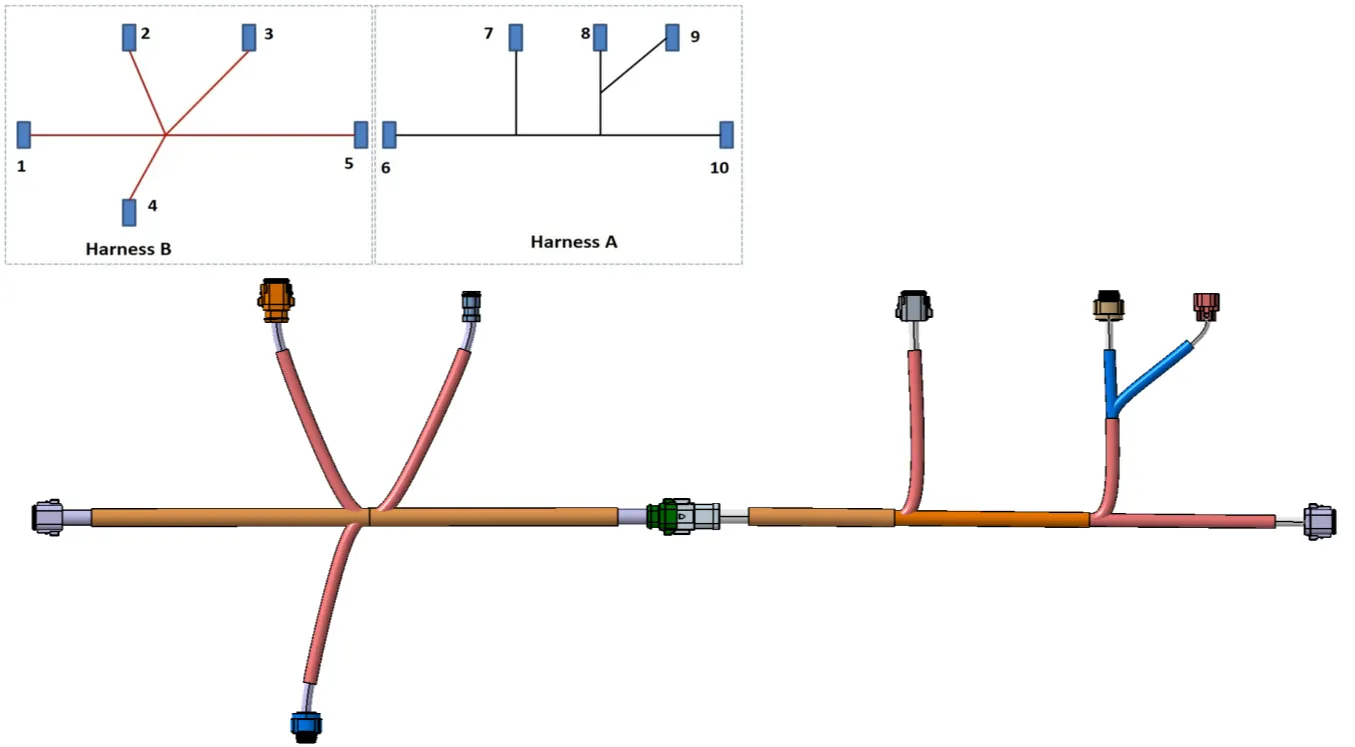
- Route the Harness-A & Harness-B as per shown harness layout.
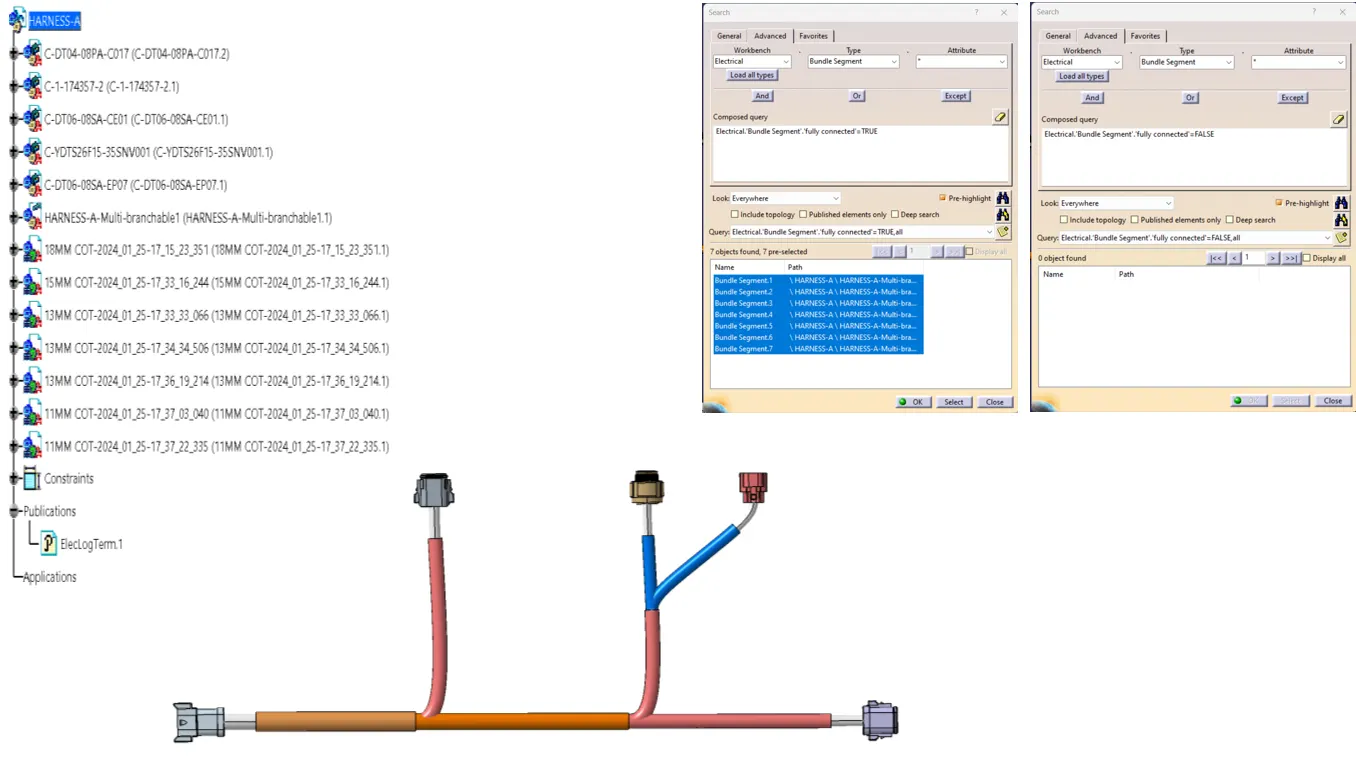
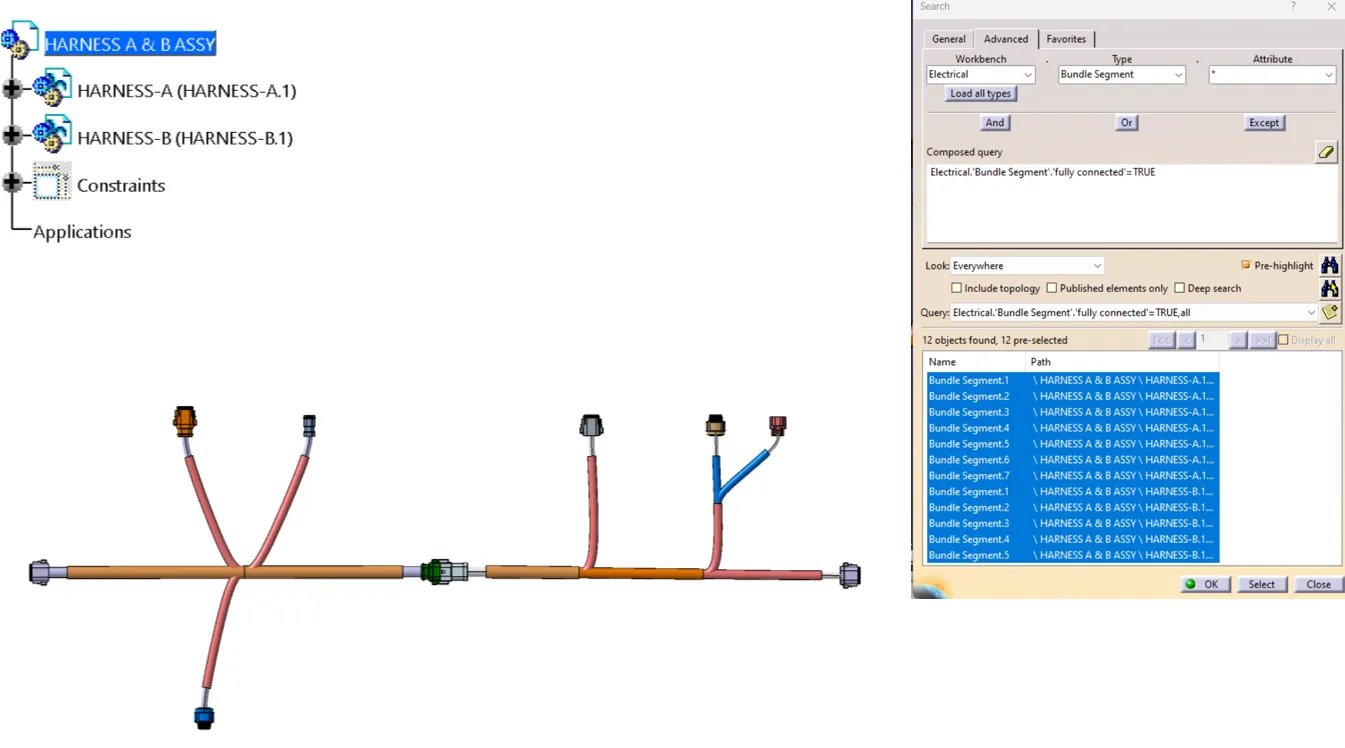
- Bundle continuity has to be checked for Harness-A & Harness-B.
- The next objective is to have them interconnected electrically.
- Check for bundle warnings in Harness-A & Harness-B
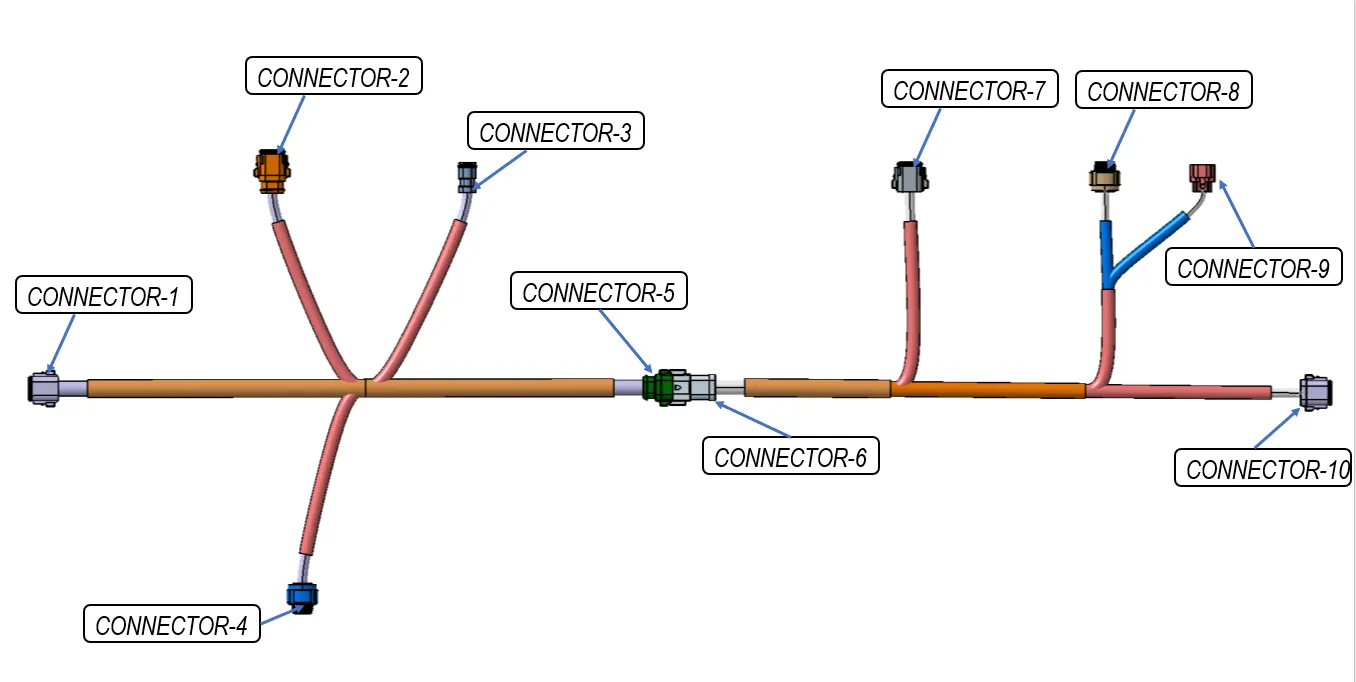
- Add annotations to all the connectors as shown in figure:1.
Steps to be followed:
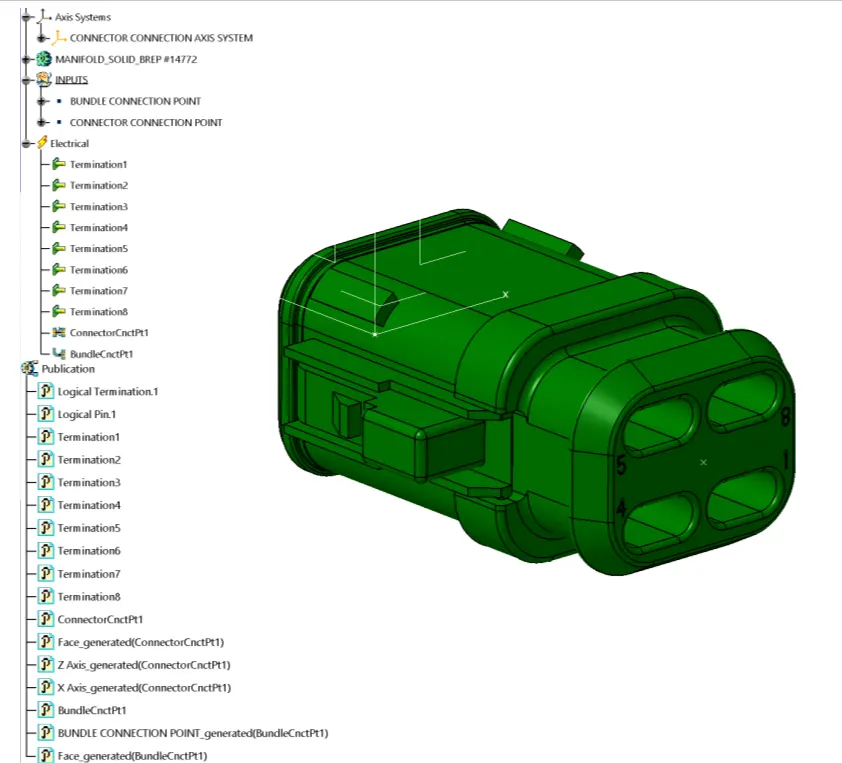
Define all the electrical connectors geometrically & electrically so that they can be used in the wiring harness.
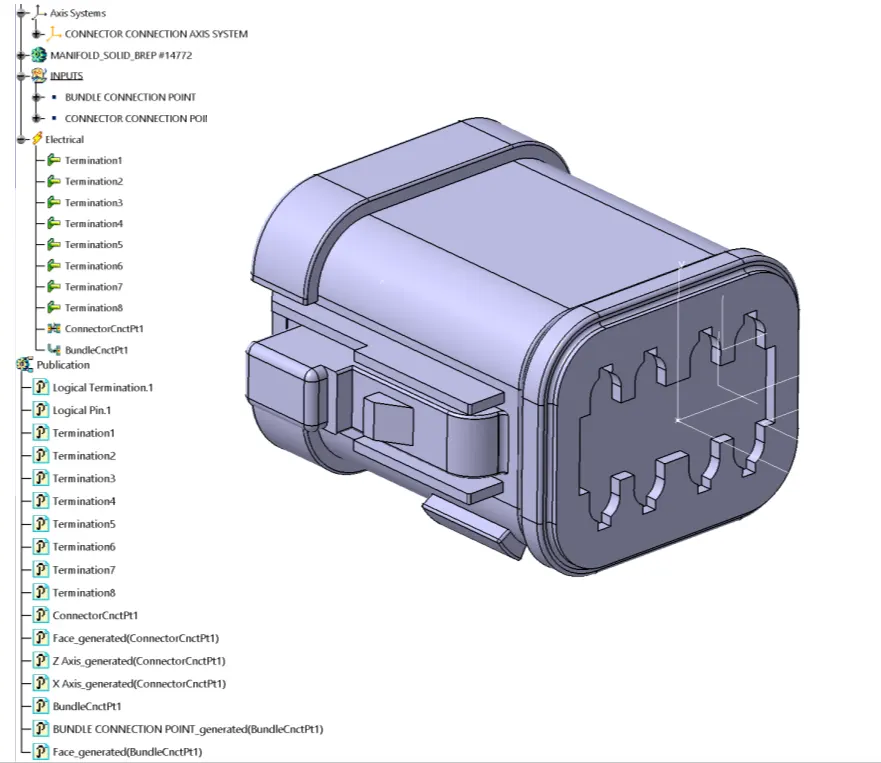
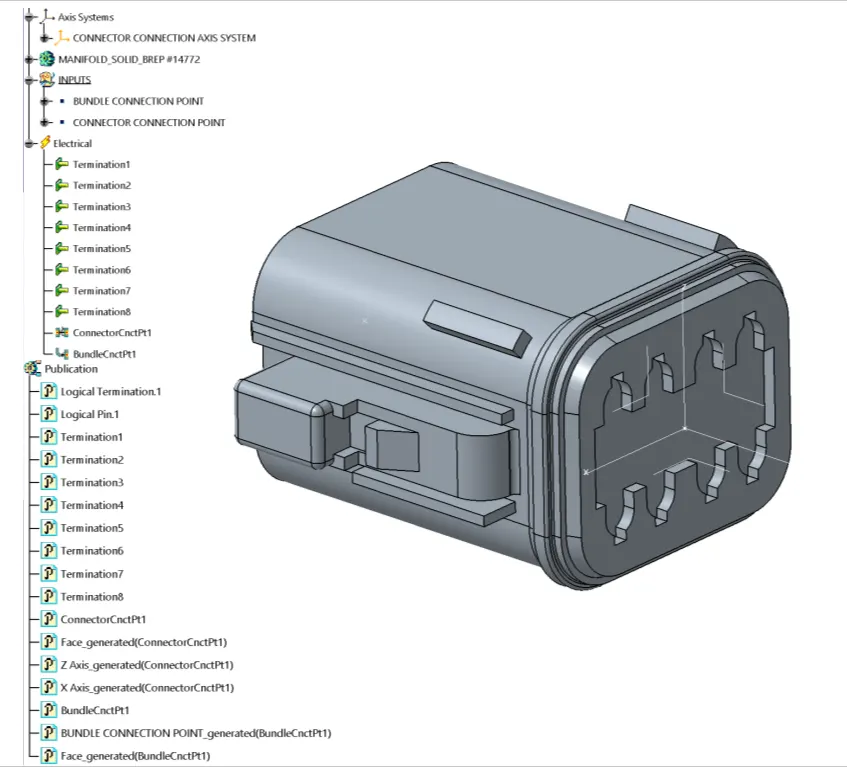
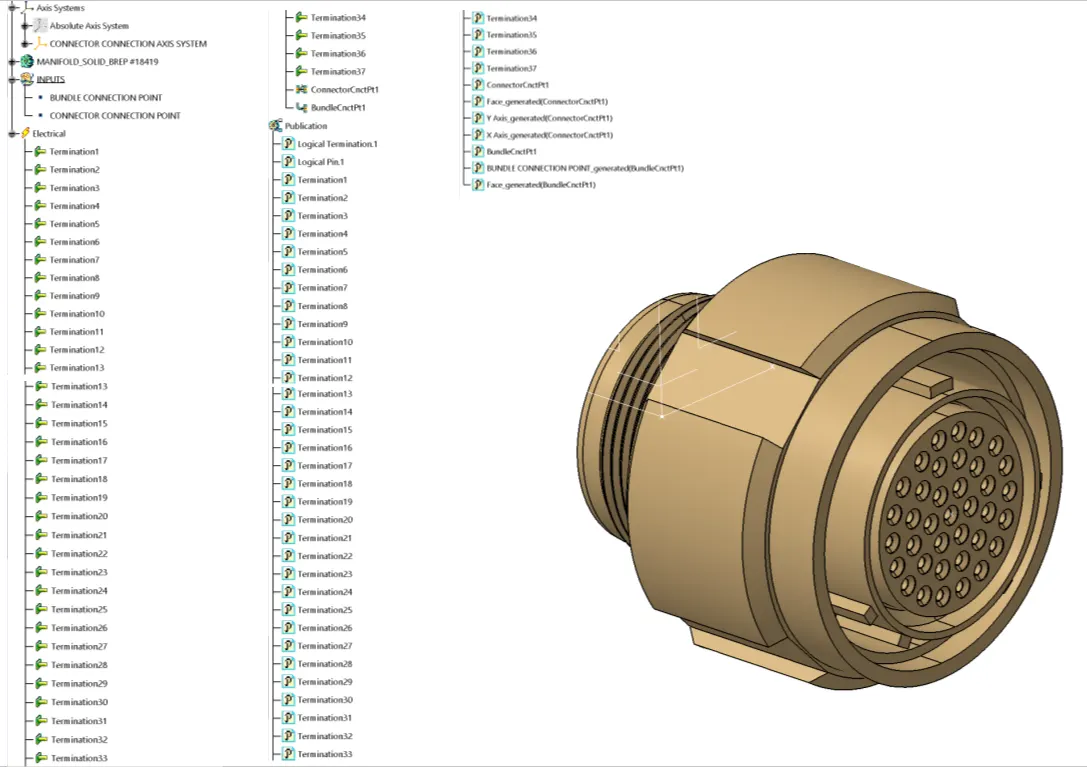
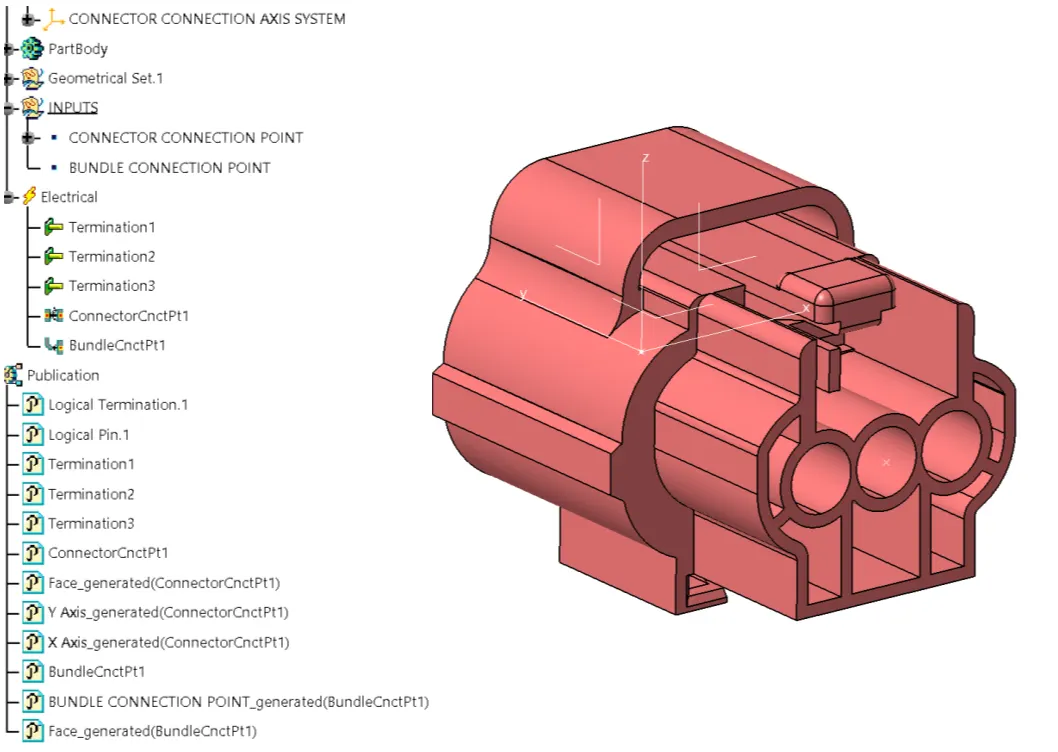
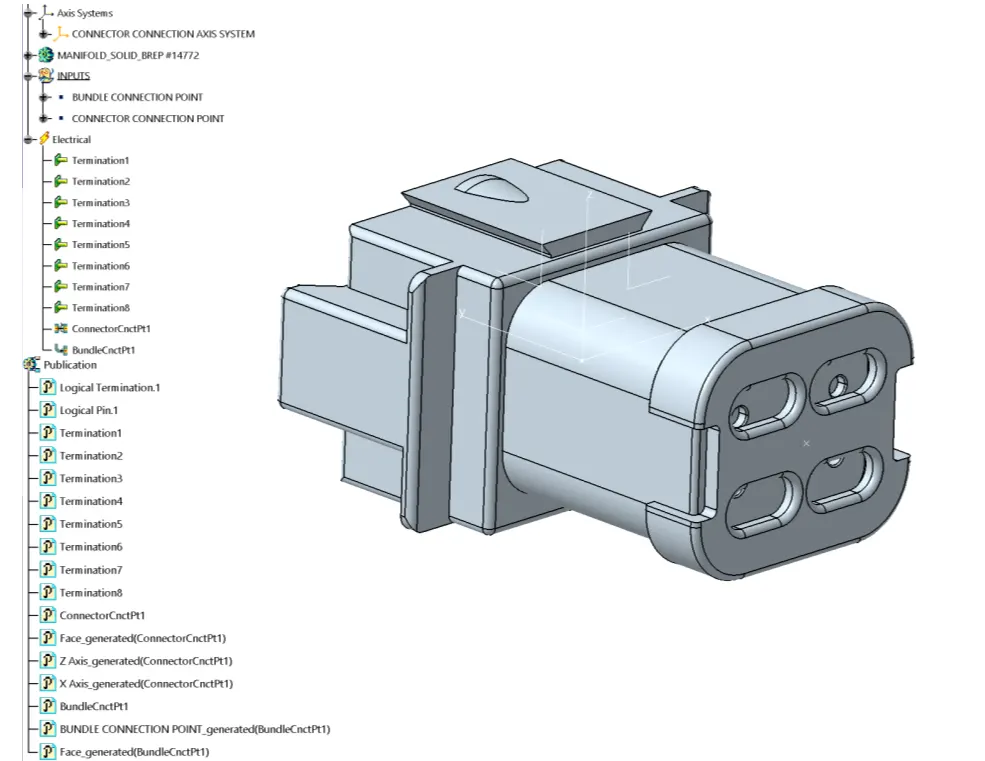
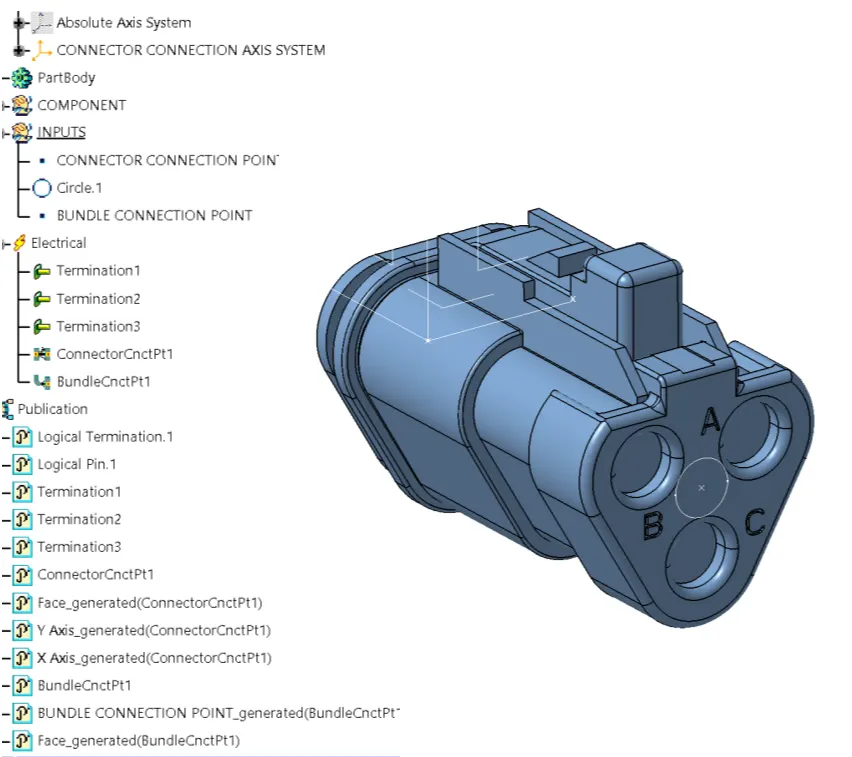
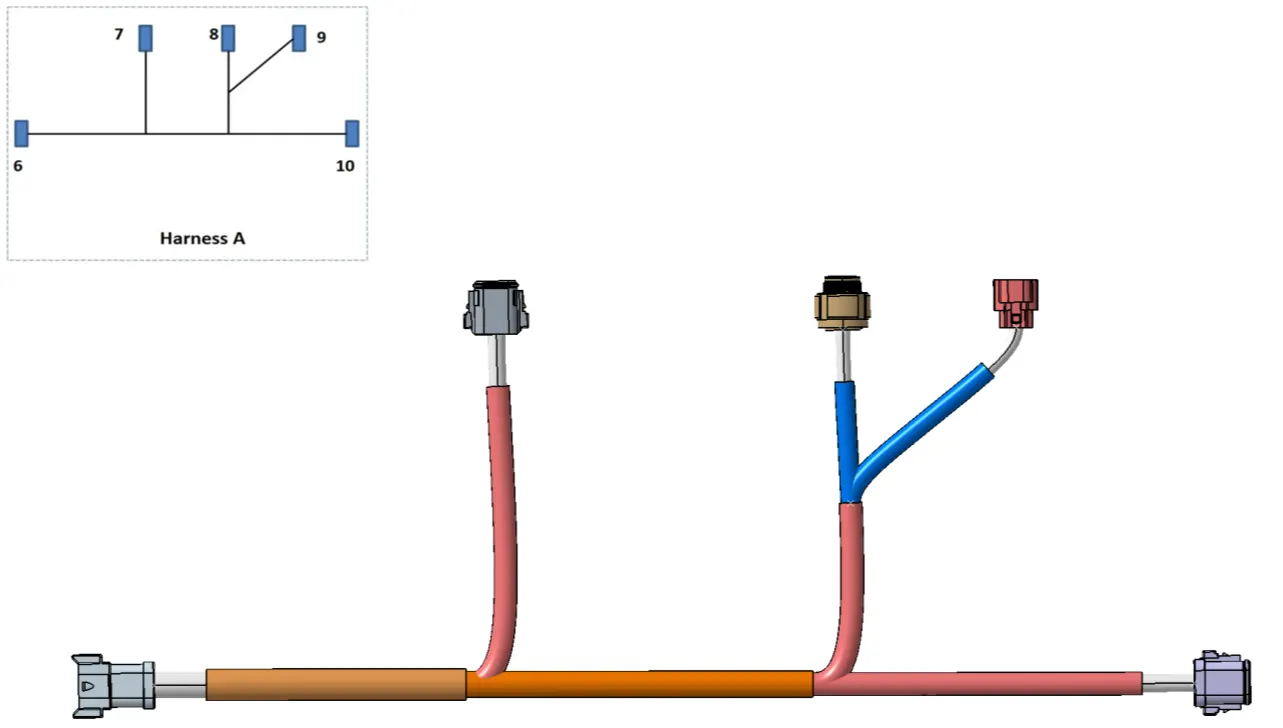
Harness-A
Once all the connectors are defined, the workbench was switched to electrical harness assembly where geometrical bundle was activated.All the connectors were routed using the multi-branchable document command.
Harness-A connectivity check:
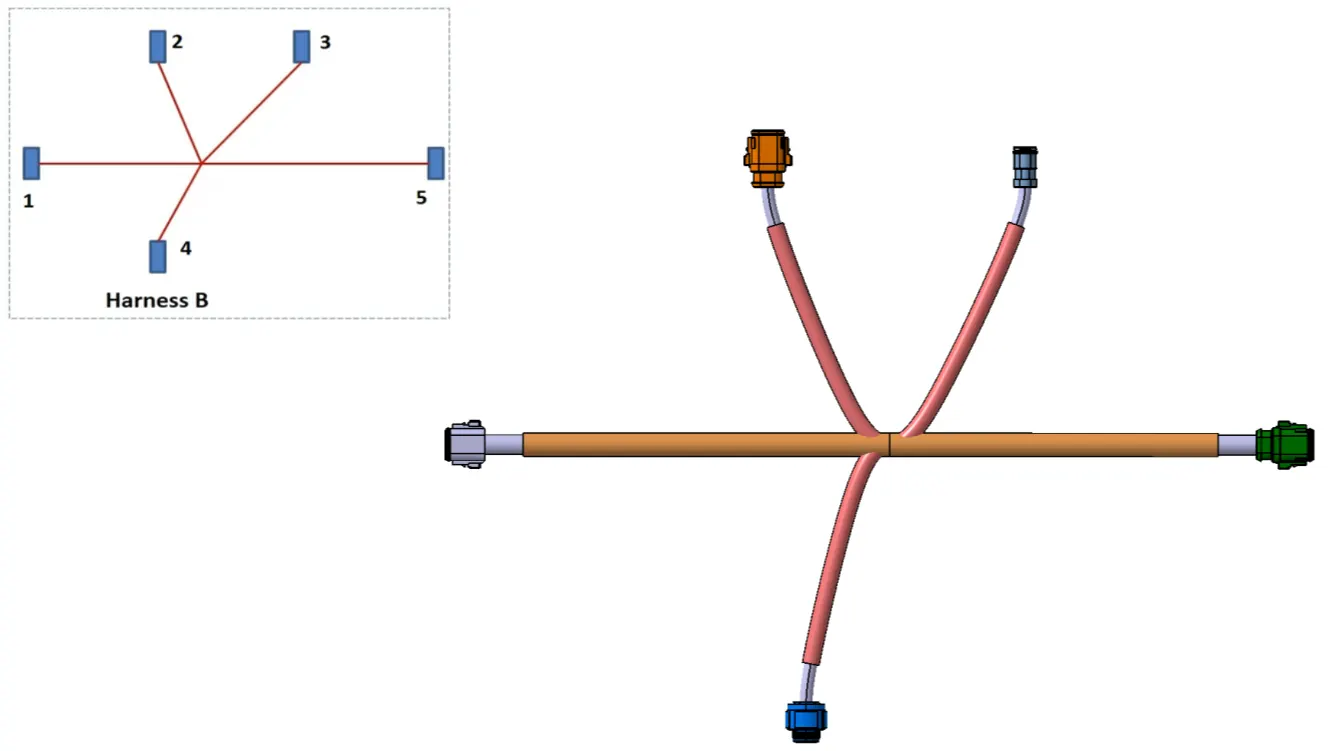
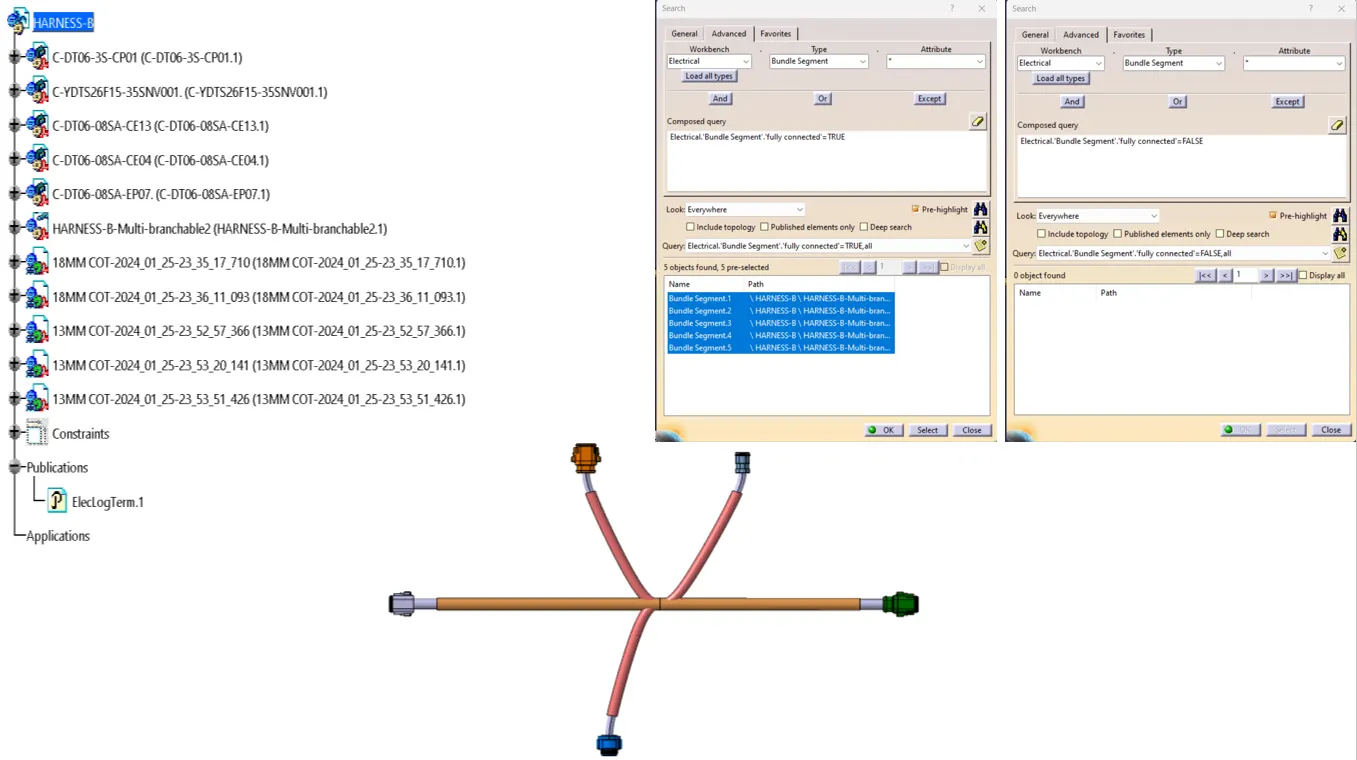
Harness-B
Once all the connectors are defined, the workbench was switched to electrical harness assembly where geometrical bundle was activated.All the connectors were routed using the multi-branchable document command.
Harness-B connectivity check:
Harness Assembly:
Harness Assembly connectivity check:
Harness Assembly Annotations:
Harness Assembly product to CAT.prt conversion[IGS format]: