Wiring harness design in CATIA V5 - 3D modeling Week 5 & 6 Challenge
Week 5 & Week 6 Challenge:
Objective:
- To Design the Harness assembly A & Harness assembly B with all given connectors in the given routing path then electrical connection created using the electrical harness assembly.
- To Check the continuity in the harness, proper annotation, check for bundle warning & generation of CAT part & convert into .igs file.
Description:
Steps for making the Harness A & Harness B assembly:
- We have to define all the Connectors electrically using the Mechanical part design & electrical part design workbench.
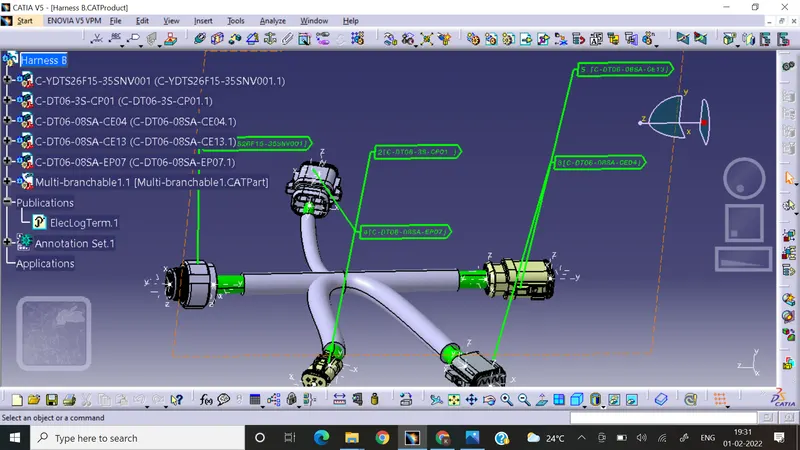
Harness B:
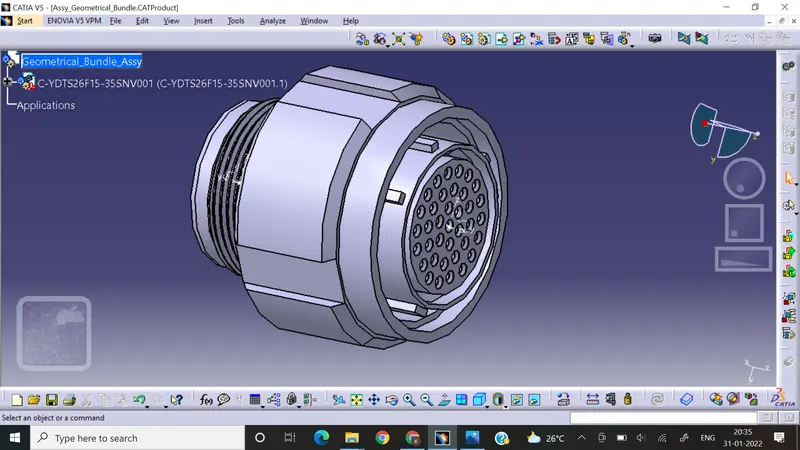
Connector 1:C-YDTS26F15-35SNV001
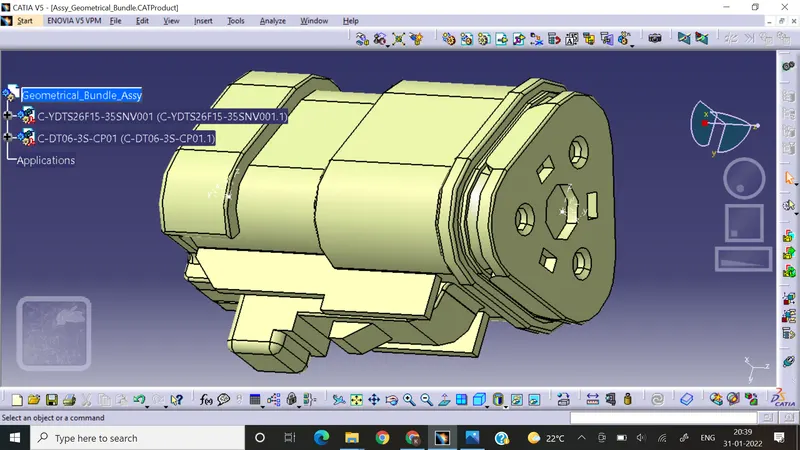
Connector 2:C-DT06-3S-CP01
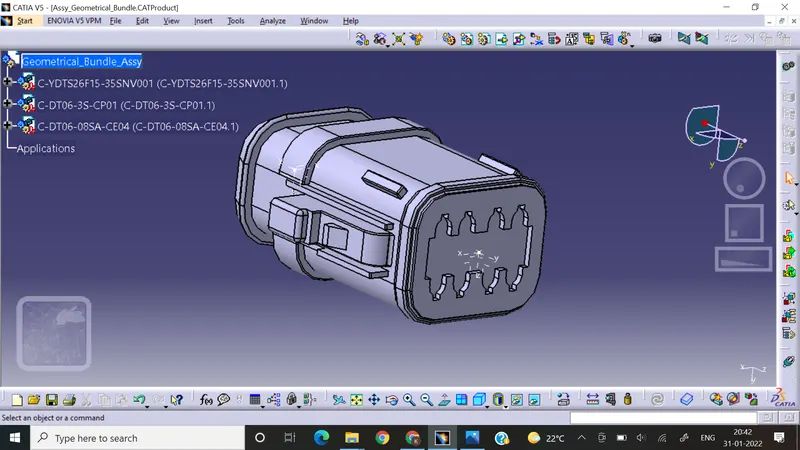
Connector 3:C-DT06-08SA-CE04
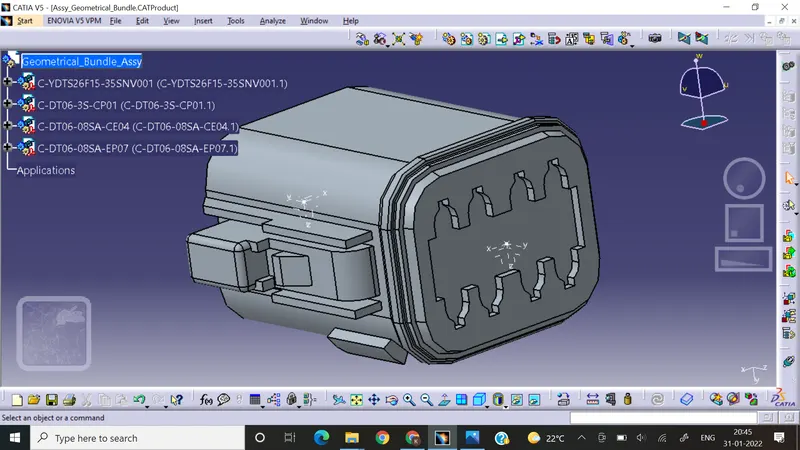
Connector 4: C-DT06-08SA-EP07
Connector 5: C-DT06-08SA-CE13
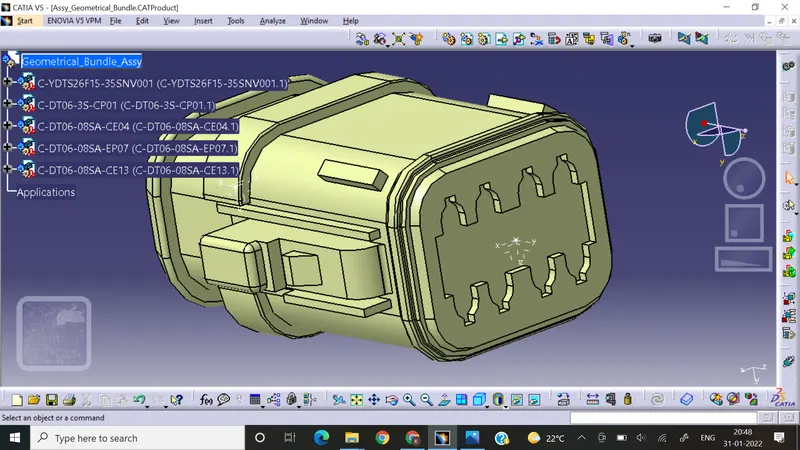
Harness B Assembly:
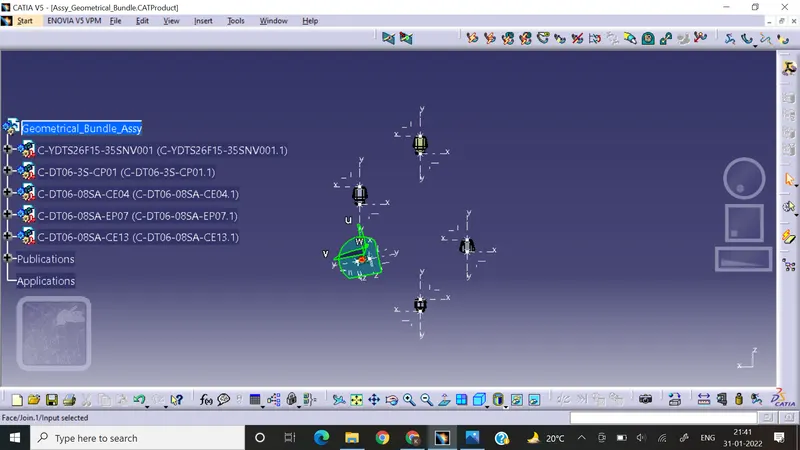
- Define a geometric bundle assembly as geometric bundle to make it electrical assembly.
- Positioning the connectors as per the design requierements using compass & manipulation tools.
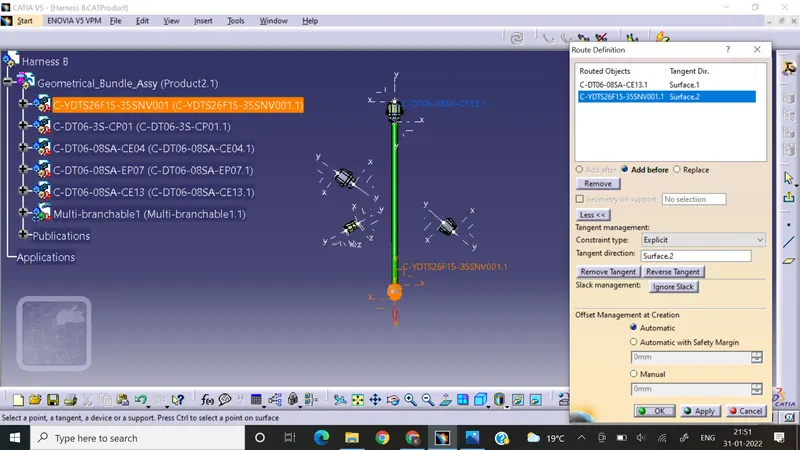
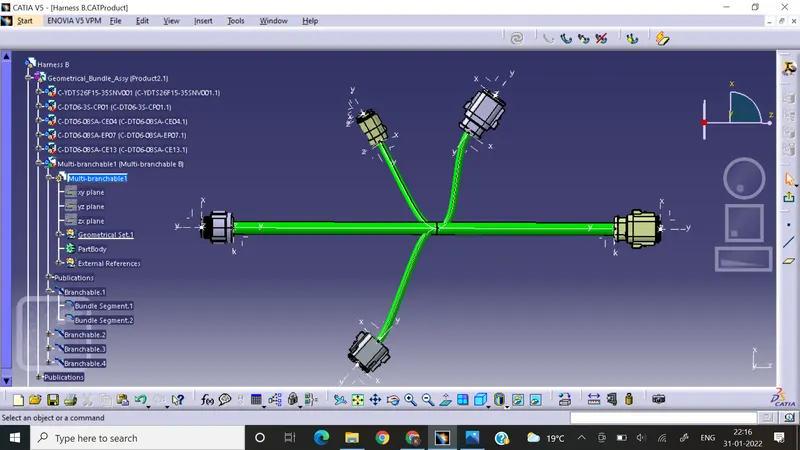
- Main multi-branchable for Harness Assembly B
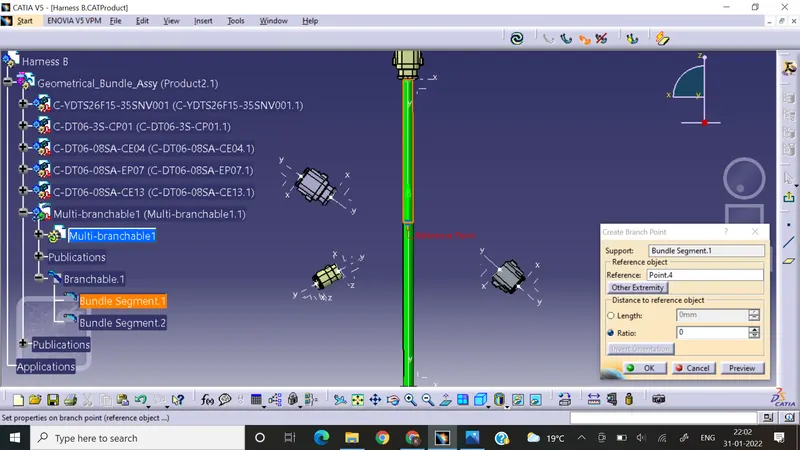
- Remaining branchable in harness B by using add branch point command.
- Harness B Assembly:
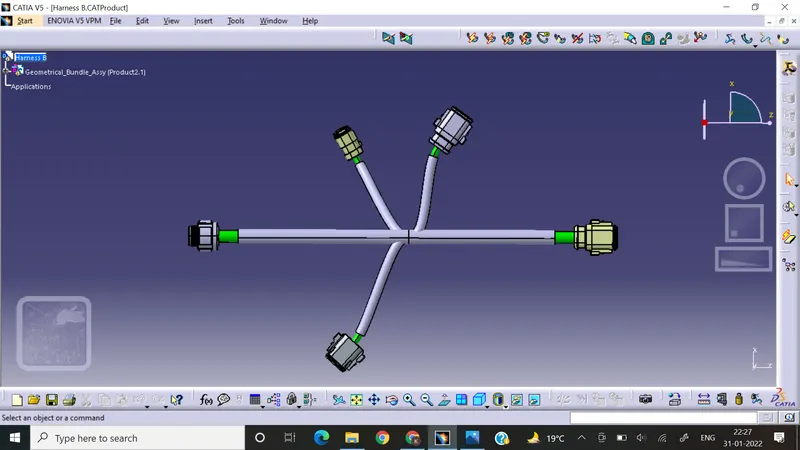
- Harness B assembly COT Tubes:
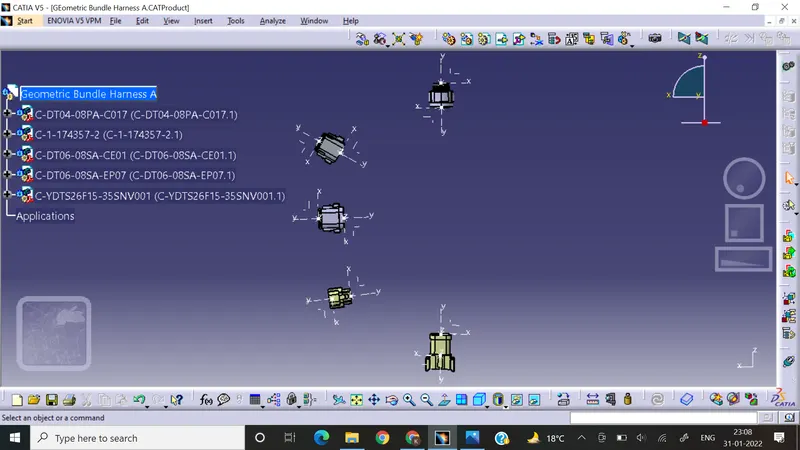
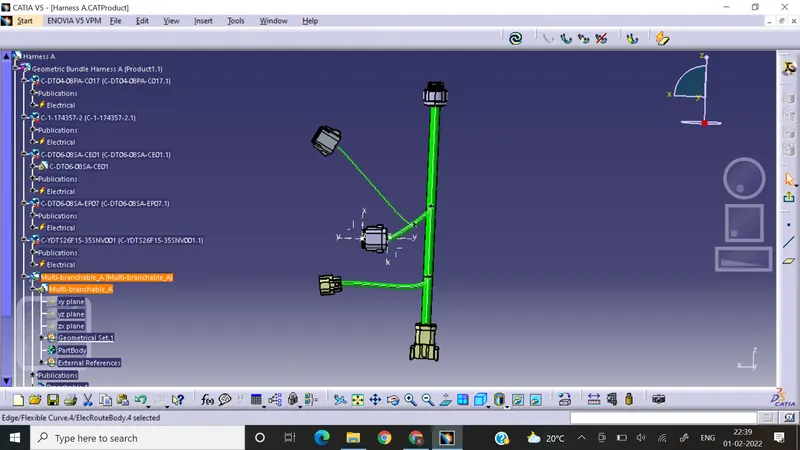
Harness A:
- Positioning of Harness A using Compass & manipulation tool
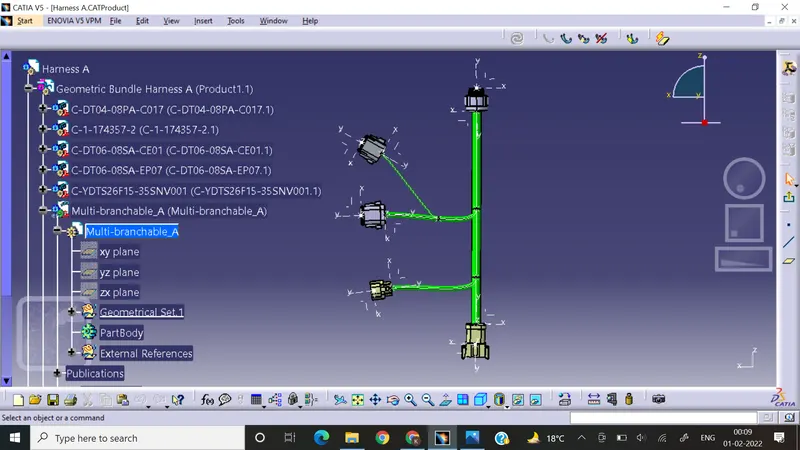
- Baranchables routing for Harness A:
- Assembly of Harness A & Harness B electrical connection using electrical assembly design workbench:
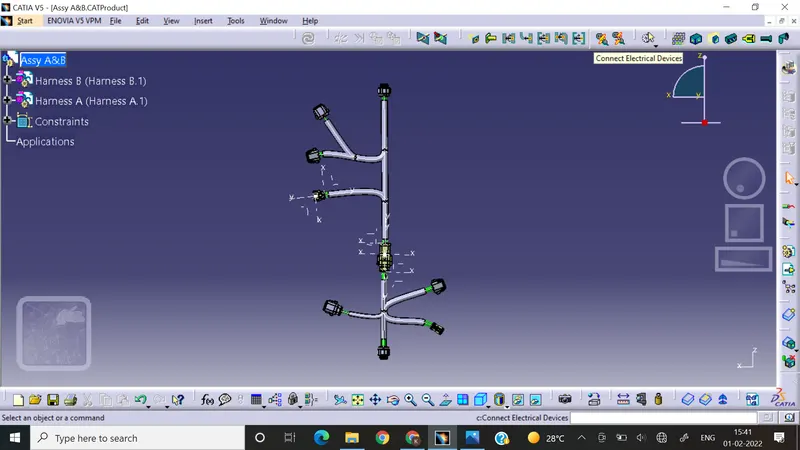
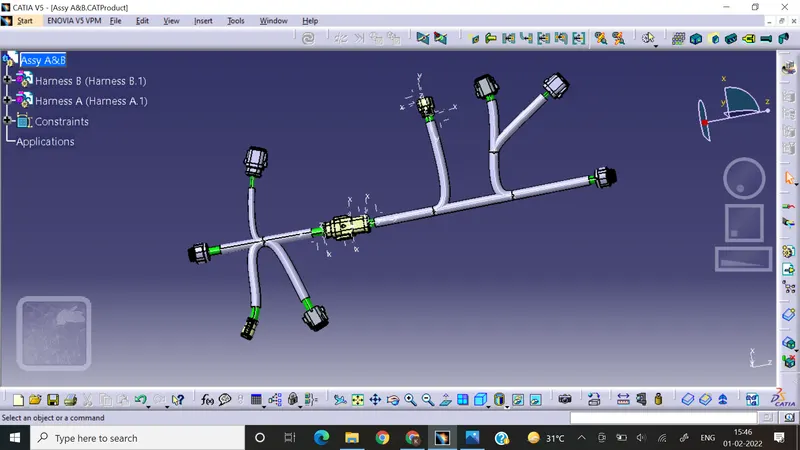
- Bundle Continuity check for given harness Assembly A & B:
Steps:
- Select the edit option thensearch tab
- Then advanced & select options as elctrical workbench, bundle segment & fully connected options
- True to check continuity in bundles & false to check the discontuinity in bundles.
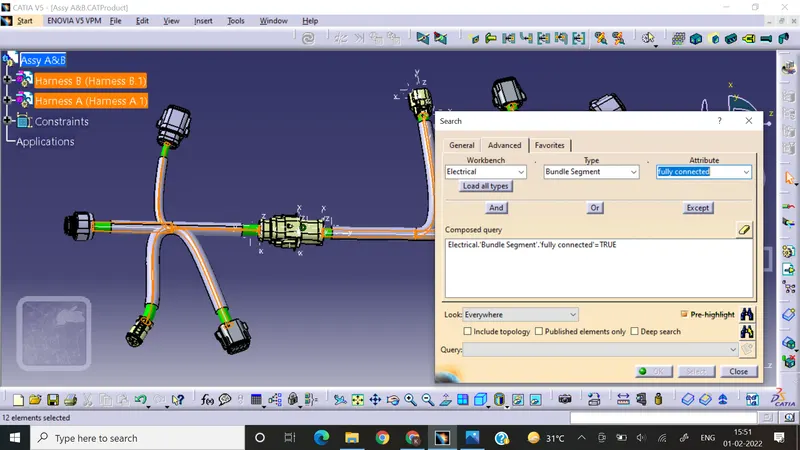
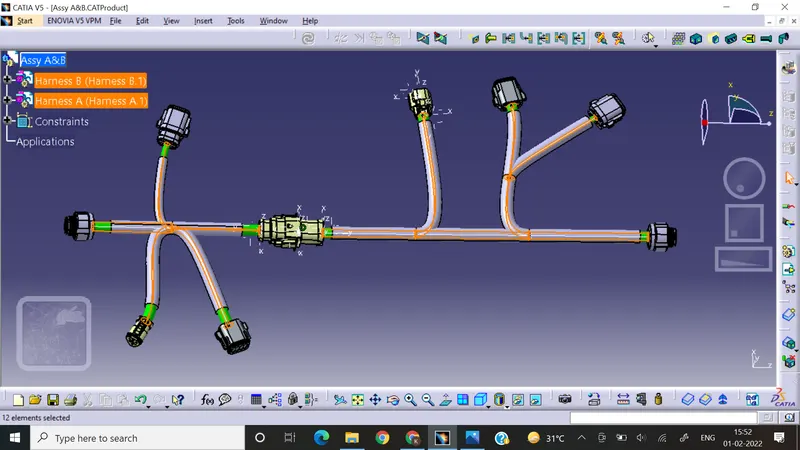
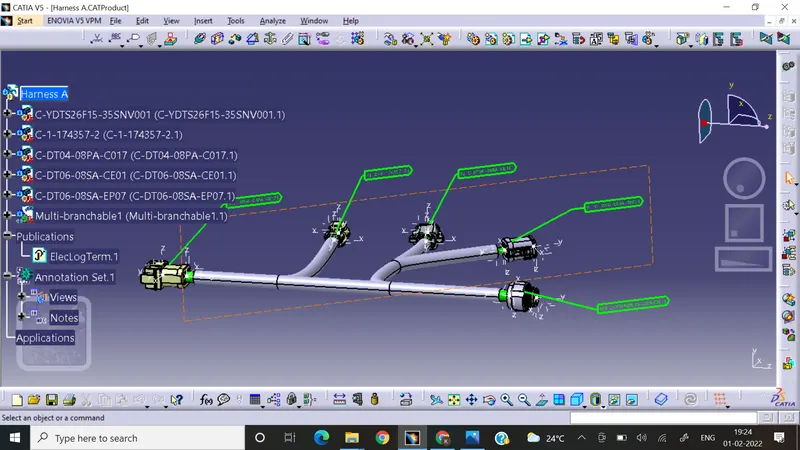
Annotations in Harness A & B assembly:
Steps:
- Open the Geometric bundle Assembly in the mechanical Assembly Workbench.
- Select the annotation toolbar
- Select the plane which is deciding the annotation plane view
- Then select Flagnote definition & Give the required naming to the connectors.
Generation of CAT.part of harness assembly and convert is in. igs format:
- steps convert into cat part
- choose generate CAT part option from tools option
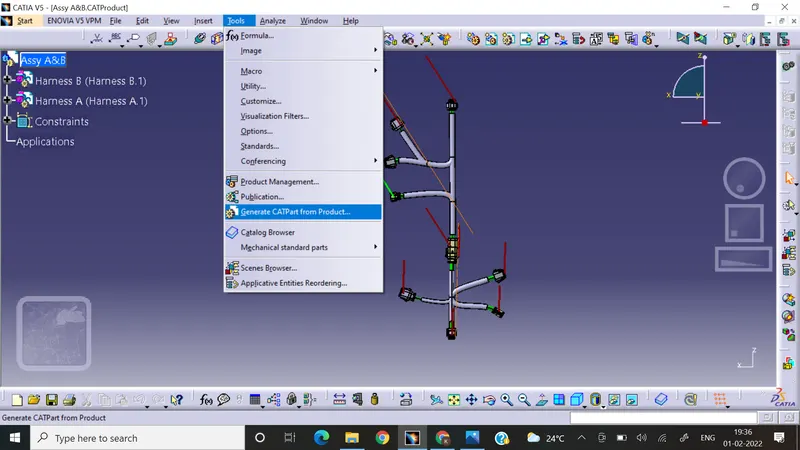
- save it as igs file format.
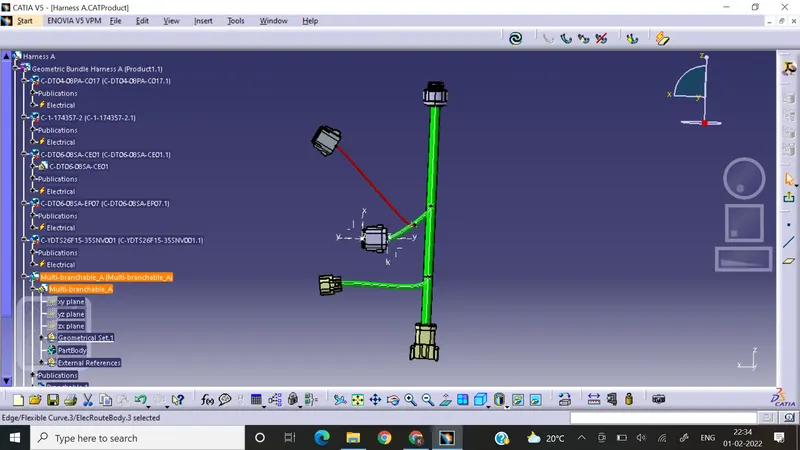
Bundle Warning Check:
- Bend radius,tangency reference, connectors orientation are some of the things can show bundle warnings in the electrical harness bundle routing which can be resolved by providing appropriate bend radius more than 1.5 times the radius of the bundle, proper orientation in the given plane & sometime the issue also can be resolved by using slack provision option.
Conclusion:
- In this way by following the above rules & process we can successfully route the wiring harness for the given orientaion & connections.
- In this project i have checked the continuity of the connections, resolved warnings in the routing.
- I have provided proper annotations for each connector.
- Finally I have converted the given product file into CATIA part file & then converted it into .igs format & attached in the data.