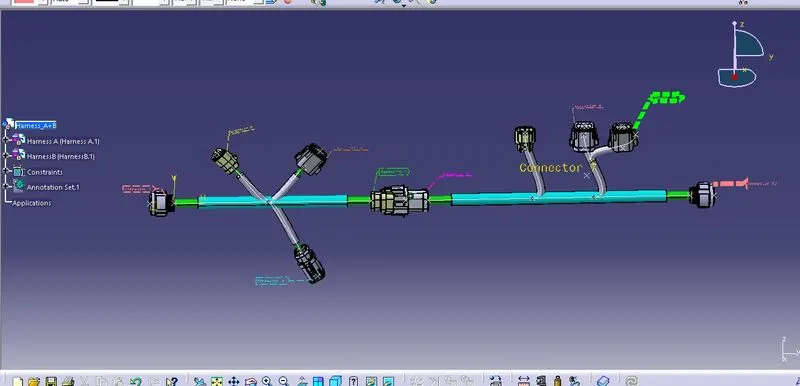
Wiring harness design in CATIA V5 - 3D modeling Week 5 & 6 Challenge
AIM-
Route two electrical harnesses as per the given layout and interconnect them as a single harness assembly and then check for bundle continuity, bundle warnings, and then give annotations to the final harness assembly.
CONTENT-
The following steps are to be done to complete this project.
STEP 1
Define all the electrical connectors geometrically and electrically so that they can be used in the wiring harness.
STEP 2
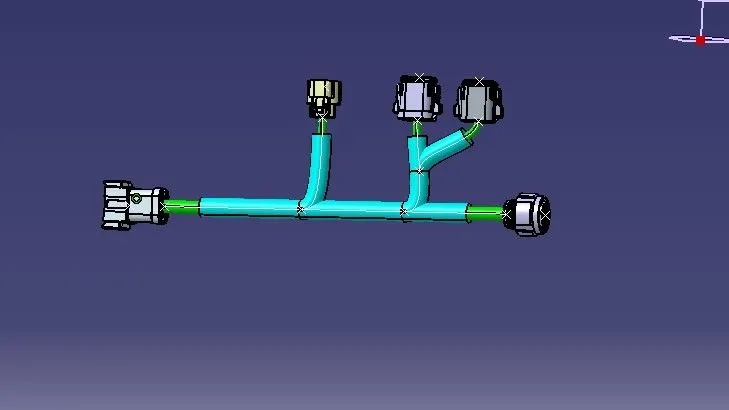
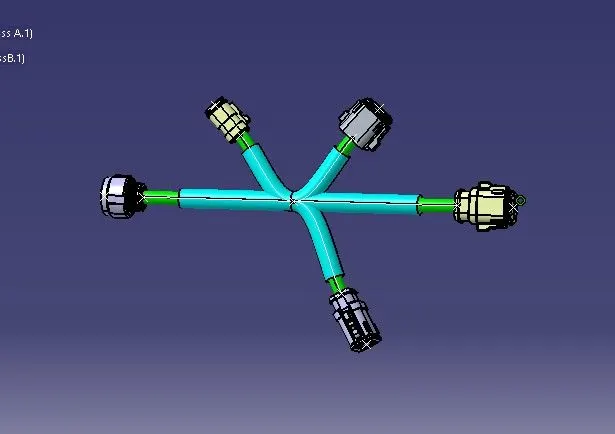
Create harness A and harness B as shown below by using the electrical harness workbench in CATIA V5.
First, all the connectors are placed at their desired locations. Second, bundle segments are created between the connectors with branch points and branches as shown below.
Bundle diameter is assumed to be 20mm, 15mm, 10mm, and 5mm for different bundle segments. Bend ratio is given as 1.4 and slack is given as 0% for all the bundle segments.
STEP 3
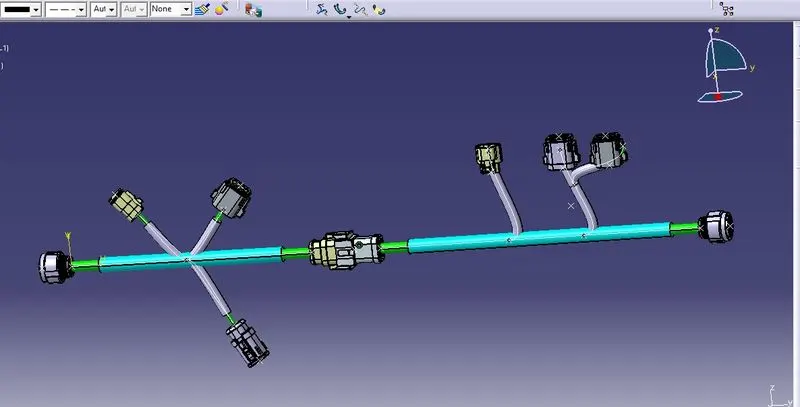
In this step, we have to interconnect the Wiring Harness A and Harness B electrically. There are a few steps that have to be followed to connect the two harnesses electrically.
First, make a new product file in CATIA and rename it as "FINAL HARNESS ASSEMBLY". Make sure to open the three windows vertically And Second, copy both harness A and harness B and paste it into the newly created product file to make the final harness assembly
STEP 4
In this step, we will be adding annotations for all the electrical connectors.
Annotations are used to show connector functions and additional information. They are defined in Assembly Design Workbench of CATIA V5.
First, we have to choose a plane on which the annotation will be placed. Here we will be choosing the front plane as shown below for Harness A. We should make sure that the geometrical bundle is active before choosing the annotation plane