Wiring harness design in CATIA V5 - 3D modeling Week 4 Challenge
REPORT
AIM:
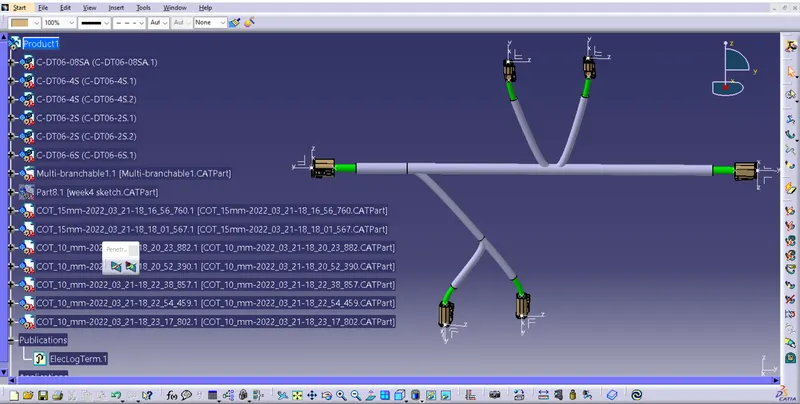
The aim of the challenge is to define the electrical parameters for the given compenent and adding them to the connector catalouge and also creating routing for the connectors as per challenge.
Procedure:
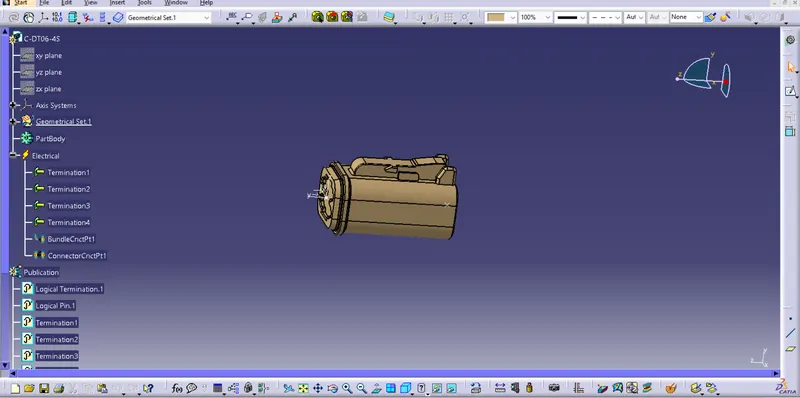
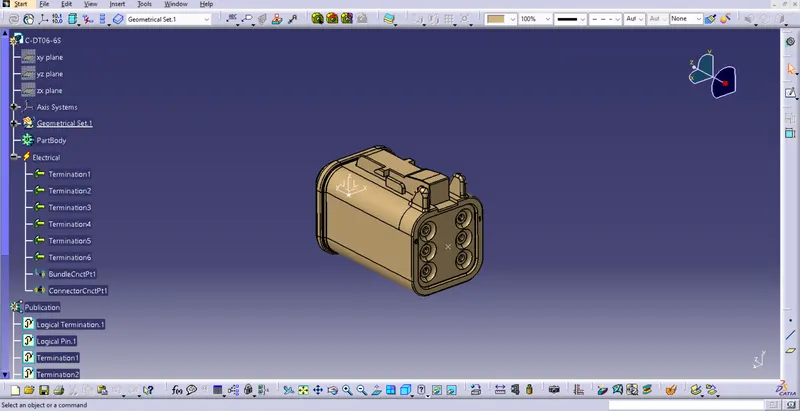
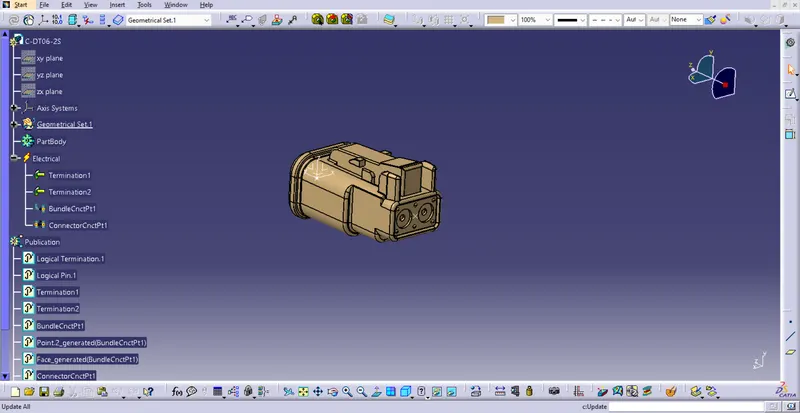
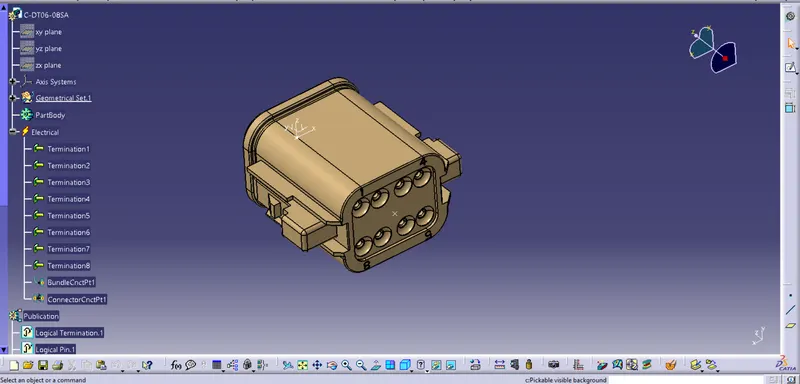
1.Open catia v5 and we have to use part workbench to create points on the connectors where ever there is requirement
for connector and bundel connection. insert an axis by selecting the point as orgin and make sure to alling the axis accordingly.
2.Go inside electrical part design workbench to define the parameters electrically for the given connectors.
3. Use define connector connection point and define bundel connection point to define the parameter for the given connectors.
4. we need to define all the connectors one by one.
Procedure for routing:
1.Enter into assembly design workbench and import all the electrically defined connectors in to the assembly workbench.
2.Use snap, smart move and manipulate commands to arrange the connectors according to the given challenge.
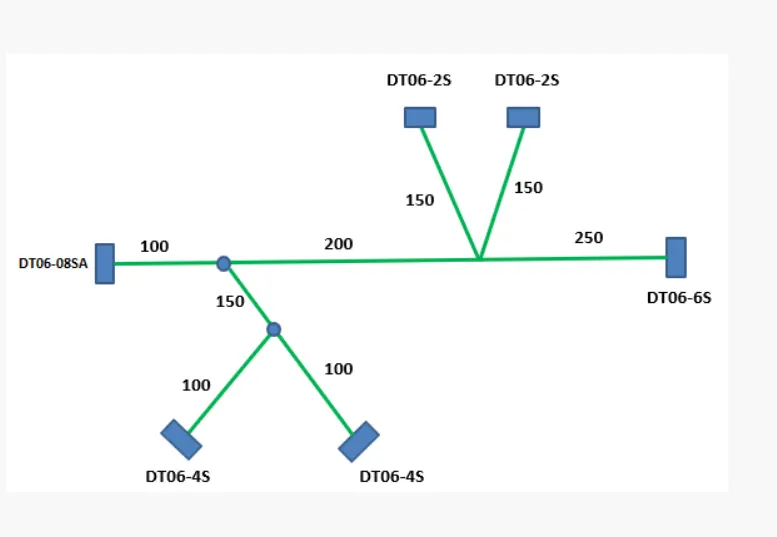
3.Enter into electrical hardness assembly workbench and use the command geometrical bundle to define the assembled product electrically.
4.Use multi branchable document to create the routing according to the given challenge and use add branch point command to create branch point accordingly.
5.use corrugeted tubes i.e protective coverings for the electrical bundles using the catalogue browser.
6.Provide the protective coverings and use the extermity for all the connectors end as 30 mm length and measure the each branchable distance and keep the measure.