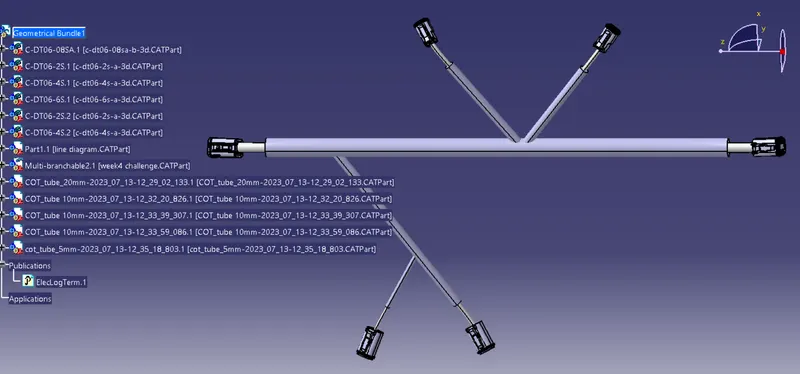
Wiring harness design in CATIA V5 - 3D modeling Week 4 Challenge
Q1. Route the following harness layout in Electrical workbench. Make assumption for harness bundle diameters. Use Following connectors as shown in layout diagram.
Add protective covering on all branches connected to DT06-2S & DT06-4S connectors. Keep end extremity at 30mm (from connectors end)
Download connector 3D data from www.te.com
- DT06-4S
- DT06-6S
- DT06-2S
- DT06-08SA
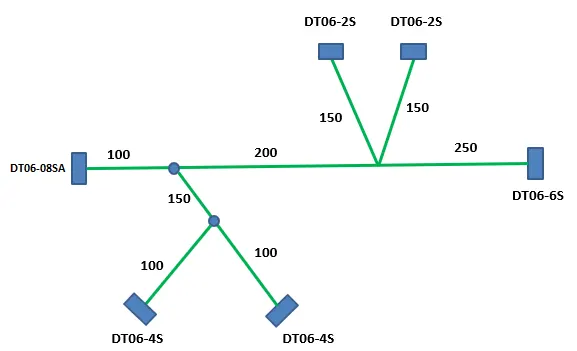
Ans:
STEP1:
Download the connector .stp file and define all the connectores electrically
Provide the axis and point as per the requirement, then
Define Bundle connection point and conncetor connction point using electrical part design for all conncectors
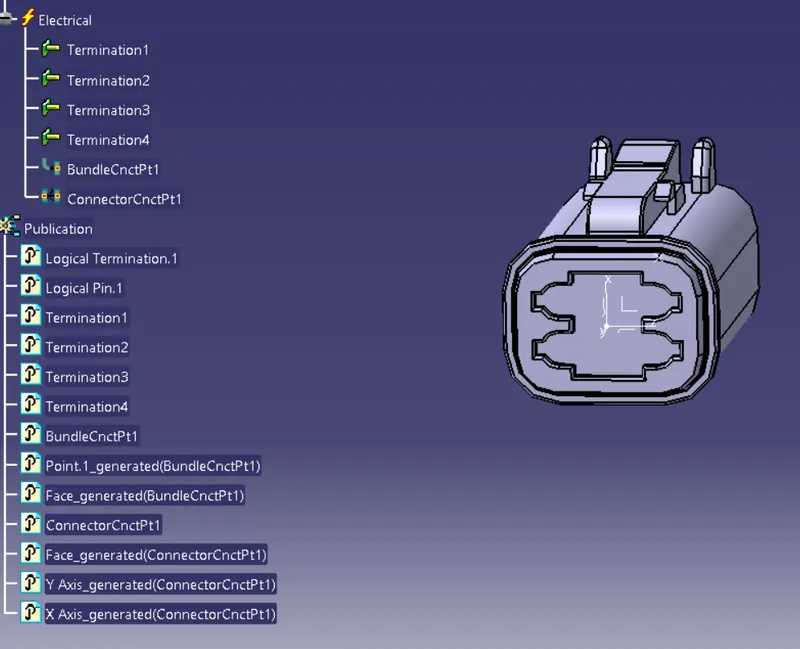
STEP2:
SKETCHING THE LINE DIAGRAM: Go to the file select new and then select part. In the part select any plane and draw the sketch and given mesaurement as per above image.save the sketch
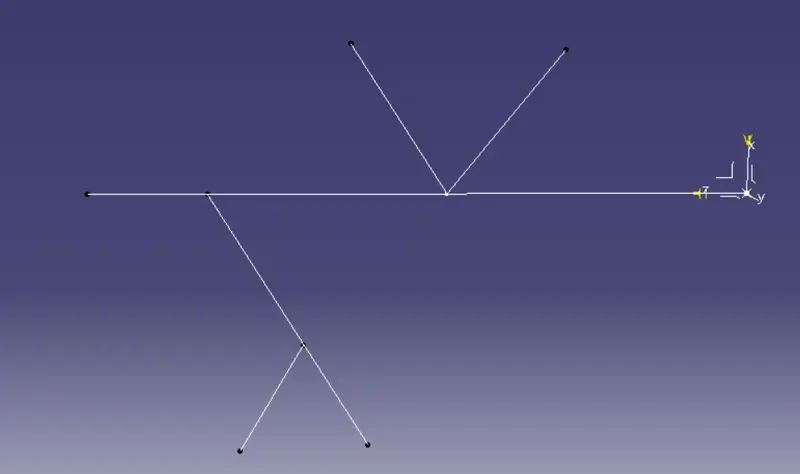
STEP 3:
Import both conncectors and line diagram to a new Product design and allign them properly
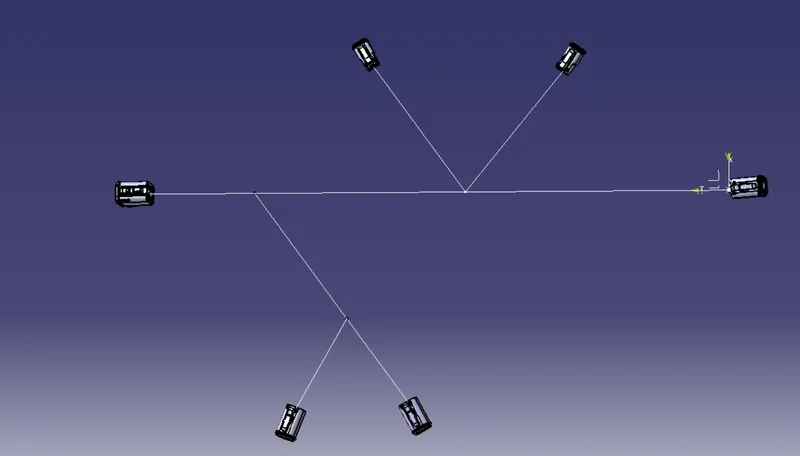
STEP 4:
Switch to electrical harness assembly ---> select geometric bundle --->slelect on product(top left) ---> select multibranchable document --->route definition ---> select first and last part ---> click ok
so conncetions are created and new conncetions repeat the same process
For creating branch point: add branch point ---> select the lenth and extremity --> click ok
toa dd cot tube: select protective harness covering in the electric harness work bench