Wiring harness design in CATIA V5 - 3D modeling Week 4 Challenge
A.I.M : Routing a harness layout in Electrical workbench .
a :
Harness Routing :
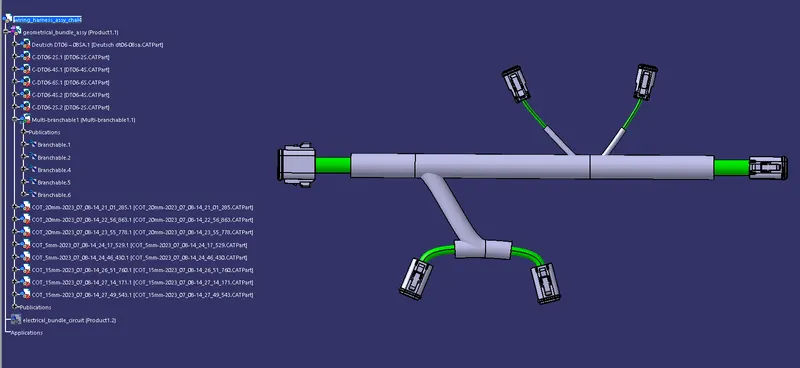
updated connector catalogue :
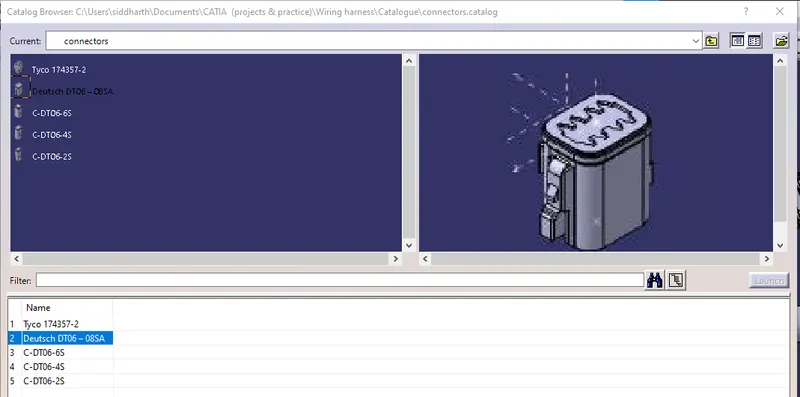
report :
s1 : downloaded all the necessary connectors from www.te.com
s2 : converted the mechanical parts to electrical components using the electrical part design work bench , and then stored them in to the connector catalogue.
s3 : created an assembly for the harness routing , and in to that added a geometrical bundle product file for the electrical components.
s4 : with the help of the connector catalogue , added the connectors in to the geo_bundle product file. and converted the geo_bundle product file to electrical by the help of the command 'geometrical bundle' in the electrical harness asembly workbench.
s5 : with the help of manupulation , snap , smart snap & the compass in the assembly work bench , arranged the connectors in to desired position as per referance image.
s6 : then created the connection between the connectors in the electrical harness installation workbench , with the help of the command 'bundle segment defination'.
s7 : created branch points between the connection for the extension of the harness routing , and again with the 'bundle segment defination' command , connected the branches with the connectors.
s8 : finally applied the protection to the bundle with the help of cot tubes.