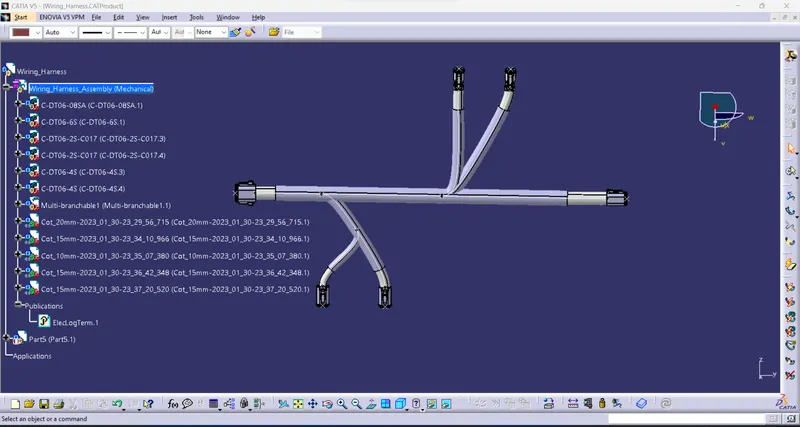
Wiring harness design in CATIA V5 - 3D modeling Week 4 Challenge
3D Wiring Harness Assembly
Route the following harness layout in the Electrical workbench. Make assumptions for harness bundle diameters. Use the Following connectors as shown in the layout diagram
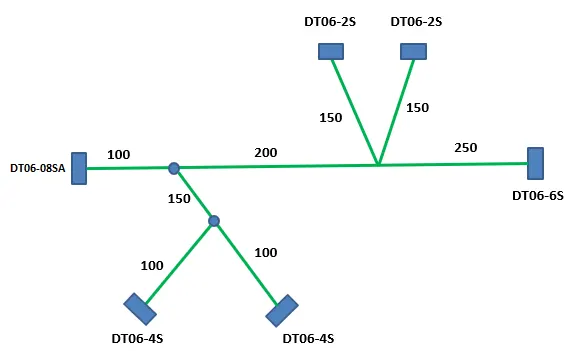
Connectors:
Collecting all required connectors to te.com.
- DT06-4S
- DT06-6S
- DT06-2S
- DT06-08SA
- Add all the connectors into the electrical property
- the bundle entry point and the connector connecting point and axis.
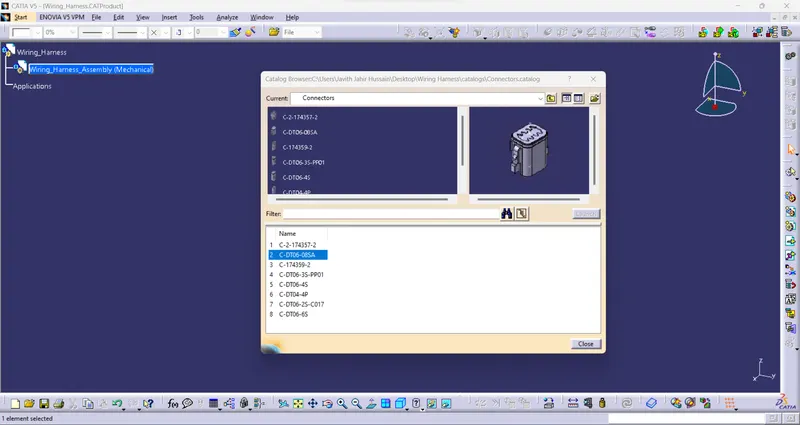
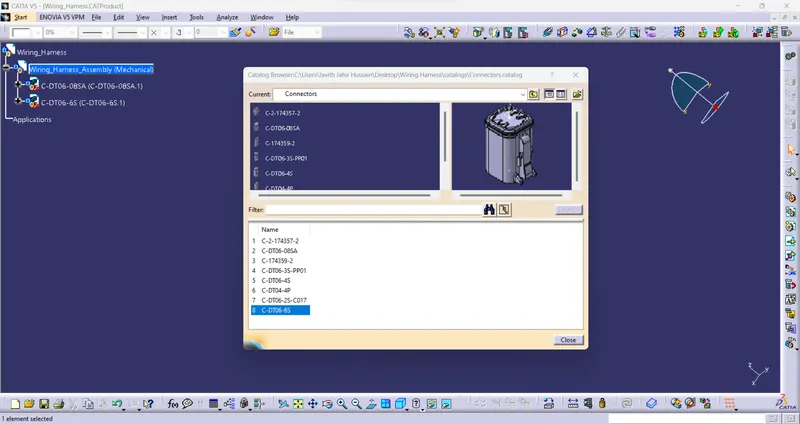
- Then add all connectors to the "CONNECTOR" catalog.
- create one New product for the "Wiring_Harness" file.
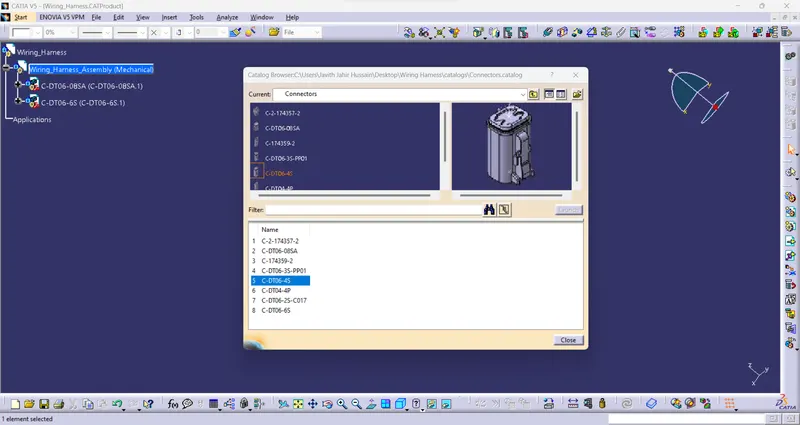
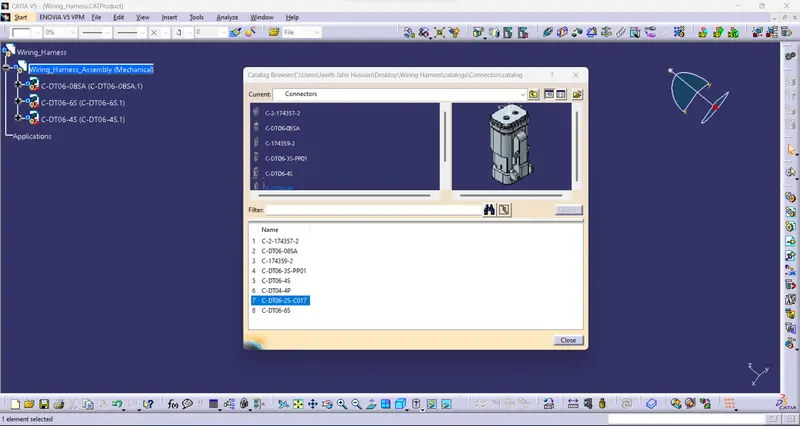
Routing:
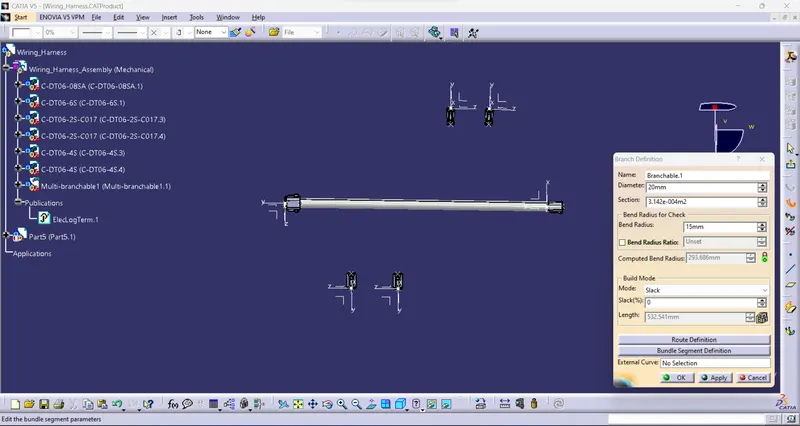
- Arrange all the connectors for the required layout for the Wiring harness.
- Add Electrical property using the "Geometrical Bundle" command.
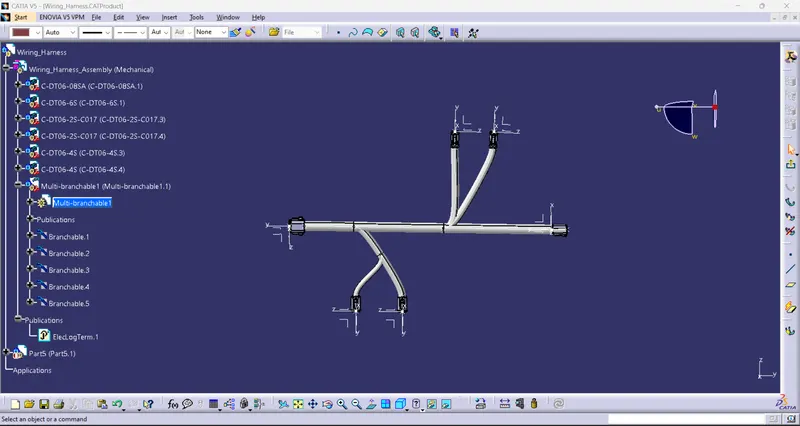
- Then create the "Multi-Branch" command.
- Generate the Bundle from DT06-08SA to DT06-6S.
- Make the first Branch 100mm in length to connect the bundle for DT06-4S.
- Again create the branch for the connecting connector DT06-4S as per the layout.
- Creating another branch form using the main bundle as per the layout drawing.
- Create the bundle using brach to DT06-2S connectors.
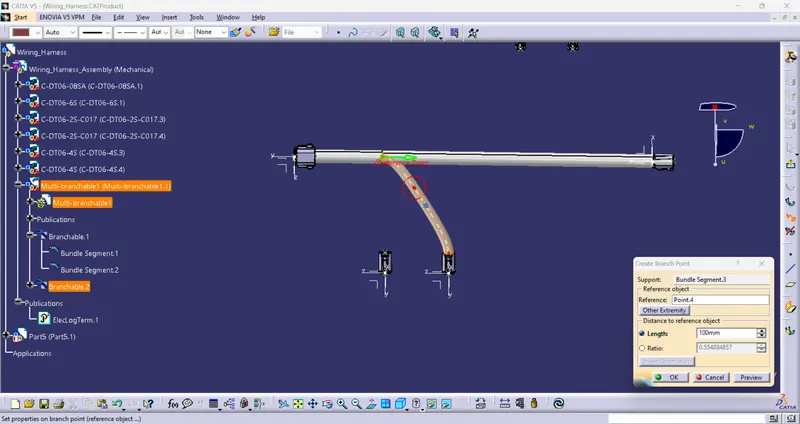
Checking connected or not:
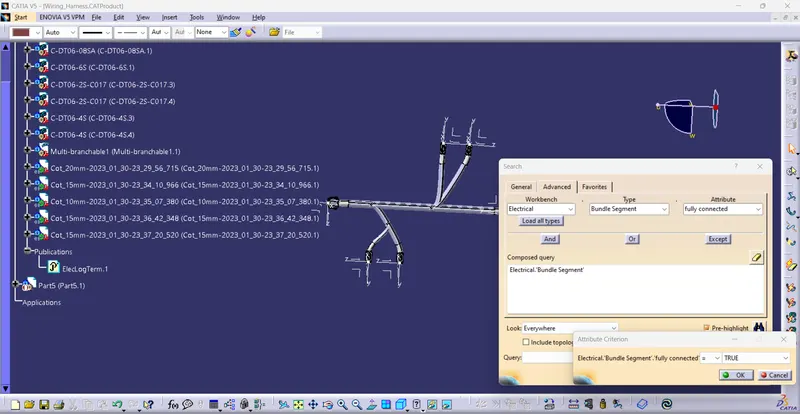
- check whether the connection is properly connected or not.
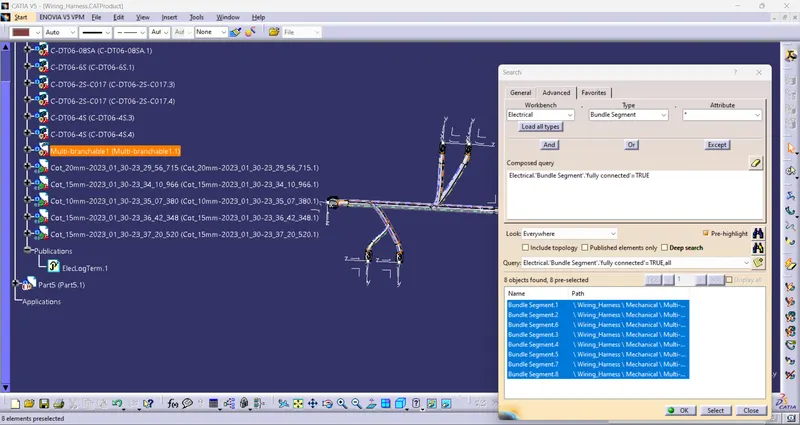
- Using the "Fully Connected" command.
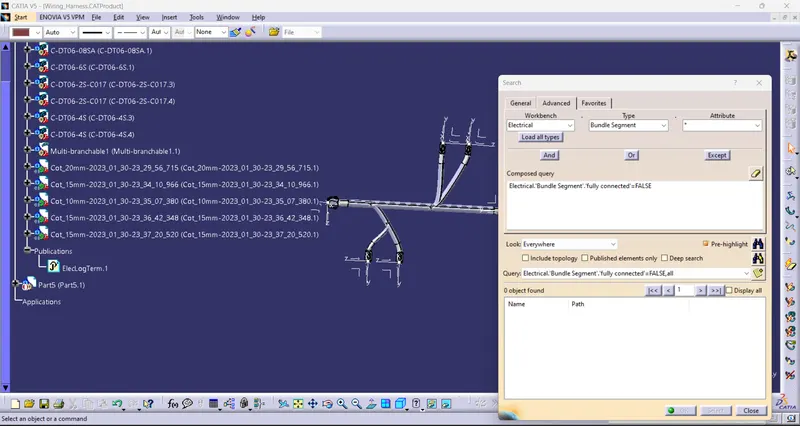
- check the connection "True or False".
- True is fully connected bundles.
- False is not connected bundle completely.
Adding Protection covering:
- Providing corrugated tubes for the bundles.
- Keeping the Bundle Extremum point is 30mm as per the required length.