Wiring harness design in CATIA V5 - 3D modeling Week 4 Challenge
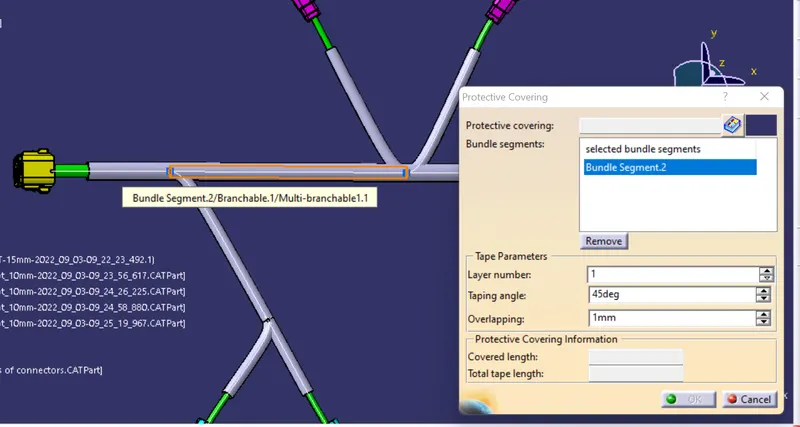
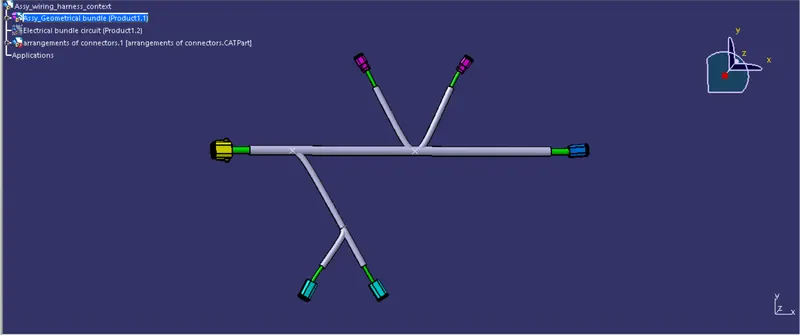
AIM; To route the harness layout as per the given orientations in the electrical workbench, and add protective covering to it
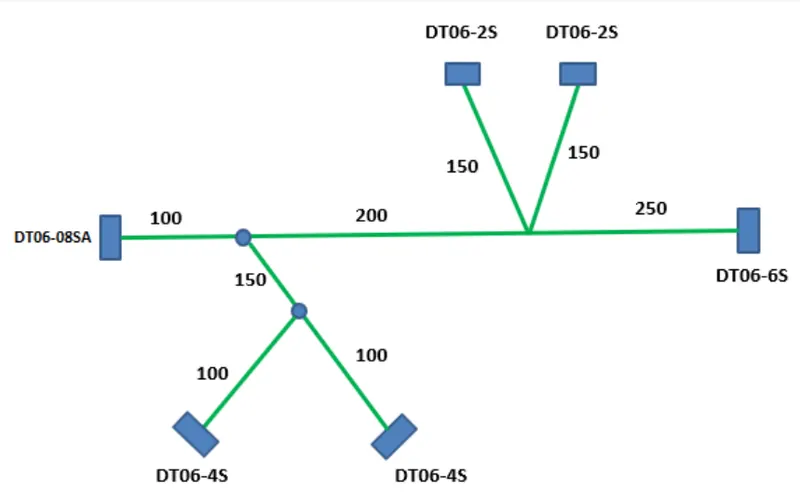
CONNECTORS USED TO ROUTE
- DT06-4S
- DT06-6S
- DT06-2S
- DT06-08SA
PROCEDURE OF ROUTING
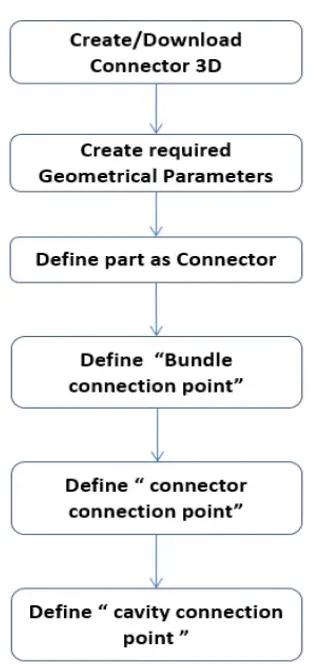
- First download the 3d cad data from the respective site and define the connector as electrical part.
- steps for converting to electrical part.
- DT06-4S
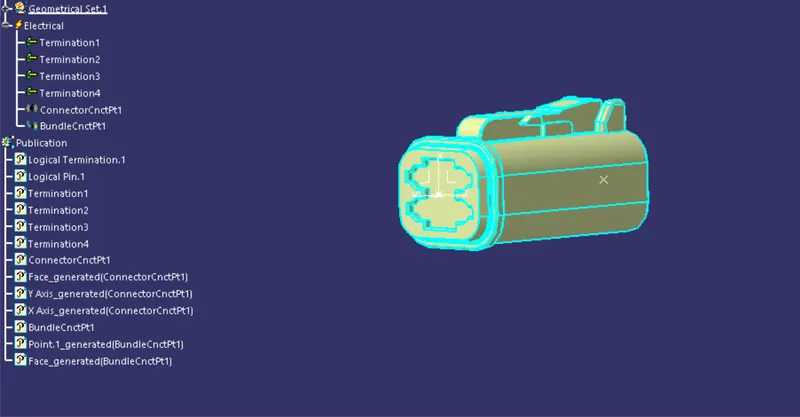
- DT06-6S
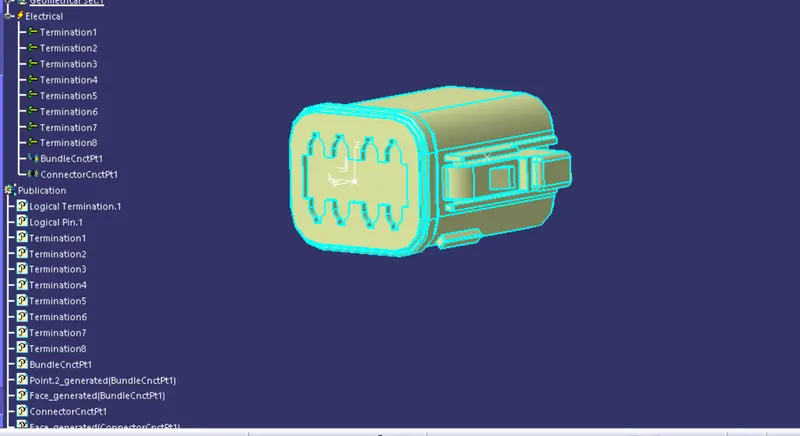
- DT06-2S
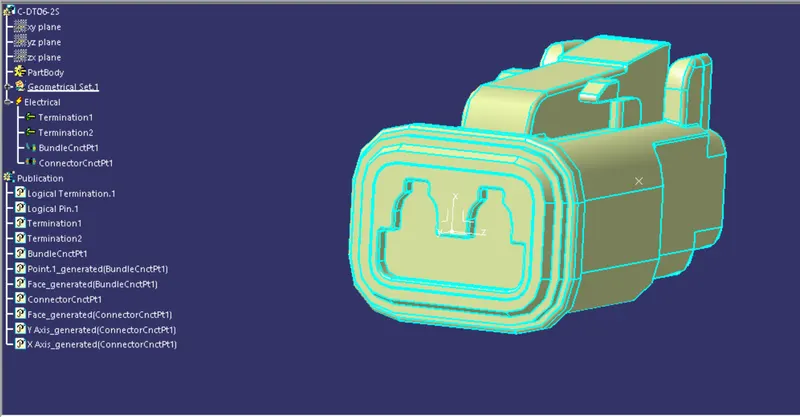
- DT06-08SA
- After the convertion of mecahnical part to electrical part next step is to arrange the connectors as per our needs at correct orientation for that here i created a sketch as per the diagram given in part design . and arrange the connector in assembly workbench using manipulation, snap ,translation and rotation, smart move, commands.
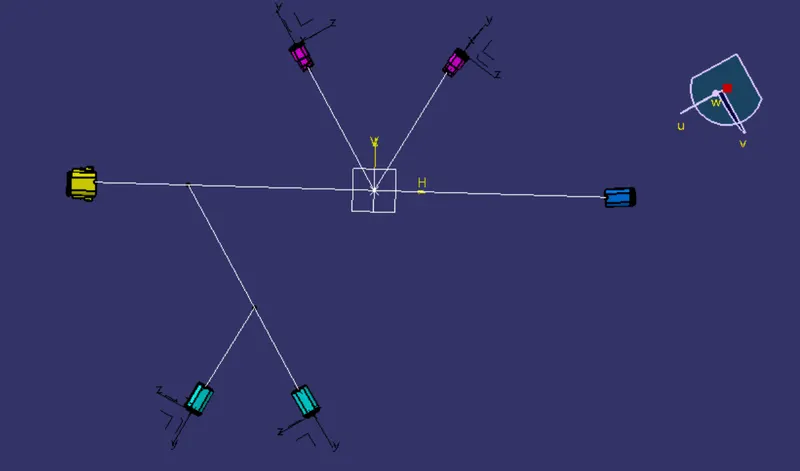
- next step is to convert the mechanical assembly into electrical assembly for that switch to electrical harness assembly and select the tool geometrical bundle and select the prouct file that want to convert to electical from mechanical.
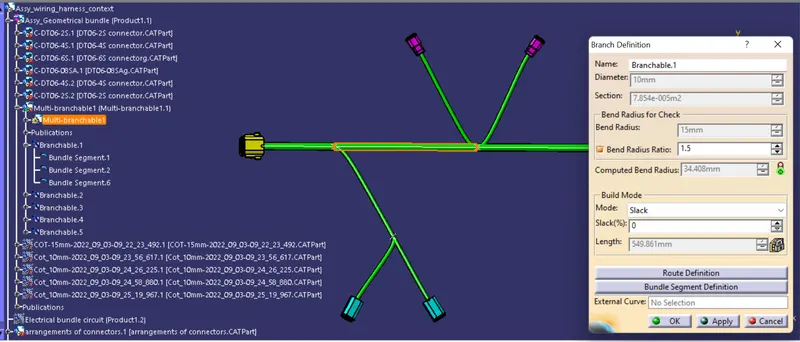
- after that we can start the routing process using the tool multibranchable.
- using the tool add branch point we can add branches .
- Branches can be created simply by selecting the two connectors that we want to route, where we have the option to give the required diameter as shown below
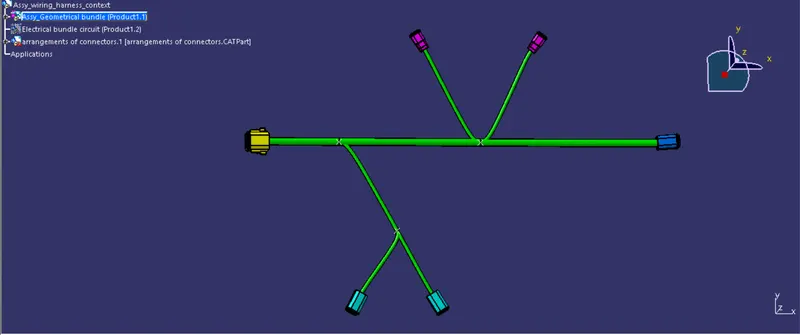
- final step is to give the protective coverings to the branches created