Wiring harness design in CATIA V5 - 3D modeling Week 2 Challenge
Connector definition in Catia V5
1. Deutsch DT06 - 08SA
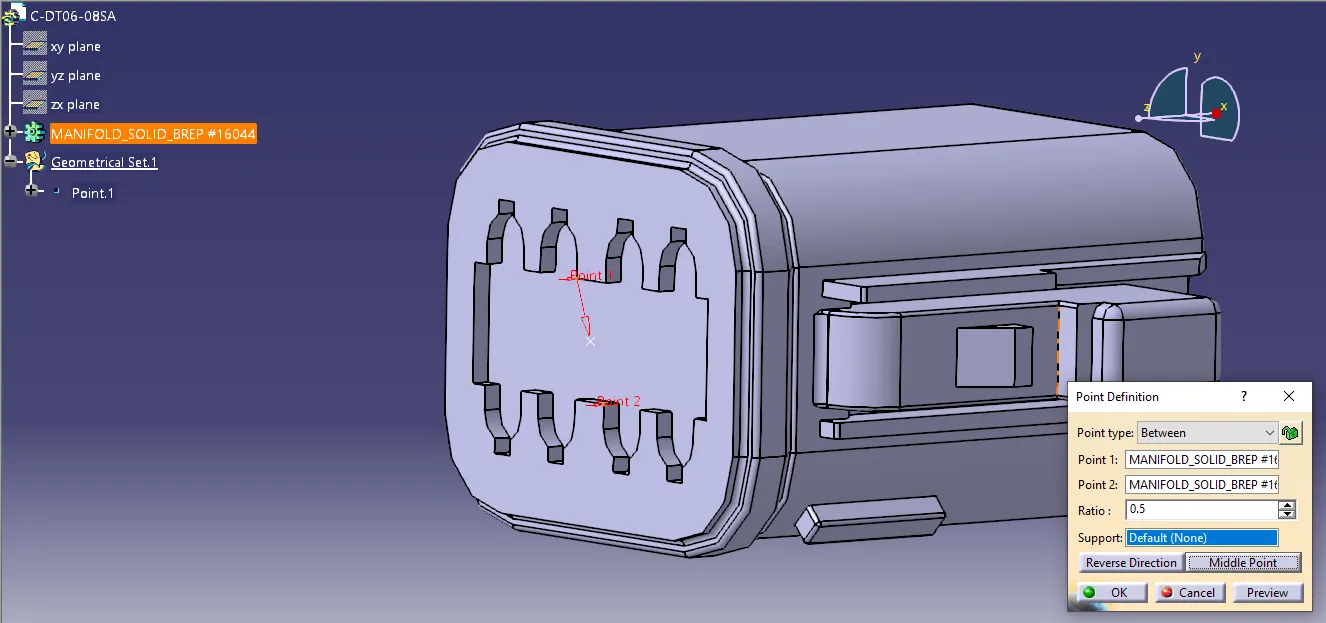
Connector Connection Point:
Create a point on the connecting contact face which will be normal to the connection.
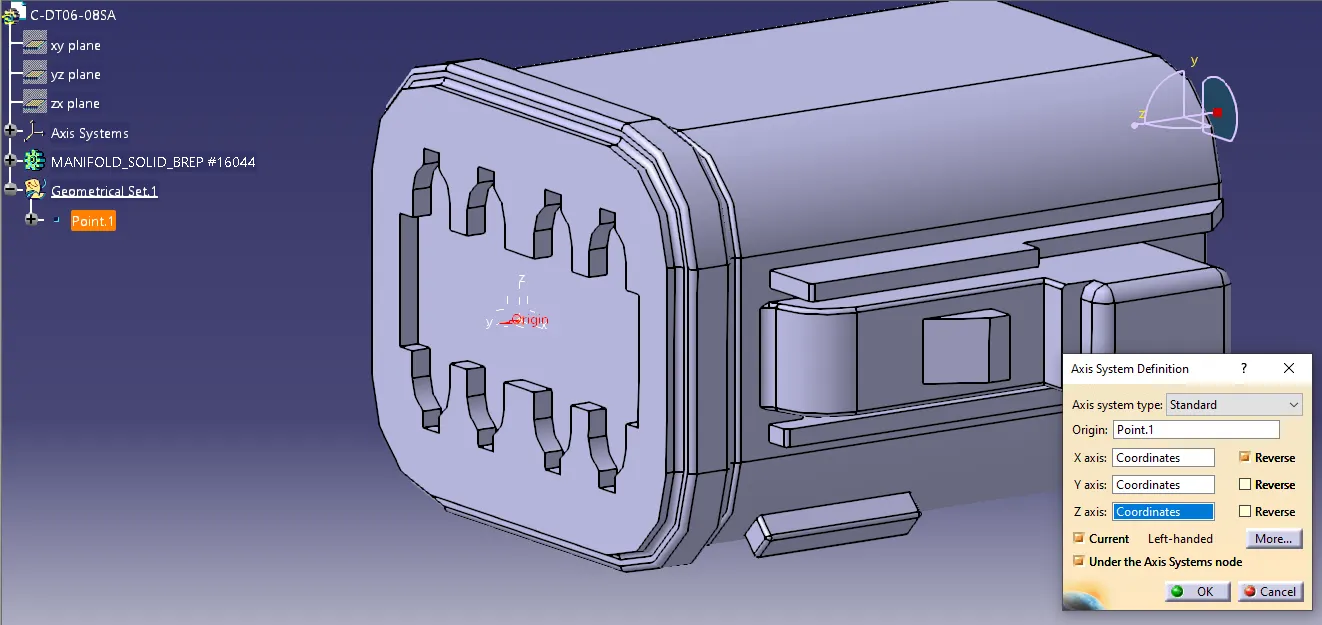
Create an axis system with refernce to the point created and position the axis as in the picture below.
Bundle Connection Point:
Create a point on the bundle connection face at the centre.
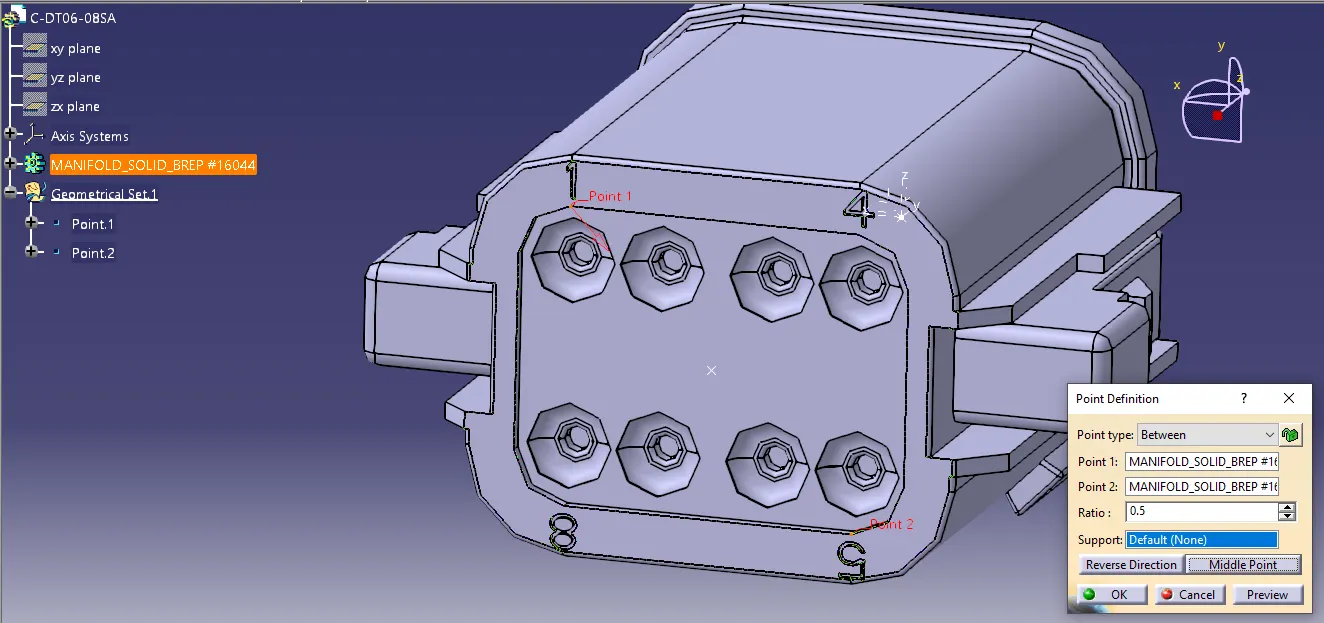
Defining Bundle Connection Point:
Switch to Electrical Part Designn workbench.
Define the part as a connector using define connector command with the number of terminations as 8 to match the part.
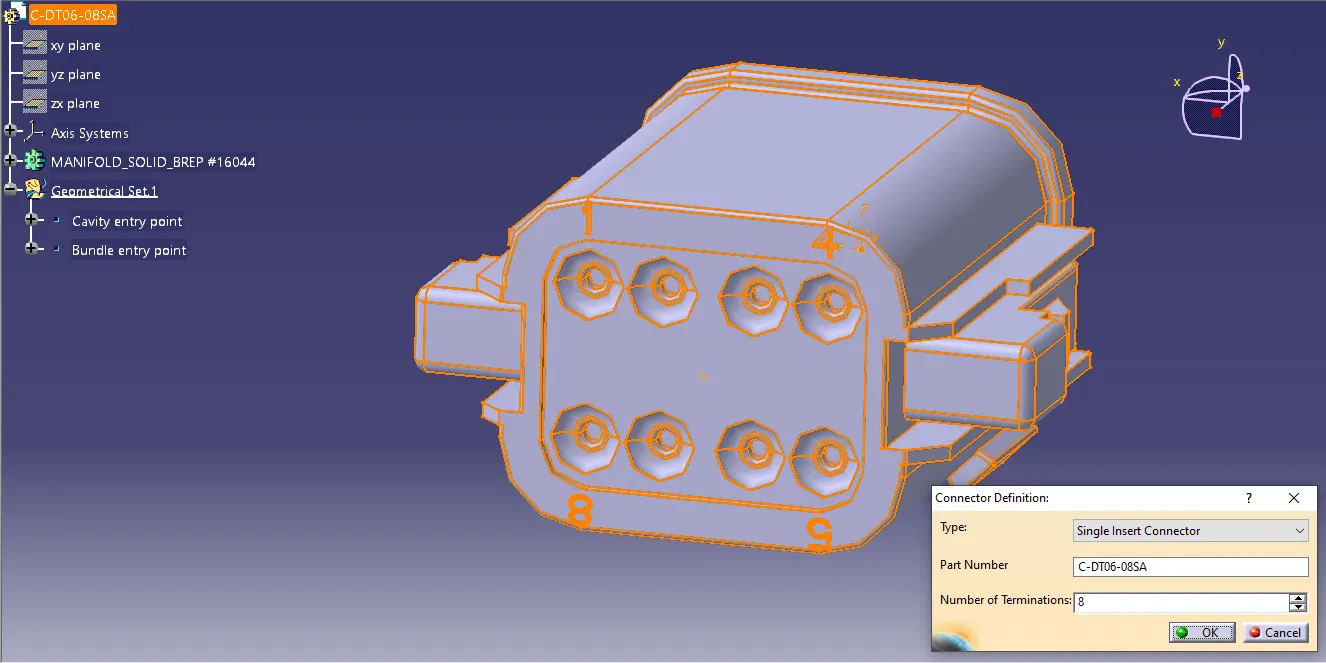
Define the bundle connection point.
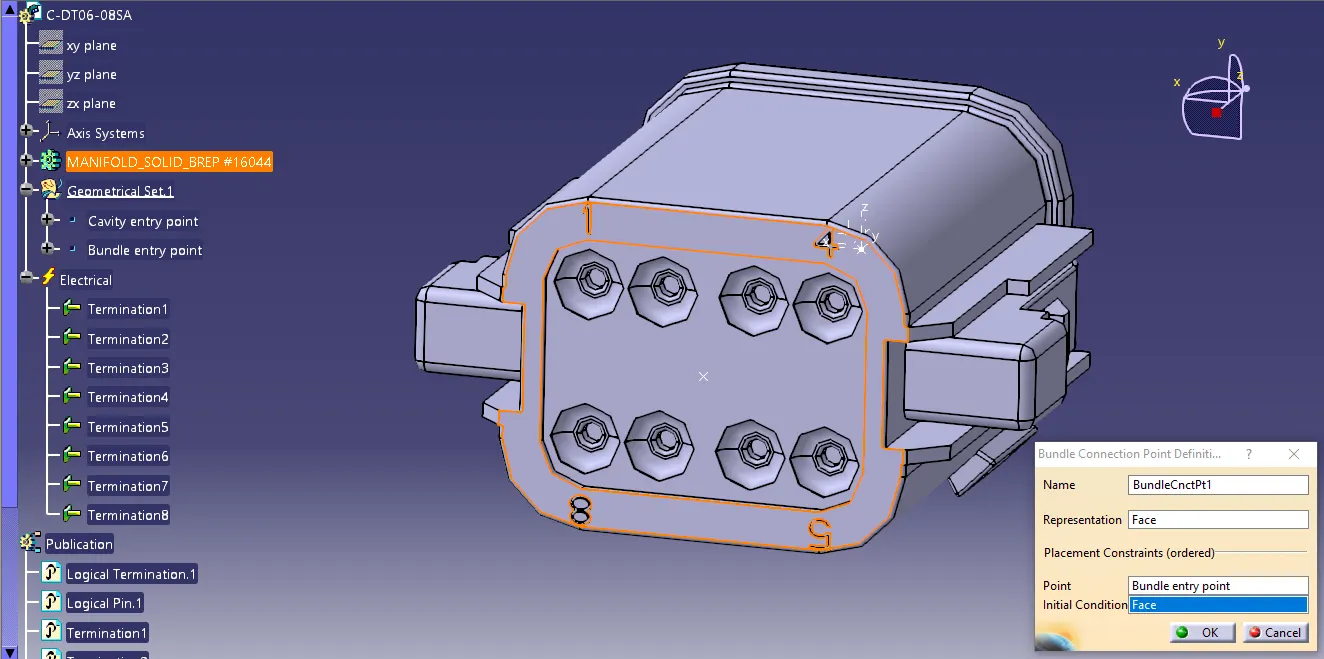
Define Connector Cennection Point:
Define the connector connection point.
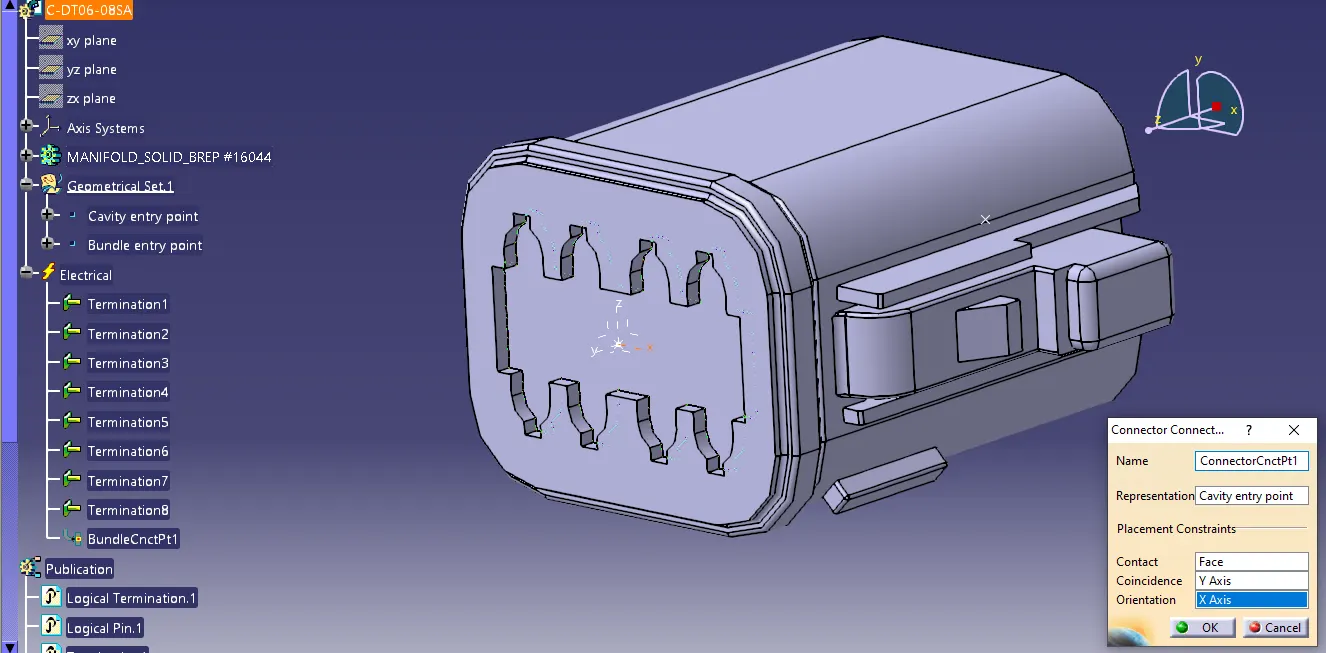
2. Tyco 174357 - 2
Bundle Connection Point:
Create a point on the bundle connection face at the centre.
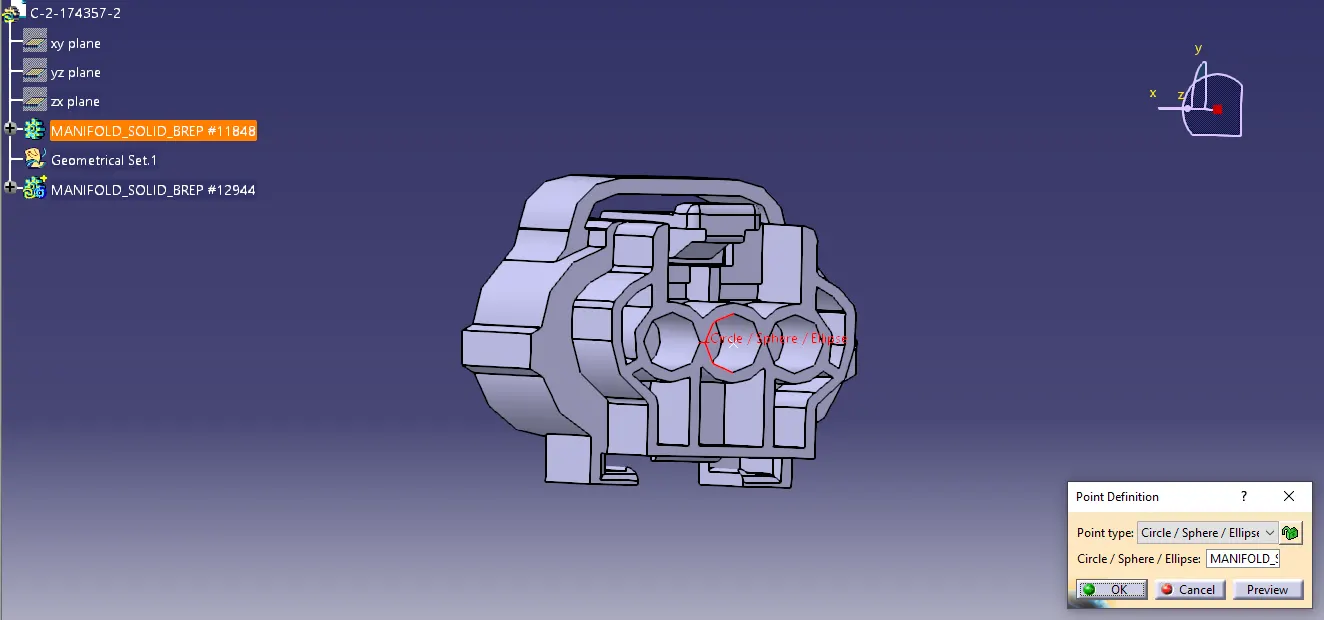
Connector Connection Point:
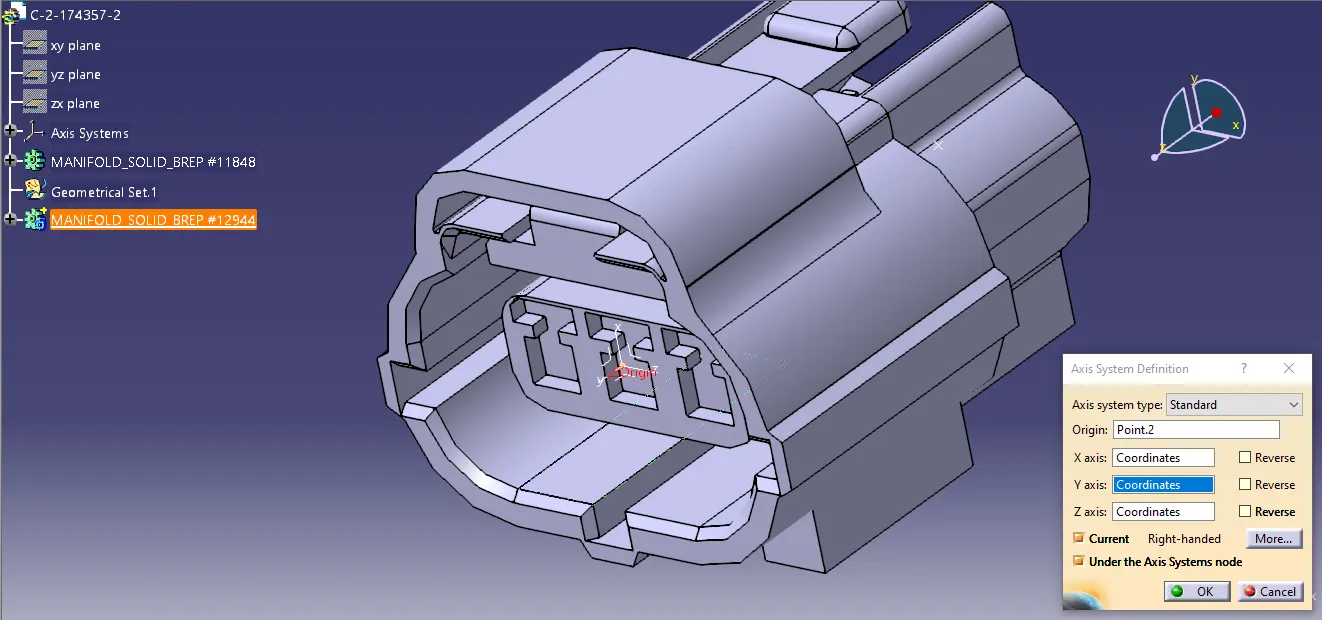
Create a point on the connecting contact face which will be normal to the connection.
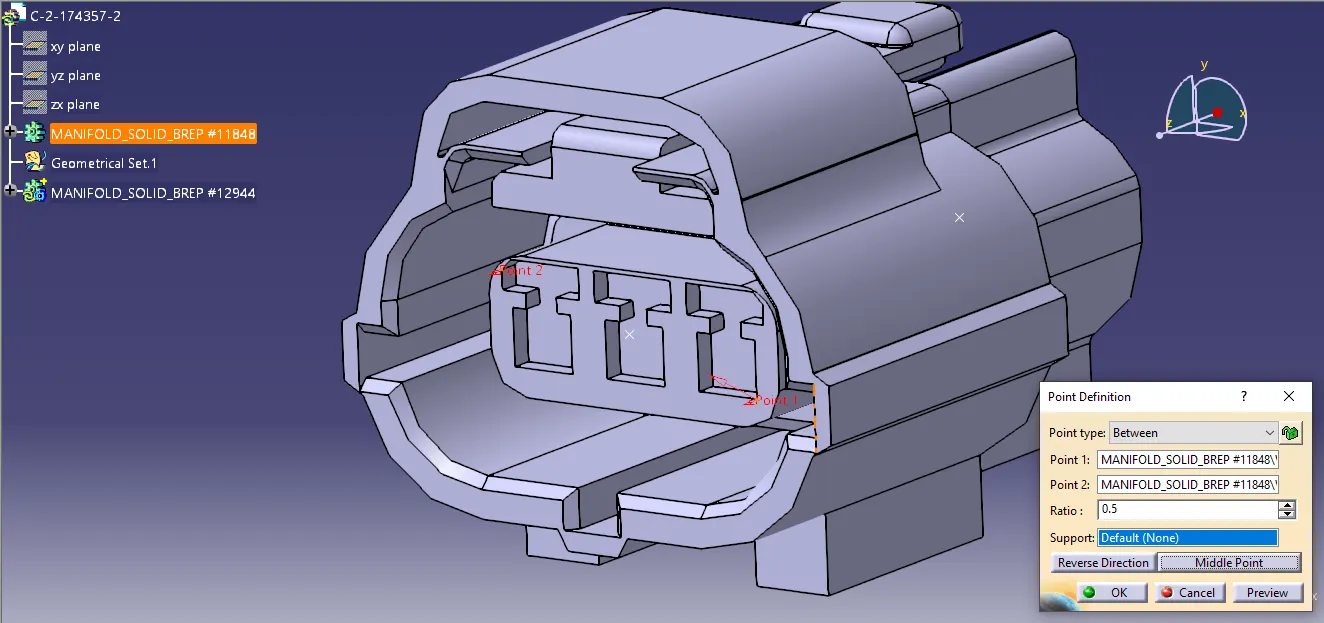
Create an axis system with refernce to the point created and position the axis as in the picture below.
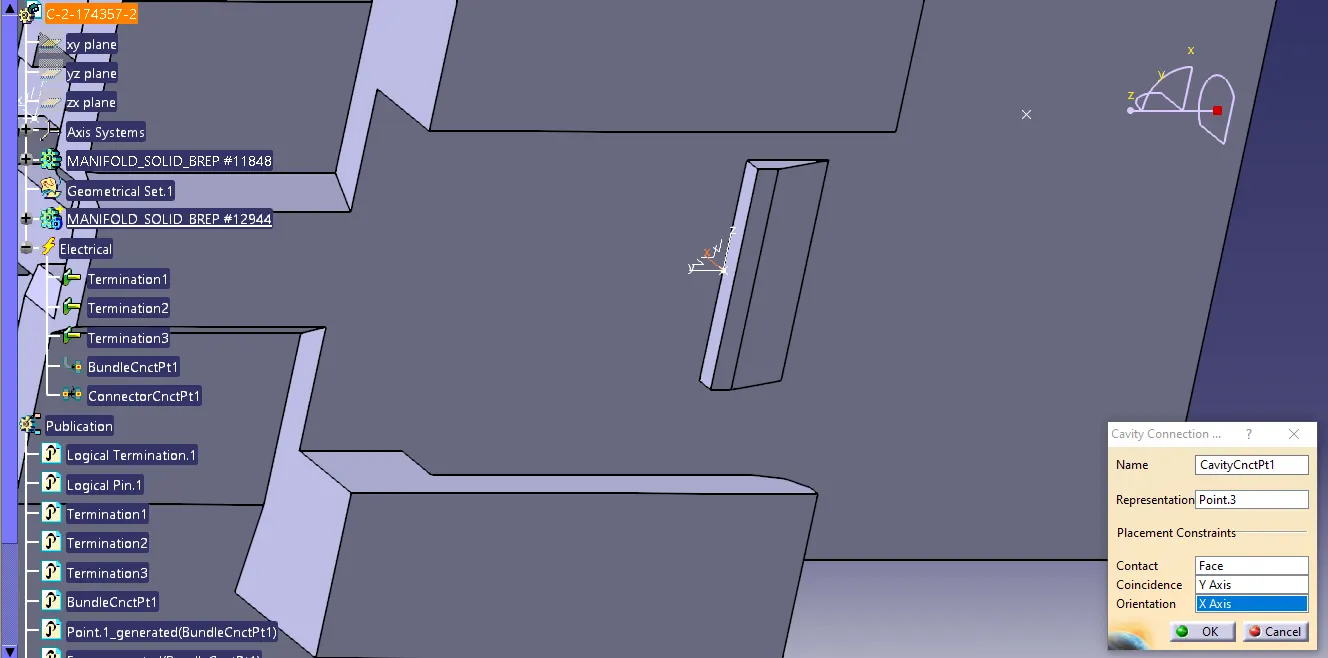
Cavity Connection Point:
Create a point on the connection contact face which will be normal to the cavity.
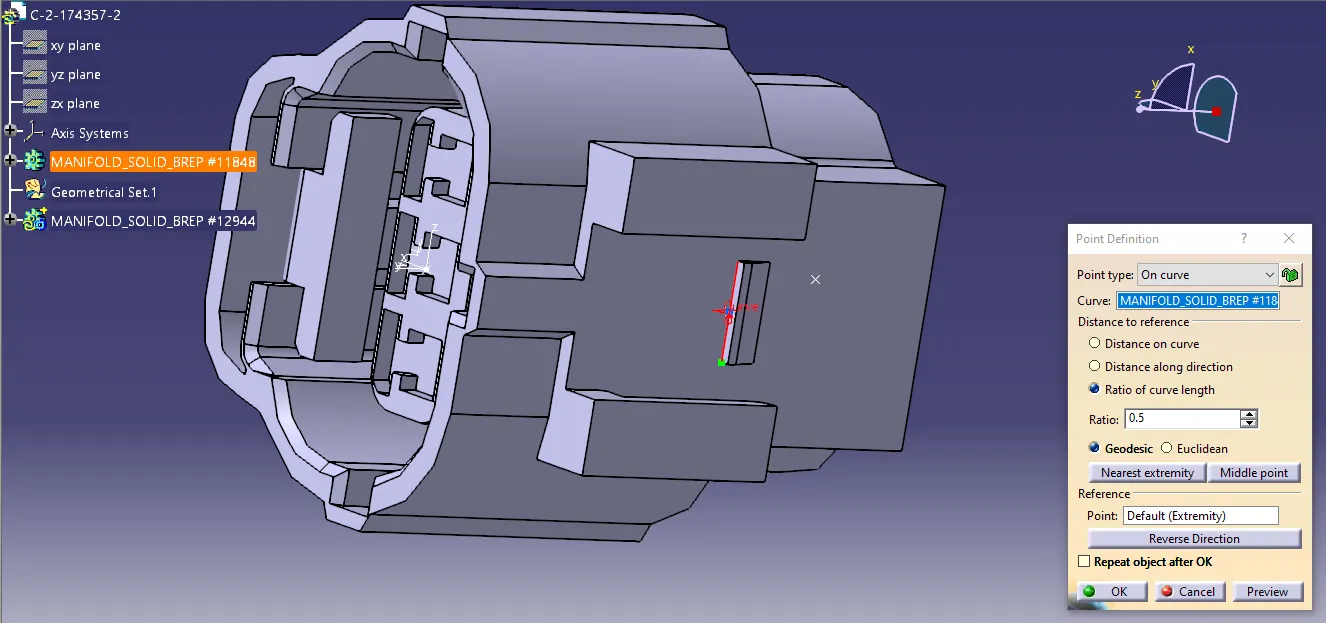
Create an axis system with refernce to the point created and position the axis as in the picture below.
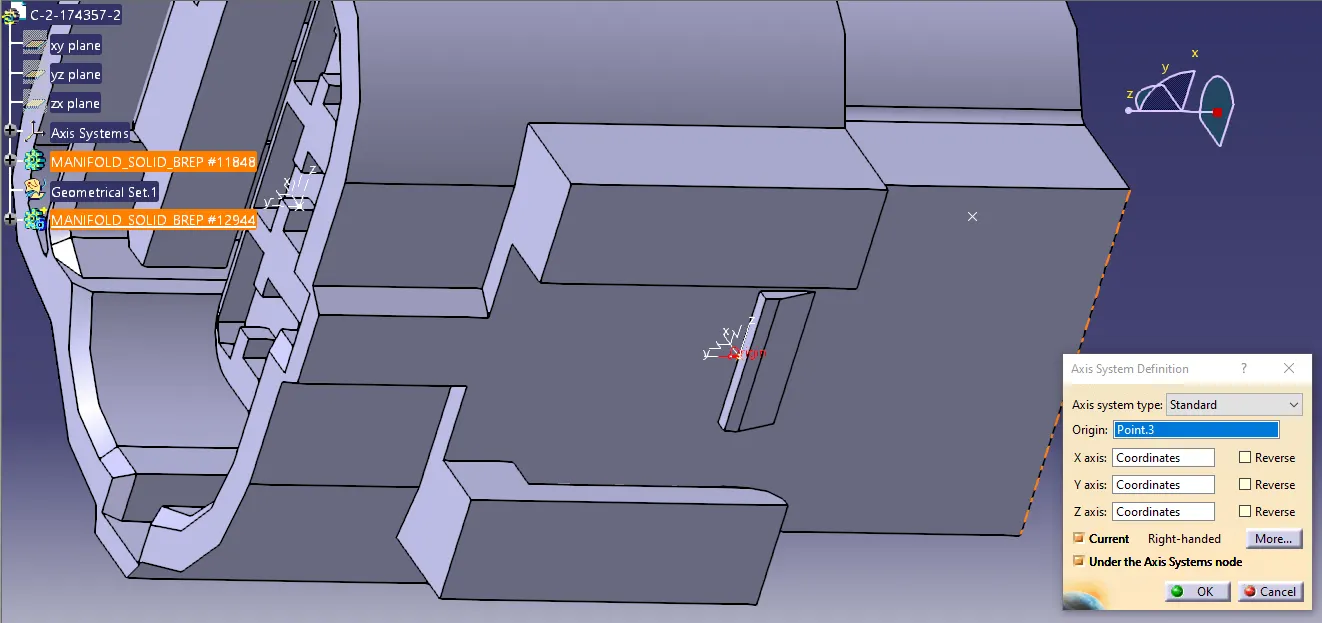
Defining Bundle Connection Point:
Switch to Electrical Part Designn workbench.
Define the part as a connector using define connector command with the number of terminations as 3 to match the part.
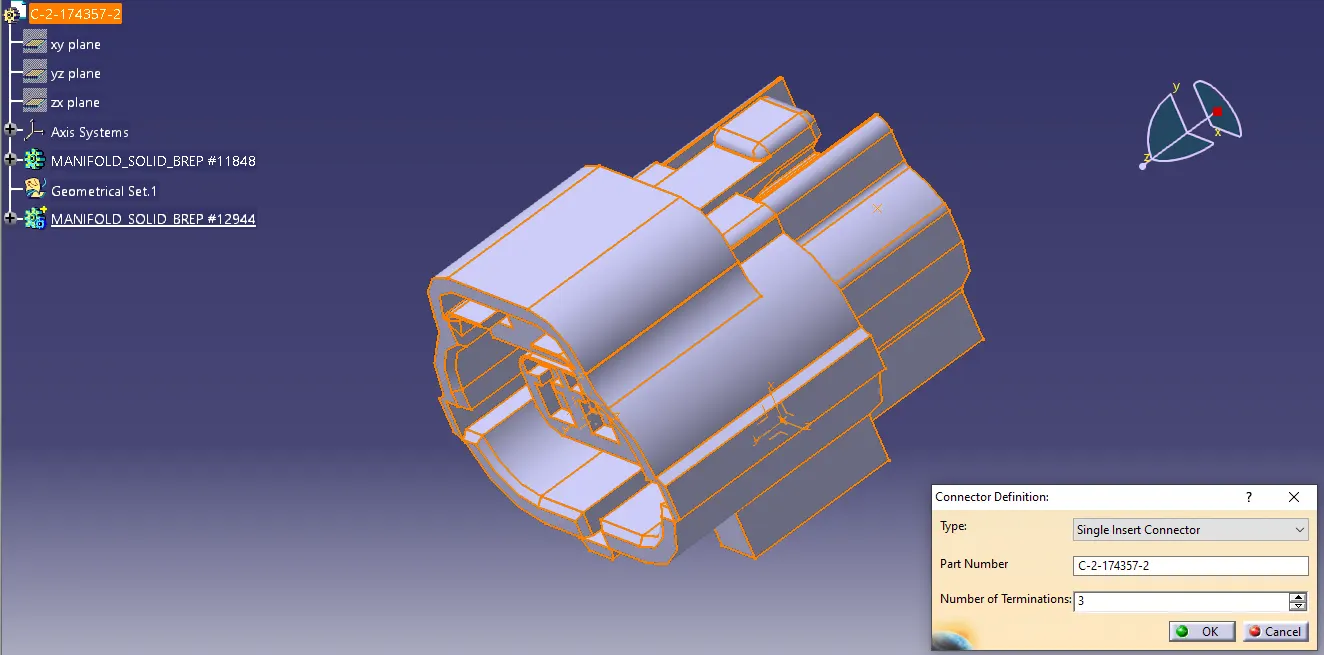
Define the bundle connection point.
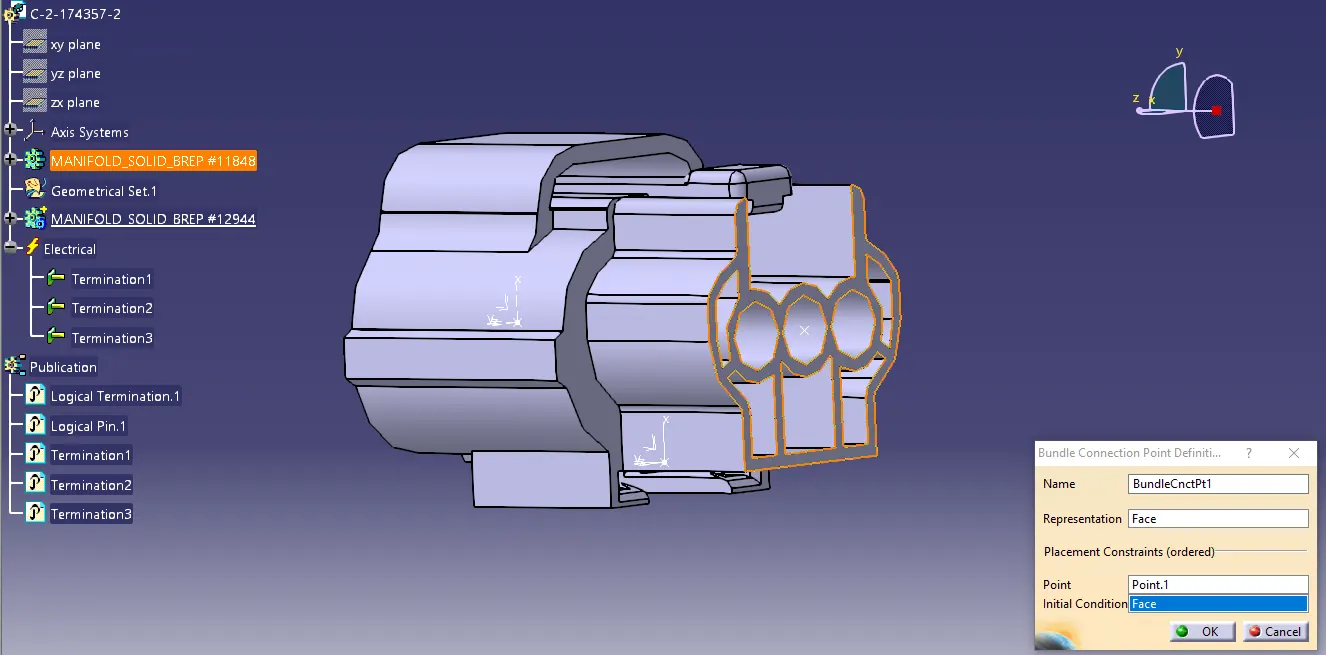
Define Connector Cennection Point:
Define the connector connection point.
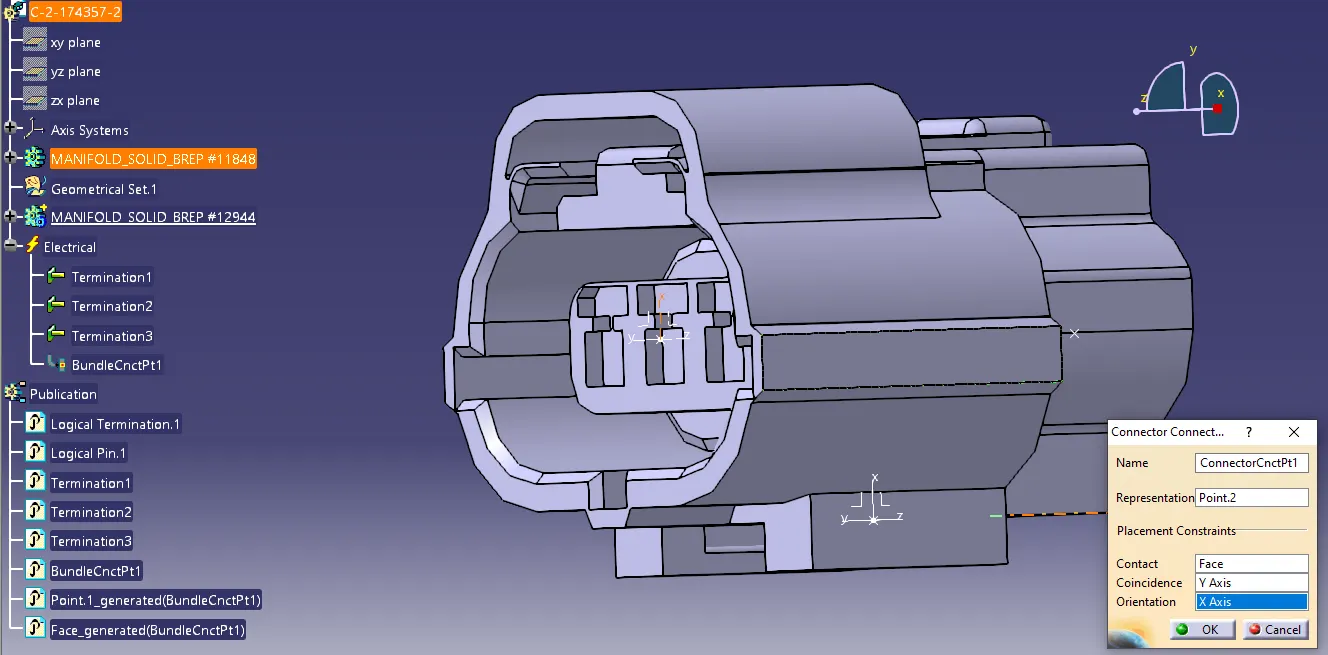
Define Cavity Cennection Point:
Define the cavity connection point.
3. Tyco 85229 - 1
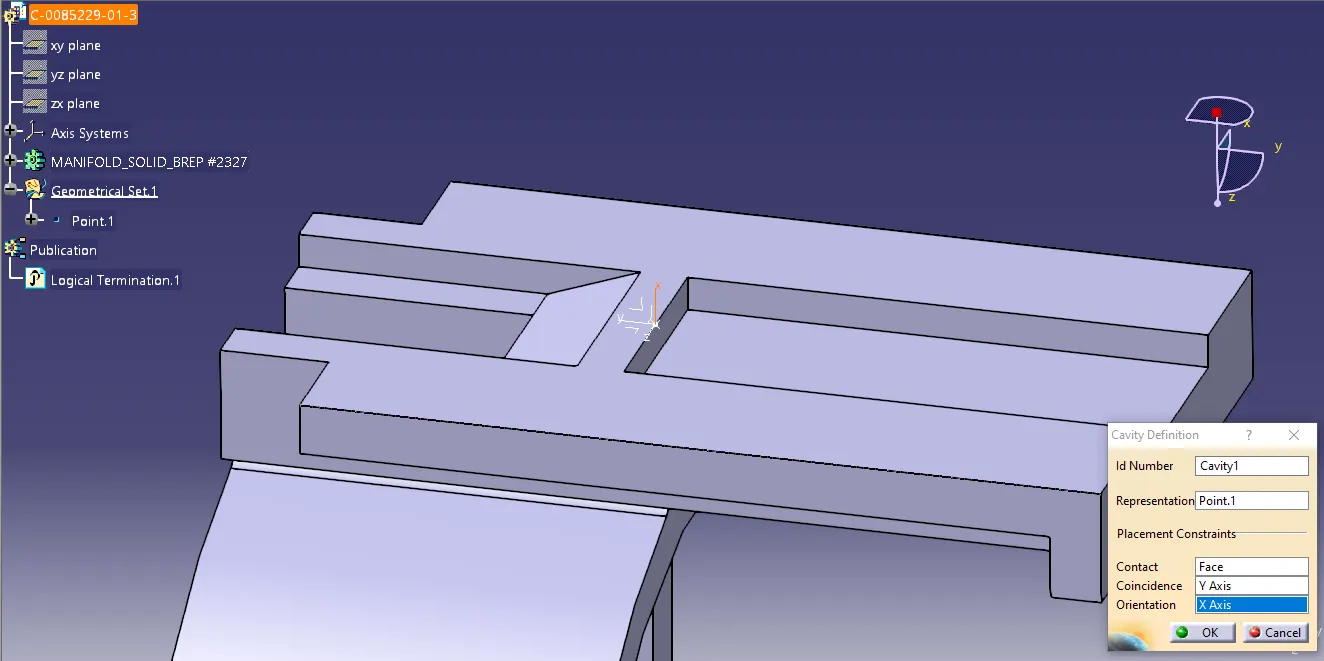
Cavity Connection Point:
Create a point on the connection contact face which will be normal to the cavity.
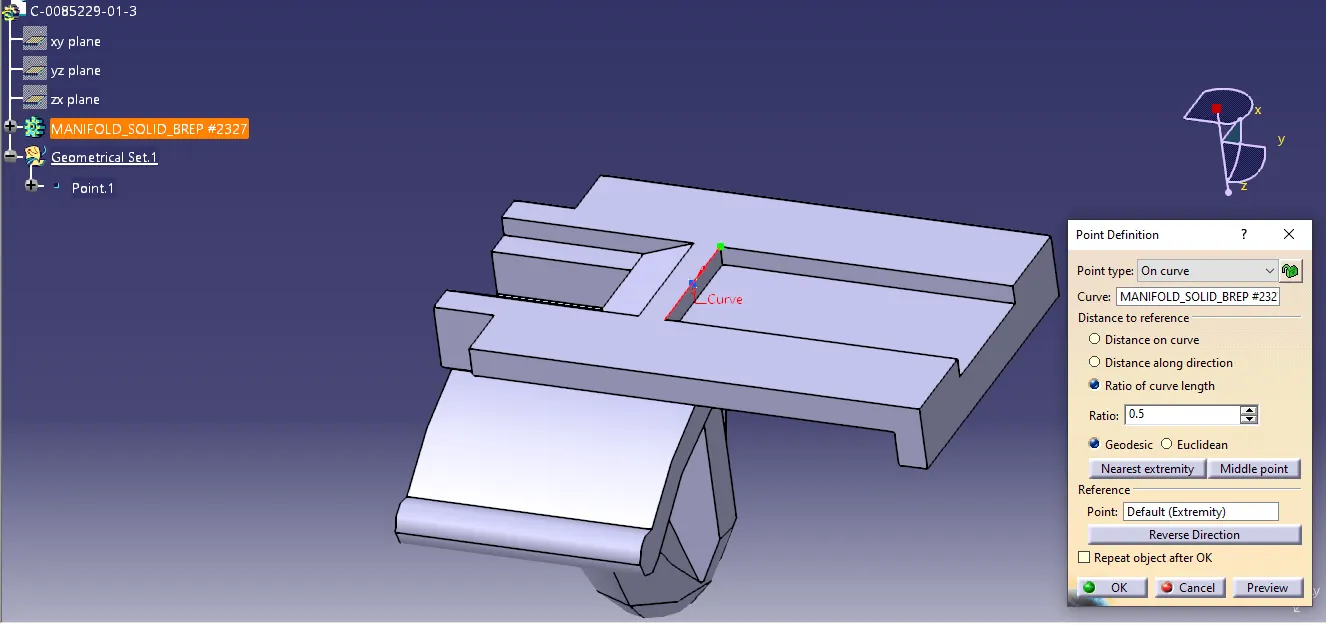
Create an axis system with refernce to the point created and position the axis as in the picture below.
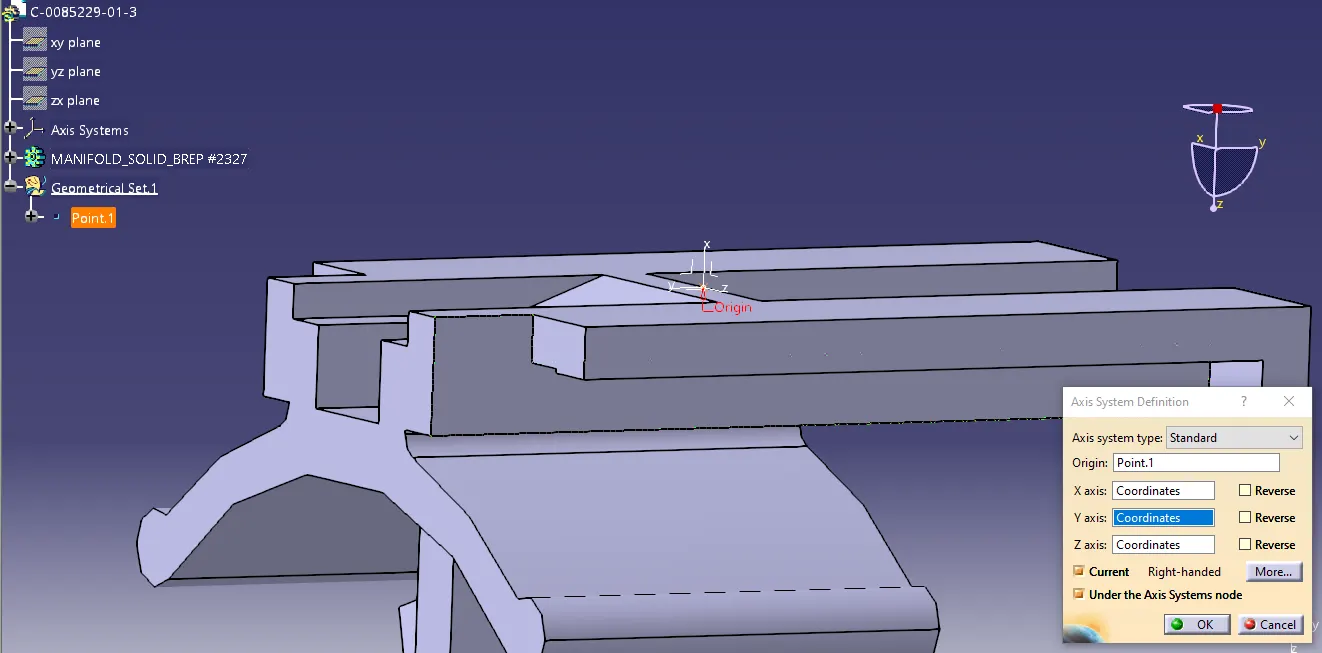
-
Defining Cavity Connection Point:
Switch to Electrical Part Designn workbench.
- Define the mounting equipment.
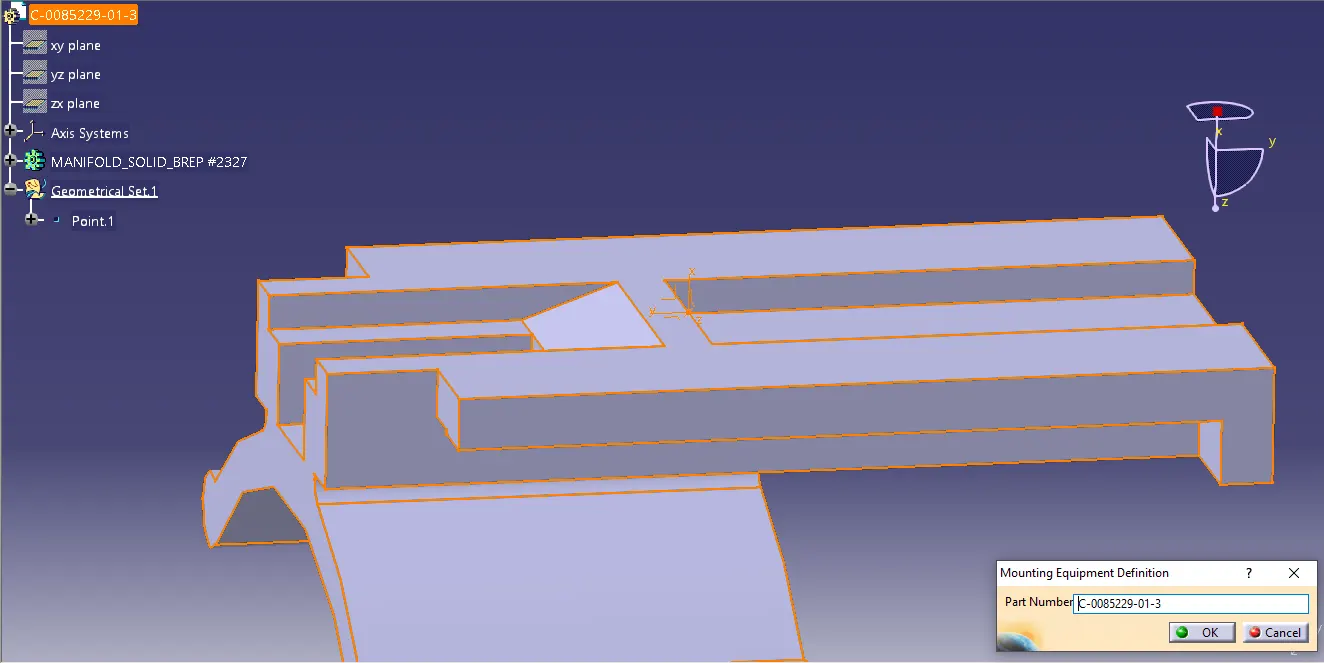
- Define the cavity.
Assembling Connector and Cavity:
Switch to electrical assembly workbench.
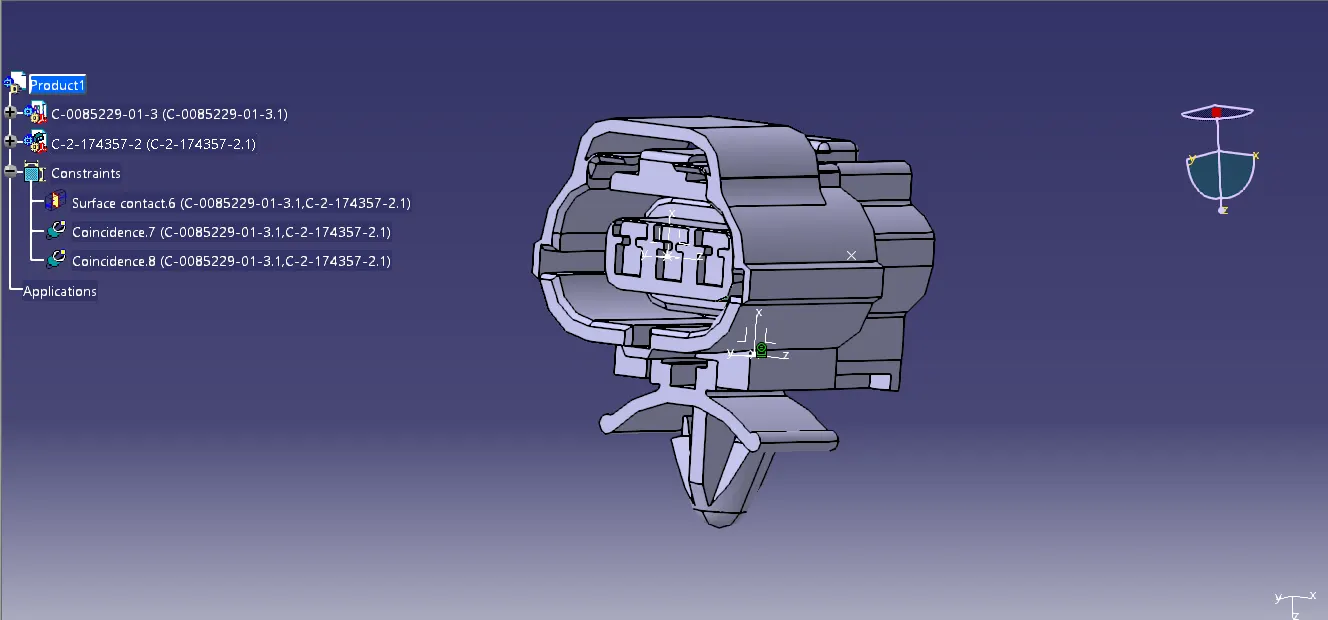
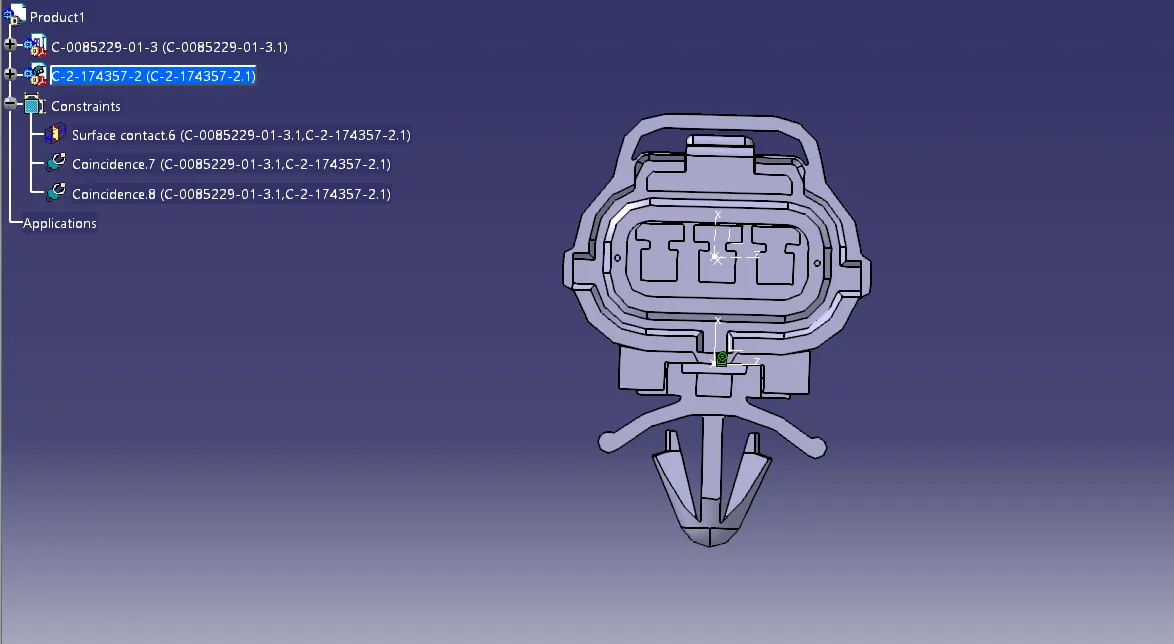
Connect the connector and cavity using connect electrical devices command.