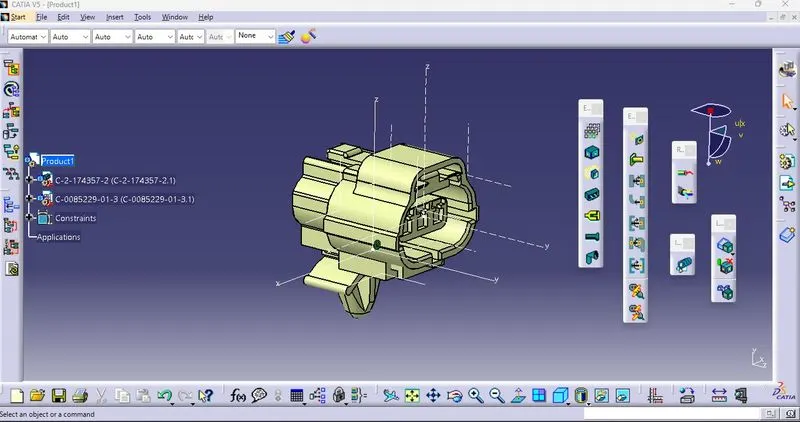
Wiring harness design in CATIA V5 - 3D modeling Week 2 Challenge
- Process flow to given Electric Property to connector in Electrical Part Design Work bench.
1.Deutsch DT06 – 08SA - Connector
|
CAD Data - Download the connector (igs/stp) file above link given & Load in Catia V5 in Part design work bench. |
|
Creating Geometric feature to the Connector loaded (E.g - Points and axis with proper direction of axis to the connector) Axis should be taken to - Connector Connectin PointAxis - Cliping side - x axis Normal to the face aligned - Y axis Parallel to the face alligned - Z axis |
|
Define the Electrical Property to required connector (Deifine Connector - Electrical Parts design) Provide terminal of 8 in this scenario (Single insert connector). Also Define Bundle connection Point as well as Connector Connection Point. |
2.Tyco 174357-2 - Connector
|
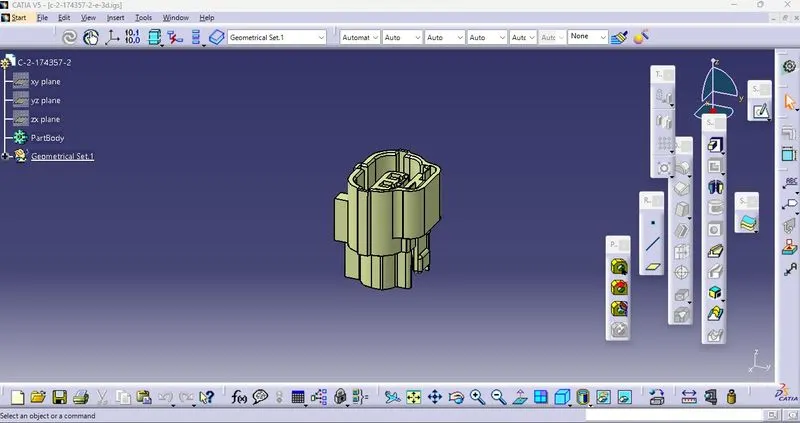
CAD Data - Download the connector (igs/stp) file above link given & Load in Catia V5 in Part design work bench.
|
|
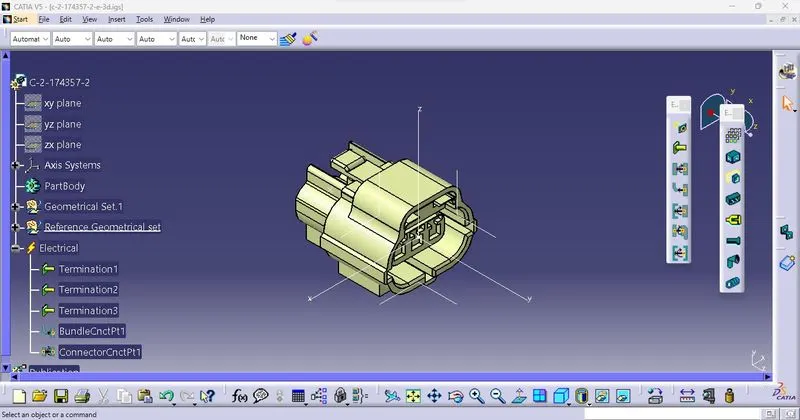
Same Process as been followed for Define connector then Bundle connection point as well as Connector connection point. Define connector - with termination of 3 terminals (Single insert connector) |
|
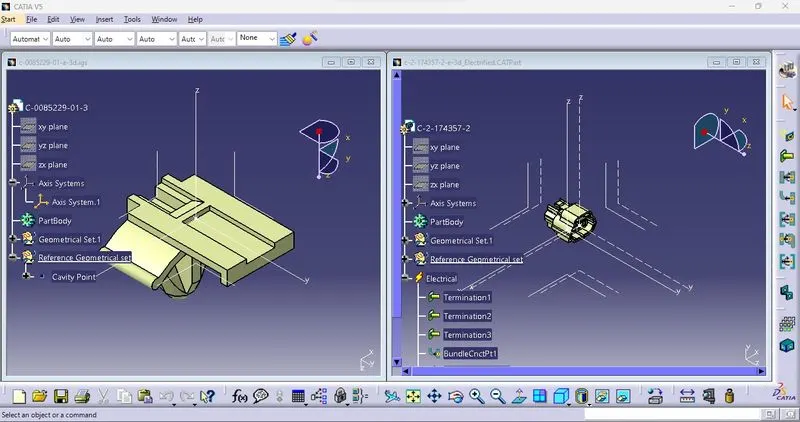
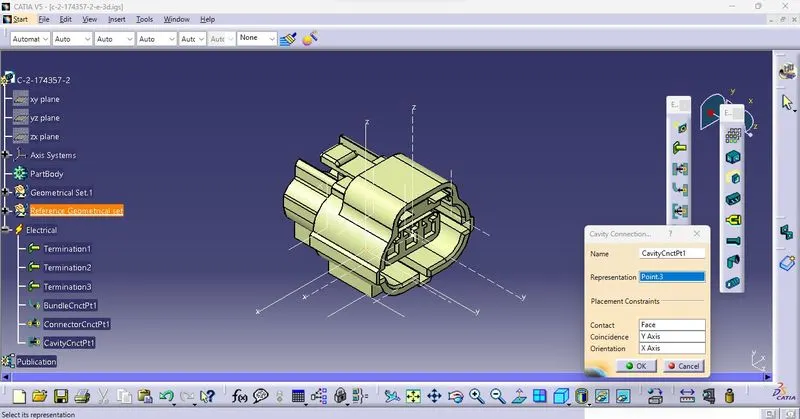
This Connector with has to attach Mounting clip so has to Define Cavity Connection point. Created with Support Geometry axis and Point (Cavity Connection point)
|
3.Tyco 85229-1- Mounting Clip
|
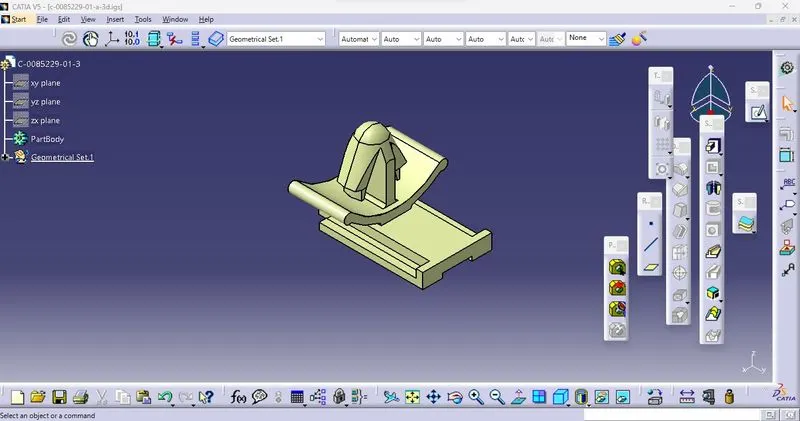
CAD Data - Download the Mounting clip (igs/stp) file above link given & Load in Catia V5 in Part design work bench.
|
|
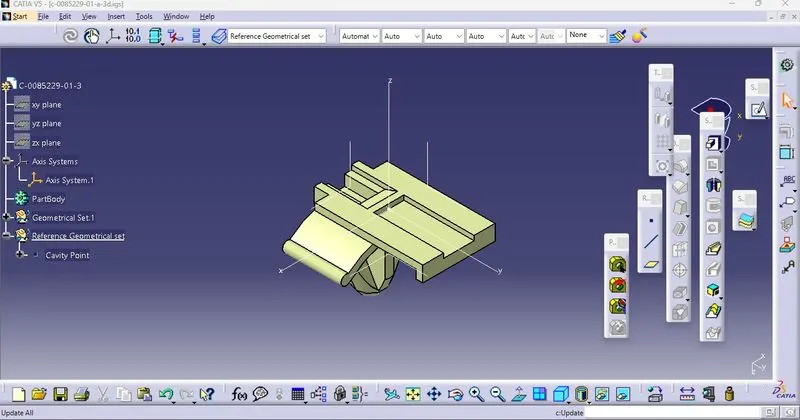
Creating Geometric feature to the Mounting clip loaded (E.g - Points and axis with proper direction of axis with reference of Connettor to connect) Axis should be taken to - Cavity Connectin PointAxis - Cliping side - x axis Normal to the face aligned - Y axis Parallel to the face alligned - Z axis |
|
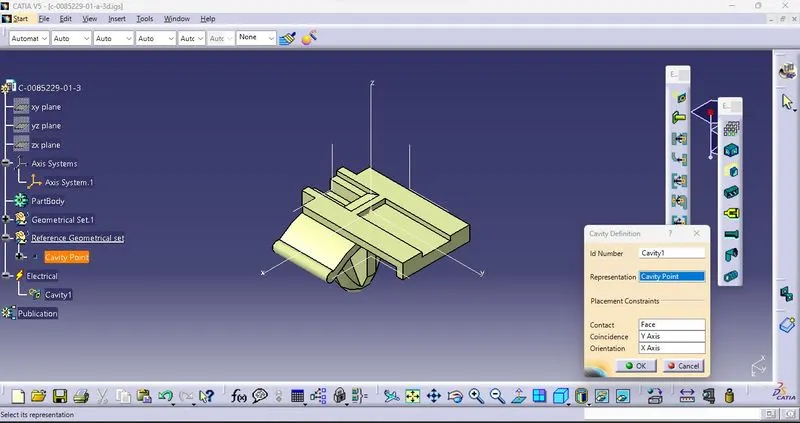
Define Electrical property of Mounting Equipment after that Define cavity in Electrical part design workbench.
|
|
Connection between Tyco 174357-2 - Connector with Mounting clip- Tyco 85229-1- Mounting Clip Load components in Electrical assembly design use "Connect electrical device" to connect then disconnect "Disconnect electrical device"
|