Wiring harness design in CATIA V5 - 3D modeling Week 2 Challenge
OBJECTIVE:Use the given cad files of connectors and clips as input and define them electrically, also define all the various connectivity points related to the connector and clip.
CONNECTOR:
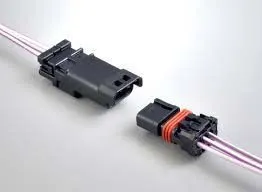
Automotive electrical connectors are specifically designed for use in automobile electrical systems. Automobile systems have undergone massive transformation and today modern systems are extensively wired and controlled by a microprocessor. This has increased the demand for high-quality and reliable wiring and electrial connectors. So, if you are selecting automotive electrical connectors for your vehicle, make sure you consider its current rating, circuit density, size of wire, voltage, configuration, and engagement force.
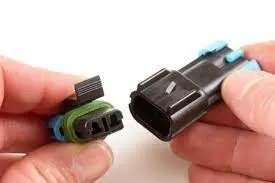
PROCEDURE FOR DEFINING THE CONNECTOR: Deutsch DT06 – 08SA
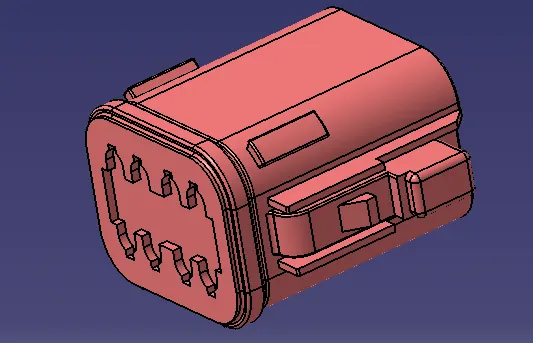
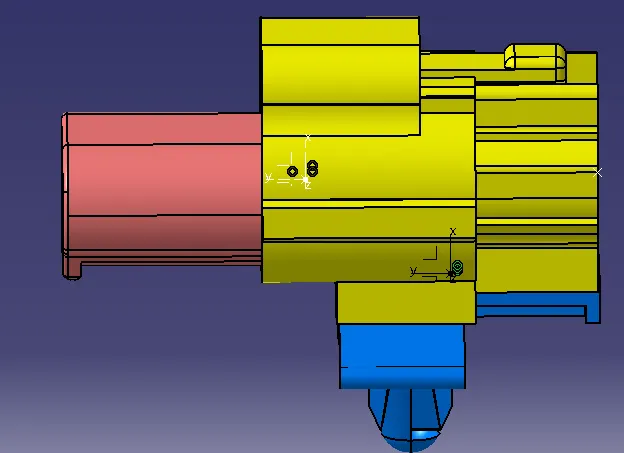
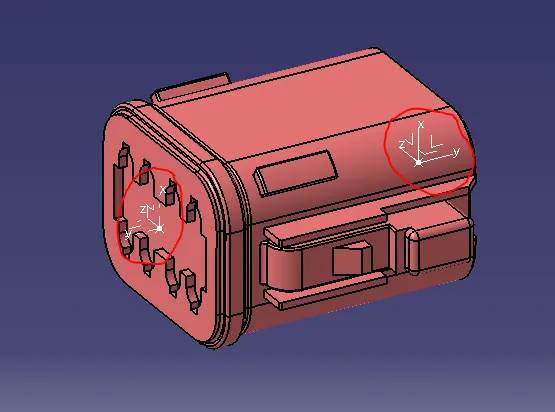
- The connector must be given its geometrical characteristics which include the point and axis system for the bundle connectivity , connector mating connectivity and the connector cavity if necesaary.(Y DIR MUST BE ALONG THE MATING DIRECTION ALWAYS AND X TOWARDS CLIPPING DIRECTION I.E ORIENTATION)
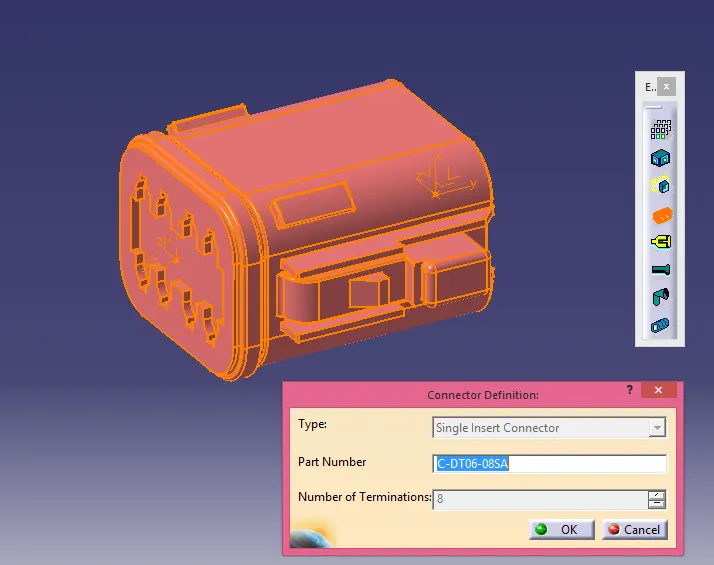
- Then you need to define the connector electrically by using the electrical part workbench and using the"DEFINE CONNECTOR" command define the connector electrically.The terminals should be listed looking at the CAD design.
- Then you need to provide the connector entry point by using the command available in the electical part workbench, and give the appropriate papameters for each and every listed parameters.
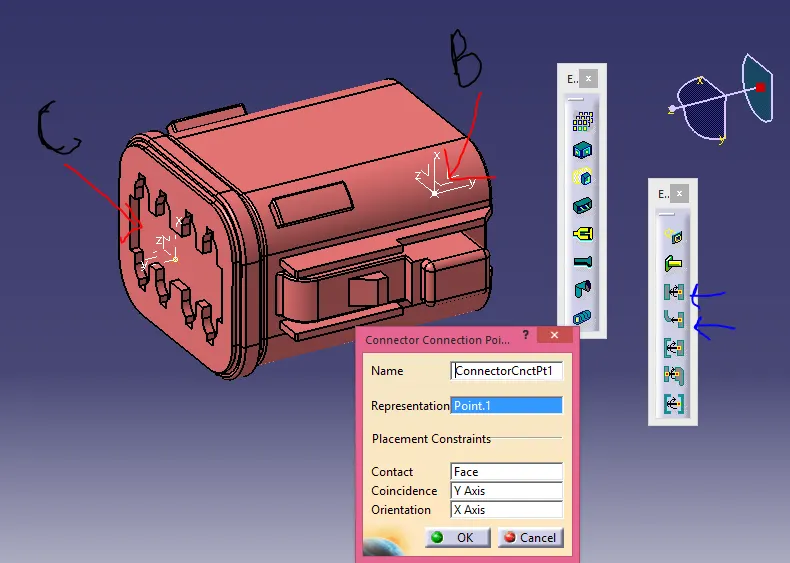
- Similarly provide the bundle entry point and the cavity connection point and list its all given values .The terminals should be listed looking at the CAD design.
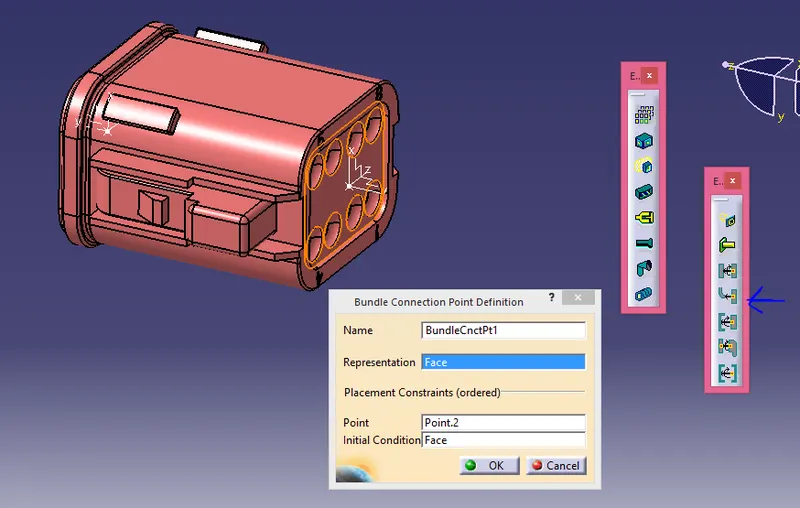
- You should must define the directions significally as same directions would be utilized for its mating parts.
- Tree structure would look like this.
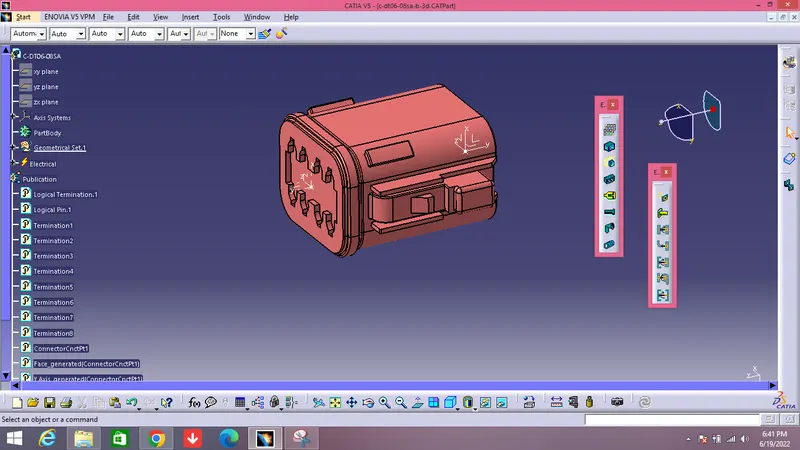
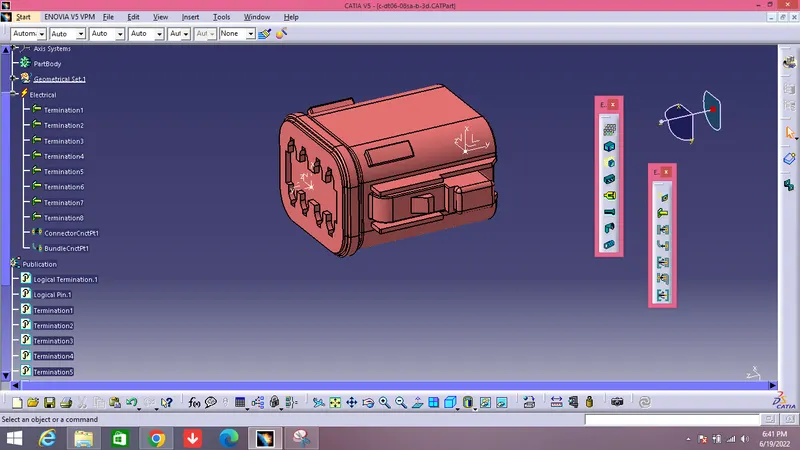
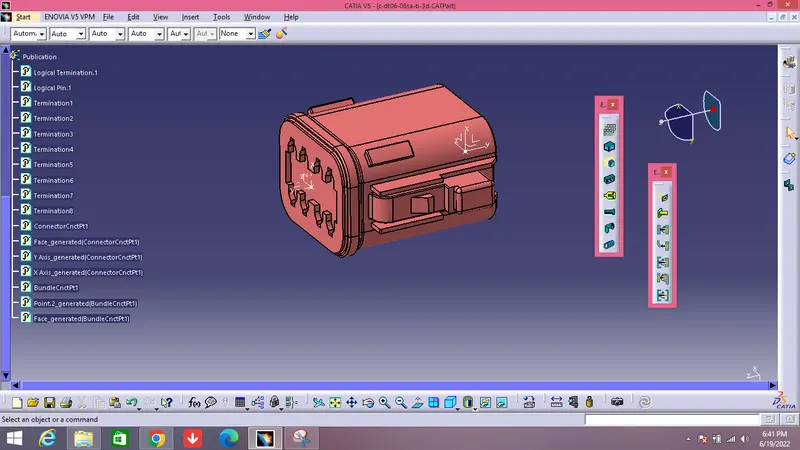
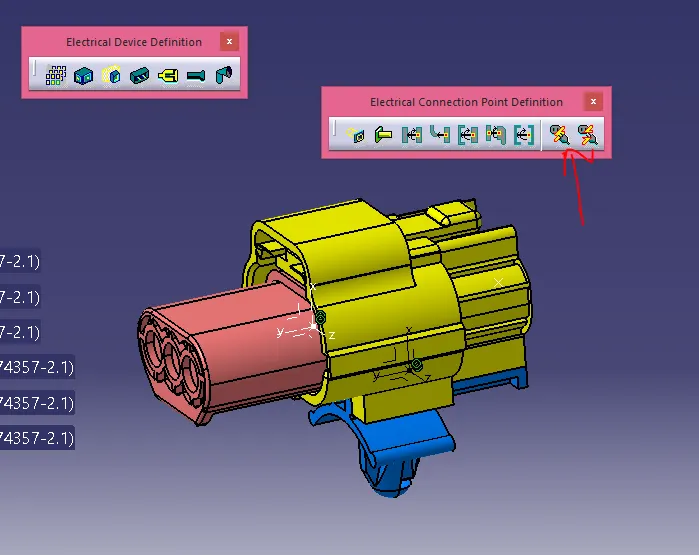
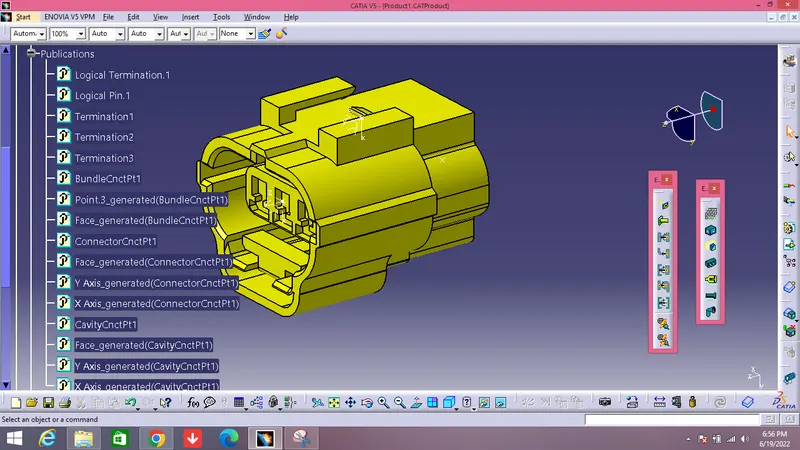
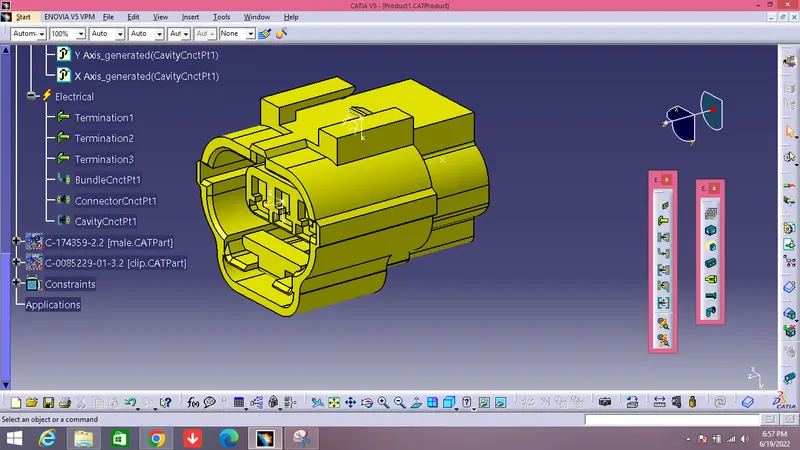
PROCEDURE FOR DEFINING THE CONNECTOR: Tyco 174357-2
- The connector must be given its geometrical characteristics which include the point and axis system for the bundle connectivity , connector mating connectivity and the connector cavity if necesaary.(Y DIR MUST BE ALONG THE MATING DIRECTION ALWAYS AND X TOWARDS CLIPPING DIRECTION I.E ORIENTATION)
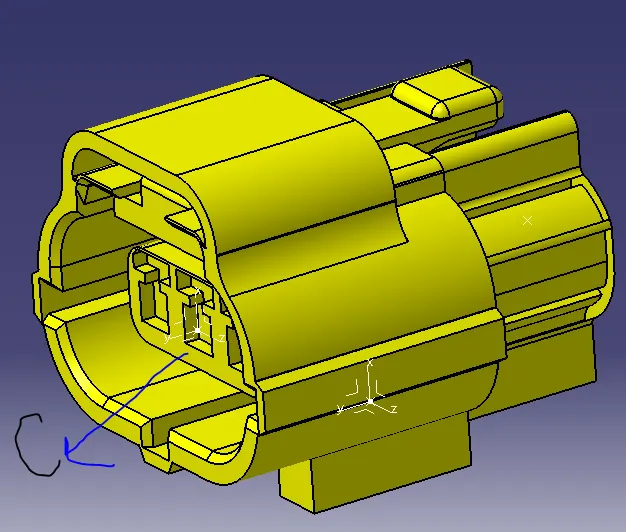
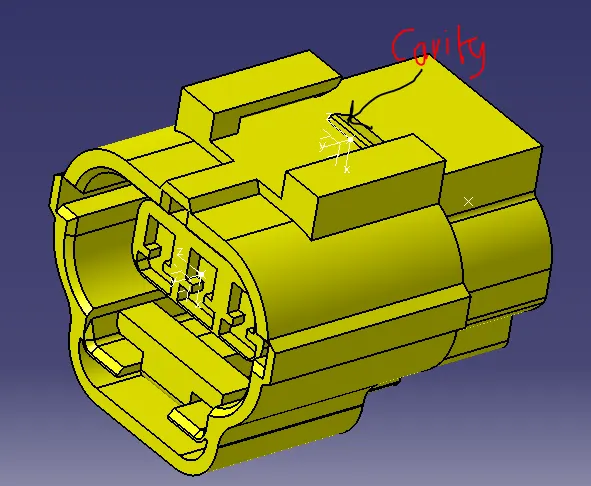
- Then you need to define the connector electrically by using the electrical part workbench and using the"DEFINE CONNECTOR" command define the connector electrically.The terminals should be listed looking at the CAD design.
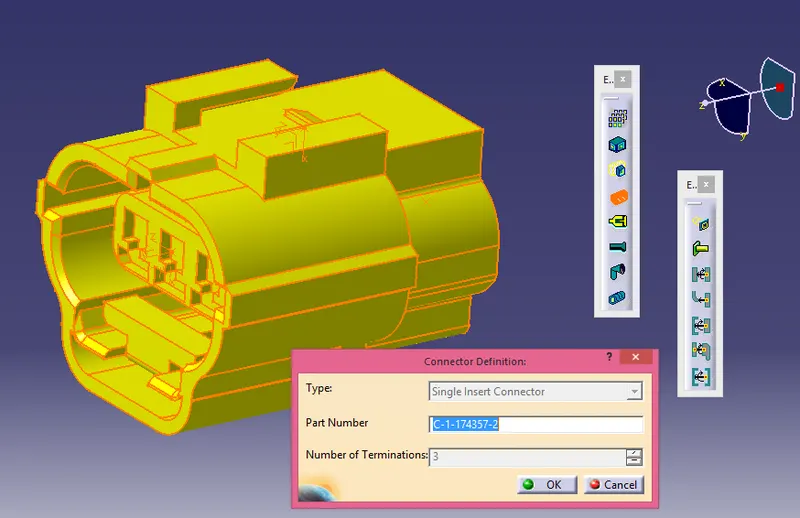
- Then you need to provide the connector entry point by using the command available in the electical part workbench, and give the appropriate papameters for each and every listed parameters.
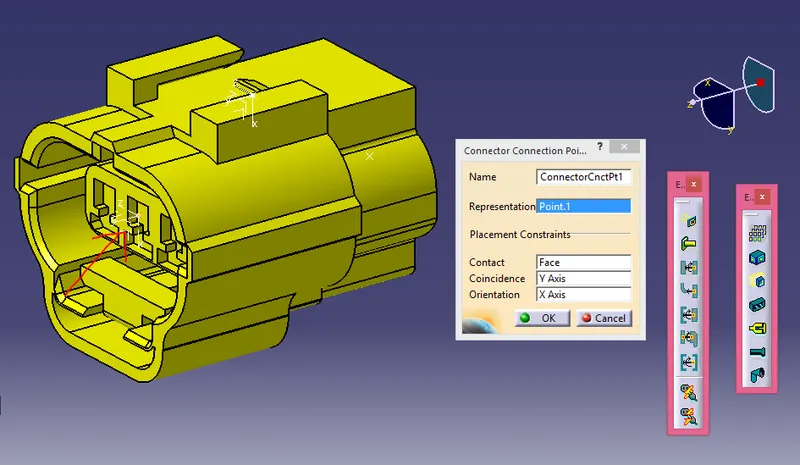
- Similarly provide the bundle entry point and the cavity connection point and list its all given values .
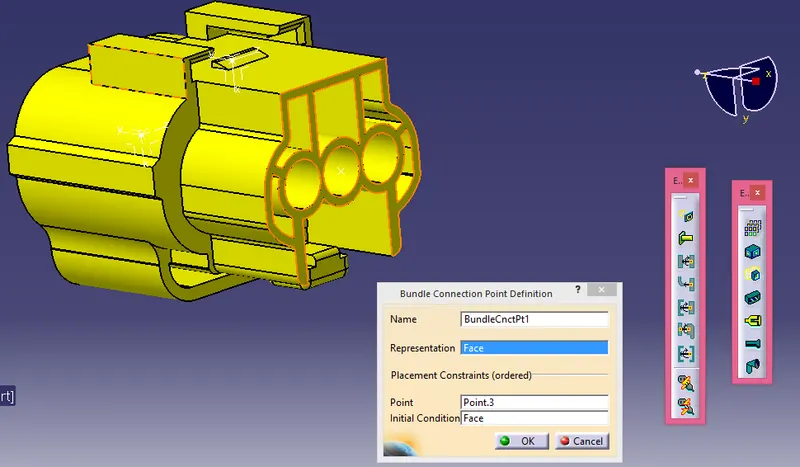
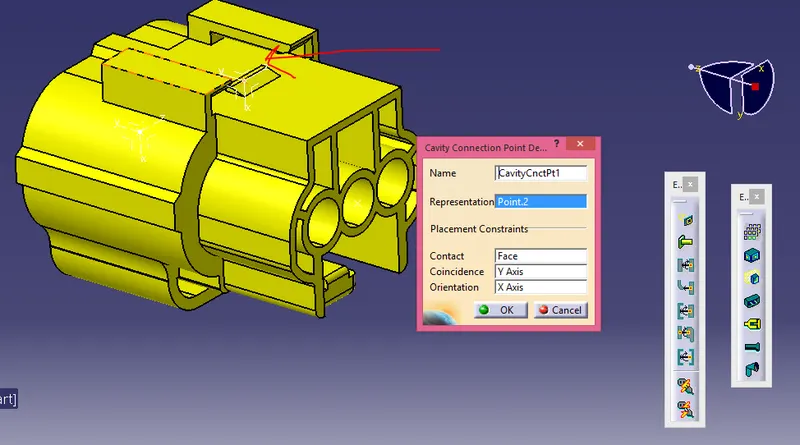
- You should must define the directions significally as same directions would be utilized for its mating parts.
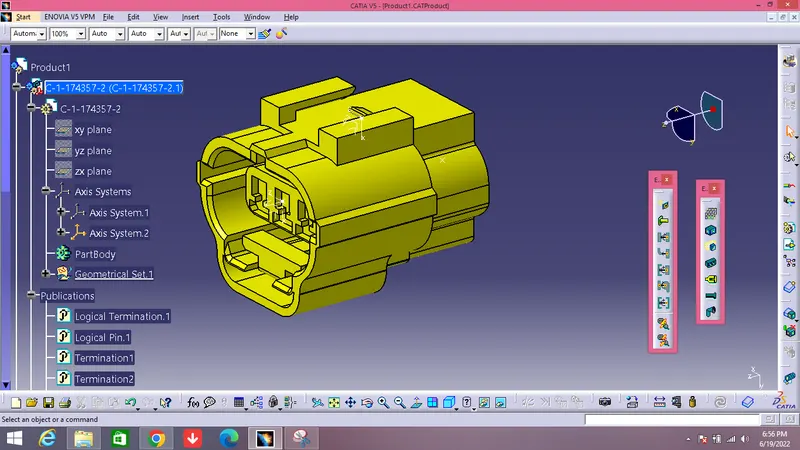
- Tree structure would look like this.
CLIPS
Connector Clips are initially installed onto the appropriate mating connector found on a wire or cable harness assembly. The connector is then secured to the attachment surface using the connector clip mount. The attachment surface can be a hole, edge, stud, or even another harness assembly depending on the connector clip mount being used.
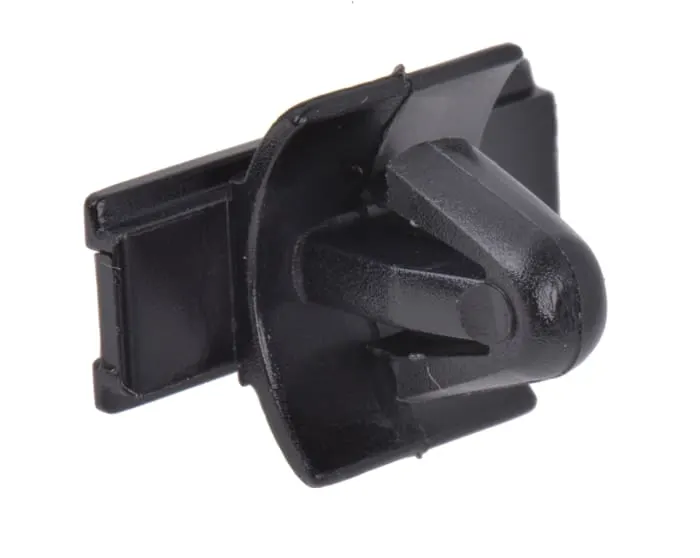
PROCEDURE FOR DEFINING THE CLIP: Tyco 85229-1
- The first step is to provide the geometrical parameter ( point and axis system) so that assembly of clip with the connector is done precisely, make sure you give similar axis orientation given while defining the cavity entry point of the connector.
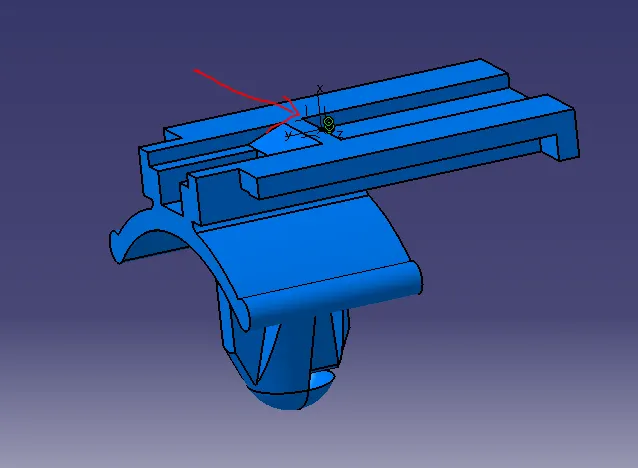
- Then define the clip electrically by using the electrical defination workbench and use the " define mounting equipment" .
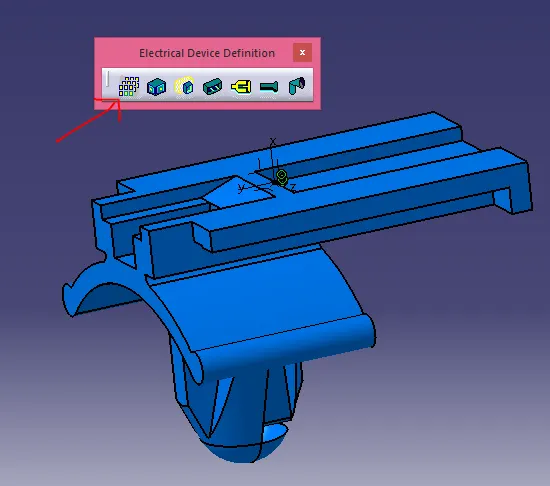
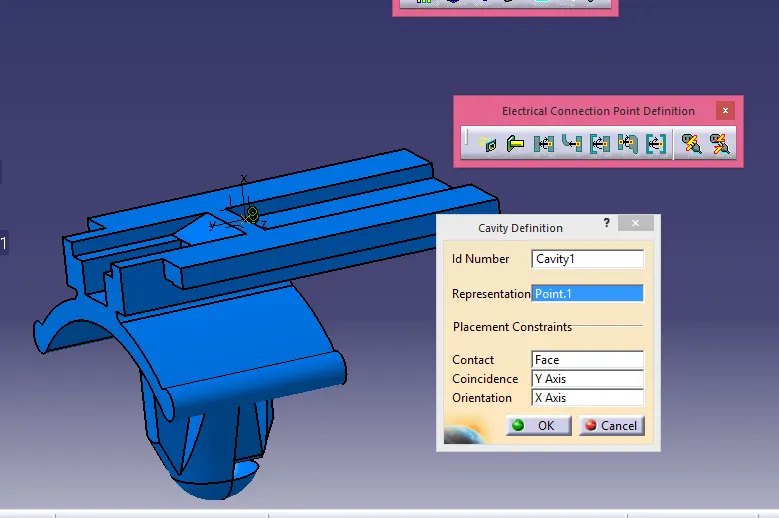
- Then define the connectivity point as cavity and make sure you give same parameters which you gave to the connector cavity point, so orientation while assembly is perfect.
- Tree structure of the clip.
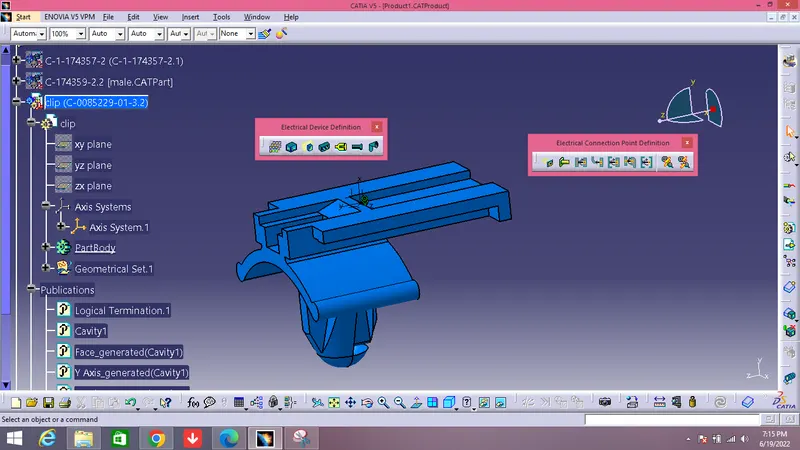
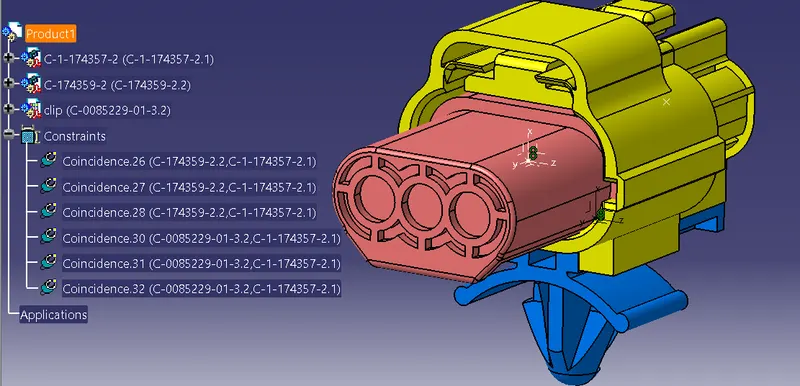
LAST IS ASSEMBLY OF THE CLIP, CONNECTOR AND THE MALE PART.
- This is done by just simply using the electrical assembly workbench of catia.
- Make a product file by adding all the devices( male connector, female connector and clip.)
- Then click on the connect electrical connect device command and then click the the two devices simultaneously.
- You can deselect them as well by using the deselct connected devices and then clicking on to the devices.
- Tree structure of the product window.