Week 9 Tension and Torsion test challenge
AIM:
To simulate the Tension and torsion test, their total deformation,stress and temperature using ansys workbench.
OBJECTIVES:
For this challenge, you will have to perform the tension and torsion test on the specimen provided below the video corresponding to the challenge.
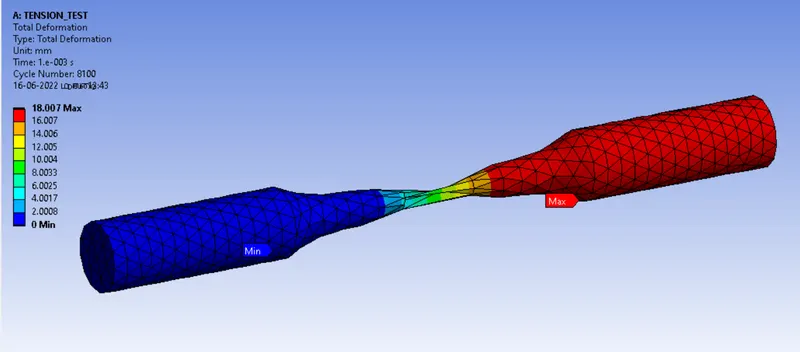
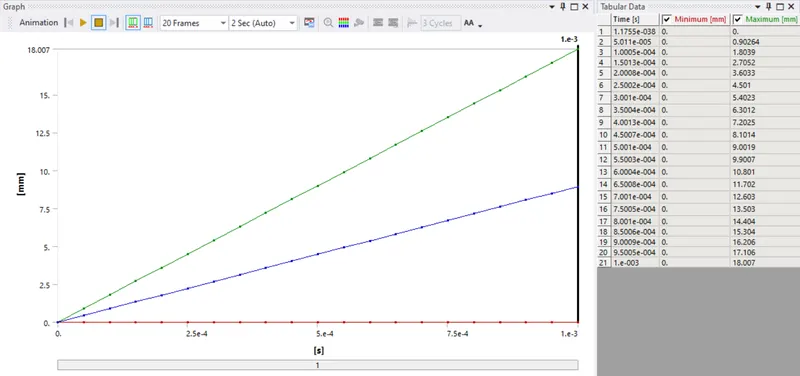
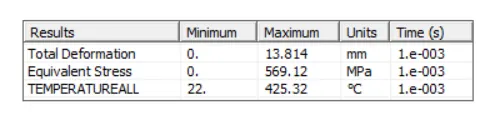
For the tension test, displace one end of the specimen to 18mm while keeping the other fixed. You will need to find out the total deformation, equivalent stress and temperature of the specimen and attach appropriate images to show your results.
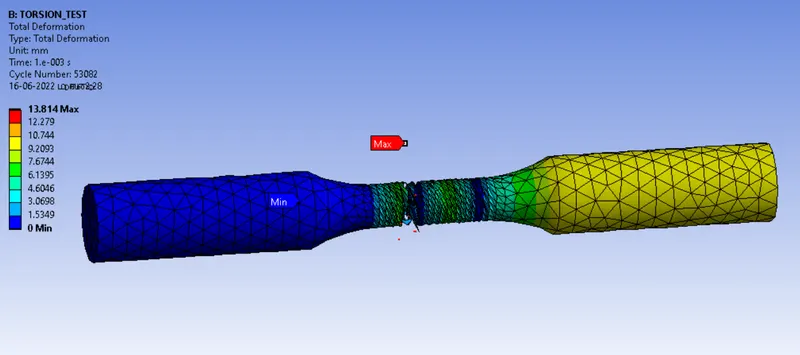
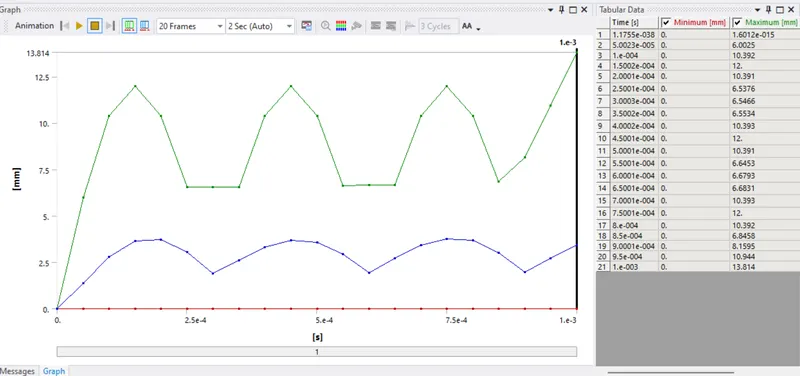
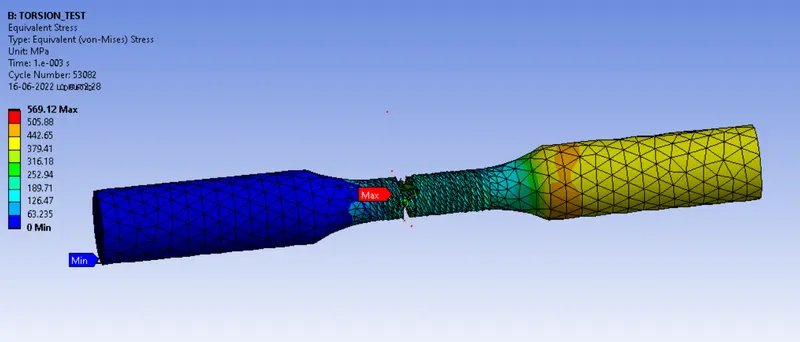
For the torsion test, you will need to displace one end of the specimen to an angle of 1200 degree. Find out the total deformation, equivalent stress and temperature of the specimen and attach images to show your results.
case-1:Tension Test
case-2: Torsion Test
PROCEDURES:
- Drop the Explicit Dynamics from the analysis settings.
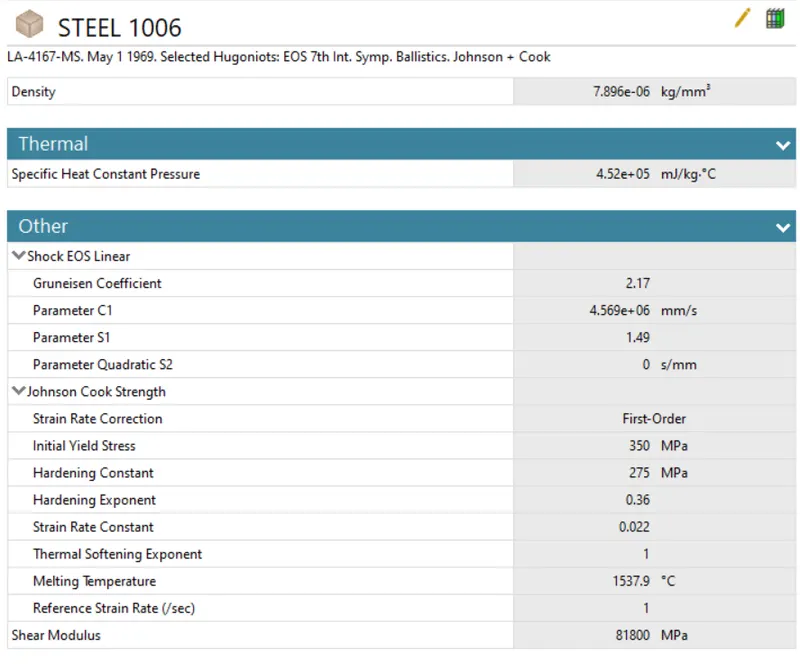
- Allocate the required material from the engineering data.
- Then import the geometry, then open the model.
Materials:
Steel 1006
Geometry:
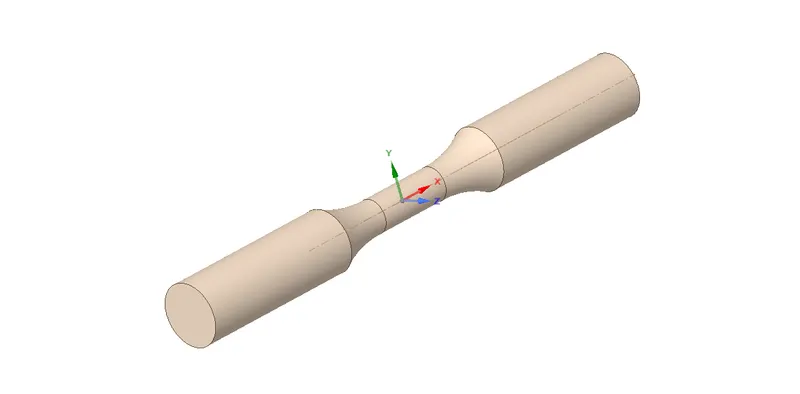
- First change the default name to SPECIMEN.
- Assign the selected material for geometry parts.
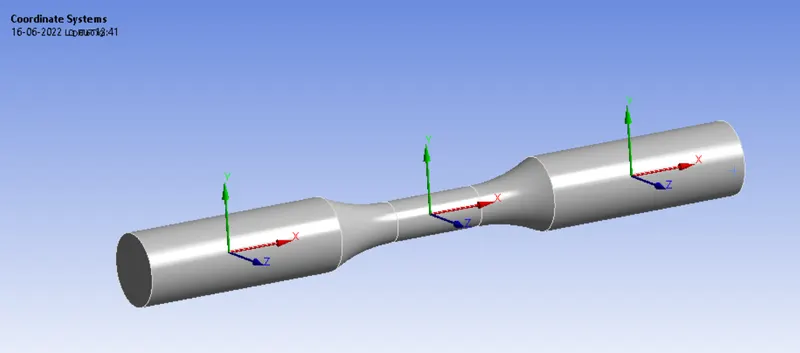
Coordinate system
TENSION TEST
- Now insert the coordinate system for right side of a specimen and apply.
- Again insert the coordinate system for left side of a specimen and apply.
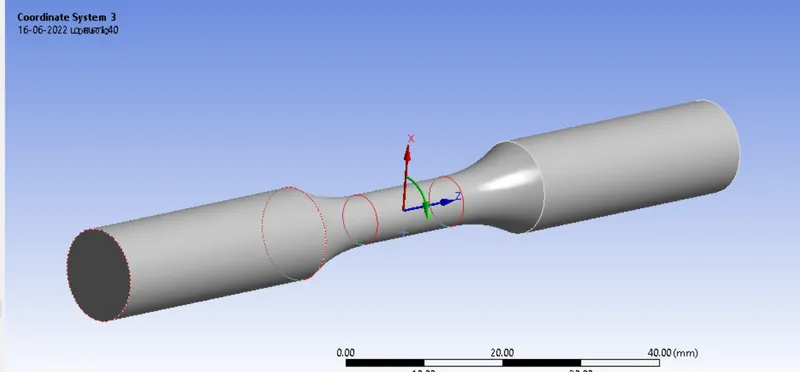
TORSION TEST
- Select the middle part of the specimen, insert the coortinate system.
- Change the type is cylinderical and axis is Z
Mesh:
TENSION TEST
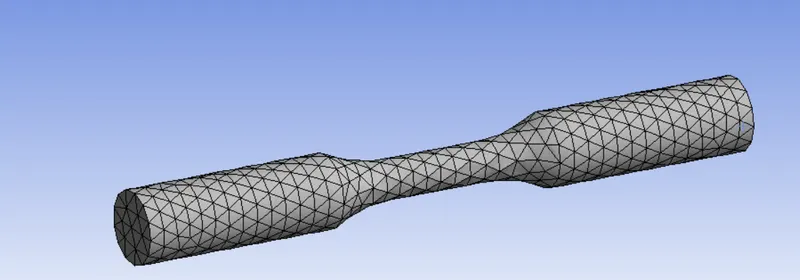
- Now open the mesh, insert the method select the all body use body filter, apply tetrahedron method.
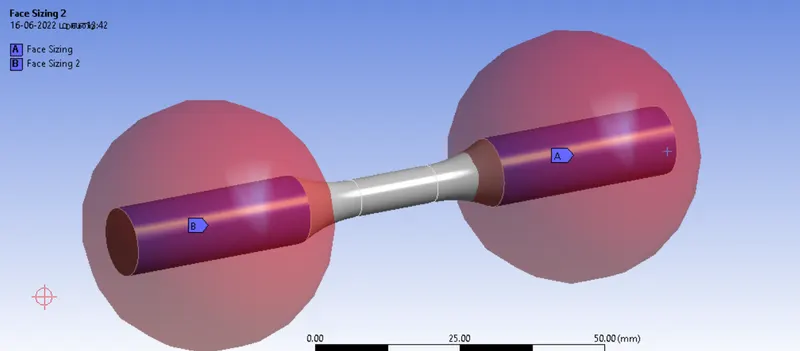
- Insert the sizing , select the right side specimen part use face filter and apply, type is sphere of influence and sphere center is right side related coordinate system. Then raduis is 22mm and size is 3mm.
- Same procedures for left side specimen.
TORSION TEST
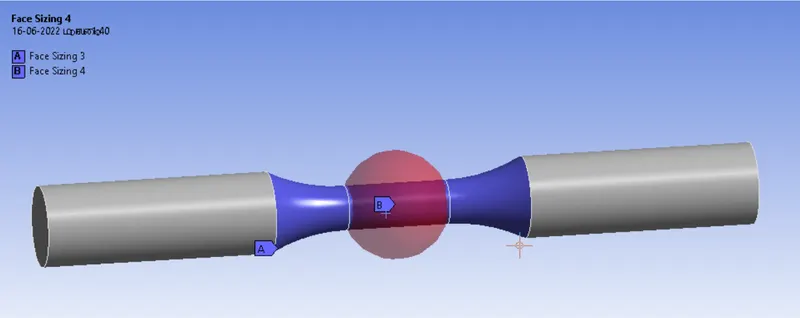
- Insert the sizing, choose a part and size is 1.5mm
- Then again insert the sizing, choose a middle one and type is sphere of influence, sphere center is global cooritinate system
- Sphere raduis and size is 8mm and 1mm.
Boundary conditions:
TENSION TEST
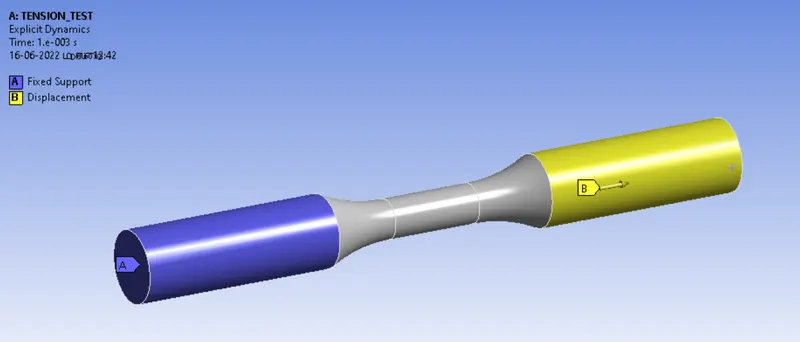
- Now Explicit Dynamics insert the fixed support and fixed the left side.
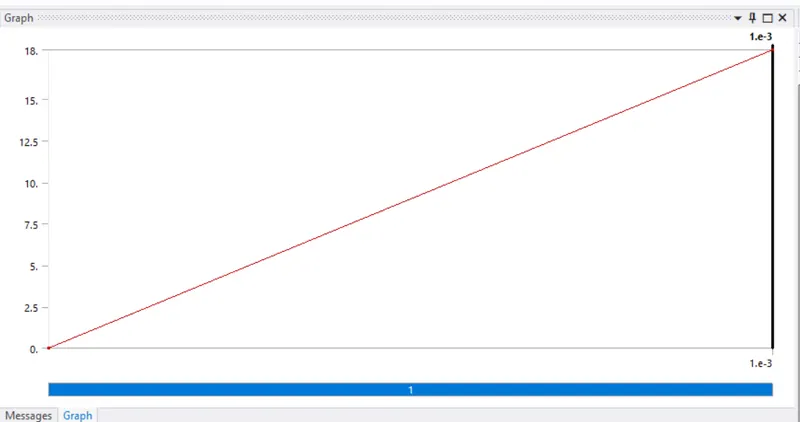
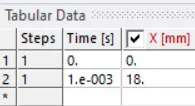
- Insert the displacement load choose a right side and x component is tabular data, value is 18mm
TORSION TEST
- Insert the fixed support and fixed the left side.
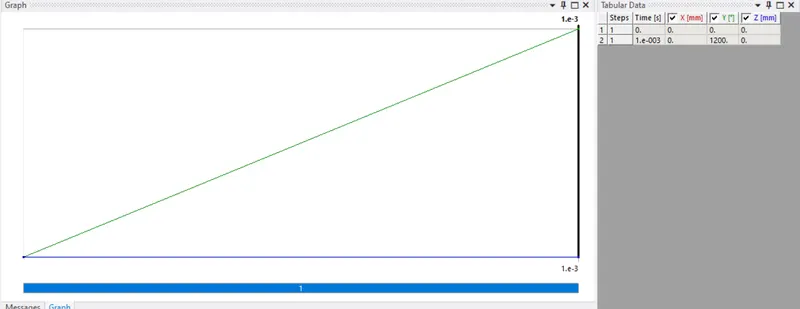
- Insert the displacement load choose a right side and set coordinate system 3 then X & Z component is zero and Y component angle is 1200 degree.
TENSION TEST & TORSION TEST
No of steps = 1
End time = 1e-3
Soluitions:
- After giving proper boundary conditions,create desired solutions for output results,create solutions for total deformation, stress and temperature. slove evaluate for solutions.
RESULTS:
TENSION TEST
Total Deformation And Graph
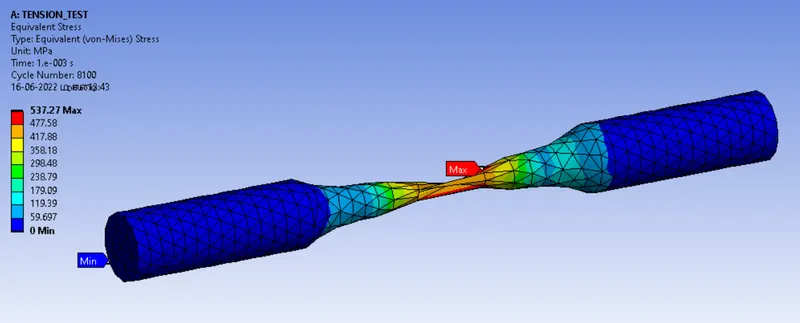
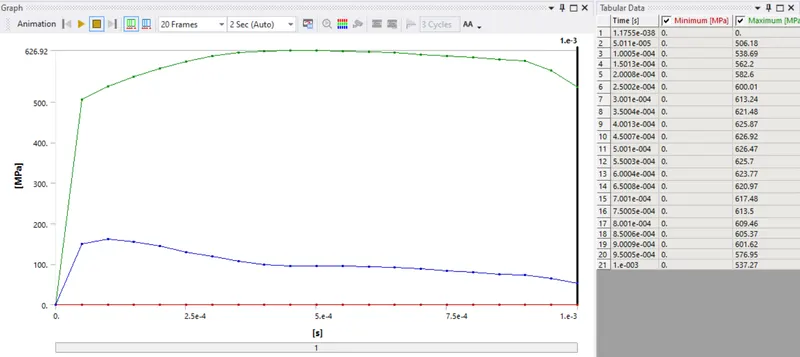
Equivalent Stress And Graph
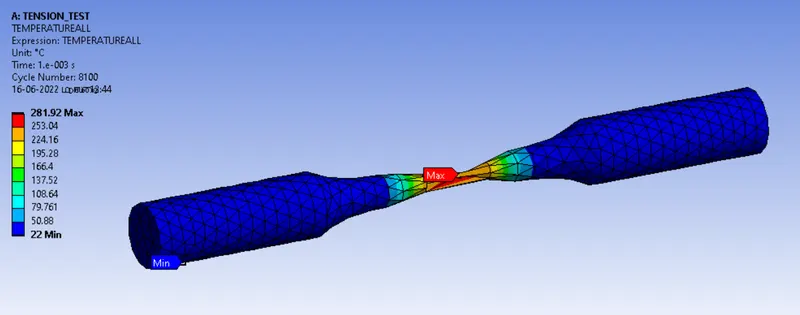
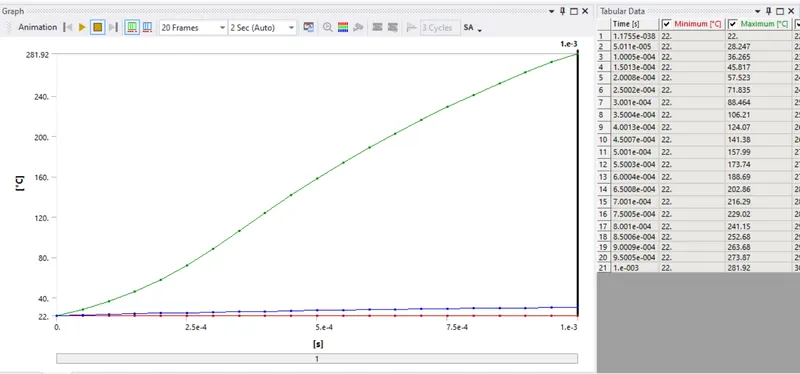
User Defind TemperatureAll And Graph
TORSION TEST
Total Deformation And Graph
Equivalent Stress And Graph
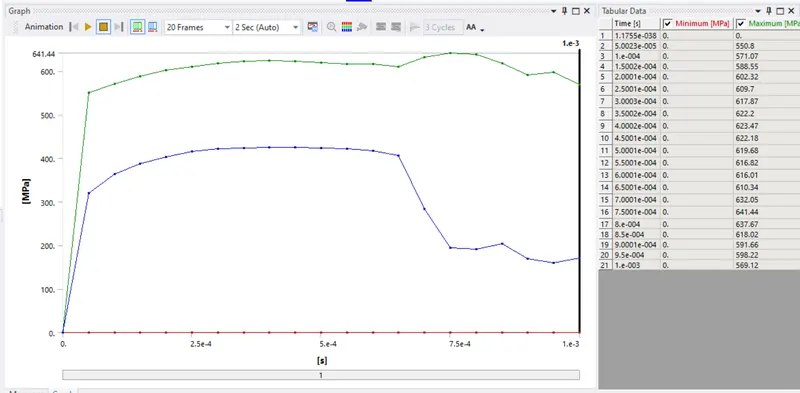
User Defind TemperatureAll And Graph
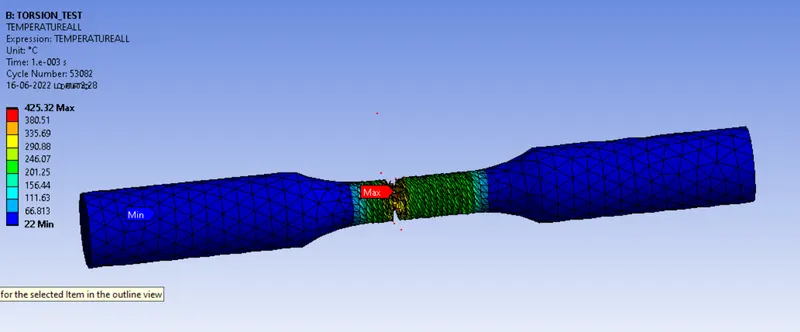
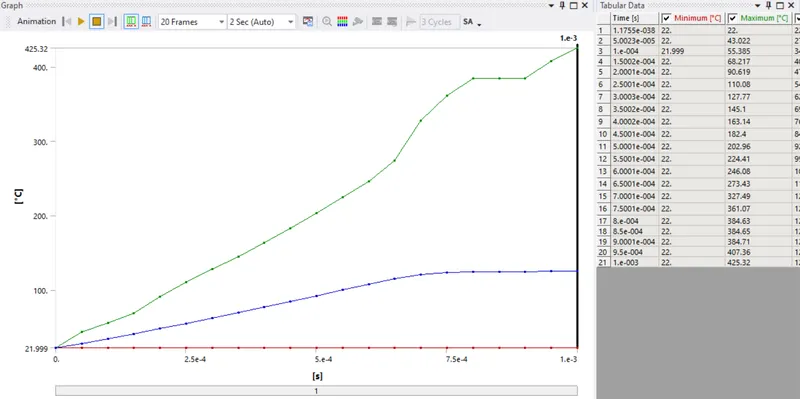
RESULTS:
TENSION TEST
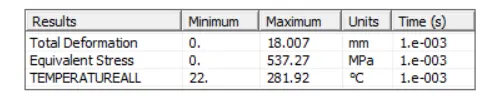
TORSION TEST
conclusion
To simulate the Tension and torsion test runned seccessfully. in this simulation two different cases thats are TENSION TEST & TORSION TEST. Case-2,all vluae is high compare to case-1 .