Week 9 - Project - Master Section Development
MASTER SECTION DEVELOPMENT
AIM - To design B-Pillar lower using Master section.
OBJECTIVES : -
- Create closed body of the given B pillar lower.
- Create tooling axis and follow design rules.
- Follow the Master section to create flange.
- Follow the master section for thickness and to create the closed volume.
- Follow master section to create attachment features.
CONTENT : -
STEP - 1 - Creating flange following the master section.
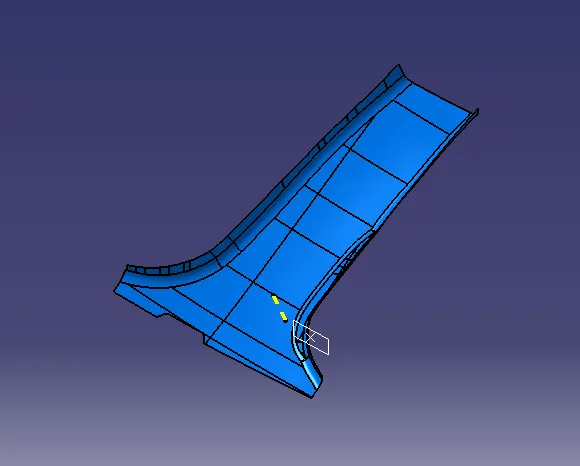
- A-surface of B-Pillar lower.
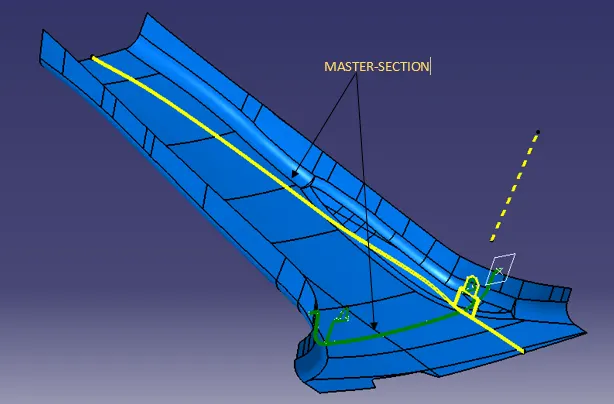
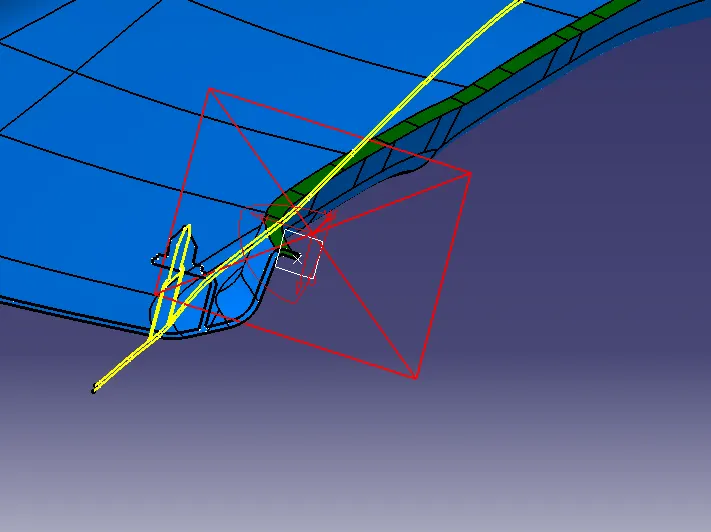
- Followed the master section to create the flange.
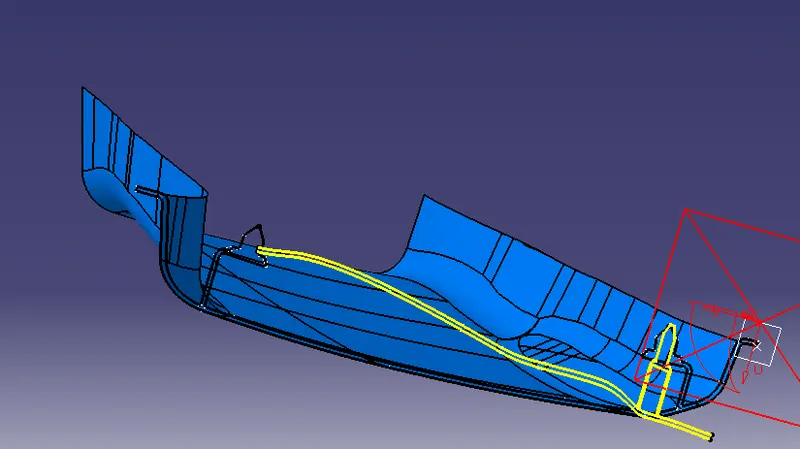
- Flange is created by using sweep option tree structure of creating the flange 1 and flange 2 is shown below.
FLANGE - 1
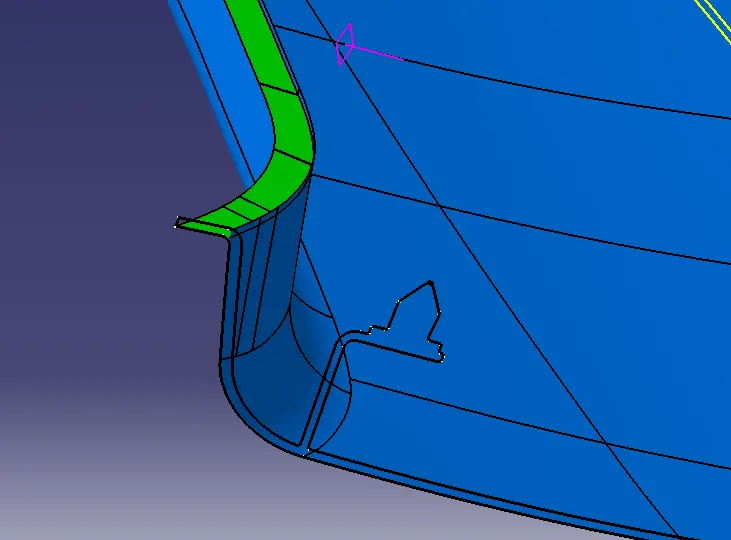
FLANGE - 2
STEP - 2 - Creating Tooling axis for B-Pillar lower.
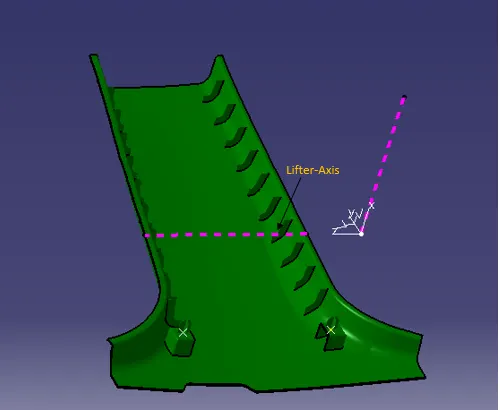
Tooling axis -
- The Tooling Direction is basically the direction that the mold pulls apart. The mold is built in two separate pieces. Basically, one piece is Cavity side and the other one is Core side.
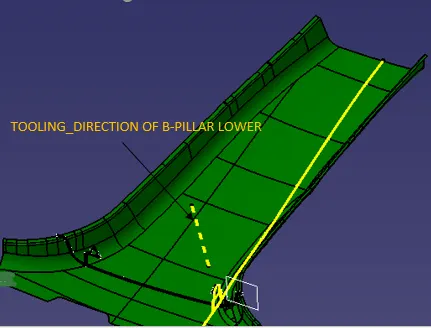
- Above picture shows the tooling axis of the given part.
- Creating closed body of B-pillar Lower.
STEP - 3 -
For creating closed body of the part a tree-structure is following
- First modified the class-A surface as per master section that is by creating flange.
- Second offset the class-A surface by 2mm to create the B-surface and this 2mm distance is measured from the master section, surfaces which are not getting offset can be filled by using multi section solid command, blend and fill command.
- Third after creating B-surface, C-surface is created.
- Fourth after creating C-surface ,extra surfaces are trimed and joined to create the closed-volume.
Modified Class-A surface that is by adding flange as per master
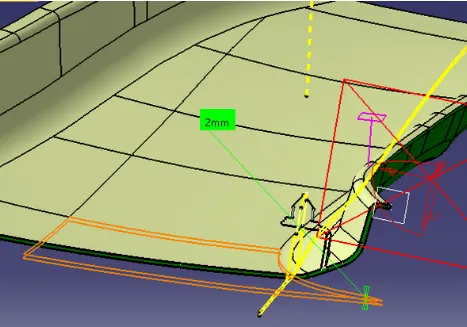
- A-Surface is offseted by 2mm for creating B-Surface and this value is calculated from the master section.
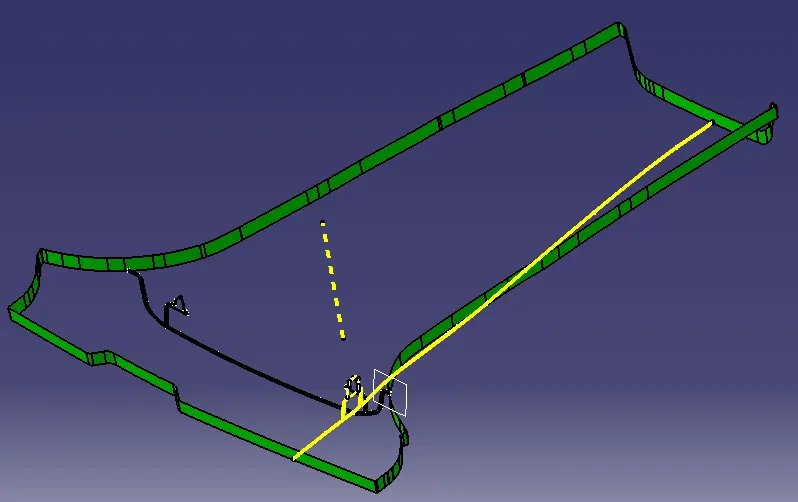
- Final class-A, class-B and class-C surface is shown below : -
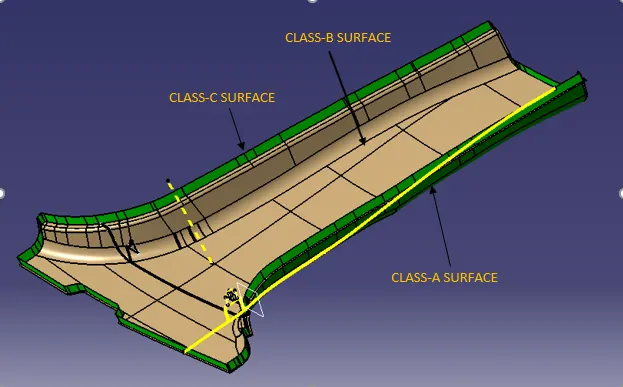
- After trimming the Class A and Class B surface, we get Class C surface.
- Check the boundary of the Class C surface if there is any gap between the surfaces, close the entire surface.
- If there is no gap between the surface, move to part design with the help of solid command.
- Fill the solid in Class C surface. To make solid body or object.
STEP - 4 -
Create B-surface features by following master section.
- Dog-house with 4 way locator is created by following the master section.
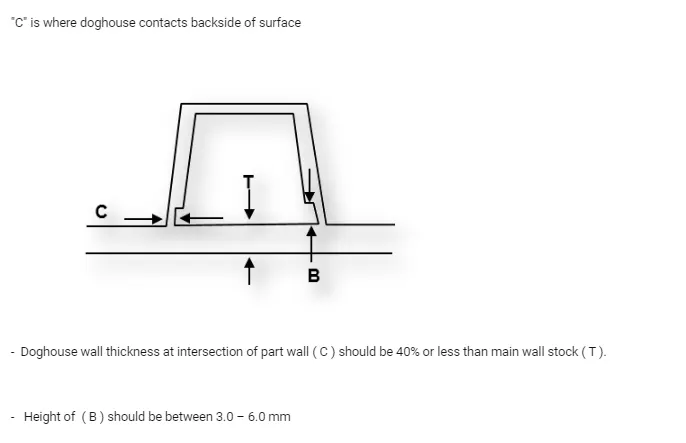
- After the completion of solid body, dog house has to be created and assemable in Class C surface.
- With proper direction draft direction.
Dog house with 4 way locator
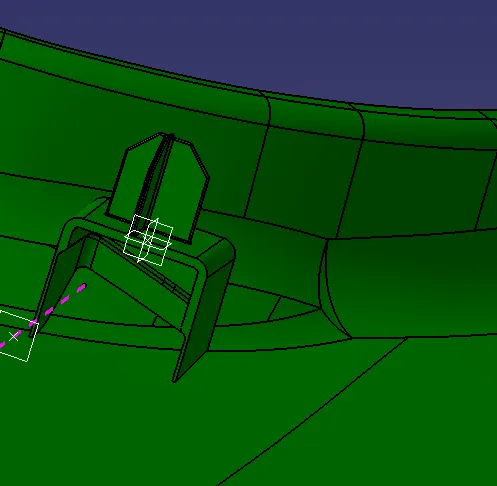
- After creating one dog house with 4 way locator symmetric command is used to create another one in the opposite side.
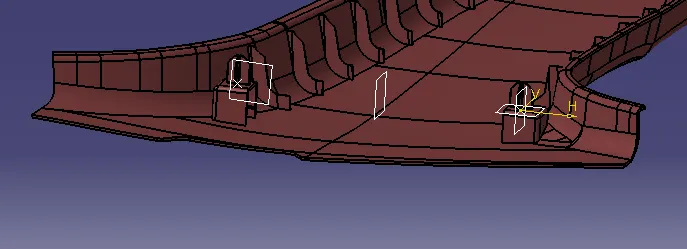
- As we can see in the above picture that the middle plane is used for creating another dog-house with 4 way locator by using symmetric command.
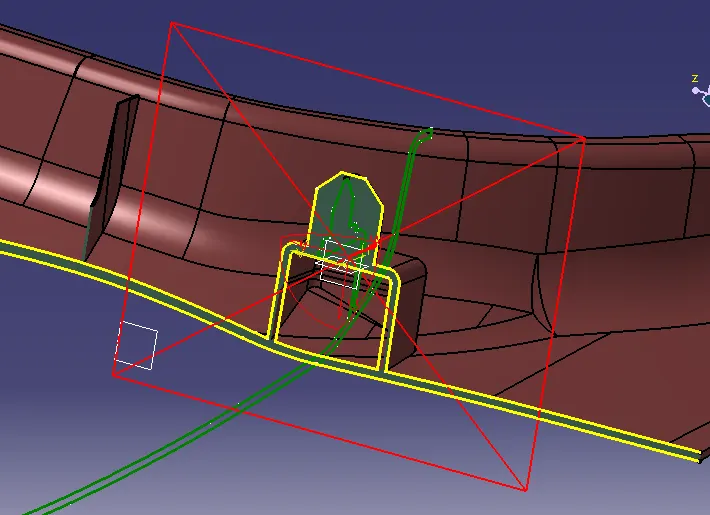
- Section view of B-pillar lower with B-side feature that is dog house and locator.
STEP - 5 -
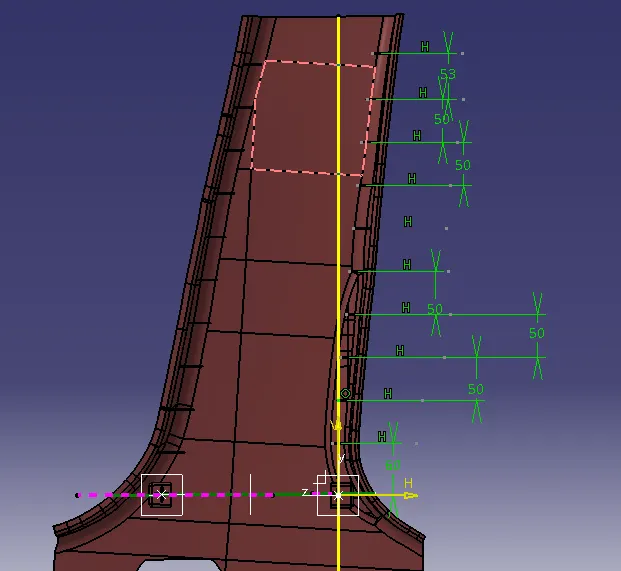
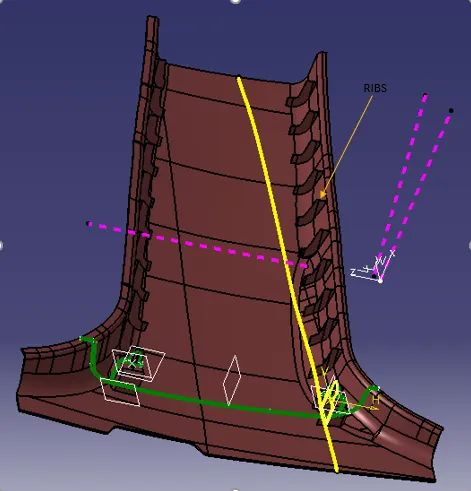
Ribs creation -
- Design rule for rib is that the distance between two ribs should be 50mm(min) and from B surface features it is kept as 60mm
STEP - 6 -
B-pillar Draft analysis -
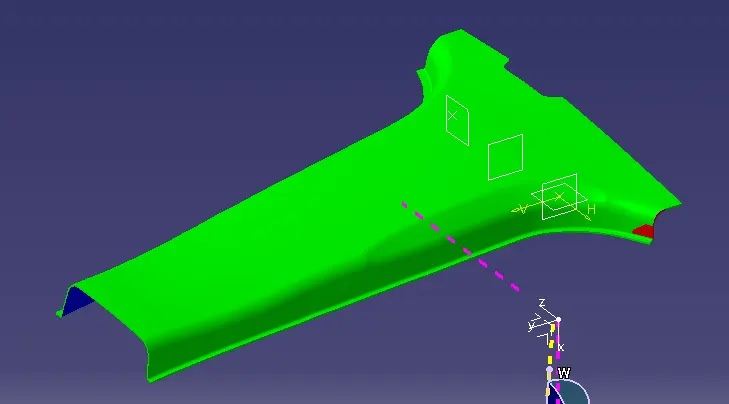
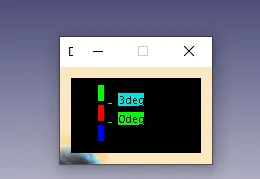
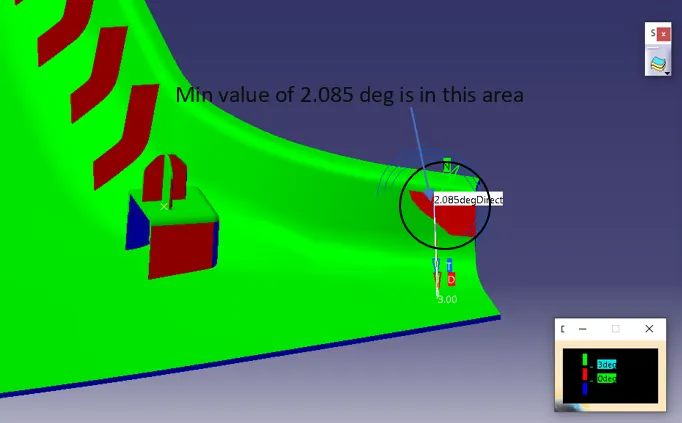
- Above picture shows the draft analysis of class-A surface , Nominal draft angle is 3deg, green colour shows that the class-A surface can be clear in the tooling direction created.
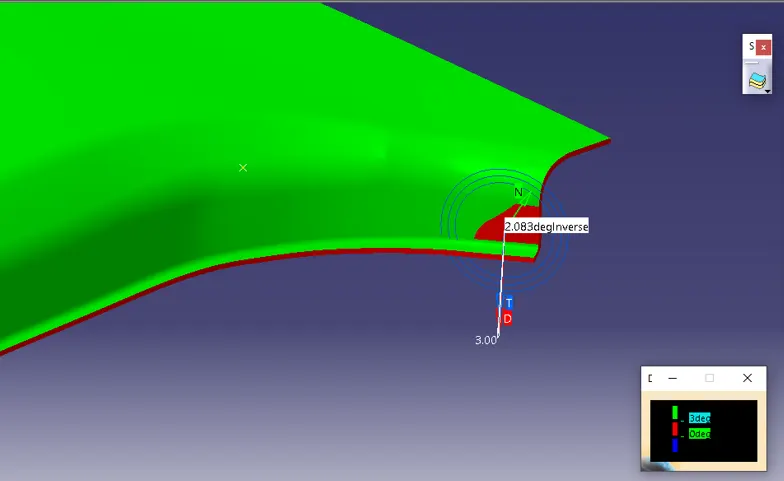
- Minimum value in this area is 2.083 deg.
-
All areas with minimum draft of 3deg expect the area shown in red colour.
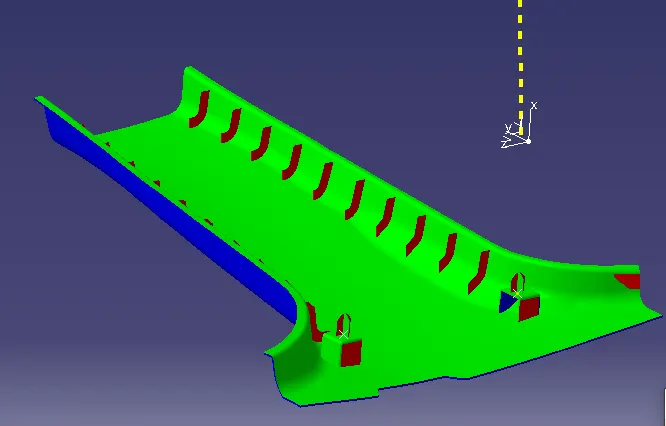
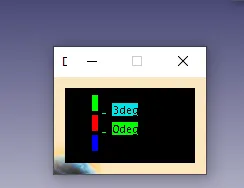
- Above picture shows the draft analysis of B-Class surface,Nominal draft angle is 3 deg.
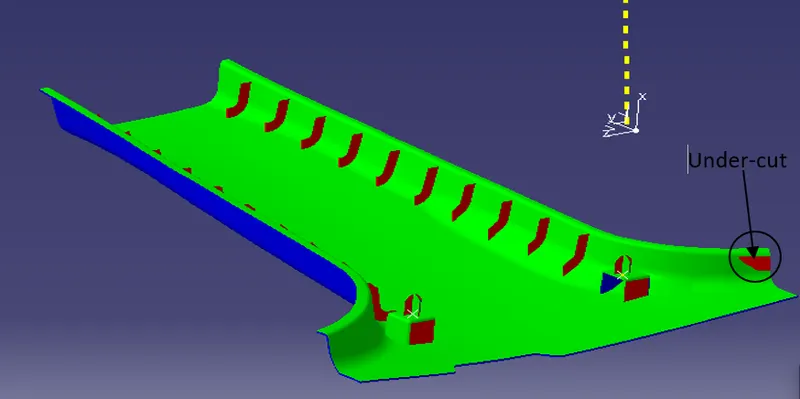
- Red colour shows that it is an under-cut and it can not be clear along the tooling direction.
Draft analysis of C-surface
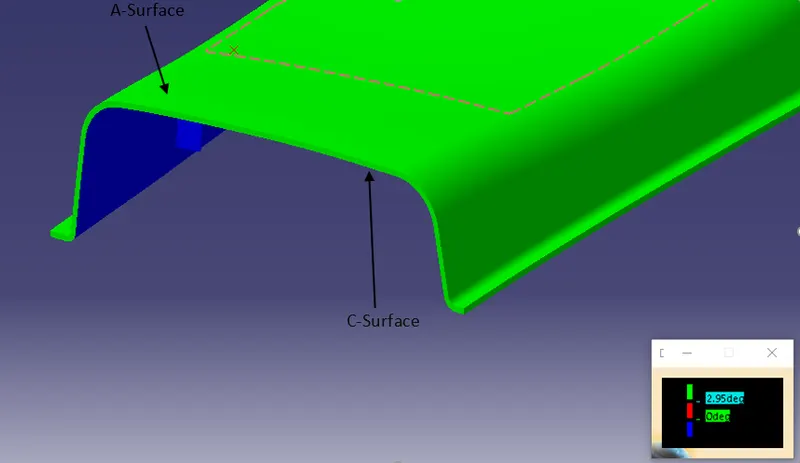
- All faces of the C-surface are with 3 deg draft.
- Draft analysis of Dog-house with 4-way locator.
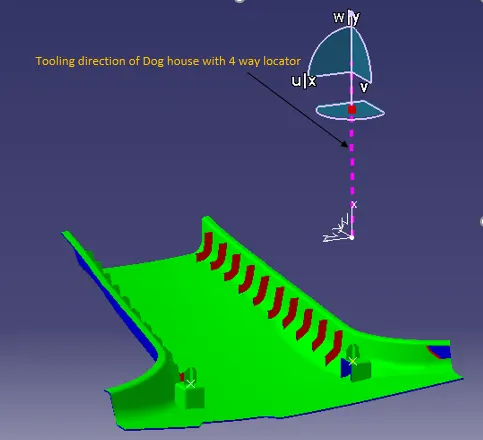
- Dog-house with 4 way locator in Tooling direction of dog house.
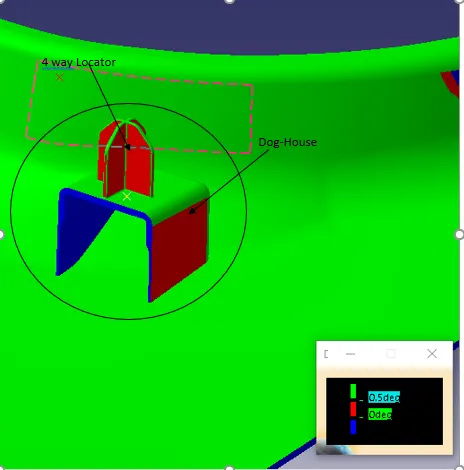
- Above picture shows that the minimum of 0.5 deg draft is there on Red faces and 3 degree draft on other faces.
- Lifter-direction of Dog-House.
- Dog-House with 4 way locator in Lifter direction.
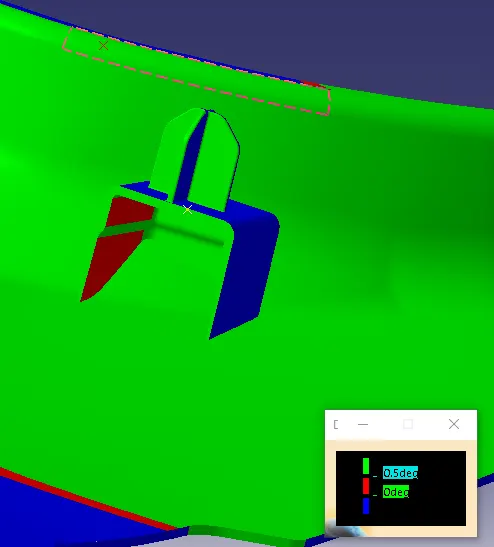
- Above picture shows that the minimum of 0.5 deg draft is there on Red faces and 3 degree draft on other faces.
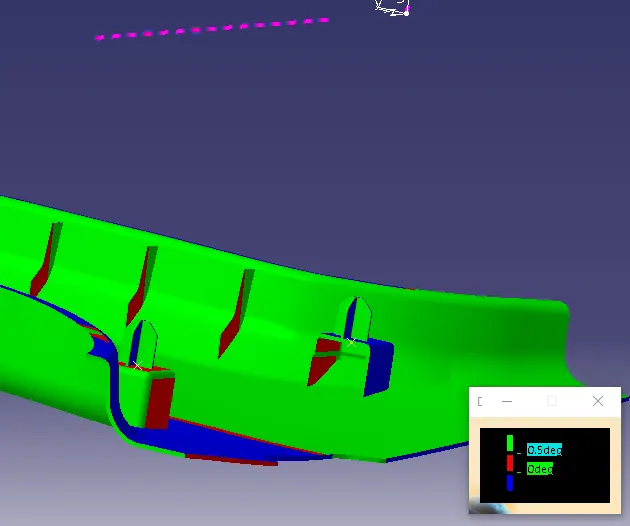
- Draft analysis of 1st Dog house with 4 way locator in the lifter direction.
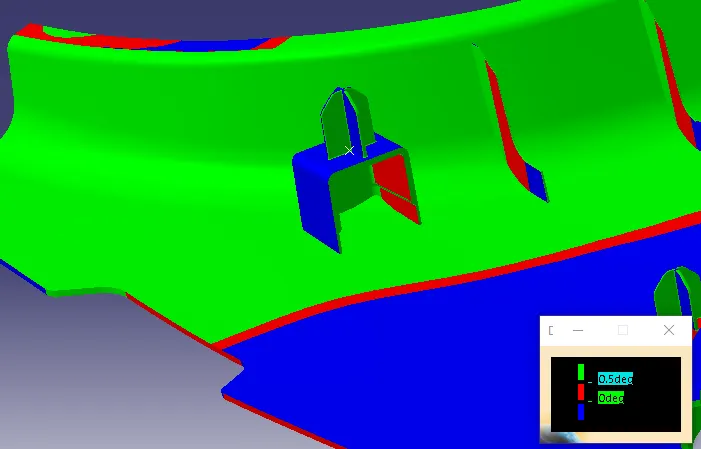
- Draft analysis of 2nd Dog house with 4 way locator in the lifter direction.
- Draft analysis of Rib in the main tooling direction.
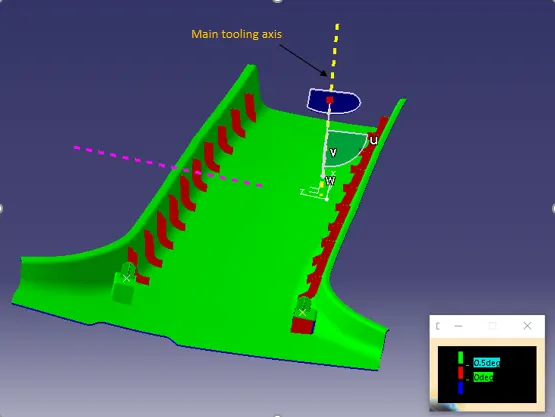
- Above picture shows that the minimum of 0.5 deg draft is there on Red faces.
CONCLUSION : -
Thus, A Tooling Axis is created and a open aesthetic Class A Surface is developed into a closed surface with all plastic design rules and a final
part body is created out of it in CATIA Surface Work Bench. The Design is then validated with Master Section and understood the use of
Master Section Development in Product Design through development of B Pillar Cover used in the Car Interiors.