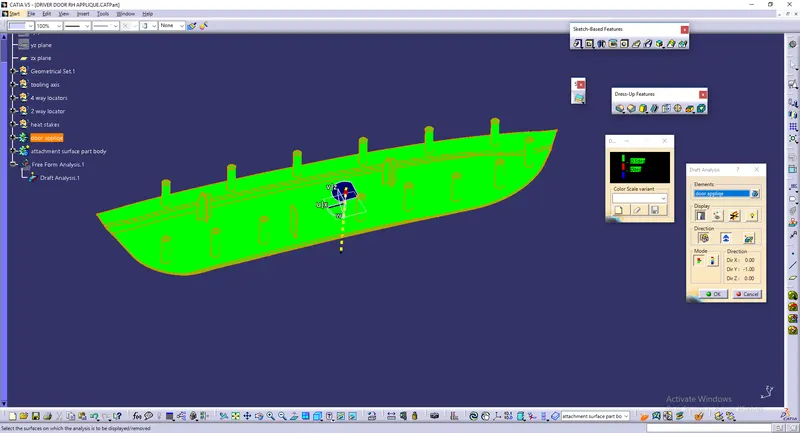
Plastic component through the given Class-A surface and its B side attachment features .
Aim - To Create the Plastic component through the given Class-A surface and add b side attachment features.To begin with, the tooling axis for the given Class-A Surface should be created meeting the requirements of the draft angle and at the end perform the Draft analysis on the model.
Procedure -
creation of 2 way, 4 way locators and heat staking -
-
Creation of locators
1 For the creation of the locators we need to draw the shketch as of our requirement that is either +/-, + indicates four way locators and - indicates two way locators .
2 Now we need to take a plane and sketch the locators ,after editing the sketch we need to use the pad command in that we need to click the neutral fiber option for the correct ofset of the materials
3 Rules for creating a locators ------
Rib thickness at the tip = >=0.75
Rib Draft = >=0.5 degree
Rib radius(fillet) = 0.25 maximum
Rib Thickness (w) = 0.4*t (where t is thickiness of the wall)
Rib Root thickness = >=40% of wall thiskness
Rib depth or height = <=5t (where t is thickiness of the wall)
Rib spacing = 2t(where t is thickiness of the wall) -
Creation of heating stakes
1 for the creation of heating stakes we need to use the same sketch as the screw boss that is two circles , one inside the other .
2 then we have to pade it as per our requirement .
3 General Guidelines for heating stakes : Draft - 0.5 degrees on walls of boss
Thickness - Typically 40%* of the nominal wall at the base.
Height to Diameter Ratio - 3:1
Radii - 0.25mm maximum radii.
Draft Analysis -
- Before starting to work on the part we have to see the connectivity of class A (the give input is closed or not )(use join).
- In order to creat a tooling axis we have to creat lines in x-direction and y-direction and we have to bisect them to get the tooling axis .
- We have to take the axis system at the center of the surface (calss A) and we have to intersect them with xz directon of the planes . so that we get wire frame in the desired
direction in which we have to creat lines and bisect them . so the lines we get after the bisection it is known as tooling axis .
we have to do this for the other direction (or )plane also . - After getting the tooling axis we need to publish them . (tools - publication - select on the requid elements).
- In order to do the draft analysis we need to change the material , which is present in . view tool bar . (view tool bar - cylinder - click the last cylinder) .
a window will open ,click on material then ok . - To open draft analysis , go to (insert - analyis - draft analysis )
- After opeaning the draft analysis tool
we have to click on the compass which is oresent in draft analysis table and find the compass , drag it towards the tooling axis and design them .
click on the lock box then ("x") thhis symbol will arise , go to the object and click on them .
we can measure the angle of object by clicking on the eye symbol which is present on the display .
we can get the result by clicking options which are present on the model .
Images -
image showing the sketch of 4 way locators -
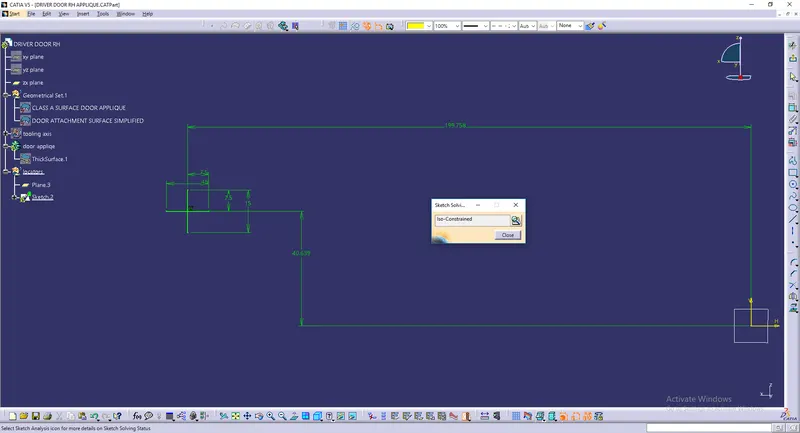
image showing the sketch of 2 way locator
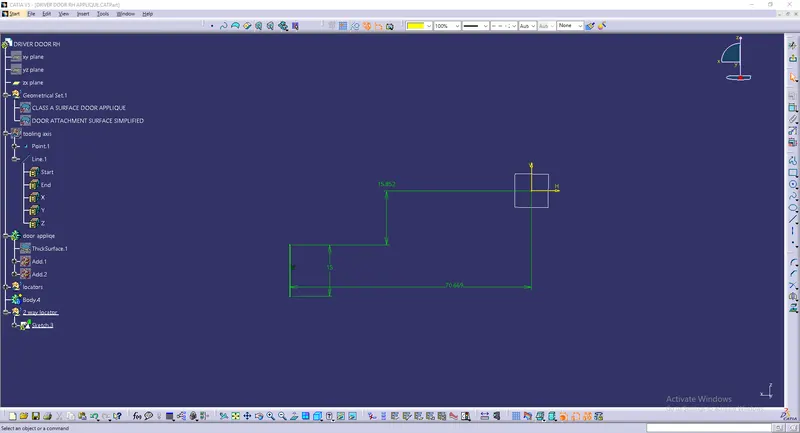
image showing the heat stake sketch 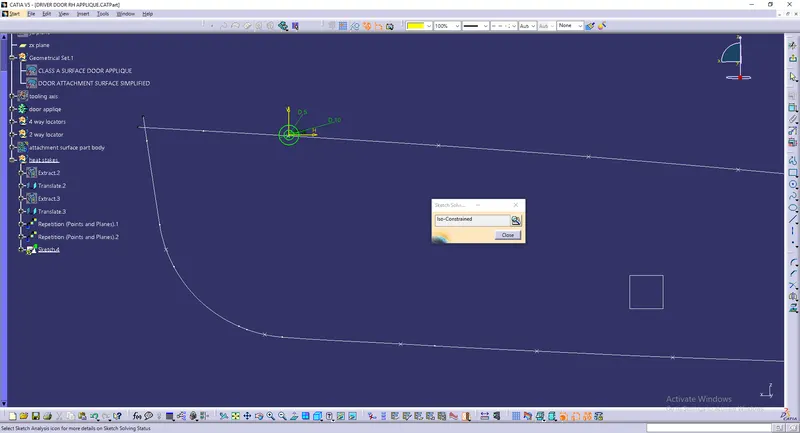
image showing the door applique and its b side attachment features
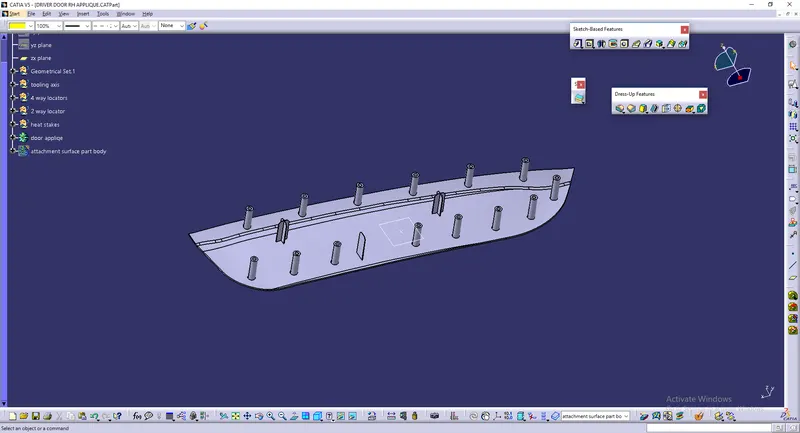
image showing the door applique and its b side attachment features and the surface attachment body
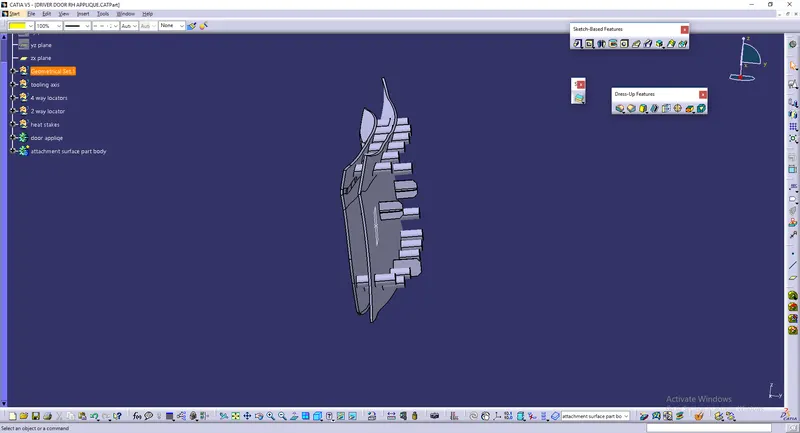
image showing the draft analysis of the given class A surface
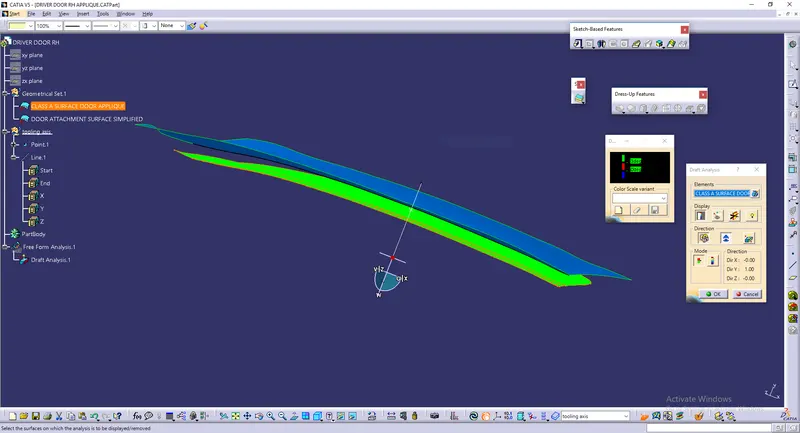
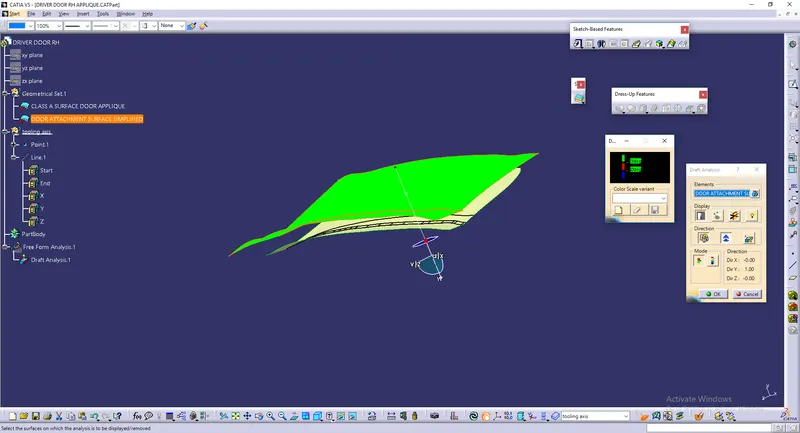
image showing the draft analysis of the door applique and its b side attachment features and the surface attachment body