Week - 9 Material Modeling from Raw Data
Material Modeling from Raw Data
OBJECTIVE:-
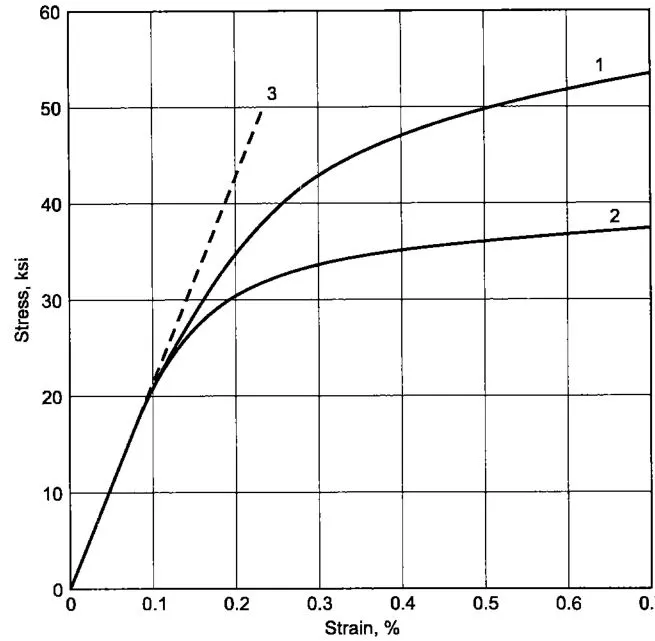
Use graph digitizer to extract data point of True Stress vs True Strain of anyone graph given below.
Use these data points and Create a MAT24_PIECEWISE_LINEAR_PLASTICITY material card for an elastic-plastic material.
Verify the material card by performing a uniform tensile test on a Dogbone specimen.
THEORY:-
Material modelling plays an important role in determining the accuracy of simulation results and thus it is a very important task in CAE industries. Team works on extracting the data from actual experiments or past available resources and turn them into solver accepted material cards.
Usually multiple tests are done and the data obtained from these test are either averaged out or the best data curve is taken up for further processing. Around 150 to 200 data points are selected as a raw data. The raw data is filtered off of the noise present.
Now the data obtained after processing is usually taken as a curve input for material cards. We will follow a similar procedure for our exercise.
INTRODUCTION:-
Material model:
To get realistic results for any analysis using FEA, a good material model for the material is necessary. A material model can have all sorts of data describing the behavior of the material in different conditions: say different tensile test curves for different strain rates and much more. This helps getting realistic behavior of the component with the material model in all sorts of situations.
Building a material model requires test data from various experiments conducted in real life to describe the material behavior in detail. A complex analysis would benefit from a detailed material model, whereas a simpler simulation would not benefit much. The data collected from an experimental test is first cleaned to make sure any unnecessary data points are filtered out to get clear picture. Usually, the same test is repeated a number of times to ensure repeatability of the results. This test data is then inserted in the suitable format into a model: say effective stress-strain curve in x-y co-ordinates.
A cleaner data with consistence behavior in the case of a stress strain plot, inconsistent data points should be avoided as it can affect the stability if the simulation having such a material model. A fitted curve with 98%+ accuracy can solve such issues. After matching for the unit system of the analysis, this data can be added to the simple material model to make it more detailed – for example with the use of material model such as MAT24 – linear piecewise material.
A good practice of the material modelling procedure is the validation of the model. By performing simple analysis for which an experimental test can be performed or such data can be acquired, and then comparing the experimental and analysis results gives a good benchmark for the model. In this exercise, we try and replicate such a process.
Material modeling is done with the help of raw data. We have to extract the data from given image. The given image gives you the True Stress and True Strain values.
-> In case if we are provided with the Engineering Stress vs Engineering Strain Data, We can convert it into True Data.
1) True stress = Engineering Stress*(1 + Engineering Strain)
Engineering Stress = True Stress/(1 + Engineering Strain)
2) Engineering Strain = e^(True Strain) - 1
3) Stretch Ratio = 1 + Engineering Strain
1)Power Law (MAT_018): In this material model the elasto-plastic behavior is determined by the power law of hardening. It is an isotropic model with a curve pattern depending highly on the hardening coefficient value.
σy=kεn">σy=kεn
σy">σy = yield stress
k=">k=strength coefficient
ε=">ε=total strain
n=">n=hardening coefficient
2)Piecewise linear plastic (MAT_024):
It is a material model for elasto-plastic behavior which is also an isotropic material where arbitrary stress as a function of strain curve and arbitrary strain rate dependency can be defined. The stress-strain behavior may be treated by a bilinear stress-strain curve by defining the tangent modulus, ETAN.
PROCEDURE:-
1.Data Extraction:
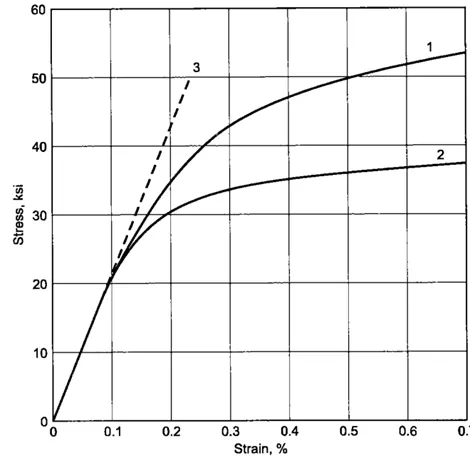
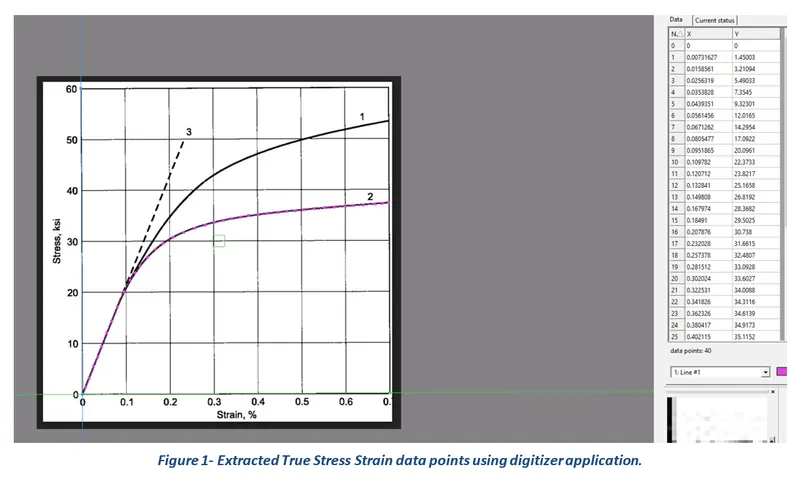
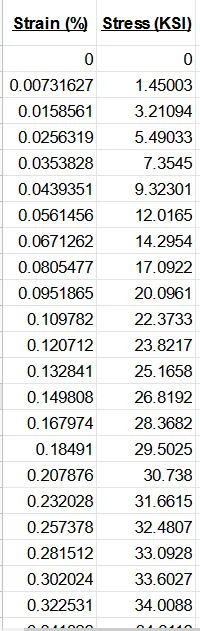
The given image file of true stress-strain graph of graphite iron casting is opened in data digitizer software to extract the data and export it as excel file.
The curve 2 is chosen to extract data of stress-strain of graphite iron casting as shown in fig below.
Ensure the data points picked is evenly spaced so as to get smooth curve and better convergence.
2.Data Cleanup:
Create a graph using these data points. Go to trendline option and select a polynomial option to get a closer trendline. Change the power option to identify a closer trend.
Use this trendline equation and generate the stress data for the same strain.
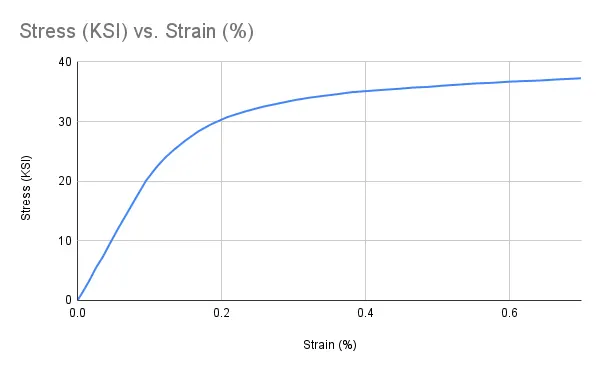
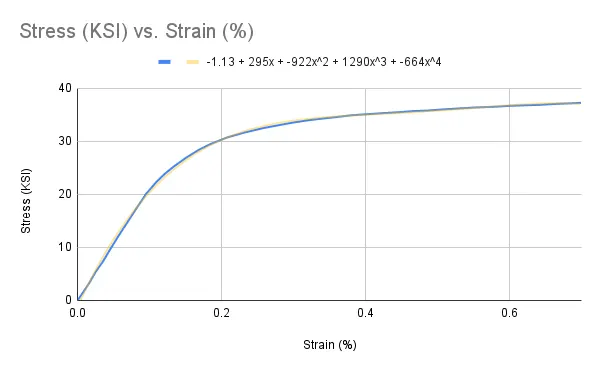
Since the Raw data curve and polynomial trendline curve are almost coinciding, we do not need to cleanup the raw data because there is nearly no difference.
3.Data Conversion:
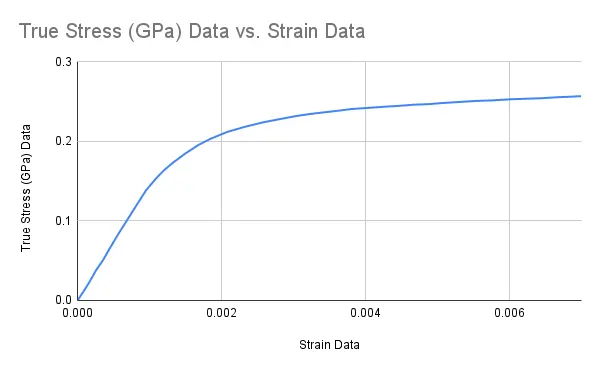
Since our data is in ksi, we require our data in kg-mm-ms unit. Use unit conversion to get the value of stress in the required unit system.
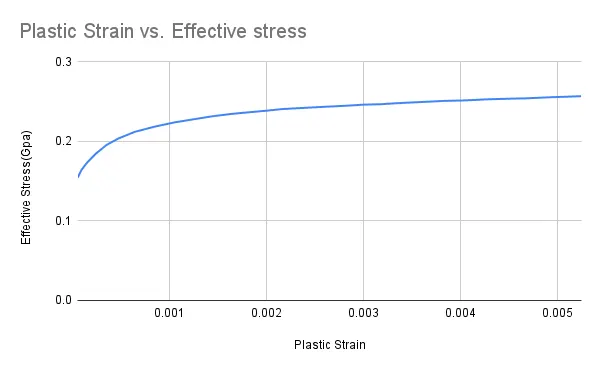
Since we are modelling an elastic-plastic material, our main concern is the plastic zone of the material. So instead of engineering stress-strain data, we will convert our data in Effective Stress vs Effective Plastic Strain data using following formulae.
Effective Stress = True Stress
Since, True Strain = Effective Elastic Strain + Effective Plastic Strain
And, Effective Elastic Strain = (True Stress/E)
Hence, Effective Plastic strain = True Strain – (True Stress/E)
1Ksi = 0.006894761Gpa
4.Define:
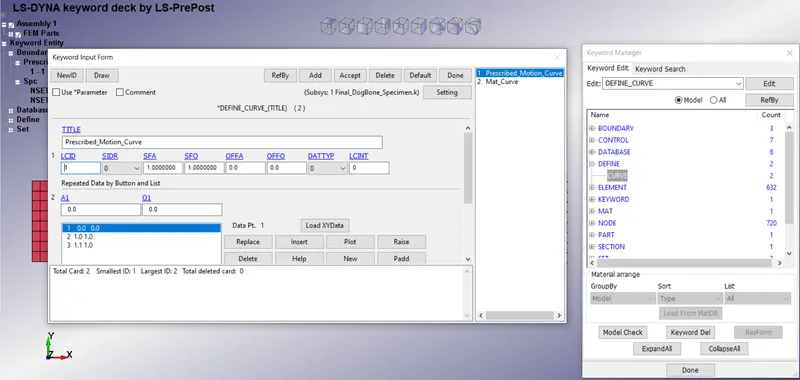
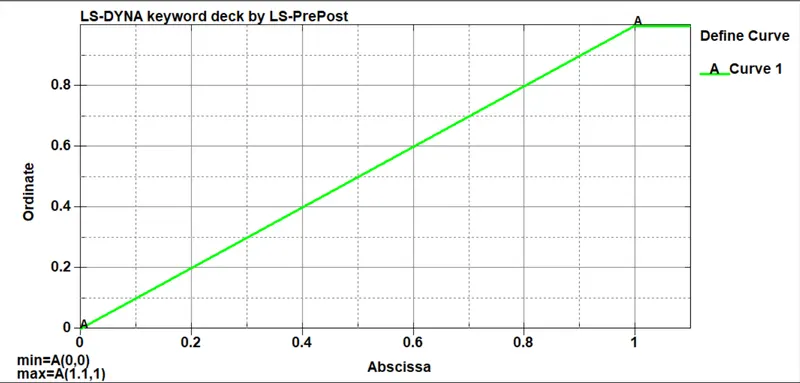
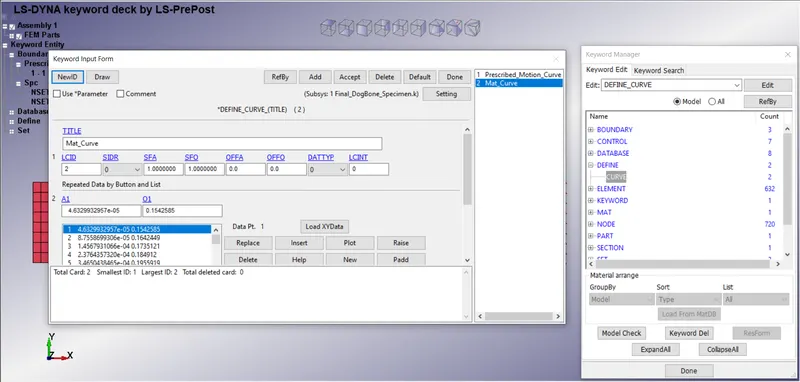
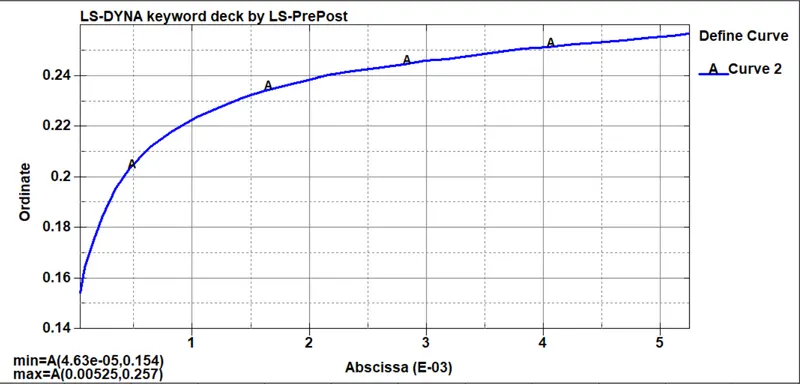
The keyword DEFINE provides a way of defining boxes, coordinate systems, load curves, functions, tables, transformations, and orientation vectors. The curve option was selected, and the assigned value of load-displacement is presented in the following card.
5.Material:
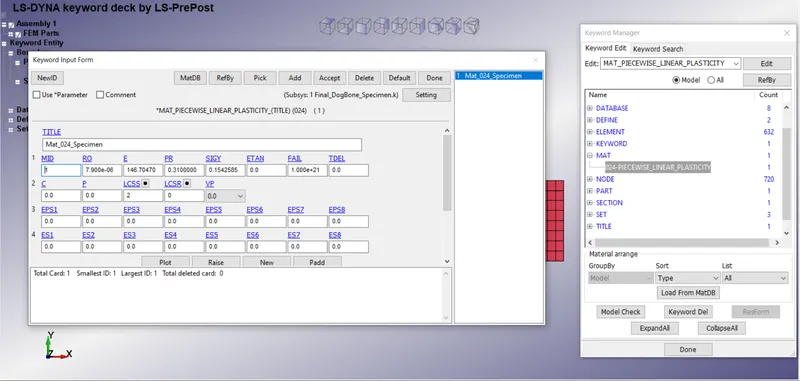
Here we will use MAT24 card to create the material card.
Input the values of density, poisons ratio and yield strength as below. Also for defining the plastic region we will use the material curve defined above instead of tangent modulus.
6.Section:
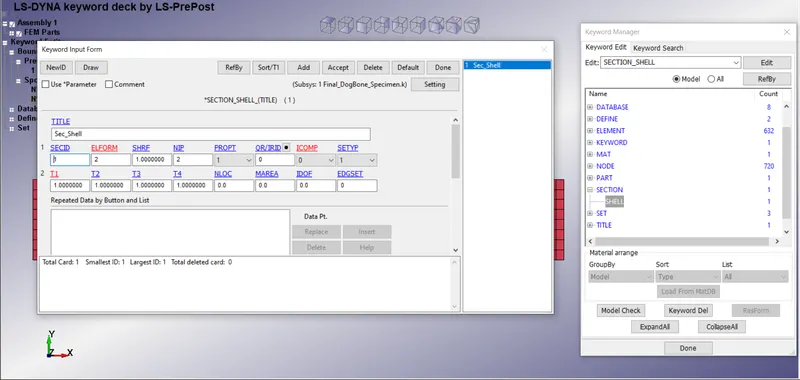
Create a shell section for the specimen.
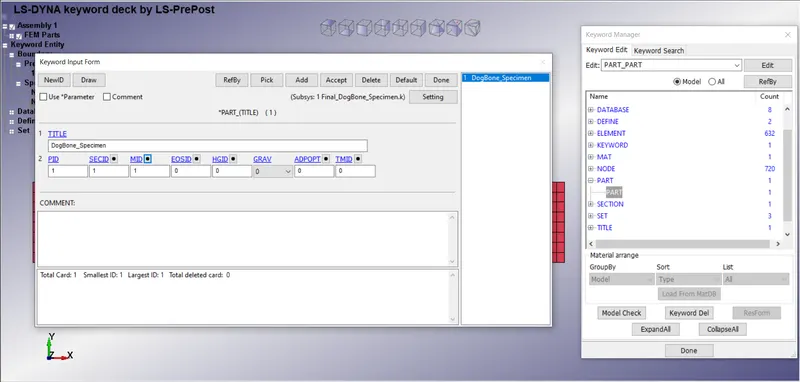
Assign section id and material id to the part.
7.Assigning Section and Material:
Section and Material are assigned to the part.
8.Boundary:
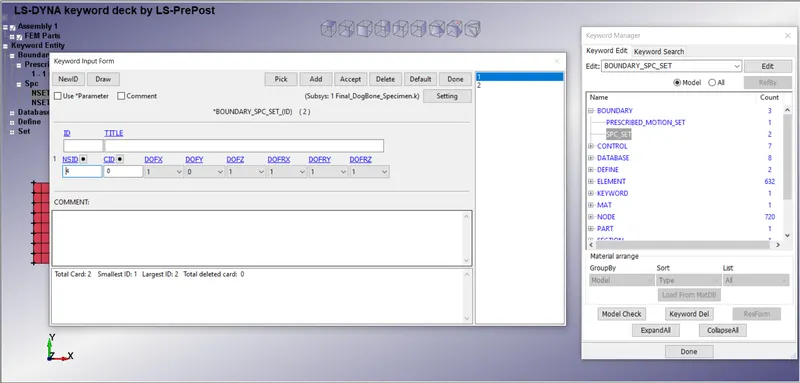
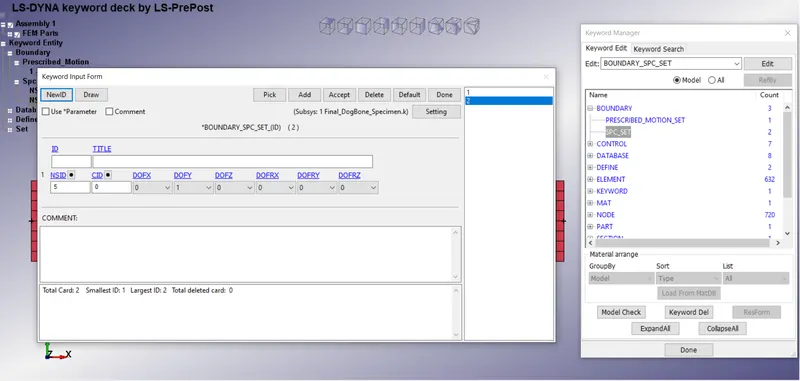
The keyword BOUNDARY provides a way of defining imposed motions on boundary nodes. The Prescribed Motion Set Displacement boundary condition was defined for the challenge purposes and respective curve is assigned to the card. A node set is created out of the edge and allowed to move in X-direction.
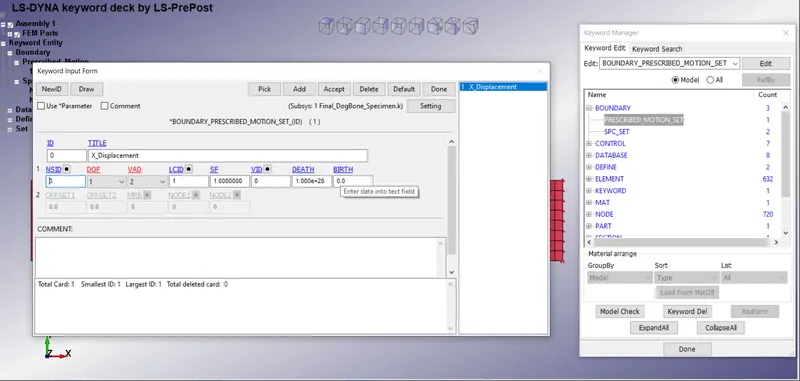
The SPC Set (single Point Constraint) boundary condition was used to restrict the motion of the nodes. Nodes on the edge are only allowed to move in Y-direction due to lateral movement.
9.Control Cards:
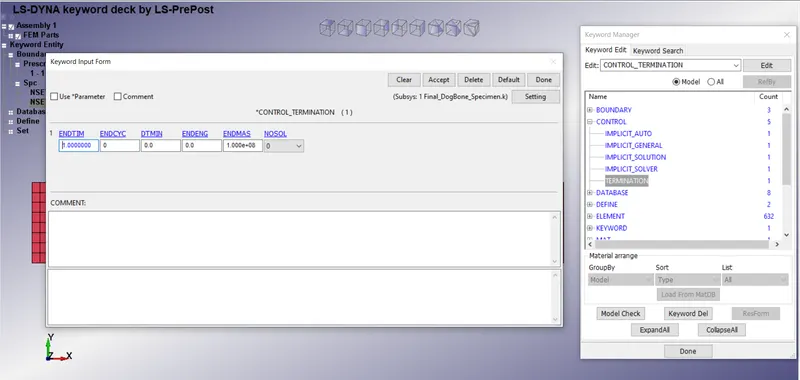
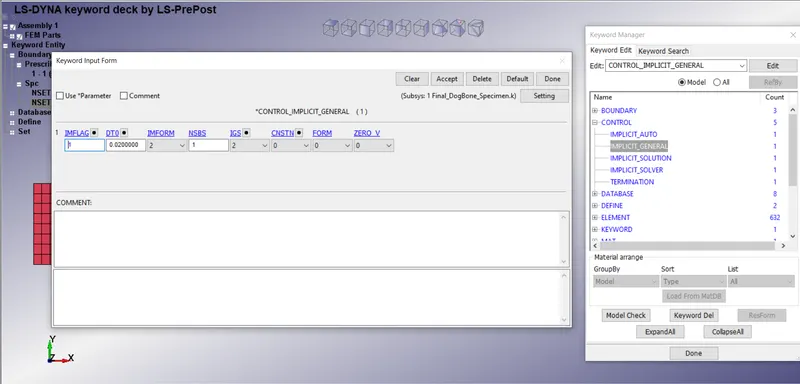
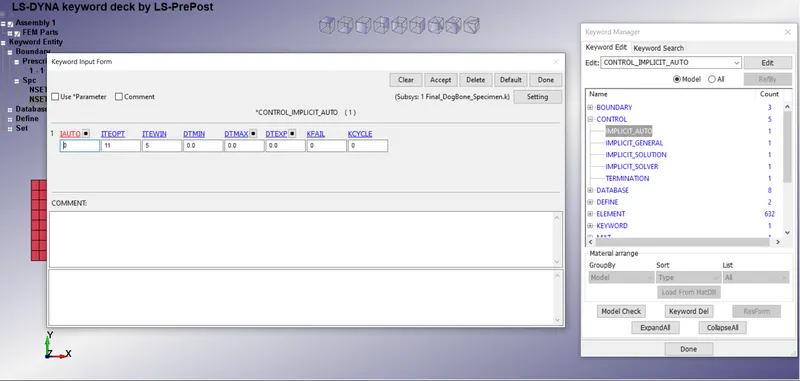
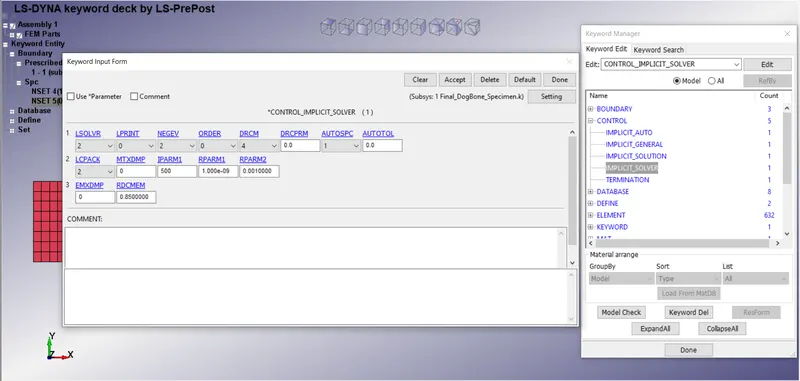
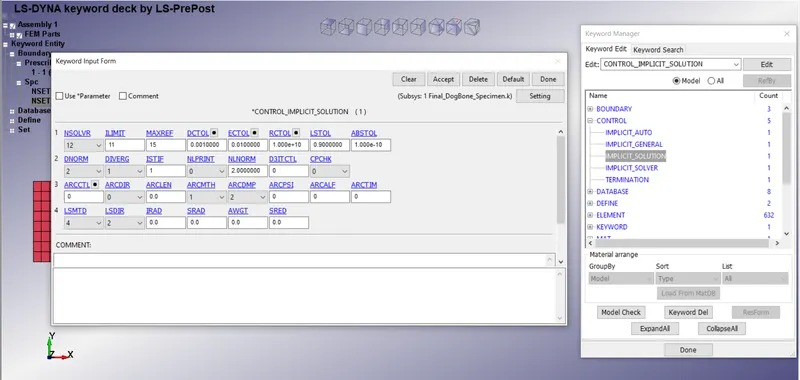
The keyword control cards can be used to change defaults. The Implicit Auto, Implicit General, Implicit Solution, Implicit Solver, and Control Termination cards were created for the challenge purposes.
10.Database Cards:
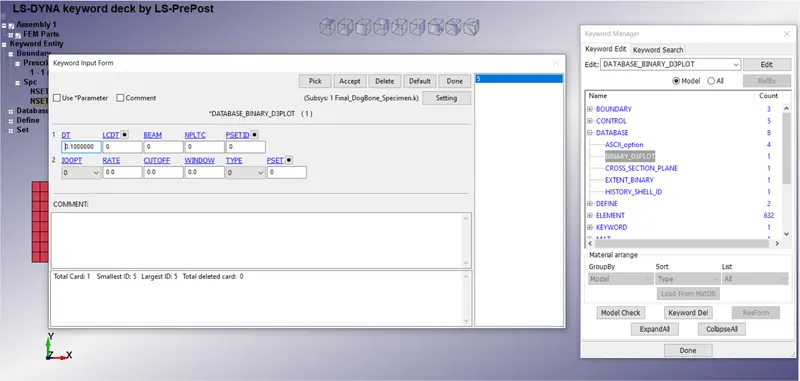
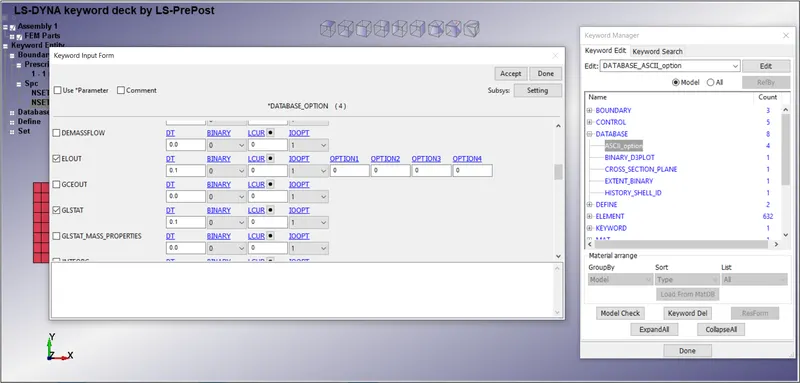
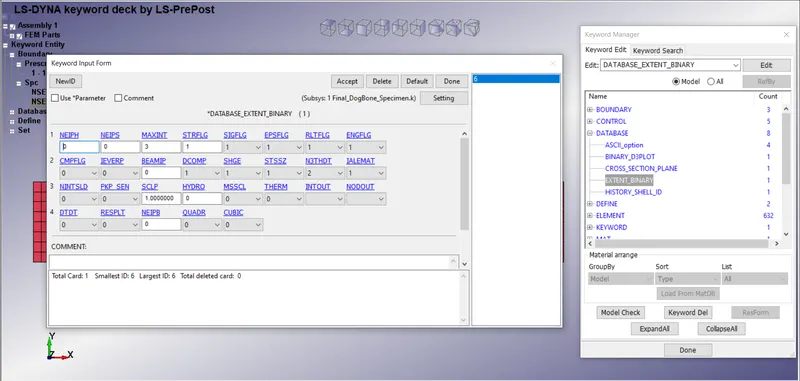
The database definitions are necessary to obtain output files containing results information. The binary D3Plot, Extent Binary, and ASCII options were selected for the challenge purposes.
RESULTS:-
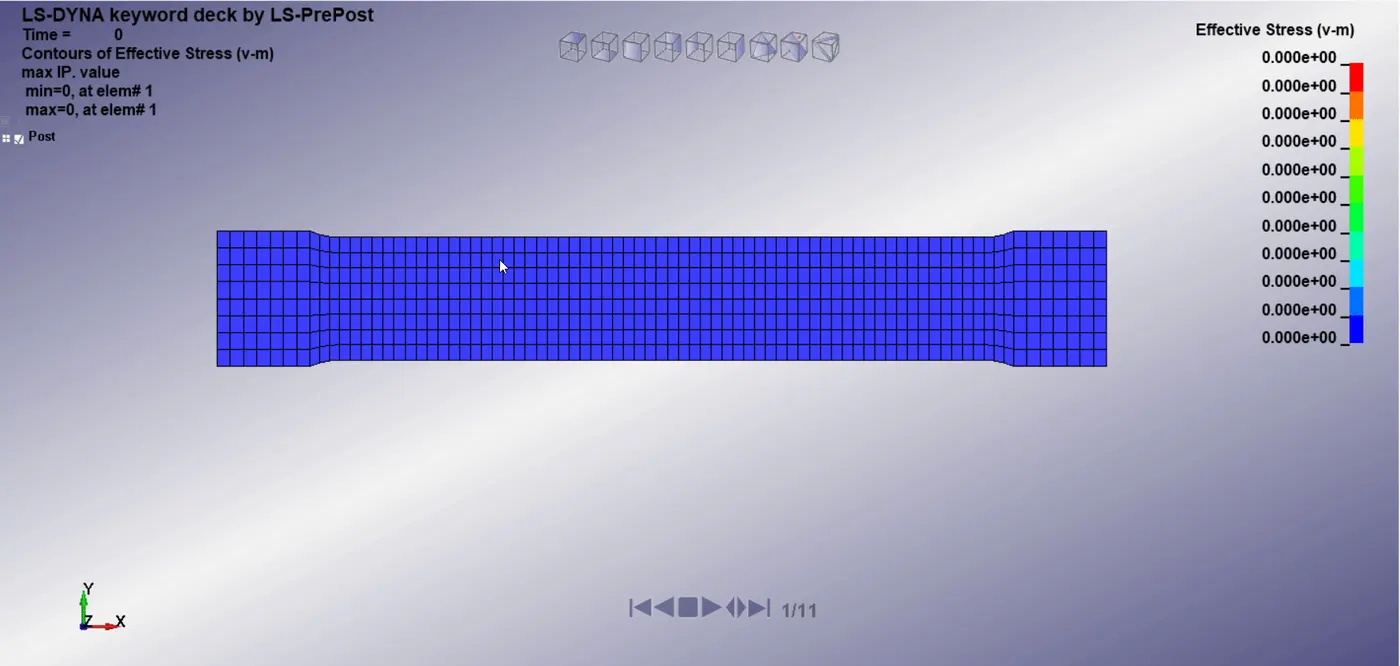
Simulation:
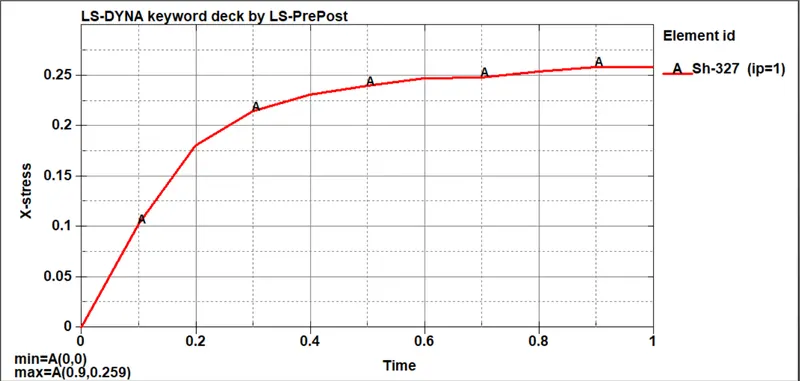
Stress vs. Time Plot:
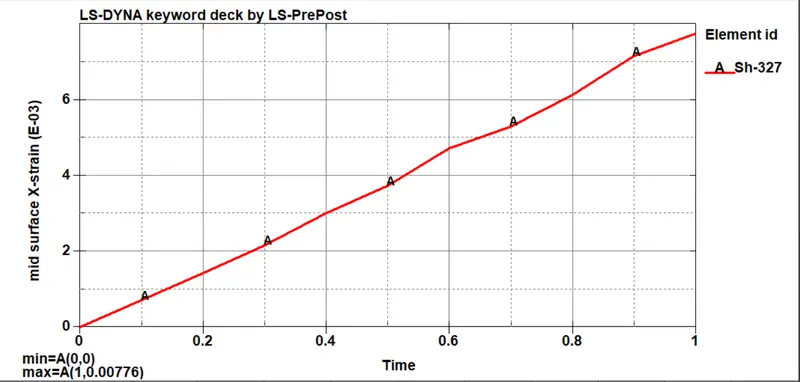
Strain vs. Time Plot:
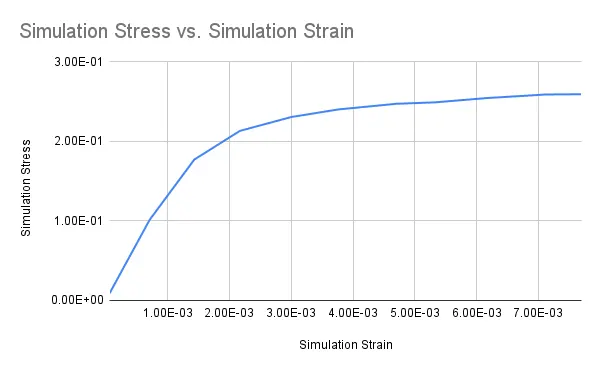
Simulation Stress(Gpa) vs. Simulation Strain Plot:
Comparision Plot:
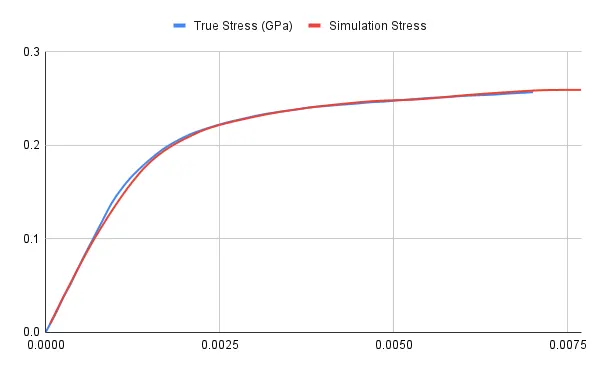
The True stress vs True strain from simulation is compared with that of original raw data. From the graph, we can say that our material model is up to the required accuracy as it almost matched the original raw data. This validates the created material using the raw data curve.
CONCLUSIONS:-
The main aim of the Week 9 challenge was to model a MAT 024 Piecewise Linear Plasticity material card from the given true stress/ strain raw data and use it to perform a uniaxial tension test of the given dog-bone specimen and also validate the post-processing stress-strain results with the given raw data. It was observed that the stress-strain curves obtained from the uniaxial test simulation almost behave in a similar fashion as of the given raw data for the challenge.