Week 3 - 2D meshing for sheet metal
2D Meshing For Sheet Metal Component
AIM: Pre-processing of Car Hood Model including Topology, Mid Surface Generation and Meshing under quality criteria using ANSA Preprocessor Software.
S.No Quality Criteria Value
1 Target/Average Length 5
2 Minimum Length 2
3 Maximum Length 7
4 Aspect Ratio 3
5 Warpage 15
6 Skewness 45
7 Jacobian 0.7
8 Minimum Quad Angle 45
9 Maximum Quad Angle 135
10 Minimum Tria Angle 30
11 Maximum Tria Angle 120
12 Tria Percentage 15
PROCEDURE: The procedure of preprocessing of car hood model Includes various steps starting From importing CAD file to final meshing so the steps that were taken during the pre-processing of the model are discussed here.
- Cad file Importing
- Geometry cleanup or Topology
- Mid surface extraction
- Mid surface cleanup and Quality criteria setup
- Meshing and Mesh improvement
let us now emphasise on the steps mentioned above one by one.
1.Cad File Importing: Importing CAD file is the first step of the pre-processing procedure. Here we Import the CAD file from the file section and read it carefully as getting aware of the geometry and surfaces having the features like fillets, holes etc. is very important. Applying topology for a proper view of the geometry helps us understand the model in a better way. We can also apply length as 1 for the best view of the model.
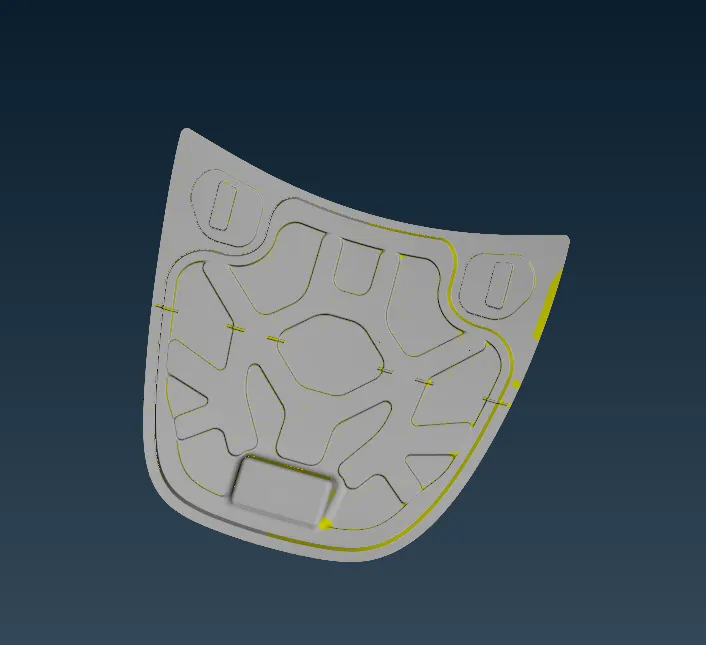
Fig: CAD Model
2.Geometry Cleanup or Topology: Geometry cleanup is the thing that needs to be done after importing the file because the file that we get after importing may not have proper geometry and features. There are various errors that can be shown when the model is executed for geometry cleanup like single cons, triple cons, cracks, needle faces etc. These types of errors need to be eliminated before we head up towards the next step so geometry cleanup is performed. We have to check If there is any issue with the geometry for any fixes to be applied using the check manager and if errors are found on geometry then we have to go for geometry cleanup. Geometry cleanup can be done using two methods - Manual cleanup and Auto fix.
Manual cleanup: Manual cleanup includes fixing the errors manually. For triple cons we have to release them and apply topo to get them fixed and for cracks, faces can be deleted if required and new faces can be created accordingly.
Auto fix: There is a command that can be performed to remove errors automatically which is called autofix. We select all the errors at once and apply fix but sometimes it does not work properly for all the errors so those have to be fixed manually as discussed above.
After geometry cleanup, thickness measurement is done on the geometry followed up by giving proper orientation to the surfaces before mid surface extraction of the model.
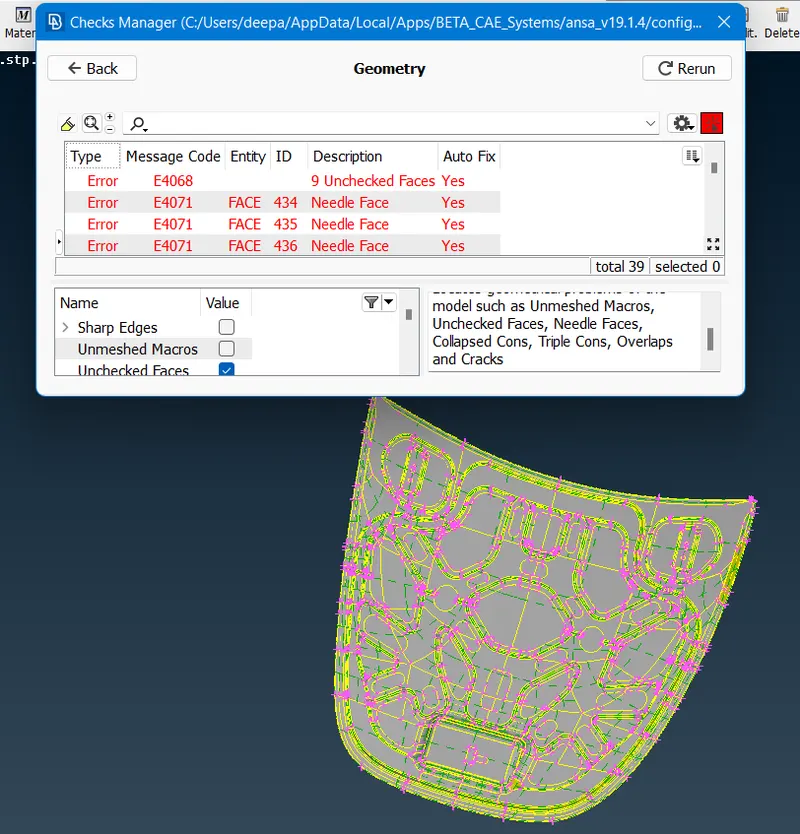
Fig: Before Geometry Cleanup
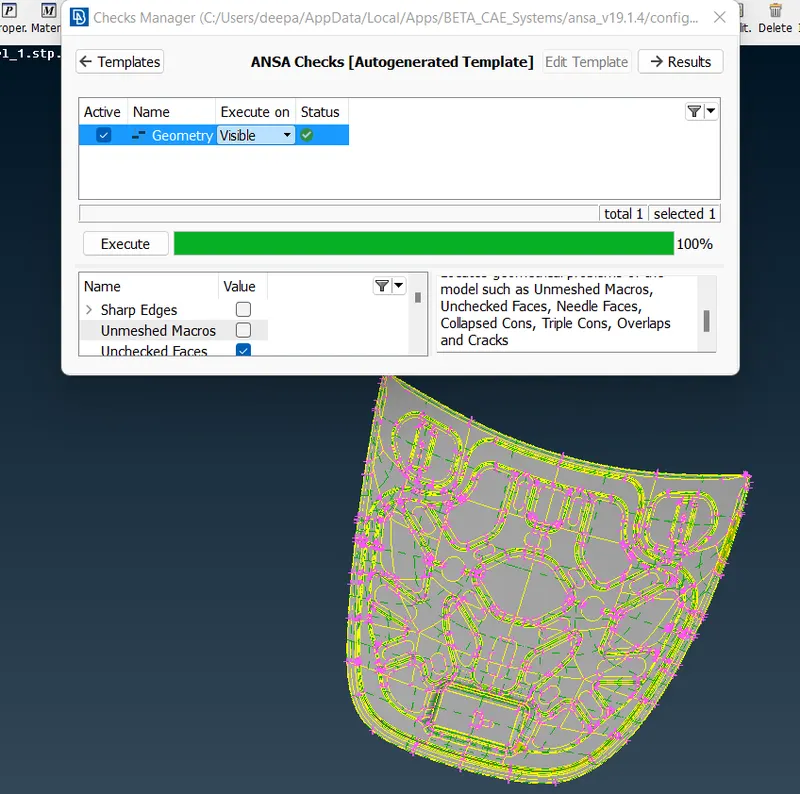
Fig: After Geometry Cleanup
3.Mid Surface Extraction: Mid surface extraction can be performed using either Auto mid or Manual mid.
Auto mid: There are some commands to use for auto mid surface extraction.
Topo-Faces-Mid. Surf.
Manual mid: Sometimes capturing the whole midsurface at once is not possible so for that, we have to create new faces on the midplane of the individual surfaces manually by using Offset command to extract mid surfaces.
Topo-Faces-Offset
Once the midsurface is extracted successfully, the next stage is to set property ID's for different surface thicknesses, this helps us meshing each part individually.
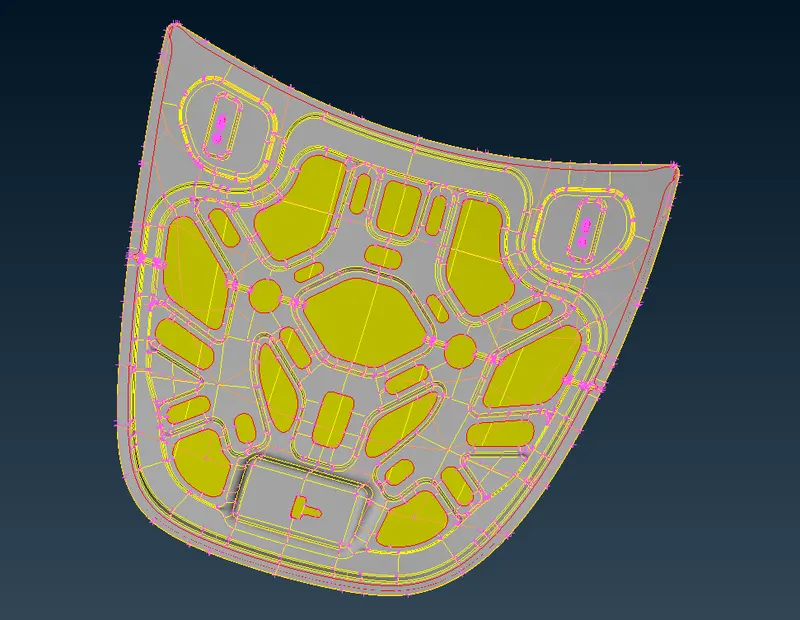
Fig: Mid Surface
4.Mid Surface Cleanup and Quality Criteria Setup: Before starting the meshing, surface cleanup is to be carried out which includes removal of unwanted cuts and making of some cuts manually on the surface to get a proper ready to mesh midsurface.
A Quality criteria has to be given for mesh elements before meshing to get expected mesh quality because mesh quality complies with the quality criteria given to the mesh elements. Quality criteria set up includes defining various quality parameters for meshing. Some of the quality parameters are aspect ratio, skewness, warping, Jacobian, minimum and maximum length, minimum and maximum tria angles, target/avg. length etc.
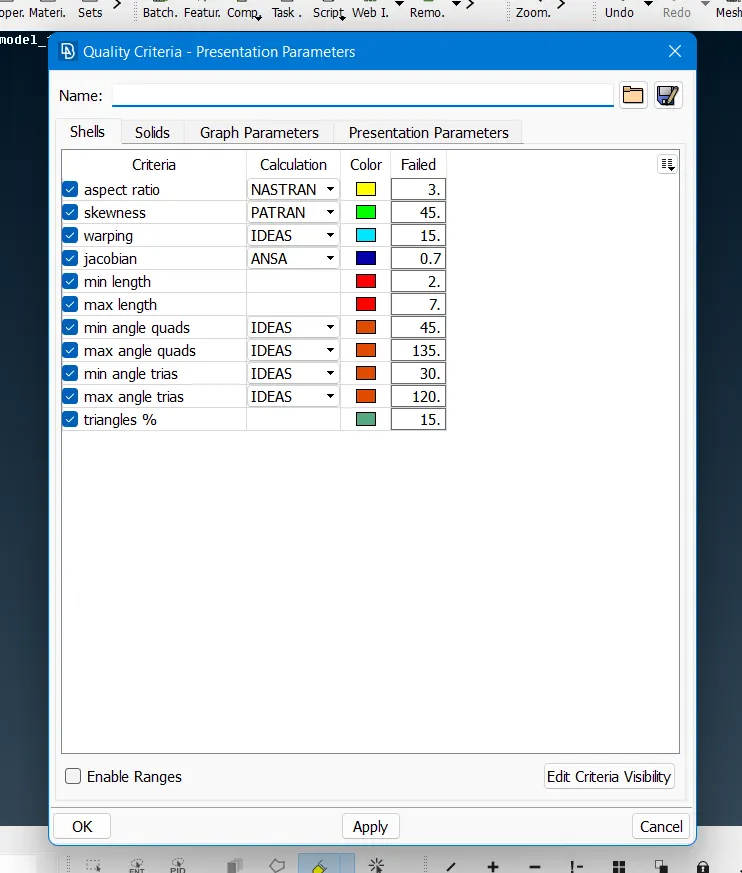
Fig: Quality Criteria Defined
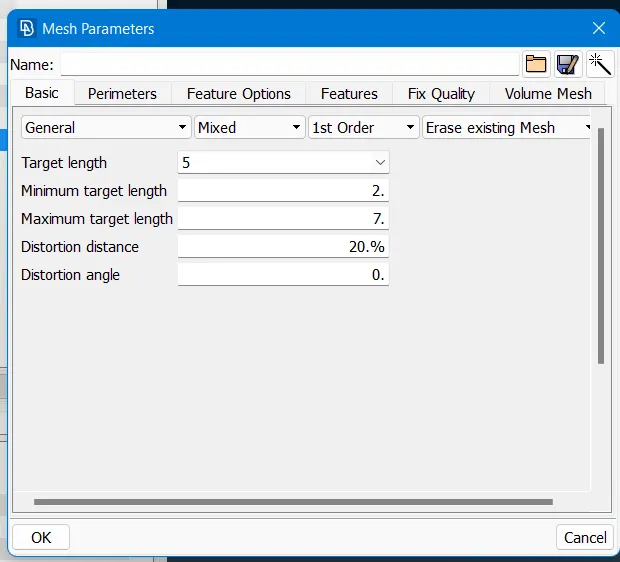
Fig: Mesh Parameters Defined
5.Meshing and Mesh Improvement: Meshing includes discretisation of the midsurface and dividing it to form various elements to capture all geometric features, where elements are connected together with the help of a finite number of nodes. There are many ways for mesh generation But here we perform BEST mesh generation command most of the time. BEST mesh option gives us the best mesh flow possible according to the mid surface geometry In one shot. Besides, spot mesh, batch mesh, map mesh and other meshing options can also be used accordingly.
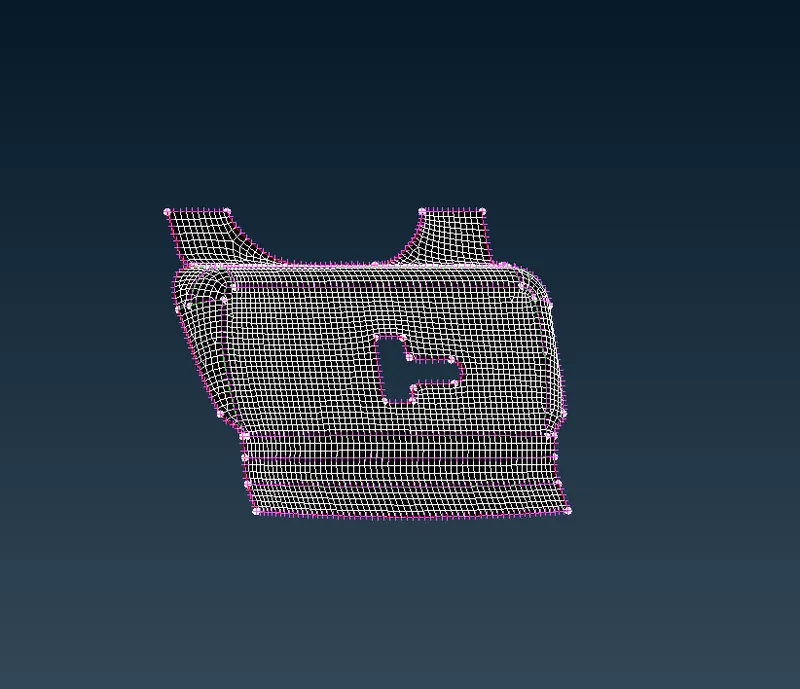
Fig: Meshed Latch
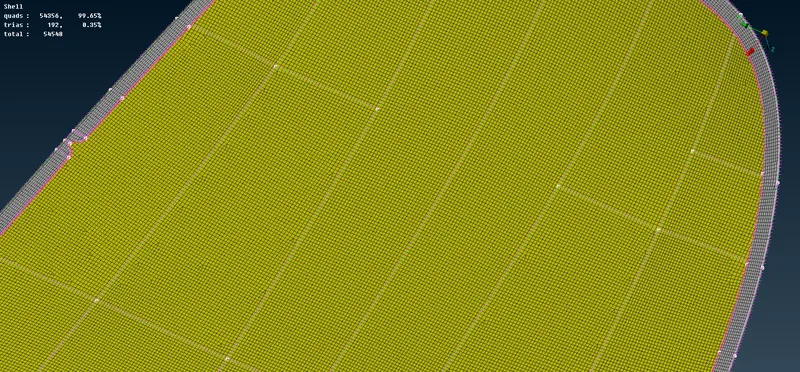
Fig: Meshed Outer Hood
Mesh improvement is applied on the generated mesh if mesh flow is not as per the expectation after using BEST meshing command. Mesh improvement mainly focuses on improving the mesh flow by using some of the mesh flow improving commands like smooth, reconstruction, split, paste etc.
Quad elements are preferred for structural analysis but it is not possible to capture complicated features with the help of only quads so tria elements are also allowed in those regions. Basically mesh improvement includes reducing or removing tria concentration and to get all the elements properly aligned to each other.
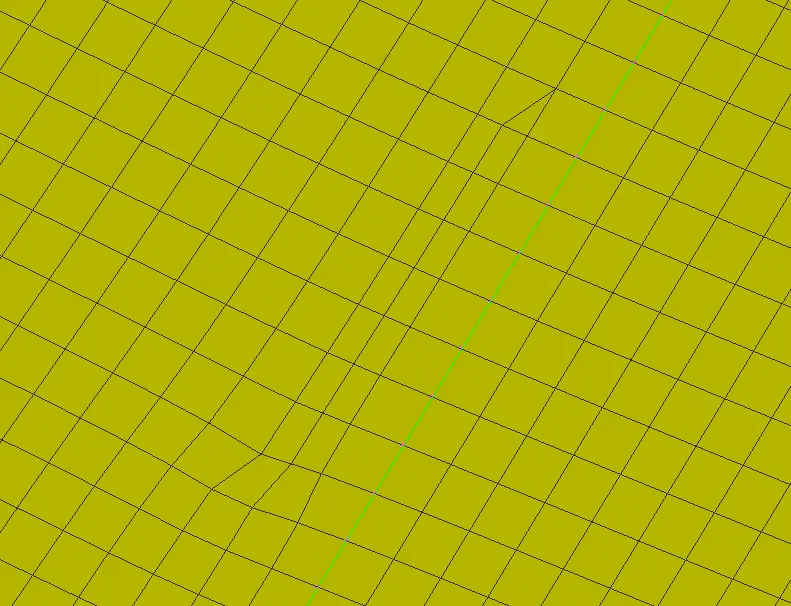
Fig: Mesh Flow Before Improving Mesh
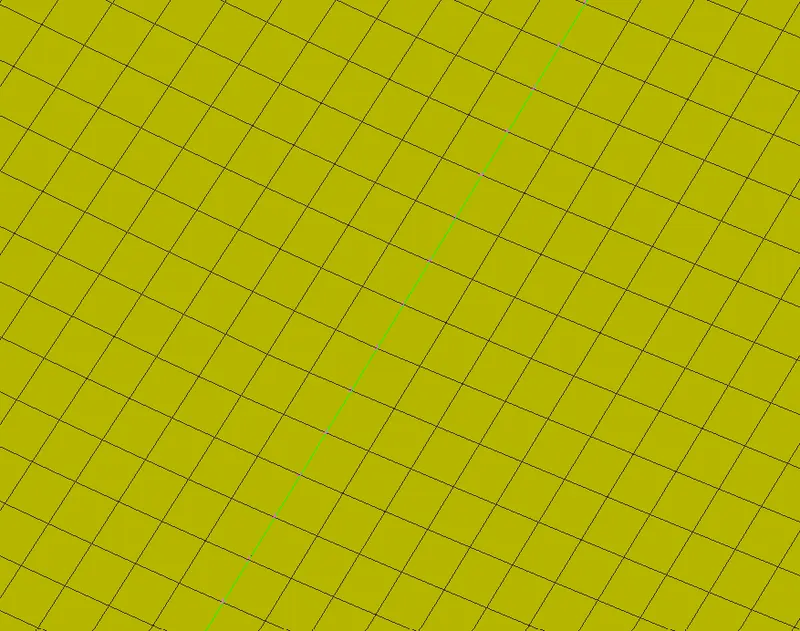
Fig: Mesh Flow After Improving Mesh
Final Meshed Part: After meshing and mesh improvement performed, here we are with the final meshed part.
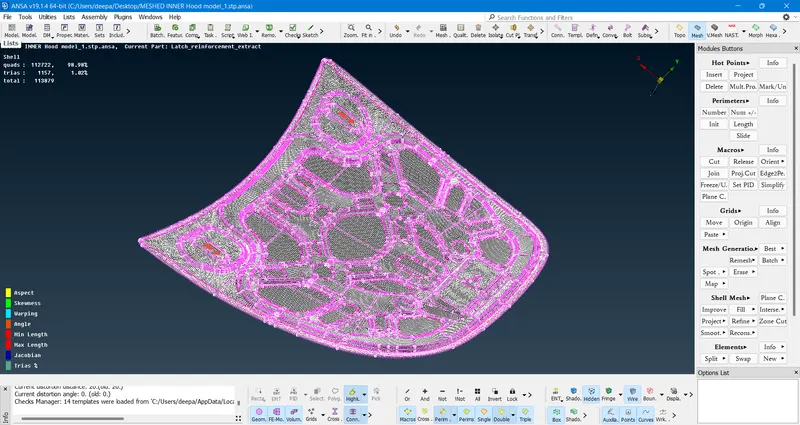
Fig: Meshed Car Hood Model Under Satisfied Quality Criteria
CONCLUSION: The part is well captured and meshed according to the given quality criteria. The percentage of tria elements occurring in the model is less than 15% which is quite good for mesh quality and also there are no failing elements.
LEARNING OUTCOMES:
- Able to clean the geometry and fix the errors.
- Learned about extracting the mid surface.
- Learned about 2D element shell mashing using Tria and Quad elements.
- Aware of quality criteria applied for meshing.
- Able to shell mesh the sheet metal component.