Week 9 Machining with Planer Challenge
AIM :
To perform the Explicit Dynamics simulation for Planer machining operation by using ANSYS Work bench.
OBJECTIVES :
Adding & Assigning the materials for work piece & Cutting tool.
Discretize the model.
Applying the Boundary Condition.
Extracting the Output which are required.
INTRODUCTION :
A Planer Machine is a type of metal removing process, a workpiece is reciprocating in two dimensionally & a single point cutting tool is stationary. It is a larger in shape as compared to shaper machine.
It is used to create a groove, Slots on the gears & shafts.
PROCEDURE FOR OBTAINING THE OBJECTIVES :
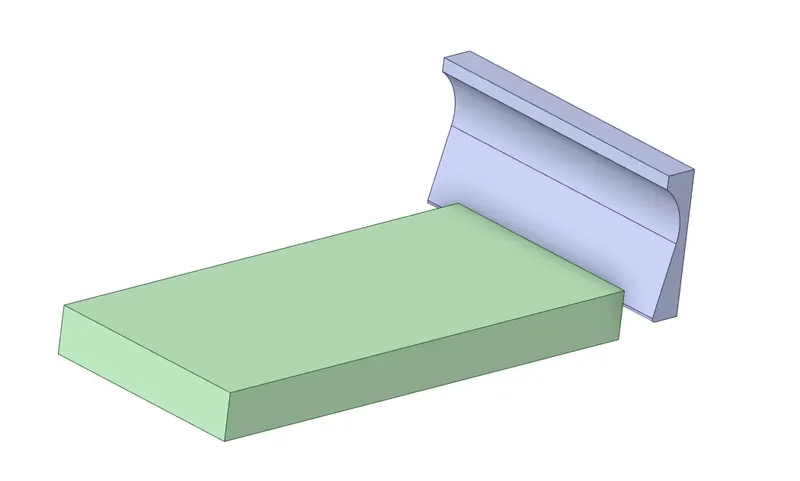
I) CAD Model :
II) Material Adding & Assigning :
Structural Steel :
By Default, a Structural Steel material is added in the material list.
We have to be use "Structural steel" as a material for cutting tool.
And also have to change into "Rigid" as a stiffness behaviour.
STEEL 1006 :
First of all, we have to add the material from the engineering data source.
And then have to assign the "STEEL 1006" as a material for Work piece. It is a Explicit material.
III) Connection :
By Default, Ansys had been created the "Body Intersecting" which is set to be "Frictionless" as a type of definition.
IV) Meshing :
To Split the geometry into finite number of elements that are connected together with nodes, this process is called discretization and that framework or rather let's say collection of nodes and elements is defined by whole model is called meshing. This Finite element method is widely used for solving partial differential equation in different physical field such as Structural problem, Heat transfer problem, Fluid flow problem, Electro magnetic Analysis & Acoustics Analysis.
Edge Sizing :
In order to capturing the accurate results in the work piece, have to meshed with Hexahedrals elements.
Select the four corners in the work piece, change into "Number of division" & give the value is 10. And then click to proceed.
Patch Conforming Method :
Since a cutting tool is looks little curvature are presented on it. So, Better we have to meshing such component by using Tetrahedrals.
V) Analysis Settings :
Number of Steps = 1
Load step type is "Explicit Time Integration"
End Time = 0.00075 sec
Maximum Energy error = 0.1
Initial, Minimum & Maximum time steps are set to be "Program Controlled", it has to find optimum time step value.
Time Step Safety factor = 0.9
And remaining option are keep as it is.
Boundary Condition :
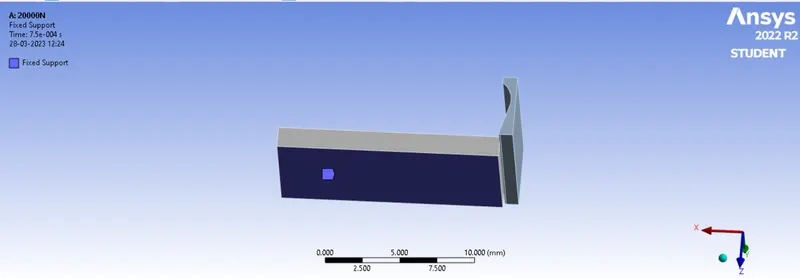
Fixed Support :
While Performing the machining simulation, a work piece should be constraint in possible degree of freedom. So, have to fix the work piece by using fixed support.
Velocity for 20000 mm/s :
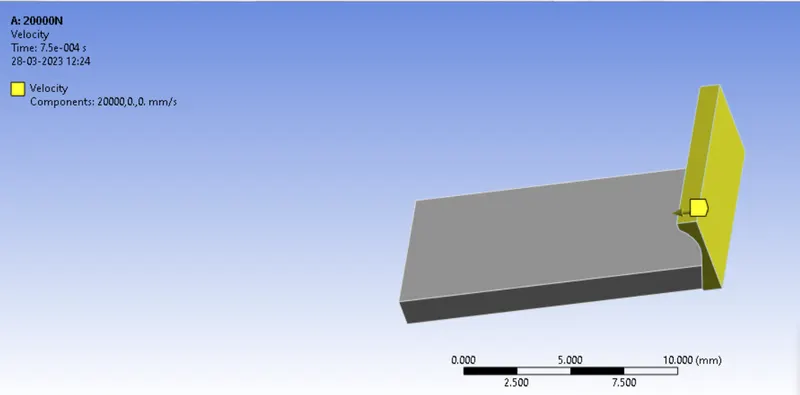
In order to removing the material from work piece, a cutting tool should be move along the x direction with the velocity of 20000 mm/s.
Select the cutting tool with help of solid filter. Once selected is done, then give the velocity value in the X Component.
Velocity for 15000 mm/s :
Similarly, we have to do same manner How we did in previous case. But, Give the velocity of 15000 mm/s instead of 20000 mm/s.
RESULTS :
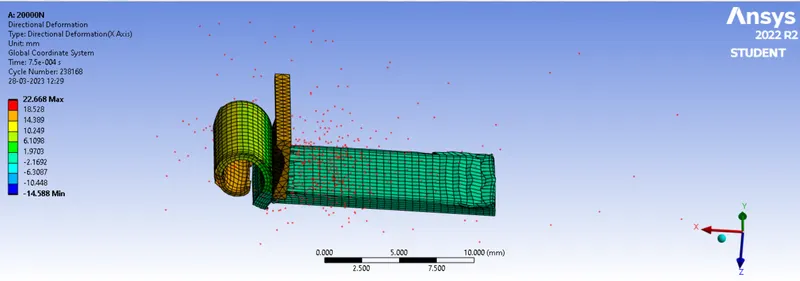
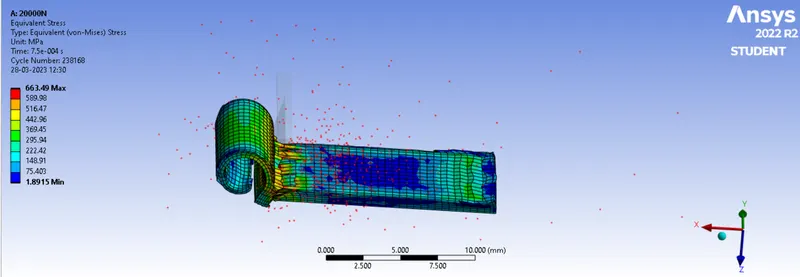
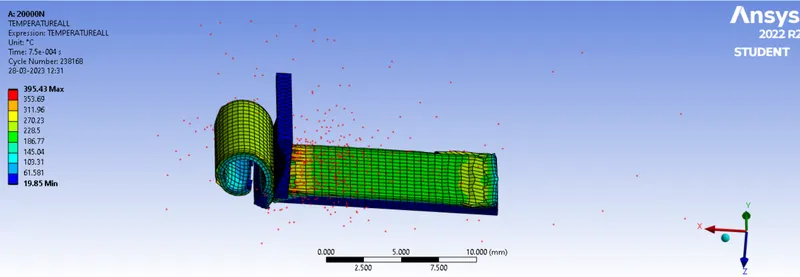
CASE 1 : 20000N
Directional deformation :
Equivalent Stress :
Temperature
CASE 2: 15000N
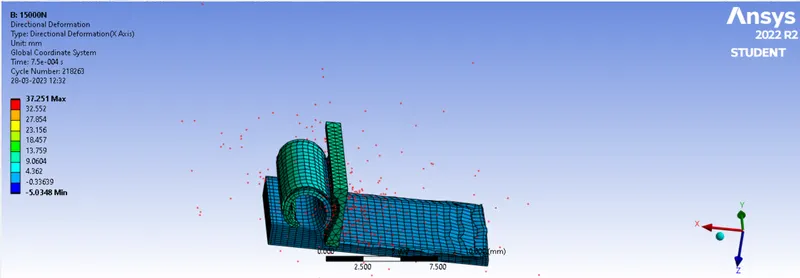
Directional Deformation :
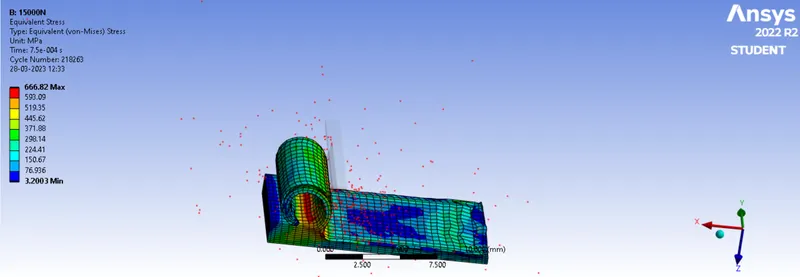
Equivalent Stress :
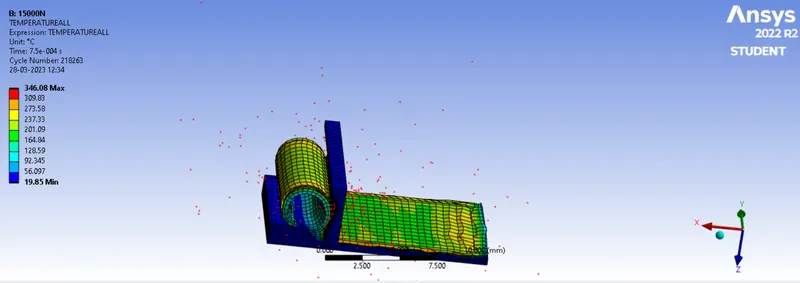
Temperature:
CONCLUSION :
| Case | Total Deformation(mm) | Equivalent Stress(MPa) | Temperature(C) |
| 20000 mm/s | 22.668 | 663.49 | 395.43 |
| 15000 mm/s | 37.251 | 666.82 | 346.08 |
A Planer Machine speed or number of strokes per minute is varied based to the size of the machine.
For Case 1, a stress develop is less than as compared to case 2. So, Have to prefer a stress generated is to be minimum as much as possible.
Apart from that, a virtual simulation results in the model had been quite similar for temperature.
Due to scattering the materials chip while machining the component, a deformation is little has shown higher value.