Week 9 Machining with Planer Challenge
AIM:
To simulate the Machining with Planer for their total deformation,stress and strain using ansys workbench.
OBJECTIVES:
You will have to perform an explicit dynamics simulation to find out the Equivalent Stress, Total Deformation and also insert a User defined result to calculate the temperature of the body. You need to perform this for 2 cases. One will be with a cutting velocity of 20000mm/s and the other will be with a cutting velocity of 15000mm/s.
PROCEDURES:
- Drop the Explicit dynamics from the analysis settings.
- Allocate the required material from the engineering data.
- Then import the geometry, then open the model.
Materials:
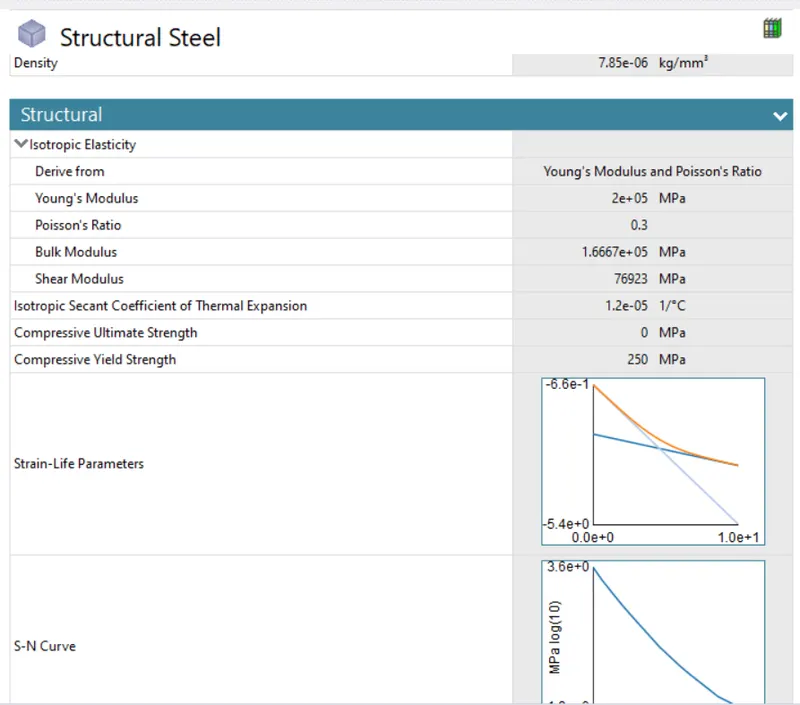
Structural steel
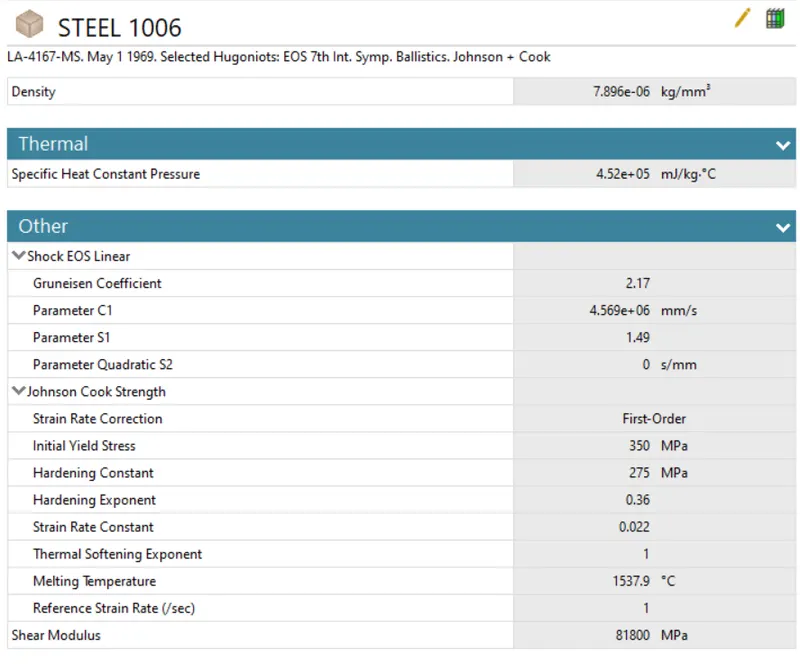
Steel 1006
Geometry:
- First change the default name to WORKPIECE and CUTTING_TOOL.
- Assign the selected material for geometry parts.
- Then change the stiffness behavior is a Rigid, for CUTTING_TOOL.
WORKPIECE - Steel 1006
CUTTING_TOOL - Structural steel
Connections
In this simulation delete all contacts.
Mesh:
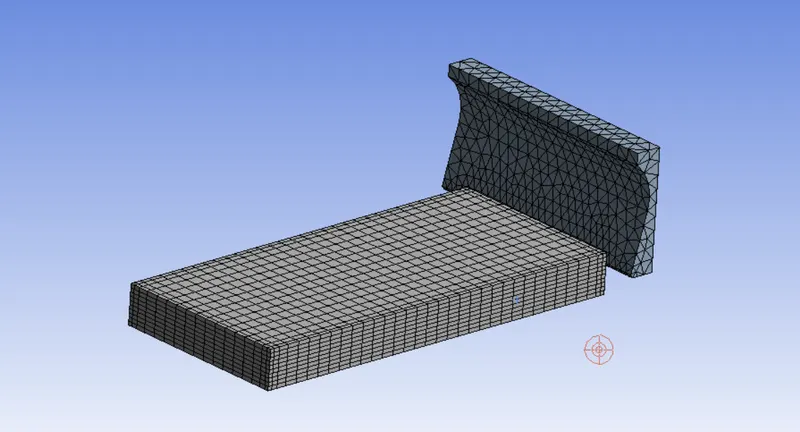
- Now open the mesh, use default size.
- Insert method, choose a cutting tool and use tetrahedron method.
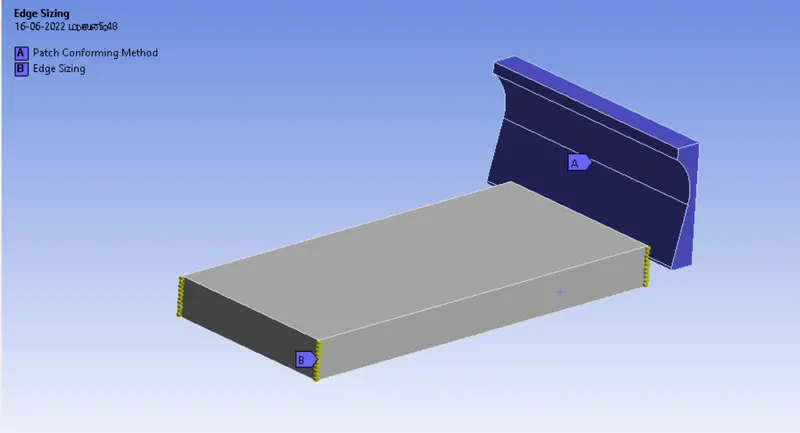
- Insert the sizing, choose 4 edge from workpiece and use number of division
- The number of divisions is 10
Boundary conditions:
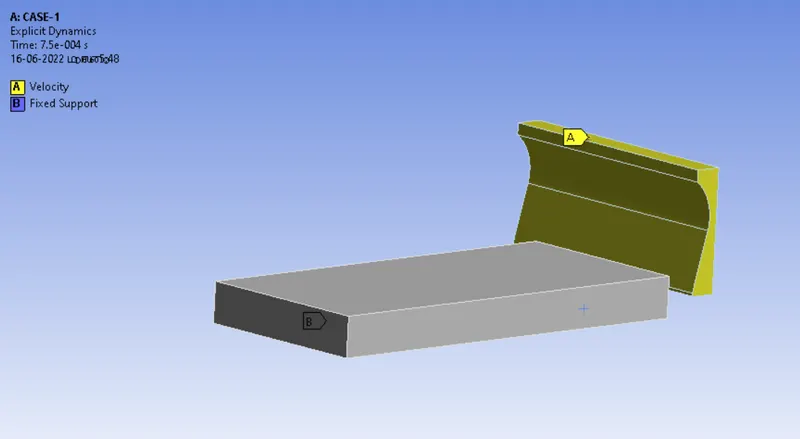
- Now Explicit dynamics, insert the velocity, choose a cutting tool
- The cutting tool is travel in X axis so X component is 20000mm/s, remaning components Y & Z are constant
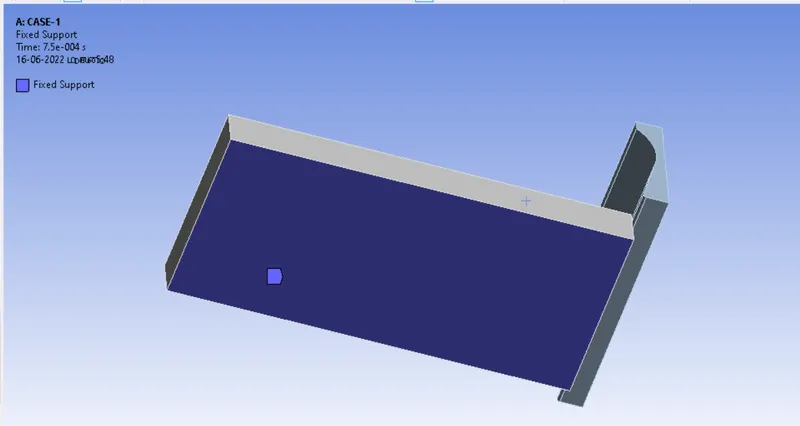
- Then insert the fixed support, choose bottom side of the workpiece.
No. of. steps = 1
End time = 7.5e-4
Soluitions:
- After giving proper boundary conditions,create desired solutions for output results,create solutions for total deformation, stress and Temperature. slove evaluate for solutions.
RESULTS:
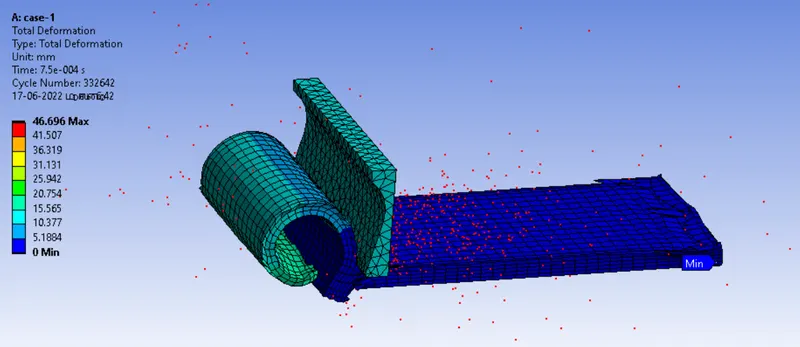
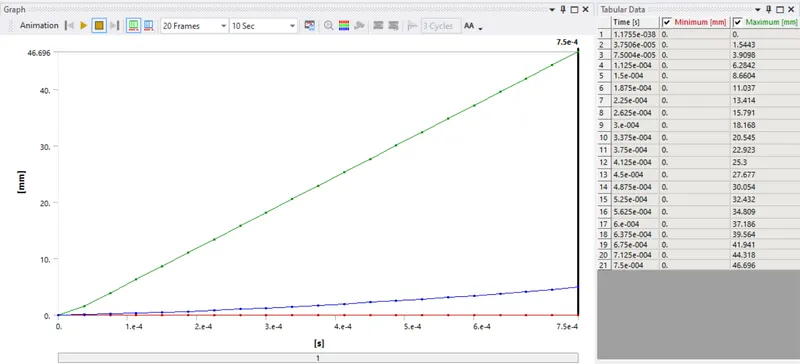
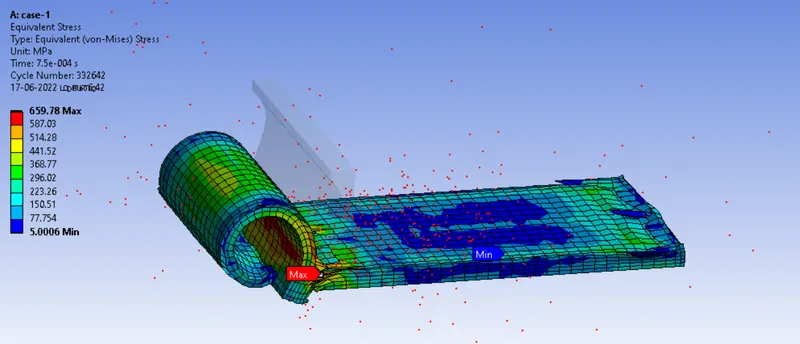
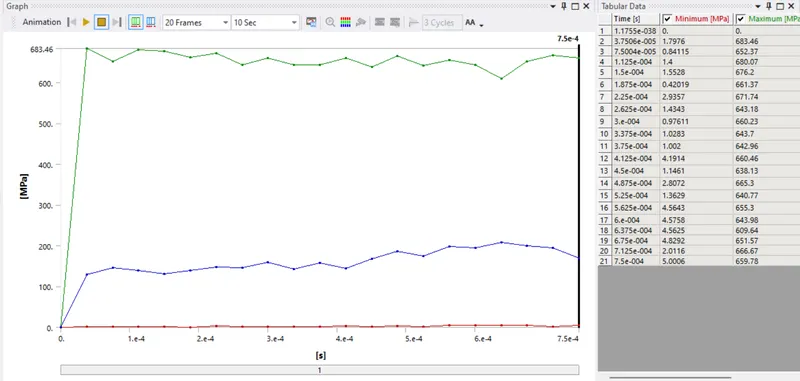
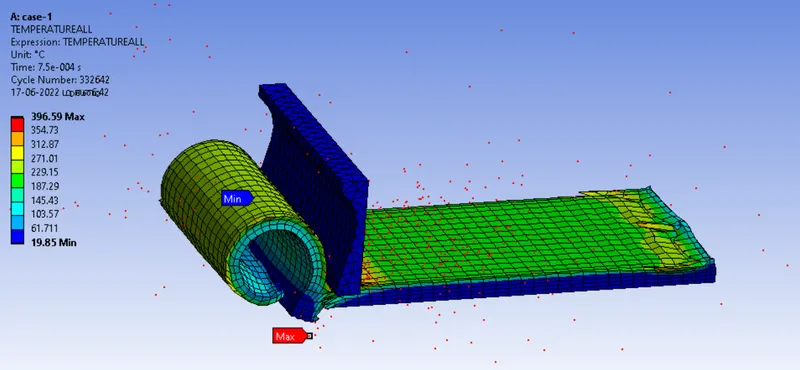
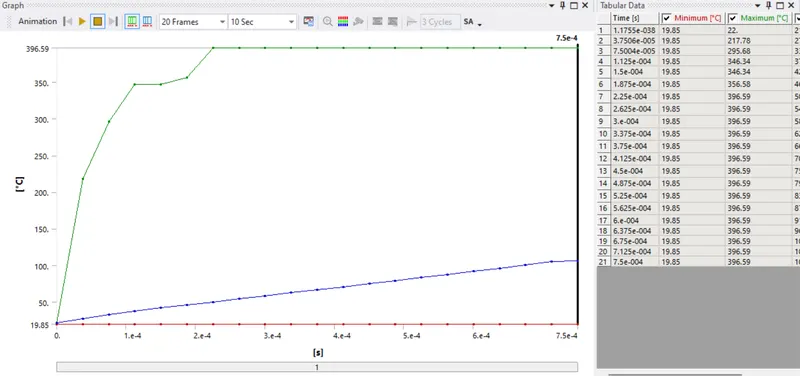
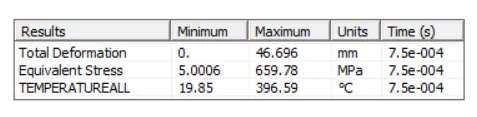
case-1 : cutting velocity of 20000 mm/s
Total Deformation And Graph
Equivalent Stress And Graph
User Defind Temperature And Graph
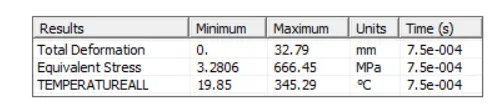
case-2 : cutting velocity of 15000 mm/s
Total Deformation And Graph
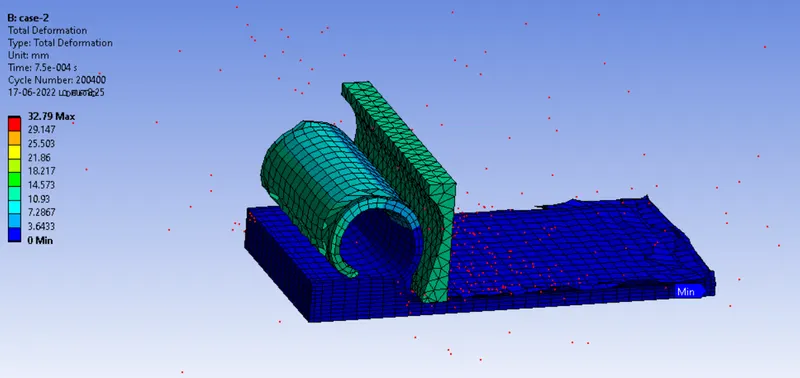
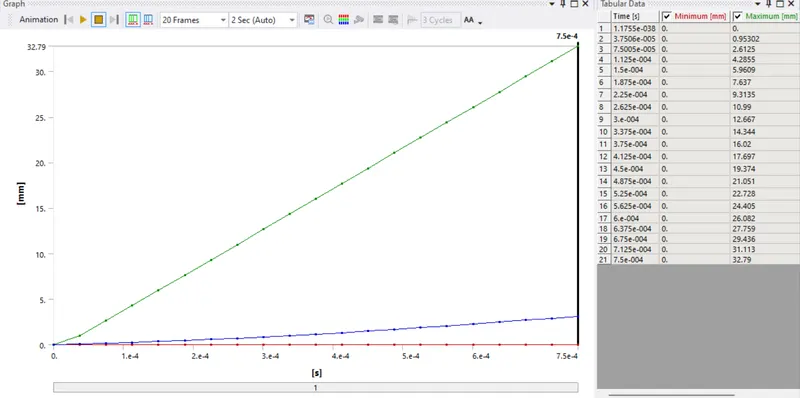
Equivalent Stress And Graph
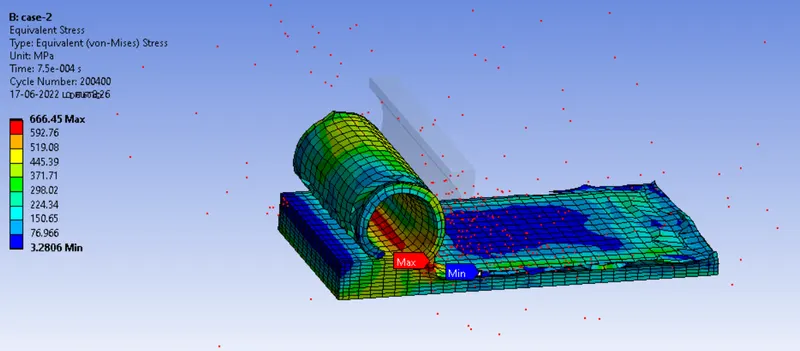
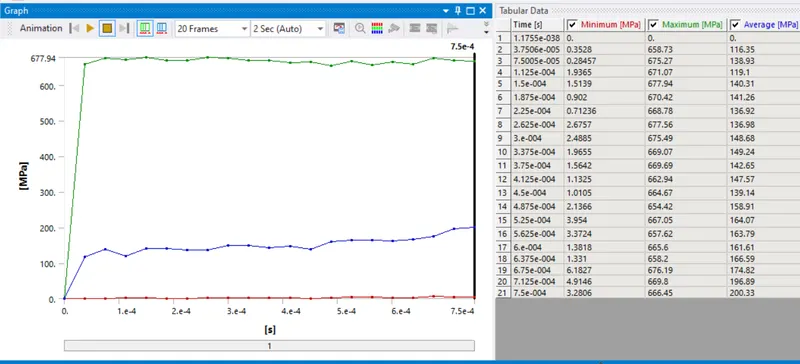
User Defind Temperature And Graph
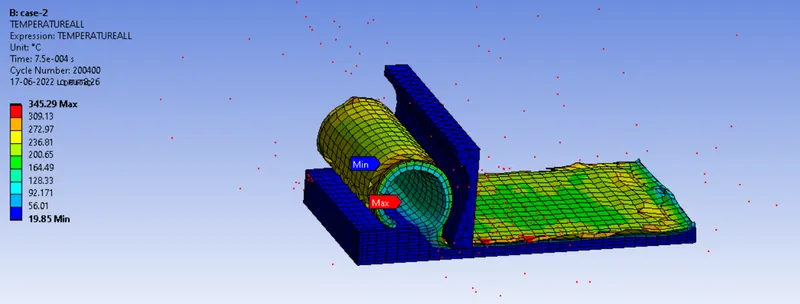
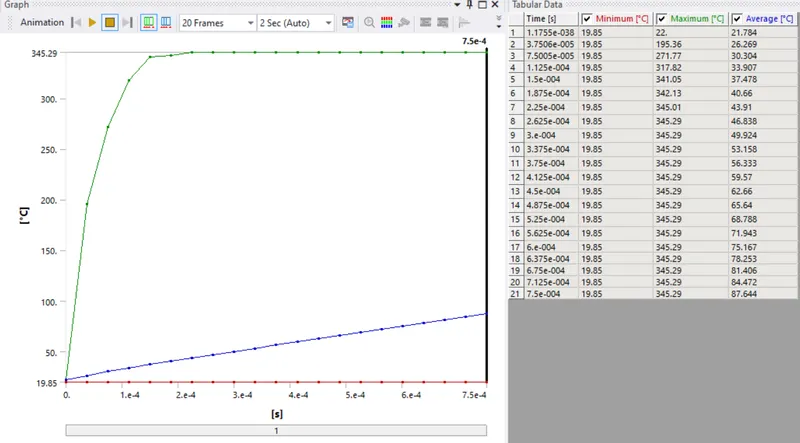
RESULTS:
case-1 : cutting velocity of 20000 mm/s
case-2 : cutting velocity of 15000 mm/s
Conclusion
To simulate the Machining with Planer running successfully,in this simulation totaly two cases, cutting velocity of 20000 mm/s and 15000 mm/s. When velocity increase then depth of cut is increased.