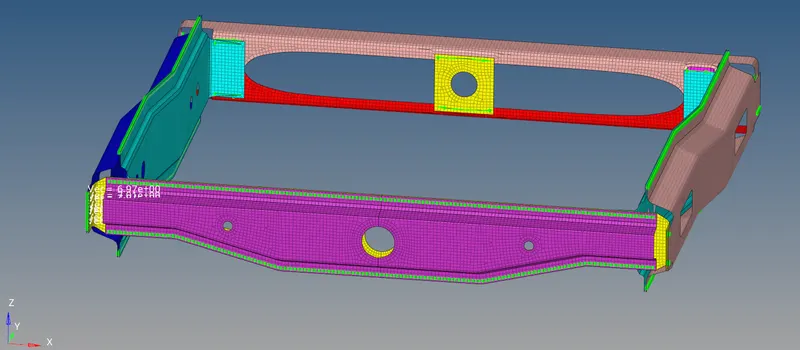
Week 9-Creation of 1D Connectors Challenge
AIM - To create 1D connectors on the given model.
OBJECTIVE:
To make following connections:
- To make Seam-Quad(angled+capped+L) → Right_Rail_2 & Front_truss_1.
- To make Quad elements → Left_Rail_2 & Front_truss_1.
- To make Spot weld with 2 Layers and 5 mm Diameter → Front_truss_2, Front_truss_1 & Right_Rail_1.
- To make Hexa (Adhesive) → Front_truss_2, Front_truss_1 & Left_Rail_1.
- To make Bolt Connector → Rear_truss_2 & Right_Rail_2.
- To make Bolt Connector → Rear_truss_2 & Left_Rail_2.
- To make Spot-weld with Rigid Elements → Right_Rail_1 & Right_Rail_2.
- To make Spot-weld with Spring Elements → Left_Rail_1 & Left_Rail_2.
- To join all the left components with suitable connectors.
PROCEDURE:
- First the model was imported in Hypermesh.
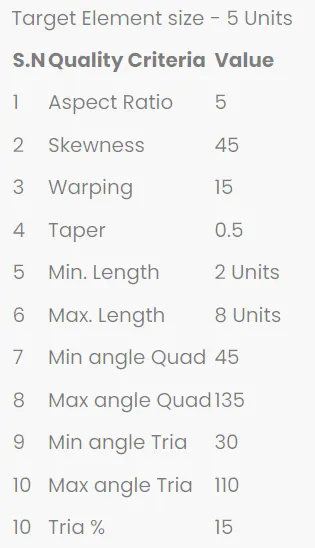
- Then the model was checked for any issues. It was already the midsurface so no mid surfacing was required then criteria file setting was done which was provided. The image is shown below.
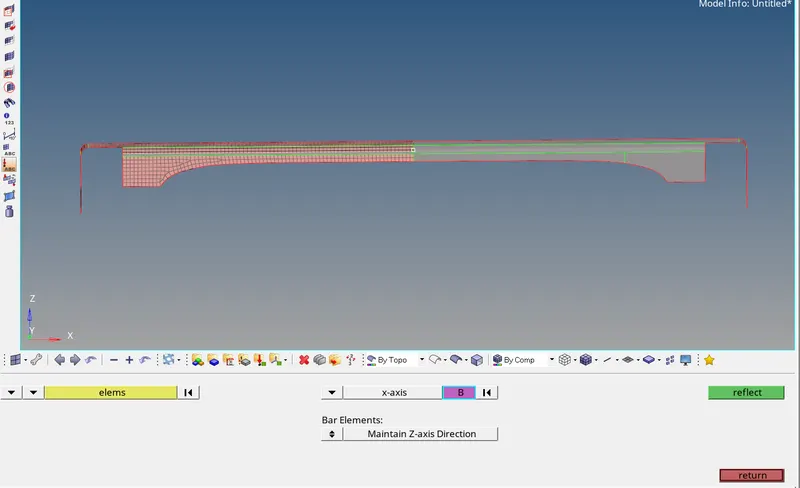
- Then 2D meshing was done. All the components were symmetrical so meshing was easy and fast. The below images shows how the mesh was reflected. To reflect mesh command used was Tool → reflect → select elements choose the axis and base point → Click Reflect.
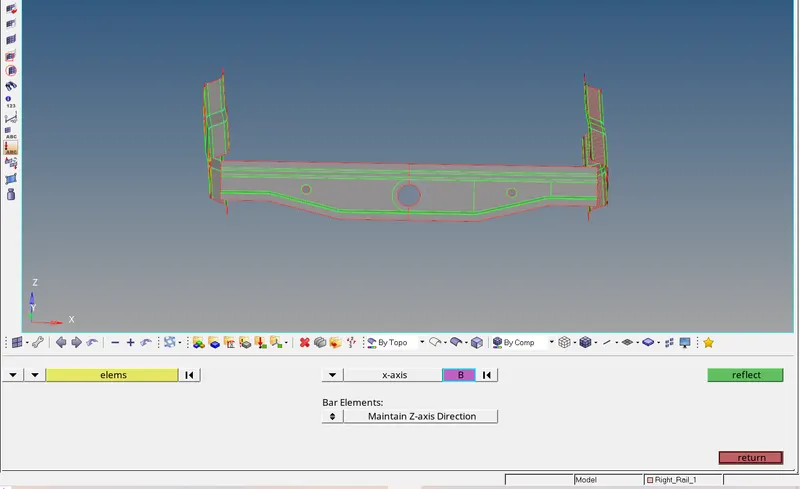
- The below image show the reflection of mesh from right rail 1 to left rail 1.
- Then 1D connections were made as per the objective. Below are the images that will show how the connections were made with explaination.
For Seam-Quad(angled+capped+L) → Right_Rail_2 & Front_truss_1.
Command followed 1D → Connectors → seam
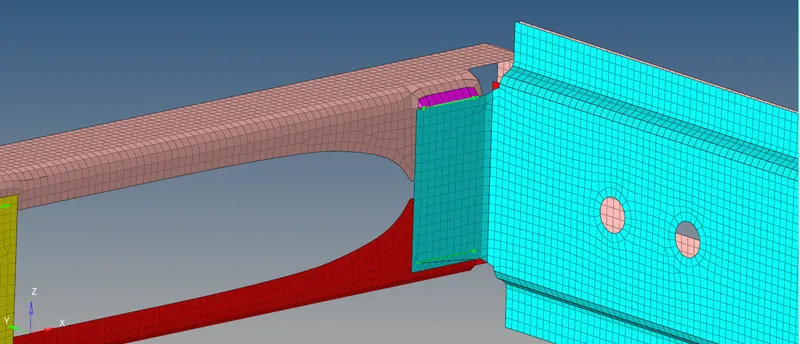

For Quad elements → Left_Rail_2 & Front_truss_1.
Command use 1D → Connectors → seam.
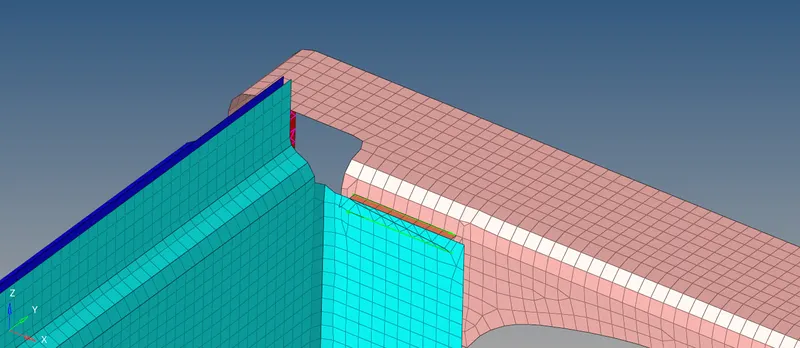

For Spot weld with 2 Layers and 5 mm Diameter → Front_truss_2, Front_truss_1 & Right_Rail_1.
Command use 1D → Connectors → Spot.
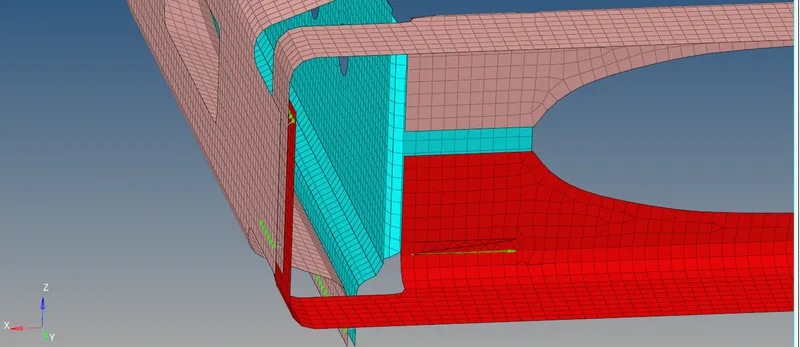

For Hexa (Adhesive) → Front_truss_2, Front_truss_1 & Left_Rail_1.
Command use 1D → Connectors → Area → Adhesive.
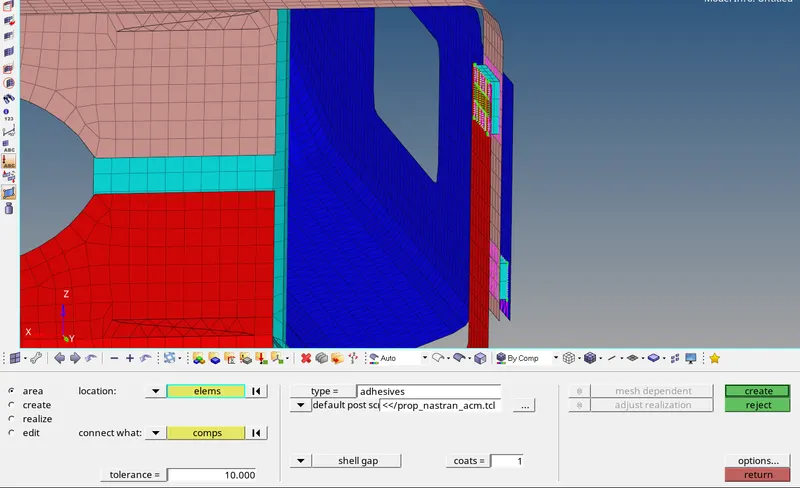
For Bolt Connector → Rear_truss_2 & Right_Rail_2.
Command use 1D → Connectors → Bolt.
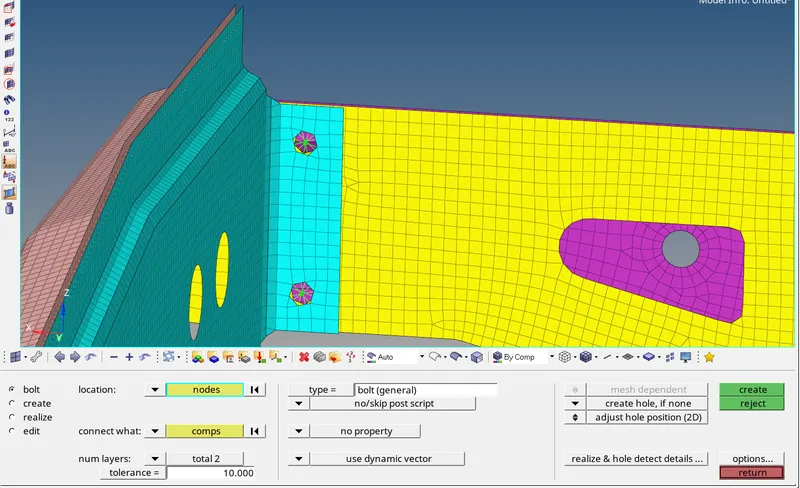
For Bolt Connector → Rear_truss_2 & Left_Rail_2.
It is same as above just the other side.
For Spot-weld with Rigid Elements → Right_Rail_1 & Right_Rail_2.
Command use 1D → Connectors → spot → from type drop down select rigid.
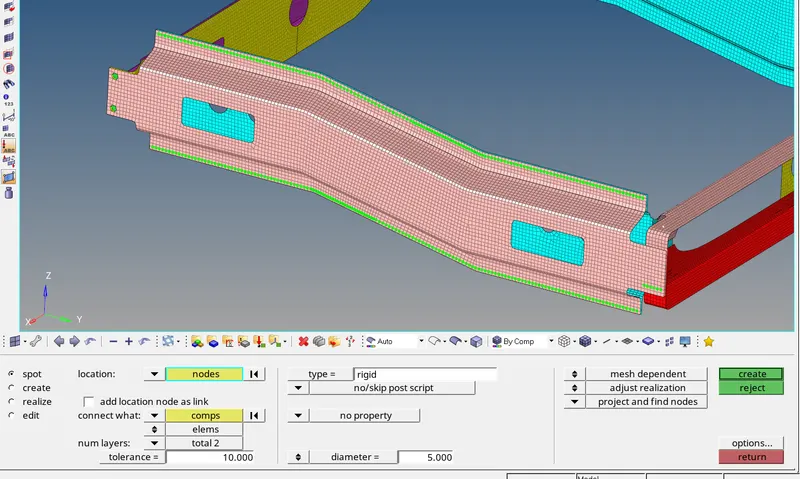
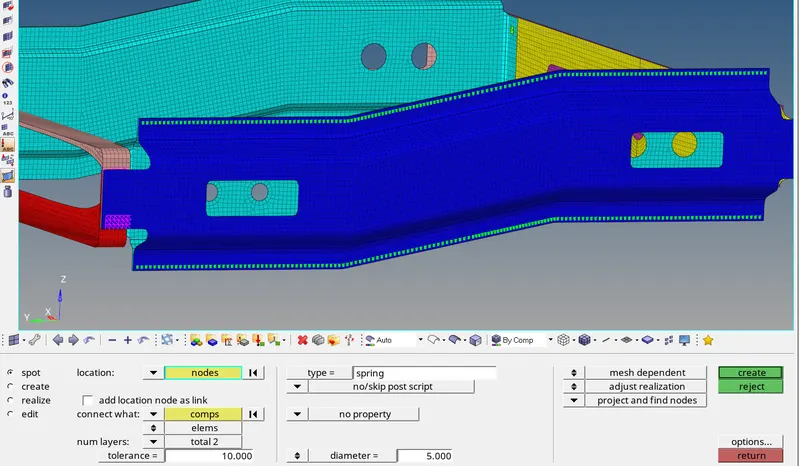
For Spot-weld with Spring Elements → Left_Rail_1 & Left_Rail_2.
Command use 1D → Connectors → spot → from type drop down select spring.
REST OTHER CONNECTIONS THAT WERE MADE:
For Reinforcement_Plate and Front Truss_1 and Front Truss_2 - Seam quad angle:
Command use 1D → Connectors → seam → select quad angle from type drop down.
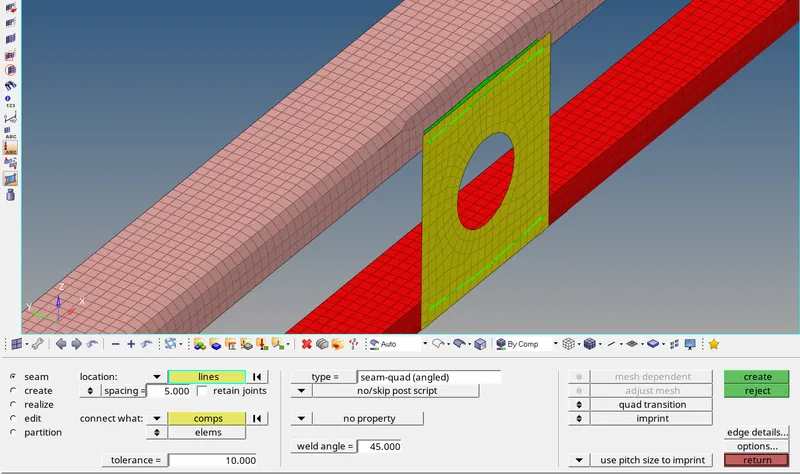
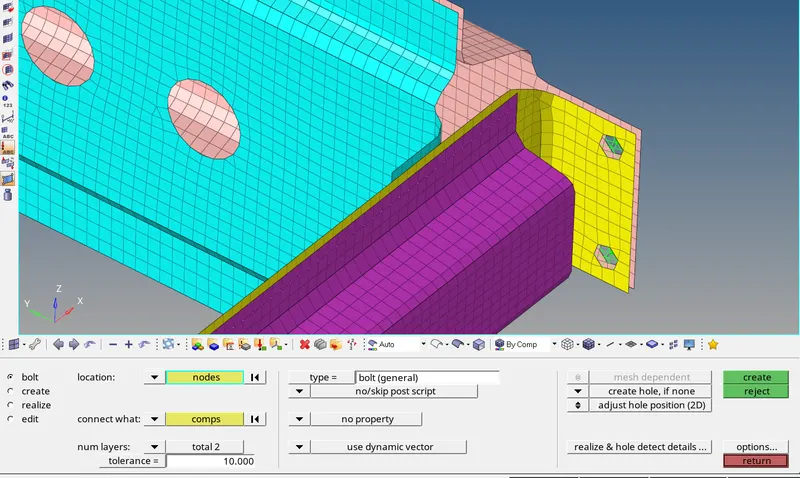
For Rear Truss_2 and Right Rail_1 - Bolt:
Command use 1D → Connectors → Bolt.
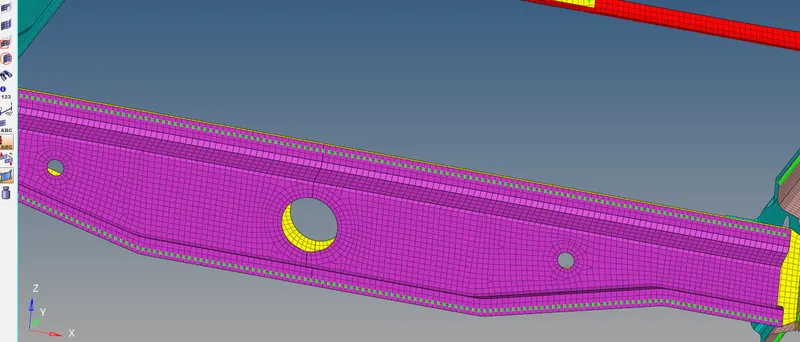
For REAR TRUSS_1 AND REAR TRUSS_2 - SPOT WELD:
Command used 1D → Connectors → spot → from type drop down select weld.
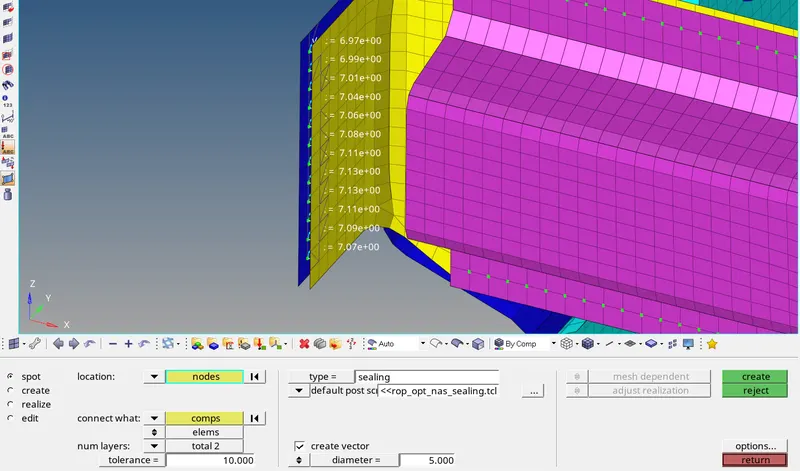
For Rear Truss_2 and Left Rail_1 - spot (Sealing):
Command used 1D → Connectors → spot → from drop down type select Sealing.
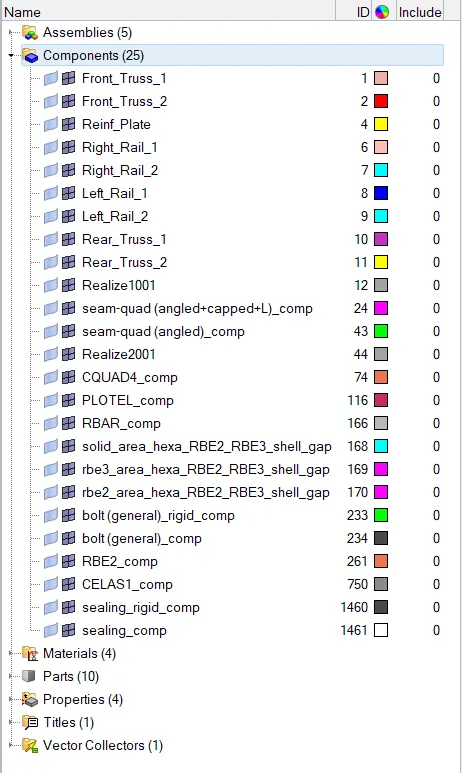
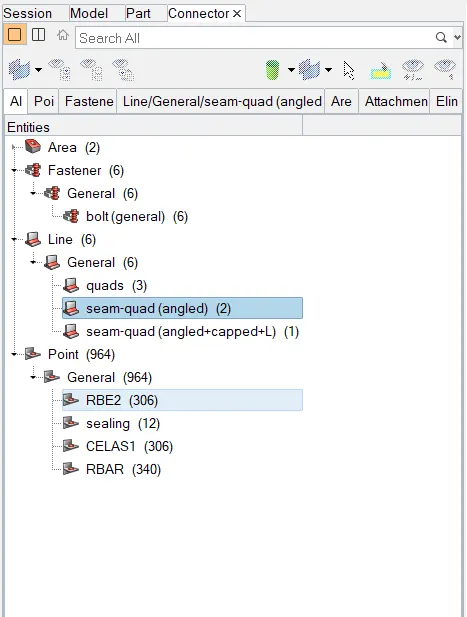
BELOW ARE THE IMAGES OF COMPONENT TREE AND CONNETORS PANEL:
RESULTS:
- All the objectives were fulfilled.
- All the 1D connetors were made in the desired loacation as specified.
- All the connectors are realized succesfully.