Week 9 Challenge
AIM: TO CALCULATE WAVE LOAD ON BRIDGE SUPERSTRUCTURE AND ANALYSIS OF THE BRIDGE USING STAAAD PRO .
INTRODUCTION :
In this challenge I have to calculate wave load by using given data
Wave load is load due to wave created by sea or river.
This load is applied when the bridge is constructed on the sea or river.
GIVEN DATA :
- The maximum crest elevation for the wave = 3 M
- Storm elevation = 8.5 M
- I girder size, * Height = 1.7 M * Flange width = 2.5 M * Thickness = 0.5 M
- Span of the bridge = 12 M
- Width of deck slab = 9 M
- Thickness of deck slab = 2 M
- Constant r = 5
- Cva = 3
- Cr = 0.4
LOAD CALCULATION :
MAX VERTICAL LOAD : 459KN
MAX HORIZONTAL LOAD = 2916KN
PROCEDURE :
- Model creation :
Add a node and select it using translational repeat copy node in x direction at 12m distance and add a beam in this node
select the beam and copy by using translational repeat in z direction 2 steps ata distance of 4.5m
add cross beams at the end by joining this nodes the structure will looks like below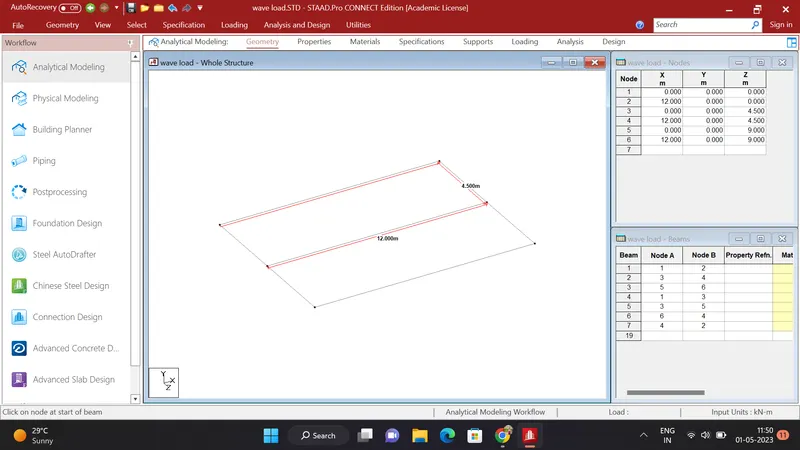
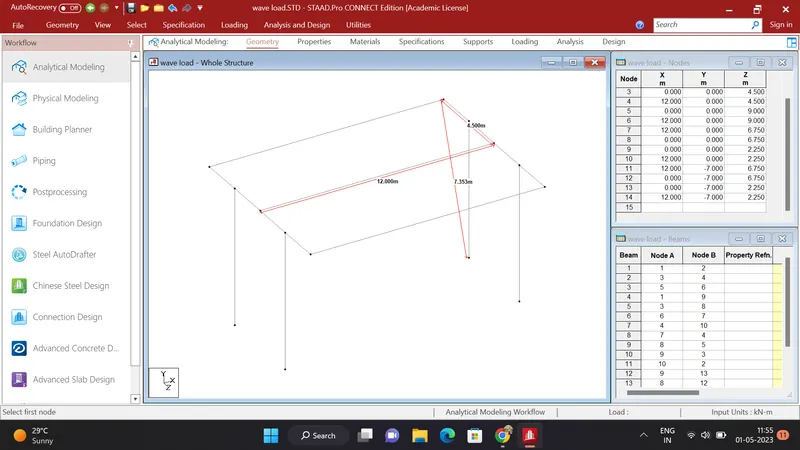
Add a node in between both cross girders and selct it by using translational repeat copy in Y direction at a distance of 7m
Add a beam in this nodes and assign fixed support to the bottom node of the beam
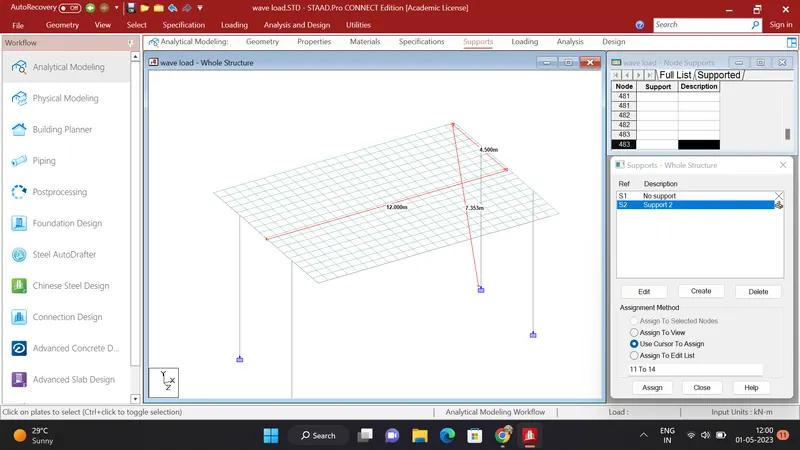
To create a plate for a deckslab select a corner node and copy it in z direction at adistance of 0.5m using translational repeat
Select both the nodes and copy in X direction at a distance of the 0.5m using the translational repeat
Click on Geometry and select ad plate command and add a plae using this 4 nodes
Copy this plate in z direction at 0.5m distance 17 steps
Select the created plates and copy it in X direction by using translational repeat at 0.5m distance and 23steps
2. PROPERTIES :
After model creation we have to give properties to each component of the bridge
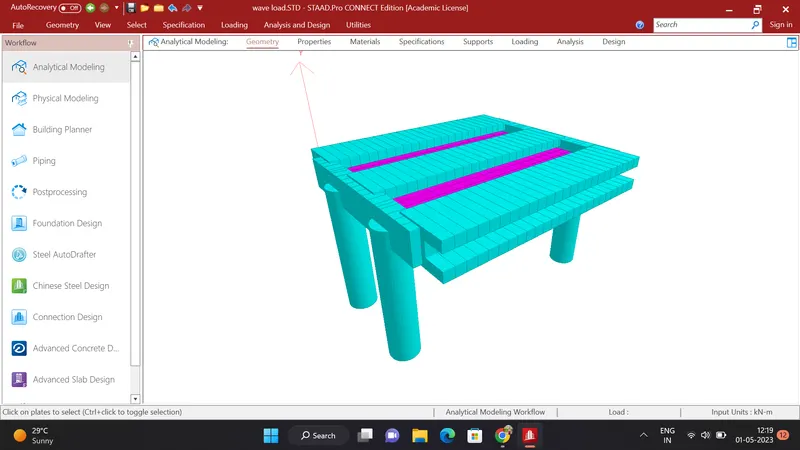
Click on properties define properties and apply to that component as shown in below photo
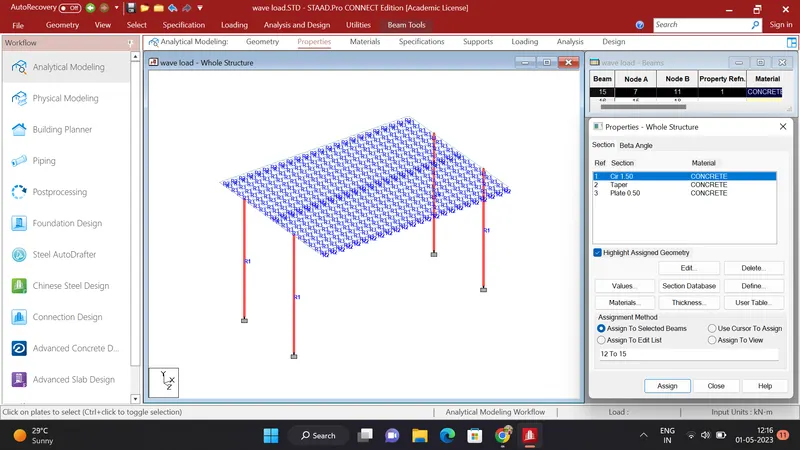
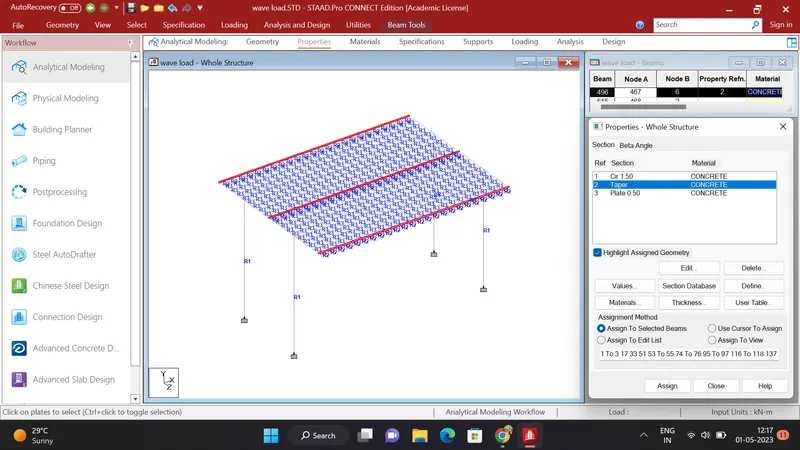
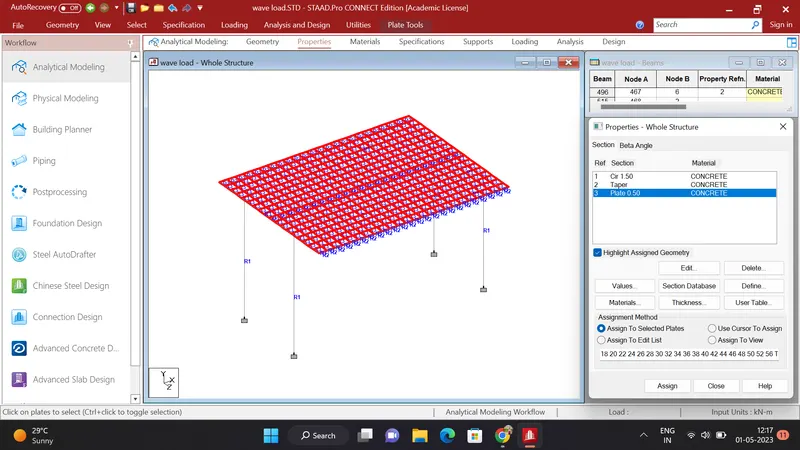
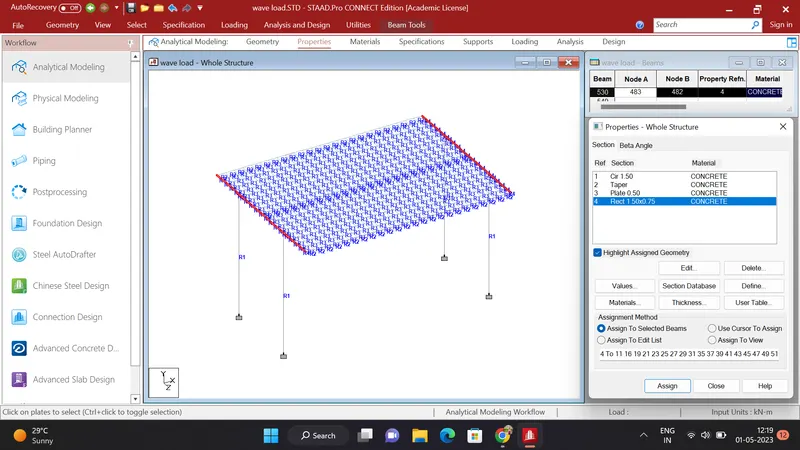
After aapllying properties to the components the structure will looks like below
3. LOAD APLLICATION :
After apllying properties I have to apply calculated load on the bridge
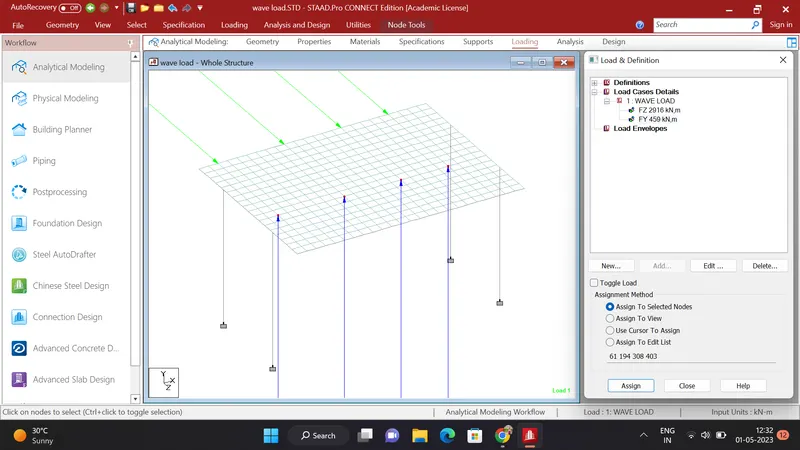
Click on Loading the click on load case details add a load case named as wave load and add it
Click on wave laod and add a nodal load Fy = 459kn and Fh = 2916kn
click on Fy load and select the node where we want to apply the laod and assign the load to the selected node
Click on Fh load and select a node where we want to apply the load and assign the load to that node
4. Analysis :
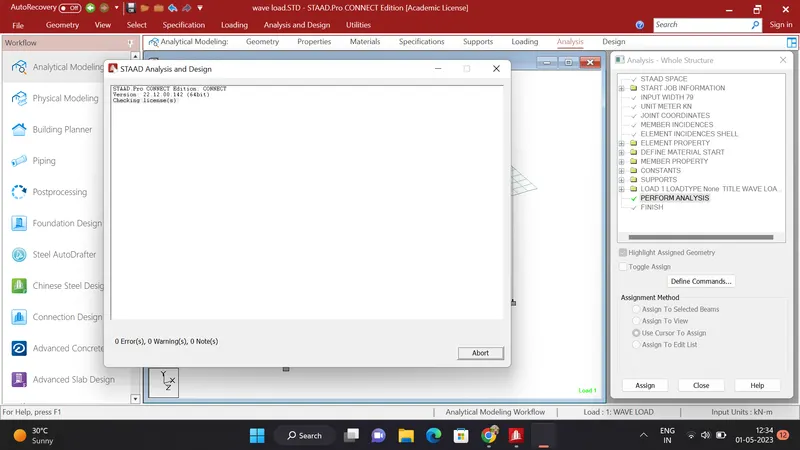
Click on the Analysis and Design define command and run the file
4. RESULTS :
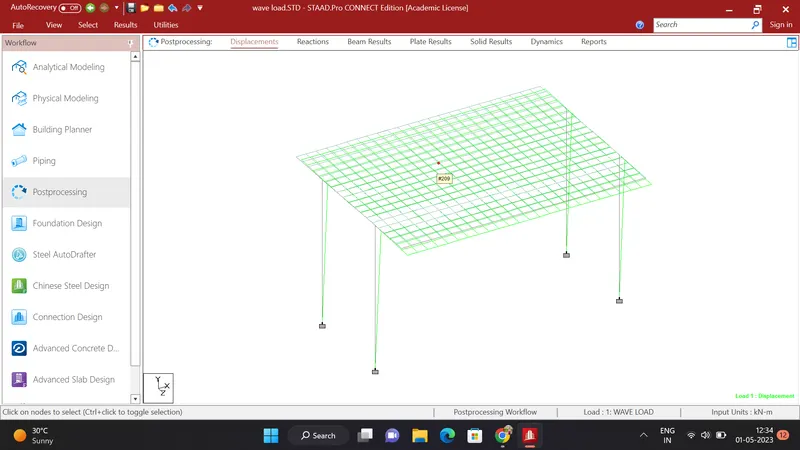
Deflection :
BENDING MOMENT DIAGRAM :
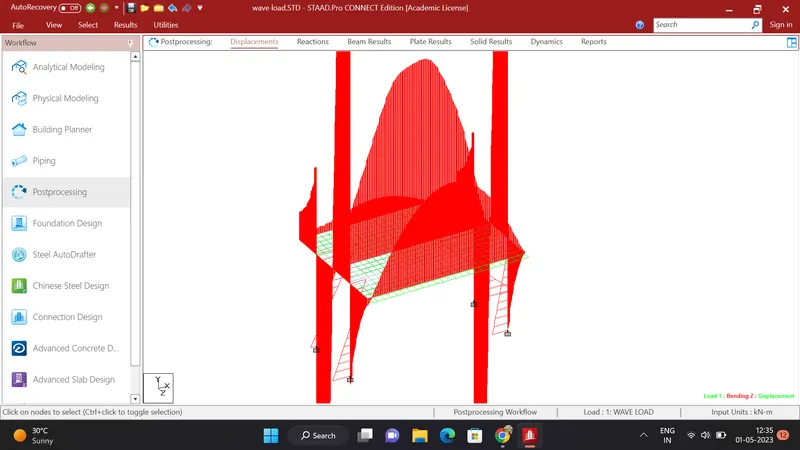
PIER DEFLECTION :
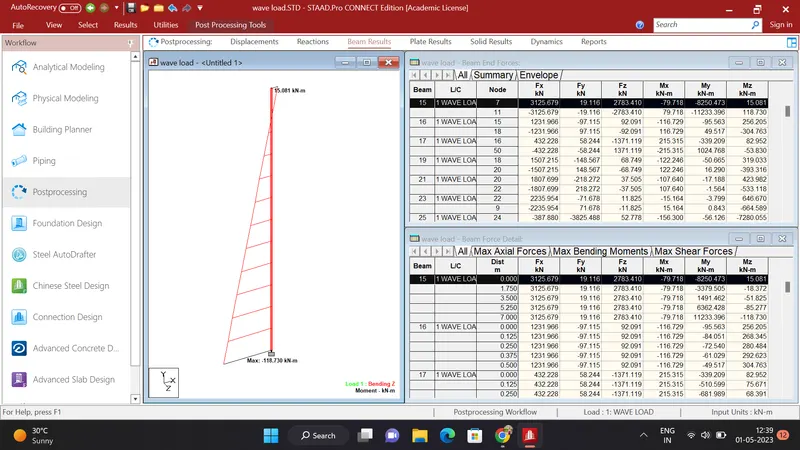
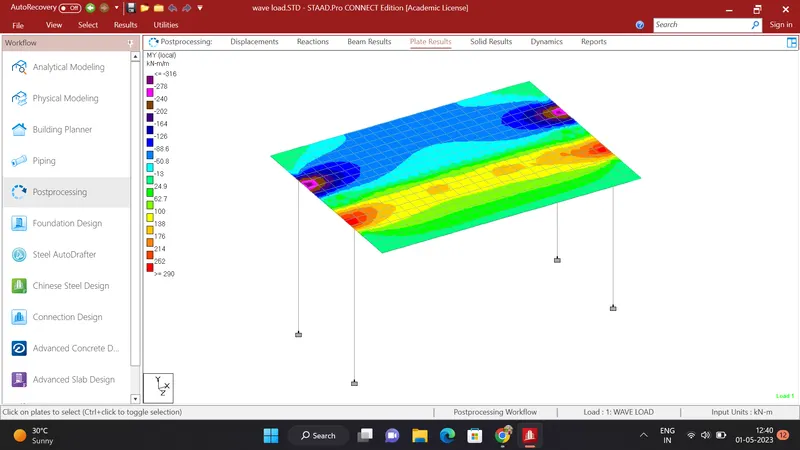
PLATE RESULTS :
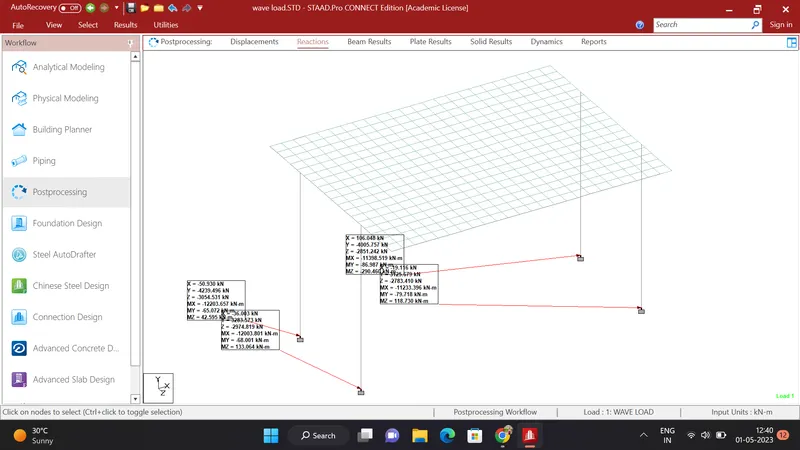
SHEAR FORCE :