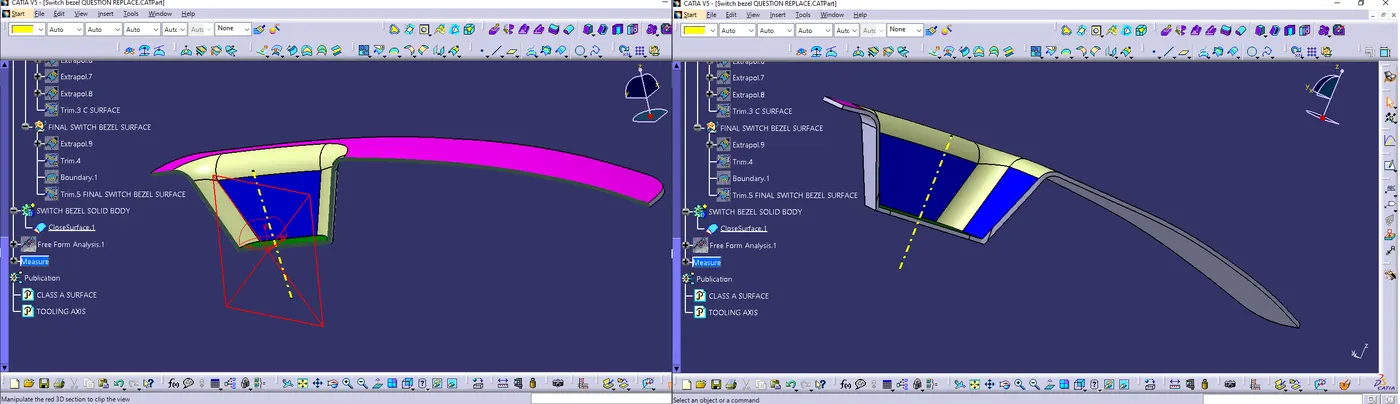
Week 9 - Challenge 2 - Switch Bezel Design
Switch Bezel
Switch bezel is a plastic component of the car enterior & mounted on the car side door.
It contains switches that use to control different functions like Door lock control, Windo control, Temprature control ans so on.
It is manufactured by using injection molding.
Injection molding
Injection molding is a method to obtain molded products by injecting plastic materials molten by heat into a mold, and then cooling and solidifying them.
The method is suitable for the mass production of products with complicated shapes, and takes a large part in the area of plastic processing.
The process of injection molding is divided into 6 major steps as shown below.
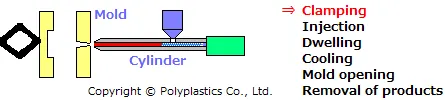
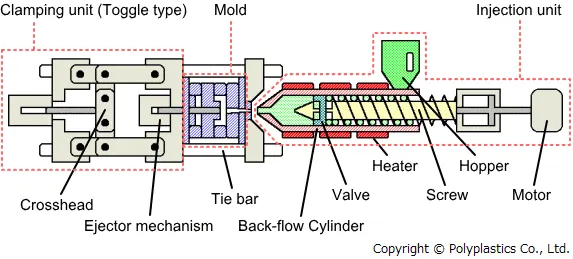
Steps of injection molding
1 – Create mold (material Aluminium, Steel or so on)
2 – Material for the part is feed into a heated barrel & mixed using a helical shaped screw,
& melt the material.
3 – Fed the material in to Mold & Cavity where it cools & hardens.
4 – The cooling time can be reduced by use of cooling lines that circulate water or oil from
an external tempruture controller.
5 – Once the material has solidified so that ejector pins can eject the part from the mold.
Question – Why automotive industries choose injection molding ?
Injection molding offers many advantages over manufacturing process.
1 – Flexibility – It provide ablity to produce parts with complex shapes.
2 – Tight tolerance & superior surface finishes.
3 – Injection molding is highly versatile process that manufacturers use to produce a variety
of automotives parts, from engine compartment to exterior interior body panels.
4 – It allow Mass production
5 – Cost effectiveness – Once the mold has been built the cost of production per component
is relatively low.
Types of injection molding techniques used in the Automotive industry.
1 – thermoplastic injection molding
Most common type of injection molding in automotive industries, it is used to produce parts made from thromoplastic materials such as polypropylene, nylon, & ABS.
It is low cost, high production speed, & versatility.
2 – Elastomeric injection molding
It is used to produce elastomeric materials, such as rubbers & silicons.
It provide superior shock absorption & vibration dampening, and also low cost, high production speed & versatility.
3 – Thermosetting injection molding
It is used to produce thermosetting materials such as epaxy & polyester.
It gives accurate dimentional tolerance & repetability, & It is not melting or deforming at high temeratures.
Material use for manufacturing (Switch bezel)
Poly Proline (PP) – Strong impact resistance, low density, long service life, tougher material, good heat resistance, strong electric insulation properties.
PP is used in manufacturing of bumpers, instrument panel, housing door, trim panel, air conditionar parts, battery shell, cooling fan.
Advantage –
1 – Good moisture resistance & high melting point (160*)
2 – Variety of colour pigments can be used, it can recycled 3 to 4 times.
3 – High flexibility with high fatigue resistance, chamical resistance to acids & bases.
Disadvantage –
1 – Sensitive to UV exposure.
2 – Poor adhesion with external point / coatings highly flamable.
Switch Bezel
Switch bezel is a plastic component of the car enterior & mounted on the car side door. It contains switches that use to control different functions like Door lock control, Windo control, Temprature control ans so on.
It is manufactured by using injection molding.
Aim – Switch bezel design through given class A surface.
Objective of the project
Learn how to create tooling axis and what is its significance of tooling axis in plastic component design.
Learn draft analysis of master surface (A Surface).
Learn how to create required surfaces (B Surface and C Surface) using given master surface (A Surface).
Learn how to create thick body from the close surface.
Steps follows –
1 - Check the connectivity of the class A, ensuring that no gap between two surfaces.
A- <!--[endif]-->Using Join command
B - <!--[endif]-->boundary command – to check the boundary of the A surface
2 - <!--[endif]-->Find the tooling axis of the component
3 - <!--[endif]-->Draft analysis (Insert – Analysis – Feature Draft Analysis)
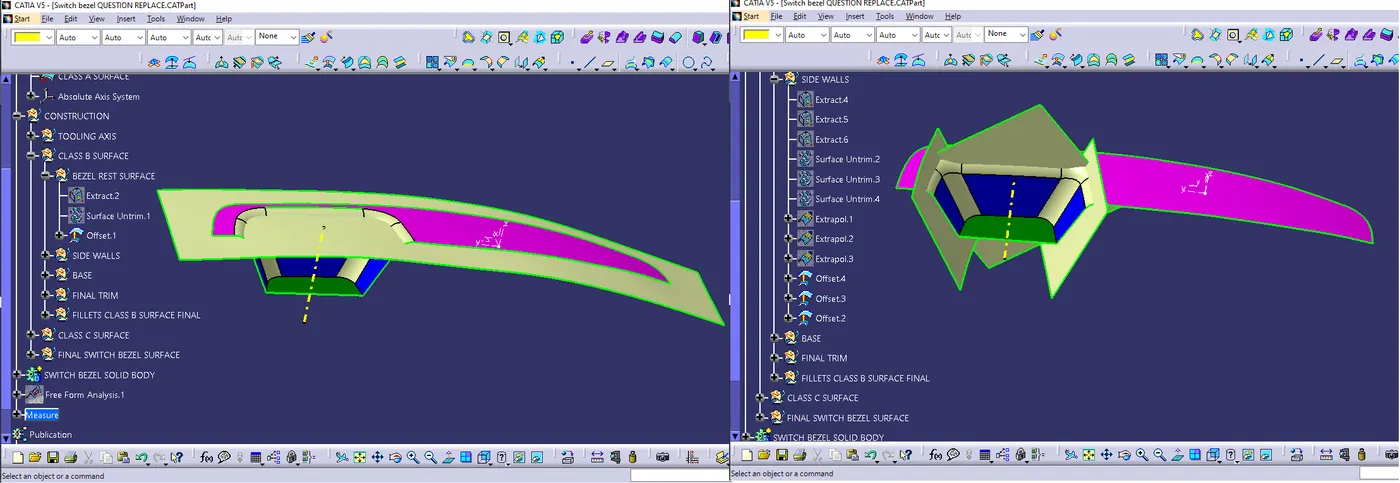
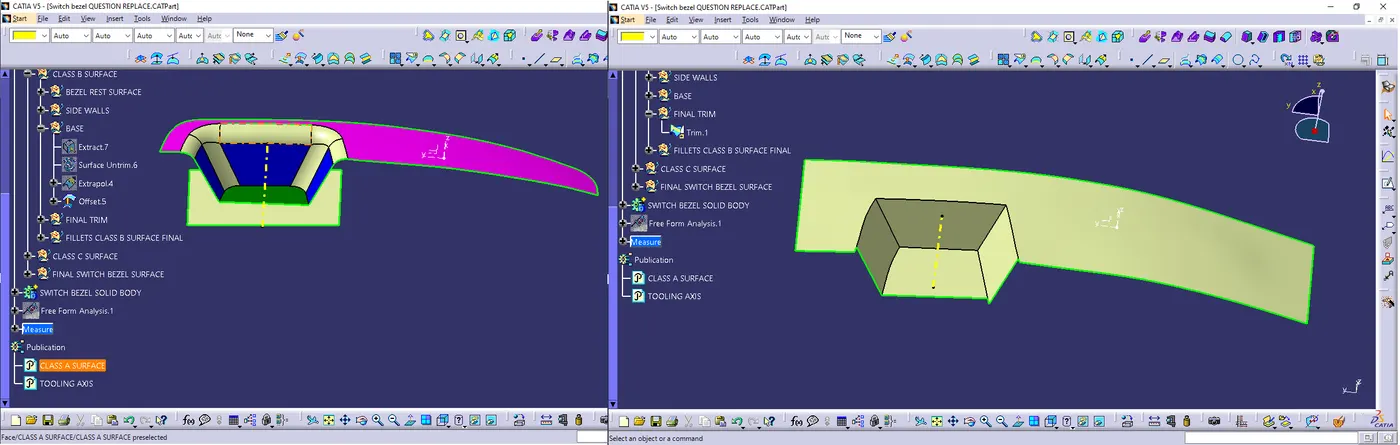
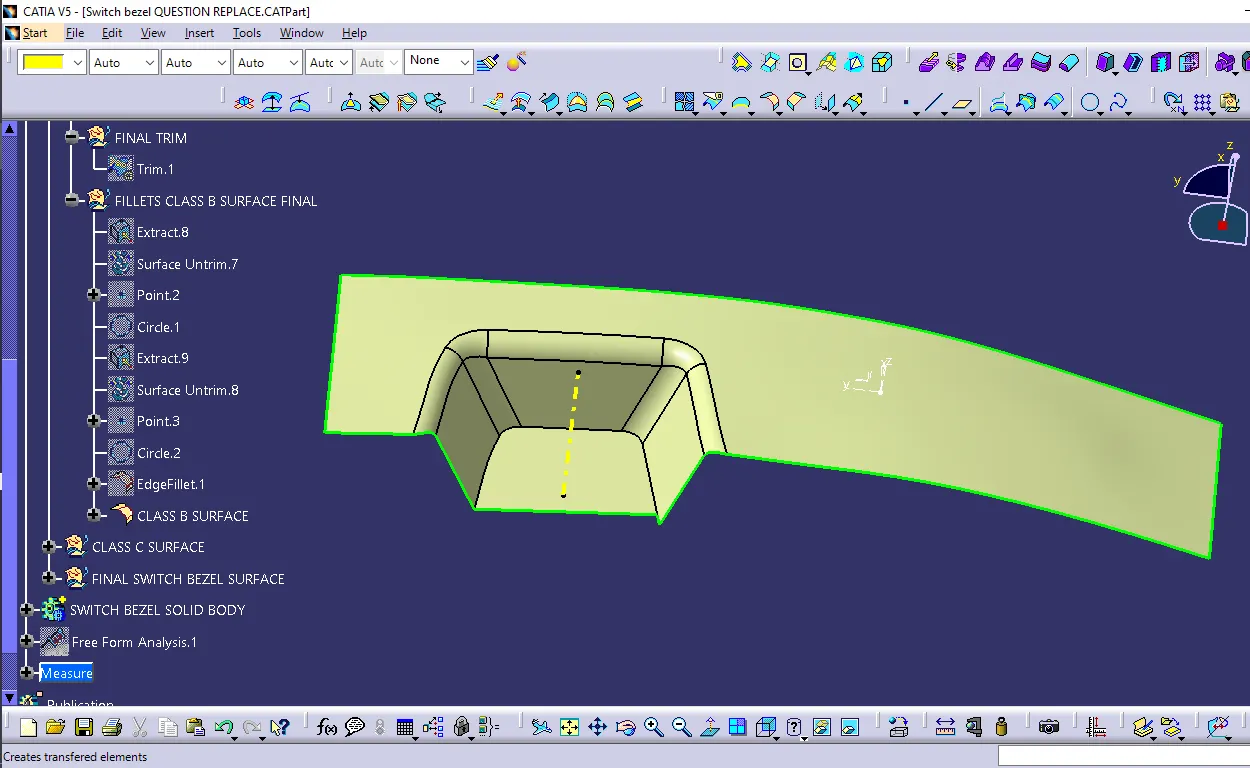
4 - <!--[endif]-->Create B Surface
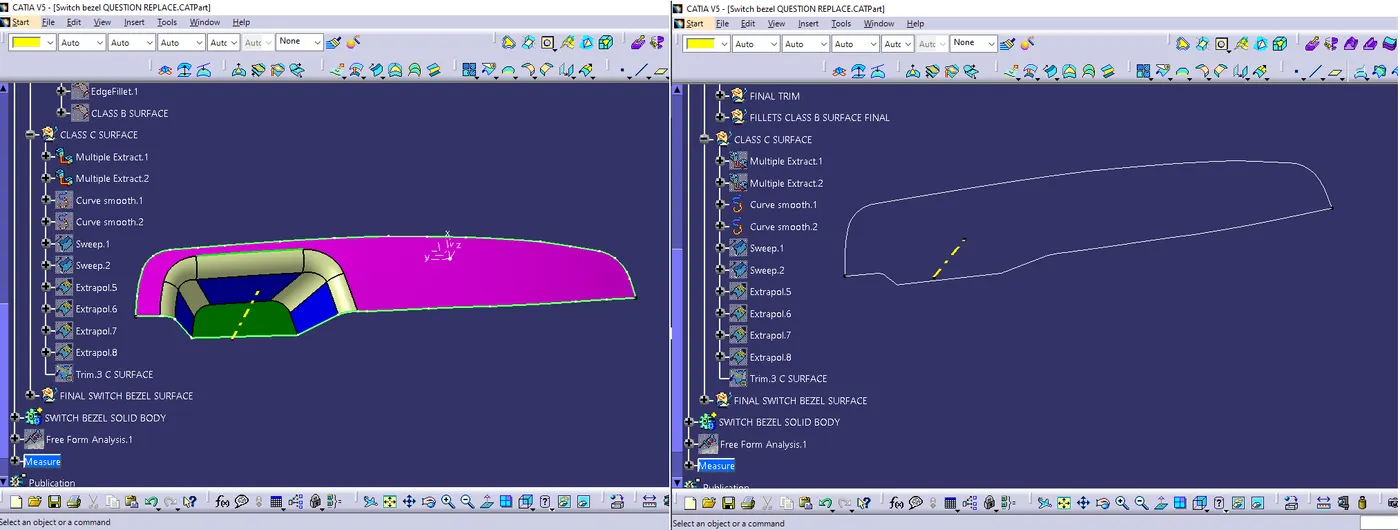
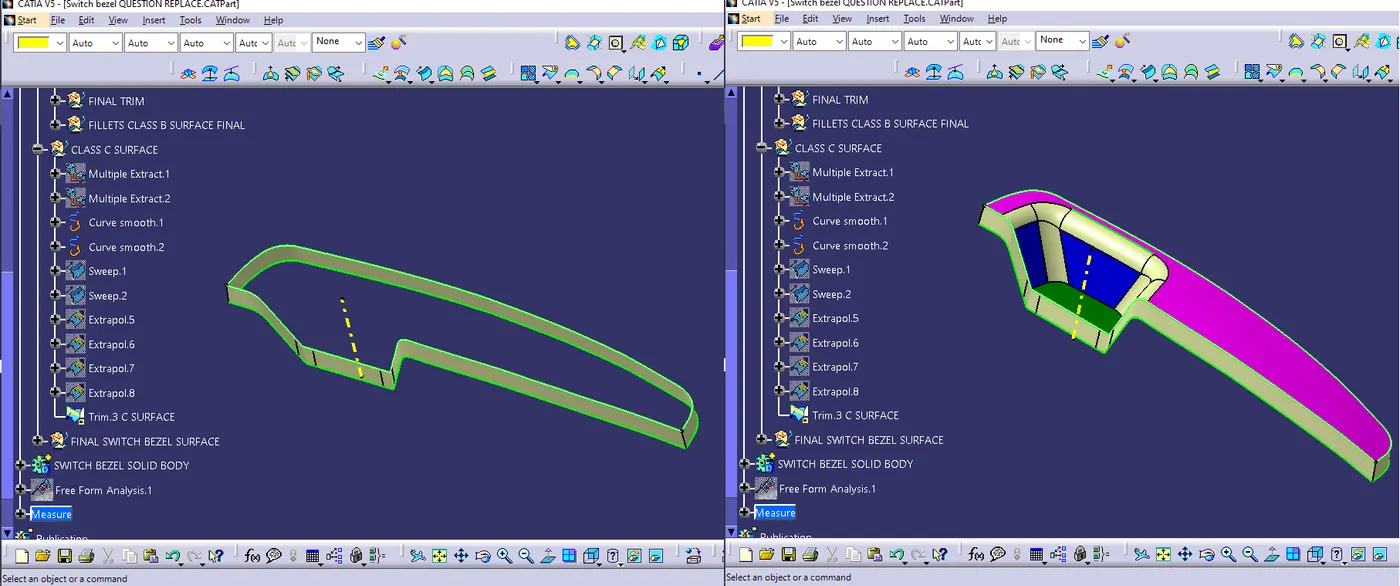
5 - <!--[endif]-->Create C Surface
6 - <!--[endif]-->Join A Surface with B, & C Surface & create a closed Surface.
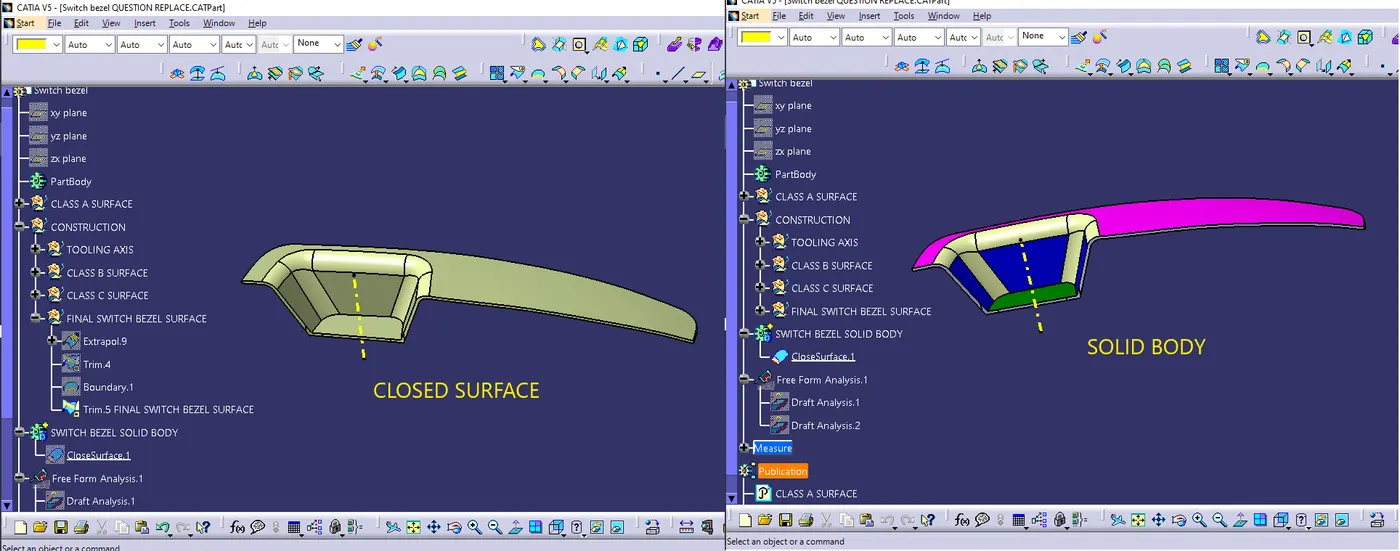
7 - <!--[endif]-->Using close surface command Create Solid Part.
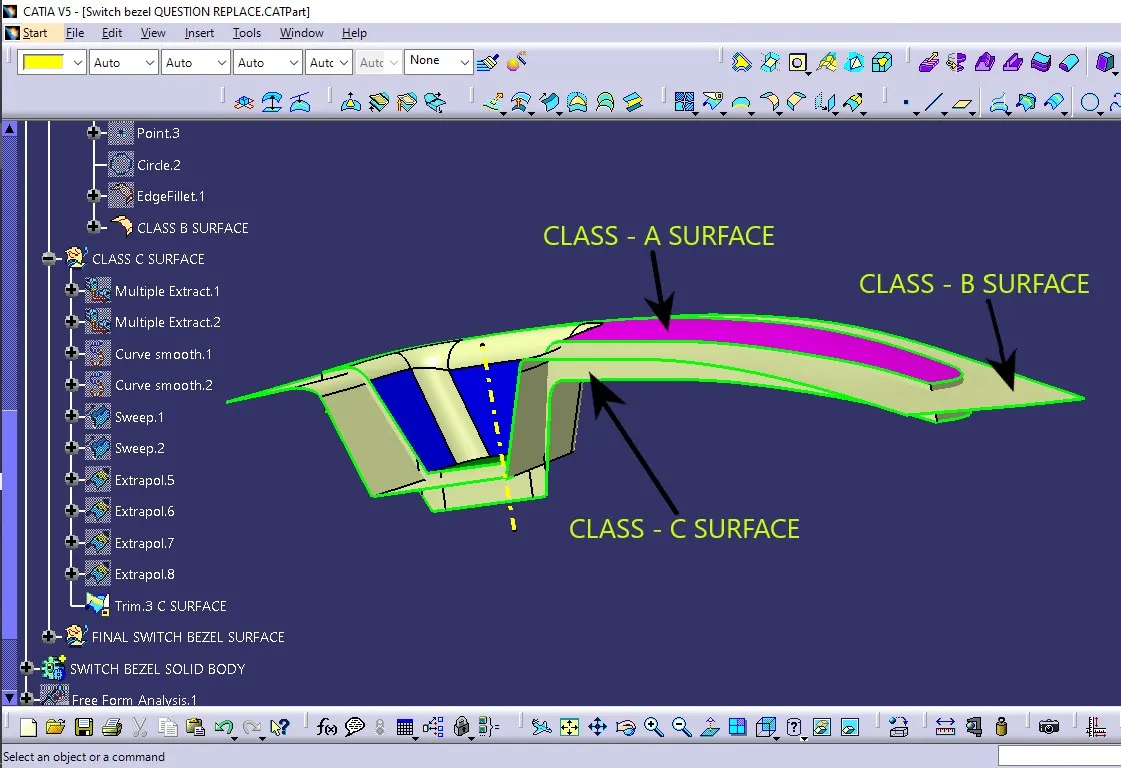
A Surface is the surface that is created by the concept sketches made by free hand sketchers. this computerized design is known as Class A surface.
B Surface is created by using class A surface, and the distance between A surface and B surface is equal to the thickness of the part, it is also called engineering surface.
C Surface is created for connect Class A and Class B surface also known as the side wall of the surface.
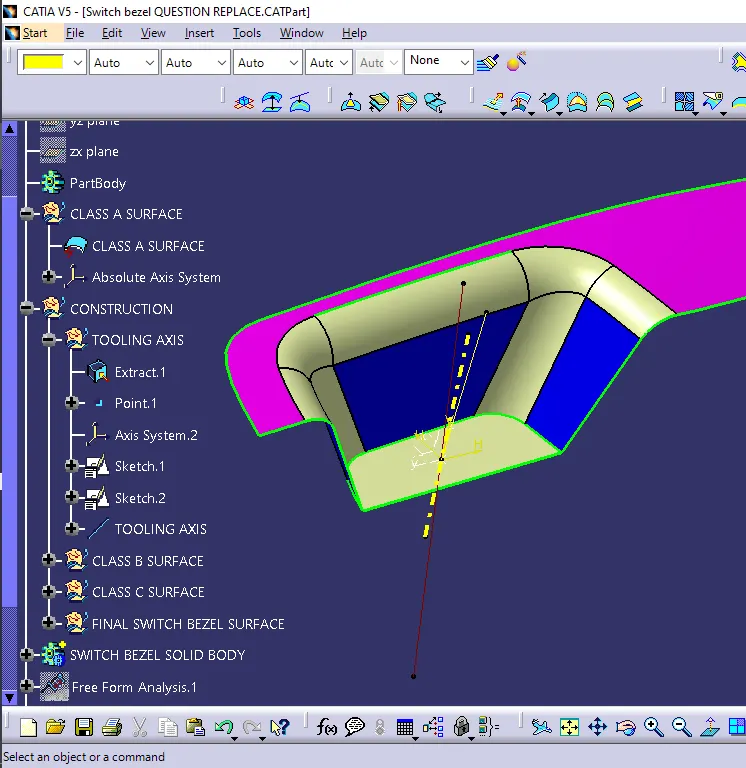
Tooling axis
Tooling axis is the direction at which the mold open & core & cavity opens.
Analysis the component & find which is the best tooling direction (X, Y, Z)
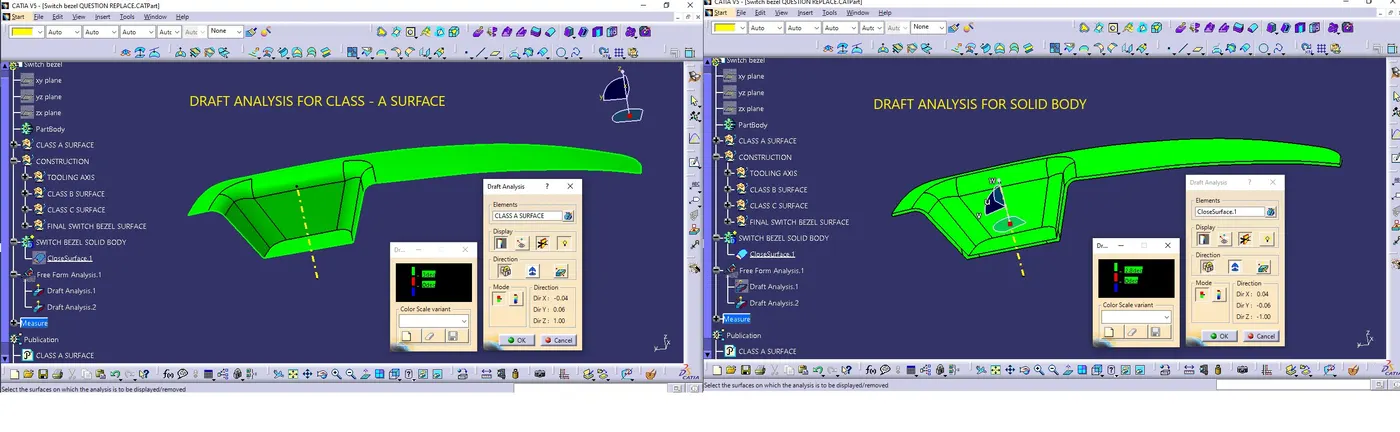 Draft analysis
Draft analysis is done to see the manufacturability of a part, green color indicates that all parts are clearing when core is removed from cavity.
The part has fully constrained like.
1 - <!--[endif]-->It does not have any negative draft.
2 - <!--[endif]-->How does the part behave.
3 - <!--[endif]-->What is going to the constrain whether it is maintain the same radios.
4 - You don’t have any undercut in part, you have maintained 2.5 plus thickness radius.
5 - You have minimum hold requirement Gap.
Command used in CATIA
1 - <!--[endif]-->POINT
2 - <!--[endif]-->LINE
3 - <!--[endif]-->PLANE
4 - <!--[endif]-->EXTRACT
5 - <!--[endif]-->UNTRIM
6 - EXTRAPOLATE
7 - OFFSET
8 - TRIM
9 - <!--[endif]-->EDGE FILLET
10 - <!--[endif]-->MULTIPLE EXTRACT
11 - CURVE SMOOTH
12 - <!--[endif]-->SWEEP
13 - BOUNDARY
14 - CLOSE SURFACE (PART WORKBENCH)
15 - DRAFT ANALYSIS
16 - PUBLICATION NEERAJ SINGH
Class A Surface
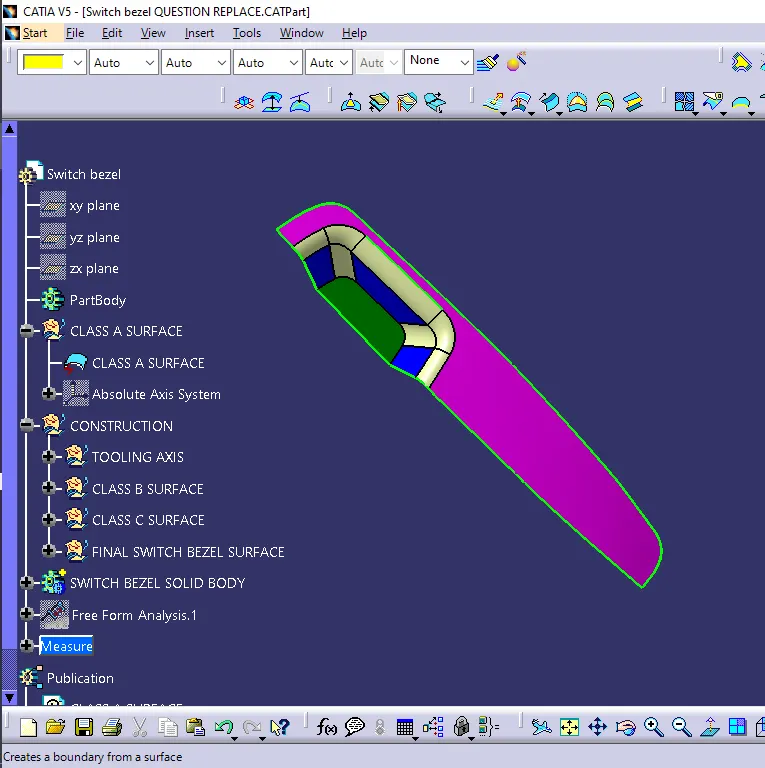
Class B Surface
Class C Surface
Close surface
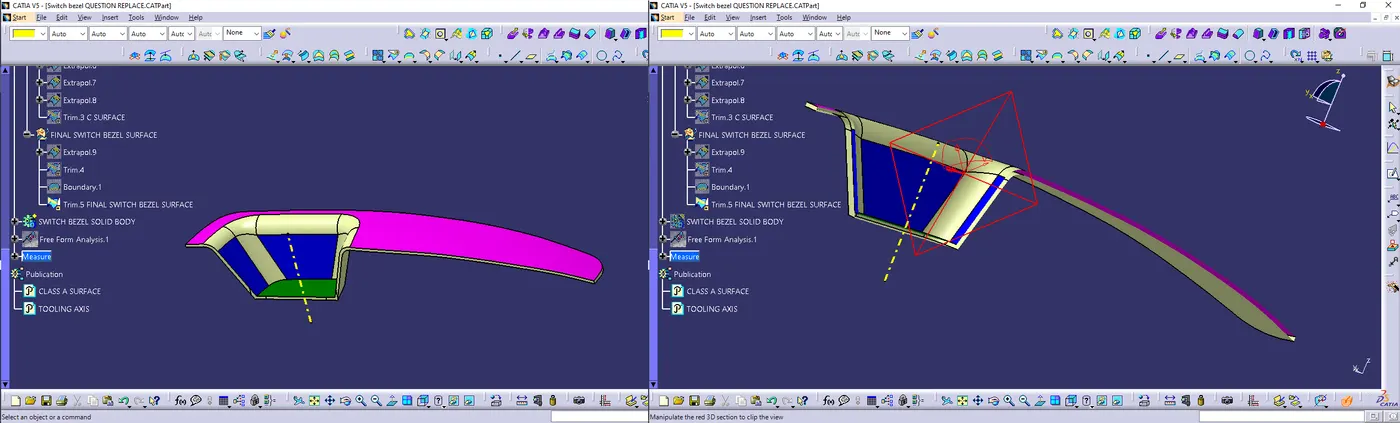
Solid Body