Week 9 - Challenge 2 - Switch Bezel Design
1. Tooling axis creation and draft analysis for switch bezel class A surface
Procedure for tooling axis creation:
- First the connectivity between the surfaces to be checked, by using the join option see how the surface is connected and ensure that there are no surface gaps in between the component.
- By using multiple extract option to extract the flat tooling surface. Then Place the Point on the extract surface by Point on surface option and enter the value as Zero.
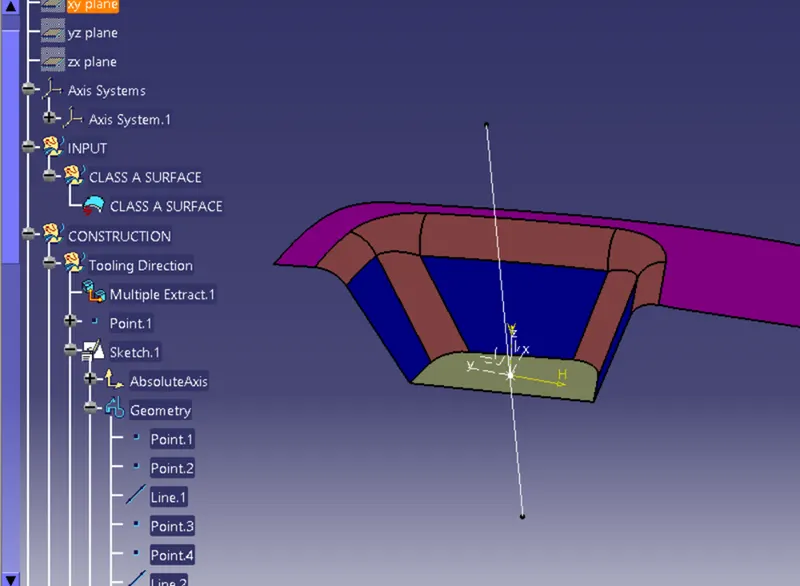
- Then place the Axis system and ensure it is not current and select the YZ plane to 3D project option to place the Class A surface and draw the two lines on both sides of the projected line. Make the projected curve as reference lines by iso-constrained option.
- An intersection sketch is made by using the point and the line along the sketch. With the bisecting line option select the two lines.
- Repeat the same operation in the ZX direction, project the curve, and make it a reference. Then draw the line from the point and give the angle value for referenced class A projected line and drawn line as 3 deg or the required angle.
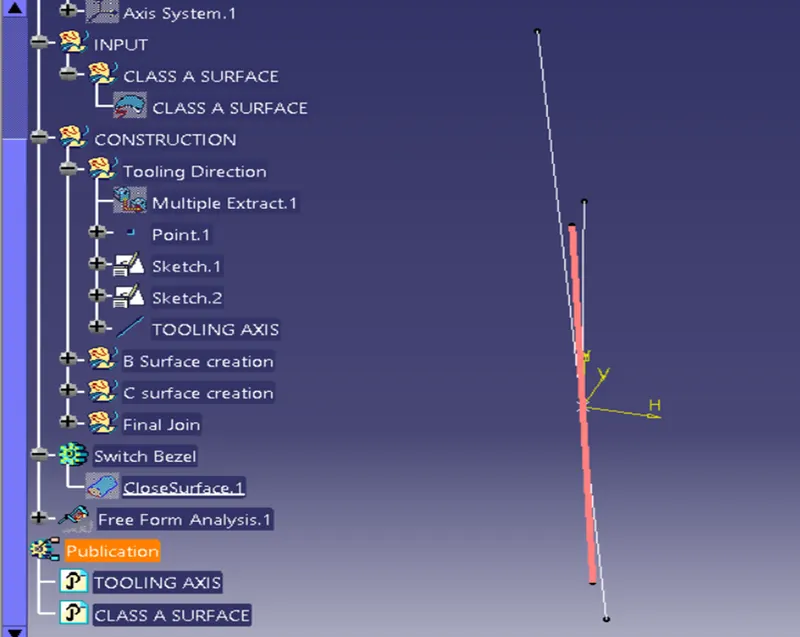
- In line command select the Bisecting option then select the point to create the Tooling axis line and extend the line as much as required.
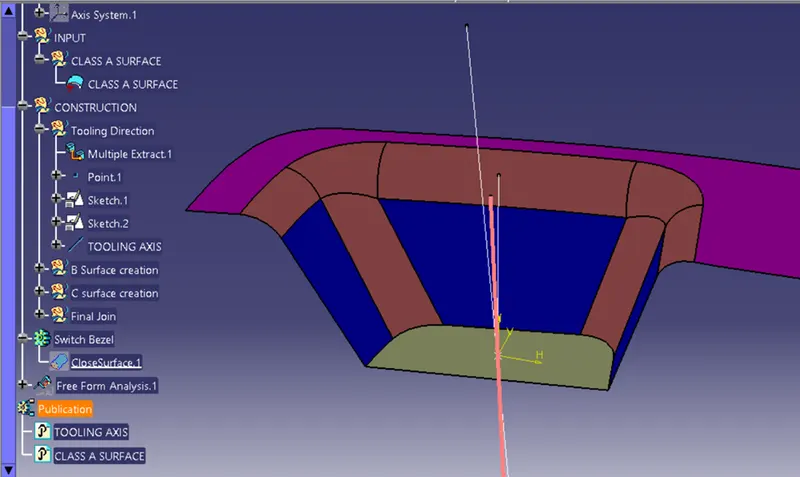
Procedure for Draft analysis:
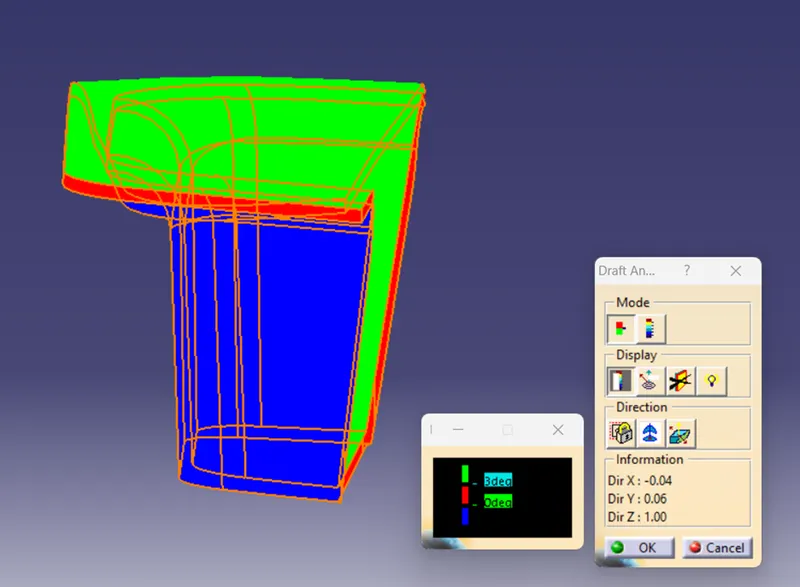
- Select the draft analysis feature, and ensure the view parameter option select the Material option.
- First, the compass is moved to the part (the compass should be placed on the tooling axis) which is used to define the new current draft direction, then lock the draft direction using the lock icon.
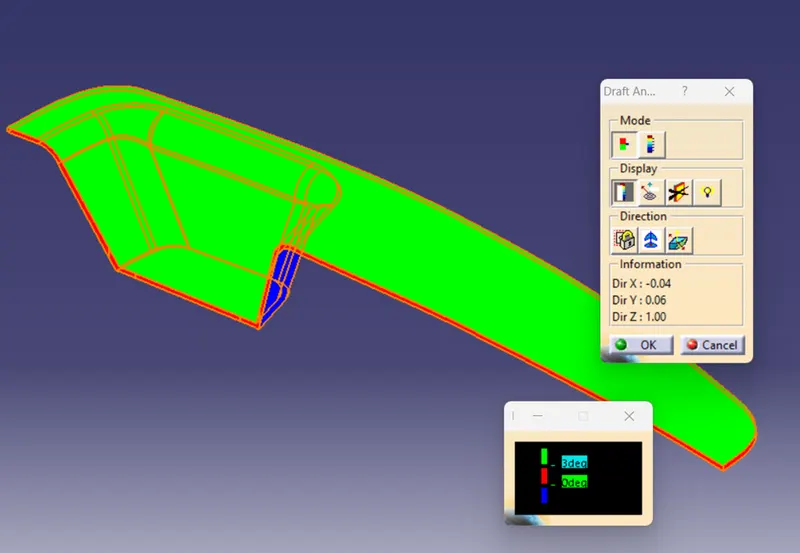
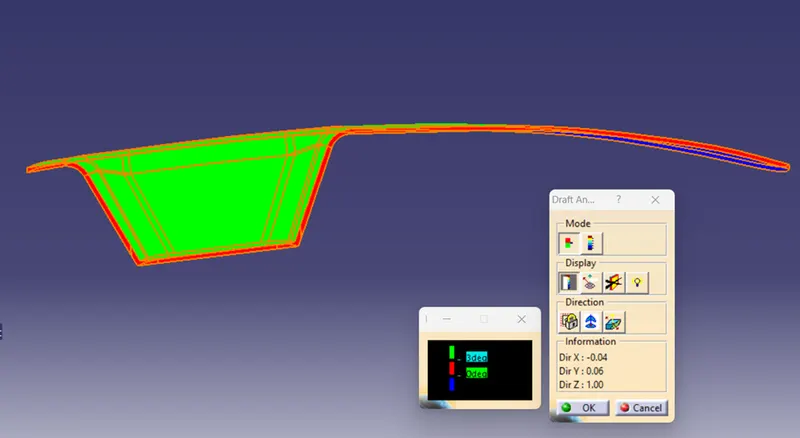
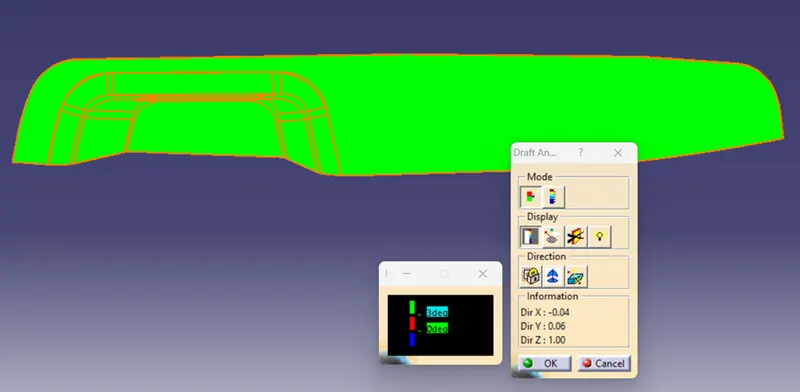
- The colour chart indicates the various condition of the draft angle. the green colour indicates that the part passes and and can be used for further operations.
Draft analysis for Class A surface.
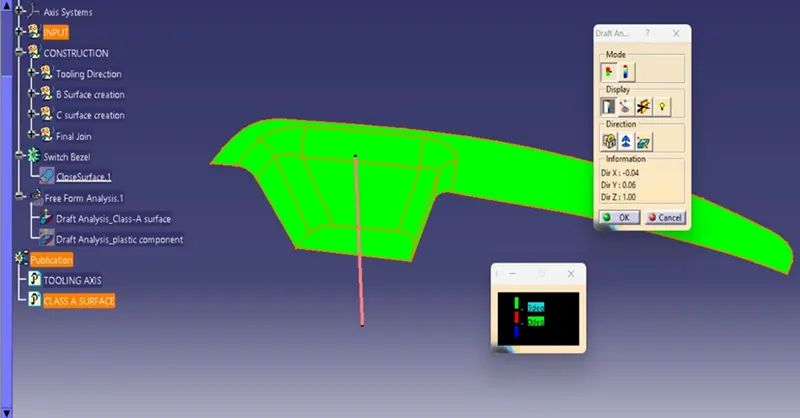
Draft analysis for Plastic component (Switch bezel).
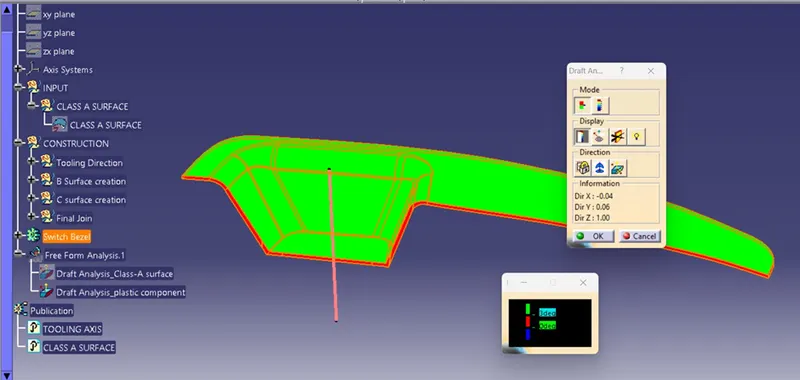
2. Screenshots of the solid model with the proper color code of the draft angle in various orientations (Isometric, Front, Side, and Top View)
Isometric View
Front View
Top View
Side View
CONCLUSION
Thus the DRAFT ANALYSIS is carried out by tooling axis for the given class - A surface Switch Bezel.