Week 9 - Challenge 1 - Base Bracket Design
The BASE BRACKET CLOSESURFACE Method has been used which they provided by BASE BRACKET CATPART and I have attached with the 2D(Drawing) and with CADpart.
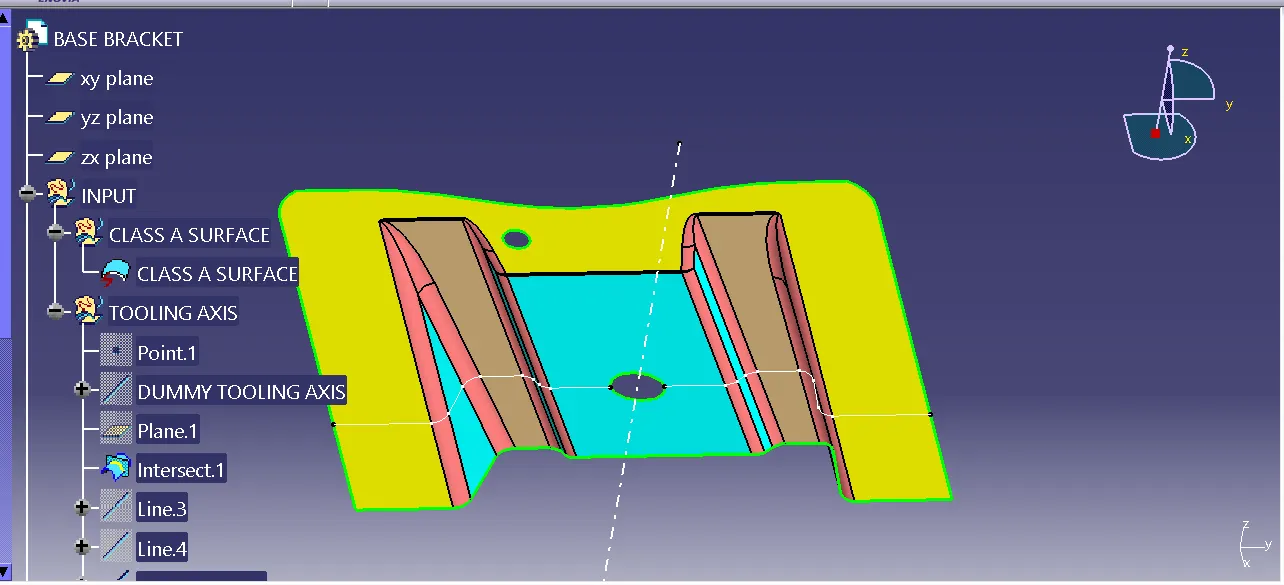
STEP 1: I used to creat an axis by using the class A surface and creating point with using of Intersect line and i made an TOOLING AXIS,
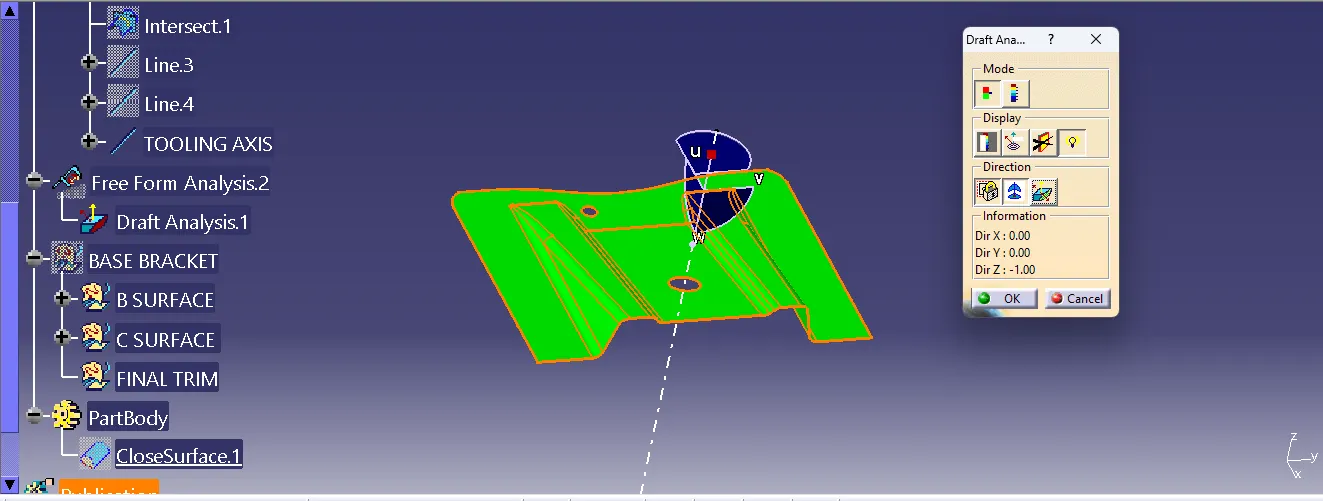
STEP 2: And i used to check the DRAFT ANALYSIS,
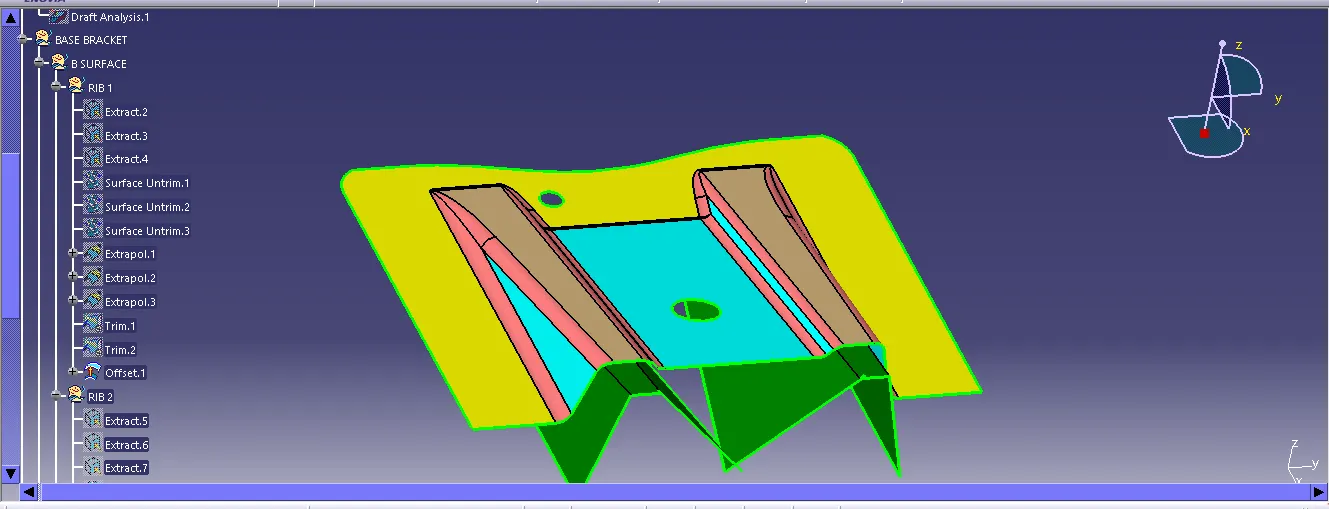
STEP 3:A nd i made a RIB of both side by using the CLASS A SURFACE and I published the CLASS A SURFACE and TOOLING AXIS,
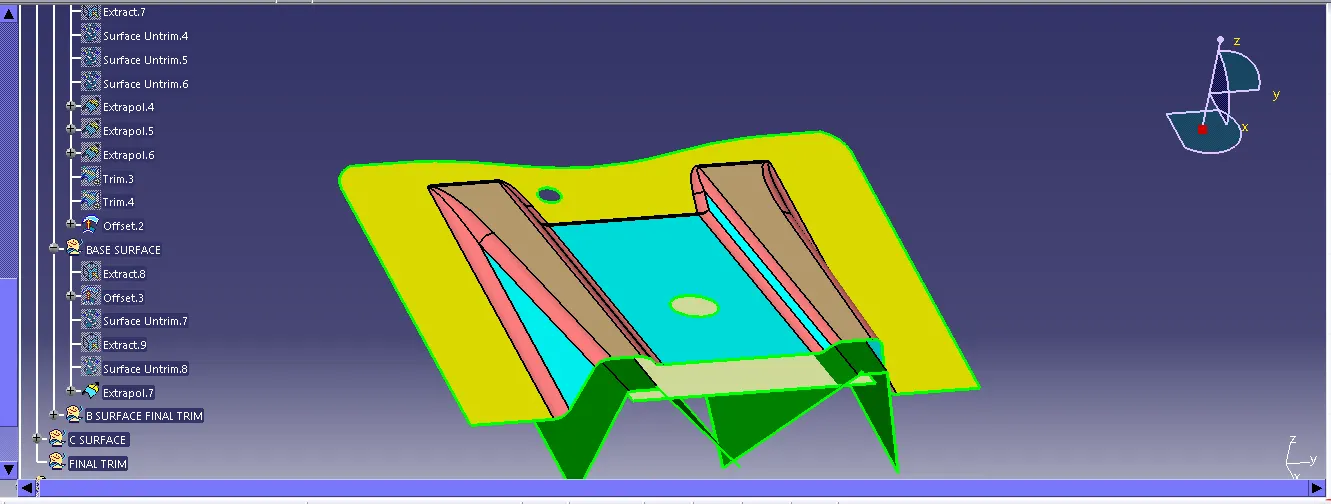
STEP 4: Then i used to create a BASE SURFACE by using CLASS A,
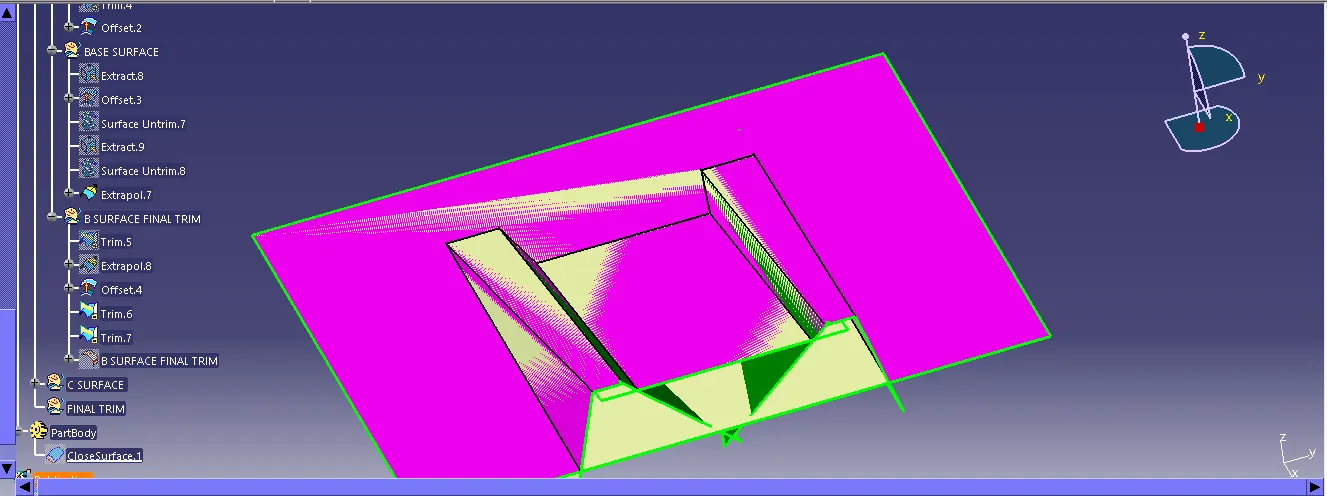
STEP 5: Creating a B Surface by using a TRIM comand and I had a used to TRIM the CLASS B by using the RIB and BASE SURFACE,
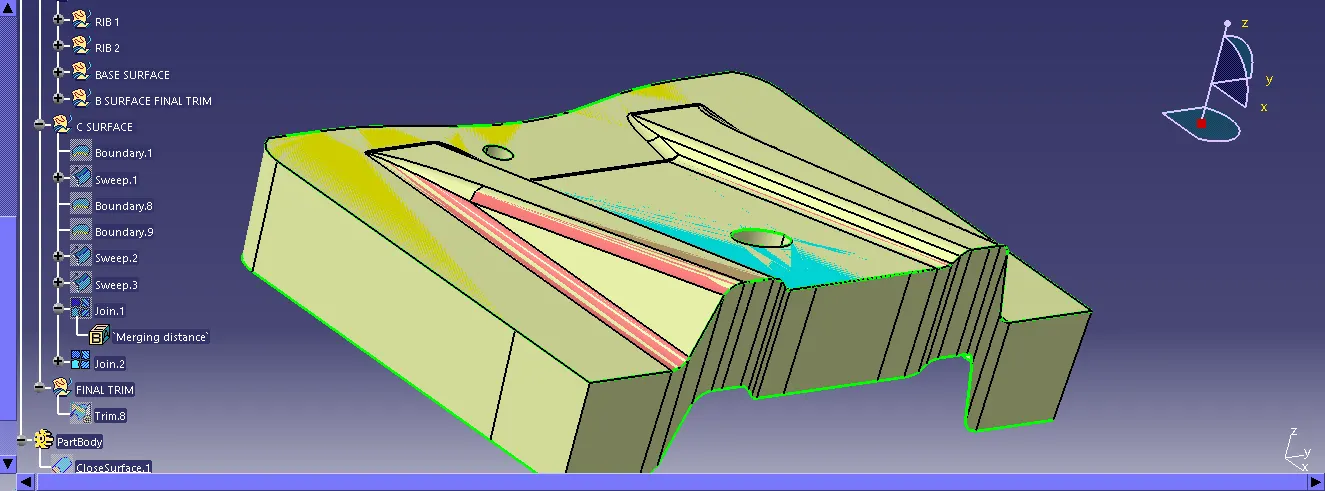
STEP 6: I created the boundary by using the CLASS A and I made a sweep and create a two holes in middle and side by using the boundary and sweep and then I join the CLASSS A and CLASS C and again i used to join the two holes with the CLASS A and CLASS C,
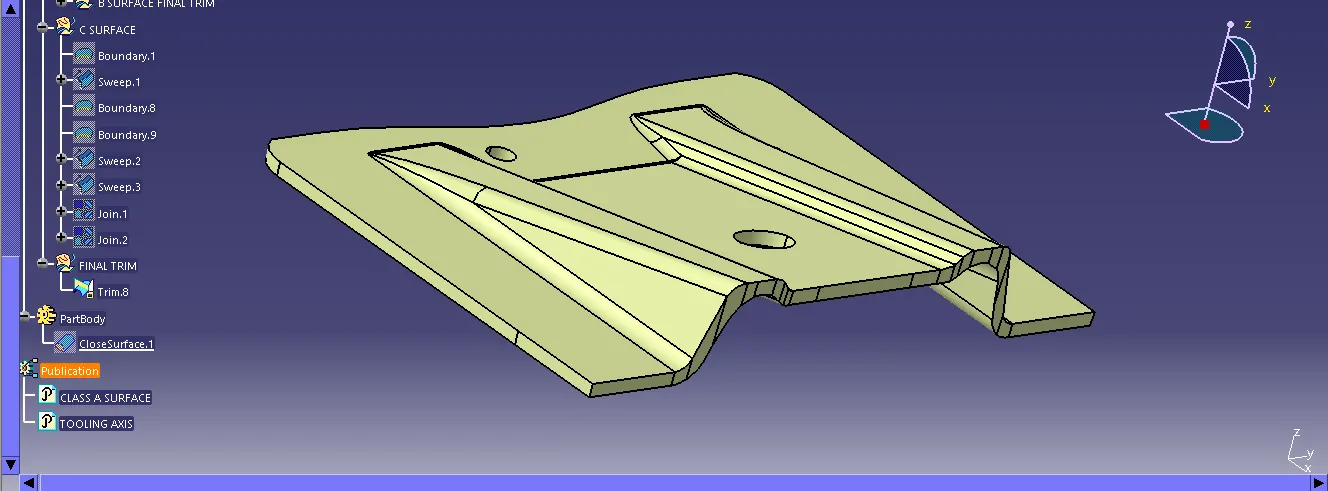
STEP 7: And i have used the trim command to trim the CLASS A , CLASS C with CLASS B SURFACE to get a FINAL TRIM,
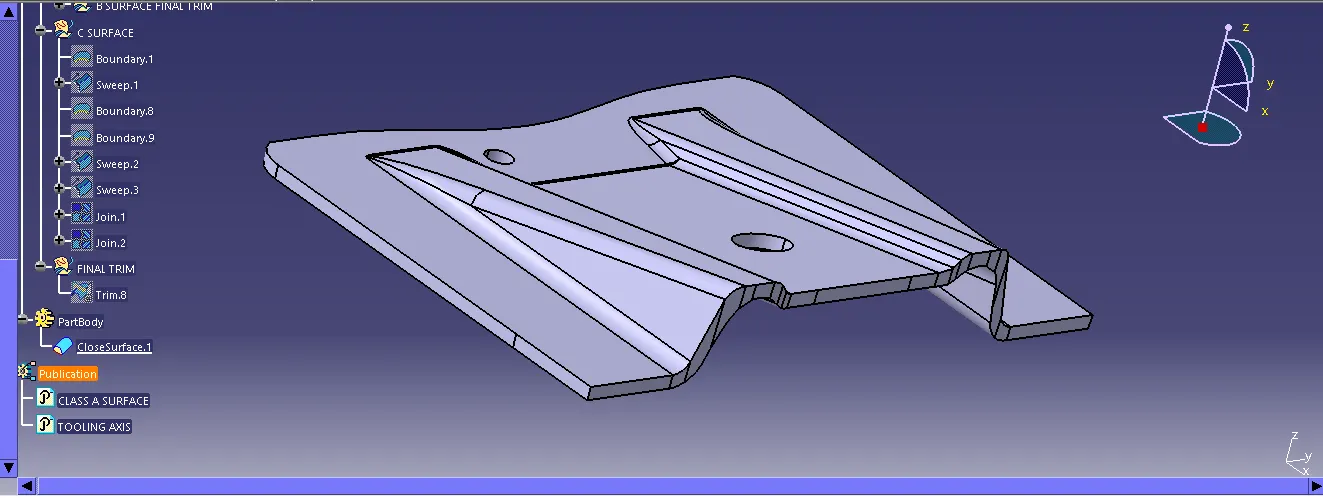
STEP 8: And I use a PART DESIGN to create a CLOSE SURFACE.
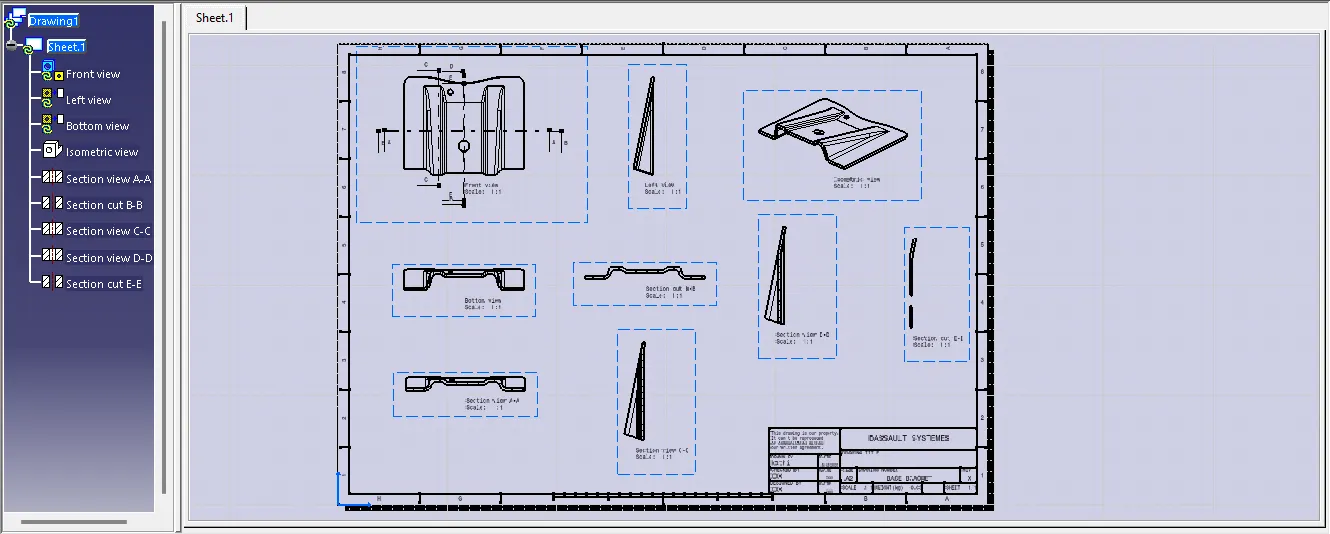
STEP 9: I have created the DRAWING with the FRONT VIEW , TOP VIEW, SIDE VIEW AND ISOMETRIC VIEW.