Week 9 - Challenge 1 - Base Bracket Design
BASE BRACKET 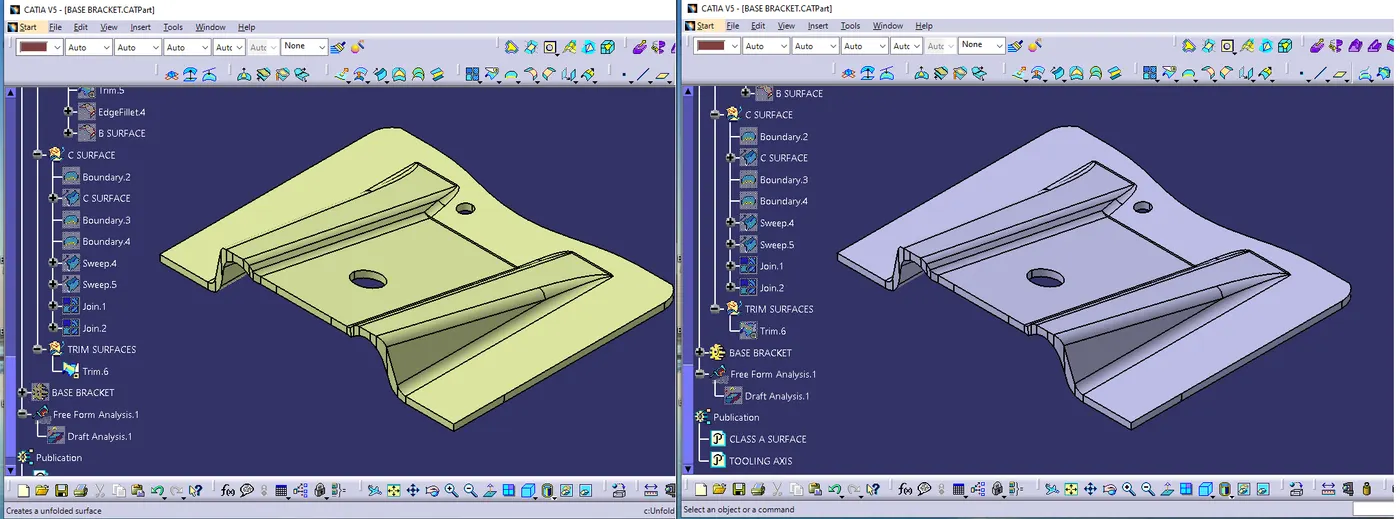
Aim – Base bracket plastic component design through given class a surface.
Objective of the project
Learn how to create tooling axis and what is its significance of tooling axis in plastic component design.
Learn draft analysis of master surface (A Surface).
Learn how to create required surfaces (B Surface and C Surface) using given master surface (A Surface).
Learn how to create thick body from the close surface.
Steps follows –
1 - Check the connectivity of the class A, ensuring that no gap between two surfaces.
A - Using Join command
B - boundary command – to check the boundary of the A surface
2 - Find the tooling axis of the component
Tooling axis is the direction at which the mold open & core & cavity opens.
Analysis the component & find which is the best tooling direction (X, Y, Z)
3 - Draft analysis (Insert – Analysis – Feature Draft Analysis)
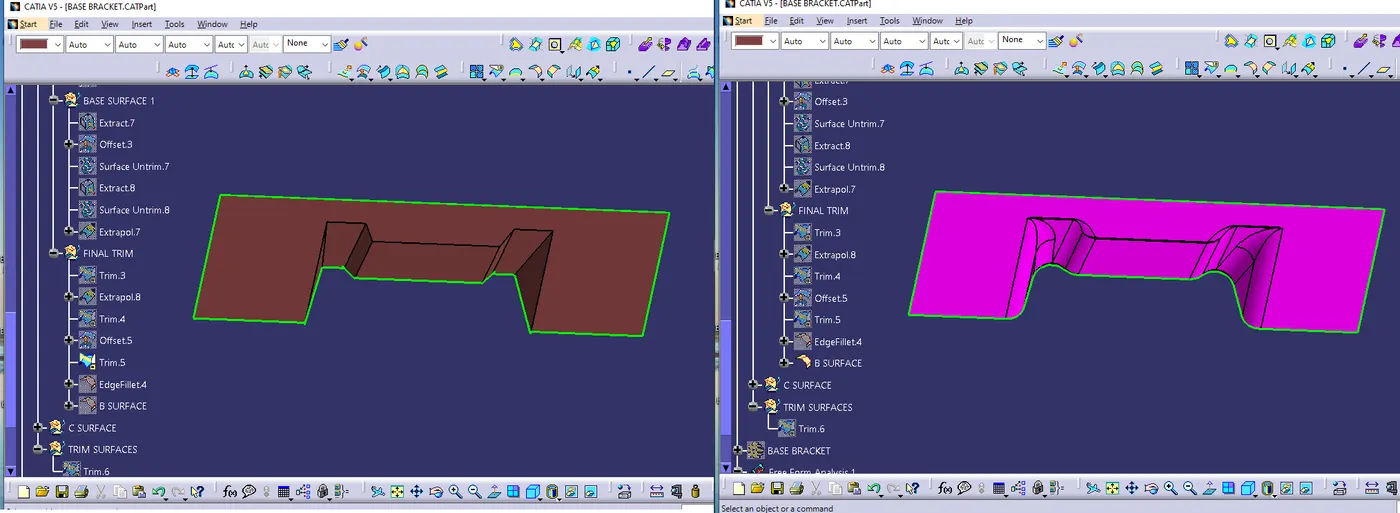
4 - Create B Surface
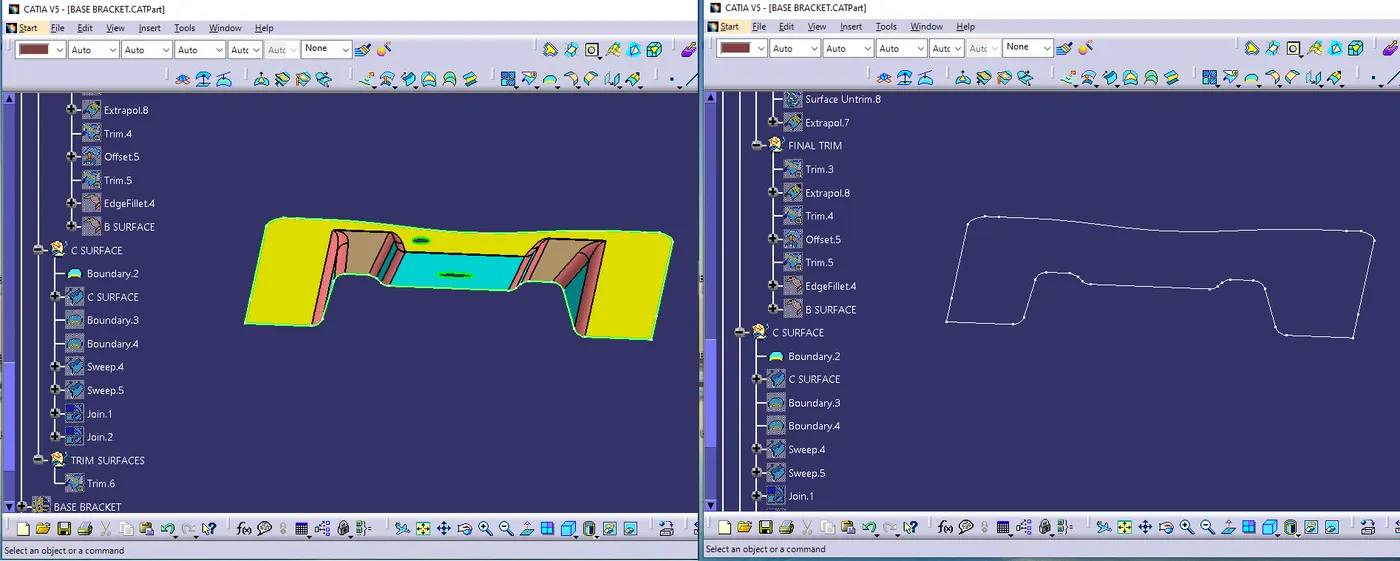
5 - Create C Surface
6 - Join A Surface with B, & C Surface & create a closed Surface.
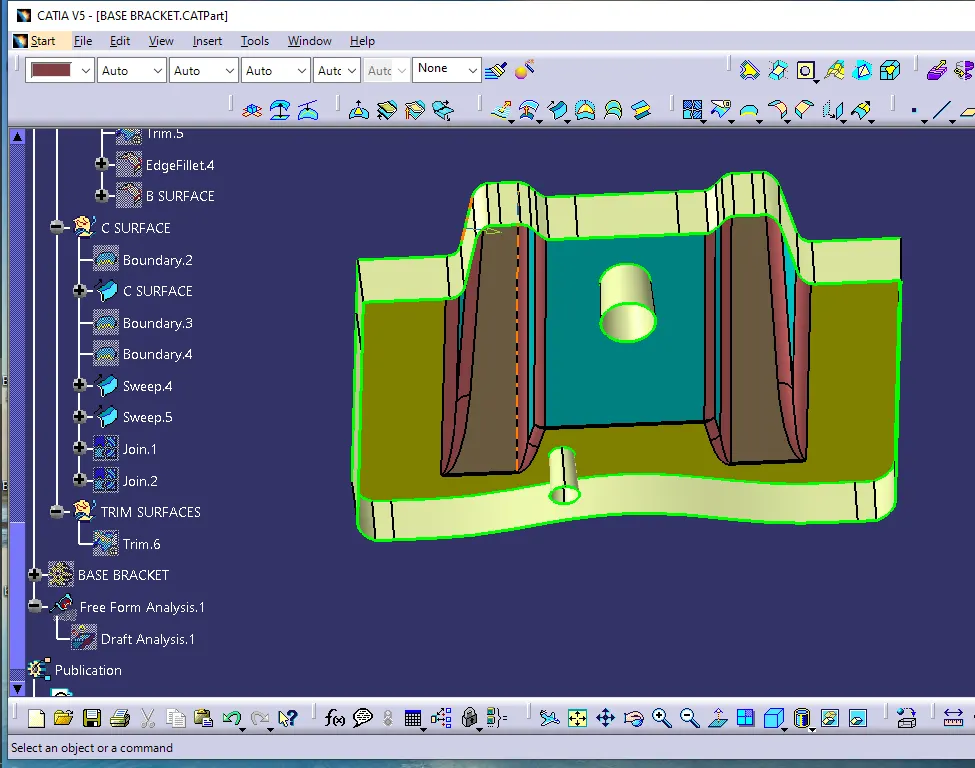
7 - Using close surface command Create Solid Part.
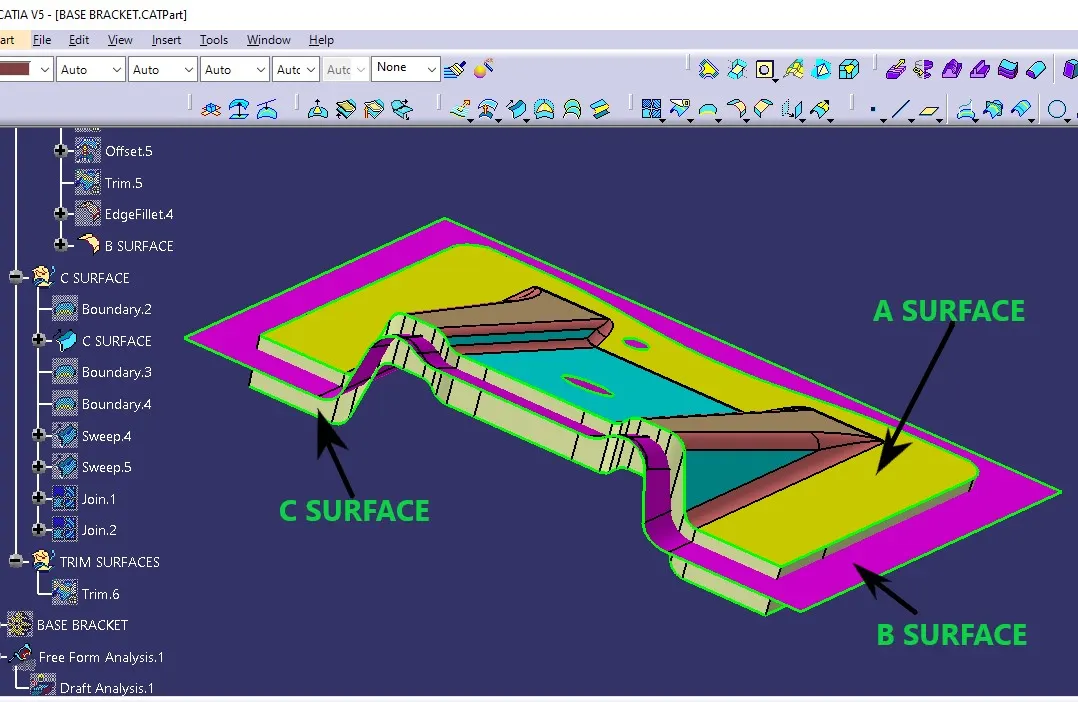
A Surface is the surface that is created by the concept sketches made by free hand sketchers. this computerized design is known as Class A surface.
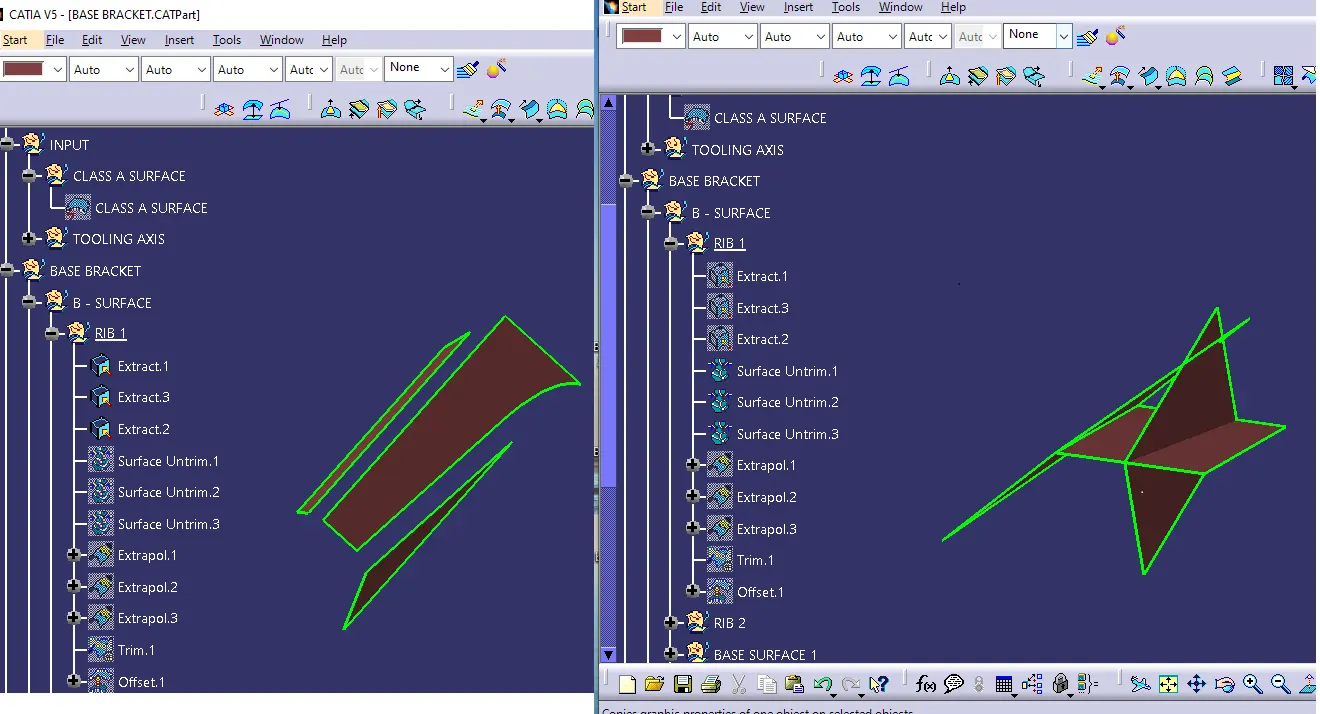
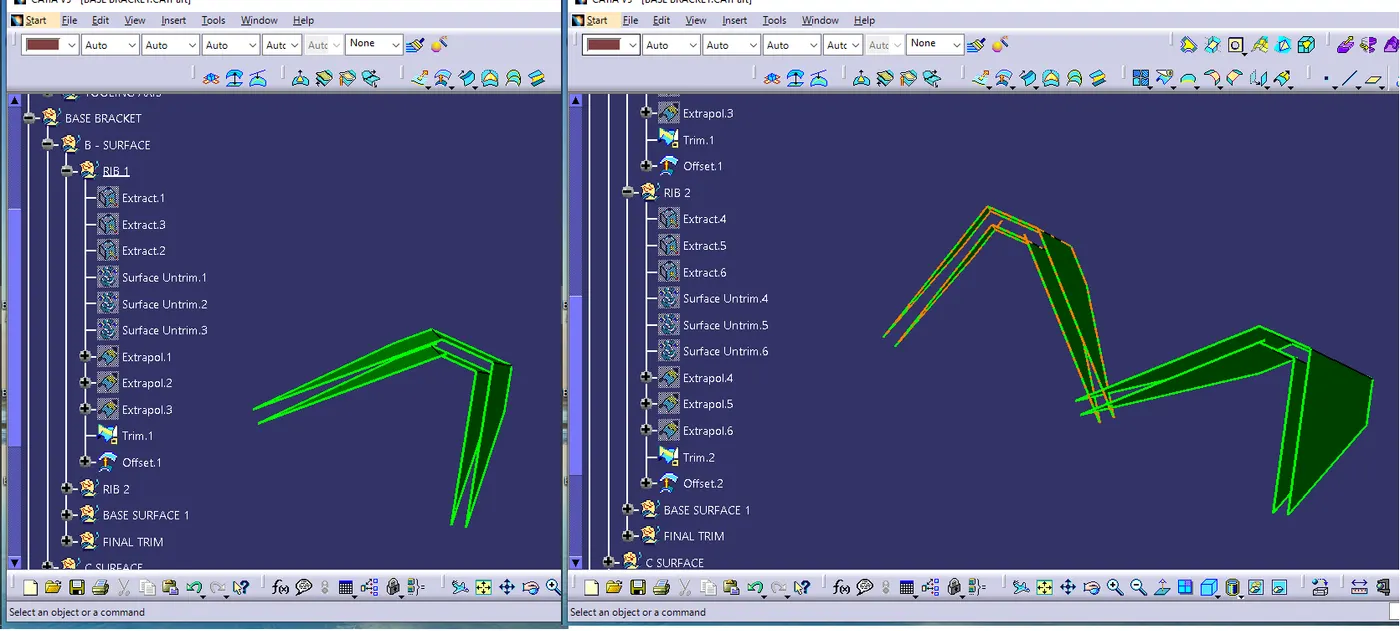
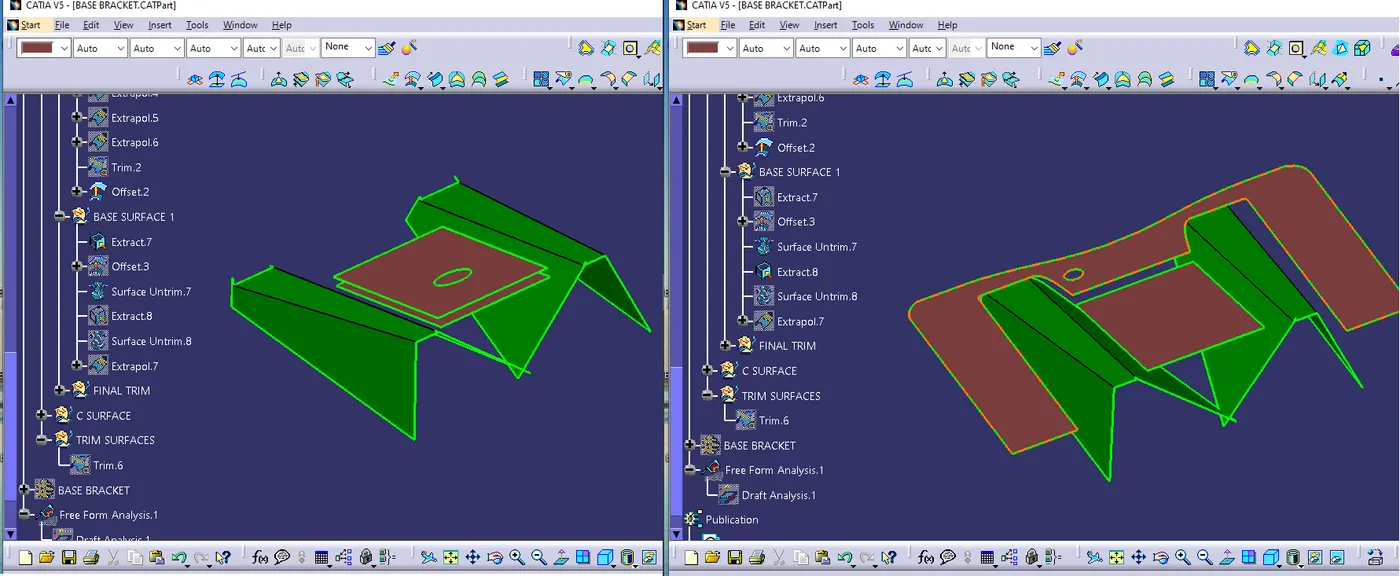
B Surface is created by using class A surface, and the distance between A surface and B surface is equal to the thickness of the part, it is also called engineering surface.
C Surface is created for connect Class A and Class B surface also known as the side wall of the surface.
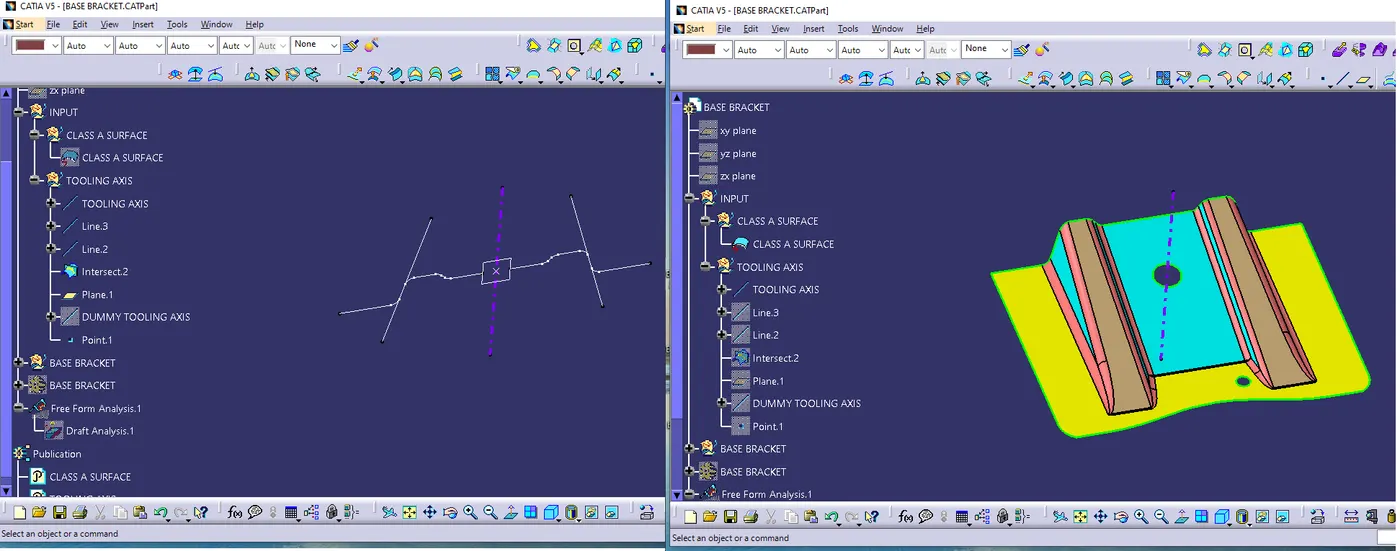
Tooling axis
Tooling axis is the direction at which the mold open & core & cavity opens.
Analysis the component & find which is the best tooling direction (X, Y, Z)
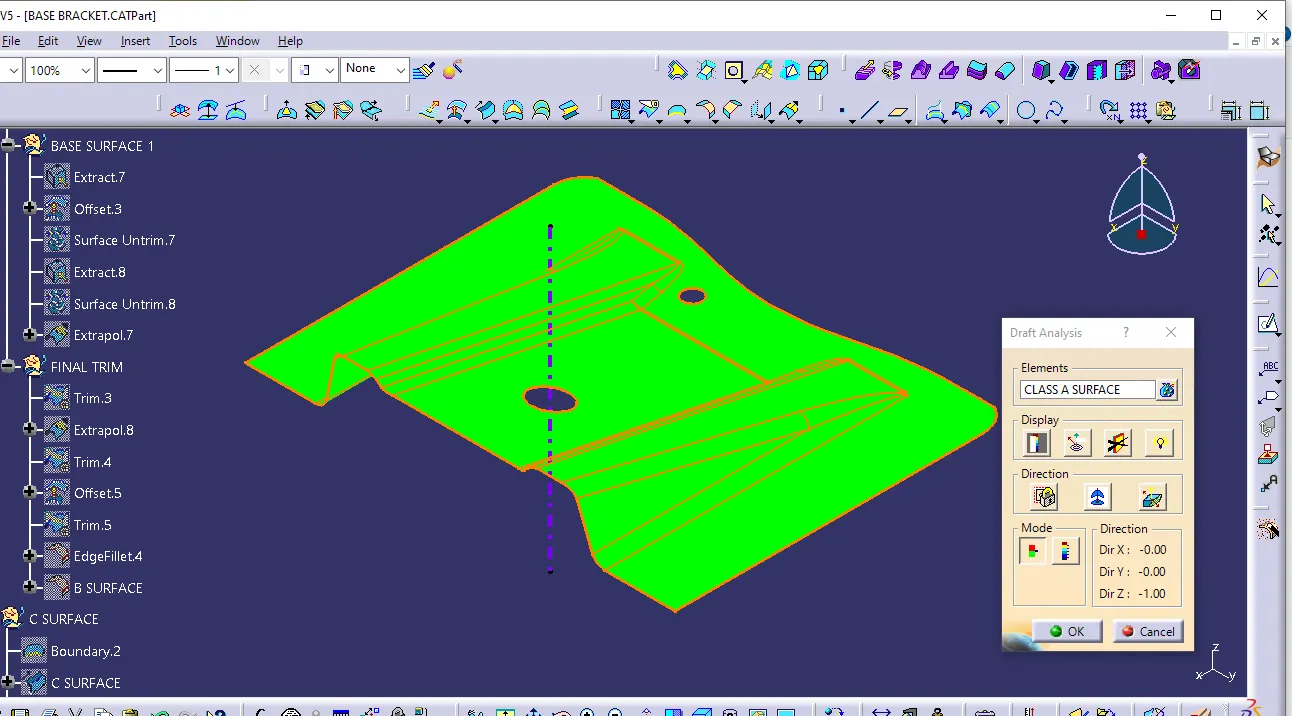
Draft analysis
Draft analysis is done to see the manufacturability of a part, green color indicates that all parts are clearing when core is removed from cavity.
The part has fully constrained like.
<!-- [if !supportLists]-->1. <!--[endif]-->It does not have any negative draft.
<!-- [if !supportLists]-->2. <!--[endif]-->How does the part behave.
<!-- [if !supportLists]-->3. <!--[endif]-->What is going to the constrain whether it is maintain the same radios.
<!-- [if !supportLists]-->4. <!--[endif]-->You don’t have any undercut in part, you have maintained 2.5 plus thickness radius.
<!-- [if !supportLists]-->5. <!--[endif]-->You have minimum hold requirement Gap.
Command used in CATIA
<!-- [if !supportLists]-->1. <!--[endif]-->POINT
<!-- [if !supportLists]-->2. <!--[endif]-->LINE
<!-- [if !supportLists]-->3. <!--[endif]-->PLANE
<!-- [if !supportLists]-->4. <!--[endif]-->INTERSECTION
<!-- [if !supportLists]-->5. <!--[endif]-->EXTRACT
<!-- [if !supportLists]-->6. <!--[endif]-->UNTRIM
<!-- [if !supportLists]-->7. <!--[endif]-->EXTRAPOLATE
<!-- [if !supportLists]-->8. <!--[endif]-->TRIM
<!-- [if !supportLists]-->9. <!--[endif]-->OFFSET
<!-- [if !supportLists]-->10. <!--[endif]-->EDGE FILLET
<!-- [if !supportLists]-->11. <!--[endif]-->BOUNDARY
<!-- [if !supportLists]-->12. <!--[endif]-->SWEEP
<!-- [if !supportLists]-->13. <!--[endif]-->JOIN
<!-- [if !supportLists]-->14. <!--[endif]-->CLOSE SURFACE
<!-- [if !supportLists]-->15. <!--[endif]-->DRAFT ANALYSIS
<!-- [if !supportLists]-->16. <!--[endif]-->PUBLICATION NEERAJ SINGH
A – Surface 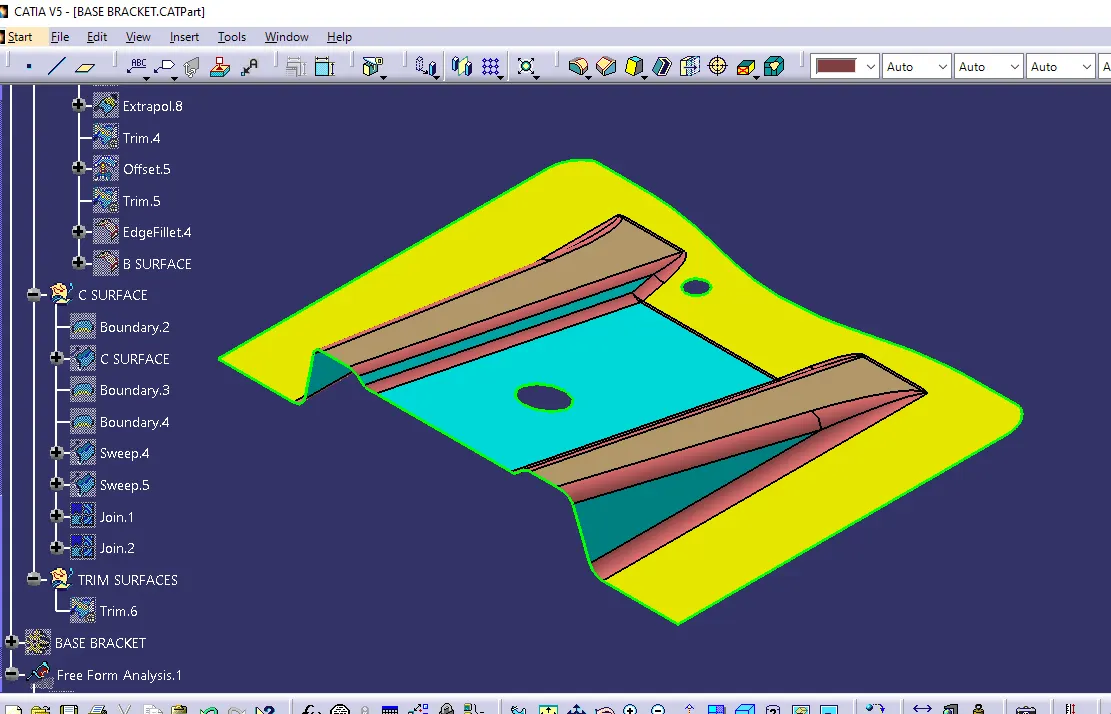
Base Surface
Rib
C Surface
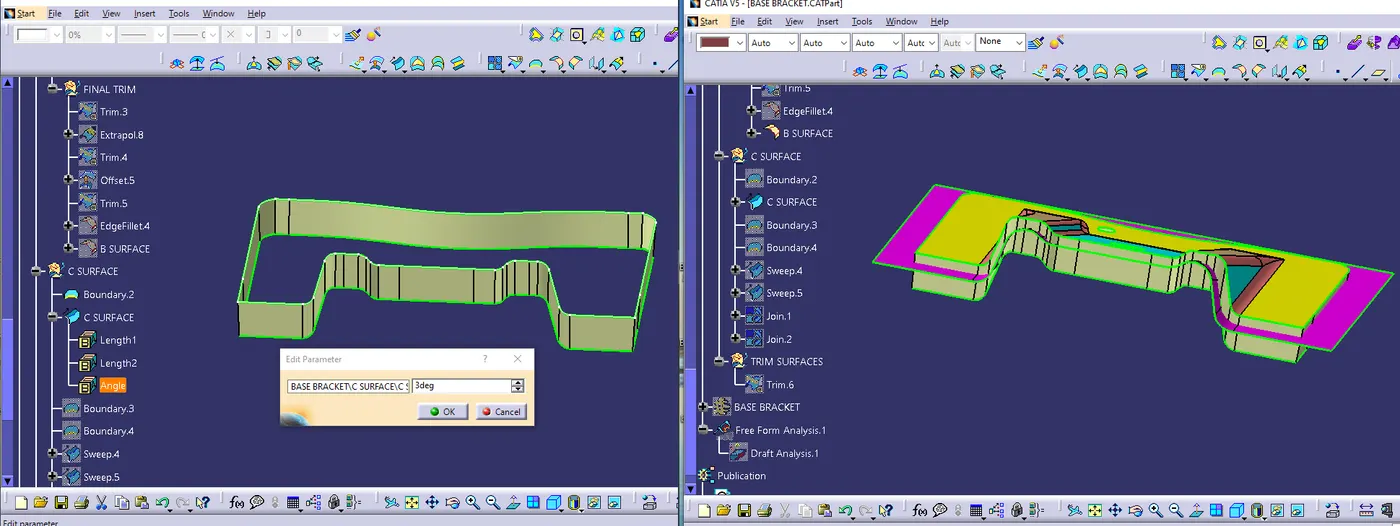
Join surface (A, B & C)
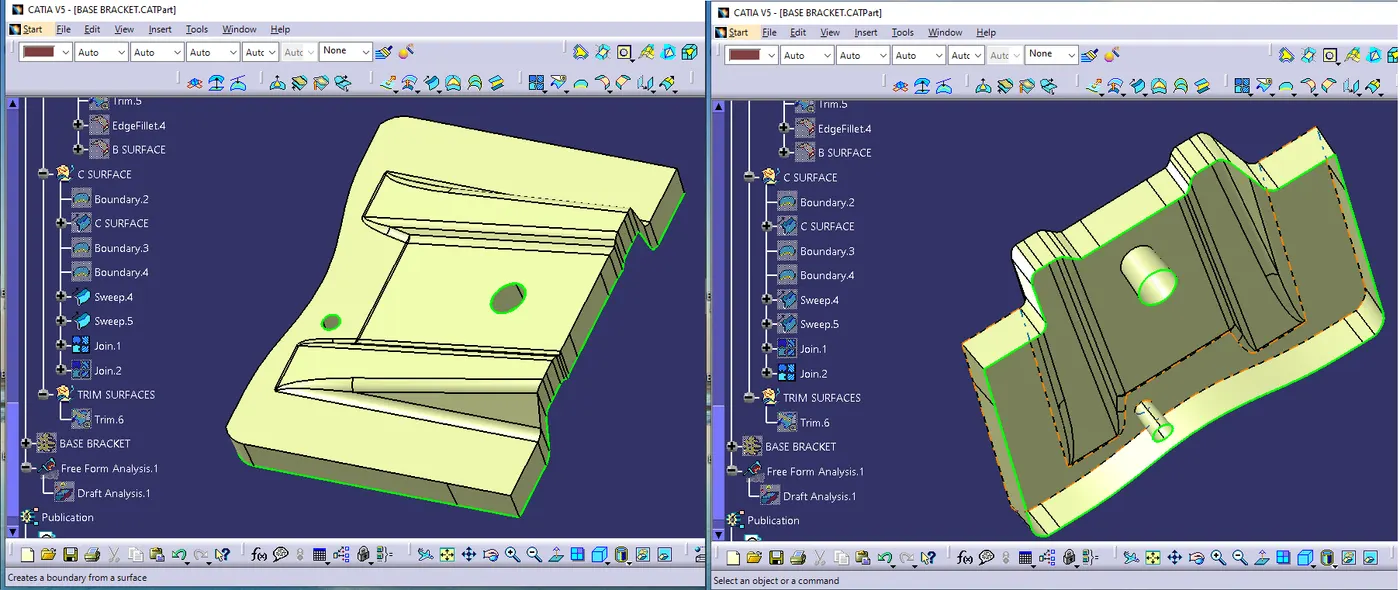
Closed Surface and Solid Part