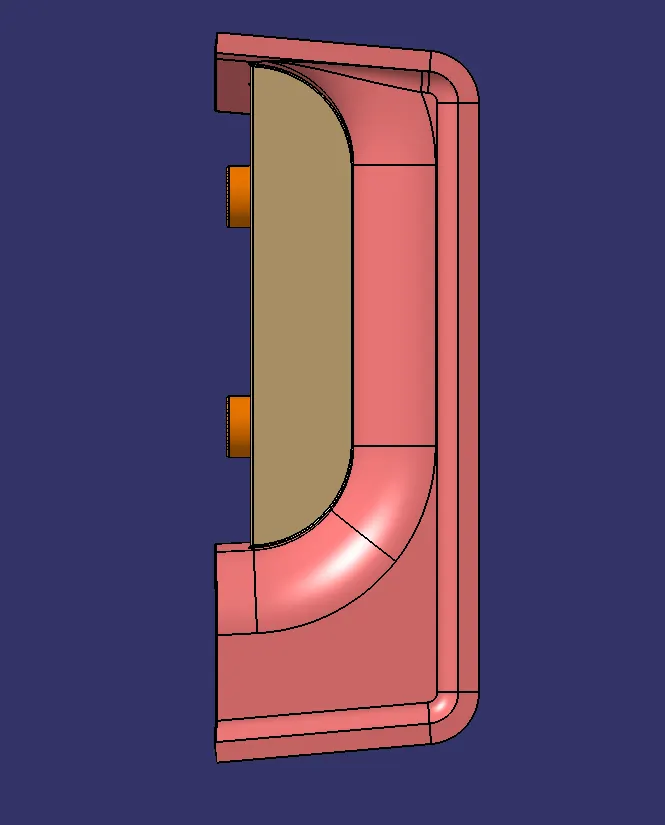
Week 9 - Attachment Feature Creation (Ribs & Screw Boss) - Challenge 1
AIM:
To create a Door Handle Plastic Component using a Class 'A' Surface and by using the Closed Surface Feature to create a solid part from the surface and create a B Surface Attachment features Ribs and Screw Bosses.
OBJECTIVE:
- To Create a Plastic Component using the Class 'A' surface.
- To create a Tooling axis for a class 'A' Surface, which meets the requirement of the draft angle and to analyze the solid model.
- To create a solid model from the surface using the Closed Surface Feature.
- To create an Attachment featuring Ribs and Screw Bosses on the created Class B Surface.
- To create a report which explains the Draft analysis and Tooling Axis creation - Bisecting Method and color scale variant.
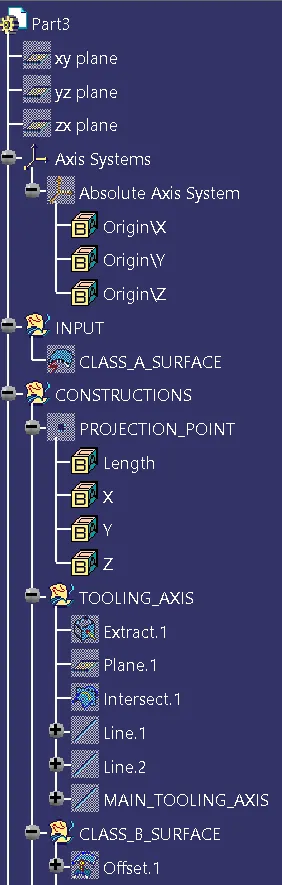
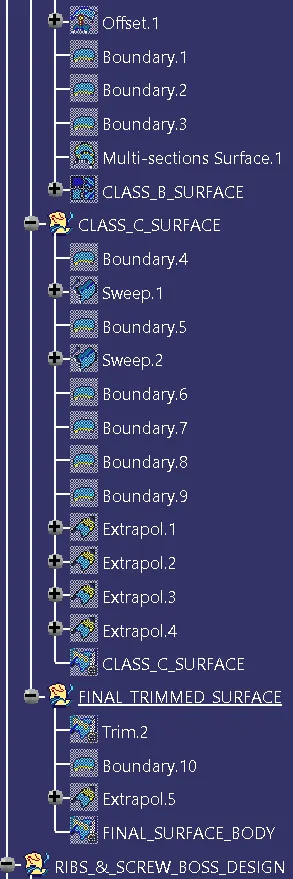
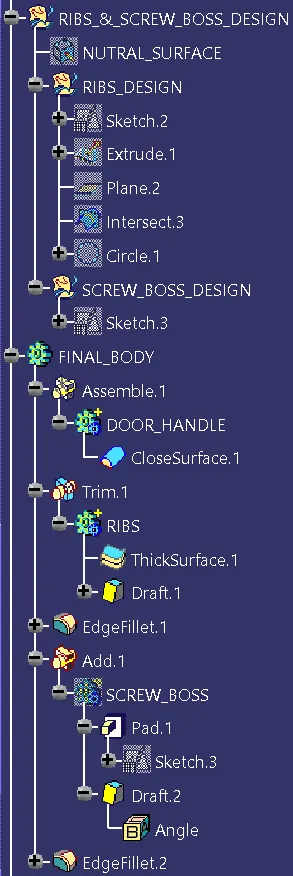
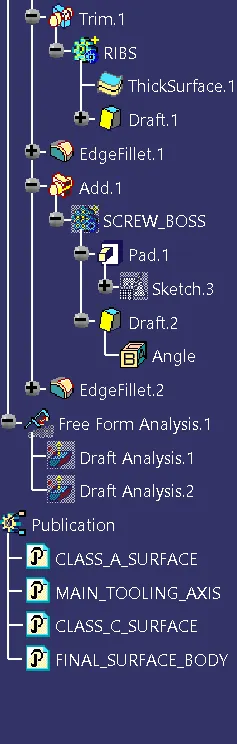
- To attach the screenshots of the expanded Tree Structure for the Geometrical Sets.
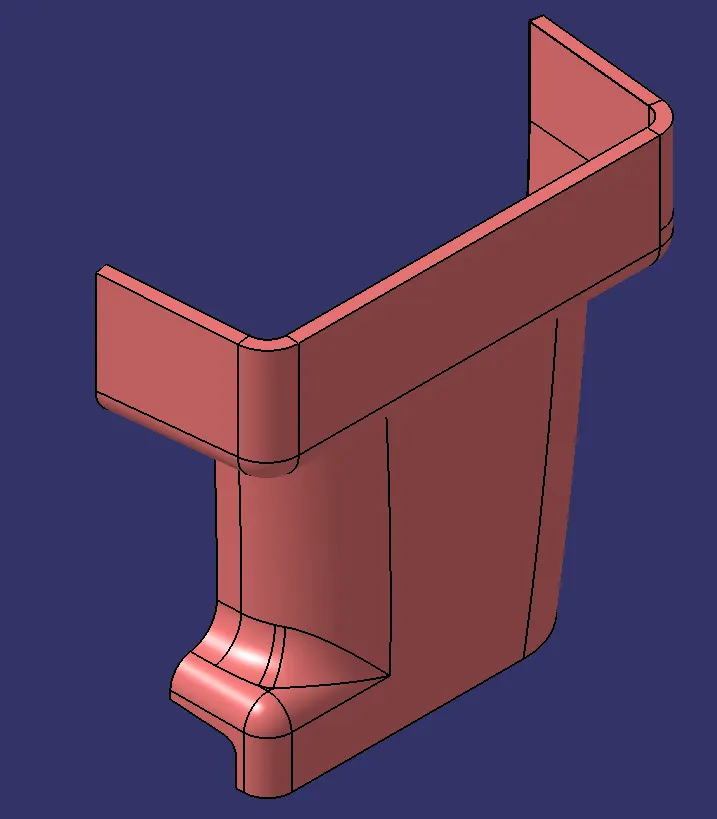
- To attach the screenshots of the 3D Part Model in different orientations.
PUBLICATIONS:
- Class 'A' Surface.
- Tooling Axis.
- Class 'B' Surface.
- Class 'C' Surface.
- Door Handle Solid Part.
INTRODUCTION:
TOOLING DIRECTION:
The Tooling Direction is the direction that the mold pulls apart. The mold is built in two separate pieces,
- A Cavity side and
- The Core side.
The Core pulls apart from the Cavity and that's the Dyeline or the Tooling Direction. The direction in which the mold or core and cavity open is the tooling axis.
FEATURES OF THE TOOL:
- Cavity half – The cavity half is the side of a tool that does not move. It is typically attached to the side of the molding machine.
- Core half – The side of the tool that opens and closes with the molding machine against the cavity half. It opens when removing the part from the tool.
- Cooling lines – Channels that allow coolant to flow throughout the tool and control the cooling of the plastic part.
- Ejector system – Pins on the core half of the tool that helps push the cooled part out after molding.
- Runner – A flow path for the plastic resin allowing the press to inject material directly into the part cavity.
- Side actions – Moving pieces within the part cavity added to allow for undercuts.
CLASS 'A' SURFACE:
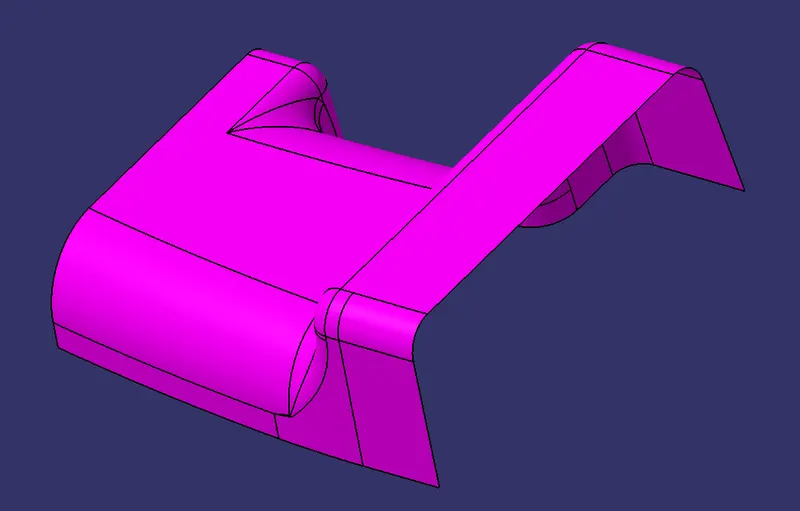
DESIGN CHECK:
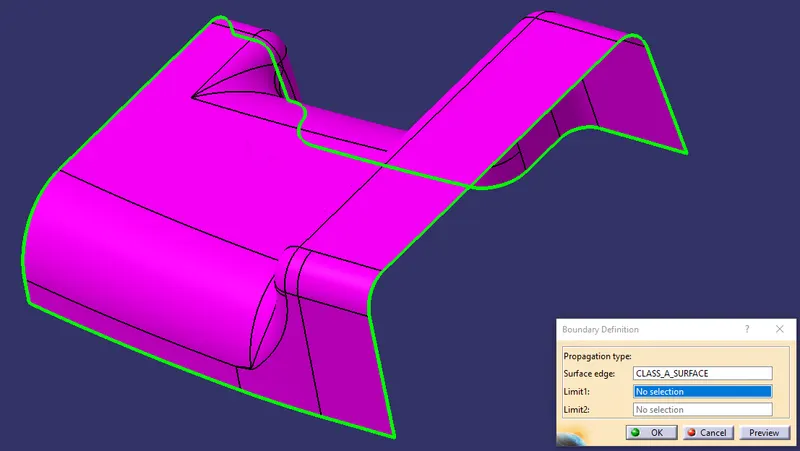
The Class A Surface is Checked Visually by using the Join Feature or by using the boundary feature the Class A surface is selected and Disassembled the Surface to check the surface is created without the gaps.
The Class A Surface should be created without the boundary Gaps. By using the Join Definition with the Merging distance of 0.001 mm the Class A surface is Joined Together to check the connectivity.
CREATING TOOLING AXIS:
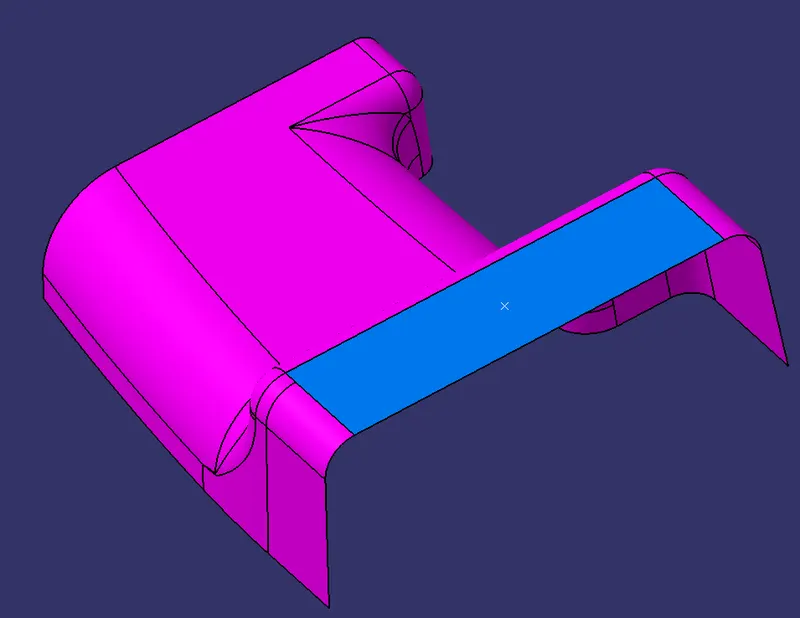
The Tooling for the Class A Surface is Created in the direction in which the parts are getting Ejected from the Tool. The Tooling Axis which defines the core and cavity pulls apart from the Tooling Direction.
By using the EXtract feature definition the flat surface are selected and extracted.
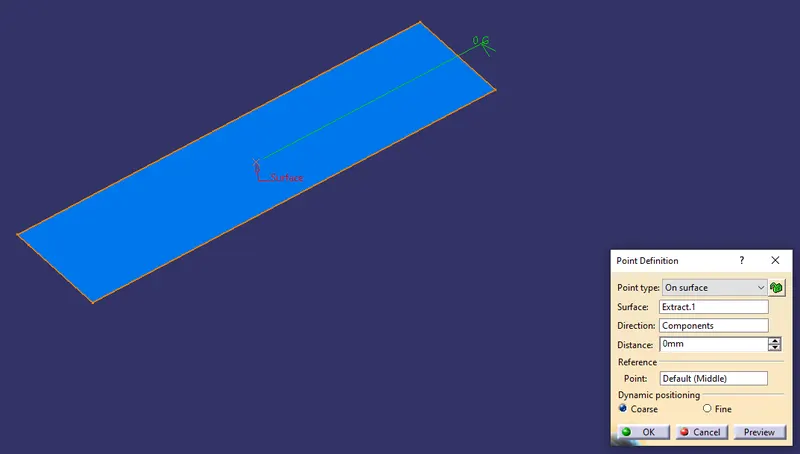
By using the Point Definition, The point has been created on the circle midpoint.
The Reference Tooling Axis has been created using the line definition feature. From the line type point direction, Point has been selected and direction along z component is selected to define the line.
By using the Plane Definition the planes are created from the XY plane and moved through the point created from the origin.
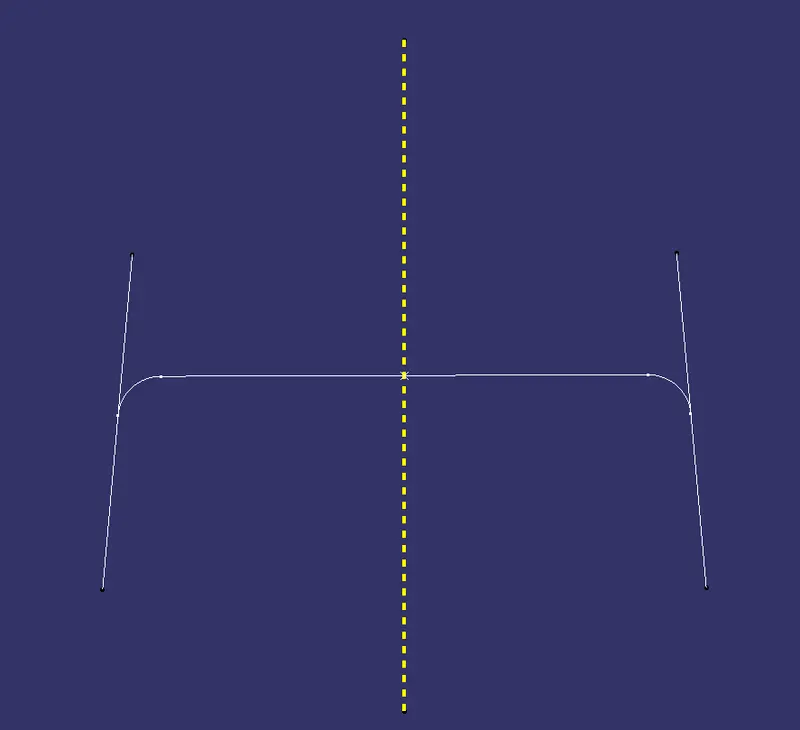
By using the Intersection feature, the first element and second element are selected. The first Element Class A surface is selected and the second element, Plane is selected.
From the Intersection to the plane created. By using the line Definition, the point-point type is selected and from the intersection Points, Line type 1 is created and other point-point lines are created.
The Two lines are created from the intersection, The lines are created which make or slightly parallel to the Reference Tooling axis.
CONSTRUCTION OF CLASS 'B' SURFACE:
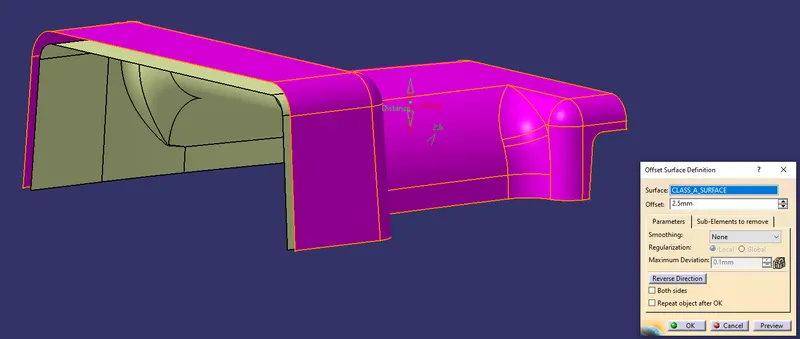
By using the Class A Surface the Class B Surface is created by offsetting the respective length to the respective direction. By using the offset surface definition the class A Surface are been offset to the length of 2.5 mm from the direction downward.
By using the Multi-Section Surface creation the unfilled patches are been filled by selecting the respective guide curves and the guide spines.
By using the Joining feature the created patched area and the offset surface are been joined together to the merging distance of 0.001 mm.
CREATING CLASS 'C' SURFACE:
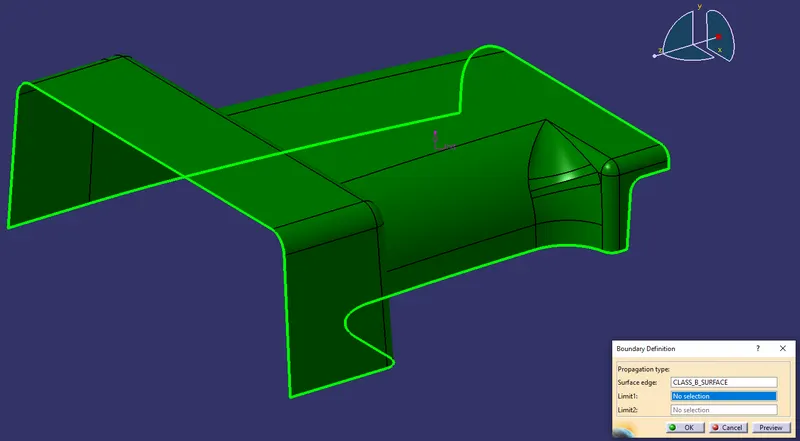
To make the Class C Surface, the Boundaries are been Extracted from the Class A Surface. The outer Boundary is been extracted using the Boundary feature command.
By using the Sweep surface Creation definition, The respective profile type is been selected and a subtype with draft direction are been selected. The boundary in the Class A Surface and draft direction are selected as Tooling Direction with the draft angle of 3 degrees performed and the creation of Class C Surface.
By using the Join definition feature the created Class C Surfaces are been Joined together, and also by using the Extrapolation and Trimming feature the edges are been extrapolated and trimmed together for the class C Surfaces.
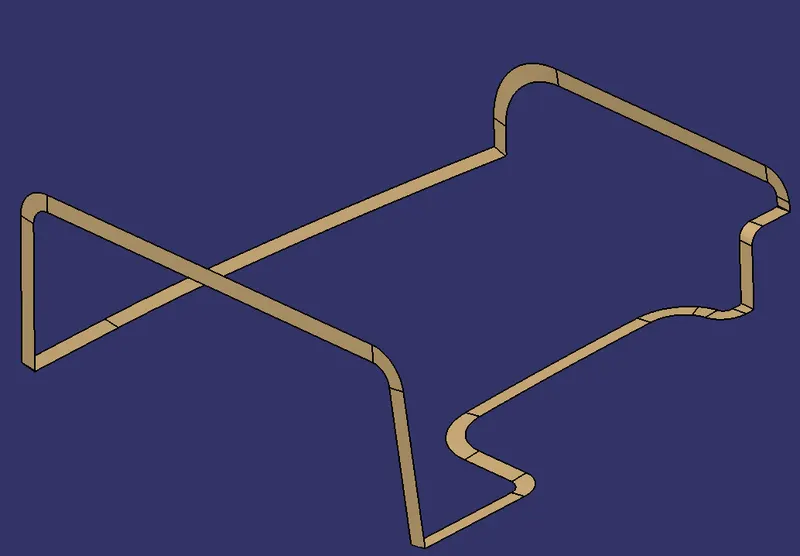
The Final Trimming Has been performed on the Class B and Joined Class A and C surfaces. The Trimming has been performed.
FINAL SURFACE BODY:
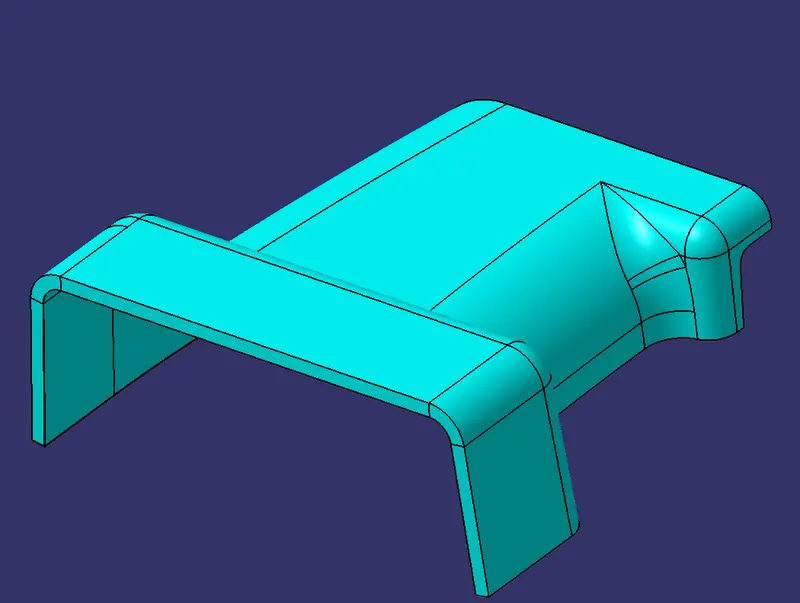
FINAL CLOSED BODY:
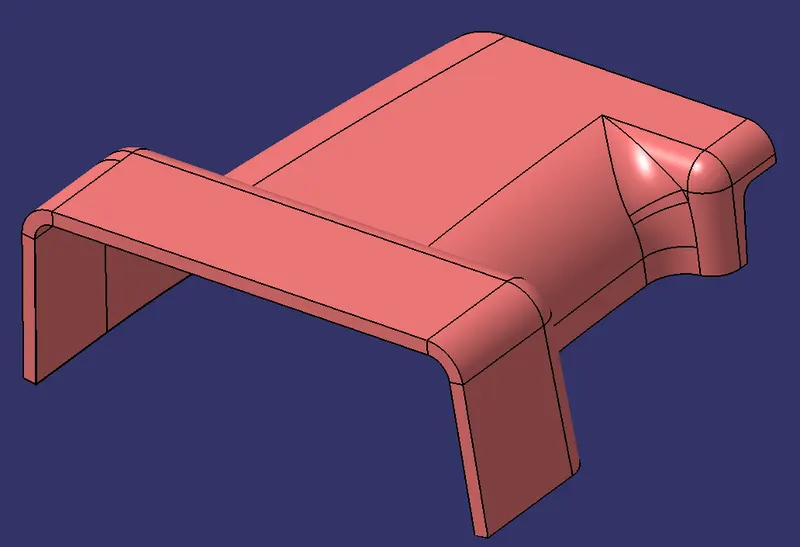
CREATING RIBS ON B SURFACE:
The Door Handle surface is selected from the solid Surface and is extracted by selecting the elements.
CALCULATION FOR THE RIB DESIGN:
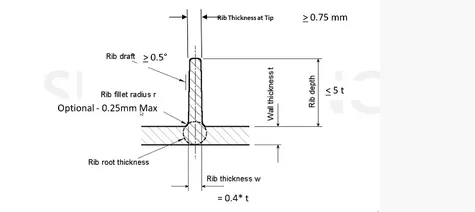
As per the design rules the ribs are been created, The Solid part for the Door Handle are been created with a thickness of 2.5 mm. For the Door Handle the Calculation is as follows,
(1). RIB LENGTH = 5⋅2.5mm5⋅2.5mm =12.5mm=12.5mm
(2). RIB THICKNESS = 0.4⋅2.5mm0.4⋅2.5mm=1.00mm=1.00mm
(3). RIB FILLET RADII = 0.25mm0.25mm
(4). RIB DRAFT = 0.5deg0.5deg
(5). RIN THICK @ TIP = 0.75mm0.75mm
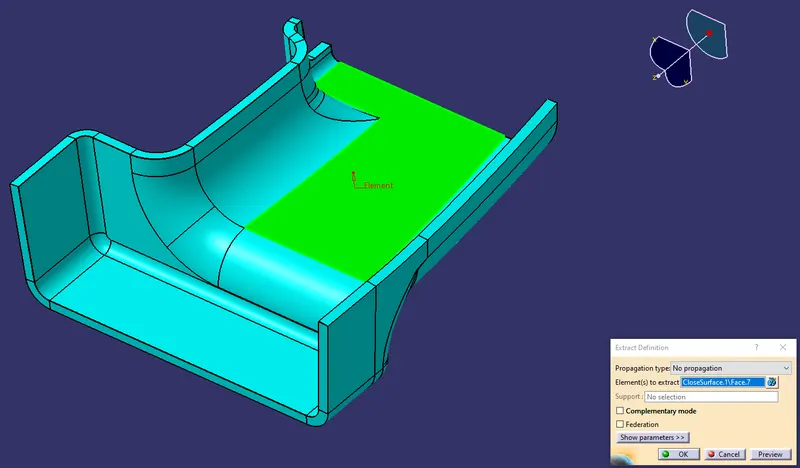
By using the positioned sketch the extracted surface are been selected and by using A Positioned Sketch the line that has been created is a sketch that has its original location or orientation defined with construction geometry. As the construction geometry changes the sketch position or orientation will change accordingly.
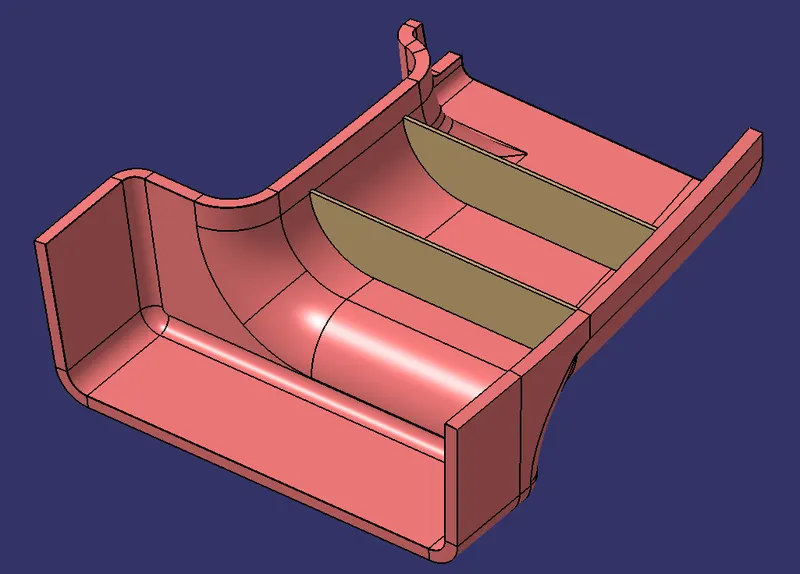
The Main tooling axis has been selected as the projection point in which the defined point is selected based on the references. As per the design rules the Ribes are created with the extruded length of 12.5 mm by calculating with respect to the thickness of the solid part.
By using the thick feature the Extruded surface are been thickened to 1 mm as per the design rules.
By using the draft definition the faces are been selected in order to do the drafting on the faces of the ribs. The neutral elements are been selected as an extracted face and the pulling direction are been selected as the Main tolling direction.
The Boolean operation Union Trim is been performed on the created ribs and the faces to remove are been selected and the ribs are been formed in the solid part on the Class B surface.
The edge fillets are been performed as per the design rules 0.25 mm at the faces of the Ribs. The fillet operation are been performed.
RIB ROOT ANALYSIS:
Ribs should be designed to be 30-40 percent of the nominal wall thickness. Thinner does not provide much structure and may be hard to fill. Thicker ribs are tempting, but they can begin to introduce sinks on the cosmetic surface.
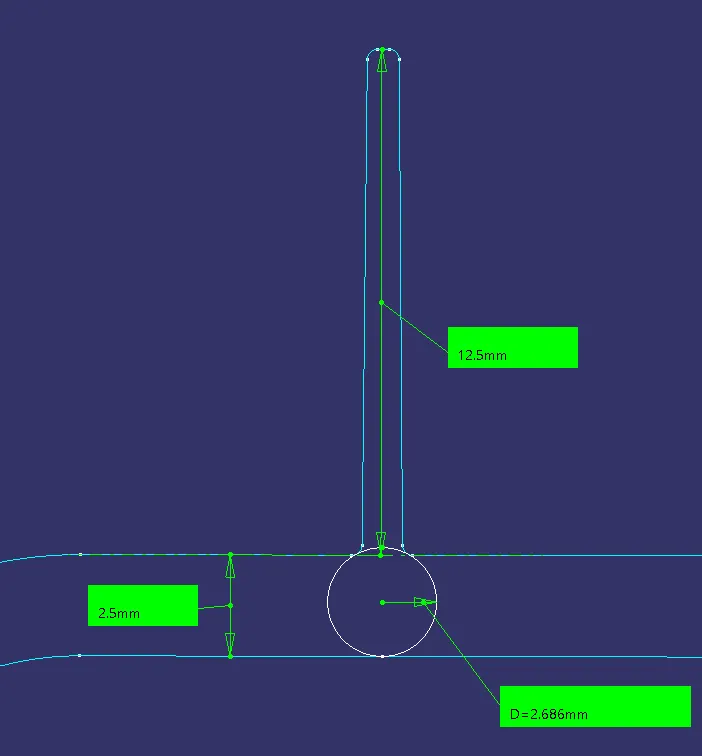
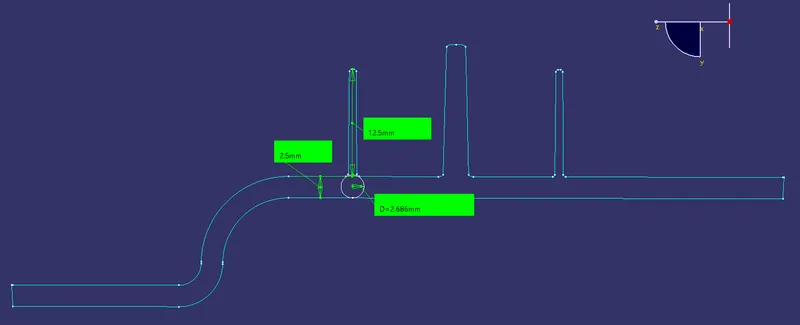
By using the plane definition the respective planes are been intersected into the middle of the ribs and also the elements are been selected to do the intersections on the plane surface. The Rib Root Thickness are been measured using the tri-tangent circle on the faces of the fillets and the bottom surface, the diameter of the root thickness are been measured as 2.686 mm, which is as per the design rules.
SCREW BOSS CREATION:
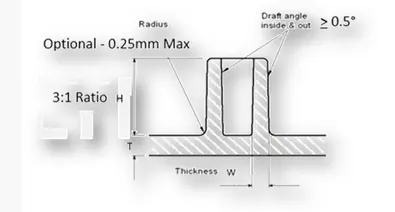
As per the design rules the Screw Bosses are been created, and The Solid part for the Door Handle are been created with a thickness of 2.5 mm. For the Door Handle the Screw Boss Calculation are as follows,
(1). HEIGHT/DIA RATIO = 3:13:1
(2). WALL THICKNESS = 40 % NOMINAL WALL @ BASE SIDES
(3). RIB FILLET RADII = 0.25mm0.25mm
(4). WALL DRAFT = 0.5deg
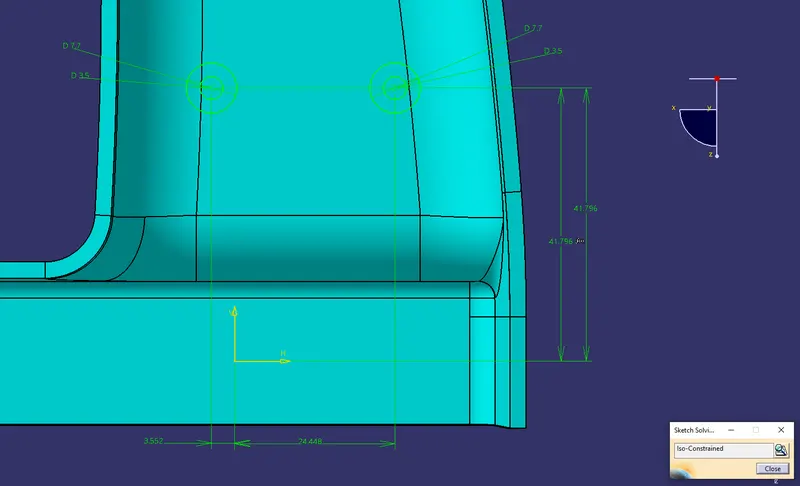
By using the positioned sketch the Extracted surface are been selected and the screw circles are been drawn and the sketches are been Iso - constrained using the respective geometrical and dimensional constraints.
By using the Pad definition the 2-D sketch are been extruded to the respective lengths as per the design rule of screw bosses.
By using the Draft definition the inner and outer areas are been selected for the draft analysis and the neutral elements are been selected as the extracted elements with respect to the pulling directions as the main tooling directions.
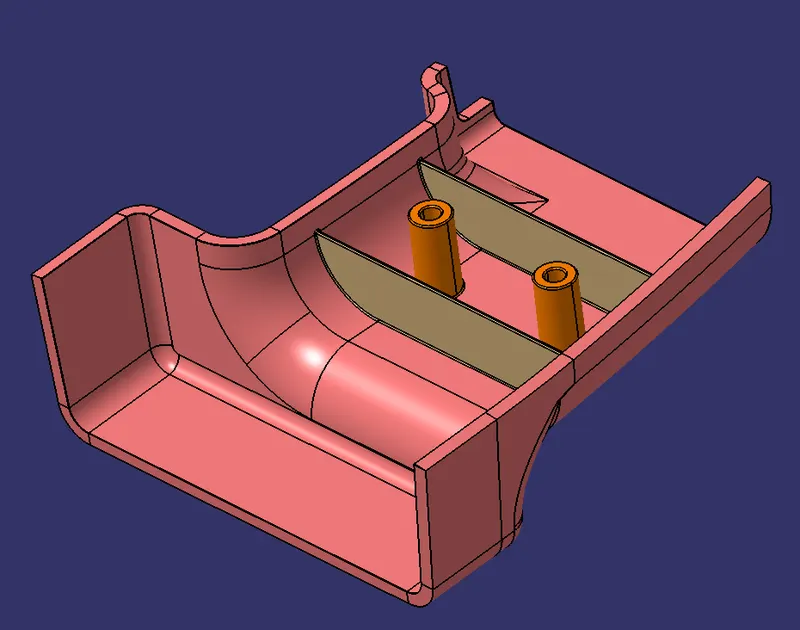
For the Support for the Screw Bosses the Supporting Ribs are been added to the screw side faces. For that, the supporting Rib sketch is been drawn, and by using the pad definition the 2-D sketches are been extruded to the respective lengths.
The Boolean operation Union Trim is been performed on the created ribs and the faces to remove are been selected and the Screw Bosses with the supporting Ribs are been formed in the solid part on the Class B surface.
DRAFT ANALYSIS:
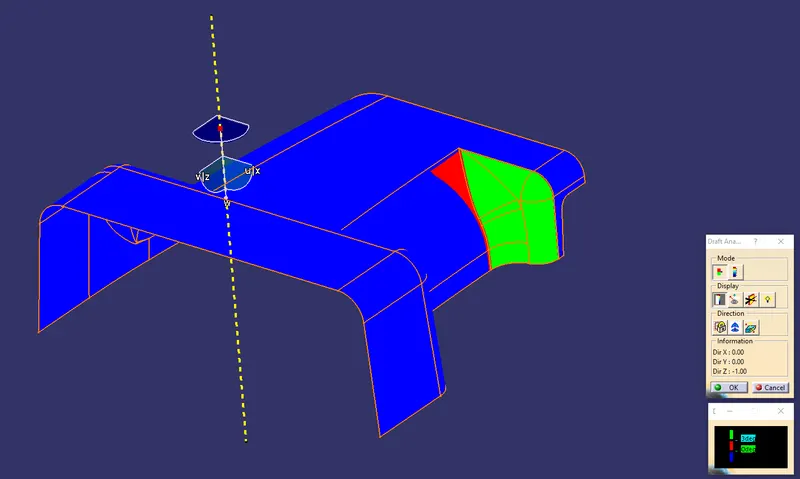
The Draft Analysis has been performed on the Final component created as a closed body using the part design Closed Surface Feature. For Plastic components, the Minimum angle required for the daft is 3 degrees.
The Direction compass is to be selected and placed on the Main Tooling Axis line and the compass are been locked using the lock feature in te direction.
CLASS A SURFACE:
CLOSED BODY:
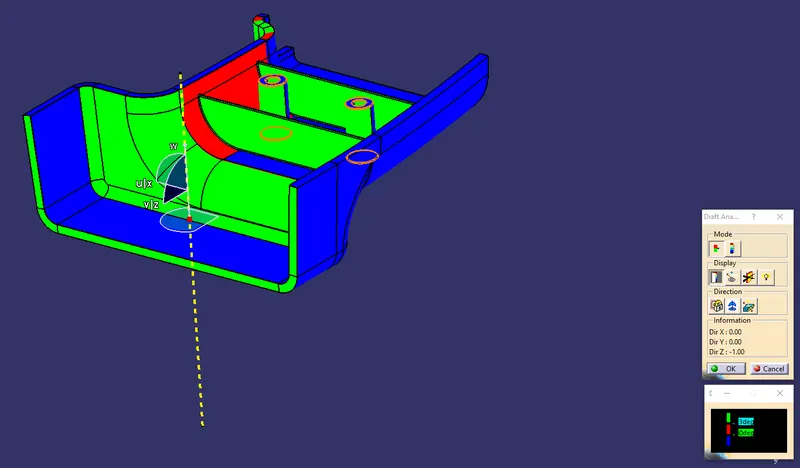
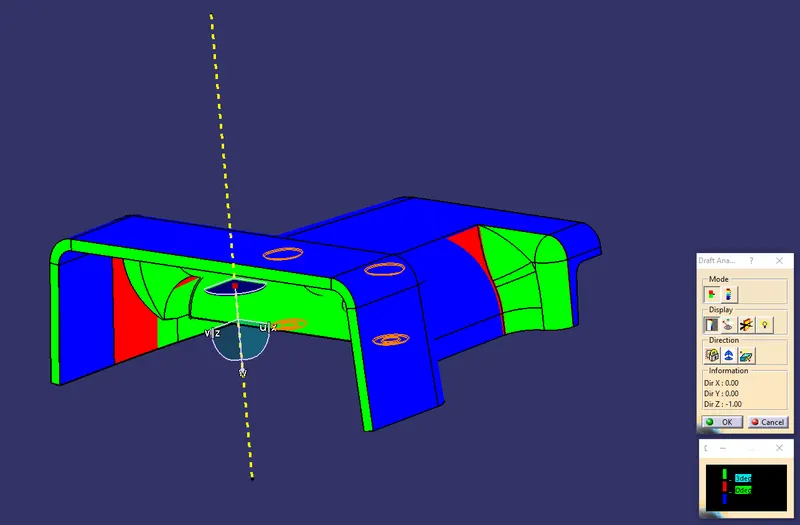
In the Display window, the color code variants are been selected, to know the range of the draft in the Class A surface. In the Display Window, the color variant shows,
- For 3 degeree - Green Colour Varient (Positive)
- For 0 degeree - Red colour varient.
- For Negative degree- Blue color variant.
By using the pointer feature in the Display the draft are been analyzed for each individual point. The points perpendicular to the toling axis are displayed as 90 Degree directions and the Rib faces are analyzed as the 6.89-degree angle.
The drafting are been performed in both the core and cavity side of the Class A Surface. The Green color Implies the draft angle is in the positive region. if The draft angle are been inverted the color of the surface is implied as Blue color.
TREE STRUCTURE:
ISOMETRIC VIEW:
FRONT VIEW:
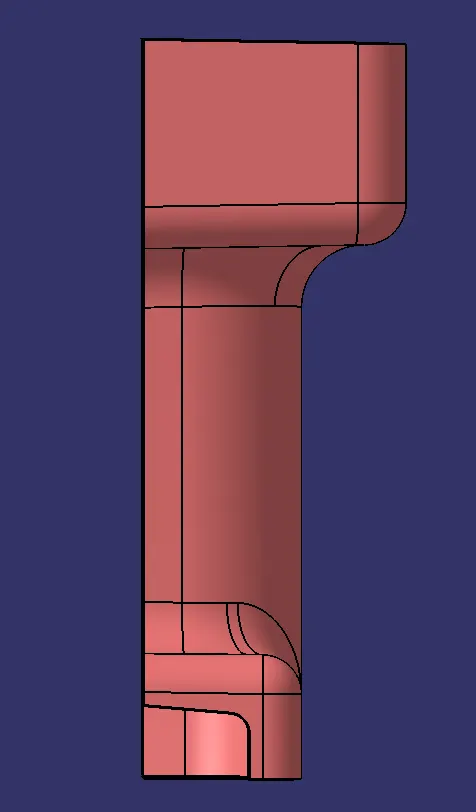
SIDE VIEW:
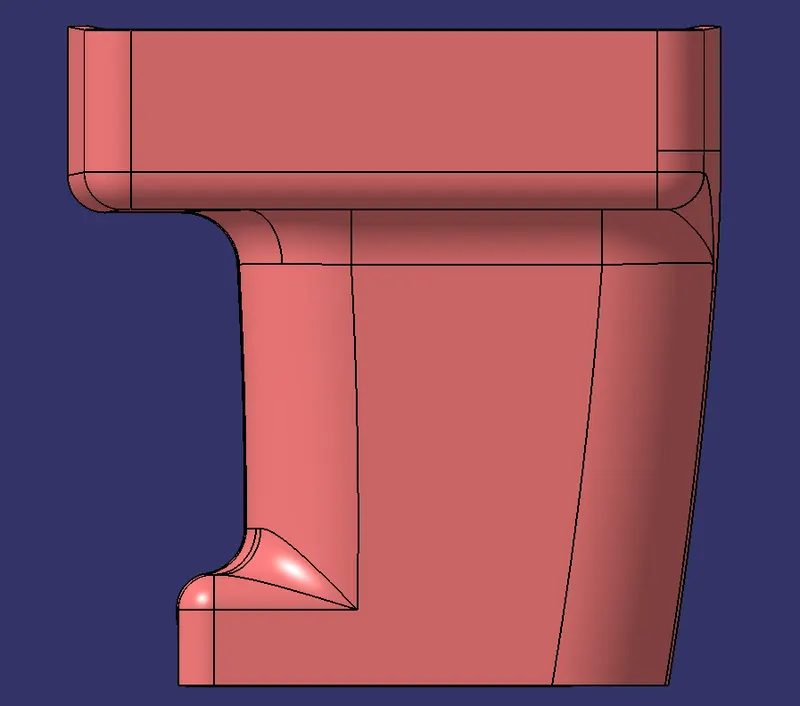
TOP VIEW: