Advanced Sheet Metal Design Using NX Cad Challenge_5_Odd Shaped Enclosure
Design of Sheet Metal Odd Shaped Enclosure
Objective
The main objective of this project is to learn the basic tools, commands, and sheet metal part modeling of the Odd Shape Enclosure using Siemens NX CAD. The objectives of this project are as follows:
- To understand and learn the basic Graphical User Interface (GUI) of Siemens NX CAD
- To understand and learn the basic tools and command features (Hem Flange, Close Corners, Unite) of the sheet metal and its application.
- Also, to implement the tools and features that were learned and understood.
- To understand and learn about the industrial approach of sheet metal using Siemens NX CAD.
- To design the Odd Shape Enclosure using sheet metal features of the Siemens NX CAD.
Introduction
The sheet metal becomes the most essential product which is available everywhere including cars, aerospace, machinery, and also available in household things. The responsible factors and applications for the material selection for the required product can depend on weldability, costs, formability, weight, corrosion resistance, and strength. The material which is mainly used for the sheet metal product is stainless steel, aluminum, copper/brass, pre-plated steel, and cold rolled steel (CRS). The thickness for the sheet metal is ranged between 0.5 mm to 6 mm which is obtained from the industrial process. The sheet metal can be obtained by the various industrial process which termed as bending, coining, punching, cutting, and stamping. The Odd Shape Enclosure of sheet metal will be created with the help of Siemens NX CAD software.
Design Methodology or approach:
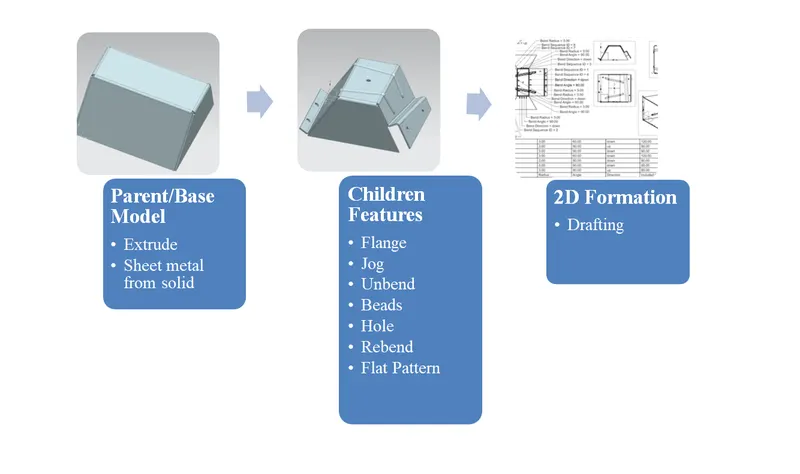
Sheet metal Modeling
In sheet metal modeling, we create a tab from a conceptual sketch which is assigned in pdf or draft sheet format as the blueprint of the model. The sketch is pre-defined and we select the plane=create a sketch=build the 3D feature as required to the sketch and the model is created. The sheet metal modeling can be performed on the 3D modeling software platform which is Simens NX CAD. This report discussing the features, commands, tools, and steps to complete the design of the Odd Shape Enclosure.
Features Description
A Sketch is a 2D tool for creating a sketch by selecting a plane, making the outlines of the model, assign the dimensions as the sheet metal sketch required. The sketch is an initial step for the sheet metal modeling which gives the overview reference about the model.
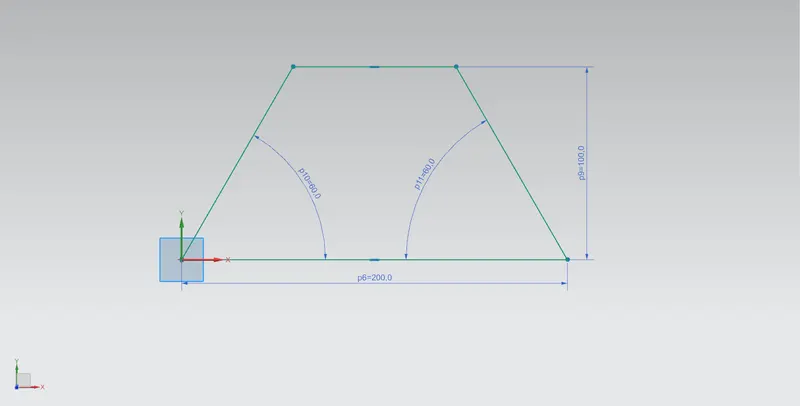
The Tab is the base platform of any sheet metal model or base feature of any sheet metal model that provides a shape to the sketch by providing some thickness to the sketch in solid form. It provides the desired length and dimensions in the 3D model from which it can be transformed into desired shapes and sizes for sheet metal by using other 3D tools. The tab is the parent model for the rest of the model which will be created under consideration of the parent feature which is the tab.
Sheet Metal From Solid is to convert the solid 3D model into a 3D sheet metal model. It collects the planar surfaces of the solid model which helps to convert the solid model into a sheet metal model. The fillets of the edges of the model also can be modified.
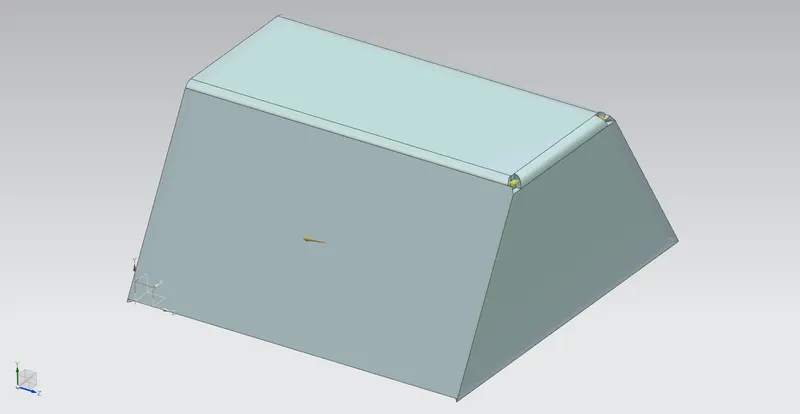
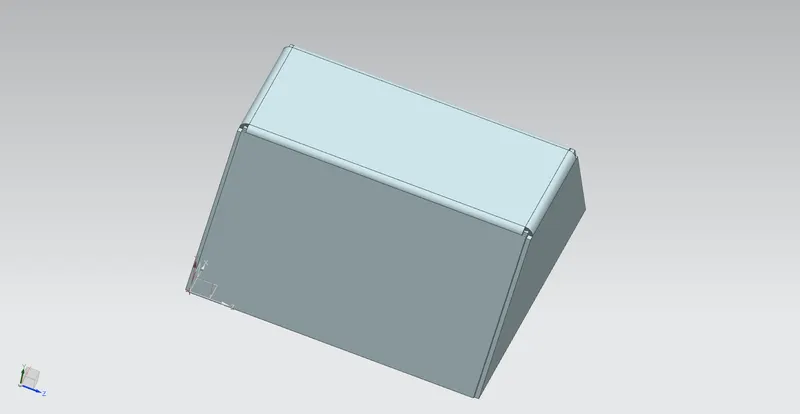
The Normal Cut-Out means is to cut the portion of the sheet metal model perpendicularly with the desired sketch by projecting it on the sheet metal. The Odd Shape Enclosure Design contains a rectangular cut-out which will be performed by specifying sketch or 3D curved to the Normal Cut-Out feature.
Bend is the 3D feature that performs by specifying a 2D sketch from which the sheet metal model can bend from its original position at an angle by specifying. The Odd Shape Enclosure Design is parallel and symmetrical to the axis from which the sheet metal model can bend.
The Flange is the 3D feature that does not require any sketch to form a shape. It can be created by selecting the planar or the edge of the sheet metal model at a specific length and angle. The Odd Shape Enclosure Design has four flanges at an angle.
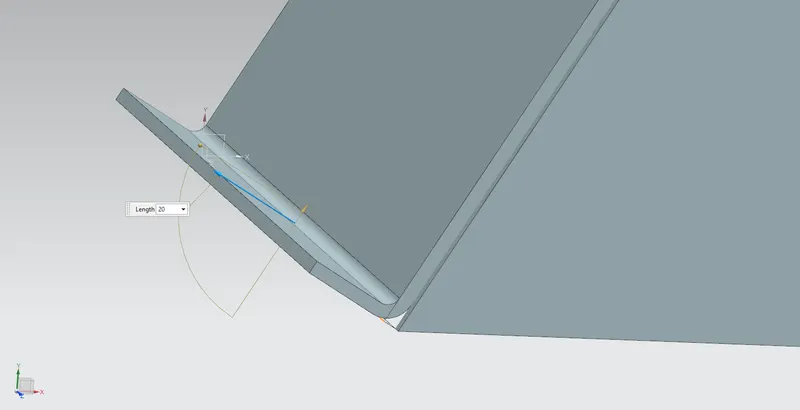
Extrude is the most common 3D tool used to provide the 3D environment to the 2D sketch. It provides the desired length and dimensions in the 3D model from which it can be transformed into desired shapes and sizes for the part by using other 3D tools.
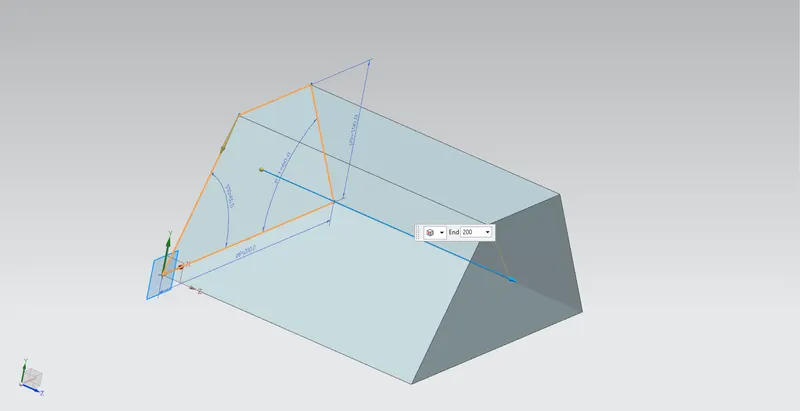
The Jog is also a type of flange which performs by assigning a line or curve and the plane to the pre-defined 3D model that lifts off or pushes down one side of the 3D model at additional heights depending on the conditions.
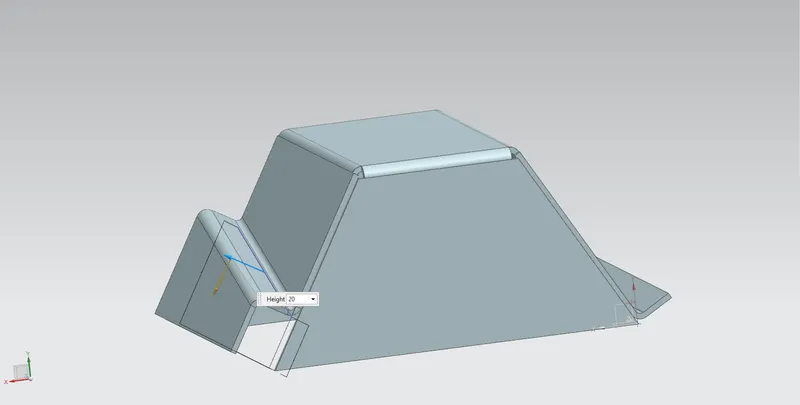
Break Corners is used to provide a smooth or round shape and also chamfer to the corners of the sheet metal model. Break Corners used in the Odd Shape Enclosure Design to prevent the model from cracks or any fractures. ss, cut, and surface modeling.
Unbend is the feature that is used to provide a shape without any bend to the sheet metal model. It is also used to implement some extra features to the sheet metal by which any features applied to the sheet metal cannot get deformed according to the shape and can be applied hassle-free. The extra feature applied to the Odd Shape Enclosure Design is the hole.
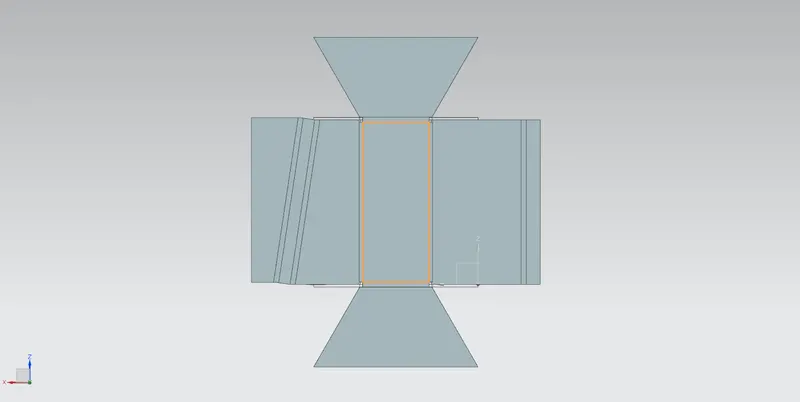
The Hole feature is used to provide an empty round shape to the sheet metal with a particular specific dimension. The hole can be of different standard forms such as tapered, through, counterbore, and countersunk. The hole feature is also used to provide the thread form to the sheet metal model with different metric thread standards likes M1, M2, M3, M4….etc. The hole features in Odd Shape Enclosure Design required a center which is specified by providing points on the four flanges.
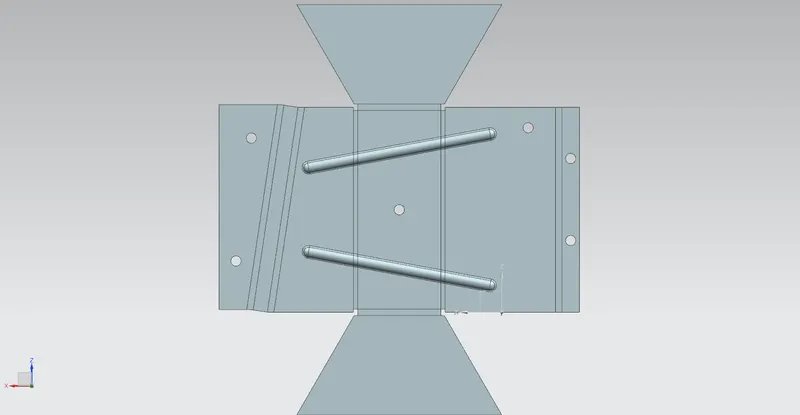
The Close Corners feature is used to close a space between two flanges. To close the space of flanges it is required to be adjacent to each other. It doesn’t depend on any angle alignment, it depends only on the adjacent nature of flanges at any angle.
The Dimple feature is used to provide strength to the sheet metal because the thickness of the sheet metal is not much by which the shape can get deformed. This is the extra feature that is applied after the unbend feature to the sheet metal or it can apply only on the flat sheet metal. The sketch is required to specify the dimple feature to the sheet metal. The Odd Shape Enclosure Design has a dimple feature along with the sketch of a 16 point profile.
The Beads are also an extra feature that provides strength to the sheet metal model to prevent unexpected deformation. It does not depend on any closed or open sketch profile to perform the feature in 3D, or it provides stiffness to the model. The Odd Shape Enclosure Design contains the four circular beads of 1 mm depth and radius which symmetrically patterned accordingly.
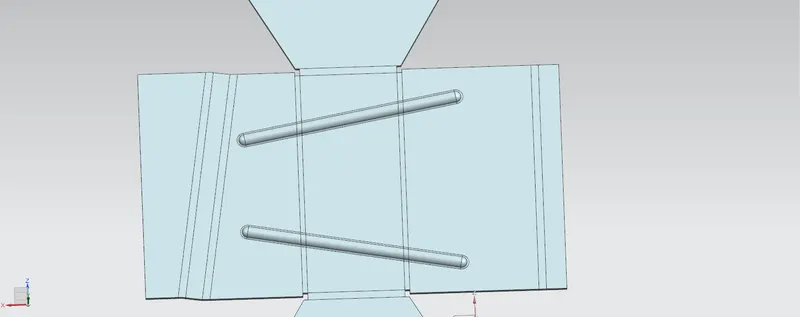
A Gussets is also an extra feature that provides strength to the sheet metal model to prevent unexpected deformation. It does not depend on any closed or open sketch profile to perform the feature in 3D, but it needs to be connected or merged from its end to the sheet metal surface. The Odd Shape Enclosure design does not require any gussets.
The Mirror Body is the feature in which the body is created symmetrically with the reference plane.
The Unite is the feature that is used to combine two or more bodies to bring two or more bodies into one body.
The Hem Flange is the feature that provides the rounded shapes to the end of the flange. It also helps to provide strength to the end of the flange. The Hem Flange can perform in seven-ways which are closed loop, open loop, S type, curl, open, centered loop, and closed.
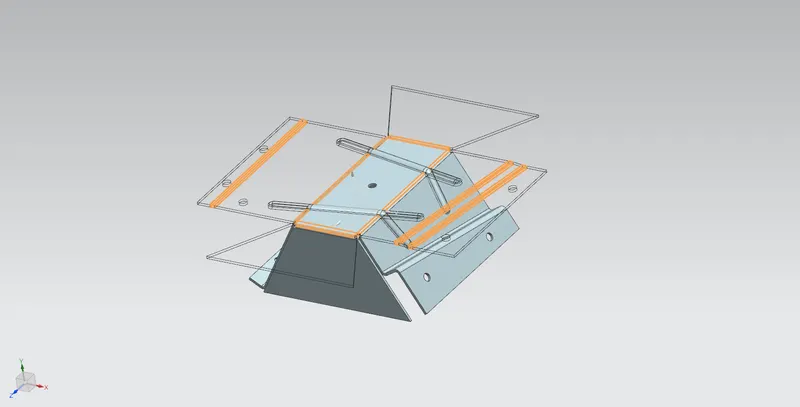
The Rebend is the feature that is used to rebend the sheet metal model after applying the extra features on the unbend sheet metal model like a hole, dimple, beads, gussets, etc. the Odd Shape Enclosure Design is rebending after applying the extra features.
The Flat Pattern is the feature that is used to represent the 3D model in the 2D form with a complete description of 3d features which is applied on the sheet metal model. The Odd Shape Enclosure Design contains beads, hole, bend, dimple, cut-out, etc which are applied for creating the model.
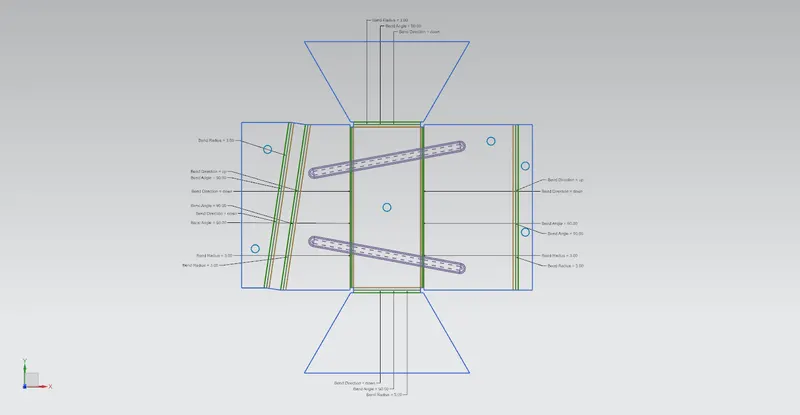
The Drafting is to represent the model in 2D form or on the paper with several views like isometric view, top view, side view, the front view which describes the geometry, factors, and the application of the model. The Odd Shape Enclosure Design is represented on the A4 size sheet with a 2:1 scale format.
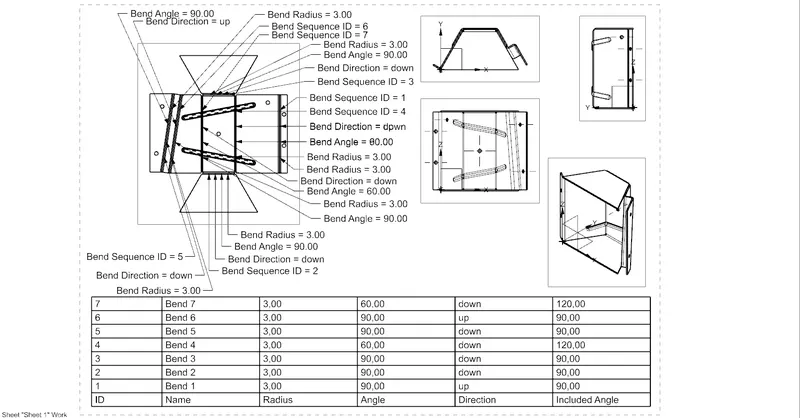
Sheet Metal Odd Shape Enclosure Design Views
The Odd Shape Enclosure is designed or modeled by using several tools like tab, dimple, unbend, rebend, hole, beads, etc which provides strength and rigidity to the model from unexpected deformation. The Odd Shape Enclosure Design is created by using a sheet metal tool or features.
- Isometric View
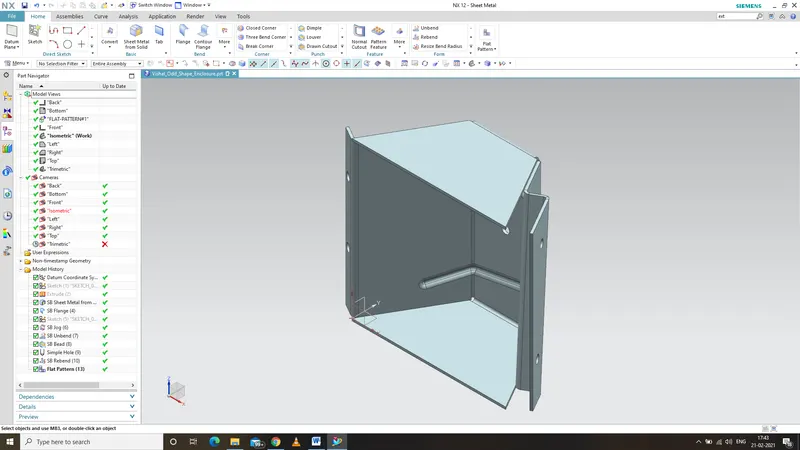
- Front View
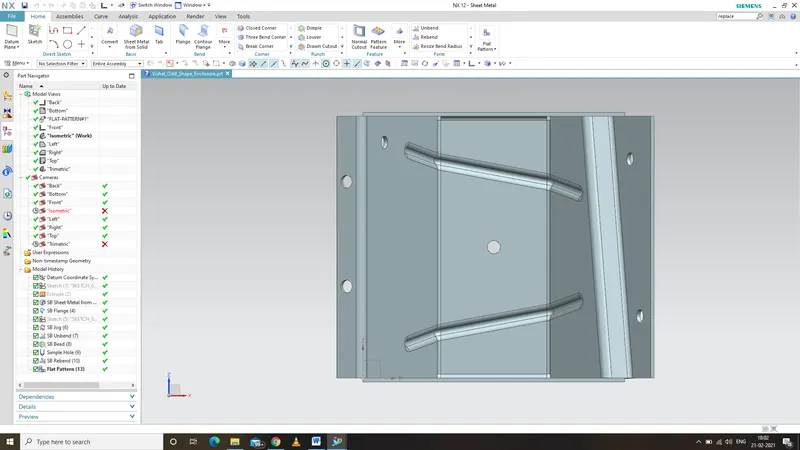
- Top View
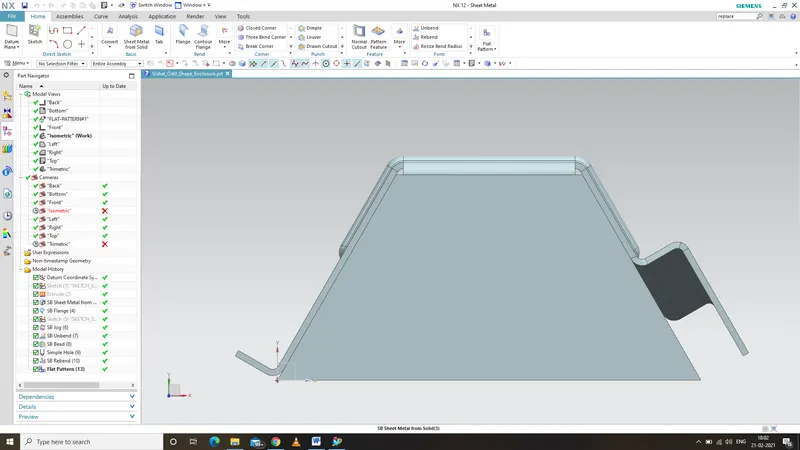
- Side View
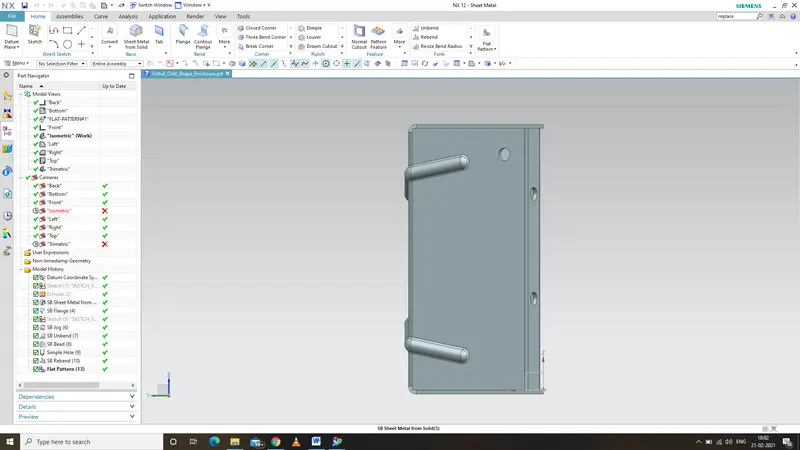
- Vishal_Odd_Shape_Enclosure_Part_Navigator_1
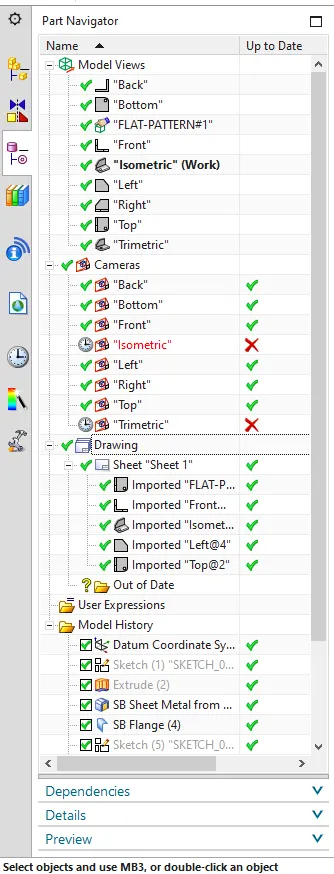
- Vishal_Odd_Shape_Enclosure_Part_Navigator_2
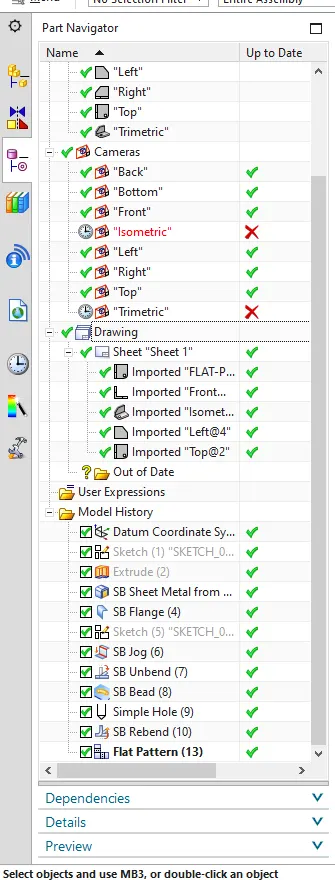
Conclusion:
The tools and the features of Siemens NX CAD have been covered with the definition to understand the software before modeling the Sheet metal parts. The understanding of the software is the major part which covered successfully. The sheet metal Odd Shape Enclosure parts were designed with the help of tools and features of Sheet metal individually and saved properly. All the steps were followed and understood very carefully under the mentoring of Mr. Akshay Dev sir, sincerely thanking him who helped me in completing the sheet metal Odd Shape Enclosure Design project till the end.