Photo Realistic Rendering
Design of American Chopper Bike
Objective
The main objective of this project is to learn the basic tools, commands, and the part modeling of the customized American Chopper Bike using Solidworks. The objectives of this project are as follows:
- To design individual parts of the American Chopper Bike.
- To assemble the parts modeled individually.
- To set up the camera, lights, and apply the decals on their respective parts.
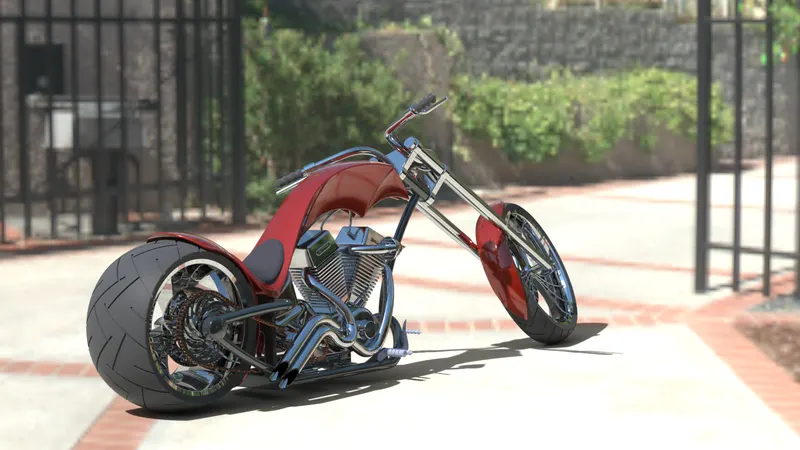
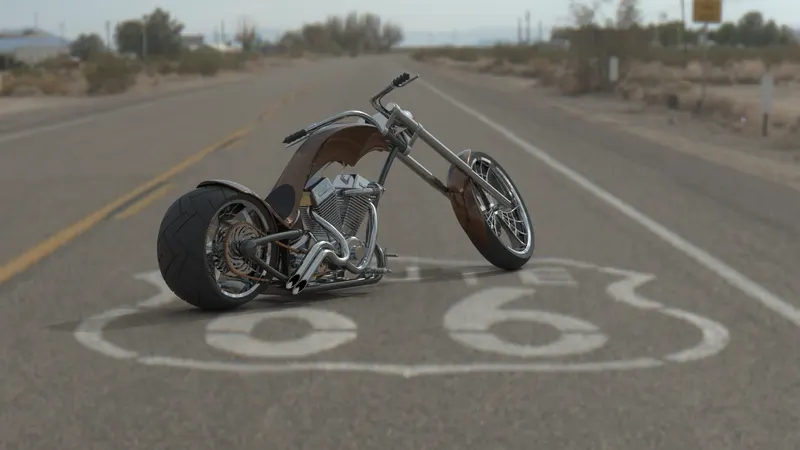
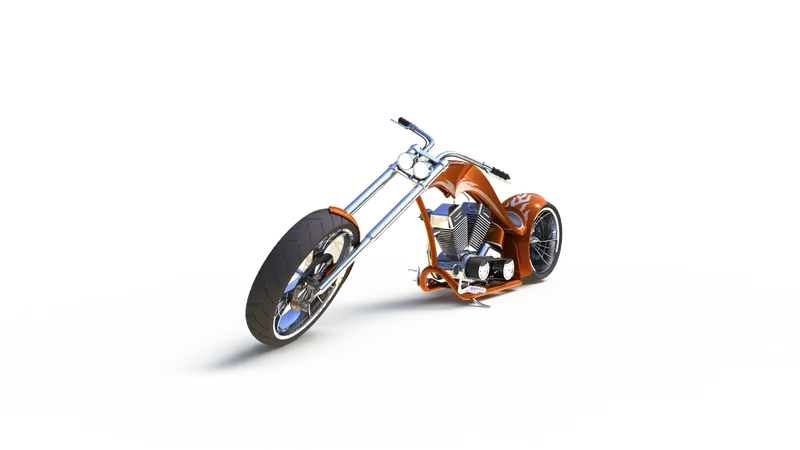
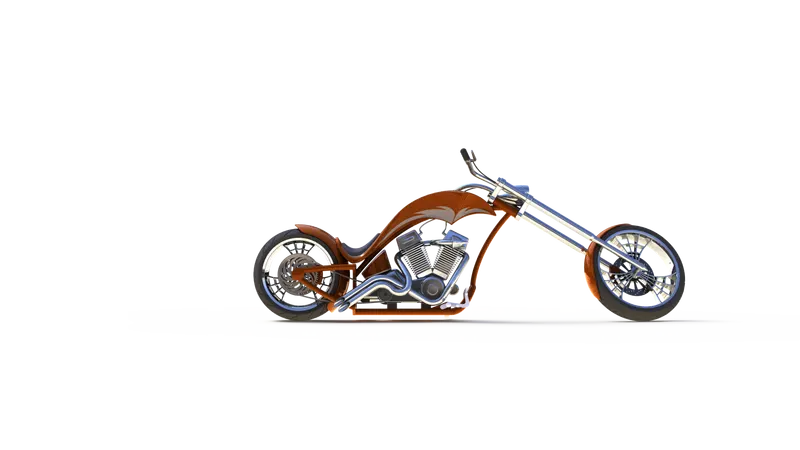
- To create a rendering of the assembled model and create a photo-realistic image using Solidworks Visualize and photo-view 360.
Introduction
American Chopper Bike was started in 2003, located at Orange County Choppers Company, New York, U.S. It was the most popular motorcycle at the time. This is the detailed report describing the assembled designs and the parts modeled using Solidworks. Once the parts get designed and assembled, it was taken for rendering and to visualize the assembled model to form a Photo-realistic image using Solid works.
Design Methodology or approach:
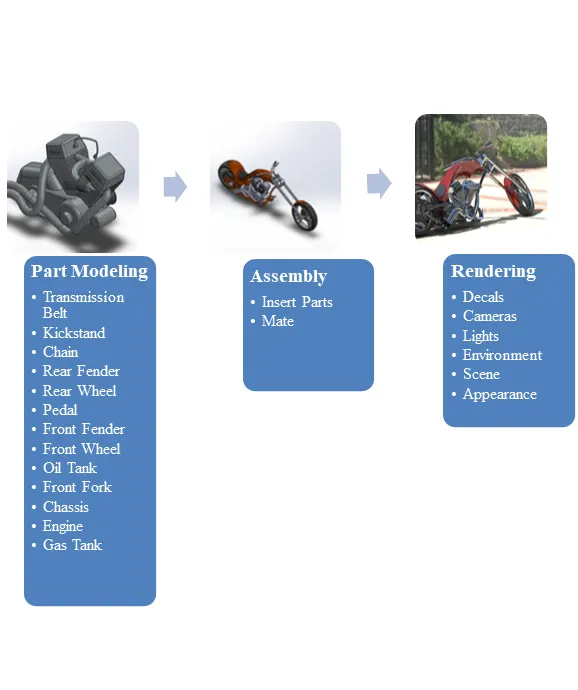
Part Modeling
In part modeling, we create a part from a conceptual sketch which is assigned in pdf or draft sheet format. The sketch is pre-defined and we select the plane to create a sketch build the 3D feature as required to the sketch and the part is modeled. The part modeling can be obtained on the 3D modeling software which is Solidworks. This report discussing the features, parts, tools, assembly, and steps to complete the design of the American Chopper Bike.
Surface Modeling
Surface modeling is based on the external aspects of the model. The faces of the model which is connected and forming a shape with a uniform thickness. It is a kind of the boundary of the model which can be converted into solid for a later purpose.
Features Description
The sketch is a 2D tool to select the plane, make the outlines of the model, assign the dimensions as the part required. The sketch is an initial step for the part modeling which gives the overview reference about the model.
Extrude Boss/Bass is the most common 3D tool used to provide the 3D environment to the 2D sketch. It provides the desired length and dimensions in the 3D model from which it can be transformed into desired shapes and sizes for the part by using other 3D tools.
The fillet is available in both 2D sketch features and 3D tool features. Both features are used to provide roundness to the corners and edges of the part. The fillet tool trims out the intersection corner and brings the tangent relation to the fillet arc.
Dome is the 3D feature that allows providing roundness to the surface of a particular face. It is available in elliptical and circular functions.
Offset is available in the 2D sketch which offsets the sketch to the assigned distance with a reverse function to make it in the desired direction. Also available in 3D surface tool in which it offsets the faces or edges to the desired distance and direction.
Lofts can be a base, boss, cut, and surface modeling. It is an important 3D tool that can be obtained by a transition between two profiles with the reference of the guide curve.
Extrude Cut is the 3D tool feature that is used to remove the section as per the area defined by the 2D sketch. It also behaves as an extrude which build the sketch in a 3D model, but it removes the section as per the sketch similar to extrude.
Revolve is focused on 3D tool Features in which, the sketch complete a dimensional cycle around a reference axis at the desired angle. The angle can be modified according to the model dimension.
The split brings the existing part into multiple parts with its 3D tool features function. With this feature, it can split solid bodies as well as surface bodies. To split a surface, the Trimming Surface must extend past the boundaries of the surface to split.
The chamfer is the 3D tool feature that is used to remove the sharp edge of the model. The removal of a sharp edge means to make a sloping edge. It can be brought by two methods that are the distance-angle method in which distance and the angle of the slope will be defined and another is the distance-distance method in which the two distances will be defined.
A combine is to merge two bodies which are only allowed when the body has a common area to get merged. It is a 3D tool feature used to make two bodies into one body. It can be added only within one multibody part file.
The shell can be performed in two ways, by selecting a face that creates a hollow body that leaves the selected face open and creates a thin-walled surface as a boundary to the remaining faces, and by without selection anybody, will create the closed hollow solid body with the desired thickness. The thickness can be modified accordingly.
Dynamic Mirror is the tool from which the sketch gets auto mirrored with the reference of the plane or any selected axis. The axis can be made by the construction line in the sketch tool. The sketch follows up another side of the axis or plane and constructs the sketch on another side as well. Due to this tool, it doesn’t require a mirror tool to make mirrored of the sketch as later on the process.
Appearance is to assign the environment to the model like assigning the color. The assigning of the environment means to provide the realtime material to the model like fabric, metal, non-metal, glass, rubber, etc. these are the environment sets that are used to assign to the model.
Trim Entities is the 2D tool that is used to delete the extra sketch which is coming outward of the intersection, if the point is on the sketch then the entities will get deleted from that point, which means if there is any intersection is on the line itself then the extra portion will get deleted with the help of trim entities tool.
Surface Extend is to extend the surface from its end which was created earlier for the modification to meet the requirement. It is the surface 3D tool that is used to extend the surface by assigning the value as the need to match the requirement.
Swept Surface is also a 3D surface tool used to create a 3D model along with the profile sketch with guide curves, which forms a surface along with the profile sketch. It also contains the guide curve option for making the surface along the guided curve which means the profile will follow the guide curve to form a shape or surface.
Circular/Linear Pattern is to provide the model as well as the sketch a circular pattern or linear pattern. The pattern means is to make a copy of the model or sketch without repeating for the same along the linear (horizontal or vertical direction) or circular (rotates along angle) path.
Surface Knit is like combine the body. It is a surface 3D tool that is used to fill the gaps between surfaces or makes the surfaces get combined. The surfaces which were created earlier don’t need to be on the same plane but it is necessary to be adjacent to each other but should not be overlapping.
The American Chopper bike contains parts:
The following are the parts contained in the American Chopper bike to get overall designed:
- Transmission Belt
- Kickstand
- Pedal
- Chassis
- Rear Fender
- Front Fender
- Front Fork
- Front Wheel
- Rear Wheel
- Oil Tank
- Chain
- Gas Tank
- Engine
Discussing the features and parts modeling of the American Chopper bike:
1. Transmission Belt: The transmission belt is used to transmit the power from the driver shaft to the driven shaft. The wider diameter of the belt belongs to the driven shaft and the rest belongs to the driven shaft.
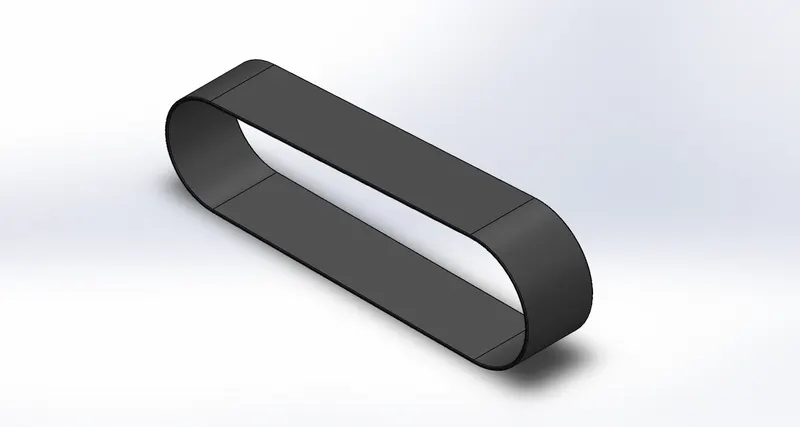
Features used:
Sketching Profile
Offsetting the sketch profile
Extrude the profile
Filleting the edges, and
Applying Appearance.
Procedure:
Open SolidWorks=New Part=Change the plane’s name=Select Front Plane for 2D sketching=Sketch the Profile=Offset the Profile=Close the Sketch=Create Extrude=Apply Fillet=Apply Appearance=Save.
- Front Plane: Front Plane Transmission Belt
- Top Plane: Top Plane Transmission Belt
- Right Plane: Right Plane Transmission Belt
Assign the distances and relations to the profile while creating the sketch on a 2D sketch plane. Make sure that the profile should be closed and fully defined. The profile should not overlap with each other and should not be over defined.
2. Kickstand: The kickstand is the type of lever that is used to provide support to the American Chopper Bike by making contact with the ground. The function of a kickstand is to manage the amount of load to keep the bike at an incline position on which the load of the bike applies for the stability of the bike to keep it untouched.
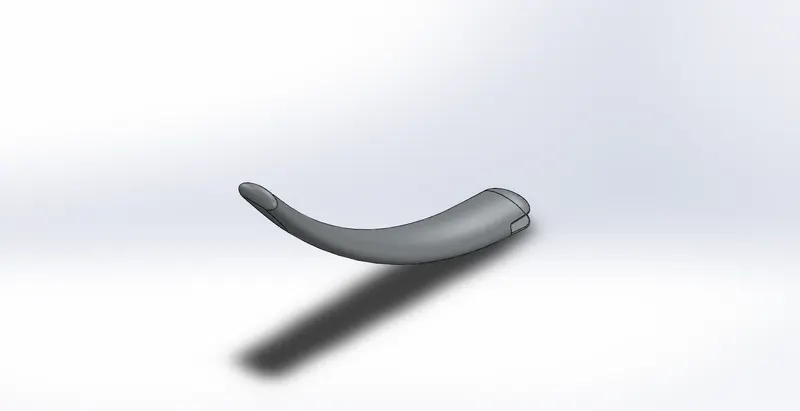
Features used:
Sketching Profile
Lofting the sketch profile
Extrude the model
Extrude-cut the model
Filleting the edges
Splitting the model
Applying the Dome, and
Applying Appearance.
Procedure:
Open SolidWorks=New Part=Change the plane's name=Select Mid Plane for 2D sketching=Sketch the Profile=Create the plane=Sketch the Profile on the created plane=Close the Sketch=Loft the Profile=Create the Sketch=Apply Extrude-cut=Apply Fillet=Apply the elliptical Dome at both ends=Apply Appearance=Save.
- Front Plane: Front Plane
- Top Plane: Top Plane
- Right Plane: Mid Plane
Assign the distances and relations to the profile while creating the sketch on a 2D sketch plane. Make sure that the profile should be closed and fully defined. The profile should not overlap with each other and should not be over defined.
3. Pedal: The Pedal is the place of the foot resting to keep the foot above the ground while riding the American Chopper Bike. Applying the breaks and shifting the gears are the two major functions of the Pedal used in the bike.
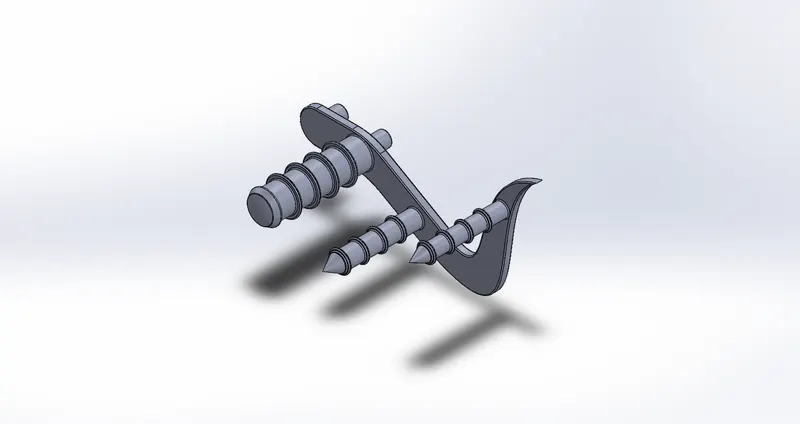
Features used:
Sketching Profile
Extruding the sketch profile
Filleting the edges
Applying the linear pattern to the model
Chamfering the edge
Applying the Dome, and
Applying Appearance.
Procedure:
Open SolidWorks=New Part=Keep the plane’s name=Select the Plane for 2D sketching=Sketch the Profile=Close the Sketch=Apply the Extrude=Apply Fillet=Apply the linear Pattern=Apply the Chamfer=Apply the Dome at the end=Apply Appearance=Save.
- Front Plane: Front Plane
- Top Plane: Top Plane
- Right Plane: Right Plane
Assign the distances and relations to the profile while creating the sketch on a 2D sketch plane. Make sure that the profile should be closed and fully defined. The profile should not overlap with each other and should not be over defined.
4. Chassis: The Chassis is also known as the frames, base of vehicles, base structure, and skeleton of vehicles which contains and keeps all the components connected on itself. The components contained by the chassis are the front fork, seats, oil tank, engines, rear-wheel, etc. It is the strongest part of the vehicle which holds most of the components with it.
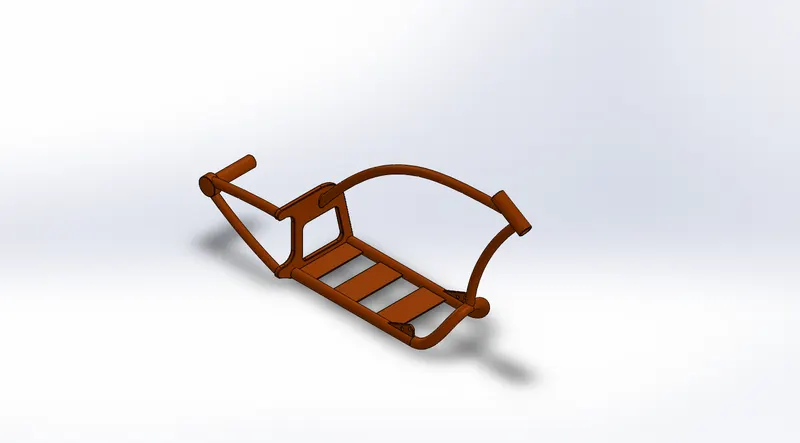
Features used:
Sketching Profile
Offsetting the profile
Converting the desired entities
Projecting the curves
Trimming the entities
Sweep the sketch profile
Split the entities
Revolve the sketch
Extrude-cut the model
Filleting the edges
Combine the model
Applying the Dome, and
Applying Appearance.
Procedure:
Open SolidWorks=New Part=Keep the plane’s name=Select the Plane for 2D sketching=Sketch the Profile=Close the Sketch=offset the profile=convert the entities=project the curves=Apply the sweep=split the entities=Apply Fillet=Combine the model=Apply the Dome at the end=Apply Appearance=Save.
- Front Plane: Front Plane
- Top Plane: Top Plane
- Right Plane: Right Plane
Assign the distances and relations to the profile while creating the sketch on a 2D sketch plane. Make sure that the profile should be closed and fully defined. The profile should not overlap with each other and should not be over defined.
5. Rear Fender: The wheel protective part of the vehicle is clamped on the rear part of the bike above the rear wheel for protection from substances that can move or come along the moving wheel.
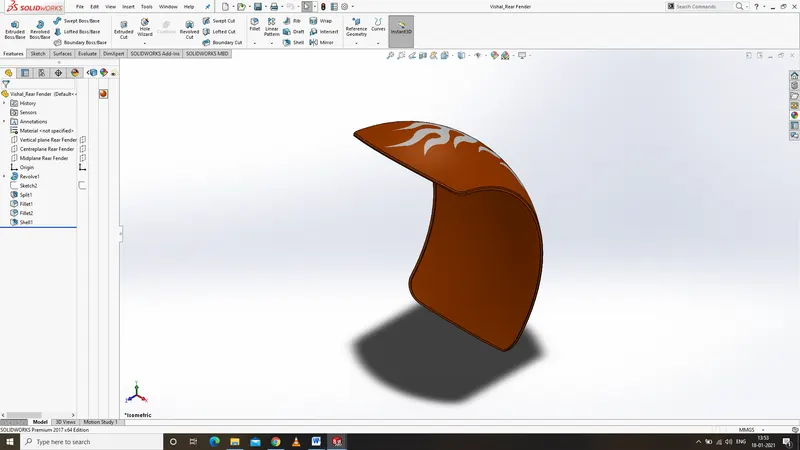
Features used:
Sketching Profile
Offsetting the profile
Trimming the entities
Revolve the sketch
Applying Appearance.
Procedure:
Open SolidWorks=New Part=Keep the plane’s name=Select the Plane for 2D sketching=Sketch the Profile=offset the profile=Revolve the profile=Apply Appearance=Save.
- Front Plane: Front Plane
- Top Plane: Top Plane
- Right Plane: Right Plane
Assign the distances and relations to the profile while creating the sketch on a 2D sketch plane. Make sure that the profile should be closed and fully defined. The profile should not overlap with each other and should not be over defined.
6. Front Fender: The wheel protective part of the vehicle is clamped on the front part of the bike above the front wheel for protection from substances that can move or come along the moving wheel.
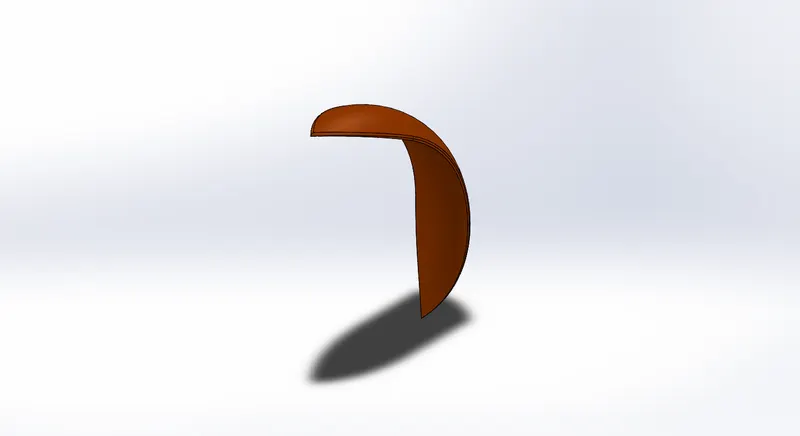
Features used:
Sketching Profile
Offsetting the profile
Trimming the entities
Revolve the sketch
Applying Appearance.
Procedure:
Open SolidWorks=New Part=Keep the plane’s name=Select the Plane for 2D sketching=Sketch the Profile=offset the profile=Revolve the profile=Apply Appearance=Save.
- Front Plane: Front Plane
- Top Plane: Top Plane
- Right Plane: Right Plane
Assign the distances and relations to the profile while creating the sketch on a 2D sketch plane. Make sure that the profile should be closed and fully defined. The profile should not overlap with each other and should not be over defined.
7. Front Fork: The Front Fork function is to assign the direction to the bike. The front fork performs multiple functions for the bike. It also carries most of the components of the bike such as the front wheel, front brake, headlights, clutch wire, etc. from where multiple functions can be performed. It also provides a classic look to the bike and makes the designs amazing.
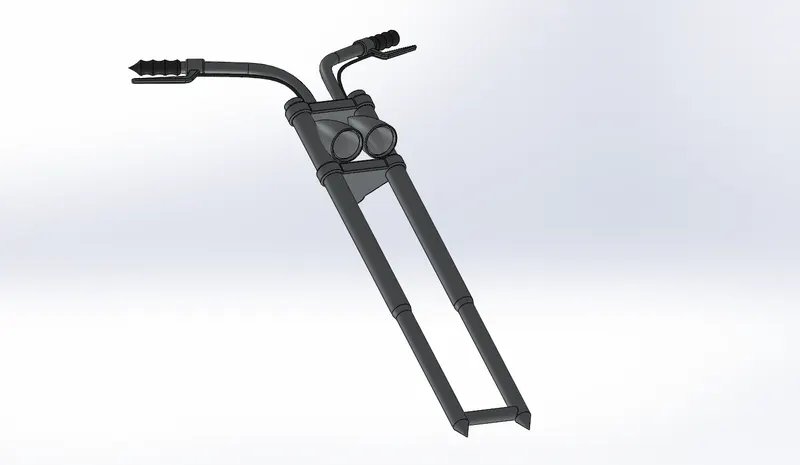
Features used:
Sketching Profile
Extrude-cut the model
Revolve the sketch
Trimming the entities
Split the entities
Converting the desired entities
Move/copy the model
Applying the Dome
Mirroring the model
Combine the solid body
Projected curve
Sweep the sketch
Applying Appearance.
Procedure:
Open SolidWorks=New Part=Keep the plane’s name=Select the Plane for 2D sketching=Sketch the Profile=Extrude the profile=sketch=Revolve the profile=Trim the entities=Split the entities=convert the sketch for further profile=apply the move feature to the model=apply the dome=mirror the model=combine the solid body=Apply Appearance=Save.
- Front Plane: Front Plane
- Top Plane: Top Plane
- Right Plane: Right Plane
Assign the distances and relations to the profile while creating the sketch on a 2D sketch plane. Make sure that the profile should be closed and fully defined. The profile should not overlap with each other and should not be over defined.
8. Front Wheel: The front wheel is attached to the front fork which contains the caliper brake. The wheel contains the spider web structured ribs inside its circular frame. The wheel can be of many types such as tubeless tyres or tube containing tyres. The front-wheel has a lightweight function to do.
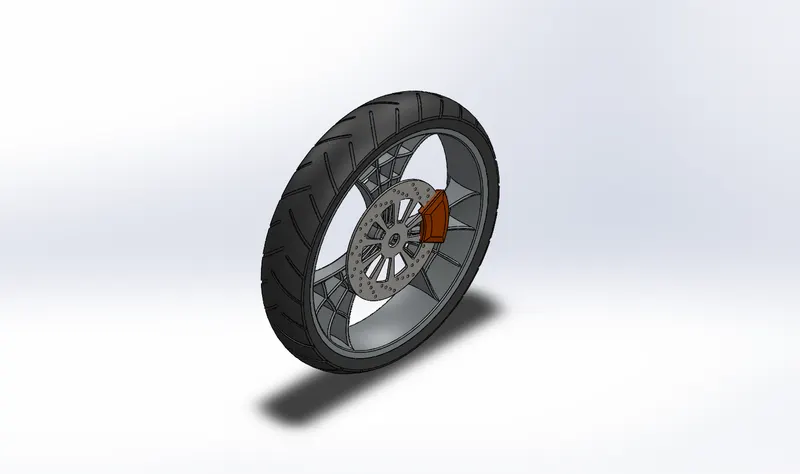
Features used:
Sketching Profile
Extrude-cut the model
Revolve the sketch
Revolve-cut the sketch
Filleting the edges
Trimming the entities
Using a linear pattern
Extrude-cut the body
Circular Pattern
Applying Appearance.
Procedure:
Open SolidWorks=New Part=Keep the plane’s name=Select the Plane for 2D sketching=Sketch the Profile=Extrude the profile=sketch=Revolve the profile=Trim the entities=Revolve-cut the entities=trim the sketch for further profile=use the linear pattern=Extrude-cut the profile=circular pattern the body=Apply Appearance=Save.
- Front Plane: Front Plane
- Top Plane: Top Plane
- Right Plane: Right Plane
Assign the distances and relations to the profile while creating the sketch on a 2D sketch plane. Make sure that the profile should be closed and fully defined. The profile should not overlap with each other and should not be over defined.
9. Rear Wheel: The rear wheel contains the gear as well as the braking systems for the rear wheel. The rear wheel is wider than the front because it carries a heavy load that includes human weight too. The wider dimension of the wheel is also used to prevent from sliding of the vehicle on sharp inclined turns.
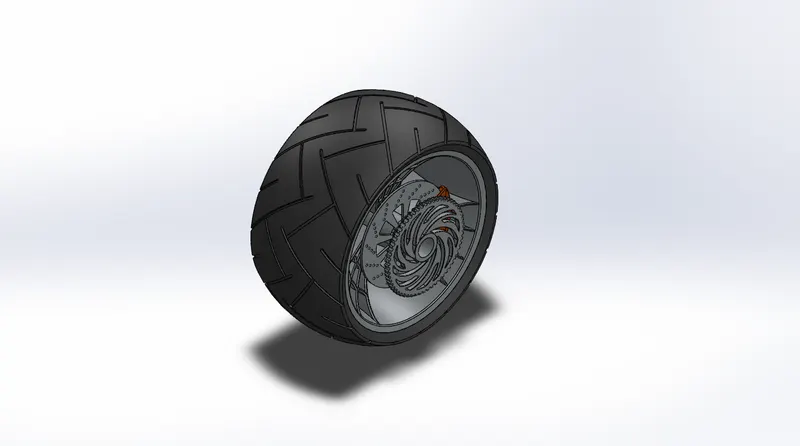
Features used:
Sketching Profile
Extrude the model
Revolve the sketch
Revolve-cut the sketch
Filleting the edges
Trimming the entities
Using a linear pattern
Extrude-cut the body
Circular Pattern
Applying Appearance.
Procedure:
Open SolidWorks=New Part=Keep the plane’s name=Select the Plane for 2D sketching=Sketch the Profile=Extrude the profile=sketch=Revolve the profile=Trim the entities=Revolve-cut the entities=trim the sketch for further profile=use the linear pattern=Extrude-cut the profile=circular pattern the body=Apply Appearance=Save.
- Front Plane: Front Plane
- Top Plane: Top Plane
- Right Plane: Right Plane
Assign the distances and relations to the profile while creating the sketch on a 2D sketch plane. Make sure that the profile should be closed and fully defined. The profile should not overlap with each other and should not be over defined.
10. Oil Tank: The function of the oil-tank is to store the coolant for maintaining the temperature of the engine during the running condition. It is an essential part of the bike to increase the efficiency of the engine.
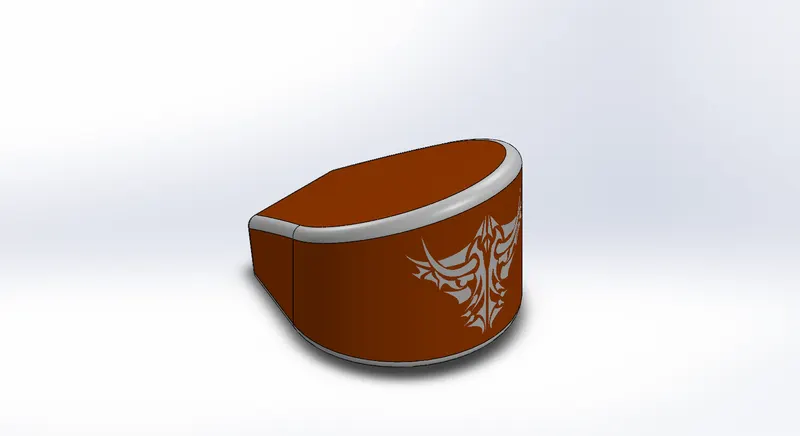
Features used:
Sketching Profile
Extrude the model
Filleting the edges
Combine the model
Apply the shell
Applying Appearance.
Procedure:
Open SolidWorks=New Part=Keep the plane’s name=Select the Plane for 2D sketching=Sketch the Profile=Extrude the profile=sketch=Fillet the profile=Shell the body=Combine the model=Apply Appearance=Save.
- Front Plane: Front Plane
- Top Plane: Top Plane
- Right Plane: Right Plane
Assign the distances and relations to the profile while creating the sketch on a 2D sketch plane. Make sure that the profile should be closed and fully defined. The profile should not overlap with each other and should not be over defined.
11. Chain: The function of the chain is to transmit mechanical energy to the rear wheel which moves the rear wheel forward with chain movement. The smaller diameter side of the chain is aligned with the engine gear which has the driver gear and the larger diameter of the chain is aligned with the rear wheel gear which is driven gear, which means will rotate along with the driver gear.
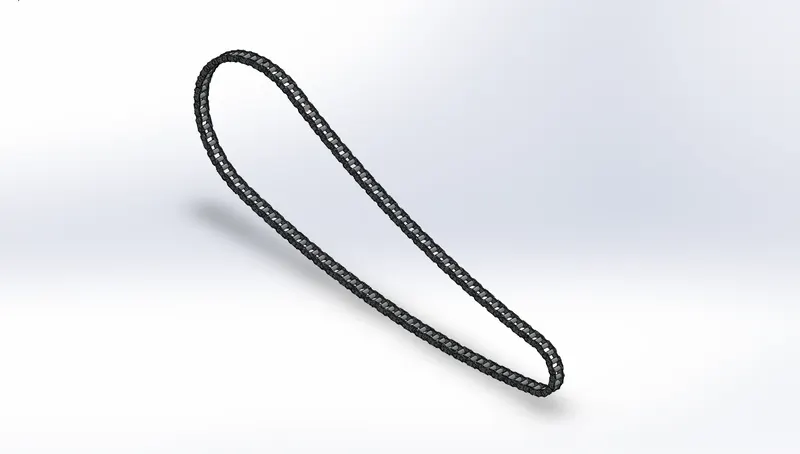
Features used:
Sketching Profile
Extrude the model
Filleting the edges
Trimming the entities
Make block diagram
Using pattern in the direction of the sketch
Applying Appearance.
Block: The profile was made during sketching of the profile of the chain and saved separately for the latter purpose to apply the 3D feature for the several sketches. It is a type of one-time sketch rather than several times sketching.
Procedure:
Open SolidWorks=New Part=Keep the plane’s name=Select the Plane for 2D sketching=Sketch the Profile=Extrude the profile=sketch=make blocks of the profile=Trim the entities=fillets the profile=use the pattern along with the sketch=Extrude the profile=Apply Appearance=Save.
- Front Plane: Front Plane
- Top Plane: Top Plane
- Right Plane: Right Plane
Assign the distances and relations to the profile while creating the sketch on a 2D sketch plane. Make sure that the profile should be closed and fully defined. The profile should not overlap with each other and should not be over defined.
12. Gas Tank: The Gas-tank is the major part of the bike which provides a decent or amazing look to the bike, which performs like a visual optimizer. It is a type of storage that stores fuel for the bike which pumped and supplies to the engine.
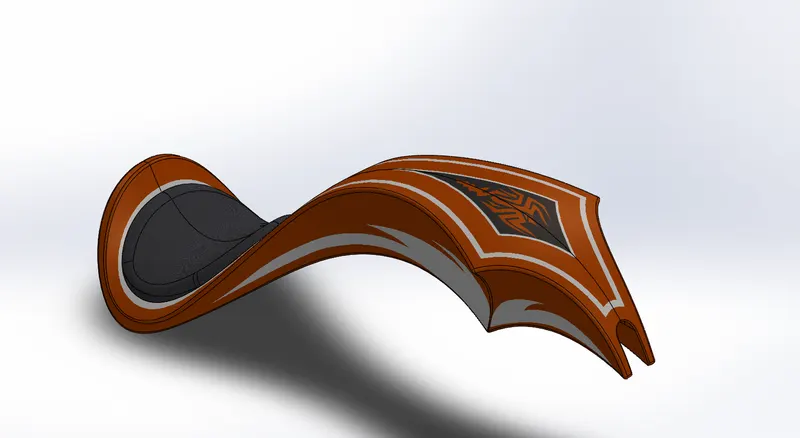
Features used:
Sketching Profile
Surface lofted
Trimming the surface
Converting the entities
Trimming the entities
Filling the surface
Sweep cut used
Projected curve used
Surface knitted
Sweeping the surface
Filleting the edges
Applying Appearance.
Procedure:
Open SolidWorks=New Part=Keep the plane’s name=Select the Plane for 2D sketching=Sketch the Profile=surface loft the profile=sweep the surface=Knit=Trim the entities=Trim the unwanted surface=Fill the required surface=sweep-cut the surface=Fillet the edges=Apply Appearance=Save.
- Front Plane: Front Plane
- Top Plane: Top Plane
- Right Plane: Right Plane
Assign the distances and relations to the profile while creating the sketch on a 2D sketch plane. Make sure that the profile should be closed and fully defined. The profile should not overlap with each other and should not be over defined.
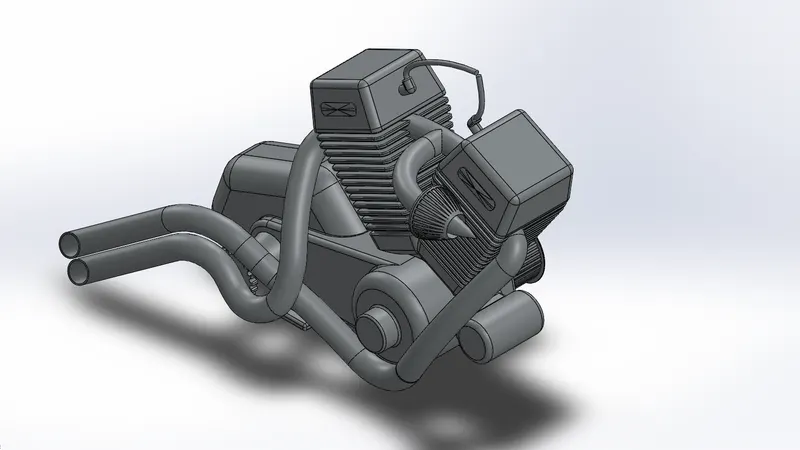
13. Engine: The pumped fuel is supplied to the engine which forms a chemical composition or chemical energy which converted into Heat energy, the heat energy forms from the ignition of the chemical composition which leads to the conversion into mechanical energy, and the mechanical energy used to rotate the wheel of the bike which provide the motion to the bike. The Engine is the heart of the bike by only which the bike can move without any human effort.
Features used:
Sketching Profile
Converting the entities
Using the offset tool
Extrude the model
Revolve the sketch
Applying Dome at the circular ends
Filleting the edges
Trimming the entities
Using the projected curve
Using the composite curve
Using surface sweep
Mirror the model
Using split tools
Circular Pattern
Applying Appearance.
Procedure:
Open SolidWorks=New Part=Keep the plane’s name=Select the Plane for 2D sketching=Sketch the Profile=Extrude the profile=sketch=Convert the entities=Trim the entities=Offset the entities=Revolve the profile=sweep the surface=Split the surface=using the projected curve=using composite curves=Applying the dome at the end of the model=Filleting the edges=Using the circular pattern=Mirror the model=Apply Appearance=Save.
- Front Plane: Front Plane
- Top Plane: Top Plane
- Right Plane: Right Plane
Assign the distances and relations to the profile while creating the sketch on a 2D sketch plane. Make sure that the profile should be closed and fully defined. The profile should not overlap with each other and should not be over defined.
American Chopper Bike Assembly
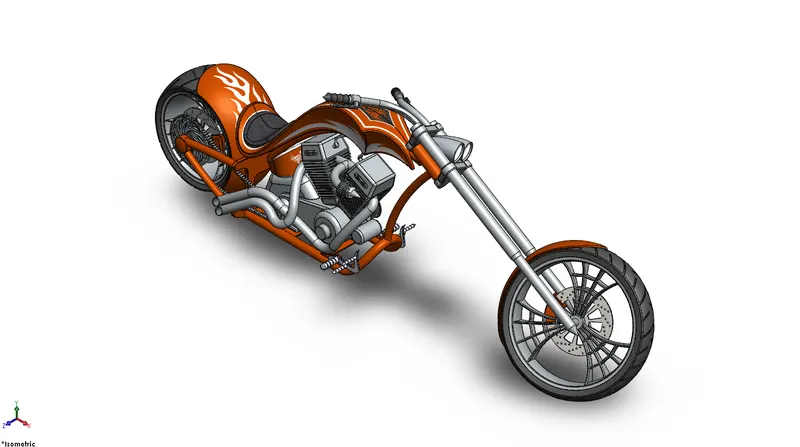
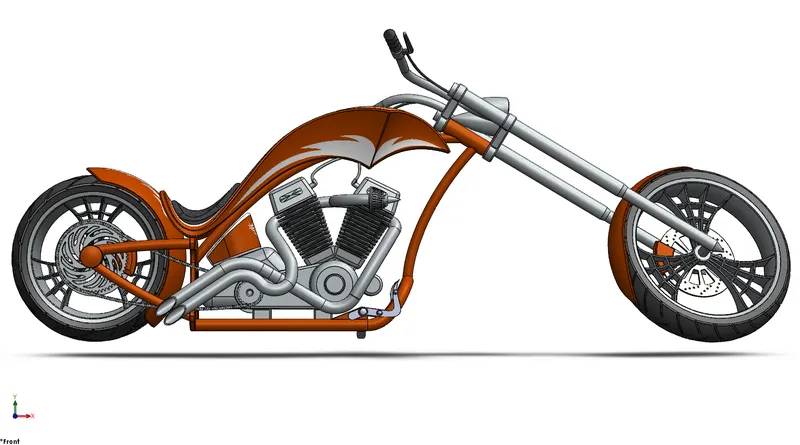
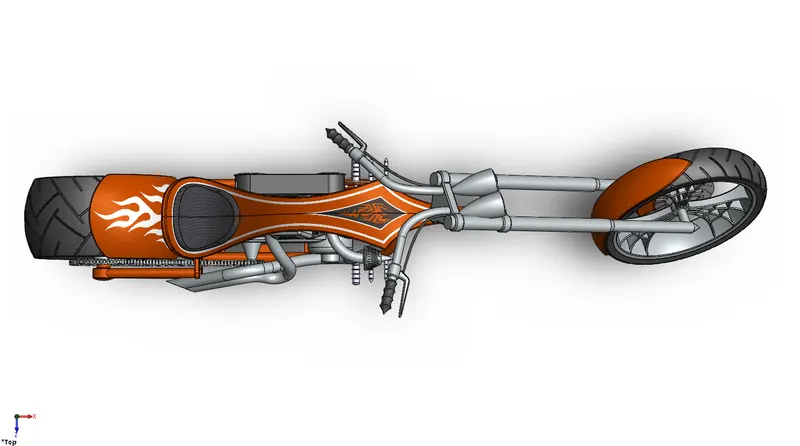
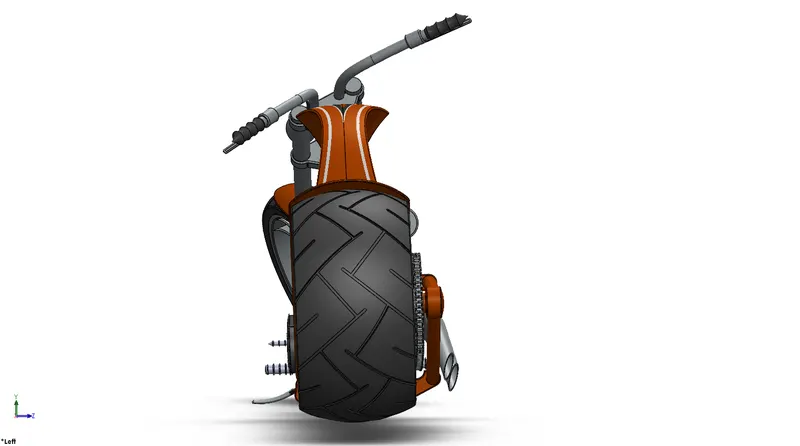
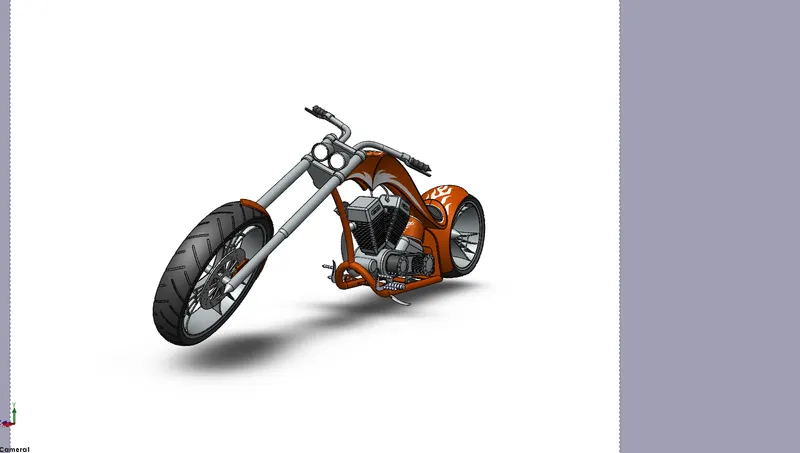
The designed model is inserted into the assembly profile using an insert part option in Solidworks. The mate features are used to assign the relation between the parts modeled which are parallel, coincide, concentric, perpendicular, fix, etc. relations which assign the parts to their proper position and make a complete assembled American Chopper Bike. Once the assembly of the bike is completed, the decals on their respective parts will be applied individually.
Features used:
Inserting the parts using an “Insert Part” feature
Mating the inserted part on their respective position using the “Mate” feature.
Procedure or Assembly Tree:
- Isometric View
- Front View
- Top View
- Side View
- Camera Setup View
Visualization or Rendering:
When the modeled part is assembled on their respective relations and the complete bike formed then the lights and the camera gets set up for further visualization. The visualization means to bring the modeled or assembled design to a photo-realistic visual or image, to visualize the design whether it seems realistic or not. Once the light and the camera are set up then the scene is assigned to the design for the environment of the model to visualize the realistic image which is also known as rendering.
The rendering can be performed in two different ways:
- Photo-view 360
- Solidworks Visualization
- Vishal_Render_1
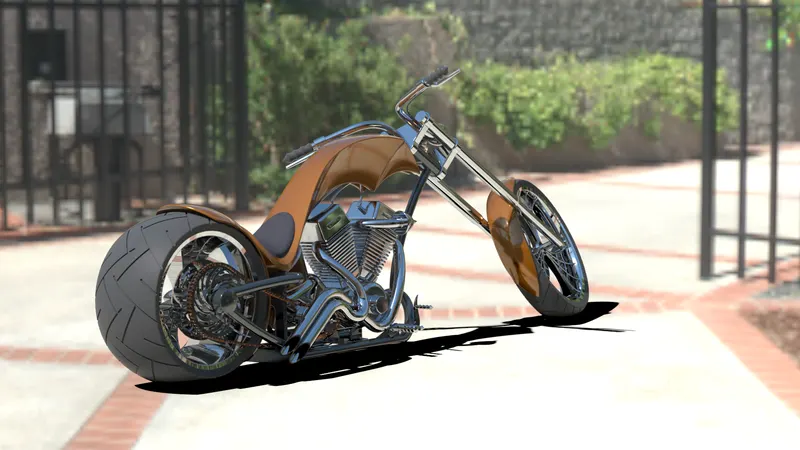
- Vishal_Render_2
- Vishal_Render_3
- Vishal_Render_4
- Vishal_Render_5
Conclusion:
The tools and the features of Solidworks have been covered with the definition to understand the software before modeling the parts. The understanding of the software is the major part which covered successfully. The parts were designed with the help of tools and features of Solidworks individually by also applying appearance to the model on their respective needs and save properly. In the end, the parts were inserted in the assembly section to assemble and formed the complete bike. At last, the visualization process was performed and visualized the model for the photo-realistic image. All the steps were followed and understood very carefully under the mentoring of Mr. Soundar Rajan sir, sincerely thanking him who helped me in completing the project till the end.